1
6.2 System Setting
6.2 System Setting
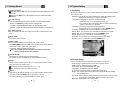
- Age Limit : Prevents children or unauthorized people from watching programs.
(Free / 8 above / 12 above / 15 above / 18 above)
- Current Password : Input current password for change your password.
- New Password : Input new password you want to change.
- Verify Password : Input new password one more for confirmation.
Note : The default password is '0000'.
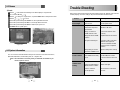
<Figure 6-11>
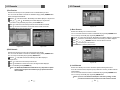
3) OSD Setting
This sub menu allows you to set menu language, OSD transparency, Information and
volume timeout. <Figure 6-12>
- Menu Language : Select the desired language of the menu.
- Transparency : Select OSD transparency of the menu.(1% ~ 100%)
- Information Timeout : Select the display duration of the information banner.
(1 sec / 2 sec / 3 sec / 5 sec / 10 sec)
- Volume Timeout : Select the display duration of the volume box.
(1 sec / 2 sec / 3 sec / 5 sec / 10 sec)
<Figure 6-13>
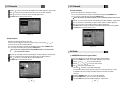
5) Database Reset
This sub menu allows you to restore the factory set values in case the user has encountered
some problems after changing any new values of channel data and others which may be
in error. <Figure 6-14>
- Delete Radio Channel : Erase all radio channels in database.
- Delete Scramble Channel : Erase all scramble channels in database.
- Delete All Channel : Erase all channels in database.
- Factory Set : Erase all channels and restore default setting.
The receiver will return to factory default parameters.
<Figure 6-12>
4) Security Setting
This sub menu allows you to change the password option to unlock or lock some menu
entry and to change password. <Figure 6-13>
- Receiver Lock : If you set ON, receiver asks you to enter PIN code when power on.
- Install Lock : If you set ON, receiver asks you to enter PIN code when entering Installation
menu.
- Channel Lock : If you set ON, receiver asks you to enter PIN code on channels menu.
- Lock Channel Confirm : If you set ON, receiver asks you to enter PIN code when changing
to locked channel.
18
<Figure 6-14>
19