1
6.4 Guide
6.5 Games
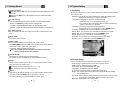
2) Timer
This sub menu allows you to set the on/off time of your receiver.
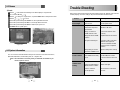
If you press RED button in guide menu, timer menu will be displayed. <Figure 6-23>
Press the
/
to move to other timer.
Press the
to change the parameter.
- State : Select the timer cycle of action.(off / once / daily / weekly)
CH
CH
- Date : Select the date using
. Calendar pop-up will be displayed.
- Start Time : Input the time using NUMERIC button for your receiver power-on.
- End Time : Input the time using NUMERIC button for your receiver power-off.
- Channel : Select the channel using
. Channel list pop-up will be displayed.
<Figure 6-24>
<Figure 6-25>
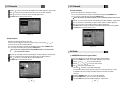
2) Sokoban
To play the sokoban, you have to push the balls to their correct positions. The balls can only be
pushed, never pulled, so you have to be careful not to push them into a corner where you
can't get them out again.
You can only push one ball at a time.
Press the
on the "Sokoban". The following menu will be displayed. <Figure 6-26>
You can select skill using / .
Press the
to start game <Figure 6-27>, or press the EXIT button to return previous menu.
Press the
/
/ / to move.
Press RED button to undo previous move. You can undo only one step.
Press GREEN button to restart.
Press YELLOW/BLUE button to jump previous/next level. You can jump between completed
level.
Press EXIT button to quit the game.
VOL
<Figure 6-22>
<Figure 6-23>
6.5 Games
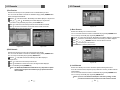
1) Tetris
CH
VOL
VOL
VOL
CH
Press the
on the "Tetris". The following menu will be displayed. <Figure 6-24>
You can select skill using / .
Press the
to start game <Figure 6-25>, or press the EXIT button to return previous menu.
Press the
to rotate the block.
Press / to move the block.
Press DOWN button to drop the block.
In the right top small window, you can see next block.
Press EXIT button to quip the game.
VOL
VOL
VOL
VOL
<Figure 6-26>
24
<Figure 6-27>
25