1
3. Specifications
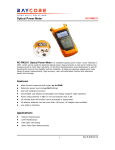
3.1 Wavelength range (nm): 80(M700
3.2 Detector type: InGaAs
3.3 Measurement range (dBm): -50-+26,-70〜+3
3.4 Uncertainty: ±5%
3.5 Resolution: Linearity display: 0.1%
3.6 Logarithm display 0.01 dBm
3.7 Auto off duration (min): 10
3.8 Battery: 4 pcs AA batteries (lithium battery is optional, if
you has special need please inform us in advance, or else,
we just provide standard AA batteries.)
3.9 Battery-hold duration (h): no less than 150 (according to
3.10 the battery volume)
3.11 Operating temperature (*C): -10-+50
3.12 Storage temperature (*C): -3 - +60
3.13 Weight (g): 430 (without batteries)
3.14 Dimensions (L*W*H, mm): 200x90x43
4. Layout
5. Operation
1. Turn on/turn off
You can realize turn on/off function when pressing the
key. This
meter defaults auto off function is available when you turn on the
meter.
When this meter is on, short press
key can open 10 minutes
Auto-off function. Press
key again to close this function.
Long press
button more than 2 seconds, you can turn off this
meter.
2. dBm key
Press this button to show absolute optical power measurement value.
3. 入 key: wave length choice key
You can choose one kind of six wave length, namely 850nm, 1300nm,
1310nm, 1490nm, 1550nm, 1625nm, by pressing A key and the wave
length which is chosen will be displayed on LCD screen. The default
wavelength is 1310nm; others are 1310nm, 1490nm, 1550nm,
1625nm, 850nm, 1300nm.
4. REF key
Press this key, LCD shows relative power value.
5. key: open/off backlight
Press this key to control the backlight on or off.
6. 270, 330,1K, 2KHz frequency light identification
When entering light are 270,330,1K, 2KHz modulated light, the meter
can identify frequency automatically and show it on the LCD. This
function should use with laser source.
6. Maintenance
1. Please keep the sensor surface clean, do not 니 se the dirty or
nonstandard adapter tie-in, do not insert into the port which is poorly
polished, otherwise, it will damage the sensor end.
2. Please operate carefully to replace adapter for different linkers.
The spare adapter should be stored hermetically to avoid the dust.
3. Please cover the dustproof cover to keep the interface clean
when the optical power meter is not used. Please do not put the sensor
in the air, or something of test error will be caused because of the dust.
1