1
Automation Engine 10
ONE Automation Platform
Automation Engine Script
Guide
Version: 10.0.4
Publication Date: 2015-02
Automic Software GmbH
ii Copyright
Copyright
Automic® and the Automic logo® are trademarks owned by Automic Software GmbH (Automic). All such
trademarks can be used by permission only and are subject to the written license terms. This
software/computer program is proprietary and confidential to Automic Software and is only available for
access and use under approved written license terms. This software/computer program is further protected by copyright laws, international treaties and other
domestic and international laws and any unauthorized access or use gives rise to civil and criminal
penalties. Unauthorized copying or other reproduction of any form (in whole or in part), disassembly,
decompilation, reverse engineering, modification, and development of any derivative works are all strictly
prohibited, and any party or person engaging in such will be prosecuted by Automic.
No liability is accepted for any changes, mistakes, printing or production errors. Reproduction in whole or
in part without permission is prohibited.
© Copyright Automic Software GmbH. All rights reserved.
Automation Engine
iii
Contents
1 Introduction
1
1.1 About AE Scripts
1
1.2 First Steps
2
1.2.1 Introduction
2
1.2.2 Preliminary Checklist
2
1.2.3 The First Script
3
1.2.4 Script Statements
4
1.2.5 Script Variables
5
1.2.6 Script Functions
6
1.2.7 Using JCL
7
1.2.8 User-Defined Dialogs
8
1.2.9 IF Conditions
9
1.2.10 Loops in Scripts
1.3 Basics
10
13
1.3.1 Script Structure
13
1.3.2 Control Structures
14
1.3.3 Script Variable
15
1.3.4 Script Literal
18
1.3.5 Scripting Tabs
19
1.3.6 Script Editor
20
1.3.7 Getting Started
23
1.4 Advanced Users
23
1.4.1 Using Script Components
23
1.4.2 Error Handling
24
1.4.3 Using Variable Objects
24
1.4.4 Changing Object Attributes
25
1.4.5 Return Codes of Functions
25
1.4.6 Calculations
26
1.4.7 Strings
28
1.4.8 Date, Time and Period Formats
29
1.4.9 Sending Messages
31
1.4.10 Script Processing
32
iv
Contents
1.5 Non-Supported Script Elements
32
2 Script Elements - Alphabetical Listing
34
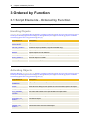
3 Ordered by Function
44
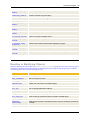
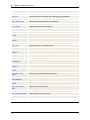
3.1 Script Elements - Ordered by Function
44
3.2 Handle Objects
55
3.2.1 :REGISTER_OUTPUTFILE
55
3.2.2 CREATE_OBJECT
56
3.2.3 EXPORT
60
3.2.4 IMPORT
61
3.2.5 MODIFY_OBJECT
63
3.2.6 MOVE_OBJECT
68
3.2.7 REMOVE_OBJECT
69
3.3 Activate Objects
70
3.3.1 :BEGINREAD... :ENDREAD
70
3.3.2 :PRINT
72
3.3.3 :PUT_READ_BUFFER, :PUT_PROMPT_BUFFER
74
3.3.4 :READ
76
3.3.5 ACTIVATE_UC_OBJECT
81
3.3.6 AUTOFORECAST
85
3.3.7 CANCEL_UC_OBJECT
86
3.3.8 DEACTIVATE_UC_OBJECT
88
Examples
89
3.3.9 FORECAST_OBJECT
89
3.3.10 FORECAST_TASK
91
3.3.11 RERUN_UC_OBJECT
93
3.3.12 RESTART_UC_OBJECT
94
3.3.13 ROLLBACK_UC_OBJECT
96
3.3.14 SYS_ACTIVE_COUNT
97
3.3.15 SYS_STATE_ACTIVE
99
3.3.16 SYS_STATE_JOB_ACTIVE
101
3.3.17 SYS_STATE_JOBS_IN_GROUP
102
3.3.18 SYS_STATE_JP_ACTIVE
103
3.3.19 TOGGLE_OBJECT_STATUS
104
3.4 Read or Modify Objects
105
Automation Engine
v
3.4.1 :ADD_ATT
105
3.4.2 :ADD_COMMENT
106
3.4.3 :ATTACH_SYNC
107
3.4.4 :DELETE_VAR
109
3.4.5 :MODIFY_STATE
110
3.4.6 :PUT_ATT
113
3.4.7 :PUT_ATT_APPEND
115
3.4.8 :PUT_VAR
117
3.4.9 :PUT_VAR_COL
119
3.4.10 :REMOVE_ATT
120
3.4.11 :REPLACE_STRUCTURE
122
3.4.12 :SET_CALE
123
3.4.13 :SET_CONDITION
124
3.4.14 :XML_CLOSE
126
3.4.15 GET_ATT
127
3.4.16 GET_ATT_PLAIN
128
3.4.17 GET_ATT_SUBSTR
129
3.4.18 GET_CONDITION
131
3.4.19 GET_CONNECTION
132
3.4.20 GET_LOGIN
134
3.4.21 GET_OBJECT_TYPE
135
3.4.22 GET_OH_IDNR
136
3.4.23 GET_PUBLISHED_VALUE
137
3.4.24 GET_STATISTIC_DETAIL
138
3.4.25 GET_SYNC
141
3.4.26 GET_VAR
143
3.4.27 MODIFY_TASK
145
Example
151
3.4.28 MODIFY_UC_OBJECT
165
3.4.29 SET_SYNC
170
3.4.30 XML_BEAUTIFY
171
3.4.31 XML_GET_ATTRIBUTE
173
3.4.32 XML_GET_CHILD_COUNT
174
3.4.33 XML_GET_FIRST_CHILD
176
vi
Contents
3.4.34 XML_GET_LAST_CHILD
178
3.4.35 XML_GET_NEXTSIBLING
180
3.4.36 XML_GET_NODE_NAME
182
3.4.37 XML_GET_NODE_TEXT
184
3.4.38 XML_OPEN
186
3.4.39 XML_PRINTINTOFILE
187
3.4.40 XML_SELECT_NODE
189
3.5 Script Structure and Processing
191
3.5.1 :CLEAR
191
3.5.2 :CONST, :CONSTANT
192
3.5.3 :DATA
193
3.5.4 :DEFINE
194
3.5.5 :EXT_REPORT_OFF
196
3.5.6 :EXT_REPORT_ON
197
3.5.7 :FILL
198
3.5.8 :GENERATE
199
3.5.9 :IF... :ELSE... :ENDIF
202
3.5.10 :INCLUDE
204
3.5.11 :INC_SCRIPT
206
3.5.12 :JCL_CONCAT_CHAR
207
3.5.13 :JCL_SUBSTITUTE
208
3.5.14 :PSET
209
3.5.15 :PUBLISH
211
3.5.16 :RESTART
213
3.5.17 :RSET
214
3.5.18 :SET
216
3.5.19 :SET_SCRIPT_VAR
217
3.5.20 :SWITCH ... :CASE ... :OTHER ... :ENDSWITCH
220
3.5.21 :WAIT
222
3.5.22 :WHILE... :ENDWHILE
222
3.5.23 FIND
224
3.5.24 GET_SCRIPT_VAR
226
3.5.25 LENGTH
227
3.6 Error Handling and Messages
228
Automation Engine
vii
3.6.1 :EXIT
228
3.6.2 :ON_ERROR
230
3.6.3 :SEND_MSG
231
3.6.4 :SEND_SNMP_TRAP
233
3.6.5 :SET_LAST_ERR
234
3.6.6 :STOP
236
3.6.7 GET_MSG_TXT
237
3.6.8 GET_MSG_TYPE
239
3.6.9 SEND_MAIL
240
3.6.10 SYS_LAST_ERR_INS
242
3.6.11 SYS_LAST_ERR_NR
243
3.6.12 SYS_LAST_ERR_SYSTXT
244
3.7 Activation Data
245
3.7.1 GET_PARENT_NAME
245
3.7.2 GET_PARENT_NR
246
3.7.3 GET_PARENT_TYPE
247
3.7.4 GET_UC_OBJECT_STATUS
248
3.7.5 GET_UC_OBJECT_NR
250
3.7.6 SYS_ACT_HOST
251
3.7.7 SYS_ACT_JP
252
3.7.8 SYS_ACT_ME_NAME
253
3.7.9 SYS_ACT_ME_NR
254
3.7.10 SYS_ACT_ME_TYPE
255
3.7.11 SYS_ACT_PARENT_NAME
255
3.7.12 SYS_ACT_PARENT_NR
257
3.7.13 SYS_ACT_PARENT_TYPE
258
3.7.14 SYS_ACT_PREV_NAME
259
3.7.15 SYS_ACT_PREV_NR
260
3.7.16 SYS_ACT_PTTYP
261
3.7.17 SYS_ACT_RESTART
262
3.7.18 SYS_ACT_RESTART_COUNT
262
3.7.19 SYS_ACT_RESTART_ME_NR
263
3.7.20 SYS_ACT_TOP_NAME
264
3.7.21 SYS_ACT_TOP_NR
265
viii
Contents
3.7.22 SYS_ACT_USERID
266
3.7.23 SYS_LAST_RESTART_POINT
267
3.7.24 SYS_LAST_RESTART_TEXT
268
3.7.25 SYS_RESTART_POINT
269
3.8 User Data
270
3.8.1 IS_GROUP_MEMBER
270
3.8.2 SYS_ACT_CLIENT, SYS_USER_CLIENT
271
Syntax
271
3.8.3 SYS_ACT_CLIENT_TEXT
272
3.8.4 SYS_USER_ALIVE
272
3.8.5 SYS_USER_DEP
274
3.8.6 SYS_USER_LNAME
275
3.8.7 SYS_USER_NAME
276
3.9 Data Sequences
277
3.9.1 :CLOSE_PROCESS
277
3.9.2 :PROCESS... :TERM_PROCESS... :ENDPROCESS
278
3.9.3 CREATE_PROCESS
279
3.9.4 GET_PROCESS_INFO
281
3.9.5 GET_PROCESS_LINE
282
3.9.6 LOAD_PROCESS
286
3.9.7 PREP_PROCESS
287
3.9.8 PREP_PROCESS_AGENTGROUP
292
3.9.9 PREP_PROCESS_COMMENTS
294
3.9.10 PREP_PROCESS_DOCU
297
Examples
298
3.9.11 PREP_PROCESS_FILE
299
3.9.12 PREP_PROCESS_FILENAME
302
3.9.13 PREP_PROCESS_PROMPTSET
307
Examples
307
3.9.14 PREP_PROCESS_REPORT
309
3.9.15 PREP_PROCESS_REPORTLIST
312
3.9.16 PREP_PROCESS_VAR
315
3.9.17 PUT_PROCESS_LINE
318
3.9.18 SAVE_PROCESS
320
Automation Engine
3.9.19 WRITE_PROCESS
3.10 Event Handling
ix
321
323
3.10.1 GET_CONSOLE, GET_EVENT_INFO
323
3.10.2 GET_FILESYSTEM
333
3.10.3 GET_WIN_EVENT
338
Examples
3.11 System Conditions and Settings
338
339
3.11.1 :DISCONNECT
339
3.11.2 :SET_UC_SETTING
340
3.11.3 :SHUTDOWN
342
3.11.4 :TERMINATE
343
3.11.5 CHANGE_LOGGING
345
3.11.6 GET_UC_SERVER_NAME
346
3.11.7 GET_UC_SETTING
346
3.11.8 GET_UC_SYSTEM_NAME
349
3.11.9 ILM
350
Syntax
353
3.11.10 MODIFY_SYSTEM
354
3.11.11 SYS_BUSY_01
357
3.11.12 SYS_BUSY_10
358
3.11.13 SYS_BUSY_60
359
3.11.14 SYS_HOST_ALIVE
360
3.11.15 SYS_INFO
362
3.11.16 SYS_SERVER_ALIVE
365
3.11.17 SYS_SNMP_ACTIVE
366
3.11.18 SYS_USER_LANGUAGE
367
3.11.19 TOGGLE_SYSTEM_STATUS
368
3.12 Date and Time
369
3.12.1 ADD_DAYS
369
3.12.2 ADD_PERIOD
370
3.12.3 ADD_TIME
372
3.12.4 ADD_TIMESTAMP
373
3.12.5 CALE_LOOK_AHEAD
374
3.12.6 CONV_DATE
376
x
Contents
Comments
376
3.12.7 CONV_TIMESTAMP
377
3.12.8 DAY_OF_YEAR
378
3.12.9 DIFF_DATE
379
3.12.10 DIFF_TIME
380
3.12.11 FIRST_OF_PERIOD
382
3.12.12 LAST_OF_PERIOD
383
3.12.13 SUB_DAYS
385
3.12.14 SUB_PERIOD
387
3.12.15 SUB_TIME
388
3.12.16 SUB_TIMESTAMP
389
3.12.17 SYS_DATE
390
3.12.18 SYS_DATE_PHYSICAL
392
3.12.19 SYS_LDATE
393
3.12.20 SYS_TIME
394
3.12.21 SYS_TIME_PHYSICAL
396
3.12.22 SYS_TIMESTAMP_PHYSICAL
398
3.12.23 VALID_CALE
399
3.12.24 VALID_DATE
400
3.12.25 VALID_TIME
401
3.12.26 WEEK_NR
402
3.12.27 WEEKDAY_NR
403
3.12.28 WEEKDAY_XX
404
3.12.29 YEAR_9999
405
3.13 Arithmetic
406
3.13.1 ADD
406
3.13.2 DIV
408
3.13.3 GET_BIT
409
3.13.4 MOD
411
3.13.5 MULT
412
3.13.6 RANDOM
413
3.13.7 SUB
415
3.14 Strings
3.14.1 ARRAY_2_STRING
416
416
Automation Engine
xi
3.14.2 ALPHA2RUNNR
417
3.14.3 CONVERT
418
3.14.4 FORMAT
420
3.14.5 HEX
422
3.14.6 ISNUMERIC
422
3.14.7 RUNNR2ALPHA
423
3.14.8 STR_CAT
424
3.14.9 STR_CUT, MID, SUBSTR
425
3.14.10 STR_ENDS_WITH
426
3.14.11 STR_FIND
427
3.14.12 STR_FIND_REVERSE
428
3.14.13 STR_ISLOWER
430
3.14.14 STR_ISUPPER
431
3.14.15 STR_LC, CONV_LC
432
3.14.16 STR_LENGTH, STR_LNG
433
3.14.17 STR_LTRIM
433
3.14.18 STR_MATCH
434
3.14.19 STR_PAD
436
3.14.20 STR_REVERSE
437
3.14.21 STR_RTRIM
438
3.14.22 STR_SPLIT
438
3.14.23 STR_STARTS_WITH
440
3.14.24 STR_SUBSTITUTE
441
3.14.25 STR_SUBSTITUTE_VAR, STR_SUB_VAR
442
3.14.26 STR_TRIM
444
3.14.27 STR_UC, CONV_UC
444
3.14.28 UC_CRLF
445
4 AE JCL for Applications
447
4.1 About Automation Engine JCL for Applications
447
4.2 Oracle Applications JCL
447
4.2.1 About Oracle Applications JCL
447
4.2.2 OA_ADD_LAYOUT
448
Comments
4.2.3 OA_ADD_NOTIFICATION
448
449
xii
Contents
Comments
4.2.4 OA_ADD_PRINTER
Comments
449
449
450
4.2.5 OA_SET_PRINT_DEFAULTS
450
4.2.6 OA_SUBMIT_REQUEST
451
Comments
4.3 People Soft
452
452
4.3.1 About People Soft JCL
452
4.3.2 PS_GET_HEARTBEAT
453
4.3.3 PS_GRANT_OUTPUT_ACCESS
454
4.3.4 PS_MODIFY_RUNCONTROL
455
4.3.5 PS_RUN_JOB
457
4.3.6 PS_RUN_PROCESS
458
4.3.7 PS_SET_BINDVAR
460
4.4.1 SAP Basis
462
About SAP JCL
4.4 SAP
462
462
R3_ACTIVATE_CM_PROFILE
462
Syntax
462
Comments
462
Example
463
R3_ACTIVATE_EXT_COMMAND
463
Syntax
463
Example
464
R3_ACTIVATE_EXT_PROGRAM
464
Syntax
464
Example
465
R3_ACTIVATE_INTERCEPTED_JOBS
465
Syntax
466
Comments
468
Examples
468
R3_ACTIVATE_JOBS
469
Syntax
469
Examples
472
Automation Engine
xiii
Syntax
472
Example
475
R3_ACTIVATE_REPORT
476
Syntax
476
Comments
482
Example
482
R3_ACTIVATE_SESSIONS
482
Syntax
483
Description
485
Examples
485
R3_CALL_TRANSACTION
485
Syntax
485
Comments
486
Example
486
R3_COPY_VARIANT
487
Syntax
487
Example
488
R3_CREATE_OUTPUT_REQUEST
488
Syntax
489
Example
490
R3_CREATE_VARIANT
490
Syntax
490
Comments
491
Example
491
R3_DEACTIVATE_CM_PROFILE
491
Syntax
491
Comments
492
Example
492
R3_DELETE_NODE
492
Syntax
492
Comments
493
Example
493
R3_DELETE_VARIANT
Syntax
493
493
xiv
Contents
Example
R3_GET_APPLICATION_RC
494
494
Syntax
494
Comments
495
Example
495
R3_GET_APPLICATIONLOG
495
Syntax
495
Comments
497
R3_GET_EVENT
498
Syntax
498
Comments
498
Example
498
R3_GET_INTERCEPTION
499
Syntax
499
Comments
499
Example
499
R3_GET_JOB_SPOOL
500
Syntax
500
Comments
502
Examples
503
R3_GET_JOBLOG
503
Syntax
503
Comments
504
Example
504
R3_GET_JOBS
504
Syntax
504
Description
507
Examples
507
R3_GET_MONITOR
508
Syntax
508
Comments
508
R3_GET_SESSIONS
509
Syntax
509
Description
510
Automation Engine
Examples
R3_GET_SPOOLREQUESTS
xv
511
511
Syntax
511
Description
513
Example
513
R3_GET_SYSTEMLOG
513
Syntax
514
Comments
515
Example
515
R3_GET_VARIANTS
515
Syntax
515
Example
516
R3_GET_VARIANT_CONTENTS
516
Syntax
516
Examples
517
R3_IMPORT_CALENDAR
518
Syntax
518
Comments
519
Examples
519
R3_IMPORT_JOBS
519
Syntax
519
Comments
522
Examples
523
R3_MODIFY_INTERCEPTION
523
Syntax
523
Comments
524
Example
524
R3_MODIFY_JOB
524
Syntax
524
Description
526
Example
526
R3_MODIFY_VARIANT
527
Syntax (Parameter)
527
Syntax (Selection Options)
528
xvi
Contents
Comments
529
Examples (Parameters)
530
Examples (Select Options)
530
R3_RAISE_EVENT
530
Syntax
531
Comments
531
R3_SCHEDULE_JOB_CANCEL
531
Syntax
531
Description
532
Example
532
R3_SEND_SPOOL_REQUEST
532
Syntax
532
Comments
535
Example
535
R3_SET_BDCDATA
535
Syntax
535
Comments
536
Examples
536
R3_SET_FREE_SELECTION
537
Syntax
537
Comments
538
Example
538
R3_SET_LOG_ATTR
538
Syntax
538
Comments
540
Example
541
R3_SET_PERF_ATTR
541
Syntax
541
Comments
542
Example
543
R3_SET_PRINT_DEFAULTS
543
Syntax
543
Comments
547
Example
548
Automation Engine
R3_SET_SELECT_OPTION
xvii
548
Syntax
548
Comments
549
Example
549
R3_SET_STATUS_ATTR
549
Syntax
550
Comments
551
Example
551
R3_SET_TEXT_ATTR
552
Syntax
552
Comments
552
Example
553
R3_SWITCH_OPMODE
553
Syntax
553
Examples
553
4.4.2 SAP BCA
BCA_ACTIVATE_PROCESS
554
554
Syntax
554
Comments
555
4.4.3 SAP BW
555
About SAP BW JCL
555
Script Elements
555
BW_ACTIVATE_CHAIN
556
Syntax
556
Description
559
Examples
559
BW_ACTIVATE_INFOPACKAGE
559
Syntax
559
Comments
560
Examples
561
BW_GET_CHAINS
561
Syntax
561
Comments
562
Example
562
xviii
Contents
BW_GET_INFOPACKAGES
562
Syntax
562
Comments
563
Examples
563
BW_RESTART_CHAIN
563
Syntax
563
Description
565
Examples
565
BW_SET_CONSTRAINT
566
Syntax
566
Description
568
Examples
568
BW_SET_INFOPACKAGE_SELECTION
568
Syntax
568
Comments
569
Examples
569
4.4.4 SAP XI
XI_GET_CHANNEL
570
570
Syntax
570
Comments
571
Example
571
XI_SET_CHANNEL
572
Syntax
572
Comments
573
Example
573
4.5 Siebel
4.5.1 SI_START_TASK
5 AE JCL for JMX
574
574
575
5.1 About the JMX JCL
575
5.2 JMX_COMPOSITE_ADD
576
5.3 JMX_CREATE_MBEAN
577
5.4 JMX_GET_AGENT
578
5.5 JMX_GET_ATTRIBUTE
578
5.6 JMX_GET_INFO
579
Automation Engine
xix
5.7 JMX_INVOKE
580
5.8 JMX_QUERY_NAMES
580
5.9 JMX_SET_ATTRIBUTE
581
5.10 JMX_UNREGISTER_MBEAN
582
5.11 JMX_WAIT_FOR_NOTIFICATION
582
6 AE-JCL for SQL
584
6.1 About SQL JCL
584
6.2 SQL_EXECUTE_JOB
584
6.3 SQL_GET_COLUMNS
585
6.4 SQL_GET_JOBS
586
6.5 SQL_GET_TABLES
587
6.6 SQL_ON_ERROR
587
6.7 SQL_ON_ROWCOUNT_ZERO
588
6.8 SQL_SET_STATEMENT_TERMINATOR
589
Glossary
591
.1 A
591
.2 B
592
.3 C
593
.4 D
593
.5 E
594
.6 F
594
.7 G
595
.8 H
595
.9 I
595
.10 J
595
.11 K
596
.12 L
596
.13 M
596
.14 N
596
.15 O
597
.16 P
597
.17 Q
598
.18 R
598
.19 S
600
xx
Contents
.20 T
600
.21 U
601
.22 V
602
.23 W
603
.24 X
603
Automation Engine
1
1 Introduction
1.1 About AE Scripts
AE offers a comprehensive scripting language that facilitates the deep automation of your processes. All
executable objects include scripting tabs (Process) and in some cases, they also include special tabs in
which you can record statements and functions.
This chapter provides a basic outline of AE's scripting language. Step by step, you are introduced to
specific aspects such as how to structure scripts or how to define variables. Tips are listed at the end of
this chapter which should help you when it comes to creating your personal AE Scripts.
This chapter also intends to support the experts among AE users. Scripting experts will quickly and easily
find all the required information about script elements. Each document about script elements also includes
a description of the particular script element plus its required and optional parameters.
Note that the authorization system also includes the use of AE Scripts. If users are not authorized to
access Variable objects, they can neither read nor modify these objects with the corresponding script
functions.
Note the following when you activate or restart objects via the UserInterface: Ending the UserInterface
before script generation has finished can have the effect that you will not obtain the desired result.
Enjoy studying and using AE's scripting language.
2
Chapter 1 Introduction
1.2 First Steps
1.2.1 Introduction
This chapter includes several lessons that you can gradually work through and provides a quick and easy
introduction to AE’s scripting language.
You can use AE Script in order to control and handle various processes. For example, you can change and
process objects or execute arithmetic operations.
Scripts simplify processes because they replace many steps that otherwise would have to be executed
manually. They also provide unique functions such as arithmetic functions and process loops.
All executable objects can include scripts. Process tabs are available for this purpose.
The general structure of scripts is described in the document Script Structure.
1.2.2 Preliminary Checklist
Particular requirements must be met for individual scripting lines and script elements.
Rights
Scripts are processed when the corresponding objects are processed. Therefore, a user requires an "X"
right for the objects that should be started.
JCL
JCL is the abbreviation for Job Control Language. It consists of instructions and commands that are
processed on particular computers (such as a dir command on a Windows computer).
In addition to OS commands, specific AE JCL elements are available for particular platforms and
applications (such as SAP). They are explained in the following chapters:
l
l
l
AE JCL for Applications
AE JCL for JMX
AE JCL for SQL
To use JCL, you require a Job object and an agent for the particular operating system (such as Windows),
the platform (such as SAP) or the application (such as SQL). The agent must be active and logged on to
the AE system. The relevant client must be able to access the agent (see: Agent -Authorization tab ).
To execute the JCL commands, you also need a Login object that includes valid Login information for the
OS, the platform and the application. You can select it in the Job object.
JCL commands can only be used in the Process tab of Jobs.
The script element :DATA can be used to explicitly declare JCL lines.
Specific AE Script elements
The following script elements have individual requirements:
Automation Engine
l
l
l
l
l
l
l
l
3
:REGISTER_OUTPUTFILE
Can only be used in the Process tab of UNIX and Windows Jobs.
SEND_MAIL
E-mail connection must be configured.
:SEND_SNMP_TRAP
SNMP must be configured.
SYS_ACT_HOST
Can be used in the Process tabs of Jobs or FileSystem and Console Events (in this case, it can
also be used in !Process).
PREP_PROCESS_FILE and PREP_PROCESS_FILENAME
OS Agent.
PREP_PROCESS
Agent as described in the script element.
GET_CONSOLE, GET_FILESYSTEM and GET_WIN_EVENT
Can only be used in Event objects.
ILM
ILM usage.
1.2.3 The First Script
Objective:
- Writing a text to the activation protocol by using a script.
Lesson 1
Create an executable object, preferably a Script object (SCRI). Open this object and switch to the Process
tab.
You can insert scripting lines that will be processed when the object is executed.
Use the script element :PRINT in order to write information to the task's activation protocol (report). Insert
the following line in the Process tab:
:PRINT ":PRINT output"
Store the Script object and start it. Now open the Last Report tab. The Activation tab includes your text
plus a leading time stamp (output time).
4
Chapter 1 Introduction
1.2.4 Script Statements
Objective:
- Using script statements
Lesson 2
Each AE Scripting line commences with a script statement (except for JCL and comments).
Script statements are AE Script elements that start with a colon (:) and are shown in blue in the
UserInterface's script editor. They are often used in combination with a value assignment.
For example, the script element :PRINT is a script statement (see lesson 1).
Another example of a script statement is :SEND_MSG. It sends a message to a particular AE User. This
message is then displayed in the Message Window.
For example:
: SEND_MSG "GREEN","EDP","Please start backup process."
You can use the script statement :PUT_ATT in order to change the attributes of the object in which a script
element is used. The following scripting line sets the attribute "accounts" (for example, in the Attributes
tabof a Script object):
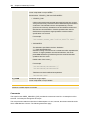
: PUT_ATT INT_ACCOUNT="Accounts"
Automation Engine
5
1.2.5 Script Variables
Objectives:
- Creating script variables
- Assigning values to variables
- Printing variable values
Lesson 3
Script variables can be used to store and pass on values in scripts. For example, you can use them to
obtain the return code of a particular script function.
You can create script variables with a particular data type. The data type is decisive for the values that can
be stored in script variables. The following data types are available:
l
l
l
l
unsigned - positive integers
signed - negative and positive integers
float - positive and negative floating-point numbers
string - string, the value must be enclosed in inverted commas (script literal)
Variable names start with a & character; the second character must not be a number.
We will now create two script variables, assign values to them and have the values output in the activation
protocol:
Open any executable object of your choice and open the Process tab.
Create the first script variable by using the script element :DEFINE. The data type must be defined and
cannot be changed subsequently. Select the data type "signed" because the variable should store a
negative number. Now use the script element :SET in order to assign a value.
:DEFINE &number#,signed
:SET &number# = -1
Create the second script variable directly with :SET and set it to the value "test". In this case, the variable
can subsequently be changed to any value of your choice. This means that the data type depends on the
value.
:SET &string# = "test"
Use the following scripting line to write the values of both variables to the activation protocol. You must
use the & character twice in order to have the variable name output.
:PRINT "&&number# = &number#, &&string# = &string#"
Store and execute the object. The activation protocol now includes the following line:
2011-04-06 14:48:17 - U0020408 &number# = -0000000000000001, &string# =
test
More detailed information about script variables is available here.
6
Chapter 1 Introduction
1.2.6 Script Functions
Objectives:
- Calling script functions
- Storing the script function's return code in a script variable
- Having the variable output in the activation protocol
Lesson 4
Script functions are AE Script elements that supply return codes. Many functions supply values and also
execute particular actions. Script functions must not be placed at the beginning of a line and can only be
used in combination with script statements. The UserInterface's script editor displays them in red.
A function's name is followed by parentheses ( ) that can include parameters.
The following lesson describes an arithmetic operation that is executed by using a script function.
The first step is to create a script variable with the data type "float" (see also lesson 3).
:DEFINE &result#, float
The script function DIV is used to perform a division. This function has two parameters: the numbers 1 and
2.
Number 1 is divided by number 2. The return code is the result of the division. To store it in a script
variable, the script statement :SET is required.
The following line is the result of combining the script statement :SET, the script variable &result# and the
script function DIV:
:SET &result# = DIV(1,4)
The result should now be output in the activation protocol.
:PRINT "Result: 1/4 = &result#"
Result that is shown in the activation report:
2011-04-06 14:48:17 - U0020408 Result: 1/4 =
+0000000000000000.2500000000000000
Another example of a script function is FORMAT which can now be used to format the result of the
division. The following example removes unnecessary leading and final zeros:
:SET &format# = FORMAT(&result#,"0.00")
:PRINT "Formatted result: &format#"
Activation protocol:
2011-04-06 14:48:17 - U0020408 Formatted result:0.25
Automation Engine
7
1.2.7 Using JCL
Objective:
- Executing OS commands
Lesson 5
JCL (=Job Control Language) commands can only be used in the Process tab of Jobs. These commands
are executed on a particular OS, platform or application, and not on AE.
The script element :DATA can be used to explicitly declare JCL lines. The script editor displays JCL in
brown.
The following lesson describes the handling of JCL.
The first step executes an OS command on a computer. Create a Job object for this purpose (Windows
Job). Open the job and enter an agent and a valid Login object in the Notification tab
Verify that the agent is active and that the relevant rights are available (client rights in the Agent object and
the User object).
Switch to the Process tab and enter some commands. For example, you can use the following lines to
query the file list of a particular directory on the Windows computer:
C:
cd C:\temp
dir
Store the Job and start it. The result is available in the report dialog (Report tab).
8
Chapter 1 Introduction
1.2.8 User-Defined Dialogs
Objectives:
- Outputting text in a dialog window
- Querying user values
Lesson 6
You can use AE's scripting language to create user-defined dialogs. You can output texts and/or query
user values. To have dialogs displayed, activate the relevant object via a user interface (UserInterface or
WebInterface).
In the first step, create a simple dialog that outputs text only. Use the script statements :BEGINREAD...
:ENDREAD (specifies the beginning and end of a dialog window) in combination with :PRINT for this
purpose.
Use the following scripting line:
:BEGINREAD
: PRINT "TEST"
:ENDREAD
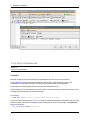
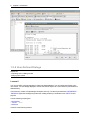
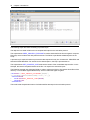
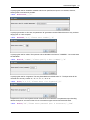
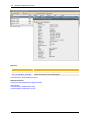
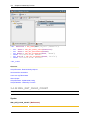
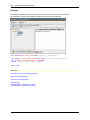
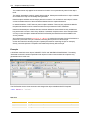
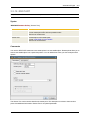
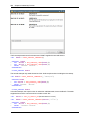
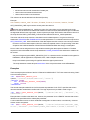
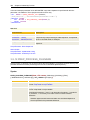
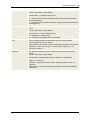
It results in the following window:
Automation Engine
9
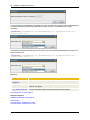
In the second step, create a dialog that facilitates the input of data. The script element :READ can be used
for this purpose (also referred to as READ mask).
The following example combines a :PRINT output and a :READ input in a dialog. The value is stored in a
script variable (in this case, the variable is directly created by using the script element :READ). Finally, the
variable is output in the activation protocol.
:BEGINREAD
: PRINT "Text input"
: READ &INPUT#,"00","Please enter a text."
:ENDREAD
:PRINT "User text: &INPUT#"
1.2.9 IF Conditions
Objectives:
- Creating IF conditions
- Adding an ELSE block
Lesson 7
In AE Script, you can also define that statements are only processed if particular conditions have been
met. Conditions are created by using the script element :IF... :ELSE... :ENDIF.
The following example creates a condition that compares two numbers. Specify the script element :IF with
a condition. Enter all scripting lines that should be processed when the condition is met. Each IF block
ends with :ENDIF.
:IF 1<2
: PRINT "Condition is met"
:ENDIF
The next example combines a READ mask (see previous lesson) with an IF statement. Create a mask in
which a user can select the values "YES" and "NO". If the user selects "YES", the script function will
retrieve the current date and time and output them in the activation protocol.
10
Chapter 1 Introduction
:READ &VAR#,"'YES','NO'", "Retrieve current date and time?","YES"
:IF &VAR# = "YES"
: SET &TIME# = SYS_TIMESTAMP_PHYSICAL()
: PRINT &TIME#
:ELSE
: PRINT "No retrieval of date and time."
:ENDIF
You can use :ELSE within an IF block in order to determine the statement that should be processed if the
condition is not met. In this case, a message is written to the activation report.
1.2.10 Loops in Scripts
Objectives:
- WHILE loops
- PROCESS loops
Lesson 8
Loops process particular scripting lines several times. AE Script provides two different loops that can be
used:
l
l
WHILE loops: script element :WHILE...:ENDWHILE
PROCESS loops: script element :PROCESS... :TERM_PROCESS... :ENDPROCESS
Loops repeat a particular block until a particular condition is met. The iteration ends when the condition
does not apply any more.
Automation Engine
11
Note that script processing will abort if a WHILE loop is iterated many times in succession. This
behavior serves to avoid infinite loops.
A reference to a data sequence is passed on to the process loop. The number of loop cycles results from
the data sequence's number of lines. A data sequence is an internal list (such as a list of files or the entries
of Variable objects). The values that the data sequence includes depend on the particular script element.
The following example describes how to use WHILE loops.
The script checks whether a particular agent is available. If so, a Job should start on this Agent. The script
can be located in any executable object (such as SCRI). The only requirement is an agent on which the
user is allowed to execute Jobs.
In the first step, use the script element SYS_HOST_ALIVE in order to verify that the agent is active. The
following example uses the agent WIN03. The agent is available if the script element returns "Y".
:SET &AGENT# = WIN03
:SET &ALIVE# = SYS_HOST_ALIVE(&AGENT#)
The next step is to create a WHILE loop. It should repeatedly check the Agent's availability with a
particular delay (the intention is to avoid too many loop cycles).
The loop should end when the agent is active. Therefore, the loop condition must be: &ALIVE# NE "Y".
The comparison operator "NE" corresponds to "Does not equal". Other comparison operators are
described in the documentation of the script element :WHILE.
:WHILE &ALIVE# NE "Y"
: PRINT "Waiting for agent &AGENT#..."
: WAIT 60
: SET &ALIVE# = SYS_HOST_ALIVE(&AGENT#)
:ENDWHILE
:SET &ACT# = ACTIVATE_UC_OBJECT(TESTJOB)
If the agent is not active, the loop instructions are repeated. The script statement :WAIT delays script
processing for a while (in this case, the waiting time is 60 seconds).
If the agent is available again, the verification (SYS_HOST_ALIVE) returns the value "Y". The loop ends
and the scripting line that activates the Job "TESTJOB" (script function ACTIVATE_UC_OBJECT) is
read. The activation protocol indicates whether the system is still waiting for the agent or whether the Job
has already been activated.
12
Chapter 1 Introduction
The following steps describe the handling of process loops:
The objective is to obtain a file list from a computer and output it in the activation protocol.
The script element PREP_PROCESS_FILENAME is used to obtain the file list from an Agent's computer.
Filter keys serve to select files with particular names. The file list is provided as a data sequence in the
script.
A process loop is required in order to process this data sequence line by line. It starts with :PROCESS and
ends with :ENDPROCESS. For each line in the data sequence, the loop is processed once.
The script element GET_PROCESS_LINE retrieves the content of the current data sequence line. In this
example, the result is the path and name of the file. It is output in the activation report.
The following example uses the agent WIN01 in order to retrieve the file list. We retrieve all text files of the
directory "C:\AUTOMIC\Agents\WIN01\temp" which includes the Agent's log files.
:SET&HND# = PREP_PROCESS_FILENAME("WIN01",
"C:\AUTOMIC\Agents\WIN01\temp\*.txt","Y",,)
:PROCESS&HND#
: SET&LINE#=GET_PROCESS_LINE(&HND#)
: PRINT&LINE#
:ENDPROCESS
The result is that the paths and names of all selected files are output in the activation protocol.
Automation Engine
13
1.3 Basics
1.3.1 Script Structure
A script consists of 3 different types of lines:
Comment Lines
l
Each line starting with the exclamation mark character "!", is a comment. These lines are not
considered as processing steps and skipped during script execution.
Example:
!Comment line
l
l
l
If the exclamation mark character is used within a line, however, this line is not considered a
comment.
Multi-line comments may be created by highlighting the particular lines and pushing the button
the tool bar of the UserInterface.
in
We recommend making ample use of comments so that you or other users may easily
reproduce at a later point what the script lines do.
AE Script Lines
l
Lines starting with the colon character ":" contain AE Script elements. They may be split up in script
functions -which supply return codes- and script statements -which do not supply return codes.
14
Chapter 1 Introduction
Example of a script statement: :PRINT "Automation Engine"
Example of a script function: :SET &RESULT# =ADD(2,2)
l
The underscore character "_" may be used for extra long lines to indicate that the text continues in
the next line. The last character of a line should therefore be an underscore. The proximate line
should start with a colon.
Data Lines
l
If a line neither starts with a "!" nor with a ":", it is considered a DATA line. DATA lines can only be
used with "Job" objects. They contain the JCL (Job Control Language) of the target system. If a
DATA line starts with a ":", it must explicitly be declared as such with the script element :DATA.
Example:
copy test.txt c:\temp
l
l
Jobs for Enterprise Business Solutions (SAP, PeopleSoft and Oracle Applications) show some
special features. AE provides an extra JCL for those.
Script variables included in DATA lines are replaced by their values. Script variables start with the
special character "&". If "&" is used in a DATA line and should remain there as it is, it needs to be
doubled. If "&" is used without being followed by a valid variable name, the DATA line also remains
unchanged.
1.3.2 Control Structures
AE processes scripts line by line. As it is often required that the particular steps are processed depending
on conditions, two control structures are available for handling the way how the script will be processed.
The :IF statement processes script lines only if the given condition applies.
:IF condition
Script lines
:ENDIF
The :WHILE statement repeats script lines as long as the condition applies.
:WHILE condition
Script lines
:ENDWHILE
Obtain further information in the documents describing these control structures.
Automation Engine
15
1.3.3 Script Variable
You can use script variables in the scripts of the Automation Engine in order to store values. These script
variables can include numbers, strings, and date and time formats.
The script element :DEFINE can be used to declare a script variable to a particular data type.The data type
determines the values that the variable should include.The script statement :SETcan be used to assign
and change values within a script.
For example:
:DEFINE &FILE#, string
:SET &FILE# = "temp.txt"
You can also create script variables directly by using :SET (without using :DEFINE before). In this case,
the variable does not have a specific data type and can only store strings and positive integers.
For example: :SET &VAR# = 10
:SET &VAR# = "string"
A script variable's validity ends when the script has been processed.
Data types
Four data types with different value ranges are available for script variables. Use the script statement
:DEFINE in order to determine the data type in the variable declaration.
Data type
Description
Value range
unsigned
Positive integers without algebraic signs
0 to +9 999 999 999 999
999
signed
Integers with algebraic signs
-9 999 999 999 999 999
to +9 999 999 999 999
999
string
String
1 to 1024 characters
float
Floating point numbers with algebraic signs
-9 999 999 999 999
999.9999999999999999
to +9 999 999 999 999
999.9999999999999999
First declare the variable and then assign the corresponding value.
:DEFINE &STRING#, string
:DEFINE &SIGNED#, signed
:DEFINE &UNSIGNED#, unsigned
:DEFINE &FLOAT#, float
:SET &STRING#= "1234abc"
:SET &SIGNED#= -5
:SET &UNSIGNED#= 24
:SET &FLOAT#= -0.50
The data type "float" includes positive and negative integers. Positive integers can also be used for the
data type "signed".
16
Chapter 1 Introduction
A variable that has already been used cannot be declared again. A variable's data type cannot be
changed.
Note that floating point numbers can cause imprecise results in arithmetic operations.
Syntax
A script variable's name is limited to 32 alphanumeric characters, including the special characters "$", "_",
"@", "§" and "#". German Umlauts are not allowed. The first character must not be a number. Variables
within the Script must always specified with a leading "&" following the Variable name!
An exception to the 32 character limit is for the :PSET and :RSET script statements, which are limited
to 31 alphanumeric characters.
Note that the script variable's name must be different from the predefined variable's name. We do not
recommend using '$' at the beginning of variable names (after the character '&').
Names of script variables are not case sensitive. Script variables are specified without quotation marks.
A script variable's name must not comply with the beginning of another script variable's name. In such a
case, you can name the script variable properly by appending a special character. For example, the term
"Enddate" is output in the activation protocol.
:SET &ACTIVITY# = "End"
:SET &ACTIVITY_DATE# = SYS_DATE()
:PRINT "&ACTIVITY#date"
Do not use "&ACTIVITY_date" and "&ACTIVITY" within one script because in this case, the latter one is
not a unique name anymore. The variable name and characters that should be output can be written in one
line. Therefore, the following example could either refer to "Enddate" or to "040101".
:SET &ACTIVITY = "End"
:SET &ACTIVITYdate = SYS_DATE()
:PRINT "&ACTIVITYdate"
Arrays You can create arrays in combination with script variables. In doing so, you can store several different
values in one variable. The individual values can be accessed via an index. This index is specified as a
number which is enclosed in [] square brackets after the variable's name. Arrays can only be created
during the variable declaration by using:DEFINE . The third parameter defines the number of values (index
area).
Unlike Script variables the name of arrays may be up to 24 alphanumeric characters long.
:DEFINE&ARR#, unsigned, 10
:SET&ARR#[5] = 20 An array's maximum size is 99999. The index is always specified as a positive number without inverted
commas. The first element is accessed with the index 1.
Note that memory is allocated for all elements when an array is created. Therefore, we recommend
creating arrays only with the number of elements that are required in order to avoid performance problems.
Automation Engine
17
Array fields that have not yet been initialized show the default value "" (data type: string) or 0 (numerical
data types).
Several values can directly be stored in an array using the script element :FILL. No index must be
specified. Doing so is useful if several columns of a Variable object should be read:
:FILL&ARR#[] = GET_VAR("VARA","JOBS")
Value assignments Values can be assigned to script variables by using the script element :SET. You can specify the assigned
value (regardless of its data type) with or without inverted commas (script literal), or it can be the return
code of a script function.
:DEFINE&NUM#, unsigned
:SET&NUM# = 1234
:SET&NUM# = "1234"
:SET&NUM# = ADD(1,2)
Variables that are created by using :SET do not have a certain data type but can only store positive
integers or strings. Any attempt to assign a negative value to such a variable will result in a runtime error.
The attempt to assign a positive floating-point number causes the decimal places to be truncated.
The following peculiarities apply for script variables that have a data type:
If the assigned variable does not correspond to the script variable's data type, the system tries to correct
and adjust it. A runtime error occurs if this is not possible as the following two error cases show:
Error case 1:
A negative number is assigned to a script variable of data type "unsigned".
For example:
:DEFINE&NUM#, unsigned
:SET&NUM# = -1
Error case 2:
A string that is not a number is assigned to a script variable that has a numerical data type (unsigned,
signed or float).
For example:
:DEFINE&NUM# , signed
:SET&NUM# = "abc123"
The assignment works correctly if the string is a number.
For example:
:DEFINE&NUM#, signed
:SET&NUM# = "-123"
Assigning a floating-point number to a variable although its data type does not support it (such as "signed"
and "unsigned") has the effect that the decimal places are truncated and not rounded.
For example: The assignment result is -10 in this case.
:DEFINE&NUM#, signed
:SET&NUM# = -10.654
:P&NUM#
Report:
-0000000000000010
18
Chapter 1 Introduction
By default, numbers have a 16-digit format. Floating-point numbers (data type float) also include 16
decimal places. Zeros are inserted in places that are not used. You can use the script
functionFORMAT in order to remove leading or final zeros.
1.3.4 Script Literal
A script literal consists of a freely selectable string that is put in single (') or double (") quotation marks.
For example:
"Automation Engine"
A script literal can also contain script variables which are replaced by their values when the script line
containing the script literal is processed.
For example:
:SET &TIME# = SYS_TIME("HH:MM:SS")
:PRINT "Time &TIME#"
Output:
Time 10:30:05
Automation Engine Name
The AE name is a particularity of the script literal. It does not have to be enclosed in single or double
quotation marks. AE names are:
l
l
l
Object names,
Attribute of objects or
short forms of object types
For example:
:SET
&STATUS# = SYS_HOST_ALIVE(WIN01)
Quotation marks are always required when the AE name starts with a number.
Note that using the string <![[ ]]> in script literals results in a syntax error and the object cannot be
stored. There are several solution strategies to avoid this error:
1. Insert a comment which includes these characters.
Example:
!<![[ ]]>
:PRINT '<![[ ]]>'
2. This error only occurs if the described characters are used one after the other. Hence, you can also
compose a string of 2 different script literals.
Example: Use script variables
:SET&VAR# = "]]"
:PRINT'<![[ &VAR#>'
Example: Use the script element STR_CAT
:SET&VAR# = STR_CAT("<![[ ]]",">")
:PRINT&VAR#
Automation Engine
19
Another peculiarity is the reserved combination ##<number>. If you use this string in a script literal, the
text is included in the message whose number is specified in <number>. Keep this in mind when you
use script literals.
For example:
:PRINT "##1800"
or
:PRINT ##1800
shows the following result in the result:
2011-06-15 13:01:51 - U0020408 ENDED_NOT_OK - aborted.|
1.3.5 Scripting Tabs
Process tabs can be used to write AE Script. One or several of them are available in every executable
object.
The following list gives a comprehensive overview of all scripting (Process) tabs:
Process Tab (in all executable objects)
The particular point in time for script processing depends on the option Generate at runtime
(Attributes tab). If this option is not checked, the script is processed immediately when the object
starts. If "Generate at runtime" is activated, however, the script is only processed when the object
is being executed.
Start and execution time of an object are not necessarily the same (for example, if an earliest start time
has been specified).
l
Pre and Post Process Tab (FileTransfer, Job and RemoteTaskManager)
Jobs additionally comprise of a pre and post-process scripting tab. These tabs are usually
processed as follows: The pre-process starts off, followed by the regular script. The particular point
in time depends on whether the setting "Generate at runtime" is activated. Post-script processing
starts when the job has ended (see also: Stages of Workflow Processing). The FileTransfer and
RemoteTaskManager both only contain a Post Process tab which has the same function as in
Jobs.
l
!Process Tab (Event)
Whenever the Event occurs, the !Process tab is processed.
Note that there is also an object type called "Script".
Each Process tab can contain up to 32767 lines. By default, only the first 1000 lines are displayed in
order to avoid endless loops during the generation process and to protect the Automation Engine.
Generation is canceled if a script contains more than 1000 lines. You can change this line limit using
the script statement:PUT_ATT, attribute MAX_JCL_LINES.
20
Chapter 1 Introduction
1.3.6 Script Editor
Each Process tab includes a script editor which provides numerous functions that support the easy
creation of scripts.
Highlighting Syntax Components
For a better distinction, the individual script parts are shown in different colors:
l
l
l
l
l
l
green is used for comment lines
blue for script statements
red for script functions
brown for JCL lines
gray for strings
purple for script variables
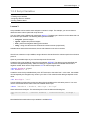
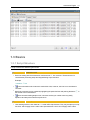
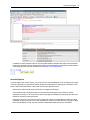
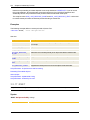
The script editor also highlights occurring script variables or script elements if the mouse pointer is
positioned somewhere in the name.
Auto Completion
Use the shortcut CTRL + space bar for the code-completion function which completes the names of script
functions and script statements. A list of possible script elements is displayed if there is more than one
possible choice. Use the ESC key to close this list.
Automation Engine
21
In addition to the list referred to above, the script editor displays the particular page of the Automation
Engine Documentation which contains a description of the highlighted script element provided that the
corresponding option has been activated in the settings of the UserInterface.
Include Objects
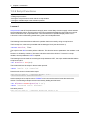
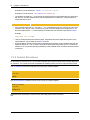
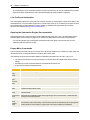
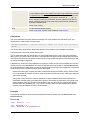
If Include objects are used in scripts, you can have their contents displayed. Do so clicking the plus signs
in the tab's left edge. It is possible to edit the displayed Include object's scripting lines. Storing the script
has the effect that modifications made in the Include object are also stored.
Note that this influences all objects that use the changed Include object.
Users without read or write permissions for the relevant Include object cannot have its content
displayed nor modify it. The script lines of the Include object are displayed in light gray and cannot be
edited if a user has no write permission.
Note that in the script, the search function includes the content of Include objects if these have been
expanded using the plus sign. Also, when exporting the script to a text file and when copying scripting
lines Include objects include, only the contents of expanded Include objects are considered.
22
Chapter 1 Introduction
An Include object which has been included in a script several times can only be modified in the position
where it has been expanded first. The script editor displays all other positions in light gray.
Line Prefix and Indentation
The script editor supports the quick and clear creation of scripts by assuming the current line's prefix to the
subsequent line. It can also indent script lines in constructions such as :IF or :WHILE and close them with
the corresponding closing statement (such as :ENDIF or :ENDWHILE). By default, each of these
functions is activated (settings of the UserInterface).
Opening the Automation Engine Documentation
Highlight the name of a script function or script statement and press the F1 key. The Automation Engine
Documentation opens exactly the page which contains the description of the relevant script element.
You can also position the mouse pointer somewhere within the name of a script function or script
statement and then press the F1 key.
Popup-Menu Commands
The Process tab provides a range of functions which all provide support in the creation of scripts. Open the
relevant functions via the UserInterface's toolbar or the context menu.
The following functions are provided in addition to standard commands such as undo, copy or cut:
l
l
l
The search function does not only find strings but can also be used to replace the names of found
strings.
Several lines can be commented and uncommented at the same time.
Scripts can be stored or imported to files.
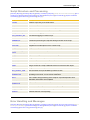
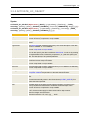
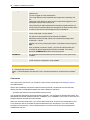
Command
Description
Cut
Copy
Insert
Command for text editing.
To upper
case
To lower
case
Modifies the notationof the highlighted text.
Undo
Undoes the last action.
Redo
Undoes the last undone action.
Comment
Block
Adds an exclamation mark at the beginning of one or several lines. These lines are then
comment lines.
Uncomment Removes the exclamation mark at the beginning of one or several lines. These lines are
Block
no longer comment lines then.
Indent
Block
Outdent
Block
Indents or outdents the line or the highlighted text block.
Exclamation marks that identify comment lines and colons that identify AE Scripting lines
remain remain in the first place, only the rest of the line is indented or outdented.
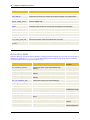
Automation Engine
Reformat
23
Formats the line or highlighted text block in AE Scripting style.
The line
:
PRINT"Start of processing"
would be formatted as shown below:
:PRINT"Start of processing"
Import from
file
Imports the content of a text file to the mouse-pointer position.
Export to
file
Exports the whole tab content to a file.
Select all
Highlights the complete tab content.
Search
Opens the search dialog for text passages.
1.3.7 Getting Started
The chapter, Sample Collection, contains examples describing the use of script elements in combination
with objects. Deep insight into AE's scripting language is provided for experienced users as well as those
who have not yet worked with script languages.
l
Overview - Sample Collection
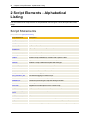
All script elements are listed in the Automation Engine Documentation in alphabetical as well as functional
order. Use the following overview to get the particular required script element quickly and easily.
l
l
Overview - Alphabetical Listing
Overview - Ordered by Function
With the F1 key, the Automation Engine Documentation can be opened from all script tabs of objects. The
exact page describing the particular script element opens when you either highlight the name of the script
element (e.g. PRINT) or position the mouse pointer somewhere in the name of the script. Thus, the
required syntax description can always easily be accessed.
1.4 Advanced Users
1.4.1 Using Script Components
Many objects use the same processing steps in their scripts. AE recommends storing them in Include
objects in order to avoid repeated creation and maintenance being required in every script. In doing so, you
can acquire a collection of script components that can easily be maintained and reduce the time that is
required for writing scripts considerably.
How to use Include objects:
24
Chapter 1 Introduction
1. Store frequently used blocks of script lines in Include objects.
2. Call the script statement :INCLUDE indicating the name of the Include object in the particular script
section in which the script lines should be included at runtime.
3. The above script element also contains a parameter which can be used to adjust the script lines to
an object as it facilitates a particular string to be replaced. This assignment is only valid for the
current generation and does not change the Include object itself.
The Include object's script lines are copied to the object's exact script position at which :INCLUDE is
called. Therefore, script functions refer to the particular object and not to the Include object. For
example, the script function SYS_ACT_ME_NAME supplies the object name and not the name of the
Include object.
You can use the script editor to display and edit the contents of your Include objects. You expand the
Include object by clicking the plus symbol on the left edge. When you edit the script of an expanded
Include object and store the object, your modifications apply to the complete Include object. This
influences also all objects that use the modified Include object!
Use the rights assignment for users (write access to Include objects) if you want to prevent unwanted
modifications in Include objects.
1.4.2 Error Handling
Note that errors might occur when AE Scripts are written. Take reasonable precautions is therefore highly
recommended.
Creating a script
A possible source of error already lies in the creation of a script. Therefore, the syntax of the applied script
functions and statements is checked whenever the object is stored. An error message is displayed if too
many/few parameters were used, for example. The error message also contains the line number in which
the error occurred.
Only the syntax of the script is checked. The specification of correct values (e.g. object names),
however, is entirely in your hands.
Using return codes
Return codes of functions inform about the results of script functions. The documentation about script
elements also includes the return codes that can be supplied for each script element for further evaluation.
Using :ON_ERROR
An error message is displayed and the script is canceled if an error occurs during the execution of a script.
This, however, does not apply to all script elements. :ON_ERROR can be used then in order to determine
whether a script should be canceled or not. If not, the error message can be accessed with the special
script functions SYS_LAST_ERR_NR and SYS_LAST_ERR_INS.
1.4.3 Using Variable Objects
Values can be stored in script variables and also in static Variable objects. Especially when there are lots
of values, Variable objects provide a very comfortable way of storing them. AE Script offers several script
Automation Engine
25
elements that can be used to store, read or delete values in Variable objects.
Values always go together with a key through which access to the particular value is provided.
Variable objects can either be handled manually in the Explorer of the UserInterface or by using the
following script elements:
l
l
l
CREATE_OBJECT - creates a new Variable object
MODIFY_OBJECT - changes the attributes of a Variable object
REMOVE_OBJECT - deletes a Variable object
Loading with Values
Use the script statement :PUT_VAR to store values. If the validity key does not yet exist, the new value is
added to the Variable object. Otherwise, the existing value is replaced.
Reading Values
The script function PREP_PROCESS_VAR can be used to retrieve particular, several or all values that
are stored in a Variable object.
Deleting Values
The script statement :DELETE_VAR removes values from a Variable object.
1.4.4 Changing Object Attributes
Every object possesses numerous attributes which have impacts on processing (e.g. the priority or start
type). Occasionally it might become necessary to change a particular attribute (when the target host in a
FileTransfer should be changed if a particular Calendar condition applies or if the host is not active), for
example.
Hence, AE Script contains the script elements :PUT_ATT and GET_ATT. Both of them can be used to set
and read the attributes of objects.
:PUT_ATT GROUP = "MM.GROUP"
:SET &START# = GET_ATT(GROUP)
Refer to the User Guide to get a list of the attributes of all objects including their possible values.
Additional script elements are available for notifications:
l
l
l
l
:ADD_ATT - adds recipients to a notification at runtime
:REMOVE_ATT - removes recipients from notifications at runtime
:PUT_ATT_APPEND - extends the message text of a notification at runtime
GET_ATT_SUBSTR - supplies part of the message text in a notification
1.4.5 Return Codes of Functions
Script functions supply return codes, which distinguishes them from script statements. Return codes can
be individual characters, strings or numbers. Note that numbers are always supplied in 16 digits with
26
Chapter 1 Introduction
leading zeros.
Example:
:SET &SUMME# = ADD(2,2)
:PRINT &SUMME#
The result that can be displayed with the PRINT function looks as shown below:
0000000000000004
If numbers should be output (e.g. in the report), the leading zeros can be removed with the script function
FORMAT. The zeros, however, do not affect the further processing of the number (e.g. arithmetic
operations).
The return code can also contain an error number. The descriptions of the script elements include more
detailed information about possible error types and their meanings. Particular script elements are available
that allow for the further handling of the error number.
Some script elements must be used in combination in order to submit valuable information. The script
function PREP_PROCESS_FILE, for example, generates a data sequence from the content of a text file.
The return code is a handle. The individual lines of the text file can be read with the script function GET_
PROCESS_LINE which requires the handle that was retrieved with PREP_PROCESS_FILE.
1.4.6 Calculations
This document describes the arithmetic operations which can be used with AE Script.
Script Elements
AE Script provides four basic arithmetic operations in the form of script elements:
l
l
l
l
Addition
Subtraction
Multiplication
Division
Additionally, the script function MOD can be used to retrieve the rest of a division.
If required, the script functionRANDOM can be used to generate random numbers.
The results of arithmetic operations are stored in script variables.
Example:
:SET &DIFFERENCE# = SUB(100,50)
Negative numbers (data type "signed") and decimal numbers (data type "float") are supported arithmetic
operations. The target variable that contains the result must be of an adequate data type. The data type
"string" is not allowed for arithmetic operations.
Decimal places of results are truncated if the target variable's data type does not support decimal
numbers. Automation Engine
27
A runtime error occurs if an arithmetic operation supplies a negative result and the target variable's data
type does not support algebraic signs.
Automic recommends using the operation's highest data type as the target variable's data type (see table).
The operation's result must not exceed the value "9 999 999 999 999 999".
Data types of operands
Allowed data types for the target variable
unsigned, unsigned
unsigned, signed, float
unsigned, signed
signed, float
unsigned, float
float
signed, signed
signed, float
signed, float
float
float, float
float
The highest data type is "float" (negative and positive decimal numbers). It is followed by "signed"
(negative and positive integers). The lowest data type is "unsigned" which only supports positive
integers.
Example: The data type of the result variable "&SUM#" must at least be "signed". Data type "float" can
also be used.
:DEFINE &UNSIGNED#,unsigned
:DEFINE &SIGNED#,signed
:DEFINE &SUM#,signed
:SET &UNSIGNED# = 12
:SET &SIGNED# = -5
:SET &SUM# = ADD(&SIGNED#,&UNSIGNED#)
The following line would result in a scripting error:
:SET &UNSIGNED# = ADD(&SIGNED#,&UNSIGNED#)
Note that arithmetic operations that include floating point numbers can cause inaccurate results.
Solving an Arithmetic Expression
In AE, you can also solve an arithmetic expression using the script element :SET and store the result in a
variable. Doing so reduces and simplifies a script's length significantly.
An error occurs if the target variable's data type is "unsigned" and the operation results in a negative
number. If the target variable's data type does not support decimal places, they are truncated.
An operation can include the four basic arithmetic operations,parentheses and signs.
l
l
l
l
l
l
Addition
Subtraction
Multiplication
Division
Parentheses "()"
Signs
A line that includes arithmetic operators (+,-,*,/) is handled as an expression. Do not use single or double
quotation marks for the expression. Otherwise, the expression cannot be interpreted as a string.
28
Chapter 1 Introduction
Attention: You must not use script functions within arithmetic expressions.
Note that multiplicative operations (multiplication and division) take precedence over additive
operations (addition and subtraction).
Example:
:DEFINE &UNSIGNED#,unsigned
:DEFINE &FLOAT#,float
:DEFINE &RES#,float
:SET &UNSIGNED# = 12
:SET &FLOAT# = -0.50
:SET &RES# = &FLOAT#*3 + (-&UNSIGNED#) - 3
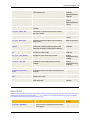
See also:
Script element
Description
ADD
Performs an addition.
SUB
Performs a subtraction.
MULT
Performs a multiplication.
DIV
Performs a division.
MOD
Returns the remainder of a division.
RANDOM
Generates random numbers.
GET_BIT
Checks if a bit is set in a bit field.
Script Elements - Arithmetics
About Scripts
Script Elements - Alphabetical Listing
Script Elements - Ordered by Function
1.4.7 Strings
AE Script contains several script elements which can be used to edit strings. The most important strings
are explained in this list. A list of all string functions is provided in a functional overview.
Comparing Characters
Description
Example
STR_MATCH - compares two strings
with each other
:SET &COMPARISON# = STR_MATCH("UC4",
"global")
Result
N
Connecting Characters
Description
Example
Result
Automation Engine
:SET &STRING# = STR_CAT("UC4", "
system")
STR_CAT - connects two
strings
29
AE
system
Line Break
Description
Example
Result
UC_CRLF - supplies a line break
:SET &NL# = UC_CRLF()
:SET &STRING# = "UC4 &NL# system"
UC4
system
Replacing Characters
Description
Example
Result
STR_SUBSTITUTE replaces part of the string
:SET &STRING# = STR_SUBSTITUTE("UC4
environment", "environment", "system")
UC4:system
Retrieving a String's Length
Description
Example
STR_LENGTH - returns the number of
characters
:SET &LENGTH# = STR_LENGTH
("UC4")
Result
3
Searching Characters
Description
Example
STR_FIND - returns the location where
the string is found
:SET&LOCATION# = STR_FIND("AE
system", "system")
Result
5
Truncating Characters
Description
Example
Result
SUBSTR - returns part of the
string
:SET &PARTOFSTRING# = SUBSTR("UC4:system", system
5)
1.4.8 Date, Time and Period Formats
In somescript statements and script functions, formats for date, time and periods can be specified. The
following tables list all possible formats.
30
Chapter 1 Introduction
Date Format
[Date Formats] [Time Formats] [Period Formats]
Date format abbreviations are "Y" or "J" for the year, "M" for the month and "D" or "T" for the day.
Date Format
Example
YYMMDD or JJMMTT
001231
YY.MM.DD or JJ.MM.TT
00.12.31
YY-MM-DD or JJ-MM-TT
00-12-31
YYYYMMDD or JJJJMMTT
20001231
YYYY.MM.DD or JJJJ.MM.TT
2000.12.31
YYYY-MM-DD or JJJJ-MM-TT
2000-12-31
DDMMYY or TTMMJJ
311200
DD.MM.YY or TT.MM.JJ
31.12.00
DD-MM-YY or TT-MM-JJ
31-12-00
DDMMYYYY or TTMMJJJJ
31122000
DD.MM.YYYY or TT.MM.JJJJ
31.12.2000
DD-MM-YYYY or TT-MM-JJJJ
31-12-2000
MMDDYY
123100
MMDDYYYY
12312000
MM/DD/YY
12/31/00
MM/DD/YYYY
12/31/2000
The specification of special terms is possible in date formats. Two special terms are, for example, "WW"
and "LLL". "WW" for a week day as a two-digit abbreviation. "LLL" corresponds to the running day of the
year.
The use of special terms for date formats is not allowed with script functions which calculate with dates.
An exception is the output format of a determined date.
Date Format (Special Terms)
Example
YY or JJ
99
YYYY or JJJJ
1999
MM
12
DD or TT
31
WW
FR
LLL
365
Time Formats
[Date Formats] [Time Formats] [Period Formats]
Time format abbreviations are "H" for hours, "M" for minutes and "S" for seconds.
Automation Engine
Time Format
Example
HHMMSS
235959
HH:MM:SS
23:59:59
HHMM
2359
HH:MM
23:59
MMSS
5959
MM:SS
59:59
Time Format (Special Terms)
Example
HH
23
MM
59
SS
59
31
Period Formats
[Date Format] [Time Format] [Period Format]
The following abbreviations are used for period formats: "J" or "Y" for the year, "Q" for the quarter, "M" for
the month and "W" for the calendar week.
The following period formats can be used in the script elements FIRST_OF_PERIOD, LAST_OF_
PERIOD, ADD_PERIOD, SUB_PERIOD.
Period Format
Example
YY or JJ
00
YYYY or JJJJ
2000
Q
3
MM
06
WW
53
WS *
53
* The period format "WS" can only be used in the script functions for determining the first or the last day of
the period. For this period format, Sunday applies as the first day of the week. "WW" on the other hand,
takes its starting day on Monday.
1.4.9 Sending Messages
Messages are an adequate means for pointing attention to the results of executions. AE provides four
possible ways to send messages with script elements.
32
Chapter 1 Introduction
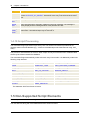
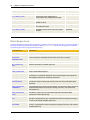
Type
Description
Notification The most common method is to activate a notification. It may be activated with the script
function ACTIVATE_UC_OBJECT. Several AE Users may so be informed at the same
time.
SEND_
MAIL
This script function may be used to send email to any number of receivers.
:SEND_
MSG
This script statement is especially suitable for short info messages. The message is
directly displayed in the message window of the particular AE User.
:SEND_
SNMP_
TRAP
This script statement is useful if the integration opportunities of AE are used in
Frameworks. User-defined traps may be sent with it.
1.4.10 Script Processing
The Automation Engine processes scripts line by line. The results of executed script elements are
regularly written to the AE database (e.g., a value for a Variable object which has been set using :PUT_
VAR).
This process is also referred to as Commit. Other scripts can only access these new or modified values
when they have been entered in the database.
The Automation Engine automatically makes a Commit every five seconds. It is additionally made in the
following script elements:
:BEGINREAD... :ENDREAD
FORECAST_OBJECT
PREP_PROCESS_FILE
:READ
FORECAST_TASK
PREP_PROCESS_FILENAME
:SET_UC_SETTING
GET_FILESYSTEM
PREP_PROCESS_REPORT
:WAIT
GET_UC_SETTING
REMOVE_OBJECT
ACTIVATE_UC_OBJECT
IMPORT
RESTART_UC_OBJECT
AUTOFORECAST
MODIFY_OBJECT
SEND_MAIL
CANCEL_UC_OBJECT
MODIFY_UC_OBJECT
SYS_SERVER_ALIVE
CREATE_OBJECT
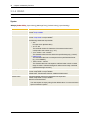
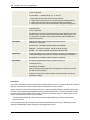
MOVE_OBJECT
TOGGLE_SYSTEM_STATUS
EXPORT
PREP_PROCESS
The statement :WAIT 0 enforces a Commit.
1.5 Non-Supported Script Elements
Some script elements have been changed in the course of time.
The ones affected, along with more detailed information are shown below:
Automation Engine
l
33
:REPLACE_JP_STRUCTURE
As of Automation Engine version 8.00A, this script statement has been renamed to
:REPLACE_STRUCTURE. The former notation can still be used.
l
:SET_UC_SETTING
As of version 6.00A, the setting MAX_PARALLEL has been renamed to WORKLOAD_MAX.
The old name is still valid.
l
:XML_CLOSE_DOCU
As of Automation Engine version 6.00A, this script statement has been renamed to :XML_
CLOSE. The former notation can still be used.
l
GET_UC_SETTING
As of version 6.00A, the setting MAX_PARALLEL has been renamed to WORKLOAD_MAX_
JOB. Scripts are automatically adjusted when the AE database is updated.
l
PREP_PROCESS_HOSTGROUP
As of version 8.00A, this script function has been renamed to PREP_PROCESS_
AGENTGROUP. The former notation can still be used.
l
XML_OPEN_DOCU
As of version 6.00A, this script function has been renamed to XML_OPEN. The former notation
can still be used.
l
CINT and CSTR
These script functions do not support negative numbers and floating-point numbers. As of
version 9.00A, the script element CONVERT can be used to convert all types of data.
l
SYS_ACT_JPNAME and SYS_ACT_JPNR
These script elements have the same functions as SYS_ACT_PARENT_NAME and SYS_
ACT_PARENT_NR. They can still be used.
l
SYS_ACT_JOBNAME and SYS_ACT_JOBNR
These two script elements have the same functions as SYS_ACT_ME_NAME and SYS_ACT_
ME_NR. They can still be used.
34
Chapter 2 Script Elements - Alphabetical Listing
2 Script Elements - Alphabetical
Listing
This document lists all Script elements in an alphabetical order and gives a short description about their
usage.
Script Statements
[Script Statements] [Script Functions]
Script Statement
Description
:ADD_ATT
Adds recipients to a Notification at runtime.
:ADD_COMMENT
Adds a comment to a task.
:ATTACH_SYNC
Assigns a Sync object to a task.
:BEGINREAD...
:ENDREAD
Beginning and end of a dialog for user queries.
:CLEAR
Resets a script array to its initial values.
:CLOSE_PROCESS
Discards a data sequence within a script.
:CONST
Creates a script variable as a constant with a specific value.
:DATA
Explicit declaration of a DATA Line in a script.
:DEFINE
Declares a script variable with a particular data type.
:DELETE_VAR
Deletes one or all values of a Variable object.
:DISCONNECT
Disconnects a connection to the AE system.
:EXIT
Terminates the processing of a script and sends a return code.
:EXT_REPORT_OFF
Deactivates the logging of a task's script.
:EXT_REPORT_ON
Activates the logging of a task's script.
:FILL
Stores several values in a script array.
:GENERATE
Controls the processing of script lines during execution.
:IF... :ELSE... :ENDIF
Branching under certain conditions.
:INCLUDE
Integrates an Include object into the current script.
:INC_SCRIPT
Integrates a script into another script of the same object.
:JCL_CONCAT_
CHAR
Forms JCL lines to a size of up to 2 KB.
:JCL_SUBSTITUTE
Replaces a character set in the JCL with another character set.
:MODIFY_STATE
Modifies the return code or status text of a job when it has finished.
:ON_ERROR
Determines the reaction to certain errors and messages of script elements.
:PRINT
Writes text to a dialog for user queries or to the activation report of an object.
Automation Engine
35
:PROCESS... :TERM_
PROCESS...
:ENDPROCESS
The definition of a loop for the line by line processing of a data sequence such
as the content of a sequential file or the text result of a command.
:PSET
Assigns a value to an object variable.
:PUBLISH
Defines script variables and arrays as object variables.
:PUT_ATT
Sets or changes attributes of objects.
:PUT_ATT_APPEND
Extends the Notification object's message text at runtime.
:PUT_PROMPT_
BUFFER
Puts name and content of a script variable in an input buffer.
:PUT_READ_BUFFER Puts name and content of a script variable in an input buffer.
:PUT_VAR
Stores a value in a Variable object.
:PUT_VAR_COL
Stores a value to a particular column of a static Variable object.
:READ
Queries the user in a dialog.
:REGISTER_
OUTPUTFILE
Registers a file as an external job output.
:REMOVE_ATT
Removes recipients in a Notification at runtime.
:REPLACE_
STRUCTURE
Replaces the structure of a workflow with the structure of another workflow at
activation.
:RESTART
Sets restart points in an object.
:RSET
Assigns a value to a script variable and saves it to the activation report.
:SEND_MSG
Sends messages to the user of the UserInterface.
:SEND_SNMP_TRAP
Sends an SNMP trap.
:SET
Assigns a value to a script variable.
:SET_CALE
Inserts/deletes a date or time period in a Calendar.
:SET_CONDITION
Sets the earliest start time in workflows.
:SET_LAST_ERR
Sets error number and text.
:SET_SCRIPT_VAR
Sets the values of script variables by indirect access.
:SET_UC_SETTING
Changes system settings during system operation.
:SHUTDOWN
Ends a AE system.
:STOP
This cancels the processing of a script.
:SWITCH... :CASE...
:ENDSWITCH
It verifies whether the value of a variable complies with certain values and
depending on the result, it runs various statements.
:TERMINATE
Ends an agent, a work, or communication process.
:WAIT
Processing of the script is stopped for a specified time period.
:WHILE...
:ENDWHILE
Loop for repeated execution of script statements.
:XML_CLOSE
Closes an XML document.
36
Chapter 2 Script Elements - Alphabetical Listing
Script Functions
[Script Statements] [Script Functions]
Script Function
Description
ACTIVATE_UC_OBJECT
Activates an object.
ADD
Adds.
ADD_DAYS
Adds days to a given date.
ADD_PERIOD
Adds a period to a specified date.
ADD_TIME
Adds two times.
ADD_TIMESTAMP
Adds time to a Time Stamp.
ALPHA2RUNNR
Converts the name of a job or report file to a
RunID.
ARRAY_2_STRING
Converts a script array to a string.
AUTOFORECAST
Calculates forecast data for future activities.
CALE_LOOK_AHEAD
Returns the next date based on calendar
conditions.
CANCEL_UC_OBJECT
Cancels execution of an activated object.
CHANGE_LOGGING
Causes the log file to be changed.
CONV_DATE
Converts a date from one date format to another.
CONV_LC
Converts all characters of a string to lowercase
letters.
CONV_TIMESTAMP
Converts date and time for use in another
TimeZone.
CONV_UC
Converts all characters of a string to uppercase
letters.
CONVERT
Converts the data type of a value.
CREATE_OBJECT
Creates an object (Calendar, Login and Variable
only).
CREATE_PROCESS
Creates a new data sequence.
DAY_OF_YEAR
Returns the current day of the year.
DEACTIVATE_UC_
OBJECT
Deactivates a completed task.
DIFF_DATE
Determines the difference between two date
entries in days.
DIFF_TIME
Returns the difference between two time entries.
DIV
Divides.
EXPORT
Exports objects to an XML file.
FIND
Searches a script array and returns the
corresponding index.
FIRST_OF_PERIOD
Determines the first day of the period for a
specified date.
Predefined
Variable
Automation Engine
FORECAST_OBJECT
Creates a forecast of a given object.
FORECAST_TASK
Creates a forecast of a running task.
FORMAT
Changes the formatting of a number.
GET_ATT
Returns the values of attributes of an object
during its generation.
GET_ATT_SUBSTR
Supplies part of the message text in a
Notification.
GET_BIT
Checks if a bit is set in a bit field.
GET_CONDITION
Determines the earliest start time in workflows.
GET_CONNECTION
Reads information from a DB-type Connection
object.
GET_CONSOLE
Reads message data of an occurred console
event.
GET_EVENT_INFO
Reads data of occurred Console, FileSystem and
Database Events.
GET_FILESYSTEM
Retrieves several file-system values from a
defined path of a computer.
GET_MSG_TXT
Retrieves the message text of the last error.
GET_MSG_TYPE
Retrieves the type of a message number.
GET_LOGIN
Reads information from Login objects.
GET_OBJECT_TYPE
Returns a task's object type.
GET_OH_IDNR
Supplies an object's internal number.
GET_PARENT_NAME
Returns the name of the superordinate task
(Parent).
GET_PARENT_NR
Returns the run number of the superordinate task
(Parent).
GET_PARENT_TYPE
Returns the object type of the superordinate task
(Parent).
GET_PROCESS_INFO
Retrieves information of a data sequence
GET_PROCESS_LINE
Returns the content of the current line of a data
sequence.
GET_PUBLISHED_VALUE
Retrieves the value or PromptSet variable of a
certain task.
GET_SCRIPT_VAR
Returns the values of script variables by indirect
access.
GET_STATISTIC_DETAIL
Retrieves details from the statistical record of an
executable object.
GET_SYNC
Queries the current condition or value of a Sync
object.
GET_UC_OBJECT_NR
Returns the RunID of an activated object.
GET_UC_OBJECT_
STATUS
Returns the status of an activated object.
37
38
Chapter 2 Script Elements - Alphabetical Listing
GET_UC_SERVER_NAME
Determines the name of the work process in
which the script runs.
GET_UC_SETTING
Reads current system settings.
GET_UC_SYSTEM_NAME
Determines the name of the AE system.
GET_VAR
Returns the content of a Variable object.
GET_WIN_EVENT
Determines entries in the Windows system,
security and application logs if an Event occurs.
HEX
Converts a character set into hexadecimal form.
ILM
Controls ILM functionality.
IMPORT
Imports objects from an XML file.
IS_GROUP_MEMBER
Checks a user's membership status within a user
group.
ISNUMERIC
Checks if a character set is numeric.
LAST_OF_PERIOD
Determines the last day of period of a specified
date.
LENGTH
Retrieves the size of a script array.
LOAD_PROCESS
Loads a stored data sequence.
MID
Copies string characters.
MOD
Returns the remainder of a division.
MODIFY_OBJECT
Changes an existing object (only Calendar, Login
and Variable).
MODIFY_SYSTEM
Processes ServiceManager actions or Queue
modifications.
MODIFY_TASK
Modifies active workflows.
MODIFY_UC_OBJECT
Modifies the attribute of an activated object.
MOVE_OBJECT
Moves an object to a folder.
MULT
Multiplies.
PREP_PROCESS
Via specific Job objects (Event jobs), this script
function processes commands on a computer
and returns the Console output as an internal list
(data sequence) which can further be processed.
PREP_PROCESS_
AGENTGROUP
Uses selection criteria to retrieve the agents of an
AgentGroup object and provides the result for
further processing in the form of an internal list
(data sequence).
PREP_PROCESS_
COMMENTS
Uses filter settings to retrieve the timestamp,
user and text of task comments and provides the
result for further processing in the form of an
internal list (data sequence).
PREP_PROCESS_DOCU
Provides the content of a Documentation tab as
an internal list (data sequence) for further
processing.
&$SYSTEM#
Automation Engine
PREP_PROCESS_FILE
Uses filter criteria in order to retrieve the content
of a text file which is available on a particular
computer line by line. It provides the result for
further processing in the form of an internal list
(data sequence).
PREP_PROCESS_
FILENAME
Retrieves a list of file names which are available
in a specified computer directory. It provides the
result for further processing in the form of an
internal list (data sequence).
PREP_PROCESS_
PROMPTSET
Reads the definition of PromptSet objects and
provides them as an internal list (data sequence)
for further processing.
PREP_PROCESS_
REPORT
Uses filter criteria to retrieve the report lines of
executable objects and provides the result for
further processing in the form of an internal list
(data sequence).
PREP_PROCESS_
REPORTLIST
Retrieves the list of the registered output of Jobs
that have already run and provides the result in
the form of an internal list (data sequence) for
further processing.
PREP_PROCESS_VAR
Uses selection criteria to retrieve a list of Variable
object values and provides the result for further
processing in the form of an internal list (data
sequence).
PUT_PROCESS_LINE
Adds a line to a certain data sequence
RANDOM
Generates random numbers.
REMOVE_OBJECT
Deletes an existing object.
RERUN_UC_OBJECT
Continues a certain workflow.
RESTART_UC_OBJECT
Repeats the execution of a task.
ROLLBACK_UC_OBJECT
Executes the rollback of a specific task
RUNNR2ALPHA
Converts the RunID to the corresponding file
names.
SAVE_PROCESS
Stores a certain data sequence.
SEND_MAIL
Sends email to a user.
SET_SYNC
Executes the defined action of a Sync object.
STR_CAT
Combines two strings to a new string.
STR_CUT
Copies string characters.
STR_ENDS_WITH
Checks whether a string ends with a certain other
string.
STR_FIND
Searches for a character or a string within a
string.
STR_FIND_REVERSE
Searches for a character or a string within a
string. The search begins at the end of the string
being searched.
39
40
Chapter 2 Script Elements - Alphabetical Listing
STR_ISLOWER
Checks whether the characters of a string are
written in lowercase letters.
STR_ISUPPER
Checks whether the characters of a string are
written in uppercase letters.
STR_LC
Converts all characters of a string to lower-case.
STR_LENGTH
Returns the length of a string.
STR_LNG
Returns the length of a string.
STR_LTRIM
Deletes empty spaces at the beginning of a
character set.
STR_PAD
Extends a string to a certain length.
STR_MATCH
Compares two character sets.
STR_REVERSE
Reverses the order of the characters within a
string.
STR_RTRIM
Deletes the empty spaces at the end of a
character set.
STR_SPLIT
Splits a string into several parts using a
separator.
STR_STARTS_WITH
Checks whether a string starts with a certain
other string.
STR_SUBSTITUTE
Replaces character or string within a string.
STR_SUBSTITUTE_VAR
Replaces script-variable names by their values.
STR_TRIM
Removes empty spaces at the beginning and the
end of a character set.
STR_UC
Converts all characters of a string to uppercase
characters.
SUB
Subtracts.
SUB_DAYS
Subtracts days from a given date.
SUB_PERIOD
Subtracts a period from a specified date.
SUB_TIME
Subtracts two times.
SUB_TIMESTAMP
Subtracts time from a Time Stamp.
SUBSTR
Copies string characters.
SYS_ACT_CLIENT
Returns the number of the current client.
&$CLIENT#
SYS_ACT_CLIENT_TEXT
Returns the text of the current client.
&$CLIENT_DESC#
SYS_ACT_HOST
Returns the name of the host.
SYS_ACT_JP
Determines if a task was activated in a workflow.
&$IN_
PROCESSFLOW#
SYS_ACT_ME_NAME
Returns the name of the own object.
&$NAME#
SYS_ACT_ME_NR
Returns the run number (RunID) of the own
object.
&$RUNID#
SYS_ACT_ME_TYPE
Returns the object type of the own object.
&$OBJECT_
TYPE#
Automation Engine
41
SYS_ACT_PARENT_
NAME
Supplies the name of a superordinate task.
&$ACTIVATOR#
&$PROCESSOR#
SYS_ACT_PARENT_NR
Supplies the run number (RunID) of the
superordinate task.
&$ACTIVATOR_
RUNID#
&$PROCESSOR_
RUNID#
SYS_ACT_PARENT_TYPE
Returns the object type of the superordinate task.
&$ACTIVATOR_
TYPE#
&$PROCESSOR_
TYPE#
SYS_ACT_PREV_NAME
Returns the name of the previous task in a
workflow.
SYS_ACT_PREV_NR
Returns the run number (RunID) of a previous
task in a workflow.
SYS_ACT_PTTYP
Returns the partner type of the user.
&$PARTNER_
TYPE#
SYS_ACT_RESTART
Retrieves whether the object was activated in
restart mode.
&$RESTARTED#
SYS_ACT_RESTART_
COUNT
Supplies the number of restarts that have been
executed for workflow tasks using the script
statement RESTART TASK (Postconditions).
&$RESTART_
COUNT#
SYS_ACT_RESTART_ME_
NR
Returns the run number (RunID) of an object
activated in restart mode.
&$RESTART_
RUNID#
SYS_ACT_TOP_NAME
Supplies the name of the top workflow.
&$TOP_
PROCESSFLOW_
NAME#
SYS_ACT_TOP_NR
Supplies the run number (RunID) of the top
workflow.
&$TOP_
PROCESSFLOW_
RUNID#
SYS_ACT_USERID
Supplies the User ID under which the job will run.
SYS_ACTIVE_COUNT
Returns the number of all activated objects.
SYS_BUSY_01
Returns the size of the workload of the
Automation Engine during the last minute (in
percent).
SYS_BUSY_10
Returns the size of the workload of the
Automation Engine during the last 10 minutes (in
percent).
SYS_BUSY_60
Returns the size of the workload of the
Automation Engine during the last hour (in
percent).
SYS_DATE
Returns the current date at the beginning of the
script processing
&$DATE_format#
SYS_DATE_PHYSICAL
Returns the current date
&$PHYS_DATE_
format#
SYS_HOST_ALIVE
Checks if a certain host is active
SYS_INFO
Reads AE-system information
42
Chapter 2 Script Elements - Alphabetical Listing
SYS_LAST_ERR_INS
Supplies the variable message part of the error
that has last occurred.
SYS_LAST_ERR_NR
Returns the number of the error that has last
occurred.
SYS_LAST_ERR_SYSTXT
Retrieves the last-occurred error message from
the operating system.
SYS_LAST_RESTART_
POINT
Supplies the name of the previous restart point in
the script.
SYS_LAST_RESTART_
TEXT
Supplies the text of the previous restart point as
defined in the script.
SYS_LDATE
Returns the logical date.
&$LDATE_format#
SYS_RESTART_POINT
Supplies the restart point from which the object
will be executed.
&$RESTART_
POINT#
SYS_SERVER_ALIVE
Checks if a certain server process is active.
SYS_SNMP_ACTIVE
Checks if the SNMP connection (Simple Network
Management Protocol) of the Automation Engine
is active.
SYS_STATE_ACTIVE
Checks if an object is already active.
&$SNMP_
ACTIVE#
SYS_STATE_JOB_ACTIVE Checks if a job has already been activated.
SYS_STATE_JOBS_IN_
GROUP
Returns the number of jobs that are registered in
groups.
SYS_STATE_JP_ACTIVE
Checks if a workflow has already been activated.
SYS_TIME
Retrieves the current time of day at the beginning
of the script processing.
&$TIME_format#
SYS_TIME_PHYSICAL
Determines the current time of day.
&$PHYS_TIME_
format#
SYS_TIMESTAMP_
PHYSICAL
Provides current date and time.
SYS_USER_ALIVE
Checks if a user is logged with a UserInterface in
the Automation Engine.
SYS_USER_DEP
Supplies the department of the user who started
the task.
&$DEPARTMENT#
SYS_USER_LANGUAGE
Supplies the language in which the Server
generates the log files.
&$SYS_
LANGUAGE#
SYS_USER_LNAME
Supplies the first and last name of the user who
started the task.
&$USER_FL#
SYS_USER_NAME
Supplies the name of the user who started the
task.
&$USER#
TOGGLE_OBJECT_
STATUS
Stops or starts the automatic processing of
several object types .
TOGGLE_SYSTEM_
STATUS
Stops or starts automatic processing of a client.
UC_CRLF
Returns a page break.
Automation Engine
VALID_CALE
Checks whether a date is included in the
Calendar keyword.
VALID_DATE
Checks if the date is valid.
VALID_TIME
Checks if the time is valid.
WEEK_NR
Returns the calendar week of a given date.
WEEKDAY_NR
Returns the day of a week of a given date as a
number.
WEEKDAY_XX
Returns the day of the week of a given date as an
abbreviation.
WRITE_PROCESS
It writes the content of a data sequence to a file.
XML_BEAUTIFY
Beautifies the display of an element's structure.
XML_GET_ATTRIBUTE
Supplies the value of an attribute.
XML_GET_CHILD_COUNT
Counts the sub-elements of an element.
XML_GET_FIRST_CHILD
Identifies the first sub-element of an element.
XML_GET_LAST_CHILD
Identifies the last sub-element of an element.
XML_GET_NEXTSIBLING
Identifies the succeeding element.
XML_GET_NODE_NAME
Supplies the name of an element.
XML_GET_NODE_TEXT
Supplies the text of an element.
XML_OPEN
Opens an XML document for processing.
XML_PRINTINTOFILE
Writes the XML document in a file.
XML_SELECT_NODE
Identifies any element.
YEAR_9999
Extracts the year from a given date.
43
44
Chapter 3 Ordered by Function
3 Ordered by Function
3.1 Script Elements - Ordered by Function
The overview that is shown below lists all Script elements in groups of similar functional areas.
Handling Objects
[Handling Objects] [Activating Objects] [Reading or Modifying Objects] [Script Structure and Processing ] [Error
Handling and Messages] [Activation Data] [User Data] [Data Sequences] [Event Handling] [System Conditions
and Settings] [Date and Time] [Arithmetic] [Strings]
Script Element
Description
:REGISTER_
OUTPUTFILE
Registers a file as an external job output.
CREATE_OBJECT
Creates an object (Calendar, Login and Variable only).
EXPORT
Exports objects to an XML file.
IMPORT
Imports objects from an XML file.
MODIFY_OBJECT
Changes an existing object (only Calendar, Login and Variable).
MOVE_OBJECT
Moves an object to a folder.
REMOVE_OBJECT
Deletes an existing object.
Activating Objects
[Handling Objects] [Activating Objects] [Reading or Modifying Objects] [Script Structure and Processing ] [Error
Handling and Messages] [Activation Data] [User Data] [Data Sequences] [Event Handling] [System Conditions
and Settings] [Date and Time] [Arithmetic] [Strings]
Script Element
Description
:BEGINREAD...
:ENDREAD
Beginning and end of a dialog for user queries.
:PRINT
Writes text to a dialog for user queries or to the activation report of an object.
:PUT_READ_BUFFER Puts name and content of a script variable in an input buffer.
:PUT_PROMPT_
BUFFER
Puts name and content of a script variable in an input buffer.
:READ
Queries the user in a dialog.
ACTIVATE_UC_
OBJECT
Activates an object.
AUTOFORECAST
Calculates forecast data for future activities.
CANCEL_UC_
OBJECT
Cancels execution of an activated object.
Automation Engine
DEACTIVATE_UC_
OBJECT
Deactivates a completed task.
FORECAST_OBJECT
Creates a forecast of a given object.
FORECAST_TASK
Creates a forecast of a running task.
45
RERUN_UC_OBJECT Continues a certain workflow.
RESTART_UC_
OBJECT
Repeats the execution of a task.
ROLLBACK_UC_
OBJECT
Executes the rollback of a specific task
SYS_ACTIVE_
COUNT
Returns the number of all activated objects.
SYS_STATE_ACTIVE
Checks if an object is already active.
SYS_STATE_JOB_
ACTIVE
Checks if a job has already been activated.
SYS_STATE_JOBS_
IN_GROUP
Retrieves the number of jobs that are registered in groups.
SYS_STATE_JP_
ACTIVE
Checks if a workflow has already been activated.
TOGGLE_OBJECT_
STATUS
Stops or starts the automatic execution of several object types.
Reading or Modifying Objects
[Handling Objects] [Activating Objects] [Reading or Modifying Objects] [Script Structure and Processing ] [Error
Handling and Messages] [Activation Data] [User Data] [Data Sequences] [Event Handling] [System Conditions
and Settings] [Date and Time] [Arithmetic] [Strings]
Script Element
Description
:ADD_ATT
Adds recipients to a Notification at runtime.
:ADD_COMMENT
Adds a comment to a task.
:ATTACH_SYNC
Assigns a Sync object to a task.
:DELETE_VAR
Deletes one or all values of a Variable object.
:MODIFY_STATE
Modifies the return code or status text of a job when it has finished.
:PUT_ATT
Sets or changes attributes of objects.
:PUT_ATT_APPEND
Extends the Notification's message text at runtime.
:PUT_VAR
Stores a value in a Variable object.
:PUT_VAR_COL
Stores a value to a particular column of a static Variable object.
:REMOVE_ATT
Removes recipients in a Notification at runtime.
:REPLACE_
STRUCTURE
Replaces the structure of a workflow with the structure of another workflow at
activation.
:SET_CALE
Inserts/deletes a date or time period in a Calendar.
46
Chapter 3 Ordered by Function
:SET_CONDITION
Sets the earliest start time in workflows.
:XML_CLOSE
Closes an XML document.
GET_ATT
Returns the values of attributes of an object during its generation.
GET_ATT_SUBSTR
Supplies part of the message text in a Notification.
GET_CONDITION
Determines the earliest start time in workflows.
GET_CONNECTION
Reads information from a DB-type Connection object.
GET_LOGIN
Reads information from Login objects.
GET_OBJECT_TYPE
Returns a task's object type.
GET_OH_IDNR
Supplies an object's internal number.
GET_PUBLISHED_
VALUE
Retrieves the value or PromptSet variable of a certain task.
GET_STATISTIC_
DETAIL
Retrieves details from the statistical record of an executable object.
GET_SYNC
Queries the current condition or value of a Sync object.
GET_VAR
Returns the content of a Variable object.
MODIFY_TASK
Modifies active workflows.
MODIFY_UC_
OBJECT
Modifies the attribute of an activated object.
SET_SYNC
Executes the defined action of a Sync object.
XML_BEAUTIFY
Beautifies the display of an element's structure.
XML_GET_
ATTRIBUTE
Supplies the value of an attribute.
XML_GET_CHILD_
COUNT
Counts the sub-elements of an element.
XML_GET_FIRST_
CHILD
Identifies the first sub-element of an element.
XML_GET_LAST_
CHILD
Identifies the last sub-element of an element.
XML_GET_
NEXTSIBLING
Identifies the succeeding element.
XML_GET_NODE_
NAME
Supplies the name of an element.
XML_GET_NODE_
TEXT
Supplies the text of an element.
XML_OPEN
Opens an XML document for processing.
XML_PRINTINTOFILE
Writes the XML document in a file.
XML_SELECT_NODE
Identifies any element.
Automation Engine
47
Script Structure and Processing
[Handling Objects] [Activating Objects] [Reading or Modifying Objects] [Script Structure and Processing] [Error
Handling and Messages] [Activation Data] [User Data] [Data Sequences] [Event Handling] [System Conditions
and Settings] [Date and Time] [Arithmetic] [Strings]
Script Element
Description
:CLEAR
Resets a script array to its initial values.
:CONST
Creates a script variable as a constant with a certain value.
:DATA
Explicit declaration of a DATA line in a script.
:DEFINE
Declares a script variable with a particular data type.
:EXT_REPORT_OFF
Deactivates the logging of a task's script.
:EXT_REPORT_ON
Activates the logging of a task's script.
:FILL
Stores several values in a script array.
:GENERATE
Controls the processing of script lines during execution of the script.
:IF... :ELSE... :ENDIF
Branching under certain conditions.
:INCLUDE
Integrates an Include object into the current script.
:INC_SCRIPT
Integrates a script into another script of the same object.
:JCL_CONCAT_
CHAR
Forms JCL lines to a size of up to 2 KB.
:JCL_SUBSTITUTE
Replaces a string in the JCL with another string.
:PSET
Assigns a value to an object variable.
:PUBLISH
Defines script variables and arrays as object variables.
:RESTART
Sets restart points in an object.
:RSET
Assigns a value to a script variable and saves it to the activation report.
:SET
Assigns a value to a script variable.
:SET_SCRIPT_VAR
Sets the values of script variables by indirect access.
:SWITCH... :CASE...
:ENDSWITCH
It verifies whether the value of a variable complies with certain values and
depending on the result, it runs various statements.
:WAIT
This is used to stop processing of the script for a specified period of time.
Meanwhile, other tasks are completed.
:WHILE...
:ENDWHILE
Loop for repeated execution of script statements.
FIND
Searches a script array and returns the corresponding index.
GET_SCRIPT_VAR
Returns the values of script variables by indirect access.
LENGTH
Retrieves the size of a script array.
Error Handling and Messages
[Handling Objects] [Activating Objects] [Reading or Modifying Objects] [Script Structure and Processing] [Error
Handling and Messages] [Activation Data] [User Data] [Data Sequences] [Event Handling] [System Conditions
and Settings] [Date and Time] [Arithmetic] [Strings]
48
Chapter 3 Ordered by Function
Script Element
Description
:EXIT
Terminates the processing of a script with a return code.
:ON_ERROR
Determines the reaction to certain errors and messages of script elements.
:SEND_MSG
Sends messages to the user of the UserInterface.
:SEND_SNMP_TRAP
Sends an SNMP trap.
:SET_LAST_ERR
Sets error number and text.
:STOP
Terminates the activation of a script and can display error messages.
GET_MSG_TXT
Retrieves the message text of the latest occurred error.
GET_MSG_TYPE
Retrieves the type of a message number.
SEND_MAIL
Sends email to a user.
SYS_LAST_ERR_INS
Supplies the variable message part of the error that has last occurred.
SYS_LAST_ERR_NR
Returns the number of the error that has last occurred.
SYS_LAST_ERR_
SYSTXT
Retrieves the last-occurred error message from the operating system.
Activation Data
[Handling Objects] [Activating Objects] [Reading or Modifying Objects] [Script Structure and Processing] [Error
Handling and Messages] [Activation Data] [User Data] [Data Sequences] [Event Handling] [System Conditions
and Settings] [Date and Time] [Arithmetic] [Strings]
Script Element
Description
GET_PARENT_NAME
Returns the name of the superordinate task
(Parent).
GET_PARENT_NR
Returns the run number of the superordinate task
(Parent).
GET_PARENT_TYPE
Returns the object type of the superordinate task
(Parent).
GET_UC_OBJECT_NR
Returns the RunID of an activated object.
Predefined
Variable
GET_UC_OBJECT_STATUS This returns the status of an activated object.
SYS_ACT_HOST
Returns the name of the host.
SYS_ACT_JP
Determines if a task was activated in a workflow. &$IN_
PROCESSFLOW#
SYS_ACT_ME_NAME
Returns the name of the own object.
&$NAME#
SYS_ACT_ME_NR
Returns the run number (RunID) of the own
object.
&$RUNID#
SYS_ACT_ME_TYPE
Returns the object type of the own object.
&$OBJECT_
TYPE#
SYS_ACT_PARENT_NAME
Supplies the name of a superordinate task.
&$ACTIVATOR#
&$PROCESSOR#
Automation Engine
49
SYS_ACT_PARENT_NR
Supplies the run number (RunID) of the
superordinate task.
&$ACTIVATOR_
RUNID#
&$PROCESSOR_
RUNID#
SYS_ACT_PARENT_TYPE
Returns the object type of the superordinate task. &$ACTIVATOR_
TYPE#
&$PROCESSOR_
TYPE#
SYS_ACT_PREV_NAME
Returns the name of the previous task in a
workflow.
SYS_ACT_PREV_NR
Returns the run number (RunID) of a previous
task in a workflow.
SYS_ACT_PTTYP
Returns the partner type of the user.
&$PARTNER_
TYPE#
SYS_ACT_RESTART
Retrieves whether the object was activated in
restart mode.
&$RESTARTED#
SYS_ACT_RESTART_
COUNT
Supplies the number of restarts that have been
executed for workflow tasks using the script
statement RESTART TASK (Postconditions).
&$RESTART_
COUNT#
SYS_ACT_RESTART_ME_
NR
Returns the run number (RunID) of an object
activated in restart mode.
&$RESTART_
RUNID#
SYS_ACT_TOP_NAME
Supplies the name of the top workflow.
&$TOP_
PROCESSFLOW_
NAME#
SYS_ACT_TOP_NR
Supplies the run number (RunID) of the top
workflow.
&$TOP_
PROCESSFLOW_
RUNID#
SYS_ACT_USERID
Supplies the User ID under which the job will run.
SYS_LAST_RESTART_
POINT
Supplies the name of the previous restart point in
the script.
SYS_LAST_RESTART_
TEXT
Supplies the text of the previous restart point as
defined in the script.
SYS_RESTART_POINT
Supplies the restart point from which the object
will be executed.
&$RESTART_
POINT#
User Data
[Handling Objects] [Activating Objects] [Reading or Modifying Objects] [Script Structure and Processing] [Error
Handling and Messages] [Activation Data] [User Data] [Data Sequences] [Event Handling] [System Conditions
and Settings] [Date and Time] [Arithmetic] [Strings]
Script Element
Description
IS_GROUP_MEMBER
Checks a user's membership status within
a user group.
Predefined
Variable
50
Chapter 3 Ordered by Function
SYS_ACT_CLIENT
Number of the current client.
&$CLIENT#
SYS_ACT_CLIENT_TEXT
Text of the current client.
&$CLIENT_DESC#
SYS_USER_ALIVE
Checks if a user is logged with a
UserInterface in the Automation Engine.
SYS_USER_DEP
Supplies the department of the user who
started the task.
&$DEPARTMENT#
SYS_USER_LNAME
Supplies the first and last name of the user
who started the task.
&$USER_FL#
SYS_USER_NAME
Supplies the name of the user who started
the task.
&$USER#
Data Sequences
[Handling Objects] [Activating Objects] [Reading or Modifying Objects] [Script Structure and Processing] [Error
Handling and Messages] [Activation Data] [User Data] [Data Sequences] [Event Handling] [System Conditions
and Settings] [Date and Time] [Arithmetic] [Strings]
Script Element
Description
:CLOSE_PROCESS
Discards a data sequence within a script.
:PROCESS... :TERM_
PROCESS...
:ENDPROCESS
The definition of a loop for the line by line processing of a data sequence such
as the content of a sequential file or the text result of a command.
CREATE_PROCESS
Creates a new data sequence.
GET_PROCESS_
INFO
Retrieves information of a data sequence
GET_PROCESS_LINE Returns the content of the current line of a data sequence.
LOAD_PROCESS
Loads a stored data sequence.
PREP_PROCESS
Via specific Job objects (Event jobs), this script function processes
commands on a computer and returns the Console output as an internal list
(data sequence) which can further be processed.
PREP_PROCESS_
AGENTGROUP
Uses selection criteria to retrieve the agents of an AgentGroup object and
provides the result for further processing in the form of an internal list (data
sequence).
PREP_PROCESS_
COMMENTS
Uses filter settings to retrieve the timestamp, user and text of task comments
and provides the result for further processing in the form of an internal list
(data sequence).
PREP_PROCESS_
DOCU
Provides the content of a Documentation tab as an internal list (data
sequence) for further processing.
PREP_PROCESS_
FILE
Uses filter criteria to retrieve the content of a text file which is available on a
particular computer line by line. It provides the result for further processing in
the form of an internal list (data sequence).
PREP_PROCESS_
FILENAME
Retrieves a list of file names which are available in a specified computer
directory. It provides the result for further processing in the form of an internal
list (data sequence).
Automation Engine
51
PREP_PROCESS_
PROMPTSET
Reads the definition of PromptSet objects and provides them as an internal
list (data sequence) for further processing.
PREP_PROCESS_
REPORT
Uses filter criteria to retrieve the report lines of executable objects and
provides the result for further processing in the form of an internal list (data
sequence).
PREP_PROCESS_
REPORTLIST
Retrieves the list of the registered output of Jobs that have already run and
provides the result in the form of an internal list (data sequence) for further
processing.
PREP_PROCESS_
VAR
Uses selection criteria to retrieve a list of Variable object values and provides
the result for further processing in the form of an internal list (data sequence).
PUT_PROCESS_LINE Adds a line to a certain data sequence.
SAVE_PROCESS
Stores a certain data sequence.
WRITE_PROCESS
It writes the content of a data sequence to a file.
Event Handling
[Handling Objects] [Activating Objects] [Reading or Modifying Objects] [Script Structure and Processing] [Error
Handling and Messages] [Activation Data] [User Data][Data Sequences] [Event Handling] [System Conditions
and Settings] [Date and Time] [Arithmetic] [Strings]
Script Element
Description
GET_CONSOLE
Reads message data of an occurred console event.
GET_EVENT_INFO
Reads data of occurred Console, FileSystem and Database Events.
GET_FILESYSTEM
Retrieves several file-system values from a defined path of a computer.
GET_WIN_EVENT
Determines entries in the Windows system, security and application logs if an
Event occurs.
System Conditions and Settings
[Handling Objects] [Activating Objects] [Reading or Modifying Objects] [Script Structure and Processing] [Error
Handling and Messages] [Activation Data] [User Data] [Data Sequences] [Event Handling] [System Conditions
and Settings] [Date and Time] [Arithmetic] [Strings]
Script Element
Description
:DISCONNECT
Disconnects a connection to the AE system.
:SET_UC_SETTING
Changes system settings during system operation.
:SHUTDOWN
Ends a AE system.
:TERMINATE
Ends an agent, a work, or communication process.
CHANGE_LOGGING
Causes the log file to be changed.
GET_UC_SERVER_NAME
Determines the name of the work process in which the
script runs.
Predefined
Variable
52
Chapter 3 Ordered by Function
GET_UC_SETTING
Reads current system settings.
GET_UC_SYSTEM_NAME
Determines the name of the AE system.
ILM
Controls ILM functionality.
MODIFY_SYSTEM
Processes ServiceManager actions or Queue
modifications.
SYS_BUSY_01
Returns the size of the workload of the Automation
Engine during the last minute (in percent).
SYS_BUSY_10
Returns the size of the workload of the Automation
Engine during the last 10 minutes (in percent).
SYS_BUSY_60
Returns the size of the workload of the Automation
Engine during the last hour (in percent).
SYS_HOST_ALIVE
Checks if a certain host is active.
SYS_INFO
Reads AE-system information.
SYS_SERVER_ALIVE
Checks if a certain server process is active.
SYS_SNMP_ACTIVE
Checks if the SNMP connection (Simple Network
Management Protocol) of the Automation Engine is
active.
SYS_USER_LANGUAGE
Supplies the language in which the Server generates the &$SYS_
log files.
LANGUAGE#
TOGGLE_SYSTEM_
STATUS
Stops or starts automatic processing of a client.
&$SYSTEM#
&$SNMP_
ACTIVE#
Date and Time
[Handling Objects] [Activating Objects] [Reading or Modifying Objects] [Script Structure and Processing] [Error
Handling and Messages] [Activation Data] [User Data] [Data Sequences] [Event Handling] [System Conditions
and Settings] [Date and Time] [Arithmetic] [Strings]
Script Element
Description
ADD_DAYS
Adds days to a given date.
ADD_PERIOD
Adds a period to a specified date.
ADD_TIME
Adds two times.
ADD_TIMESTAMP
Adds time to a Time Stamp.
CALE_LOOK_AHEAD
Returns the next date based on calendar conditions.
CONV_DATE
Converts a date from one date format to another.
CONV_TIMESTAMP
Converts date and time for use in another TimeZone.
DAY_OF_YEAR
Returns the current day of the year.
DIFF_DATE
Determines the difference between two date entries in
days.
DIFF_TIME
Returns the difference between two time entries.
Predefined
Variable
Automation Engine
53
FIRST_OF_PERIOD
Determines the first day of the period for a specified
date.
LAST_OF_PERIOD
Determines the last day of the period of a specified
date.
SUB_DAYS
Subtracts days from a given date.
SUB_PERIOD
Subtracts a period from a specified date.
SUB_TIME
Subtracts two times.
SUB_TIMESTAMP
Subtracts time from a Time Stamp.
SYS_DATE
Returns the current date at the beginning of the script
processing.
&$DATE_
format#
SYS_DATE_PHYSICAL
Determines the current date.
&$PHYS_
DATE_
format#
SYS_LDATE
Returns the logical date.
&$LDATE_
format#
SYS_TIME
Returns the current time of day at the beginning of the
script processing.
&$TIME_
format#
SYS_TIME_PHYSICAL
Determines the current time of day.
&$PHYS_
TIME_
format#
SYS_TIMESTAMP_PHYSICAL Provides current date and time.
VALID_CALE
Checks whether a date is included in the Calendar
keyword.
VALID_DATE
Checks if the date is valid.
VALID_TIME
Checks if the time is valid.
WEEK_NR
Returns the calendar week of a given date.
WEEKDAY_NR
Returns the day of a week of a given date as a number.
WEEKDAY_XX
Returns the day of the week of a given date as an
abbreviation.
YEAR_9999
Extracts the year from a given date.
Arithmetic
[Handling Objects] [Activating Objects] [Reading or Modifying Objects] [Script Structure and Processing] [Error
Handling and Messages] [Activation Data] [User Data] [Data Sequences] [Event Handling] [System Conditions
and Settings] [Date and Time] [Arithmetic] [Strings]
Script Element
Description
ADD
Adds
DIV
Divides
GET_BIT
Checks if a bit is set in a bit field.
MOD
Returns the remainder of a division.
54
Chapter 3 Ordered by Function
MULT
Multiplies
RANDOM
Generates random numbers.
SUB
Subtracts
Strings
[Handling Objects] [Activating Objects] [Reading or Modifying Objects] [Script Structure and Processing] [Error
Handling and Messages] [Activation Data] [User Data] [Data Sequences] [Event Handling] [System Conditions
and Settings] [Date and Time] [Arithmetic] [Strings]
Script Element
Description
ALPHA2RUNNR
Converts the name of a job or report file to a RunID.
ARRAY_2_STRING
Converts a script array to a string.
CONV_LC or STR_LC
Converts all characters of a string to lowercase letters.
CONV_UC or STR_UC Converts all characters of a string to uppercase letters.
CONVERT
Converts the data type of a value.
FORMAT
Changes the formatting of a number.
HEX
Converts a string into hexadecimal form.
ISNUMERIC
Checks if a string is numeric.
MID, STR_CUT or
SUBSTR
Copy string characters.
RUNNR2ALPHA
Converts the RunID to the corresponding file names.
STR_CAT
Combines two strings to a new string.
STR_ENDS_WITH
Checks whether a string ends with a certain other string.
STR_FIND
Searches for a character or a string within a string.
STR_FIND_
REVERSE
Searches for a character or a string within a string. The search begins at the
end of the string being searched.
STR_ISLOWER
Checks whether the characters of a string are written in lowercase letters.
STR_ISUPPER
Checks whether the characters of a string are written in uppercase letters.
STR_LENGTH or
STR_LNG
Returns the length of a string.
STR_LTRIM
Deletes empty spaces at the beginning of a string.
STR_PAD
Extends a string to a certain length.
STR_MATCH
Compares two strings.
STR_REVERSE
Reverses the order of the characters within a string.
STR_RTRIM
Deletes the empty spaces at the end of a string.
STR_SPLIT
Splits a string into several parts using a separator.
STR_STARTS_WITH
Checks whether a string starts with a certain other string.
STR_SUBSTITUTE
Replaces character or string within a string.
Automation Engine
STR_SUBSTITUTE_
VAR
Replaces script-variable names by their values.
STR_TRIM
Removes empty spaces at the beginning and the end of a string.
UC_CRLF
Returns a page break.
55
3.2 Handle Objects
3.2.1 :REGISTER_OUTPUTFILE
Script statement: Registers a file as an external Job output.
Syntax
:REGISTER_OUTPUTFILE File, User Login
Syntax
Description/Format
File
Fully qualified path and name of the file that should be registered as a Job
output.
Wildcard characters are not allowed. Always specify the absolute path.
Format: Script literals
User Login
Use the User's Login.
Allowed values: "Y" or "N"
Format: Script literals
Comments You can only use this script statement in the Process tab of UNIX and Windows Jobs.
External files can also be registered as Job output using the Output tab. The difference lies in the
registration time: The files of the Output tab are registered immediately when the Job is executed,
regardless of whether the Job could create the file or not. If the script element is used, the specified file
is only registered when it is called.
The specified file must be stored on the computer of the agent on which the job is executed or must be
accessible from there. It makes sense to only specify files that are generated by the Job.
After the Job has been executed, the file is listed in the Directory tab and in the report dialog of the default
Job output. There, the file can be opened or stored directly via the UserInterface.
Example
The following sample script of a Windows Job writes the file list of the directory C:\temp to the file
C:\temp\test.txt. The system then verifies whether the command could successfully be executed. If so,
56
Chapter 3 Ordered by Function
this file is registered as Job output. Otherwise, the Job aborts.
dir C:\temp /S >> C:\temp\test.txt
@set retcode=%errorlevel% !
@if NOT %ERRORLEVEL% == 0 goto :retcode
:REGISTER_OUTPUTFILE"C:\temp\test.txt", "N"
See also:
Script Elements - Script Structure and Processing
About Scripts
Script Elements - Alphabetical Listing
Script Elements - Ordered by Function
3.2.2 CREATE_OBJECT
Script Function: Creates an object (Calendar, Login and Variable only).
General Information
l
l
l
Only objects of the object types "Calendar", "Login" and "Variable" (only static) can be created with
this Script function.
Use the script statement :ON_ERROR to define the reaction to errors that might occur. It is also
possible to analyze error messages with the script functions dealing with the handling of errors (see
links on bottom of this page). By default, script processing is continued but it can also be stopped.
You require a write privilege (W) for the object types Calendar, Login and Variable to be able to
create them.
l
The script statement causes all open transactions of the script to be written to the AE database.
Calendar
[Calendar] [Login] [Variable]
Syntax
CREATE_OBJECT(Object Type, Object Name, [Folder], [Title] )
Syntax
Description/Format
Object Type
Short Label of the object type
Significant value: CALE
Object Name
Name of the object
Format: script literal or script variable
Folder
Name of the folder in which the object is to be created
Format: script literal or script variable Title
Title of the object
Format: script literal or script variable Automation Engine
57
Return codes
"0" - The Calendar object was successfully created.
"20644" - There is already an object of this name.
"20710" - The object name contains invalid characters.
Comments
A Calendar is created in the specified folder. If this folder does not exist or if this parameter is missing, the
object is stored in <No folder>.
Examples
In the first example, the object "FIRM.CALENDAR2003" is created in <No folder>.
:SET &RET# = CREATE_OBJECT("CALE","FIRM.CALENDAR2003",,"Firm calendar for
2003")
Login
Calendar] [Login] [Variable]
Syntax
CREATE_OBJECT(Object Type, Object Name, [Folder], [Title])
Syntax
Description/Format
Object Type
Short Label of the object type
Significant value: LOGIN
Object Name
Name of the object
Format: script literal or script variable
Folder
Name of the folder in which the object is to be created
Format: script literal or script variable Title
Title of the object
Format: script literal or script variable Return codes
"0" - The Login object was successfully created.
"20644" - There is already an object of this name.
"20710" - The object name contains invalid characters.
Comments
Usually, a Login object is created in the specified folder. If this folder does not exist or if this parameter is
missing, the object is stored in <No Folder>.
58
Chapter 3 Ordered by Function
Examples
In the first example, the object "LOGIN.SMITH" is created in <No Folder>.
:SET &RET# = CREATE_OBJECT("LOGIN","LOGIN.SMITH",,"Standard Logins")
In the second example, a Login object is created in the folder "LOGIN_STD".
:SET &NEW# = CREATE_OBJECT("LOGIN","LOGIN.SMITH","LOGIN_STD",)
Variable
[Calendar] [Login] [Variable]
Syntax
CREATE_OBJECT(Object Type, Object Name, [Folder], [Title], [Error Handling], [Data Type],
[Validity] )
Syntax
Description/Format
Object Type
Short Label of the object type
Allowed value: VARA
Object Name
Name of the object.
Format: script literal or script variable
Folder
Name of the folder in which the object is to be created
Format: script literal or script variable Title
Title of the object
Format: script literal or script variable Error
Handling
Handling when the variable at runtime does not contain a value
Allowed values: "E" or "I" (Default value)
"E" = An error message is output.
"I" = The variable is initialized according to its variable type.
Data Type
Variable type
Possible values: "String" (or "C"), "Number" (or "F"), "Timestamp" (or "T"), "Time" or
"Date"
Allowed values: "C" (default value), "F" or "T"
"String", "C"= Text
"Number", "F" = Number
"Timestamp", "T" = Timestamp
"Time" = Time
"Date" = Date
Automation Engine
Validity
59
Scope.
Allowed values: "*", "FREE" (Default value), "HON", "JBN", "JPN", "JPS", "USN",
"USS"
"*" = No scope
"FREE" = Freely selected
"HON" = Host - each host name
"JBN" = Job - each job name
"JPN" = Workflow name - each workflow name
"JPS" = Workflow session - each workflow activation
"USN" = User - each user name
"USS" = User session - each user session
Return codes
"0" - The Variable object was successfully created.
"20644" - There is already an object of this name.
"20710" - The object name contains invalid characters.
Comments
You can only create static Variable objects with this script function. Refer to the description of the
Attributes tab of Variable objects.
A variable is created in the respective folder. If this folder or the parameter do not exist, the object is stored
in <No folder>. If no optional parameter is specified, the default values "String" (for the data type), "Freely
selected" (for the scope) and "Initial values" (for Key not found) are used.
Example
In this example a variable is created in which the retrieved number of files can be stored.
:SET &RET# = CREATE_OBJECT
("VARA","OUTPUT.WEBHELP.VARA","VARIABLE/TEST","Number of Help
files","I","F","FREE")
See also:
Script element
Description
:ON_ERROR
Determines the reaction to certain errors and messages of script elements
REMOVE_OBJECT
Deletes an existing object
MODIFY_OBJECT
Changes an existing object (only Calendar, Login and Variable)
MOVE_OBJECT
Moves an object to a folder
ACTIVATE_UC_OBJECT Activates an object
Script Elements - Handle Objects
Script Elements - Error Handling and Messages
About Scripts
60
Chapter 3 Ordered by Function
Script Elements - Alphabetical Listing
Script Elements - Ordered by Function
3.2.3 EXPORT
Script Function: Exports objects to an XML file
Syntax
EXPORT(Object, File )
Syntax
Description/Format
Object
Name of the object(s) to be exported (with wildcard characters)
Format: script literal or Script Variable
The wildcard characters "*" and "?" can be used. "*" stands for any, "?" for
exactly one character.
File
Name of the file (with complete path specifications) in which the objects are
to be exported
Format: script literal or Script variable
Return code
"0" - Export was successful
"20693" - The object does not exist
"21723" - The target file exists and is write-protected
Comments
With this Script function you can export objects to a specific XML file. The return value of the Script
function is zero if the export was successful.
The importing and exporting functionality is not suitable for mass transports! Use the Transport Case
instead for this purpose.
With the script statement :ON_ERROR you can determine the reaction to an incorrect export. As before,
you can analyze the error with the Script Functions for Error Handling. The script will continue to be
processed. It is also possible to cancel the processing of the script.
Before the export starts, the system checks if the file already exists. If this is the case, it will be
overwritten. If the file is write-protected, the export cannot be done.
The export also fails when the user does not have the authorization “Read” (R) for the object.”
Further information on exports is kept in the activation report of the object that calls up the export.
Automation Engine
61
In a distributed AE environment (work processes run on different computers) you can not determine on
which computer the export will be made. We therefore recommend specifying the UNC path under
Windows. Please note that the server should run under an appropriate domain user so that the UNC
names can be accessed. For UNIX server, the absolute path must be indicated in UNIX notation.
Additionally, the FileSystem needs to be accessible (NFS; mount command) but it is not important on
which computer it is located. This is the only way to assure that the actually required file is used. The script statement causes all open transactions of the script to be written to the AE database.
Example
In the following example, all objects with names starting with "MM.DAY", are exported. Object name and
file name are transferred to the function as script variable.
:SET &OBJECT# = "MM.DAY*"
:SET &FILE# = "\\PCUC4\UC4global\EXPORT\uc4_export.xml"
:SET &RET#
= EXPORT(&OBJECT#,&FILE#)
Example for UNIX:
:SET &OBJECT# = "MM.DAY*"
:SET &FILE# = "/opt/UC4/import/uc4_export.xml"
:SET &RET#
= EXPORT(&OBJECT#,&FILE#)
See also:
Script element
Description
IMPORT
Imports objects from an XML file
Script Elements - Handle Objects
Importing and Exporting Objects
About Scripts
Script Elements - Alphabetical Listing
Script Elements - Ordered by Function
3.2.4 IMPORT
Script Function: Imports objects from an XML file.
Syntax
IMPORT(File [,[Folder], [Object Setting] [,Link Setting]] )
Syntax
Description/Format
File
File name with full path specification for the object import.
Format: script literal or Script Variable
Folder
Name of the folder in which the objects should be stored.
Format: script literal or Script variable
62
Chapter 3 Ordered by Function
Object Setting
Setting for the handling of existing objects.
Format: script literal, Script variable or number
Allowed values: "0" (default value), "1"
"0" = Existing objects are skipped.
"1" = Existing objects are overwritten.
Link Setting
Setting for the handling of existing folder links.
Format: script literal, script variable or number
Allowed values: "0", "1" (default value)
"0" = Existing folder links are ignored.
"1" = Existing folder links are kept.
This parameter is only relevant when the object setting "1" is selected.
Return codes
"0" - Import process was successful.
"20657" - The target folder does not exist.
"20692" - The file does not exist.
"21724" - File access is not possible due to missing authorization.
"21729" - Import not possible. The XML file to be imported does not have the required AE format.
"21730" - The imported XML file does not meet the required encoding.
"21732" - Error occurred during import. Further information is provided in the activation log.
Comments
This script function can be used to import objects from an appropriately formatted XML file.
Do no use the import and export function for mass transports. Use the Transport Case for this purpose.
Objects are created in the specified folder. If there is no such folder or if the parameter is missing, the
objects are stored in <No folder>.
You can use the script statement :ON_ERROR in order to determine the reaction to an erroneous import.
You can still use the Script Functions for Error Handling in order to analyze the import. Script processing
continues. You can also cancel processing.
The XML file's standard size is limited to 1024 KB. The administrator can specify a different size in the
key "MAX_IMPORT_SIZE" of the variable UC_SYSTEM_SETTINGS.
More detailed information about the import process is written to the activation report of the object that calls
the import.
The import process fails if you do not have a write access to the object or the target folder.
Attention: Imports to the folder "Version Management" are not allowed.
In a distributed AE environment (work processes run on different computers) you cannot determine the
computer on which the import takes place. Automic recommends specifying the UNC path under
Windows. Note that the Server must run under an appropriate domain user so that the UNC names can
be accessed. If you use a UNIX Server, you must specify the absolute path in UNIX notation. The file
system must also be accessible (NFS; mount command) but it is irrelevant on which computer it is
located. Doing so is important in order to ensure that the required XML file is used. This script statement causes all the script's open transactions to be written to the AE database.
Automation Engine
63
Example
The following example skips objects that already exist in the import process. File and folder name are
passed on to the script function as a script variable. :SET &FILE# = "\\PCUC4\UC4global\IMPORT\uc4_import.xml"
:SET &FOLDER# = "IMPORT/JOBS"
:SET &RET#
= IMPORT(&FILE#,&FOLDER#,"0")
Example for UNIX:
:SET &FILE# = "/opt/UC4/import/uc4_import.xml"
:SET &FOLDER# = "IMPORT/JOBS"
:SET &RET#
= IMPORT(&FILE#,&FOLDER#,"0")
See also:
Script element
Description
EXPORT
Exports objects to an XML file.
Script Elements - Handle Objects
Importing and Exporting Objects
About Scripts
Script Elements - Alphabetical Listing
Script Elements - Ordered by Function
3.2.5 MODIFY_OBJECT
Script Function: Changes an existing object (only Calendar, Login and Variable)
General Information
l
l
With this script function, you can change objects of the types Calendar, Login and Variable (only
static).
Use the script statement :ON_ERROR to define the reaction to errors that might occur. You can
also analyze error messages with the script functions that deal with the handling of errors (see links
on bottom of this page). By default, script processing continues but it can also be stopped.
l
Write access (W) is required for creating the object types Calendar, Login and Variable.
l
The script statement causes all open transactions of the script to be written to the AE database.
Calendar
[Calendar] [Login] [Variable]
Syntax
MODIFY_OBJECT(Object name, [Title], [Calendar keyword] [,[Date format:]Date1] [,[Date format:]
Date2]])
Syntax
Description/Format
64
Chapter 3 Ordered by Function
Object Name
The name of the Calendar object.
Format: script literal or script variable
Title
The title of the Calendar object.
Format: script literal or script variable Calendar Keyword
The name of the Calendar keyword.
Format: script literal or script variable Date Format
Format guideline for the given date.
: or ;
The separator between Date Format and Date
Date1
The starting date of the Calendar's validity period.
Specification of a date which corresponds to the Date Format
Date2
The end date of the Calendar's validity period.
Specification of a date which corresponds to the Date Format
[Date Format:]Date1
and
[Date Format:]Date2
The start and end of the Calendar's validity.
Format: script literal or script variable
Return codes
"0" - The Calendar object was successfully changed.
"20645" - This object does not exist.
"20670" - The end date for the Calendar key is before the start date.
Comments
You can use this script function in order to change a Calendar object's title and the start and end date of a
Calendar keyword.Unused parameters leave existing Calendar definitions unchanged.
Calendar keywords can be handled with the following script elements:
:SET_CALE - Inserts/deletes a date or time period in/from a calendar keyword.
VALID_CALE - Checks whether or not a date is included in the Calendar keyword.
Examples
This example changes the period of the Calendar keyword "WORKDAYS". The Calendar title remains
unchanged.
:SET &RET# = MODIFY_OBJECT
(
"FIRM.CALENDAR"
,,"WORKDAYS","DD.MM.YYYY:01.05.2011","DD.MM.YYYY:01.05.2012")
Login
[Calendar] [Login] [Variable]
Automation Engine
65
Syntax
MODIFY_OBJECT(Object name, [Title], Name, Type, Login info, [Password], [Action])
Syntax
Description/Format
Object
name
The name of the Login object.
Format: script literal or script variable
Title
The title of the Login object.
Format: script literal or script variable Name
The name of an agent or a backend system.
Format: script literal or script variable
Enter "*" when the Login entry should apply for all agents or systems.
The name of backend systems is defined in your user's Login object.
Type
The host type or application.
Format: script literal or script variable
Allowed values:
"BS2000" = Host of type BS2000/OSD
"GCOS8" = Host of type Bull GCOS 8
"JMX" = Login entry for J2EE/JMX
"MAIL" = Login entry for the mail interface
"MPE" = Host of type MPE
"MVS" = Host of type z/OS, MVS, z/OS
"OA" = Login entry for Oracle Applications
"OS400" = Host of type OS/400
"PS" = Login entry for PeopleTools
"R3" = Login entry for SAP
"SIEBEL" = Login entry for Siebel
"SQL" = Login entry for databases
"UNIX" = Host of type Unix, Linux, z/Linux
"VMS" = Host of type OpenVMS
"WINDOWS" = Host of type Windows
In addition to the listed agent platforms, you can also specify all types that the administrator
has defined in the variableUC_LOGIN_TYPES.
Login Info
The Login information that should be used for logging on.
Format: script literal or script variable The format for the Login info is platform and application specific. For details, see the chapter
Login object.
Password The password for the platform of the application.
Format: script literal or script variable There is no plausibility check when the script function MODIFY_OBJECT is executed.
66
Chapter 3 Ordered by Function
Action
The action that should be processed.
Allowed values: "ADD" (default value), "DEL"
"ADD" = Adds the specified user entry at the end of the list or overwrites an existing one
with identical data for host, host type and Login info.
"DEL" = Removes the specified user entry from the list. There is no error code if the user
entry is not available in the list. No password is necessary for deleting an entry.
Return codes
"0" - The Login object was successfully changed.
"20645" - This object does not exist.
Comments
You can use this script function in order to change the title and login entries of Login objects.
The script function MODIFY_OBJECT for the Login object mainly automates the administration of users
(such as changing Automation Engine passwords externally).
An existing entry is changed when you specify an agent including its type which are already available in
the Login object. The scripting line has no effect when the agent and the type do not comply with each
other.
Examples
The first example sets the Login data for the user "Smith" to the host "UNIX01" in the Login object
"LOGIN.SMITH", and the password to "uc4". When the Login object already includes this entry, only the
password will be changed to "uc4".
:SET &RET# = MODIFY_OBJECT
("LOGIN.SMITH",,"UNIX01","UNIX","smith","uc4","ADD")
The following example deletes the Login data for the user "smith" in client "012" of the SAP system
"SAP01" in the LOGIN object "LOGIN.SMITH".
:SET &RET# = MODIFY_OBJECT
("LOGIN.SMITH",,"SAP01","R3","012,smith","","DEL")
Variable
[Calendar] [Login] [Variable]
Syntax
MODIFY_OBJECT(Object name, [Title], [Error Handling], [Data Type])
Syntax
Description/Format
Object Name
The name of the Variable object.
Format: script literal or script variable
Automation Engine
Title
The title of the Variable object.
Format: script literal or script variable Error
Handling
The handling when the variable does not include a value at runtime.
67
Allowed values: "E" or "I"
"E" = An error message is output
"I" = The variable is initialized according to its variable type
Data Type
The Variable type.
Allowed values: "String" (or "C"), "Number" (or "F"), "Timestamp" (or "T"), "Time" or
"Date"
"String", "C"= Text
"Number", "F" = Number
"Timestamp", "T" = Timestamp
"Time" = Time
"Date" = Date
Return codes
"0" - The Variable object was successfully changed.
"20640" - An invalid value was specified for the data type.
"20645" - This object does not exist.
"20651" - The data type cannot be changed as the Variable contains values.
Comments
You can use this script function in order to change the title, the error handling and the data type of a static
Variable object.
Keep in mind that you can only change the data type when the Variable does not include any values.
Dynamic Variable objects cannot be changed with this script function.
Examples
The following example changes a variable so that the retrieved number of files can be stored.
:SET &RET# = MODIFY_OBJECT("OUTPUT.WEBHELP.VARA","Number of Help files with
frames",,"F")
See also:
Script element
Description
:ON_ERROR
Determines the reaction to certain errors and messages of script elements
CREATE_OBJECT
Creates an object (Calendar, Login and Variable only)
REMOVE_OBJECT
Deletes an existing object
MOVE_OBJECT
Moves an object to a folder
ACTIVATE_UC_OBJECT Activates an object
68
Chapter 3 Ordered by Function
Script Elements - Handle Objects
Script Elements - Error Handling and Messages
About Scripts
Script Element - Alphabetical Listing
Script Element - Ordered by Function
3.2.6 MOVE_OBJECT
Script Function: Moves an object to a folder.
Syntax
MOVE_OBJECT (Object Name, Destination Folder)
Syntax
Description/Format
Object Name
The name of the object.
Format: script literal or script variable
Destination Folder
The path of the folder in which the object should be moved.
Format: script literal or script variable Return codes
"0" - The object was successfully moved.
"20645" - This object does not exist.
"20657" - The target folder does not exist.
Comments
It is irrelevant in which folder the object that should be moved is stored because it will be retrieved
automatically. Existing object links are ignored and will not be moved.
You need writ access (W) to the object and the target folder as otherwise, a runtime error occurs.
When the object or the folder do not exist, a runtime error will occur if the script statement :ON_ERROR
was used with the parameter ABEND. If the folder does not exist, the object remains in its original folder.
This script statement causes all the script's open transactions to be written to the AE database.
Example
The following example moves the object VIENNA to the sub-folder OBJECTS of the folder TIME_ZONES.
:ON_ERROR ABEND
:SET &RET# = MOVE_OBJECT ("VIENNA","TIME_ZONES/OBJECTS")
See also:
Script element
Description
Automation Engine
:ON_ERROR
Determines the reaction to certain errors and messages of script elements.
CREATE_OBJECT
Creates an object (Calendar, Login and Variable only).
REMOVE_OBJECT
Deletes an existing object.
MODIFY_OBJECT
Changes an existing object (only Calendar, Login and Variable).
69
Script Elements - Handling Objects
Script Elements - Error Handling and Messages
About Scripts
Script Elements - Alphabetical Listing
Script Elements - Ordered by Functions
3.2.7 REMOVE_OBJECT
Script Function: Deletes an existing object.
Syntax
REMOVE_OBJECT (Object Name)
Syntax
Description/Format
Object Name
Name of the object that should be deleted.
Format: script literal or script variable
Return codes
"0" - Deletion was successful.
"20645" - This object does not exist.
"20217" - This object is currently open for editing purposes.
"20369" - The object is in the Transport Case.
Comment
A deleted object is moved to the Recycle Bin and can be restored afterwards.
The script statement :ON_ERROR can be used to define the reaction to errors that can subsequently be
analyzed using the Script Functions For Error Handling. Depending on the specifications you have made,
script processing either continues or is canceled.
This script statement has the effect that all open transactions of the script are written to the AE
database.
Example
This following example deletes the object "FIRM.CALENDAR2003".
:SET
&RET# = REMOVE_OBJECT("FIRM.CALENDAR2003")
70
Chapter 3 Ordered by Function
See also:
Script element
Description
CREATE_OBJECT
Creates an object (Calendar, Login and Variable only).
MODIFY_OBJECT
Changes an existing object (Calendar, Login and Variable only).
MOVE_OBJECT
Moves an object to a folder.
:ON_ERROR
Determines the reaction to certain errors and messages of script elements.
Script Elements - Handle Objects
About Scripts
Script Elements - Alphabetical Listing
Script Elements - Ordered by Function
3.3 Activate Objects
3.3.1 :BEGINREAD... :ENDREAD
Script Statements: They are used to define the beginning and end of a dialog box for user queries.
Syntax
:BEGINREAD[Label[,F]]
:ENDREAD
Syntax
Description/Format
:BEGINREAD
Beginning of the dialog box for user queries.
Label
Name of the dialog box.
Format: script literal, script variable or script function
Default value: name of the object
F
Formats the text in the dialog box so that all letters are the same width.
:ENDREAD
End of the dialog box for user queries.
Comments
The script statements :BEGINREAD and :ENDREAD define the beginning and the end of a dialog box for
user queries. You can put any number of :READ statements between those two commands, the number of
which determines the size of the dialog box. Their parameters are relevant for the appearance of the dialog
box and the functions of the created input fields.
Specifying a name for the dialog is optional. The object name is used if it is not specified. If the parameter
"F" is used, all letters show the same width which is helpful for exact alignment of columns.
Use the :PRINT statement, to write text to the dialog box.
The script statement causes all open transactions of the script to be written to the AE database.
Automation Engine
71
Generate at Runtime
The dialog box is not displayed if the option "Generate at runtime" (Attributes tab) is activate. The same is
true if the object runs in a workflow that uses this setting.
Default values are used for :READ statements. If this does not result in a valid response, generation of the
script is canceled.
Example
In the example, a dialog box named "Log on" is created. It requests the user to enter his department and
name.
:BEGINREAD "Log on"
:READ &DEP#, "08", "Please enter your Department",, M
:READ &NAME#, "08", "Please enter your Name",, M
:ENDREAD
See also:
Script
element
Description
:READ
Queries the user in a dialog.
:PRINT
This is used to write a text to a dialog for user queries or to the activation report of an
object.
Script Elements - Activate Objects
Sample Collection:
Database Maintenance with Options
About Scripts
Script Elements - Alphabetical Listing
Script Elements - Ordered by function
72
Chapter 3 Ordered by Function
3.3.2 :PRINT
Script Statement: It can be used to write a text to a dialog for user queries or to the activation report of an
object.
Syntax
:P[RINT] Text
:P[RINT] Text1, Text2
Syntax
Description/Format
Text, Text1, Text2
Text that should be written to the dialog box or activation protocol, maximum
1024 characters for Text or Text1 + Text2.
Format: script literal or script variable.
Comments
This script statement can be used in two areas:
Display in the Activation Protocol
:PRINT writes the indicated text in the activation protocol. This can be useful to have processing results
displayed. It can also be used to check whether the script variables have been replaced correctly. The
activation protocol is part of the report.
Syntax
Description
:PRINT Text
The text is displayed in a separate line.
:PRINT Text1, Text2
Extra lines are created for Text1 and for Text2.
An extra line is only created if Text1 is specified either with single or double quotation marks. This does
not apply for Text2.
Display in the Dialog Box
:PRINT writes the indicated text in dialog boxes (:BEGINREAD... :ENDREAD) for user queries. It can be
used to structure input masks and add explanations.
Syntax
Description
:PRINT
Text
The text is displayed in a separate line.
:PRINT
Text1,
Text2
If a :READ statement follows a script statement, Text1 is placed before the input request
and Text2 before the text field. Otherwise, Text2 is appended to Text1.
It applies to both areas that the script variables included in the texts are replaced by their values.
TThe administrator can define whether this script statement's output should only be written to the
activation log or also to the the Automation Engine's report / log file in the SERVER_OPTIONS of the
variable UC_SYSTEM_SETTINGS.
Important note :PRINT truncates blanks at the end of the text that should be output.
Automation Engine
73
Examples
In this example, the output of text in the activation protocol is shown whereby the current date is used in a
script variable.
:SET &DATE# = SYS_DATE(DD.MM.YY)
:PRINT "The daily evaluation of &DATE# is activated."
In the example, the text "Enter here:" is displayed in the dialog box for user queries above the input box.
:BEGINREAD
:PRINT "", "Enter here:"
:READ &ANR#,,"Account number"
:ENDREAD
See also:
Script element
Description
:BEGINREAD...
:ENDREAD
They are used to define the beginning and end of a dialog box for user
queries.
:READ
Queries the user in a dialog.
Script Elements - Activating Objects
Sample Collection:
Database Maintenance with Options
Setting End States depending on Report Contents
Retrieving Error Message and Number
Reaction to external Events
74
Chapter 3 Ordered by Function
About Scripts
Script Elements - Alphabetical Listing
Script Elements - Ordered by function
3.3.3 :PUT_READ_BUFFER, :PUT_PROMPT_BUFFER
Script Statement: Puts the name and content of a script variable to the input buffer
Syntax
:PUT_READ_BUF[FER] Variable Name = Content
:PUT_PROMPT_BUF[FER] Variable Name = Content
Syntax
Description/Format
Variable Name
Name of the script variable (without &)
Format: AE name
Content
Value that should be assigned to the script variable
Format: script literal or script variable
Comments
Use this script statement in combination with the function ACTIVATE_UC_OBJECT as shown below:
1. Store script variables with :PUT_READ_BUFFER
2. Activate objects using ACTIVATE_UC_OBJECT
3. :READ can now be used to access stored script variables in the script of the activated object
:PUT_READ_BUFFER stores the script variable in a separate storage area and assigns an internal ID to
it. Call this statement for each value to be stored. It is then stored in the same memory area. The parameter Variable name is specified without the character "&" which is used with script variables.
Note that you cannot write complete script arrays to the input buffer.
When ACTIVATE_UC_OBJECT is called in the script, the memory area is considered complete. As
described above, the activated object can now access the script variables of this memory area.
The statement :PUT_READ_BUFFER which is used after the function ACTIVATE_UC_OBJECT uses a
different storage area and assigns a new ID.
The following applies for reading script variables from the input buffer:
l
l
With the statement :READ, script variables are read individually. This requires the character "&" be
put before the variable name.
Each script variable can only be read once. It is deleted from the input buffer as soon it is read.
This script element can also be used to set the PromptSet values for the object which has been
activated with ACTIVATE_UC_OBJEC. In this case, the name of the ReadBuffer variable must
comply with the name of a PromptSet variable of the started object.
Multiple use of Variable Names
Automation Engine
75
It is also possible to call :PUT_READ_BUFFER several times with the same variable name. The value is
not overwritten because the statement creates an individual entry for each call in the memory area. :READ
always starts searching at the beginning of the memory area when it reads a script variable. The variable's
value that occurs first is returned. Then, the entry is deleted. When the script variable is read the next time,
the value of its next occurrence is returned. The huge advantage is that values can be set and read in a
loop.
Examples
In this first example, the script variable "DATE1" is supplied with a value and moved into the input buffer.
Then the job "EVALUATION" is activated.
:PUT_READ_BUFFER DATE1# = "01.01.2006"
:SET &ACTJOB# = ACTIVATE_UC_OBJECT(JOBS, EVALUATION)
The job "EVALUATION" uses the entry in the input buffer.
:READ &DATE1#,,
:SET &RET# = VALID_DATE("DD.MM.YYYY:&DATE1#")
The second example writes a particular value of a script array to the input buffer. Note that you cannot
write a complete array to the input buffer.
:DEFINE &ARRAY#,string,5
:SET &ARRAY#[1] = "test1"
:PUT_READ_BUFFER TEST# = &ARRAY#[1]
:SET &AKTJOB# = ACTIVATE_UC_OBJECT(PRINT)
The activated "PRINT" object reads the value from the input buffer and writes it to the activation log.
:READ &TEST#,,
:PRINT "&TEST#"
The third example writes multiple values to the prompt buffer for a prompt where the Multi select box is
checked. In this case, the "VARA#" is the name of the variable selected as the Data reference for the
PromptSet element.
:PUT_PROMPT_BUFFER "VARA#[]"="VALUE1"
:PUT_PROMPT_BUFFER "VARA#[]"="VALUE2"
See also:
Script element
Description
:READ
Queries the user in a dialog
ACTIVATE_UC_OBJECT
Activates an object
Script Elements - Activate Objects
About Scripts
Script Elements - Alphabetical Listing
Script Elements - Ordered by function
76
Chapter 3 Ordered by Function
3.3.4 :READ
Script Statement: Queries the user in a dialog
Syntax
:REA[D] InVariable, [Input Check], [Message Text] [, Default Value] [, Input Handling]
Syntax
Description/Format
InVariable
User input is stored here
Format: Script variable
Input Check
Term that determines how the user input should be checked
Format: script literal or script variable
The following characters are possible:
l
l
l
l
l
"00"
No input check (default value)
"01" to "99"
The maximal number of characters of the entered value has to
correspond to this number (e.g. "10").
"min. number - max. number"
The entered number must be within this specified range (e.g."10-20").
Date Format
The indicated value has to correspond to the specified date format
(e.g. YYYYMMDD).
Value, Value1 - Value2
The entered value has to be equal to a defined value or be in a certain
range of values. Values and ranges of values can be freely combined
(separated through commas).
Message Text
Text that is displayed and requests the user to make an entry
Format: script literal or script variable.
Default value: "Please enter value for variable Variable name"
Default Value
Suggested default value that is displayed in the input field
Format: script literal or script variable.
Maximum 1024 characters
You cannot pass an empty string for the default value. You must enclose a
space character in quotes.
Automation Engine
Input Handling
77
Options for specifying input handling. You can supply multiple options in any
order (e.g. "MN").
Format: script literal or script variable.
The following options are valid:
l
l
l
l
l
l
l
"C"
If the READ statement is used within a:BEGINREAD...
:ENDREADblock, the cursor is placed in this input field.
"D"
Secured input. Characters are displayed as asterisks (*).
"I" (only for Jobs)
:READ statements and user inputs are generally documented in the
generated Job object in the form of REMARK Lines. By specifying the
option "I", this documentation will be suppressed.
"K"
The input can be written in lower-case letters. If this option is not used,
the input is automatically written in upper-case letters.
"M"
The field must not be left blank.
"N"
Only numerical characters can be entered.
"O"
The user can select an entry from the list selection or make individual
entries.
"D" and "N" cannot be used together. Use the parameter Input Check for
protected entries that should only contain numbers.
Example:
:READ &PASS#,"1-99999999","Enter password (numerical)
",,"DM"
Note that you must set a comma if you use Input Check without indicating
a Default Value. See example above.
Comments
The :READ statement displays a dialog whose appearance and function depend on the given parameters.
The object name is displayed in the headline. The user input can be specified in an entry field and
memorized in a script variable.
This dialog is only displayed when the script runs in dialog mode. Otherwise, the default values are
used.
When using this script element, make sure that the specified value is compatible with the data type of
the "InVariable" (target variable).
The parameters Input Check, Message Text, Default Value and Input Handling are optional. The relevant
commas must always be inserted, regardless of the parameters Input Check and Message Text in the
:READ statement.
Field
Description
Number
field
If you use a continuous numerical range of values (e.g. "0-255") with the entry format "N" in
the Input Check, a number field with arrows (up/down) is displayed.
78
Chapter 3 Ordered by Function
List
If the parameter Input Check contains a fixed set of values, i.e. A,B,C, these values are then
selection displayed in a list box.
Text
field
If the parameter contains ranges (i.e. A, 5-9) an input field is created.
Specify commas and hyphens with single quotations if they should not be read as separators. Example:
Either value '1-5' or value '8,9' can be selected.
:READ
&OPTION#,"'1-5','8,9'",'Please select','1-5'
You can either use letters, numbers or a combination of both for the input check. In a combination of letters
and numbers, the number of characters are checked. Inputs must then be structured as shown below. The
example permits the entries "A" to "F" and "1" to "999":
:READ
&INPUT#, "A-F,1-9,01-99,001-999","Please select"
A blank (" ") is stored in the script variable if the user does not enter or select a value!
The report automatically logs the values that were entered in the dialog boxes. This function can also
be deactivated for job reports with the parameter "I". Note that protected entries (usually passwords)
that were defined with the parameter "D" appear encrypted in the report.
With a :READ statement, values that have been put to the input buffer can be read (see:PUT_READ_
BUFFER).
The script statement causes all open transactions of the script to be written to the AE database.
The following particularity appears when :PUT_VAR is used before a :READ statement:
If the script generation of :READ is canceled manually via the "Cancel" button or due to invalid default
values (see "Generate at runtime"), the Variable object still contains the values that were set with
:PUT_VAR.
Examples
In querying the user for a headline - the input is not checked. It is also possible to leave the field blank. The
characters are immediately converted to upper-case letters.
:READ
&HEADLINE#,"00","Please enter headline"
Automation Engine
79
In querying the user for a headline: a default value is not specified, the input is not checked, however,
entering lower-case letters is possible.
:READ
&HEADLINE#,,,,"K"
In querying a number: In this case, the parameter "N" generates a number field with arrows. Only numbers
ranging from 0 - 5 are accepted.
:READ
&NUMBER#,"0-5","Please enter number",,"N"
In querying the user for a date: The input has to be a valid date in the format "YYMMDD". You cannot leave
the field blank.
:READ
&DATE1#,"YYMMDD","Please specify a date (YYMMDD)",,"M"
In querying the user for a signature. The entry field obtains the default value "A". The input value will be
checked as it can only contain "A", "X", "5", "6", "7", "8" or "9".
:READ
&LKZ#,"A,X,5-9","Please enter List Signature","A"
Requests the user to enter a password with a maximum of 8 characters. The parameter Input Handling
defines the input as "secured" so that it is not converted to upper case and cannot be left blank.
:READ
&PASS#,"08","Please enter password (max. 8 characters)",,"DMK"
80
Chapter 3 Ordered by Function
In the example, the email address is requested. The user can select from a range of three email addresses.
In order to avoid the hyphens being interpreted as a range of values, one address is set in single
quotations.
:READ&USER#,"[email protected],[email protected],'[email protected]'",
"Please select user"
The following example shows that the user can select from among three email addresses and that he can
also enter a new one.
:READ&USER#,"[email protected],[email protected],'[email protected]'",
"Please select user",,"O"
See also:
Script element
Description
:BEGINREAD...
:ENDREAD
They are used to define the beginning and end of a dialog box for user queries
:PRINT
This is used to write text to a dialog for user queries or to the activation
protocol of an object
:PUT_READ_BUFFER
Puts the name and content of a script variable in the input buffer
Script Elements - Activate Objects
Sample Collection:
Database Maintenance with Options
About Scripts
Script Elements - Alphabetical Listing
Script Elements - Ordered by Function
Automation Engine
81
3.3.5 ACTIVATE_UC_OBJECT
Script Function: Activates an object.
Syntax
ACTIVATE_UC_OBJECT(Object name [ , [WAIT] [ , [Logical Date] [ , [TimeZone] [ , , [ PASS_
VALUES] [ , [Queue] [ , [Alias] [ , [ENABLE_PROMPTS] [, Time Limit, [TERMINATE][, Run]] ] ] ] ] ] ] ])
ACTIVATE_UC_OBJECT(Object name [ , , [Logical Date] [ , [TimeZone] [ , [ start time] [ , [ PASS_
VALUES] [ , [Queue] [ , [Alias] [ , [ENABLE_PROMPTS] ] ] ] ] ] ] ])
Syntax
Description/Format
Object Name
The name of the object.
Format: AE name, script literal or script variable
WAIT
The keyword WAIT indicates that the script function waits until the object has
ended.
Logical Date
The logical date that should be used when you activate the object in the date
format "YYMMDD" or "YYYYMMDD."
Format: script literal or script variable
You can also specify the date in a different date format. You do so by entering
the required date format, followed by a separator (: or ;) and then specify the
date. The date format is an optional parameter.
TimeZone
The name of a TimeZone object.
TimeZone for time stamp calculation.
Format: script literal or script variable
Start time
The time stamp that consists of date and time ("YYYY-MM-DD HH:MM:SS").
Format: script literal or script variable
PASS_VALUES
The keyword PASS_VALUES has the effect that the object variables and
PromptSet variables are passed on to the task that should start.
Queue
Specification of a particular Queue object that should be used to restart the
task.
The task automatically starts in the Client Queue (CLIENT_QUEUE) if no
Queue has been specified.
Alias
The alias name for the object that should be activated. It is shown in the
Activity Window and the Statistics instead of the actual object name.
Format: AE name, script literal or script variable
In AE, the same rules apply for alias names and for object names:
Maximum length: 200 characters
Allowed characters: A-Z, 0-9, $, @, _, . and #
82
Chapter 3 Ordered by Function
ENABLE_PROMPTS
Calls the PromptSet input mask of the activated object in the UserInterface.
Requirements:
1) A user is logged on to the UserInterface.
2) The script element must be available in an object that is started by this
user.
3) When the script element is called, this user must still be logged on to the
UserInterface with the same session ID.
Script processing is neither affected when the above requirements are not
met nor when no PrompSet objects are assigned to the object that should be
activated. In this case, the input dialogs are just not displayed.
Time Limit
The maximum runtime of the started object.
Format: script literal or script variable
This value must be specified in the time format HH:MM:SS.
MM and SS must be two-digit values, HH can also be a one-digit value.
For example: "1:05:07"
Note that you can only use this parameter in combination with the keyword
WAIT.
When you define a maximum runtime, you must also define at least one
action that will be processed when the limit is exceeded. You use the
parameters TERMINATE and Execute for this purpose.
TERMINATE
This parameter cancels the task when the maximum runtime (time limit) is
exceeded.
Run
The object that should be activated when the maximum runtime is exceeded.
Format: AE name, script literal or script variable.
Return codes
Run number (RUN#) of the activated object.
"0" - Activation was not successful.
"20423" - Task attempted to activate itself. This is not allowed because it would result in an endless
loop.
Comments
The script function ACTIVATE_UC_OBJECT can be used to activate objects of the object class of
executable objects.
Objects are immediately activated if no start time been specified. If a particular start time has been
defined, the task is scheduled and obtains the status "Waiting for start time".
Activation and start time can be two different points in time.
You can also activate objects with a logical date. Optionally, you can specify a particular date format. The
default date formats that should be used are "YYMMDD" or "YYYYMMDD". Use a colon or semicolon as a
separator between the date format and the date.
When you use the keyword WAIT, you can also define a maximum runtime for the started object (Time
Limit). When this limit is exceeded, the task will abort and/or any other object of your choice will be
activated. For this purpose, you must define at least one of the two actions by using the parameters
TERMINATE and Run.
Automation Engine
83
After a successful activation, the script function returns the object's RUN#. Return code "0" is supplied if
an error has occurred.
Always query the return code. You can analyze error causes by using the script statement :ON_
ERROR and the script functions for error handling.
Situation
Return Description
code
General
Object
activation
was
successful
RUN#
This is the normal case.
Object
does not
exist
0
Object could not be found. Activation is not possible.
No object
execution
rights
0
The authorization system checks whether the user who has activated the object
is authorized to execute it.
Object
activation
aborted
0
Tasks can be aborted either manually or through other tasks.
The
starting
point lies in
the past.
0
The start point must be in the future.
Scripting
error in
object
0
Scripting errors cause the object activation to be aborted.
:EXIT 0
RUN#
This statement does not abort script processing, it terminates it. It is not handled
as an error.
:EXIT <> 0
0
This statement cancels the activation of the object.
:STOP
NOMSG
RUN#
This statement does not abort script processing, it terminates it. It is not handled
as an error.
:STOP
MSG
0
This statement cancels the activation of the object.
Script
generation
at
activation
Script
generation
at runtime
84
Chapter 3 Ordered by Function
Scripting
error in
object
RUN#
:EXIT 0
RUN#
:EXIT <> 0
RUN#
:STOP
MSG
RUN#
:STOP
NOMSG
RUN#
If "Generate at runtime" has been specified in the object that should be
activated, script execution does not take place during the activation process
and ACTIVATE_UC_OBJECT can not identify errors that occur. The RUN#
is returned such a case.
Post
process
Scripting
error in
object
RUN#
Post scripts are processed when the execution has ended. They are not part of
the activation and errors are not identified.
Objects cannot activate themselves by using this script function. Any attempt to do so results in an
infinite loop and could bring the whole AE system to a halt.
Note that you cannot use the parameter WAIT in combination with a start time.
A particular order is required for the parameters of this script function. Therefore, you must set
commas if parameters are omitted (see examples below).
This script statement causes all the script's open transactions to be written to the AE database.
Examples
The first example activates the job "Status" and checks the return code.
:SET&ACTOBJ# = ACTIVATE_UC_OBJECT(STATUS)
:IF&ACTOBJ# = "0"
:
SET&ERRNR# = SYS_LAST_ERR_NR()
:
SET&ERRINS# = SYS_LAST_ERR_INS()
:
SET&MESSAGE# = GET_MSG_TXT(&ERRNR#,&ERRINS#)
:
SET&RET# = SEND_MAIL("[email protected]",,&MESSAGE#, "Please
check. Thank you!")
:ENDIF
The second example activates the job with a logical date.
:SET &ACTOBJ# = ACTIVATE_UC_OBJECT(STATUS,,"DD.MM.YY:01.12.00")
The workflow MM.WEEK is supposed to run in mid-July at 6 p.m. in the evening.
:SET &ACTOBJ# = ACTIVATE_UC_OBJECT(MM.WEEK,,, "MEZ", "2005-07-15 18:00:00")
Object variables should also be inherited to the job MM.END.PROCESSING.
:SET &ACTOBJ# = ACTIVATE_UC_OBJECT("MM.END.PROCESSING",,,,, PASS_VALUES)
See also:
Script element
Description
Automation Engine
85
RESTART_UC_OBJECT Repeats the execution of a task.
CANCEL_UC_OBJECT
Terminates an activated object.
GET_UC_OBJECT_NR
Returns the RUN# of an activated object.
CREATE_OBJECT
Creates an object (only Calendar, Login or Variable).
:ON_ERROR
Determines the reaction to certain errors and messages of script elements.
Script Elements - Activate Objects
Sample Collection:
Notification with Variable Message <text
Database Maintenance with Options
Retrieving Error Message and Number
Reaction to external Events
About Scripts
Script Elements - Alphabetical Listing
Script Elements - Ordered by Function
3.3.6 AUTOFORECAST
Script function: Calculates forecast data for future activities
Syntax
AUTOFORECAST()
Return code
"0" - Forecast data was successfully created
Comments
The Auto Forecast provides information about tasks that will run within a specified period of time, thereby
providing a comprehensive view on future activities. Forecast data can be calculated manually in the
UserInterface or with the script function AUTOFORECAST. Forecasts are then created for all active
Schedules and Events.
This script function only calculates forecast data for the client in which it is used.
With the script statement :ON_ERROR you can determine the reaction to an error. As before, you can
analyze the error with the Script Functions for Error Handling. The script will continue to be processed. It is
also possible to cancel the processing of the script.
Please refer to the document "Auto Forecast" in the chapter UserInterface to get further details.
The script statement causes all open transactions of the script to be written to the AE database.
Examples
The following example shows how this script function can be used.
86
Chapter 3 Ordered by Function
:SET
&RET# = AUTOFORECAST()
See also:
Script element
Description
FORECAST_OBJECT
Generates a forecast for the specified object
FORECAST_TASK
Creates a forecast for a specified task
Script Elements - Activate Objects
Auto Forecast
About Scripts
Script Elements - Alphabetical Listing
Script Elements - Ordered by Function
3.3.7 CANCEL_UC_OBJECT
Script Function: This is used to terminate an activated object
Syntax
CANCEL_UC_OBJECT( RunID [, Extension])
Syntax
Description/Format
RunID
Run number of the activated object
Format: script literal or script variable
Extension
This additional parameter is available for specific object types.
Format: AE name or script literal
l
For Events:
You can specify a status for an Event object on which it will then be
ended.
l
Allowed values:
"ENDED_OK"
"ENDED_CANCEL"
"ENDED_TIMEOUT"
For Workflow, Schedule and Group objects:
The parameter "ALL" causes that all running subordinated tasks in
Workflow, Schedule and Group objects are also canceled.
Allowed value:
"ALL"
Return codes
Automation Engine
87
"0" - Task was canceled successfully
"11049" - Task with this RUN# was not found and therefore not canceled
"11050" - The task has a status that cannot be canceled
"20347" - It is not possible to cancel a script with CANCEL_UC_OBJECT when it was started via a
CallAPI
Comments
The execution of activated objects can be canceled with the statement CANCEL_UC_OBJECT.
Activated objects can be accessed using the Short Label of the object type and the run number with which
the object has been activated.
The script statement :ON_ERROR can be used to determine the reaction to this error which can then be
analyzed with the Script Functions for Error Handling. Script processing is continued but can also be
canceled if necessary.
Keep the following in mind for Events: a new instance of the activated Event is created whenever an
Event occurs. This instance has also a run number. If the Event should be terminated due to specified
conditions that occurred, the RUN# can be retrieved with the function SYS_ACT_PARENT_NR.
The script statement causes all open transactions of the script to be written to the AE database.
Examples
In the example, the notification "ALARM3" is activated. The statement :READ is used to wait until the
notification is displayed. After retrieving the run number and the confirmation of the user, the notification is
terminated.
:SET &JOBNR# = ACTIVATE_UC_OBJECT("ALARM3")
:READ &JOBNR#,,,&JOBNR#
:SET &STATUS# = CANCEL_UC_OBJECT(&JOBNR#)
The example shows part of the script of an Event. When the Event occurs, the run number is retrieved and
the Event is terminated.
:SET &JOBNR# = SYS_ACT_PARENT_NR()
:SET &STATUS# = CANCEL_UC_OBJECT(&JOBNR#)
The following lines cancel a running Event object with the status "ENDED_CANCEL".
:SET &RUNNR# = GET_UC_OBJECT_NR(EVNT.NACHT)
:SET &STATUS# = CANCEL_UC_OBJECT(&RUNNR#, "ENDED_CANCEL")
See also:
Script element
Description
ACTIVATE_UC_OBJECT Activates an object.
RESTART_UC_OBJECT
Repeats the execution of a task.
GET_UC_OBJECT_NR
Returns the RUN# of an activated object.
:ON_ERROR
Determines the reaction to certain errors and messages of script elements.
Script Elements - Activate Objects
88
Chapter 3 Ordered by Function
About Scripts
Script Elements - Alphabetical Listing
Script Elements - Ordered by function
3.3.8 DEACTIVATE_UC_OBJECT
Script Function: Deactivates a completed task.
Syntax
DEACTIVATE_UC_OBJECT(RunID)
Syntax
Description/Format
RunID
The RunID of the task that should be deactivated.
Format: script variable, script literal, number without inverted commas
Return Codes
12204 - The task (RunID) cannot be deactivated. You cannot deactivate objects of a Workflow.
12205 - The task RunID) cannot be deactivated because some of its subtasks are still active.
12206 - The status definition is not numerical.
12207 - The status definition is not in an ascending order (from-to).
12208 - The status definition is syntactically incorrect.
12209 - Cannot find the status definition: The object has not been deactivated automatically.
12210 - The status definition is not numerical. The object has not been deactivated automatically.
Comments
You can only deactivate tasks that have already ended (either they have been successfully completed or
were canceled). When tasks are deactivated, they are also removed from the activities (Activity Window).
Note that you must indicate the task's RunID for this purpose.
The following rules apply for the deactivation process:
l
l
Workflows that include active tasks cannot be deactivated. The same rule applies for the tasks of
all sub-workflows.
Tasks that have been started by a workflow can only be deactivated by deactivating the top
workflow (for which the above rule applies).
In executable objects, you can also define settings for their automatic deactivation. These settings will
also be checked by the system.
When you define the keyword FORCED, the system will not check whether the task runs within a
Workflow. Also, the options for the automatic deactivation of all subordinate tasks are ignored and
deactivated in any case. You can use FORCED only in combination with Workflows.
Note that FORCED does not check whether tasks in sub-workflows are active.
Automation Engine
89
Examples
The following example activates an object and waits until it has ended. A message will be sent to the
responsible user if an error occurs. When the object ends without an error, it will be deactivated.
:SET&ACTOBJ# = ACTIVATE_UC_OBJECT(&OBJ#,WAIT)
:IF&ACTOBJ# = "0"
:
SET&ERRNR# = SYS_LAST_ERR_NR()
:
SET&ERRINS# = SYS_LAST_ERR_INS()
:
SET&MESSAGE# = GET_MSG_TXT(&ERRNR#,&ERRINS#)
:
SET&RET# = SEND_MAIL("[email protected]",,&MESSAGE#, "Please
check. Thanks!")
:ELSE
: SET&DEACTJOB# = DEACTIVATE_UC_OBJECT(&ACTJOB#)
:ENDIF
See also:
Script Elements
Description
ACTIVATE_UC_OBJECT
Activates an object.
RESTART_UC_OBJECT
Repeats the execution of a task.
Script Elements - Activating Objects
Sample Collection:
Database Maintenance with Options
Notification with Variable Message Text
Retrieving Error Message and Number
Reaction to External Events
About Scripts
Script Elements - Alphabetical Listing
Script Elements - Ordered by Function
3.3.9 FORECAST_OBJECT
Script Function: Generates a forecast for the specified object
Syntax
FORECAST_OBJECT(Object Name, Title, Date, Start Time[,Registrations][,Group_ERT])
Syntax
Description/Format
Object Name Name of the object
Format: script literal or script variable
Title
Name of the forecast
Format: script literal or script variable
Date Format
Format guidelines for the date
Default value: "YYMMDD" and "YYYYMMDD"
: or ;
Separator between Date Format and Date.
90
Chapter 3 Ordered by Function
Date
Logical start date in the Format "YYMMDD" or "YYYYMMDD"
Format: script literal or script variable
You can also specify a different date format. Do so by entering the required date format,
followed by a separator (: or ;) and then specifying the date. Date Format is an optional
parameter.
Start Time
Start Time of the task in the format "HHMMSS"
Format: script literal or script variable
You can also specify a different time format. Do so by entering the required time format,
followed by a separator (;) and then specifying the time. The time format is an optional
parameter.
Registrations Setting whether registrations (for groups) should be considered or not.
Format: script literal or script variable
Allowed values: "Y", "N" (default value)
Group_ERT
Expected runtime (ERT) for groups. It is used when Registrations is set to 'N'.
Allowed values:
"0" - ERT of the group is used (default value)
"1" to "7199" - fixed value in seconds
Return code
"0" - The forecast was successfully created
Comments
A forecast can be created for the expected runtime of any executable object. You can create it manually in
the UserInterface using the corresponding command in the Explorer's context menu. Specify your criteria
and a forecast will be created for the particular object. Alternatively, you can use the corresponding script
function.
With the script function, the procedure is almost the same. Define a forecast name (in capital letters and
without blanks), start date and time. For date and time, you can define any format of your choice. If
required, you can set the parameters Registrations and Group_ERT for tasks belonging to a group. Please
note that the forecast name must not yet exist!
The return code of this function is a 16-digit number with leading zeros. The value "0000000000000000" is
returned after a successful forecast creation.
Use the script element FORECAST_TASK to create forecasts of running tasks.
This script statement causes all open transactions of the script to be written to the AE database.
Examples
The following line creates a forecast for a FileTransfer, thereby considering date and time formats.
:SET &RET# = FORECAST_OBJECT("C70.WINDOWS","FORECAST_FT_
C70.WINDOWS","MM/DD/YY:11/03/03","HH:MM;12:30")
Automation Engine
91
The second example creates a forecast for a job running in a group. Instead of using the ERT of this group,
a fixed value of 60 second should be applied.
:SET &RET# = FORECAST_OBJECT("T91.REM.03","FORECAST_
T91.REM.03","MM/DD/YY:11.07/03","200000","Y",60)
See also:
Script element
Description
AUTOFORECAST
Calculates forecast data for future activities
FORECAST_TASK
Creates a forecast for a specified task
Script Elements - Activate Objects
Forecast
Runtime Evaluation
About Scripts
Script Elements - Alphabetical Listing
Script Elements - Ordered by Function
3.3.10 FORECAST_TASK
Script Function: Creates a Forecast for a specified active task.
Syntax
FORECAST_TASK(RunID,Title[,Registrations][,Group_ERT])
Syntax
Description/Format
RunID
Run number (RunID) of the activated object.
Format: script literal or script variable
Title
Name of the Forecast.
Format: script literal or script variable
Registrations
Setting whether registrations (for Groups) should be considered or not.
Format: script literal or script variable
Allowed values: "Y", "N" (default value)
Group_ERT
Expected runtime (ERT) for Froups. It is used when Registrations is set to 'N'.
Allowed values:
"0" - The Group's ERT is used (default value).
"1" to "7199" - Fixed value in seconds.
Days
Maximum number of days in the future that should be used for the calculation.
Format: Number without inverted commas, script literal or script variable
Default value: "1"
Return codes
92
Chapter 3 Ordered by Function
"0" - Forecast was successfully created
"20463" - Runtime error in object '&01', line '&02'. Object RunID/Name '&04' was not found.
Comments
A Forecast can be created that shows the expected runtime of any running task. You can create it
manually in the UserInterface by calling the command of the same name in the Activity Window's context
menu. Define your criteria and a Forecast will be created for the task you selected. Alternately, you can
use the corresponding script function.
The procedure for using the script function is similar to using it manually. Define a Forecast name (use
capital letters and no blanks). If required, the parameters Registrations and Group_ERT may be set for
tasks that belong to a Group. Note that the Forecast name must not yet exist.
Use the script element FORECAST_OBJECT to create Forecasts for objects.
This script statement has the effect that all open script transactions are written to the AE database.
FORECAST_TASK only works for active tasks.
Examples
The following line creates a forecast for a file transfer.
:SET&RUNNR# = GET_UC_OBJECT_NR ("C70.WINDOWS")
:SET&RET# = FORECAST_TASK(&RUNNR#,"PROGNOSE_FT_C70.WINDOWS")
The second example creates a forecast for a job that runs in a group. Instead of using the group's ERT, a
fixed value of 60 seconds should be applied.
:SET&RUNNR# = GET_UC_OBJECT_NR ("T91.SALDO.03")
:SET&RET# = FORECAST_TASK(&RUNNR#,"PROGNOSE_T91.SALDO.03","N",60)
See also:
Script element
Description
AUTOFORECAST
Calculates forecast data for future activities.
FORECAST_OBJECT
Generates a forecast for the specified object.
Script Elements - Activate Objects
Forecast
Runtime Evaluation
About Scripts
Script Elements - Alphabetical Listing
Script Elements - Ordered by Function
Automation Engine
93
3.3.11 RERUN_UC_OBJECT
Script Function: Continues a particular Workflow.
Syntax
RERUN_UC_OBJECT(RunID)
Syntax
Description/Format
RunID
The RunID of the Workflow whose tasks should be continued.
Format: script variable, number without inverted commas or script literal.
Return code
12113 - The specified task is not a Workflow. You can only rerun in a Workflow.
20282 - The object with this RunID could not be found.
Comments
"Continue" is a specific procedure that can be used for active Workflow and has to with the Rollback
feature. By continuing a Workflow, you restart all its child tasks that have the status ENDED_
ROLLBACKED, ENDED_ROLLBACK_EMPTY and / or "Waiting for rollback.
Examples
The following example retrieves the status of a Job. If this status is 1904 (ENDED_ROLLBACKED), the
Workflow to which the Job belongs will continue.
:SET &RET# = GET_UC_OBJECT_STATUS(, &RUNID#, "STATUS")
:IF &RET# = 1904
:SET &PARENT# = GET_PARENT_NR(&RUNID#)
:SET &RB# = RERUN_UC_OBJECT(&PARENT#)
:ENDIF
See also:
Script Element
Description
ROLLBACK_UC_OBJECT
Rolls back a particular task.
Script Element - Data Sequences
About Scripts
Script Element - Alphabetical Order
Script Element - Ordered by Function
94
Chapter 3 Ordered by Function
3.3.12 RESTART_UC_OBJECT
Script Function: Repeats the execution of a task.
Syntax
RESTART_UC_OBJECT (Object Name, Reference RunID, [Restart Point], [Flags] [, Queue])
Syntax
Description/Format
Object
Name
Name of the object.
Format: script literal, script variable or script function
Reference RunID to which the restart refers, or the keyword LAST for the task's last execution.
RunID
Format: script literal, number, script variable or script function
You cannot repeat a task that has already been restarted because traces would become
very difficult. Therefore, the RunID must refer to an original execution. The latest
original execution is used in combination with the keyword LAST.
Restart
Point
Point in the script from which execution should be restarted.
Format: AE name, script literal, number, script variable
This parameter can only be specified if you have specified restart points using
:RESTART in the task that should be repeated.
The complete script is processed if this parameter is not used.
Flags
Instructions for the task execution.
Format: script literal or script variable Allowed values:
GEN_JCL = Supplies the generated JCL in the activation report.
ORIGINAL_SCRIPT = Supplies the original Script in the activation report.
VAR_MOD = Supplies the modification of variables in the activation report.
ATT_MOD = Supplies the modification of attributes in the activation report.
ATT_DIALOG = Activates the Attribute Dialog.
MAN_RELEASE = Waits for manual release.
KEEP_STARTTYPE = Keeps the start type.
ONLY_ABENDED = Only repeats the subordinated tasks that were canceled.
You can specify several flags that must be separated by commas. The whole term must be
written in inverted commas if these flags are named and no script variables are used.
The allowed values refer to the options that are also available for manual restarts in the
dialog "Execute...".
Queue
Specification of a particular Queue object that should be used for restarting the task.
The task automatically starts in the Client Queue (CLIENT_QUEUE) if no Queue has been
specified.
Return code
Automation Engine
95
"0" - Task restart was successful.
"20628" - The object does not exist.
"7014" - The reference RunID does not exist.
"20346" - The restart point does not exist. "20380" - The script element :EXIT has ended script processing in the restarted execution.
"20385" - The object is a Schedule.
"7015" - Restarting a restarted execution is not allowed.
Comments
This script function can be used to restart tasks that have already been executed.
A task can also repeat itself if this script function is called in Post Process. Note that this can result in
an infinite loop.
Note that choosing one of the four test options as Flags ("GEN_JCL", "ORIGINAL_SCRIPT", "VAR_
MOD" or "ATT_MOD") results in the Job being aborted with :STOP. This is because the default value
“N” (=No) is used as answer for the question “Do you want to start this job?”.
To execute a Restart with one or all of the four test options as flags successfully, please use the
UserInterface, as described in the section "Execution with Options".
The RunID of the task that should be re-executed is assigned to this script function with the parameter
Reference RunID. The key word LAST can also be used in order to restart a task's latest execution.
You can also specify a restart point that should be considered when the task is re-executed. The task
starts but it is processed from the specified restart point. Flags are also optional and affect the task's
execution.
The script statement :ON_ERROR can be used to determine the reaction to errors. They can then be
analyzed using the Script Functions for Error Handling. Script processing continues but can also be
canceled if necessary.
This script statement has the effect that all the script's open transactions are written to the AE
database.
Examples
The following example repeats a job's the last execution. The generated JCL and the modification of
variables are output in an activation log. The job waits in the Activity Window until it is manually released.
:SET &RET# = RESTART_UC_OBJECT ("JOBS.SYSTEM.CHECK",LAST,,"GEN_JCL,VAR_
MOD,MAN_RELEASE")
See also:
Script element
Description
:GENERATE
Controls the processing of script lines during the execution of a script.
:ON_ERROR
Determines the reaction to certain errors and messages of script
elements.
:RESTART
Sets restart points in an executable object.
96
Chapter 3 Ordered by Function
SYS_ACT_RESTART
Retrieves whether the object has been activated in restart mode.
SYS_ACT_RESTART_
ME_NR
Returns the run number (RunID) of an object that has been activated in
restart mode.
SYS_LAST_RESTART_
POINT
Supplies the name of the previous restart point in the script.
SYS_LAST_RESTART_
TEXT
Supplies the text of the previous restart point as defined in the script.
SYS_RESTART_POINT
Supplies the restart point from which the object is executed.
Script Elements - Activate Objects
About Scripts
Script Elements - Alphabetical Listing
Script Elements - Ordered by Function
3.3.13 ROLLBACK_UC_OBJECT
Script function: Runs the rollback of a specific task
Syntax
ROLLBACK_UC_OBJECT(RunID)
ROLLBACK_UC_OBJECT([Workflow RunID], RunID2)
Syntax
Description/Format
RunID
The RunID of the task that should be rolled back.
Format: Script variable, number without quotations or script literal
RunID2
The RunID of the task within the Workflow to which the Workflow should be
rolled back.
Format: script variable, number without inverted commas or script literal
The first parameter is an optional parameter when you define this parameter.
To roll the Workflow back to the START object, you must use the keyword
START (without inverted commas (fpr the RunID2. The Workflow's RunID is
required in this case.
Workflow RunID
The RunID of the Workflow that should be rolled back to the task RunID2.
Format: script variable, number without inverted commas or script literal.
Return code
11121 - Task with the specified RunID could not be found.
12108 - Rollback for the task not possible. Rollback is not activated in the object.
12107 - Rollback not possible during the task status.
20282 - Runtime error: Object not found.
Automation Engine
97
Comments
This script element processes the rollback actions of the specified task. The processed actions depend on
the object's rollback definition (Rollback Tab).
You can only roll back ended Workflow tasks and only when their rollback function is enabled.
When the specified task is a Workflow, all its subordinate tasks will also be rolled back.
You can also decide to roll back to a particular task within a Workflow. Use the RunID of this Workflow
task for the second parameter RunID2. In the first parameter, you can optionally specify the RunID of the
Workflow in which the task runs.
To roll the Workflow back to the START object, you must use the keyword START for the RunID2. In this
case, you must specify the Workflow's RunID.
Further information concerning the execution of backups and rollbacks is in the corresponding
document.
Examples
The following example activates a job and checks its return code. The rollback starts when the task ends
abnormally.
:SET &ACT# = ACTIVATE_UC_OBJECT(JOBS.TEST,WAIT)
:SET &RET# = GET_UC_OBJECT_STATUS(, &ACT#, "RETCODE")
:IF &RET# > 0
: SET &RB# = ROLLBACK_UC_OBJECT(&ACT#)
:ENDIF
See also:
Script Elements - Data Sequences
About Scripts
Script Elements - Alphabetical Listing
Script Elements - Ordered by Function
3.3.14 SYS_ACTIVE_COUNT
Script Function: Returns the number of all activated objects
Syntax
SYS_ACTIVE_COUNT(Status, Object Type [,Object] [,Group] [,Host])
Syntax
Description/Format
98
Chapter 3 Ordered by Function
Status
Status of all objects shown in the Activity Window
Format: AE name, script literal or script variable.
Allowed values: "*", "ANY_ABEND", "BLOCKED", "ANY_ALIVE",
"PREPARED" and "RUNNING"
"*" = tasks of any status
"ANY_ABEND" = canceled tasks
"ANY_ALIVE" = tasks of a group that are neither canceled nor finished
"BLOCKED" = blocked tasks
"PREPARED" = for a group of registered tasks
"RUNNING" = active Jobs
Object Type
Short form of the object type or "*" for all object types
Format: AE name, script literal or script variable
The parameters shown below are optional filter criteria. You can use one, two or all of them in any
combination. Note that commas must always be set, even if particular parameters are not used.
Example:
:SET &COUNT# = SYS_ACTIVE_COUNT("*", JOBS,,"MM.GROUP")
Object
Name of an object or filter for several objects
Format: AE name, script literal or script variable
Wildcard characters can be used. "*" stands for any character, "?" for exactly
one.
Group
Name of a group or "*" for all groups
Format: AE name, script literal or script variable
Host
Name of an agent or filter for several agents
Format: AE name, script literal or script variable
Wildcard characters can be used. "*" stands for any character, "?" for exactly
one.
Return code
Number of objects listed in the Activity Window
Comments
The function SYS_ACTIVE_COUNT can be used to check the number of objects listed in the Activity
Window. Use parameters to limit the search to particular tasks. Filters can be specified for status, object
type, object name, group and host. Any combination is possible.
The parameter Host can also be used to handle the parallel execution of a job on a particular computer.
Check whether or not a job is active using SYS_ACTIVE_COUNT if a job is processed on a regular basis.
You can so avoid that executions overlap. The target host can be specified subsequently using the script
statement:PUT_ATT. Source and target host can be specified if FileTransfers are concerned.
Using the parameter Host is only useful with objects of type "JOBS", "JOBF", "EVNT" or "*". Host
filters exclude all other object types as they do not require agents for being processed. Hence, the
sample script shown below always supplies "0":
:SET &COUNT# = SYS_ACTIVE_COUNT(ANY_ABEND,JOBP,,,"*")
Keep in mind that it is not checked whether or not the indicated Host actually exists.
Automation Engine
99
When filtering active jobs using the parameter "RUNNING", all Jobs that have a system return codein the
range of 1500 to 1599 are considered.
This script function's performance has been improved starting with Automation Engine version 6.00A.
This is beneficial for the database MS SQL Server and DB2. Performance improvement is especially
noticeable if many SYS_ACTIVE_COUNTs are called in succession. Tasks are now counted by
uncommitted read which means that tasks that were not yet committed in the AE database are also
counted.
Examples
The following examples count the objects listed in the Activity Window. This includes the number of all
blocked and canceled objects as well as the number of all Events.
:SET &COUNT# = SYS_ACTIVE_COUNT("BLOCKED", "*")
:SET &COUNT# = SYS_ACTIVE_COUNT(ANY_ABEND, "*")
:SET &COUNT# = SYS_ACTIVE_COUNT("*", EVNT)
This example counts tasks that are registered for a specific group. The string "FILE" must appear in all
task names. :SET &COUNT# = SYS_ACTIVE_COUNT("PREPARED", "*", "*FILE*","GRP7")
The following example retrieves the number of Jobs that use agent "UNIX01".
:SET &COUNT# = SYS_ACTIVE_COUNT("*", "JOBS", "*",,"UNIX01")
See also:
Script element
Description
SYS_STATE_JOBS_IN_GROUP
Returns the number of Jobs that are registered in Groups
Script Elements - Activate Objects
About Scripts
Script Elements - Alphabetical Listing
Script Elements - Ordered by Function
3.3.15 SYS_STATE_ACTIVE
Script Function: Checks if an object has already been activated
Syntax
SYS_STATE_ACTIVE([Object Type,] Object Name])
Syntax
Description/Format
Object Type
Short Label of an executable object
Format: AE name, script literal or script variable
100
Chapter 3 Ordered by Function
Object Name
Name of the object
Format: AE name, script literal or script variable
Return codes
"Y" - The object is in a status with system return code < 1699 or 1701.
"N" - The object is in a status with system return code > 1699 and not 1701.
Comments
This script function checks whether or not the specified object (object class of executable objects) is in a
status with a system return code below 1699 or equals the return code 1701. If none of the two parameters
has been specified, the function checks the object in which it is used.
The check is made when the script line which contains this function is processed. A negative result does
not provide the information whether or not the object will be activated later. Thus, this function cannot be
used to synchronize processes. The information it supplies about object states is only valid for a limited
period of time.
When you specify the name of the own object (= the object that is used to process the script element),
your system considers this and always returns the return code "Y".
Examples
This example tests if the same object has already been activated.
:SET &ACTIVE# = SYS_STATE_ACTIVE()
The function is used here to define a condition.
:IF SYS_STATE_ACTIVE(JOBS, "MM.END.PROCESSING") = "Y"
!...
:ENDIF
See also:
Script element
Description
SYS_STATE_JOB_ACTIVE
Checks if a job has already been activated
SYS_STATE_JOBS_IN_GROUP
Returns the number of Jobs that are registered in Groups
SYS_STATE_JP_ACTIVE
Checks if a workflow has already been activated
Script Elements - Activate Objects
About Scripts
Script Elements - Alphabetical Listing
Script Elements - Ordered by function
Automation Engine
101
3.3.16 SYS_STATE_JOB_ACTIVE
Script Function: Checks if a job has already been activated
Syntax
SYS_STATE_JOB_ACTIVE([Job])
Syntax
Description/Format
Job
Name of a Job
Format: AE name, script literal or script variable
Return codes
"Y" - The job is in a status with system return code < 1699 or 1701.
"N" - The job is in a status with system return code > 1699 and not 1701.
Comments
This script function checks whether or not the specified job is in a status with a system return code below
1699 or equals the return code 1701. If none of the two parameters has been specified, the function checks
the object in which it is used.
The check is made when the script line which contains this function is processed. A negative result does
not provide the information whether or not the object will be activated later. Thus, this function cannot be
used to synchronize processes. The information it supplies about object states is only valid for a limited
period of time.
When you specify the name of the own object (= the object that is used to process the script element),
your system considers this and always returns the return code "Y".
Example
In the example, it is tested if a job is currently active and the result is passed to a script variable.
:SET &ACTIVE# = SYS_STATE_JOB_ACTIVE(MM.END.PROCESSING)
See also:
Script element
Description
SYS_STATE_ACTIVE
Checks if an object has already been activated
SYS_STATE_JOBS_IN_GROUP
Returns the number of Jobs that are registered in Groups
SYS_STATE_JP_ACTIVE
Checks if a workflow has already been activated
Script Elements - Activate Objects
About Scripts
Script Elements - Alphabetical Listing
Script Elements - Ordered by function
102
Chapter 3 Ordered by Function
3.3.17 SYS_STATE_JOBS_IN_GROUP
Script Function: Returns the number of Jobs that are registered in Groups
Syntax
SYS_STATE_JOBS_IN_GROUP([Job[, Group]])
Syntax
Description/Format
Job
Name of a Job
Format: AE name, script literal or script variable
Group
Name of a Group
Format: script literal, object name or script variable
Return code
Number of jobs registered for Groups
Comments
This functions retrieves the number of Jobs which show the status "Registered". The parameters may to
used to selectively indicate a particular job or group whose number should be retrieved.
This script function's performance has been improved starting with Automation Engine version 6.00A.
This is beneficial for the database MS SQL Server and DB2. Performance improvement is especially
noticeable if many SYS_ACTIVE_COUNTs are called in succession. Tasks are now counted by
uncommitted read which means that tasks that were not yet committed in the AE database are also
counted.
Example
The first example retrieves all registered Jobs.
:SET &ACTIVE# = SYS_STATE_JOBS_IN_GROUP()
The second example supplies all jobs registered for the group "MM.GROUP".
:SET &AKTIV# = SYS_STATE_JOBS_IN_GROUP(,"MM.GROUP")
See also:
Script element
Description
SYS_STATE_ACTIVE
Checks if an object has already been activated
SYS_STATE_JOB_ACTIVE
Checks if a job has already been activated
SYS_STATE_JP_ACTIVE
Checks if a workflow has already been activated
Script Elements - Activate Objects
Automation Engine
103
About Scripts
Script Elements - Alphabetical Listing
Script Elements - Ordered by function
3.3.18 SYS_STATE_JP_ACTIVE
Script Function: Checks if a workflow has already been activated
Syntax
SYS_STATE_JP_ACTIVE([Workflow])
Syntax
Description/Format
Workflow
Name of a workflow.
Format: AE name, script literal or script variable
Return codes
"Y" - The workflow is in a status with system return code < 1699 or 1701.
"N" - The workflow is in a status with system return code > 1699 and not 1701.
Comments
This script function checks whether the specified workflow is in a status with a system return code that is
below 1699 or equals the return code 1701. If none of the two parameters is specified, the function checks
the object in which it is used.
The verification takes place while the script line that contains this function is being processed. A negative
result does not inform whether the object will be activated later. Therefore, you cannot use this function to
synchronize processes. The information that this script function supplies about object states is only valid
for a limited period of time.
When you specify the name of the own object (= the object that is used to process the script element),
your system considers this and always returns the return code "Y".
Examples
The following example checks whether the workflow FI.DAY.SET is active. The name of the workflow is
assigned through a script variable.
:SET &JP# = "FI.DAY.SET"
:SET &ACTIVE# = SYS_STATE_JP_ACTIVE(&JP#)
See also:
Script element
Description
SYS_STATE_ACTIVE
Checks if an object has already been activated.
SYS_STATE_JOB_ACTIVE
Checks if a job has already been activated.
104
Chapter 3 Ordered by Function
SYS_STATE_JOBS_IN_GROUP
Returns the number of Jobs that are registered in Groups.
Script Elements - Activate Objects
About Scripts
Script Elements - Alphabetical Listing
Script Elements - Ordered by function
3.3.19 TOGGLE_OBJECT_STATUS
Script Function: Stops or starts the automatic processing of several object types.
Syntax
TOGGLE_OBJECT_STATUS(RunID, Status [,Tasks])
Syntax
Description/Format
RunID
The run number of the activated object
Format: AE name, script literal or Script variable
Status
The processing status that should be set:
Format: AE name, script literal or script Variable
Allowed values: "STOP" and "GO"
"STOP" - Stops the automatic processing of a task.
"GO" - Starts the automatic processing of a task.
Tasks
ALL - The automatic processing of tasks that run within workflows, groups
and schedules also stops or starts.
Format: AE name, script literal or script variable
Return code
"0" - Status modification was successful
Comments
This script function changes the processing of workflows, groups, events, RemoteTaskManager and
schedules.
The privilege "Modify at runtime" is required for this script function!
Examples
The following example determines the RunID of an event and reads a script variable. The automatic
processing of the event stops and at the same time, the determined RunID is passed on to the script
variable.
:SET &RUNNR# = GET_UC_OBJECT_NR(DUMP.CONTROL)
:SET &RET# = TOGGLE_OBJECT_STATUS(&RUNNR#, "STOP")
:PRINT &RET#
Automation Engine
105
See also:
Script element
Description
TOGGLE_SYSTEM_STATUS
Stops or starts the automatic processing of a client
Script Elements - Activate Objects
About Scripts
Script Elements - Alphabetical Listing
Script Elements - Ordered by Function
3.4 Read or Modify Objects
3.4.1 :ADD_ATT
Script statement: Adds recipients to a notification at runtime.
Syntax
:ADD_ATT RECIPIENT , Recipient [, Calendar, Calendar Keyword]
Syntax
Description/Format
RECIPIENT
Name of the attribute that should be added.
Format: AE name, script literal or script variable
Allowed value: "RECIPIENT"
Recipient
Name of a User, UserGroup or email address.
Format: script literal or script variable
Calendar
Name of a Calendar object.
Format: script literal or script variable
Calendar Keyword
Calendar keyword within this calendar.
Format: script literal or script variable
Comments
This script statement can only be used in the Process tab of a notification. It adds the specified user, user
group or email address to the list of recipients that should be notified. Calendars can also be specified. In
this case, the recipient is only notified if a defined Calendar keyword applies.
Recipients that have already been specified are overwritten because this script statement does not
change the Notification object. The modified recipient list only applies for the particular execution.
Refer to the report to see the recipients that have been added by this script statement.
Note that the user must be indicated in the format User name/Department which complies with the
name of the User object.
106
Chapter 3 Ordered by Function
Example
The following example adds the user "BU/AE" to the list of responsible recipients in a notification. This
user is only notified if a valid calendar day exists in the calendar "READINESS".
:ADD_ATT RECIPIENT, "BU/AE", "READINESS","WEEKDAYS"
The second example informs all members of the UserGroup "ADMIN".
:ADD_ATT RECIPIENT, "ADMIN"
See also:
Script element
Description
:REMOVE_ATT
Removes recipients s in a notification at runtime.
:PUT_ATT
This is used to change the value of an attribute during generation.
:PUT_ATT_APPEND
Extends the notification's message text at runtime.
GET_ATT
This function returns the values of a task's attributes during generation.
GET_ATT_SUBSTR
Supplies part of the message text in a notification.
Script Elements - Read or Modify Objects
About Scripts
Script Elements - Alphabetical Listing
Script Elements - Ordered by Function
3.4.2 :ADD_COMMENT
Script statement: Adds a comment to a task
Syntax
:ADD_COMMENT [RunID] , comment
Syntax
Description/Format
RunID
Run number (RunID) of the task to which a comment should be added
Format: script literal, script variable or number
If no RunID is specified the comment is stored in the task that executes the
script statement.
Comment
Comment text
Format: script literal or script variable
Comments
Comment entries include the name of a User object. The User who is responsible for activating the object
called by the script statement is automatically entered in the comment area.
Automation Engine
107
The length of the comment is limited in that a script line must not exceed 1024 characters.
Example
The following example adds a comment to the task which is included in the script variable &TEXT#.
:ADD_COMMENT ,&TEXT#
In the second example, the comment is stored in the highest Workflow.
:SET &TOP_JP_RunID = SYS_ACT_TOP_NR()
:ADD_COMMENT &TOP_JP_RunID, "Successfully started FileTransfer."
See also:
Script element
Description
PREP_PROCESS_COMMENTS
Prepares the processing of a file sequence (comments of a task).
Script Elements - Read or Modify Objects
About Scripts
Script Elements - Alphabetical Listing
Script Elements - Ordered by Function
3.4.3 :ATTACH_SYNC
Script Statement: Assigns a Sync object to a task
Syntax
:ATTACH_SYNC [Object type,] [RunID], Sync Object, [Start Action], [Abend Action], [End Action],
Other, [NEXT_OBJECT]
Syntax
Description/Format
Object type
Short Label of an executable object
Format: script literal or script variable
RunID
Run number (RunID) of the object
Format: script literal, script variable or number
Sync Object
Name of a Sync object with which the task should be synchronized
Format: script literal or script variable
Start Action
Action that should be carried out when the task starts
Format: script literal or script variable
108
Chapter 3 Ordered by Function
Abend Action
Action that should be carried out when the task ends abnormally
Format: script literal or script variable
End Action
Action that should be carried out when the task ends
Format: script literal or script variable
Other
Task handling if neither Start Action, Abend Action nor End Action can be
processed.
Format: script literal or script variable
Allowed values: "A", "W" or "S"
"A" - Abnormal end (Abend)
"W" - Wait
"S" - Skip
NEXT_OBJECT
The Sync object should be assigned to the direct child in a workflow
Format: script literal or script variable
Comments
With this script statement, a Sync object can be added to a task that has already been activated. This is a
temporary assignment - it is only valid for the particular execution. Object type is an optional parameter as
the object type can be clearly identified by its run number (RunID).
You can also use this script statement to assign a Sync object to one of the following tasks of a workflow,
thereby influencing further processing. The option Generate at runtime must be activated in tasks whose
scripts contain a script statement. The following task - to which a Sync object should be assigned - must
already have been activated and have its own RunID.Thus, the option Generate at runtime must not be
activated. The parameter NEXT_OBJECT can be used to assign a Sync object to the direct child of a task
in a workflow. The only restriction is that there must not be more than one child.
This script statement can also be used to assign a Sync object to the own task. The corresponding Sync
object conditions can vary. Indicating the parameter RunID is optional. A comma for this non-used
parameter, however, has to be set in any case. The option Generate at runtime must not be activated in
this case as the check for Sync objects is already finished when the Script is being executed.
This script element does not affect Script objects. Script objects are complete after their generation
stage and the synchronization process takes place at a later point in time.
Assigning a Sync object to a different task that has already been activated, is only possible with particular
states. Either the task has not yet been started (system return code < 1540) or is still in a waiting condition
(system return code between 1600 and 1700). Any other task status results in a runtime error and the
Script is canceled.
Examples
In the first example, the Sync object "SYSTEM_0001_EXCLUSIVE_SYNC" is added to the job
"ARCHIVE01". If the indicated actions cannot be executed, the job is canceled.
:SET&RUNNR# = GET_UC_OBJECT_NR(ARCHIVE01)
:ATTACH_SYNC&RUNNR#,"SYSTEM_0001_EXCLUSIVE_SYNC","USE","RELEASE","RELEASE","A"
In the second example, the Sync object is assigned to the directly succeeding task in the workflow.
Automation Engine
109
:ATTACH_SYNC ,"SYSTEM_0001_EXCLUSIVE.SYNC","USE","RELEASE","RELEASE","A","NEXT_
OBJECT"
See also:
Script element
Description
SET_SYNC
Executes the defined action of a Sync object
GET_SYNC
Queries the current condition or value of a Sync object
Script Elements - Reading or Modifying Objects
Sync Objects
System Return Codes of Executable Objects
About Scripts
Script Elements - Alphabetical Listing
Script Elements - Ordered by Function
3.4.4 :DELETE_VAR
Script Statement: Deletes one or all values of a static Variable object.
Syntax
:DELETE_VAR Variable [, Key]
Syntax
Description/Format
Variable
Name of the Variable object in which contents should be deleted.
Format: AE name, script literal or script variable.
Key
Key that should be deleted including its value.
Format: AE name, script literal or script variable
Comments
Note that this script element can only be used for static Variable objects. For more detailed information
refer to the description of theVariable tab.
This script statement deletes all lines of a Variable object if only the parameter Variable has been
specified.
If the parameter Key has also been specified, only the relevant line in the Variable object is removed. If "*"
has been specified in the Key, the whole content of the Variable object is deleted.
Wildcard characters must not be used. Therefore, you cannot use "*" or "?" to filter several lines in the
parameter Key.
Examples
The first example uses this script statement to delete the whole content.
110
Chapter 3 Ordered by Function
:DELETE_VAR
"DATABASE_MAINTENANCE"
The second example only deletes the line which contains the key "Client".
:DELETE_VAR
"DATABASE_MAINTENANCE", "Client"
See also:
Script element
Description
:PUT_VAR
This stores a value in a static Variable object.
GET_VAR
This returns the value of a Variable object.
:SET_SCRIPT_VAR
Sets the values of script variables by indirect access.
GET_SCRIPT_VAR
Returns the values of script variables by indirect access.
PREP_PROCESS_VAR
Prepares the processing of a data sequence (values of a Variable object).
Script Elements - Read or Modify Objects
About Scripts
Script Elements - Alphabetical Listing
Script Elements - Ordered by function
3.4.5 :MODIFY_STATE
Script Statement: Modifies the return code or status text of a job when it has finished
Syntax
:MODIFY_STATEProperty=Value
Syntax
Description/Format
Property
Property for the Job's end
Format: Script variable or AE Name
Allowed values: "RETCODE", "STATUS_TEXT"
"RETCODE" = Job's return code
"STATUS_TEXT" = Job's status text Value
New assignment for the Job's property
Format: script literal, script variable, AE name, number without quotations or script function
For "RETCODE": Numerical value.
For "STATUS_TEXT": Alphanumeric string, maximum 32 characters. Description
:MODIFY_STATE can be used for the subsequent modification of a Job's return code or the status text.
Hence, this script statement is only allowed in the Post Process tab.
Automation Engine
111
You can use this script statement to subsequently assign the status ENDED_NOT_OK to a job which
ended normally from the technical point of view, for example. This might be necessary for a job in which an
error occurred that was not detected until its report was analyzed.
See: PREP_PROCESS_REPORT.
Modifying the return code influences the status of a Job. The status results from the maximum return code
that has been defined for a normal job end (Runtime tab). If the modified return code is higher than the
specified maximal return code, the status is set to ENDED_NOT_OK. If the modified return code is lower
than or equal to the specified maximum return code, the job ends on the status ENDED_OK.
You can also specify an individual status text for the Job's end. It then replaces the text which the job
messenger put out in the trailer.
Changes are logged in the Post processing tab of the job report. The modified values are also displayed in
the Detail Window of the Job.
Example
In the following example, a job running under Windows should copy a non-existing file. The job would end
normally with return code "0". The result that the file to be copied was not found could only be seen from
the job report.
The job report is now analyzed in the post process of the Job. The absence of the file that should have
been copied is recognized and the return code is changed. As a result, the job is canceled.
:SET &HND# = PREP_PROCESS_REPORT(,,,"*cannot find the file*")
:PROCESS &HND#
: MODIFY_STATE STATUS_TEXT="Files not found"
: MODIFY_STATE RETCODE=50
:ENDPROCESS
112
Chapter 3 Ordered by Function
See also:
Script element
Description
:EXIT
This terminates the processing of a script and sends a return code
GET_UC_OBJECT_STATUS
Returns the status of an activated object
Script Elements - Read or Modify Objects
Sample Collection
Setting End Status depending on Report Content
About Scripts
Script Elements - Alphabetical Listing
Script Elements - Ordered by Function
Automation Engine
113
3.4.6 :PUT_ATT
Script Statement: It changes an attribute's value during the generation process.
Syntax
:PUT_ATT Attribute = Value
Syntax
Description/Format
Attribute
The name of the attribute to which a value should be assigned.
Format: AE name
Value
A suitable value that should be assigned to the attribute.
Format: script literal, script variable or script function
Comments
Objects are usually processed by using the attributes that have been defined for them. Despite this face,
you can use the statement :PUT_ATT in order to change attributes dynamically and assign new values
during the generation process. These values are only valid for the particular generation and they are not
permanently stored in the object.
The values that can be assigned to an attribute depend on the system environment. The start type " " can
only be assigned to a job that starts immediately or to a group that has already been defined. Any other
specification will cause an error during the generation process.
For a list of all object attributes including their allowed values, refer to the User Guide.
Attributes of Rapid Automation jobs may change when new versions of the Rapid Automation agents
are released. When this happens, :PUT_ATT commands that have been defined in earlier versions of
the agents will no longer work. It is possible to use object variables for field replacements instead of
:PUT_ATT commands for RA specific attributes.
To change a job from using a :PUT_ATT command to an object variable, do the following:
1. Remove the :PUT_ATT command from the job’s Process or Pre-Process tab.
2. Add a variable and its value to the Variables & Prompts tab of the job.
3. In the field where the you wish to replace a value, enter the object variable in the format
&<Variable># where <Variable> represents the variable name you entered on the Variables &
Prompts tab.
Note that as of version 3 of the RA FTP and Web Service agents, there are no field replacements
anymore for RA attributes. In this case, you must set the attributes using :PUT_ATT.
Changing attributes is only useful before an object is processed. Therefore, you cannot use :PUT_ATT
in Post-Process tabs.
Note that attributes can have different maximum lengths. :PUT_ATT does not check the specified
value but truncates it to the relevant attribute's maximum length.
You cannot change the start type by using :PUT_ATT if the option "Generate at runtime'" is activated in
the object.
114
Chapter 3 Ordered by Function
Agent groups are resolved before the script is processed. This means that the selection on which agent
the task will run takes place beforehand. You can use :PUT_ATT in order to define a different agent but
not to define a different agent group. The script function PREP_PROCESS_AGENTGROUP can be
used to read the agents of an agent group.
The script statement :PUT_ATT has no effect when you use it in the ! Process tab of an Event object
and in Post-Process tabs.
The attributes ATTR_DLG, HOST and SYSLST_DB, SYSLST_FILE, SYSOUT_DB, SYSOUT_FILE,
OL, OO (in BS2000 jobs) can only be set using :PUT_ATT in the Pre-Process tab.
:PUT_ATT does not modify the contents of script variables. You can use this script element in the Process tab in order to limit the maximum number of parallel runs
(attribute: MAX_PARALLEL_TASKS). In this case, the limit will only be checked after the script has
been processed when the task is generated at runtime.
For example:
:SET&TYPE# = GET_ATT(EVENT_TYPE)
:PUT_ATT EVENT_CHECK_METHOD2 = "FILE_STABLE"
:PRINT &TYPE#
Explanation: Let's assume that the script variable &TYPE# obtains the value "FA" through GET_ATT.
After the :PUT_ATT call, the Event type is "FT" because the attribute "FILE_STABLE" belongs to the
FileSystem Event. Despite this fact, the variable &TYPE# still includes the value "FA."
You cannot change the attributes of a particular object (such as the Login object) by using:PUT_ATT if
the user has write access (W) to the old value but not to the attribute's new value.
To set the queue for a task (QUEUE attribute ), you can use the script element :PUT_ATT in the PreProcess tab.
Note that when the option Generate at runtime is set in this task, the system will check the available
slots and the status of the queue before it starts processing the Pre-Process tab. The effect is that the
task starts in the modified queue but the system checks the queue that is specified in the object. This
means that the limit of the new queue is not verified and as a result, the task may start too early. For
example, if the CLIENT_QUEUE is still specified in the queue, the task will start in any case unless it
is in a stopped status.
Examples
The following example shows how a new agent can be assigned to an object.
:PUT_ATT HOST = "UNIX02"
See also:
Script element
Description
:ADD_ATT
Adds recipients to a notification at runtime.
:REMOVE_ATT
Removes receivers in a notification at runtime.
:PUT_ATT_APPEND
Extends the notification's message text at runtime.
GET_ATT
This function returns the values of a task's attributes during generation.
GET_ATT_SUBSTR
Supplies part of the message text in a notification.
Automation Engine
115
Script Elements - Read or Modify Objects
Sample Collection
Notification with variable Message Text
About Scripts
Script Elements - Alphabetical Listing
Script Elements - Ordered by function
3.4.7 :PUT_ATT_APPEND
Script Statement: Extends the notification's message text at runtime.
Syntax
:PUT_ATT_APPEND CALL_TEXT = Text
Syntax
Description/Format
CALL_TEXT
The name of the attribute whose value should be appended.
Format: AE name and script variable
Allowed value: "CALL_TEXT"
Text
The text that should be attached to the existing message text.
Format: script literal, number, script variable or script function
Comments
This script statement can only be used in the Process tab of a Notification object. It appends the specified
text to the end of the message text.
The existing message text remains the same because this script statement does not change the
Notification object. The extended message text is only valid for the notification's particular execution.
The following peculiarities apply if you use blanks (see also: examples):
l
l
Blanks that are used at the end of the text should be appended are truncated.
If the text only consists of blanks, they will be ignored.
Note that the length of the text that you pass on must not exceed 8,000 characters for technical
reasons concerning the database.
Examples
The following example stores the current time in the script variable and put it to the READ buffer.
Subsequently, a notification is activated.
:SET &TIME# = SYS_TIME("HH:MM")
:PUT_READ_BUFFER TIME# = "&TIME#"
:SET &CALL# = ACTIVATE_UC_OBJECT(CALL, BACKUP.END)
The notification reads the script variable's value from the READ buffer. The current time is appended to the
notification's message text.
116
Chapter 3 Ordered by Function
:READ &TIME#,,
:PUT_ATT_APPEND CALL_TEXT = " &TIME#."
The following examples serve to explain the use of blanks. The notification's message text is "Start
checking the".
1) The text is correctly printed because a leading blank is inserted. Note that blanks are not automatically
inserted.
:PUT_ATT_APPEND CALL_TEXT = " Server processes"
Output:
Start checking the Server processes
2) Blanks that are used at the end of texts are truncated as the following example shows:
:PUT_ATT_APPEND CALL_TEXT = " Server "
:PUT_ATT_APPEND CALL_TEXT = "processes"
Output:
Start checking the Serverprocesses
3) If a text only consists of blanks, these blanks are also ignored.
:PUT_ATT_APPEND CALL_TEXT = " Server"
:PUT_ATT_APPEND CALL_TEXT = "
"
:PUT_ATT_APPEND CALL_TEXT = "processes"
Output:
Start checking the Serverprocesses
See also:
Script element
Description
:ADD_ATT
Adds recipients to a notification at runtime.
:REMOVE_ATT
Removes notification recipients at runtime.
:PUT_ATT
This is used to change the value of an attribute during generation.
GET_ATT
This function returns the values of a task's attributes during generation.
GET_ATT_SUBSTR
Supplies part of a notification's message text.
Script Elements - Read or Modify Objects
About Scripts
Script Elements - Alphabetical Listing
Script Elements - Ordered by Function
Automation Engine
117
3.4.8 :PUT_VAR
Script Statement: Stores a value in a Variable object.
Syntax
:PUT[_VAR] Variable,[Key], Value [, Value [, Value [, Value [, Value ] ] ] ]
Syntax
Description/Format
Variable
The name of the Variable object to which one or several values should be
assigned.
Format: AE name or script variable
Key
The line in which the value should be stored.
Format: script literal, script variable or script function
Value
Entries that should be written to the particular value columns. Values of nonspecified columns are deleted. Existing values are overwritten.
Format: script literal, script variable or number specified without quotation
marks
Comments
A runtime error occurs if a dynamic variable (source: SQL, SQL internal, multi or data type) is used in
this script element. Only static Variable objects can be filled using :PUT_VAR.
The following general rules apply:
l
l
Key and Value are added if the Variable does not contain a value.
Value is replaced if the Variable contains a value of the same Key.
Separate the individual values by using commas if you want to fill several value columns of a Variable.
Static variables are limited to 5 value columns.
The parameter Key is optional if the setting "validity area" - "no validity key" is selected in the
Attributes tab. In this case, the Variable contains only one value. Ensure that the commas are set in
the statement even if Key is not used.
You can also specify the individual values without using inverted commas. Commas are used as
separators.
For example: Values are entered in all the five value columns.
:PUT_VAR VARA.TEST, "KEY1", Wert1, Wert2, Wert3, Wert4, Wert5
To write a value that includes one or several commas in one line, you must enclose this value in singlequote or double-quote characters.
For example: "Value1" is written to the value column 1 and "Value2, Value3, Value4" to the column 2.
:PUT_VAR VARA.TEST, "KEY1", Value1, "Value2, Value3, Value4"
One of the following formats must be selected in order to store a value in a Variable of data type
"timestamp":
l
l
"YYYY-MM-DD HH:MM:SS"
"YYMMDD HHMMSS"
118
Chapter 3 Ordered by Function
l
l
"YYYYMMDD HHMMSS"
"YYYYMMDDHH24MISS"
The data types "Time", "Date" and "Number" require the value to be specified in the defined output format
(Attributes tab).
Important note for the data type "Number": Redundant decimal places are truncated if an attempt is made
to store a number with more decimal places than have been defined in the output format.
This script function writes values to a Variable object even if a user has opened it in order to ensure that
there is no interference with processing. A warning displays if a user tries to store the modifications
that were made in this Variable object. It contains the information that the Variable has been modified in
the meantime. The user can now decide whether the modifications should be stored or removed.
For the data type "String", leading blanks remain in the content. Blanks at the end of the string are
truncated.
The following peculiarity applies if :PUT_VAR is used before a :READ statement: If script generation
is canceled manually using the "Cancel" button or due to invalid default values (see "Generate at
runtime"), the Variable object still contains the values that were set with :PUT_VAR.
Examples
In the following example the current date and time are determined and saved in a Variable object of the
data type "Time stamp". Date and time are transferred to the script statement as script variables.
:SET &DATE# = SYS_DATE("YYYY-MM-DD")
:SET &TIME# = SYS_TIME("HH:MM:SS")
:PUT_VAR BOOKING.DATE, , "&DATE# &TIME#"
The variable "ATTRIBUTES", which is used in the following example, contains the scope "Freely
selected". Therefore, the Key must be entered.
:SET &PRIO# = GET_ATT("AE_PRIORITY")
:PUT_VAR ATTRIBUTES, "CurrentPriority", &PRIO#
In the following example, a task's name, object type and parent information are stored with the task's
RunID in the Variable object "OBJECT_STAT".
:SET &PNAME# = SYS_ACT_PARENT_NAME()
:SET &PNR# = SYS_ACT_PARENT_NR()
:SET &PTYPE# = SYS_ACT_PARENT_TYPE()
:SET &NAME# = SYS_ACT_ME_NAME()
:SET &NR# = SYS _ACT_ME_NR()
:SET &TYPE# = SYS_ACT_ME_TYPE()
:PUT_VAR OBJECT_STAT, "&NR#", "object name: &NAME#", "object type: &TYPE#",
"parent name: &PNAME#", "parent runid: &PNR#", "parent object type:
&PTYPE#"
See also:
Script element
Description
:DELETE_VAR
Deletes one or all values of a Variable object.
GET_VAR
This returns the value of a Variable object.
:SET_SCRIPT_VAR
Sets the values of script variables by indirect access.
Automation Engine
GET_SCRIPT_VAR
Returns the values of script variables by indirect access.
PREP_PROCESS_VAR
Prepares the processing of a data sequence (values of a Variable object).
119
Script Elements - Read or Modify Objects
Variable
Sample Collection:
Display with Cockpit
Database Maintenance with Options
Calling an MBean
About Scripts
Script Elements - Alphabetical Listing
Script Elements - Ordered by Function
3.4.9 :PUT_VAR_COL
Script statement: Stores a value to a particular column of a static Variable object.
Syntax
:PUT_VAR_COL Variable, [Key], column, value
Syntax
Description/Format
Variable
Name of the Variable object to which a value should be assigned.
Format: AE name or script variable
Key
Line in which the value should be stored.
Format: script literal, script variable or script function
Column
Number of the column in which the value should be entered.
Format: script literal, script variable or number without inverted commas
Allowed values: "1" to "5"
Value
Value which should be written to the specified Variable line and column.
Format: Script literal or script variable
Comments This script function writes a particular value to the specified line and column of a Variable object. Unlike
with the script element :PUT_VAR, this does not affect other fields. If the specified line/column already
contains an entry, the corresponding value will be overwritten.
Specifying a dynamic variable in this script element (source: SQL, SQL-internal, multi or data type)
results in a runtime error. Only static Variable objects can be filled with values using :PUT_VAR_COL.
When indicating the column number, keep in mind that Variable objects of type "static" only include 5
value columns.
The numbers between "1" (value column 1) and "5" (value column 5) can be used for the columns. The
value of the key column cannot be changed with this script element.
120
Chapter 3 Ordered by Function
The parameter Key is only optional if a static variable is used with the setting "Scope" - "No validity
keyword". In this case, the Variable only includes the key (*).
A new entry is created if the specified Key does not yet exist.
Example
The following example retrieves the name of the superordinate task (Workflow) and the task’s own RunID.
Subsequently, the RunID is written below the Workflow name in column 3 of the Variable object
"VARA.JOBP".
:SET&JOBP# = SYS_ACT_PARENT_NAME()
:SET&RUNID# = SYS _ACT_ME_NR()
:PUT_VAR_COL VARA.JOBP, &JOBP#, "3", &RUNID#
See also:
:PUT_VAR
Stores values in a static Variable object.
:DELETE_VAR
Deletes one or all values of a static Variable object.
GET_VAR
Returns the content entry of a Variable object.
:SET_SCRIPT_VAR
Sets the values of script variables through indirect access.
GET_SCRIPT_VAR
Returns the values of script variables through indirect access.
PREP_PROCESS_VAR
Prepares the processing of a data sequence (values of a Variable object).
Script Elements - Read or Modify Objects
Variable
Sample Collection:
Display with Cockpit
Database Maintenance with Options
Calling an MBean
About Scripts
Script Elements - Alphabetical Listing
Script Elements - Ordered by Function
3.4.10 :REMOVE_ATT
Script statement: Removes recipients in a notification at runtime.
Syntax
:REMOVE_ATT RECIPIENT, Recipient
Syntax
Description/Format
RECIPIENT
Name of the attribute that should be removed.
Format:AE name, script literal or script literal
Allowed value: "RECIPIENT"
Automation Engine
Recipient
121
Name of a User, UserGroup or email address.
Format: script literal, Script variable or number
User and UserGroup objects: The wildcard characters "*" and "?" can be
used. "*" refers to any number of characters, "?" refers to exactly one
character.
Comments
This script statement can only be used in the Process tab of notifications. It removes the specified Users,
UserGroups or email addresses from the list of responsible recipients.
The specified recipients are not permanently deleted as this script statement does not change the
Notification object. The modification only applies for a particular execution.
Ensure that you do not remove all responsible recipients when you use wildcard characters.
Otherwise, script processing aborts and an error message is generated.
Refer to the report to see the recipients that have been removed with this script statement.
Note that users must be specified in the format User name/Department. It must comply with the name
of the User object. The script aborts if the User cannot be found.
Examples
The following example removes the user "BU/AE" from the list of responsible recipients of a notifications.
:REMOVE_ATT RECIPIENT,"BU/AE"
The second example removes all users of the department "AE".
:REMOVE_ATT RECIPIENT,"*/AE"
The UserGroup "ADMIN" is removed in the third example.
:REMOVE_ATT RECIPIENT,"ADMIN"
See also:
Script element
Description
:ADD_ATT
Adds Users and UserGroups to a notification at runtime.
:PUT_ATT
This is used to change the value of an attribute during generation.
:PUT_ATT_APPEND
Extends the notification's message text at runtime.
GET_ATT
This function returns the values of a task's attributes during generation.
GET_ATT_SUBSTR
Supplies part of the message text in a notification.
Script Elements - Read or Modify Objects
About Scripts
Script Elements - Alphabetical Listing
Script Elements - Ordered by Function
122
Chapter 3 Ordered by Function
3.4.11 :REPLACE_STRUCTURE
Script statement: Replaces the structure of a workflow with the structure of another workflow at activation
Syntax
:REPLACE_STRUCTURE OBJ[ECT]=Workflow
Syntax
Description/Format
Workflow
Name of the workflow whose structure should be used
Format: script literal or script variable
Comments
With this script statement, the structure of one workflow can be replaced with the structure of another
workflow during its activation. That means the content of the Workflow tab is replaced. A runtime error
occurs if the specified workflow cannot be found.
Modifications to the workflow structure only apply for the particular execution and do not change the
Workflow object.
Call the monitor in the statistics of a workflow execution to have the workflow displayed whose
structure was used.
Automic recommends that you do not use this script statement if modifications can also be made
through defining calendar dependencies, time-dependent conditions in scripts, etc.
Example
In the following example, the workflow "MM.DAY" should run with a modified workflow structure on
12/31/2001. The workflow has been copied and the copy has been changed. In the original workflow, the
modified workflow is called with the following script lines.
:IF "051231" = SYS_LDATE()
:
REPLACE_STRUCTURE OBJECT="MM.DAY.MOD.051231"
:ENDIF
See also:
About Scripts
Script Elements - Alphabetical listing
Script Elements - Ordered by Function
Automation Engine
123
3.4.12 :SET_CALE
Script Statement: Inserts/deletes a date or time period in/from a calendar keyword.
Syntax
:SET_CALECalendar, Calendar Keyword, Date1[, Date2[,Action]]
Syntax
Description/Format
Calendar
Name of the Calendar object in/from which a date/time period should be
added or removed.
Format: AE name, script literal or script variable
Calendar Keyword
Name of the calendar keyword in/from which a date/time period should be
added or removed.
Format: AE name, script literal or script variable
Date1
and
Date2
Indication of a date in the format "YYMMDD" or "YYYYMMDD".
Format: script literal or script variable
It is also possible to specify a different date format. Do so by entering the
required date format, then enter a separator (: or ;) and afterwards the date.
Indicating a date format is optional.
Action
Marker for adding or removing.
Format: AE name, script literal or script variable
Allowed values: "ON" (default value), "OFF"
"ON" - Add date/time period
"OFF" - Remove date/time period
Comments
You can use this script statement to add or remove a date/time period from a calendar.
If only one date should be added or removed, it is not necessary to specify Date2. For a time period, both
Date1 and Date2 must be specified.
Optionally, you can specify a particular date format. The default date formats that should be used are
"YYMMDD" or "YYYYMMDD".
If the assumed Calendar keyword does not exist, the script statement creates a new Calendar keyword of
type "Statistic". By default, the current year minus NOW_MINUS and plus NOW_PLUS is used. Both
specifications are keys that the administrator specified in the AE Variable UC_CLIENT_SETTINGS. The
validity range can be changed subsequently using the script functionMODIFY_OBJECT.
When adding dates or times, this script statement ignores existing date/time period specifications. The
same is true if you remove a date/time period that does not exist.
The script function VALID_CALE can be used to check whether a date is valid regarding a calendar
and calendar keyword.
No Calendar calculation is triggered while this script statement is being processed. Open and store the
Calendar object manually to have the Calendar recalculated.
124
Chapter 3 Ordered by Function
Examples
The first example adds a date to the calendar "Readiness" and the calendar keyword "BU".
:SET_CALE "READINESS", "BU", "YY-MM-DD:00-12-24"
The second example removes the current day from this calendar.
:SET &TODAY# = SYS_DATE()
:SET_CALE "READINESS", "BU", &TODAY#,, OFF
The third example determines the beginning and end of the current week. Afterwards, the time period is
entered in the calendar.
:SET &TODAY# = SYS_DATE()
:SET &BEGINNING# = FIRST_OF_PERIOD (&TODAY#, "WW")
:SET &END# = LAST_OF_PERIOD (&TODAY#, "WW")
:SET_CALE "READINESS", "BU", &BEGINNING#, &END#
See also:
Script element
Description
VALID_CALE
Checks whether a date is included in the Calendar keyword
Script Elements - Read or Modify Objects
Date, Time and Period Formats
About Scripts
Script Elements - Alphabetical Listing
Script Elements - Ordered by Function
3.4.13 :SET_CONDITION
Script statement: Sets the earliest start time in workflows
Syntax
:SET_CONDITIONCondition [= Value]
Syntax
Description/Format
Condition
Start condition that should be set.
Format: script literal or script variable
Allowed values: "EARLIEST_START_TIME", "JOBP_EARLIEST_START_
TIME"
"EARLIEST_START_TIME" = Earliest start time of a task within a
workflow"JOBP_EARLIEST_START_TIME" = Earliest start time of a
workflow
Automation Engine
Value
125
Earliest start time that should be se.t
Format: script literal or script variable
Format: "DD/HH:MM"
Default value: "00/00:00"
Comments
This script statement only works within the tasks of a workflow.
Theearliest start time that is set with this function only applies for the particular object execution . The
point in time that can be specified in the task properties is not changed. The earliest start time can also be
retrieved at runtime using the script function GET_CONDITION.
The following rules apply for setting the earliest start time:
l
l
l
With "EARLIEST_START_TIME" this script statement sets the earliest start time of the task in
whose script it is called. This script statement is not allowed if "generate at runtime" ("Attributes"
tab) has been defined for the task. In this case, the task would have started already when the script
is to be processed.
If this script statement is used with "JOBP_EARLIEST_START_TIME" in the script of a task, it
sets the earliest start time of the workflow. Here the script statement does cannot be used with
"Generate at runtime".
In the script of a workflow, the script statement with „JOBP_EARLIEST_START_TIME“ can only
be used for setting the earliest start time of a superordinate workflow (parent). An error occurs if
there is no parent workflow.
The earliest start time of the workflow is the particular point in time that has been defined in the START
box of the workflow.
Example
In this example, the script statement is used in the script of a task running in a workflow. The task’s and
the workflow’s earliest start times are set and output in the activation report.
:SET_CONDITION "EARLIEST_START_TIME"="00/10:19"
:SET_CONDITION "JOBP_EARLIEST_START_TIME"="00/10:18"
:SET &RETJOBS# = GET_CONDITION ("EARLIEST_START_TIME")
:SET &RETJOBP# = GET_CONDITION ("JOBP_EARLIEST_START_TIME")
:PRINT "New earliest start time of the task:", &RETJOBS#
:PRINT "New earliest start time of the workflow:", &RETJOBP#
See also:
Script element
Description
GET_CONDITION
Determines the earliest start time in workflows.
Script Elements - Read or Modify Objects
About script
Script Elements - Alphabetical Listing
Script Elements - Ordered by Function
126
Chapter 3 Ordered by Function
3.4.14 :XML_CLOSE
Script Statement: Closes an XML document
Syntax
:XML_CLOSE
Comments
This script statement closes an XML document after processing.
As it is not possible to open more than one XML document at a time, the succeeding one can only be
opened for processing afterwards using XML_OPEN.
As of Automation Engine version 6.00A, this script statement has been renamed from :XML_CLOSE_
DOCU to :XML_CLOSE. The former notation can still be used.
Example
The Detailst tab of a structured documentation is closed after successful execution.
:SET &XMLDOCU# = XML_OPEN("MM.DAY", "@Details")
!...
:XML_CLOSE
See also:
Script element
Description
XML_OPEN
Opens an XML document for processing
Script Elements - Read or Modify Objects
Structured Documentation
www.w3c.org/TR/xmlbase
Sample Collection:
Retrieving Error Message and Number
About Scripts
Script Elements - Alphabetical Listing
Script-Elements - Ordered by Function
Automation Engine
127
3.4.15 GET_ATT
Script Function: This function returns the values of a task's attributes during the generation process.
Syntax
GET_ATT(Attribute)
Syntax
Description/Format
Attribute
Name of the attribute whose value should be retrieved.
Format: AE name, script literal or script variable.
Return codes
Value of the specified attribute.
Comments
The script function GET_ATT can be used to retrieve an object's attributes value during the generation
process. You can only specify attributes that belong to the object.
A list of the attributes of all objects including the allowed values is available in the User Manual.
You can also use a blank " " as an attribute's value. It is used if no value has been specified (for
example, if the text field for the archive key is empty).
If the task runs in an AgentGroup, GET_ATT(HOST) returns the name of the agent on which the task is
actually processed and not the AgentGroup name.
If you use a script or object variable's name as attribute (see: Reading and modifying attributes), the
result of reading this attribute by using GET_ATT() is the content of the specified variable (instead of
the variable's name). Use the script element GET_ATT_PLAIN if the Variables should not be resolved.
Examples
In the example shown below, the archive key of an object is retrieved and stored in a script variable.
:SET
&START# = GET_ATT(ARCHIVE_KEY1)
Script variables can also be used in this function.
:SET
:SET
&ATT# = "JOBREPORT_FILE"
&START# = GET_ATT(&ATT#)
This example uses the script function to define a condition.
:IF GET_ATT(GROUP) = " "
!...
:ENDIF
The following example uses a Script variable in an object's attribute field. The Variable"&DST#" is
specified as the target file in a FileTransfer object. The subsequent script sets the attribute, assigns a
value to the Variable and reads the attribute. The returned value is the value of the Variable
"C:\Temp\test2.txt" (instead of the Variable name "&DST#").
128
Chapter 3 Ordered by Function
:PUT_ATT FT_DST_FILE = "&DST#"
:SET &DST# = "C:\Temp\test2.txt"
:SET &DEST# = GET_ATT(FT_DST_FILE)
:PRINT "Target file: &DEST#"
See also:
Script element
Description
:ADD_ATT
Adds recipients to a notification at runtime.
:REMOVE_ATT
Removes recipients from a notification at runtime.
:PUT_ATT
Changes an attribute's value during the generation process.
:PUT_ATT_
APPEND
Extends the notification's message text at runtime.
GET_ATT_PLAIN
Supplies the value of a task's attributes during its generation. Variables are not
resolved.
GET_ATT_
SUBSTR
Supplies part of a notification's message text.
Script Elements - Read or Modify Objects
About Scripts
Script Elements - Alphabetical Listing
Script Elements - Ordered by Function
3.4.16 GET_ATT_PLAIN
Script function: Supplies the value of a task's attributes during its generation. Variables are not resolved.
Syntax
GET_ATT_PLAIN(Attribute)
Syntax
Description/Format
Attribute
Name of the attribute whose value should be read.
Format: AE name, script literal or script variable
Return code
Value of the specified attribute.
Comments This script function can be used to read an object's attributes during the generation process. Its behavior is
similar to the behavior of the script element GET_ATT with the difference being that script, object and
predefined variables are not replaced by values in the attribute. Therefore, the variable name is retrieved
instead of its value. GET_ATT always resolves these variables.
Automation Engine
129
Placeholders for Variable objects that are enclosed in curly brackets {} are supplied with values neither
in GET_ATT nor in GET_ATT_PLAIN.
As of version 9.00A, the attribute dialog reads the attributes using the script function GET_ATT_
PLAIN. The dialog now always displays the attributes' actual content instead of the replaced variable
value.
For more detailed information, see GET_ATT.
Example
The following example writes a script variable's name to an attribute and assigns a value to it. The
attribute's content is then retrieved with and without the replaced variable value. The corresponding
information is written to the activation protocol.
:PUT_ATT INT_ACCOUNT = "&&test#"
:SET&test# = "test"
:SET&att# = GET_ATT(INT_ACCOUNT)
:SET&attplain# = GET_ATT_PLAIN(INT_ACCOUNT)
:PRINT"Variable name = &attplain#"
:PRINT"Variable value = &att#"
See also:
Script Element
Description
:ADD_ATT
Adds recipients to a Notification object at runtime.
:REMOVE_ATT
Removes recipients from a Notification object at runtime.
:PUT_ATT
Changes an attribute's value during the generation process.
:PUT_ATT_APPEND
Extends the notification's message text at runtime.
GET_ATT
Supplies the value of a task's attributes during the generation process.
GET_ATT_SUBSTR
Supplies part of a notification's message text.
Script Elements - Read or Modify Objects
Sample Collection
Notification with Variable Message Text
About Scripts
Script Elements - Alphabetical Listing
Script Elements - Ordered by Function
3.4.17 GET_ATT_SUBSTR
Script Function: Supplies part of the message text in a notification
Syntax
GET_ATT_SUBSTR(CALL_TEXT, Begin, Length)
Syntax
Description/Format
130
Chapter 3 Ordered by Function
CALL_TEXT
Name of the attribute whose value should be partially read
Format: AE name and script variable
Allowed value: "CALL_TEXT"
Begin
Position where reading should be started
Format: Number or script variable
Length
Number of characters to be read
Format: Number or script variable.
Return codes
Part of the message text
" " - The specified area is not within the message text.
Comments
This script function can only be used in the Process tab of a notification. It supplies part of the message
text in a notification.
If the statement :PUT_ATT_APPEND is written before this script function, the part is taken from the
extended message text.
Example
The following example shows how to read the first 20 characters of the message text.
:SET &SECTION# = GET_ATT_SUBSTR(CALL_TEXT,1,20)
See also:
Script element
Description
:ADD_ATT
Adds recipients to a notification at runtime
:REMOVE_ATT
Removes recipients in a notification at runtime
:PUT_ATT
This is used to change the value of an attribute during generation
:PUT_ATT_APPEND
Extends the notification's message text at runtime
GET_ATT
This function returns the values of a task's attributes during generation.
Script Elements - Read or Modify Objects
About Scripts
Script Elements - Alphabetical Listing
Script Elements - Ordered by function
Automation Engine
131
3.4.18 GET_CONDITION
Script Function: Determines earliest start times in workflows
Syntax
GET_CONDITION(Condition)
Syntax
Description/Format
Condition
Start condition to be determined
Format: script literal or script variable
Allowed values: "EARLIEST_START_TIME", "JOBP_EARLIEST_START_
TIME"
"EARLIEST_START_TIME" = Earliest start time of a task in the workflow
"JOBP_EARLIEST_START_TIME" = Earliest start time of workflow
Return code
Earliest start time of the task or workflow in the format "TT/HH:MM"
Comments
This script function only works within a workflow.
The earliest start time may be specified in the properties of tasks and in the START box of workflows. It
can also be set at runtime with the script statement :SET_CONDITION.
For determining the earliest start time, the following relations apply:
l
l
l
With "EARLIEST_START_TIME", this script function determines the earliest start time of the task
in whose script it is called.
If this script function is used with "JOBP_EARLIEST_START_TIME" in the script of a task, it
returns the earliest start time of the workflow.
In the script of a workflow, this script function may only be used with "JOBP_EARLIEST_START_
TIME" if this workflow is part of a superordinate workflow. The earliest start time of the parent
workflow is returned. An error occurs if no parent workflow exists.
The earliest start time of the workflow is the point in time that has been defined in the START box of the
workflow.
Example
In the following example, the script function is used in the script of a task that is running within a workflow.
The earliest start time of the task and the workflow are queried and output in the activation protocol.
:SET &RETJOBS# = GET_CONDITION ("EARLIEST_START_TIME")
:SET &RETJOBP# = GET_CONDITION ("JOBP_EARLIEST_START_TIME")
:PRINT "Task's earliest start time:", &RETJOBS#
:PRINT "Workflow's earliest start time:", &RETJOBP#
132
Chapter 3 Ordered by Function
See also:
Script element
Description
:SET_CONDITION
Sets earliest start times in workflows
Script Elements - Read or Modify Objects
About script
Script Elements - Alphabetical Listing
Script Elements - Ordered by Function
3.4.19 GET_CONNECTION
Script Function: Reads information from a DB-type Connection object.
Syntax
GET_CONNECTION(Object name, Attribute)
Syntax
Description/Format
Automation Engine
Object name
The name of a DB-type Connection object.
Format: AE name, script literal or script variable
Attribute
The value that should be read from the object.
Format: AE name, script literal or script variable
133
Allowed values:
l
l
l
l
l
l
l
db.type = The database type.
Possible return codes:
l
"MSSQL" - MS SQL Server
l
"DB2" - IBM DB2
l
"ORACLE" - Oracle
l
"SYBASE" - SyBase
l
"MYSQL" - MySQL
l
"INFORMIX" - Informix
l
"ORACLE_OCI" - Oracle OCI
db.server = The name of the DB servers.
db.port = The port number of the DB server.
db.name = The name of the database.
DbUserid = The database user.
DbPassword = The password of the DB user.
Login = The name of the alternate Login object.
Please note: The value DbUserid has to be used in case-sensitive
databases exactly as printed here.
Return Codes
Required value of the CONN object.
Comments
This script function reads a certain value of a DB-type Connection object and returns it as code.
A runtime error occurs when the system cannot find the specified object, when it is not a DB-type
Connection object or when the specified attribute is not valid.
Examples
The following example retrieved the database type of the Connection object CONN.DB and writes it to the
activation report.
:SET &VAR# = GET_CONNECTION(CONN.DB, db.type)
:P&VAR#
This is how the related line appears in the activation protocol:
2013-01-30 12:45:21 - U0020408 MSSQL
See also:
Script Elements Description
134
Chapter 3 Ordered by Function
GET_ATT
This function returns the values of a task's attributes during the generation process.
GET_LOGIN
Reads information from Login objects.
About Script
Script Element - Alphabetical Listing
Script Element - Ordered by Function
3.4.20 GET_LOGIN
Script Function: Reads information from Login objects.
Syntax
GET_LOGIN(Login object, Name, Type, Information)
Syntax
Description/Format
Login object
The name of a Login object.
Format: script variable, AE name or script literal
Name
The name of the entry in the Login object.
Format: script variable, AE name or script literal
Type
The type of the Login entry.
Format: script variable, AE name or script literal
Information
The information that should be read.
Format: AE name
Allowed values:
LOGIN_INFO - Reads the Login information (user, domain).
PASSWORD - Password
Return Code
The relevant information.
20476 - The specified object does not exist or is not of LOGIN type.
20482 - The specified name could not be found in the Login object.
20493 - Invalid specification of the information that should be read.
Comments
This script function supplies the Login information or the password of a certain entry in the specified Login
object. The parameters Name and Type decide upon the entry.
You can only read the Login entries of backend systems! Make sure that the specified Type is also
available in the variable UC_LOGIN_TYPES.
The password is returned in encrypted form. You can use the password with the Job messenger (start
parameter CMD) where it will be decrypted.
Automation Engine
135
You can use "*" for the Name (use single or double quotation marks). Note that "*" in this case is an
own entry in the Login object and not a filter.
Examples
The following example reads the Login information and the password of the backend-system entry SVN
from the Login object and runs a command run via the job messenger afterwards that specifies the Login
data.
:SET &LOGIN# = GET_ATT(LOGIN)
:SET &LI# = GET_LOGIN(&LOGIN#,SVN,SVN,LOGIN_INFO)
:SET &PW# = GET_LOGIN(&LOGIN#,SVN,SVN,PASSWORD)
&UC_JOBMD CMD="&SVN_CMD# checkout ""&SVN_URI#"" ""&SVN_DIR#"" --username
&LI# --password &PW#"
See also:
Script Element - Data Sequences
About Scripts
Script Element - Alphabetical Order
Script Element - Ordered by Function
3.4.21 GET_OBJECT_TYPE
Script function: Returns a task's object type
Syntax
GET_OBJECT_TYPE(Object name)
Syntax
Description/Format
Object name
Name of the object whose type should be retrieved
Format: script literal or script variable
Return codes
Short form of the object type
"20223" - The object does not exist.
Comments
This script function first searches the object in the client in which the script is processed and then in
system client 0000.
The script statement :ON_ERROR may be used to determine the reaction to an erroneous object name.
The error may be analyzed using the script functions for error handling. Script processing continues but
may also be canceled if required.
136
Chapter 3 Ordered by Function
Example
The following example returns "JOBP" because MM.DAY is a Workflow.
:SET &OBJECT_TYPE# = GET_OBJECT_TYPE("MM.DAY")
See also:
Script Elements - Reading or Modifying Objects
About Scripts
Script Elements - Alphabetical Listing
Script Elements - Ordered by Function
3.4.22 GET_OH_IDNR
Script function: Supplies an object's internal number.
Syntax
GET_OH_IDNR(Object name, client )
Syntax
Description/Format
Object name
Name of the object
Format: script literal or script variable
Client
Number of the client in which the object is stored
Format: number or script variable
Return code
Object's internal number
"0" - The object does not exist.
Comments
Each object obtains an internal number when it is created.
Example
The following example supplies the internal number of the object "MM.DAY" which is stored in client 98.
:SET &RET# = GET_OH_IDNR("MM.DAY",98)
See also:
Script Elements - Reading or Modifying Objects
Automation Engine
137
About Scripts
Script Elements - Alphabetical Listing
Script Elements - Ordered by Function
3.4.23 GET_PUBLISHED_VALUE
Script Function: Retrieves the value or PromptSet variable of a certain task.
Syntax GET_PUBLISHED_VALUE(RunID, Variable Name)
Syntax
Description/Format
RunID
The running number (RunID) of the task.
Format: script literal or script variable
Variable Name
The name of an object or PromptSet variable of the
specified task (without a leading & character).
Format: AE name
In arrays, you must additionally used empty brackets []
at the end of the name.
Return codes
The value of the object or PromptSet variable.
Comments
You can use this script function together with :SET and :FILL. The script statement :SET can read the
value of a regular object or PromptSet variable or of an individual PromptSet array element and :FILL can
read a complete PromptSet array.
You can only define PromptSet variables as arrays in checklist and checkbox elements.
Examples
The following example activates an object and then reads its object variable &VARIABLE1#.
:SET &RUNID# = ACTIVATE_UC_OBJECT(&OBJ#,WAIT)
:SET &VAR# = GET_PUBLISHED_VALUE(&RUNID#,VARIABLE1#)
:PRINT "&&VARIABLE1# = &VAR#"
The second example reads the PromptSet variable &CHECKLIST1# that has been defined as an array.
Only the value of the first array element is read here.
:SET &RUNID# = ACTIVATE_UC_OBJECT(&OBJ#,WAIT)
:SET &VAR# = GET_PUBLISHED_VALUE(&RUNID#,CHECKLIST1#[1])
:PRINT "&&CHECKLIST1#[1] = &VAR#"
138
Chapter 3 Ordered by Function
The following scenario retrieves the activated task's complete PromptSet array. Then, the individual
PromptSet elements are output in the activation report. If the PromptSet array exceeds the size of the
script array, the system only stores the elements that fit in.
:DEFINE &ARRAY#, string, 10
:SET &RUNID# = ACTIVATE_UC_OBJECT(&OBJ#,WAIT)
:FILL &ARRAY# = GET_PUBLISHED_VALUE(&RUNID#,CHECKLIST1#[])
:SET &LEN# = LENGTH(&ARRAY#[])
:SET &VAR# = 1
:WHILE &VAR# LE &LEN#
:PRINT "&&ARRAY#[&VAR#] = &ARRAY#[&VAR#]"
:SET &VAR# = &VAR# + 1
:ENDWHILE
See also:
Script element
Description
:FILL
Stores several values to a script array.
:PUBLISH
Defines script variables and arrays as object variables.
Script Elements - Activation Data
About Scripts
Script Elements - Alphabetical Listing
Script Elements - Ordered by Functions
3.4.24 GET_STATISTIC_DETAIL
Script Function: Retrieves details from the statistical record of an executable object.
Syntax
GET_STATISTIC_DETAIL([RunID] , Detail [, Object name])
Syntax
Description/Format
RunID
10-digit run number (RunID) of the execution.
Format: script variable or number
Detail
Information to be retrieved from the statistical record.
Format: AE name, script literal or script variable
Refer to the "Comments" section of this document which provides detailed information on
all the allowed values.
Object
name
Name of the object whose statistical record should be read.
Format: script literal or script variable
Return code
Detail from a statistical record
Automation Engine
139
Comments
Note that users require the authorization "S" for the relevant object in order to execute this script
function.
This script function can be used for the following parameter constellations:
l
l
l
RUN#, detail or RUN#, detail, object name
The statistical record can clearly be identified via its RUN#.
Detail, object name
The last statistical record of the specified object is read.
Detail
The object's current statistical record from which the script function is called serves the
identification of details. Hence, particular values are not yet available (e.g. the runtime).
Be careful when using this script function. The default values shown below are returned for values that
are not available at the time of script execution:
l
l
l
For strings: " "
For numbers: 0
For date and time stamps: 0000-00-00 00:00:00
These values may also be values that were retrieved from the read statistical details (e.g. return code 0).
This script function returns an empty string if no statistical record could be found. The script does not
abort. You can use the script element :ON_ERROR to remedy this error.
The second parameter requires the specification of the statistical detail to be read. The following table lists
the values that may be retrieved:
Detail
Description
ACCOUNT
Internal account.
ACTIVATION_TIME
Activation time in the format "YYYY-MM-DD HH:MM:SS".
ARCHIVE_KEY_1
Archive key 1
ARCHIVE_KEY_2
Archive key 2
CANCEL_FLAG
Cancel task.
Return codes:
" " - Task was not canceled.
"m" - Task was canceled manually.
CHECK_COUNT
Number of checks made in the Event object.
COMPRESSION_RATE
Compression level.
Return codes:
"0" - None
"1" - Normal
"2" - Strong
" " - Default value
CPU_TIME
Used CPU time.
DST_CODE_TABLE
The name of the destination CodeTable in FileTransfers.
DST_FILE_ATTRIBUTES
The file attributes for the destination file of FileTransfers.
DST_FILE_NAME
The name of the destination file in FileTransfers.
140
Chapter 3 Ordered by Function
DST_HOST
The name of the destination agent in FileTransfers and Jobs.
DST_HOST_TYPE
The host type of the destination agent in FileTransfers.
Return codes:
"BS2000", "GCOS8", "MPE", "MVS", "NSK", "OS400", "UNIX", "VMS"
and "WINDOWS"
DST_LOGIN_INFO
The complete login information of the FileTransfer's destination Login
object.
DST_LOGIN_NAME
The name of the destination Login object.
DURATION
The runtime in seconds.
END_TIME
The object's end time in the format "YYYY-MM-DD HH:MM:SS".
EVENTID
The first RunID of FileSystem and Console Events.
FILE_SIZE
The number of bytes used by the transferred file.
IO_COUNT
The number of I/Os.
KERNEL_TIME
The used Kernel time.
LAST_ERR_INS
Message insertion.
LAST_ERR_NR
The number of the last error that occurred.
LAST_RESTART_POINT
The restart point that was last passed.
LDATE
The logical date in the format "YYYY-MM-DD HH:MM:SS".
MOD_COUNT
The number of object modifications.
NAME
The name of the object.
OBJECT_TYPE
The object type.
OCCURENCE_COUNT
The number of occurred events (in Event objects).
PARENT_ACT
The RUN# of the superordinate task (Activator).
PARENT_PRC
The RUN# of the superordinate task (Processor).
POSTSCRIPT_START_
TIME
The start time of the Post Process in the format "YYYY-MM-DD
HH:MM:SS".
PROCESS_ID
TSN / Process ID.
RECORDS
Text FileTransfers: Number of transferred lines/records.
Binary FileTransfers: 0
REFERENCE_NR
The reference RUN# in a restart.
RESTART
Restart
Return codes:
"Y" - The execution is a restart.
"N" - It is not a restart.
RESTART_POINT
The estart point for task start.
RETURN_CODE
The return code.
RUNID
The RunID of the selected statistical record.
SRC_CODE_TABLE
The name of the source CodeTable in FileTransfers.
SRC_FILE_ATTRIBUTES
The file attributes for the source file in FileTransfers.
SRC_FILE_NAME
The name of the source file in FileTransfers.
Automation Engine
SRC_HOST
The name of the source agent in FileTransfers.
SRC_HOST_TYPE
The host type of the source agent in FileTransfers.
141
Return codes:
"BS2000", "GCOS8", "MPE", "MVS", "NSK", "OS400", "UNIX", "VMS"
and "WINDOWS"
SRC_LOGIN_INFO
The complete login information from the FileTransfer's source Login
object.
SRC_LOGIN_NAME
The name of the source Login object.
START_TIME
The object's start time in the format "YYYY-MM-DD HH:MM:SS".
STATUS
The status (system return code) of the execution (such as "1850").
TRANSFERRED_BYTE_
COUNT
The number of transferred bytes.
USER_ID
The name of the user in the format "NAME/DEPARTMENT".
USER_TIME
Used user time.
Examples
The following line is used in a FileTransfer object. It reads the name of the file that should be transferred
from the current execution.
:SET
&SOURCE_FILE# = GET_STATISTIC_DETAIL(,SRC_FILE_NAME)
The second example reads the start time of the superordinate task.
:SET &NAME# = SYS_ACT_PARENT_NAME()
:SET &START# = GET_STATISTIC_DETAIL(,START_TIME, &NAME#)
The script function retrieves the activation time of the object MM.DAY:
:SET &RUNNR# = GET_UC_OBJECT_NR("MM.DAY")
:SET &# = GET_STATISTIC_DETAIL(&RUNNR#, ACTIVATION_TIME)
See also:
Script Elements - Reading or Modifying Objects
About Scripts
Script Elements - Alphabetical Listing
Script Elements - Ordered by Function
3.4.25 GET_SYNC
Script Function: Queries the current condition or value of a Sync object.
Syntax
GET_SYNC(Sync, Type)
142
Chapter 3 Ordered by Function
Syntax
Description/Format
Sync
Name of a Sync object whose current condition or value should be determined
Format: AE name, script literal or script variable
Type
Specification of whether current condition or current value should be
determined
Format: AE name, script literal or script variable
Allowed values: "STATE" and "VALUE"
"STATE" - Current condition
"VALUE" - Current value
Return codes
Current condition of the Sync object
Current value of the Sync object
Comments
This script function supplies the current settings of a Sync object. These settings are also found in the
Attributes tab.
Example
The following script lines refer to the example Using Sync Objects for Accesses of Jobs.
:SET &ADMIN# = GET_SYNC("DB.STATE","STATE")
:IF &ADMIN# = "EXCLUSIVE"
: PRINT "The administrator job is currently exclusively using the
database."
:ENDIF
:SET &RET# = GET_SYNC("DB.STATE","VALUE")
:IF &RET# = 0
:
PRINT "No job is currently using the database."
:ELSE
:
PRINT "&RET# jobs are currently using the database."
:ENDIF
See also:
Script element
Description
SET_SYNC
Executes the defined action of a Sync object
:ATTACH_SYNC
Assigns a Sync object to a task
Script Elements - Read or Modify Objects
About Scripts
Script Elements - Alphabetical Listing
Script Elements - Ordered by function
Automation Engine
143
3.4.26 GET_VAR
Script Function: It returns the value of a Variable object.
Syntax
GET_VAR(Variable[, [Key] [, Column] ])
Syntax
Description/Format
Variable
The name of a Variable object whose value should be retrieved.
Format: AE name, script literal or script variable
Key
The variable line for the value retrieval (entry of the Key / first value column).
Format: script literal or script variable
Column
The number of the column whose value should be used.
Format: script literal, script variable or number without inverted commas
Allowed values:
Static variables: KEY (Key column), 1 to 5 (Value column 1 to 5)
Dynamic variables: RESULT (Result column), 1 to n (Value column 1 to n)
Return Codes
Variable's value(s)
" " -The entry does not exist or does not include a value.
Comments
You can use this script function in order to read the values of static and dynamic Variable objects.
Accessing a dynamic variable has the effect that the value will be resolved. This means that the value is
directly retrieved from the data source (database, variable, directory).
An error that occurs while dynamic Variable objects are being resolved results in a runtime error.
The first line is used if the parameter Key is not specified. Note that you must always specify the key in
static Variable objects in which the validity area "Freely selected" is selected.
If the Column is also missing, the system will automatically use the Value 1 column (for static Variable
objects), the Result column (variable source: SQL, SQL-internally, multi) or the Filelist column (variable
source: Filelist).
In variables that use the source "Filelist", you can either skip the column or use the value 1. The
specified key complies with the returned value because there is only one column.
The area between 1 (first value column) and the last column number can be used as the value for the
Column. You can use the value RESULT for the Column in order to read the Result column (dynamic
variables except "Filelist"). Note that static variables have only 5 value columns. Using this script function
in combination with :FILL has the effect that all values of a line will be written to a script array.
The value's format corresponds to the output format that has been defined in the Attributes tab.
This script function can also be used to read agent variables.
To access a key that begins with a "&" character, you must use this character twice. Otherwise, this
term will be interpreted as a script variable and the system will try to resolve it.
144
Chapter 3 Ordered by Function
For example: Access the key "&key" in the Variable object VARA.TEST
:SET &TEST# = GET_VAR(VARA.TEST,"&&key")
A blank will be returned when you use GET_VAR for a key that does not exist.
In dynamic variables, you must specify the value of the Result column (parameter Line) in the format
that it shows in the data source (SQL - database, MULTI - Variable object). The Variable's output
format is irrelevant in this case.
In static variables, you can also use the specific value "KEY" for the column. You can use it in order to
check whether a certain key exists in this Variable object. It does not exist when the script function returns
an empty value and there is an entry when it returns the key.
In the following example, the script function returns "Test" when there is a key and "" when there is no key:
:SET &KEY# = GET_VAR(VARA.TEST, "Test","KEY")
Examples
The following example retrieves the value of a variable and stores the result in a script variable:
:SET &TEST# = GET_VAR(MM.END.PROCESSING, "BookingDate")
Script variables can also be used in functions:
:SET &VAR# = "MM.END.PROCESSING"
:SET &VAL# = "BookingDate"
:SET &TEST# = GET_VAR(&VAR#, &VAL#)
In the following example, the script function GET_VAR is used to define a condition:
:IF GET_VAR(MM.END.PROCESSING, "BookingDate") = SYS_DATE("DDMMYY")
!...
:ENDIF
See also:
Script element
Description
:DELETE_VAR
Deletes one or all values of a static Variable object.
:PUT_VAR
Stores a value in a static Variable object.
:SET_SCRIPT_VAR
Sets the values of script variables by indirect access.
GET_SCRIPT_VAR
Returns the values of script variables by indirect access.
PREP_PROCESS_VAR
Prepares the processing of a data sequence (values of a Variable object).
Script Elements - Read or Modify Objects
Agent Variables
Sample Collection:
Database Maintenance with Options
Calling an MBean
About Scripts
Script Elements - Alphabetical Listing
Script Elements - Ordered by Function
Automation Engine
145
3.4.27 MODIFY_TASK
Script function: Modifies active Workflows.
General information
Workflow modifications are made in several steps using MODIFY_TASK:
1.
2.
3.
4.
Stop the Workflow by using the status STOP_MODIFY.
Make one or several modifications.
Activate your modifications using the status COMMIT.
Start the Workflow by using the status GO.
The parameters of this script function must be listed in a particular order. Commas are required even if
individual parameters are omitted (see examples below).
Use START or END in order to modify properties in the START or END box.
Note that as of version 9.00A, the Result tab (Workflow properties) no longer exists. It cannot be
changed anymore by using the script function MODIFY_TASK.
You cannot use this script element in order to stop or continue the execution of its own Workflow and
then end it.
Return codes
146
Chapter 3 Ordered by Function
General:
"0" - The modification was successful.
"9" - The user is not authorized to modify the specified task at runtime.
"20591" - A Workflow with this RunID does not exist or is no longer active.
"20738" - The task is in a status in which modifications are not possible.
"20739" - The task cannot be modified because it is being modified by another user.
"20740" - An invalid object type has been specified.
"20741" - There is no task that shows the specified name and/or running number.
"20742" - The specified task name does not comply with the specified running number.
"20743" - The task cannot be modified because the corresponding Workflow has not been stopped for
editing purposes.
"20744" - The task cannot be modified because it is in an unmodifiable status.
"20745" - The task cannot be modified because the value is not allowed.
"20746" - It is not possible to add a dependency because it already exists.
"20747" - A dependency cannot be modified because it is in an unmodifiable status.
"20748" - It is not possible to add a task because this position is already used by another task.
"20749" - The object type of the indicated task is not valid.
"20750" - The function cannot be processed for this task with the particular RunID because of a previous
error.
"20752" - External tasks can only be replaced by external tasks.
"20753" - <START> and <END> cannot be replaced.
"20754" - <START> must not have a predecessor.
"20755" - <END> must not have a successor.
"20756" - External tasks must not have a predecessor
"20757" - An invalid task has been specified for the modification of an external dependency.
"20758" - It is not possible to indicate external dependencies.
ADD_TASK: Running number of the added Workflow task.
"0" - The task could not be added.
REPLACE_TASK:
Running number of the new Workflow task.
"0" - The task could not be replaced.
Start, Stop and Commit
[Start, Stop and Commit] [Modifying Workflow structures] [General tab] [Earliest tab] [Dependencies tab]
[Runtime tab] [External Dependency tab]
Syntax
MODIFY_TASK (RunID, Status [, FORCED])
Syntax
Description/Format
RunID
Running number (RunID) of the activated Workflow.
Format: script literal, number or script variable
Automation Engine
Status
Processing status that should be set for the task.
Format: AE name, script literal or script variable
Allowed values: COMMIT, GO, STOP and STOP_MODIFY
"COMMIT" - Activates modifications without starting the Workflow.
"GO" - Starts a stopped Workflow. Use the parameter FORCED to start a
Workflow even if its Monitor is open for editing purposes.
"STOP" - Stops a Workflow.
"STOP_MODIFY" - Stops a Workflow for modification purposes.
FORCED
Should be used in combination with the parameter "GO". FORCED starts a
stopped Workflow even if its Monitor has been opened for editing purposes.
Possible modifications made by a different user are lost.
Comments
This script function modifies the processing status of a Workflow.
Examples
The Workflow "MM.DAY" is stopped. Subsequently, it is modified.
:SET&RUNID# = GET_UC_OBJECT_NR("MM.DAY")
:SET&RET# = MODIFY_TASK(&RUNID#, STOP_MODIFY)
The Workflow "MM.DAY" starts.
:SET&RUNID# = GET_UC_OBJECT_NR("MM.DAY")
:SET&RET# = MODIFY_TASK(&RUNID#, GO, FORCED)
Modifying Workflow Structures
[Start, Stop and Commit] [Modifying Workflow structures] [General tab] [Earliest tab] [Dependencies tab]
[Runtime tab] [External Dependency tab]
Syntax
MODIFY_TASK (RunID, Object name,, ADD_TASK [, EXTERNAL [, Workflow name]] )
Syntax
Description/Format
RunID
Running number (RunID) of the activated Workflow.
Format: script literal, number or script variable
Object name
Name of the object that should be inserted in the Workflow.
Format: script literal, number or script variable
ADD_TASK
Adds a task.
EXTERNAL
Adds a task as an external dependency.
Workflow name
Name of the Workflow to which the external dependency should refer.
Format: script literal or script variable
147
148
Chapter 3 Ordered by Function
Comments
This script function adds a task or an external dependency to a Workflow.
A task is positioned in an empty spot within a Workflow. Use MODIFY_TASK in combination with MOVE_
TASK to move it.
Attention: The added task is not automatically linked with other tasks. Draw the required lines by using
MODIFY_TASK together with ADD_DEPENDENCY.
Attention: Two commas must be set after the parameter Object name. This third parameter is the
running number of a task within the Workflow. It is irrelevant if you add a task.
Example
The object FILE.INPUT is added to the Workflow MM.DAY.
:SET&RUNID# = GET_UC_OBJECT_NR("MM.DAY")
:SET&RETSTOP# = MODIFY_TASK(&RUNID#, STOP_MODIFY)
:SET&RET# = MODIFY_TASK(&RUNID#,"FILE.INPUT",, ADD_TASK)
:SET&RETCOMMIT# = MODIFY_TASK(&RUNID#, COMMIT)
:SET&RETGO# = MODIFY_TASK(&RUNID#, GO)
Syntax
MODIFY_TASK (RunID, [Task name], [running number], REPLACE_TASK ,Object
name [, EXTERNAL [, Workflow name]])
Syntax
Description/Format
RunID
Running number (RunID) of the activated Workflow.
Format: script literal, number or script variable
Task name
running number
Name or running number of the Workflow task that should be replaced.
Format: script literal, number or script variable. Within a Workflow, a task can
be identified via its name or its running number. You can specify the task
name or number within the Workflow. Specifying both parameters requires
that the name and the number comply with each other.
Attention: The running number refers to the number within the Workflow
and not to the task's RunID (such as "3" for the third task). The running
number is recorded in the task box.
REPLACE_TASK
Replaces a task.
Object name
Name of the object that should replace the task.
Format: script literal or script variable
EXTERNAL
Replaces an external dependency.
Workflow name
Name of the Workflow to which the external dependency refers.
Format: script literal or script variable
Automation Engine
149
Comments
This script function replaces a Workflow task by another object.
An external dependency can only be replaced by an external dependency and a regular Workflow task can
only be replaced by a regular Workflow task.
Example
The external dependency MM.GET.FILES is replaced by the external dependency MM.FILE.INPUT.
:SET&RUNID# = GET_UC_OBJECT_NR("MM.DAY")
:SET&RETSTOP# = MODIFY_TASK(&RUNID#, STOP_MODIFY)
:SET&RET# = MODIFY_TASK(&RUNID#, "MM.GET.FILES",, REPLACE_TASK,
"MM.FILE.INPUT", EXTERNAL)
:SET&RETCOMMIT# = MODIFY_TASK(&RUNID#, COMMIT)
:SET&RETGO# = MODIFY_TASK(&RUNID#, GO)
Syntax
MODIFY_TASK(RunID, [Task name], [running number], MOVE_TASK ,Column, Line)
Syntax
Description/Format
RunID
Running number (RunID) of the activated Workflow.
Format: script literal, number or script variable
Task name
running number
Name or running number of the Workflow task that should be moved.
Format: script literal, number or script variable
Within a Workflow, a task is identified via its name or its running number. You
can specify the task name or number within the Workflow. Specifying both
parameters requires that the name and the number comply with each other.
Attention: The running number refers to the number within the Workflow
and not to the task's RunID (such as "3" for the third task). The running
number is recorded in the task box.
MOVE_TASK
Moves a task.
Column
Number of the column to which the task should be moved.
Format: script literal, number or script variable
Line
Number of the line to which the task should be moved.
Format: script literal, number or script variable
Comments
This script function moves a Workflow task.
Example
The task FILE.INPUT is moved to the fourth line of the first column.
150
Chapter 3 Ordered by Function
:SET&RUNID# = GET_UC_OBJECT_NR("MM.DAY")
:SET&RETSTOP# = MODIFY_TASK(&RUNID#, STOP_MODIFY)
:SET&RET# = MODIFY_TASK(&RUNID#, "FILE.INPUT",, MOVE_TASK, 1, 4)
:SET&RETCOMMIT# = MODIFY_TASK(&RUNID#, COMMIT)
:SET&RETGO# = MODIFY_TASK(&RUNID#, GO)
Syntax
MODIFY_TASK(RunID, [Task name], [running number], ALIAS ,Alias)
MODIFY_TASK(RunID, [Task name], [running number], ALIAS_PARENT ,Alias
Parent)
Syntax
Description/Format
RunID
Running number (RunID) of the activated Workflow.
Format: script literal, number or script variable
Task name
running number
Object name or running number of the Workflow task that should be moved.
Format: script literal, number or script variable
Within a Workflow, a task is identified via its name or its running number. You
can specify the task name or number within the Workflow. Specifying both
parameters requires that the name and the number comply with each other.
Attention: The running number refers to the number within the Workflow
and not to the task's RunID (such as "3" for the third task). The running
number is recorded in the task box.
The system automatically uses the task that has the lowest number if
there are several tasks of the same name in the Workflow and no running
number is specified.
ALIAS
Modifies the alias name of a task or an external dependency in the Workflow.
ALIAS_PARENT
Modifies the alias name of the Workflow of an external dependency. Can only
be used if the external task derives from a different Workflow.
Alias
Alias Parent
Number of the column to which the task should be moved.
Format: script literal, number or script variable
Alias name for the task, the external dependency or for the Workflow of the
external task (only for external dependencies that refer to a task in a different
Workflow).
Format: AE name, script literal, number or script variable
The same limitations apply for alias names and for object names:
Maximum length: 200 characters
Allowed characters: A-Z, 0-9, $, @, _, . and #
Comments
This script function modifies the alias name of a task or external dependency in a Workflow.
You can only change the alias name of Workflow tasks and external dependencies that have been
added using this script element. Use the parameter ADD_TASK for this purpose.
Automation Engine
151
Automic recommends indicating the running number in order to ensure that the modifications are made in
the correct task. This is especially useful if the Workflow includes several tasks of the same object name.
The running number is this script function's code that is returned if you add a task (ADD_TASK).
Example
The task FILE.INPUT is added to the Workflow MM.DAY and its alias name is changed to ALIAS.FT.
:SET&RUNID# = GET_UC_OBJECT_NR("MM.DAY")
:SET&RETSTOP# = MODIFY_TASK(&RUNID#, STOP_MODIFY)
:SET&NR# = MODIFY_TASK(&RUNID#, "FILE.INPUT",, ADD_TASK)
:SET&RET# = MODIFY_TASK(&RUNID#, "FILE.INPUT",&NR#,ALIAS,ALIAS.FT)
:SET&RETCOMMIT# = MODIFY_TASK(&RUNID#, COMMIT)
:SET&RETGO# = MODIFY_TASK(&RUNID#, GO)
General Tab
[Start, Stop and Commit] [Modifying Workflow structures] [General tab] [Earliest tab] [Dependencies tab]
[Runtime tab] [External Dependency tab]
Syntax
MODIFY_TASK(RunID, [Task name], [Running number], CHECKPOINT, Time stamp [,
Time zone] [, Alarm object])
Syntax
Description/Format
RunID
Running number (RunID) of the activated object.
Format: script literal, number or script variable
Task name
Running number
Name or running number of the Workflow task.
Format: script literal, number or script variable
Within a Workflow, a task is identified via its name or its running number. You
can specify the task name or number within the Workflow. Specifying both
parameters requires that the name and the number comply with each other.
Attention: The running number refers to the number within the Workflow
and not to the task's RunID (such as "3" for the third task). The running
number is recorded in the task box.
CHECKPOINT
Sets or removes a checkpoint.
Time stamp
Time stamp for the checkpoint.
Format: script literal or script variable
Allowed values: Time stamp in the format TT/HH:MM - Sets a checkpoint using this time
stamp.
"NONE" - Removes the checkpoint
Time zone
Name of a TimeZone object.
Format: script literal or script variable
TimeZone to which the time stamp should be converted.
152
Chapter 3 Ordered by Function
Alarm object
Object that should start if the checkpoint has been exceeded.
Format: script literal or script variable
Comments
This script function adds a checkpoint to a Workflow task or removes it.
Example
The task FILE.INPUT which is part of the Workflow MM.DAY obtains a checkpoint. The Notification
object DAYSHIFT should start if the checkpoint has been exceeded.
:SET&RUNID# = GET_UC_OBJECT_NR("MM.DAY")
:SET&RETSTOP# = MODIFY_TASK(&RUNID#, STOP_MODIFY)
:SET&RET# = MODIFY_TASK(&RUNID#, "FILE.INPUT",, CHECKPOINT,
"00/15:00",,"DAYSHIFT")
:SET&RETCOMMIT# = MODIFY_TASK(&RUNID#, COMMIT)
:SET&RETGO# = MODIFY_TASK(&RUNID#, GO)
Earliest Tab
[Start, Stop and Commit] [Modifying Workflow structures] [General tab] [Earliest tab] [Dependencies tab]
[Runtime tab] [External Dependency tab]
Syntax
MODIFY_TASK(RunID, [Task name], [Running number], EARLIEST_START, Time
stamp [, Time zone])
Syntax
Description/Format
RunID
Running number (RunID) of the activated object.
Format: script literal, number or script variable
Task name
Name or running number of the Workflow task.
Format: script literal, number or script variable
Running number
Within a Workflow, a task is identified via its name or its running number. You
can specify the task name or number within the Workflow. Specifying both
parameters requires that the name and the number comply with each other.
Attention: The running number refers to the number within the Workflow
and not to the task's RunID (such as "3" for the third task). The running
number is recorded in the task box.
EARLIEST_START
Sets or removes an earliest starting time.
Automation Engine
Time stamp
153
Time stamp for the earliest starting time.
Format: script literal or script variable
The comparison value for the earliest start time is the real date (= the
generation time of the top workflow).
Allowed values: Time stamp in the format TT/HH:MM - Sets an earliest starting time with this
time stamp.
"NONE" - Removes the earliest starting time
Time zone
Name of a TimeZone object.
Format: script literal or script variable
TimeZone to which the time stamp should be converted.
Comments
This script function adds an earliest starting time to a Workflow task or removes it.
Example
The task "FILE.INPUT" of the Workflow "MM.DAY" obtains an earliest starting time.
:SET&RUNID# = GET_UC_OBJECT_NR("MM.DAY")
:SET&RETSTOP# = MODIFY_TASK(&RUNID#, STOP_MODIFY)
:SET&RET# = MODIFY_TASK(&RUNID#, "FILE.INPUT",, EARLIEST_START, "00/18:00")
:SET&RETCOMMIT# = MODIFY_TASK(&RUNID#, COMMIT)
:SET&RETGO# = MODIFY_TASK(&RUNID#, GO)
Syntax
MODIFY_TASK (RunID, [Task name], [Running number], ACTIVE , Value)
Syntax
Description/Format
RunID
Running number (RunID) of the activated object.
Format: script literal, number or script variable
Task name
Running number
Name or running number of the Workflow task.
Format: script literal, number or script variable
Within a Workflow, a task is identified via its name or its running number. You
can specify the task name or number within the Workflow. Specifying both
parameters requires that the name and the number comply with each other.
Attention: The running number refers to the number within the Workflow
and not to the task's RunID (such as "3" for the third task). The running
number is recorded in the task box.
ACTIVE
Sets a Workflow task to active or inactive.
154
Chapter 3 Ordered by Function
Value
Allowed values: YES and NO
"YES" - Sets the Workflow task to active. Processing starts at its starting
time.
"NO" - Sets the Workflow to inactive. Processing does not start at its starting
time.
Comments
This script function sets a Workflow task to active or inactive.
Example
The task FILE.INPUT of the Workflow MM.DAY is set to inactive.
:SET&RUNID# = GET_UC_OBJECT_NR("MM.DAY")
:SET&RETSTOP# = MODIFY_TASK(&RUNID#, STOP_MODIFY)
:SET&RET# = MODIFY_TASK(&RUNID#, "FILE.INPUT",, ACTIVE, "NO")
:SET&RETCOMMIT# = MODIFY_TASK(&RUNID#, COMMIT)
:SET&RETGO# = MODIFY_TASK(&RUNID#, GO)
Syntax
MODIFY_TASK (RunID, [Task name], [Running number], BREAKPOINT, Value)
Syntax
Description/Format
RunID
Running number (RunID) of the activated object.
Format: script literal, number or script variable
Task name
Running number
Name or running number of the Workflow task.
Format: script literal, number or script variable
Within a Workflow, a task is identified via its name or its running number. You
can specify the task name or number within the Workflow. Specifying both
parameters requires that the name and the number comply with each other.
Attention: The running number refers to the number within the Workflow
and not to the task's RunID (such as "3" for the third task). The running
number is recorded in the task box.
BREAKPOINT
Sets a breakpoint for a Workflow task or removes it.
Value
Allowed values: YES and NO
"YES" - Sets a breakpoint for the Workflow task.
"NO" - Removes a breakpoint from the Workflow task.
Comments
This script function sets a breakpoint for a Workflow task or removes it.
Automation Engine
155
Example
A breakpoint is set for the task FILE.INPUT of the Workflow MM.DAY.
:SET&RUNID# = GET_UC_OBJECT_NR("MM.DAY")
:SET&RETSTOP# = MODIFY_TASK(&RUNID#, STOP_MODIFY)
:SET&RET# = MODIFY_TASK(&RUNID#, "FILE.INPUT",, BREAKPOINT, "YES")
:SET&RETCOMMIT# = MODIFY_TASK(&RUNID#, COMMIT)
:SET&RETGO# = MODIFY_TASK(&RUNID#, GO)
Dependencies Tab
[Start, Stop and Commit] [Modifying Workflow structures] [General tab] [Earliest tab] [Dependencies tab]
[Runtime tab] [External Dependency tab]
Syntax
MODIFY_TASK(RunID, [Task name], [Running number], LATEST_START, Time stamp
[, Time zone])
Syntax
Description/Format
RunID
Running number (RunID) of the activated object.
Format: script literal, number or script variable
Task name
Running number
Name or running number of the Workflow task.
Format: script literal, number or script variable
Within a Workflow, a task is identified via its name or its running number. You
can specify the task name or number within the Workflow. Specifying both
parameters requires that the name and the number comply with each other.
Attention: The running number refers to the number within the Workflow
and not to the task's RunID (such as "3" for the third task). The running
number is recorded in the task box.
LATEST_START
Sets a latest start time or removes it.
Time stamp
Time stamp for the latest starting time.
Format: script literal or script variable
Allowed values: Time stamp in the format TT/HH:MM - Sets a latest starting point using this
time stamp.
"NONE" - Removes the latest starting point.
Time zone
Name of a TimeZone object.
Format: script literal or script variable
Time zone to which the time stamp should be converted.
Comments
This script function adds a latest starting point to a Workflow task or removes it.
156
Chapter 3 Ordered by Function
Example
The task FILE.INPUT of the Workflow MM.DAY obtains a latest starting point.
:SET&RUNID# = GET_UC_OBJECT_NR("MM.DAY")
:SET&RETSTOP# = MODIFY_TASK(&RUNID#, STOP_MODIFY)
:SET&RET# = MODIFY_TASK(&RUNID#, "FILE.INPUT",, LATEST_START, "00/10:00")
:SET&RETCOMMIT# = MODIFY_TASK(&RUNID#, COMMIT)
:SET&RETGO# = MODIFY_TASK(&RUNID#, GO)
Syntax
MODIFY_TASK(RunID, [Task name], [Running number], LATEST_END, Time stamp [,
Time zone])
Syntax
Description/Format
RunID
Running number (RunID) of the activated object.
Format: script literal, number or script variable
Task name
Running number
Name or running number of the Workflow task.
Format: script literal, number or script variable
Within a Workflow, a task is identified via its name or its running number. You
can specify the task name or number within the Workflow. Specifying both
parameters requires that the name and the number comply with each other.
Attention: The running number refers to the number within the Workflow
and not to the task's RunID (such as "3" for the third task). The running
number is recorded in the task box.
LATEST_END
Sets a latest ending time or removes it.
Time stamp
Time stamp for the latest ending time.
Format: script literal or script variable
Allowed values: Time stamp in the format TT/HH:MM - Sets a latest ending time using this
time stamp.
"NONE" - Removes the latest ending time.
Time zone
Name of a TimeZone object.
Format: script literal or script variable
Time zone to which the time stamp should be converted.
Comments
This script function adds a latest ending time to a Workflow task or removes it.
Example
The task FILE.INPUT of the Workflow MM.DAY obtains a latest ending time.
Automation Engine
157
:SET&RUNID# = GET_UC_OBJECT_NR("MM.DAY")
:SET&RETSTOP# = MODIFY_TASK(&RUNID#, STOP_MODIFY)
:SET&RET# = MODIFY_TASK(&RUNID#, "FILE.INPUT",, LATEST_END, "00/18:00")
:SET&RETCOMMIT# = MODIFY_TASK(&RUNID#, COMMIT)
:SET&RETGO# = MODIFY_TASK(&RUNID#, GO)
Syntax
MODIFY_TASK(RunID, [Task name], [Running number], DEPENDENCY_STATE_
MATCH , Value)
Syntax
Description/Format
RunID
Running number (RunID) of the activated object.
Format: script literal, number or script variable
Task name
Running number
Name or running number of the Workflow task.
Format: script literal, number or script variable
Within a Workflow, a task is identified via its name or its running number. You
can specify the task name or number within the Workflow. Specifying both
parameters requires that the name and the number comply with each other.
Attention: The running number refers to the number within the Workflow
and not to the task's RunID (such as "3" for the third task). The running
number is recorded in the task box.
DEPENDENCY_
STATE_MATCH
Specifies the number of predecessor states that must apply.
Value
Allowed values: ALL and ONE
"ALL" - All states must apply.
"ONE" - At least 1 status must apply.
Comments
This script function determines the number of predecessor states that must apply in order to have the
Workflow task processed.
Example
All predecessors of the task FILE.INPUT of the Workflow MM.DAY must show the expected status.
:SET&RUNID# = GET_UC_OBJECT_NR("MM.DAY")
:SET&RETSTOP# = MODIFY_TASK(&RUNID#, STOP_MODIFY)
:SET&RET# = MODIFY_TASK(&RUNID#, "FILE.INPUT",, DEPENDENCY_STATE_MATCH,
"ALL")
:SET&RETCOMMIT# = MODIFY_TASK(&RUNID#, COMMIT)
:SET&RETGO# = MODIFY_TASK(&RUNID#, GO)
158
Chapter 3 Ordered by Function
Syntax
MODIFY_TASK (RunID, [Successor task name], [Running number], Dependency,
[Source task name] , [Running number], Status)
Syntax
Description/Format
RunID
Running number (RunID) of the activated Workflow.
Format: script literal, number or script variable
Successortask name
Running number
Name or running number of the successor task.
Format: script literal, number or script variable
Within a Workflow, a task is identified via its name or its running number. You
can specify the task name or number within the Workflow. Specifying both
parameters requires that the name and the number comply with each other.
Attention: The running number refers to the number within the Workflow
and not to the task's RunID (such as "3" for the third task). The running
number is recorded in the task box.
Dependency
Action for editing dependencies.
Allowed values: ADD_DEPENDENCY, MODIFY_DEPENDENCY and
REMOVE_DEPENDENCY
"ADD_DEPENDENCY" - Adds a dependency.
"MODIFY_DEPENDENCY" - Modifies a dependency.
"REMOVE_DEPENDENCY" - Removes a dependency.
Task name
Running number
Name or running number of the task whose dependency should be changed.
Format: script literal, number or script variable
Within a Workflow, a task is identified via its name or its running number. You
can specify the task name or number within the Workflow. Specifying both
parameters requires that the name and the number comply with each other.
Attention: The running number refers to the number within the Workflow
and not to the task's RunID (such as "3" for the third task). The running
number is recorded in the task box.
Status
Status that is expected of the preceding task at the end of its execution.
Format: script literal or script variable
Allowed values: "End status" and "NONE"
"End status" (for example, ENDED_OK)
"NONE" - The preceding task's end status is not monitored.
No status indication is required for "REMOVE_DEPENDENCY".
Comments
This script function adds a dependency to a Workflow task, modifies or removes it. It links tasks with
lines.
Automation Engine
159
Example
The START box is linked with the 4th task. The end status the 9th task expects of its predecessor is
changed to ANY_OK. The dependency including the line linking the 10th and 11th task is removed.
:SET&RUNID# = GET_UC_OBJECT_NR("MM.DAY")
:SET&RETSTOP# = MODIFY_TASK(&RUNID#, STOP_MODIFY)
:SET&RET# = MODIFY_TASK(&RUNID#,, 4, ADD_DEPENDENCY, "START",, "ENDED_OK")
:SET&RET# = MODIFY_TASK(&RUNID#,, 9, MODIFY_DEPENDENCY,, 8,"ANY_OK")
:SET&RET# = MODIFY_TASK(&RUNID#,, 11, REMOVE_DEPENDENCY,, 10, "ENDED_OK")
:SET&RETCOMMIT# = MODIFY_TASK(&RUNID#, COMMIT)
:SET&RETGO# = MODIFY_TASK(&RUNID#, GO)
Syntax
MODIFY_TASK(RunID, [Task name], [Running number], DEPENDENCY_ELSE_ACTION
, Else action[ , Alarm object] )
Syntax
Description/Format
RunID
Running number (RunID) of the activated object.
Format: script literal, number or script variable
Task name
Running number
Name or running number of the Workflow task.
Format: script literal, number or script variable
Within a Workflow, a task is identified via its name or its running number. You
can specify the task name or number within the Workflow. Specifying both
parameters requires that the name and the number comply with each other.
Attention: The running number refers to the number within the Workflow
and not to the task's RunID (such as "3" for the third task). The running
number is recorded in the task box.
DEPENDENCY_
ELSE_ACTION
Determines the action that should be taken if the dependencies are not
fulfilled as expected.
Else action
Allowed values: ABORT, BLOCK, BLOCK_ABORT and SKIP
"ABORT" - The task and the Workflow are canceled.
"BLOCK" - The Workflow blocks at the preceding task.
"BLOCK_ABORT" - The Workflow blocks at the preceding task and sends an
abort message to the superordinate Workflow (if existing).
"SKIP" - The Workflow task is skipped.
Alarm object
Object that should start if the checkpoint is exceeded.
Format: script literal or script variable
Comments
This script function determines the action that should take place if dependencies are not fulfilled as
expected.
160
Chapter 3 Ordered by Function
Example
The task FILE.INPUT of the Workflow MM.DAY is skipped if the dependencies do not apply.
:SET&RUNID# = GET_UC_OBJECT_NR("MM.DAY")
:SET&RETSTOP# = MODIFY_TASK(&RUNID#, STOP_MODIFY)
:SET&RET# = MODIFY_TASK(&RUNID#, "FILE.INPUT",, DEPENDENCY_ELSE_ACTION,
"SKIP")
:SET&RETCOMMIT# = MODIFY_TASK(&RUNID#, COMMIT)
:SET&RETGO# = MODIFY_TASK(&RUNID#, GO)
Runtime Tab
[Start, Stop and Commit] [Modifying Workflow structures] [General tab] [Earliest tab] [Dependencies tab]
[Runtime tab] [External Dependency tab]
Syntax
MODIFY_TASK(RunID, [Task name], [Running number], Runtime option, Value)
Syntax
Description/Format
RunID
Running number (RunID) of the activated object.
Format: script literal, number or script variable
Task name
Running number
Name or running number of the Workflow task.
Format: script literal, number or script variable
Within a Workflow, a task is identified via its name or its running number. You
can specify the task name or number within the Workflow. Specifying both
parameters requires that the name and the number comply with each other.
Attention: The running number refers to the number within the Workflow
and not to the task's RunID (such as "3" for the third task). The running
number is recorded in the task box.
Runtime option
Runtime option that should be changed.
Allowed values: "RUNTIME_USE_TASK_SETTINGS" - The task's MRT/SRT setting should
be used.
"RUNTIME_MRT_NONE" - No specified maximum runtime.
"RUNTIME_MRT_FIXED" - Fixed value for the maximum runtime.
"RUNTIME_MRT_ERT" - ERT plus percentage for the maximum runtime.
"RUNTIME_MRT_TIME" - Current date plus period for the maximum runtime.
"RUNTIME_SRT_NONE" - No minimum runtime.
"RUNTIME_SRT_FIXED" - Fixed value for the minimum runtime.
"RUNTIME_SRT_ERT" - ERT minus percentage for the minimum runtime.
"RUNTIME_ELSE_ACTION" - Else action for deviant runtime.
Automation Engine
Value
161
The value depends on the particular runtime option:
For "RUNTIME_USE_TASK_SETTINGS": YES and NO
."YES" - The task's runtime options are used.
"NO" - The runtime options specified in the properties are used.
For "RUNTIME_MRT_NONE": No value
For "RUNTIME_MRT_FIXED": Fixed value in the format HHHH:MM:SS
For "RUNTIME_MRT_ERT": Percentage
For "RUNTIME_MRT_TIME": TT/HH:MM [, Time zone]
"TT" - Days that should be added to the current date.
"HH:MM" - Time
Time zone to which the time stamp should be converted.
For "RUNTIME_SRT_NONE": No value
For "RUNTIME_SRT_FIXED": Fixed value in the format HHHH:MM:SS
For "RUNTIME_SRT_ERT": Percentage
For "RUNTIME_ELSE_ACTION": Else action [, Alarm object]
Else action - "CANCEL" (task is canceled/ended) and "NONE" (no Else
action takes place)
Alarm object that should start if the expected runtime is exceeded.
Comments
This script function changes a Workflow task's runtime settings.
Example
The Notification object DAYSHIFT starts if executing the task FILE.INPUT takes longer than two hours.
This minimum runtime is irrelevant in this case.
:SET&RUNID# = GET_UC_OBJECT_NR("MM.DAY")
:SET&RETSTOP# = MODIFY_TASK(&RUNID#, STOP_MODIFY)
:SET&RETMRT# = MODIFY_TASK(&RUNID#, "FILE.INPUT",, RUNTIME_MRT_FIXED,
"2:00:00")
:SET &RETSRT# = MODIFY_TASK(&RUNID#, "FILE.INPUT",, RUNTIME_SRT_NONE)
:SET &RETACT# = MODIFY_TASK(&RUNID#, "FILE.INPUT",, RUNTIME_ELSE_
ACTION,"CANCEL", "DAYSHIFT")
:SET&RETCOMMIT# = MODIFY_TASK(&RUNID#, COMMIT)
:SET&RETGO# = MODIFY_TASK(&RUNID#, GO)
External Dependency Tab
[Start, Stop and Commit] [Modifying Workflow structures] [General tab] [Earliest tab] [Dependencies tab]
[Runtime tab] [External Dependency tab]
162
Chapter 3 Ordered by Function
Syntax
MODIFY_TASK(RunID, [Task name], [Running number],EXTERNAL_SATISFACTION ,
Lead-time satisfaction [, Duration])
Syntax
Description/Format
RunID
Running number (RunID) of the activated object.
Format: script literal, number or script variable
Task name
Running number
Name or running number of the Workflow task.
Format: script literal, number or script variable
Within a Workflow, a task is identified via its name or its running number. You
can specify the task name or number within the Workflow. Specifying both
parameters requires that the name and the number comply with each other.
Attention: The running number refers to the number within the Workflow
and not to the task's RunID (such as "3" for the third task). The running
number is recorded in the task box.
EXTERNAL_
SATISFACTION
Determines the lead-time satisfaction.
Lead-time satisfaction
Validity of the lead-time satisfaction.
Format: script literal or script variable
Allowed values: LOGICAL_DATE, LAST_EXECUTION, BEFORE_START
and AFTER_START
"LOGICAL_DATE" - Only valid if activated with the same logical date.
"LAST_EXECUTION" - Since last Workflow execution.
"BEFORE_START" - Within a period before the Workflow starts.
"AFTER_START" - After the Workflow starts.
Duration
Period for the option "BEFORE_START" in the format "HH:MM:SS."
Format: script literal or script variable
Comments
This script function determines the lead-time satisfaction of an external dependency.
Example
The lead time for the external dependency MM.GET.FILES commences when the Workflow starts.
:SET&RUNID# = GET_UC_OBJECT_NR("MM.DAY")
:SET&RETSTOP# = MODIFY_TASK(&RUNID#, STOP_MODIFY)
:SET&RET# = MODIFY_TASK(&RUNID#, "MM.GET.FILES",, EXTERNAL_SATISFACTION,
"AFTER_START")
:SET&RETCOMMIT# = MODIFY_TASK(&RUNID#, COMMIT)
:SET&RETGO# = MODIFY_TASK(&RUNID#, GO)
Automation Engine
163
Syntax
MODIFY_TASK(RunID, [Task name], [Running number], EXTERNAL_STATUS , Status)
Syntax
Description/Format
RunID
Running number (RunID) of the activated object.
Format: script literal, number or script variable
Task name
Running number
Name or running number of the Workflow task.
Format: script literal, number or script variable
Within a Workflow, a task is identified via its name or its running number. You
can specify the task name or number within the Workflow. Specifying both
parameters requires that the name and the number comply with each other.
Attention: The running number refers to the number within the Workflow
and not to the task's RunID (such as "3" for the third task). The running
number is recorded in the task box.
EXTERNAL_STATUS
Sets or removes the expected status.
Status
Status that is expected for the external task at the end of its execution.
Format: script literal or script variable
Allowed values: "End status" and "NONE"
"End status" (for example, ENDED_OK)
"NONE" - The system only checks whether the task ended within the lead
time. Its status is irrelevant in this case.
Comments
This script function sets the status expected for an external dependency.
Example
The Workflow MM.DAY expects the status ENDED_OK for the external dependency to MM.GET.FILES.
:SET&RUNID# = GET_UC_OBJECT_NR("MM.DAY")
:SET&RETSTOP# = MODIFY_TASK(&RUNID#, STOP_MODIFY)
:SET&RET# = MODIFY_TASK(&RUNID#, "MM.GET.FILES",, EXTERNAL_STATUS, "ENDED_
OK")
:SET&RETCOMMIT# = MODIFY_TASK(&RUNID#, COMMIT)
:SET&RETGO# = MODIFY_TASK(&RUNID#, GO)
Syntax
MODIFY_TASK(RunID, [Task name], [Running number], EXTERNAL_ELSE_ACTION ,
Action [, Alarm object])
Syntax
Description/Format
164
Chapter 3 Ordered by Function
RunID
Running number (RunID) of the activated object.
Format: script literal, number or script variable
Task name
Running number
Name or running number of the Workflow task.
Format: script literal, number or script variable
Within a Workflow, a task is identified via its name or its running number. You
can specify the task name or number within the Workflow. Specifying both
parameters requires that the name and the number comply with each other.
Attention: The running number refers to the number within the Workflow
and not to the task's RunID (such as "3" for the third task). The running
number is recorded in the task box.
EXTERNAL_ELSE_
ACTION
Determines the action that should be taken if the external task could not fulfill
the expected status at least once or did not end within the lead time.
Action
Allowed values: WAIT, SKIP and CANCEL
"WAIT" - Waits
"SKIP" - Skips
"CANCEL" - Cancels the Workflow.
Alarm object
Object that should start if a timeout occurs.
Format: script literal or script variable
Comments
This script function determines the Else action of an external dependency.
Example
The Workflow MM.DAY is canceled if the external dependency referring to MM.GET.FILES does not
occur as expected. In this case, the Notification object DAYSHIFT should start.
:SET&RUNID# = GET_UC_OBJECT_NR("MM.DAY")
:SET&RETSTOP# = MODIFY_TASK(&RUNID#, STOP_MODIFY)
:SET&RET# = MODIFY_TASK(&RUNID#, "MM.GET.FILES",, EXTERNAL_ELSE_ACTION,
"CANCEL", "DAYSHIFT")
:SET&RETCOMMIT# = MODIFY_TASK(&RUNID#, COMMIT)
:SET&RETGO# = MODIFY_TASK(&RUNID#, GO)
Syntax
MODIFY_TASK(RunID, [Task name], [Running number], EXTERNAL_TIMEOUT_
ACTION , Timeout length, Action [, Alarm object])
Syntax
Description/Format
RunID
Running number (RunID) of the activated object.
Format: script literal, number or script variable
Automation Engine
Task name
Running number
165
Name or running number of the Workflow task.
Format: script literal, number or script variable
Within a Workflow, a task is identified via its name or its running number. You
can specify the task name or number within the Workflow. Specifying both
parameters requires that the name and the number comply with each other.
Attention: The running number refers to the number within the Workflow
and not to the task's RunID (such as "3" for the third task). The running
number is recorded in the task box.
EXTERNAL_
TIMEOUT_ACTION
Determines the time span to be waited for the Else action "Wait."
Timeout length
Timeout duration in the format HH:MM:SS.
Format: script literal or script variable
Action
Allowed values: WAIT, SKIP and CANCEL.
"WAIT" - Wait
"SKIP" - Skip
"CANCEL" - Cancels the Workflow.
Alarm object
Object that should start if a timeout occurs.
Format: script literal or script variable
Comments
This script function determines the timeout setting of an external dependency.
Example
The external dependency that refers to MM.GET.FILES is skipped after a one-hour waiting time.
:SET&RUNID# = GET_UC_OBJECT_NR("MM.DAY")
:SET&RETSTOP# = MODIFY_TASK(&RUNID#, STOP_MODIFY)
:SET&RET# = MODIFY_TASK(&RUNID#, "MM.GET.FILES",, EXTERNAL_TIMEOUT_ACTION,
"01:00:00", "SKIP")
:SET&RETCOMMIT# = MODIFY_TASK(&RUNID#, COMMIT)
:SET&RETGO# = MODIFY_TASK(&RUNID#, GO)
See also:
Script element
Description
MODIFY_UC_OBJECT
Modifies the attribute of an activated object.
Script Elements - Activate Objects
About Scripts
Script Elements - Alphabetical Listing
Script Elements - Ordered by Function
3.4.28 MODIFY_UC_OBJECT
Script Function: Modifies the attribute of an activated object.
166
Chapter 3 Ordered by Function
Syntax
MODIFY_UC_OBJECT(RunID, Attribute, Value)
Syntax
Description/Format
RunID
Run number of the activated object.
Format: script literal, number or script variable
Note for using the attribute EARLIEST_STARTTIME: Indicate the RunID of
the workflow to which the task belongs (not the task's RunID).
Attribute
Attribute that should be modified.
Format: AE name or script variable
Value
Value that should be set.
Format: AE name, script literal, number or script variable
Return code
Automation Engine
167
"0" - Attribute was successfully modified.
"20342" - This attribute is not supported.
For the attribute IGNORE_SYNC applies:
"11191" - The RUN# was not found.
For the attribute PRIORITY applies:
"20591" - The RUN# was not found.
"20587" - The value does not lie between 0 and 255.
For attribute RELEASE applies:
"11016" - The workflow to be changed does not exist.
"11510" - The workflow is not active.
"20540" - The RUN# was not found.
For the attribute RESPONSE applies:
"20539" - The notification with the indicated RUN# does not exist.
"20538" - The value is incorrect.
"11151" - The value for the attribute RESPONSE does not apply for the notification type (alert, request,
message).
"11060" - The combination notification/value is not supported.
"11061" - The notification was already acknowledged by a different user.
"11062" - The notification was acknowledged by a user who is not available in the notification.
"11064" - The notification was rejected by a user who is not available in the notification.
"20859" - The reaction to the notification was made be a user who is available in the notification but is
inactive.
For the attribute GR_MAX_PAR_JOBS apply:
"11121" - The RUN# was not found.
"20460" - The value does not lie between 1 and 999.
The following applies to the attributes GOIMM, EARLIEST_STARTTIME and REMOVE_
DEPENDENCY:
"20378" - The workflow could not be found.
"20840" - The task appears in the workflow more than once.
"20841" - The indicated task does not exist in the workflow.
For there attribute GAP applies:
20534 - Value "0" is not allowed
20591 - RUN# was not found.
20860 - This is not a recurring task
20861 - The option "With a gap of..." has not been selected in the recurring task.
Comments
The attributes of the activated objects shown in the table below can be modified. The new values are only
valid for the current execution of the task and are not stored in the object.
Object type
Attribute
Value
168
Chapter 3 Ordered by Function
CALL
RESPONSE
Reaction to a
notification
"OK" = Acknowledge notification (message)
"YES" = Respond to notification (request) with "Yes".
"NO" = Respond to notification (request) with "No".
"ACCEPT" = Accept notification (Alert)
"REJECT" = Reject notification (Alert)
"DONE" = Resolve notification (Alert)
JOBG
GR_MAX_
PAR_JOBS
Maximum
number of
parallel running
tasks in a group
1 to 999 parallel running tasks.
JOBP
RELEASE
Releasing a
blocked
workflow
RUN# of the blocked task in the workflow.
For the following three attributes, the task that should be changed must be in the
status "Waiting for precondition".
GOIMM
A workflow task
is started
immediately
Task name that must not be used in the workflow more than
once.
EARLIEST_
STARTTIME
Modifying the
earliest start
time of a task in
a workflow
Either enter the earliest start time or the keyword "OFF". In both
cases, the script function requires the task name.
Syntax for the parameter Value:
Task name, [Time format;]Time
or
Task name, OFF
The start time is assigned to the task or replaces an already
existing one. The script function expects the time in the format
"HHMMSS" if no particular format has been defined. The
keyword "OFF" removes an existing start time.
REMOVE_
DEPENDENCY
Removing the
dependency to
the direct
predecessor
The task ignores the expected end status of the indicated
predecessor. As a result thereof, the task continues if it reaches
this task provided that all other predecessors have already
ended.
Syntax of the parameter Value:
Task name [, Predecessor's name ]
All predecessors are ignored and the task starts immediately if no
particular predecessor is indicated.
CALL, JOBF,
JOBP, JOBS,
JSCH, SCRI
PRIORITY
Task priority
Allowed values: 0 to 255
Automation Engine
169
Workflow tasks
IGNORE_
CONDITIONS
Starts a workflow task that is in the status "Waiting for
"Preconditions" immediately. The parameter value is not
required.
Workflow tasks
CHECK_
CONDITIONS
Starts checking the conditions/actions of a workflow task that are
in the status"Waiting for Preconditions" from the beginning. The
parameter value is not required.
CALL, EVNT,
JOBF, JOBG,
JOBP,
JOBQ,JOBS,
JSCH, SCRI
IGNORE_
QUEUE
Starts a task that is in a waiting condition because of insufficient
Queue slots immediately. The parameter value is not required.
All executable
objects
IGNORE_
SYNC
Sync object settings are ignored. This parameter must be
specified but its value is irrelevant.
Example:
MODIFY_UC_OBJECT( &RUNNR#, IGNORE_SYNC, "")
Recurring tasks
GAP
Changes the time gap between the executions in a recurring task.
Value in minutes.
All executable
objects
SET_
EXPRESS
Starts a task that is in the status "Waiting for resource"
immediately (JOBS, JOBF and JOBD).
Allowed values: "ON" and "OFF"
Using this script function for modifying a task requires that it has already been generated but is still in a
waiting condition. The option Generate at runtime must not be set. To modify a task at its generation
time, use the script statement :PUT_ATT.
The reaction to occurring errors can be specified using the script statement :ON_ERROR. Errors can be
analyzed using the Script Functions for Error Handling. By default, script processing continues, but it can
also be canceled.
This script statement has the effect that all the script's open transactions are written to the AE
database.
Examples
The first example shows how a notification (request) is acknowledged. In a first step, the RUN# must be
determined and then saved to the script variable "&RUNNR#".
:SET &RUNNR# = ACTIVATE_UC_OBJECT("Nightshift")
!...
:SET &MODOBJ# = MODIFY_UC_OBJECT(&RUNNR#, RESPONSE, OK)
In the second example, a Group is activated and the RUN# is saved in a script variable. The number of
parallel running tasks in the group is set to "1". Selected tasks can only be processed one by one.
:SET &RUNNR# = ACTIVATE_UC_OBJECT("GRP7")
:SET &MODOBJ# = MODIFY_UC_OBJECT( &RUNNR#, GR_MAX_PAR_JOBS, 1)
The following examples show modifications in tasks that run in a workflow:
!The job "MM.CLOSING" should start immediately.
:SET &RUNNR# = GET_UC_OBJECT_NR(MM.DAY)
:SET &MODOBJ# = MODIFY_UC_OBJECT(&RUNNR#, GOIMM, "MM.CLOSING")
170
Chapter 3 Ordered by Function
!The job "MM.CLOSING" should not run earlier than 3pm.
:SET &RUNNR# = GET_UC_OBJECT_NR(MM.DAY)
:SET &MODOBJ# = MODIFY_UC_OBJECT(&RUNNR#, EARLIEST_STARTTIME,
"MM.CLOSING","150000")
!The job "MM.CLOSING" should ignore the earliest start time.
:SET &RUNNR# = GET_UC_OBJECT_NR(MM.DAY)
:SET &MODOBJ# = MODIFY_UC_OBJECT(&RUNNR#, EARLIEST_STARTTIME, "MM.CLOSING",
OFF)
!The job "MM.CLOSING" should ignore the dependency to the predecessor
"MM.DAY_END".
:SET &RUNNR# = GET_UC_OBJECT_NR(MAWI.TAG)
:SET &MODOBJ# = MODIFY_UC_OBJECT(&RUNNR#, REMOVE_DEPENDENCY, "MM.CLOSING",
"MM.DAY_END")
See also:
:ADD_ATT
Adds recipients to a notification at runtime.
:PUT_ATT
Sets or changes attributes of objects.
GET_ATT
Returns the values of a task's attributes during its generation.
MODIFY_TASK
Modifies active workflows.
:ON_ERROR
Determines the reaction to certain errors and messages of script elements.
Script Elements - Read or Modify Objects
About Scripts
Script Elements - Alphabetical Listing
Script Elements - Ordered by Function
3.4.29 SET_SYNC
Script Function: Executes the defined action of a Sync object.
Syntax
SET_SYNC(Sync, Action)
Syntax
Description/Format
Sync
Name of the Sync object whose action should be executed.
Format: AE name, script literal or script variable
Action
Action that should be executed.
Format: AE name, script literal or script variable
Return codes
"Y" - Sync action could be executed .
"N" - Sync action could not be executed.
Automation Engine
171
Comments
You can define actions concerning a Sync object in the Sync tab.
Whether or not an action can be executed depends on the specified definitions because each action can
only be executed if there is a particular condition.
Note that write access (W) to the specified Sync object is required in order to execute this script
element.
Example
:SET &RET#=SET_SYNC("DB.STATUS","EXCLUSIVE")
:IF &RET# = "Y"
:
PRINT "Sync condition EXCLUSIVE was set!"
:ELSE
:
PRINT "Sync condition EXCLUSIVE was not set!"
:ENDIF
See also:
Script element
Description
GET_SYNC
Queries the current condition or value of a Sync object.
:ATTACH_SYNC
Assigns a Sync object to a task.
Script Elements - Read or Modify Objects
About Scripts
Script Elements - Alphabetical Listing
Script Elements - Ordered by function
3.4.30 XML_BEAUTIFY
Script Function: Beautifies the display of a XML document
Syntax
XML_BEAUTIFY (Reference)
Syntax
Description/Format
Reference
Reference to a XML document whose issued structure is to be formatted
Format: script literal or Script Variable
Return codes
"0" - The content of the XML document was successfully beautified
172
Chapter 3 Ordered by Function
Comments
This script function prepares the display of a XML document before it is written to an XML file with XML_
PRINTINTOFILE.
A handle must be given to the script function to access an element. This handle is made available by script
elements which can take position within the XML document - such as XML_GET_FIRST_CHILD, XML_
GET_NEXTSIBLING or XML_SELECT_NODE. The script function beautifies this element including its
sub-elements and corresponding attributes.
It is also possible to use the handle returned by XML_OPEN to prepare the display of the whole XML
document.
Without using XML_BEAUTIFY, all the information about a XML document is written to a file in a line
(without line break). If you open this file with a text editor such as Notepad, the information is unintelligible.
Examples
The complete structure of the documentation is edited to enable more comfortable reading, and then
written to the file Docu.xml.
:SET&XMLDOCU# = XML_OPEN(DOCU,"ON_CALL","@Details")
:SET &RET1# = XML_BEAUTIFY(&XMLDOCU#)
:SET&RET2# = XML_PRINTINTOFILE("C:\AUTOMIC\XML_
Documentation\Docu.xml",&XMLDOCU#)
:XML_CLOSE
In the second example, the elements Description and Objects including their attributes are output in a file.
:SET&XMLDOCU# = XML_OPEN(DOCU,"ON_CALL","@Details")
:SET&HND# = XML_GET_FIRST_CHILD(&XMLDOCU#)
:SET &RET1# = XML_BEAUTIFY(&HND#)
:SET&RET2# = XML_PRINTINTOFILE("C:\AUTOMIC\XML_
Documentation\Docu.xml",&HND#)
:XML_CLOSE
See also:
Script element
Description
XML_PRINTINTOFILE
Writes the XML document in a file
Script Elements - Read or Modify Objects
Structured Documentation
www.w3c.org/TR/xmlbase
About Scripts
Script Elements - Alphabetical Listing
Script Elements - Ordered by Function
Automation Engine
173
3.4.31 XML_GET_ATTRIBUTE
Script Function: Supplies the value of an element's attribute.
Syntax
XML_GET_ATTRIBUTE (Reference, @Attribute)
Syntax
Description/Format
Reference
The reference to the element whose attribute value should be determined.
Format: script literal or script variable
Attribute
The name of the attribute with a preceding "@".
Format: script literal or script variable
Return codes
The contents of the attribute.
" " - The attribute has no value or the element has no attributes.
Comments
Use this script function in order to read an element's attribute value in an XML document.
It requires a reference to be able to access the element. This reference is provided by script elements that
can be positioned within the XML document (such as XML_GET_FIRST_CHILD, XML_GET_
NEXTSIBLING, XML_SELECT_NODE, or XML_OPEN).
Structured documentation distinguishes the attribute types "text" and "listing", both of which may be read
using XML_GET_ATTRIBUTE.
There is no limit for the returned value.
Examples
The example shown below retrieves the values of the attributes "Name" (enumeration type) and "Title"
(text type). The contents "Smith" and "on call 2009" are written to the activation protocol.
174
Chapter 3 Ordered by Function
:SET
:
:
:
:
:
:
&XMLDOCU# = XML_OPEN(DOCU,"ON_CALL","@Details")
SET &HND# = XML_GET_FIRST_CHILD(&XMLDOCU#)
SET &HND# = XML_GET_NEXTSIBLING(&HND#)
SET &NAME# = XML_GET_ATTRIBUTE(&HND#, "@Name")
PRINT "attribute value: &NAME#"
SET &TITLE# = XML_GET_ATTRIBUTE(&HND#, "@Title")
PRINT "attribute value: &TITLE#"
:XML_CLOSE
Also see:
Script Elements - Read or Modify Objects
Structured Documentation
www.w3c.org/TR/xmlbase
About Scripts
Script Elements - Alphabetical Listing
Script-Elements - Ordered by Function
3.4.32 XML_GET_CHILD_COUNT
Script Function: Counts the sub-elements of an element
Syntax
XML_GET_CHILD_COUNT (Reference)
Syntax
Description/Format
Automation Engine
Reference
175
Reference to the element whose number of sub-elements is to be identified Format: script literal or Script Variable
Return code
Number of sub-elements
Comments
The script function determines the number of an element's sub-elements.
A handle must be given to the script function to access the element. This handle is made available by
script elements which can take position within the XML document, such as XML_GET_FIRST_CHILD,
XML_GET_NEXTSIBLING, XML_SELECT_NODE or XML_OPEN.
Please note that only the sub-elements that are in the next structure level may be counted. The script
function does not identify an element's total number of sub-elements.
Example
The number of sub-elements ("2") is identified and output in the activation log.
:SET &XMLDOCU# = XML_OPEN(DOCU,"ON_CALL","@Details")
:SET &NR# = XML_GET_CHILD_COUNT(&XMLDOCU#)
:PRINT "Number of sub-elements of Content: &NR#"
:XML_CLOSE
See also:
Script Elements - Read or Modify Objects
176
Chapter 3 Ordered by Function
Structured Documentation
www.w3c.org/TR/xmlbase
About Scripts
Script Elements - Alphabetical Listing
Script Elements - Ordered by Function
3.4.33 XML_GET_FIRST_CHILD
Script Function: Identifies the first sub-element of an element
Syntax
XML_GET_FIRST_CHILD (Reference)
Syntax
Description/Format
Reference
Reference to the element whose sub-element is to be identified
Format: script literal or Script Variable
Return code
Reference to the first sub-element
" " - There is no sub-element.
Comments
The Script function identifies the first sub-element of an element in a XML document.
A handle must be given to the script function so that it can access the appropriate first sub-element.
Handles are used by specific script elements for positioning themselves within the XML document and
editing it. The very first handle is the one which is returned by XML_OPEN. It refers e.g. to the root
element Content of the structured documentation.
With XML_GET_FIRST_CHILD, which is positioned one level to the right in the structure, XML_GET_
NEXTSIBLING may be used to identify the succeeding element on the same level.
Example
In the following example, the name of the first sub-element of "Description" is retrieved.
Automation Engine
:SET &XMLDOCU# = XML_OPEN(DOCU,"ON_CALL","@Details")
:SET &HND# = XML_GET_FIRST_CHILD(&XMLDOCU#)
:
:
:
:
:
:
IF &HND# <> ""
SET &NAME# = XML_GET_NODE_NAME(&HND#)
PRINT "sub-element: &NAME#"
ELSE
PRINT "No sub-element"
ENDIF
:XML_CLOSE
See also:
Script element
Description
XML_GET_LAST_CHILD
Identifies the last sub-element of an element
XML_GET_NEXTSIBLING
Identifies the succeeding element
Script Elements - Read or Modify Objects
Structured Documentation
www.w3c.org/TR/xmlbase
About Scripts
Script Elements - Alphabetical Listing
Script-Elements - Ordered by Function
177
178
Chapter 3 Ordered by Function
3.4.34 XML_GET_LAST_CHILD Script function: Identifies the last sub-element of an element
Syntax
XML_GET_LAST_CHILD (Reference)
Syntax
Description/Format
Reference
Reference to the element whose sub-element is to be identified
Format: script literal or Script Variable
Return code
Reference to the last sub-element
" " - There is no sub-element.
Comments
The Script function identifies the last sub-element of an element in an XML document.
A handle must be given to the script function so that it can access the appropriate last sub-element. This
reference specifies the position in the XML document. The very first handle is the one which is returned by
XML_OPEN. It refers e.g. to the root element Content of the structured documentation.
XML_GET_LAST_CHILD switches a level deeper into the structure starting at the specified element.
XML_GET_NEXTSIBLING retrieves the subsequent element on the same level.
Example
The following example determines the name of the last sub-element Info with the main element "Content"
being the starting point.
Automation Engine
:SET &XMLDOCU# = XML_OPEN(DOCU,"ON_CALL","@Details")
:SET &HND# = XML_GET_LAST_CHILD(&XMLDOCU#)
:
:
:
:
:
:
IF &HND# <> ""
SET &NAME# = XML_GET_NODE_NAME(&HND#)
PRINT "Last sub-element: &NAME#"
ELSE
PRINT "No sub-element"
ENDIF
:XML_CLOSE
See also:
Script element
Description
XML_GET_FIRST_CHILD
Identifies the first sub-element of an element
XML_GET_NEXTSIBLING
Identifies the subsequent element
Script Elements - Read or Modify Objects
Structured Documentation
www.w3c.org/TR/xmlbase
About Scripts
Script Elements - Alphabetical Listing
Script Elements - Ordered by Function
179
180
Chapter 3 Ordered by Function
3.4.35 XML_GET_NEXTSIBLING
Script Function: Identifies the succeeding element
Syntax
XML_GET_NEXTSIBLING (Reference)
Syntax
Description/Format
Reference
Reference to the element whose successor is to be identified
Format: script literal or script variable
Return codes
Reference to the subsequent element of the same level
" " - There is no subsequent element.
Comments
This script function identifies the succeeding element on the same level in the XML document.
A handle must be given to the Script function in order to access the succeeding element. Specific script
elements use handles to position themselves within XML document and to edit it.
While XML_GET_NEXTSIBLING serves to identify the succeeding element on the same level, XML_
GET_FIRST_CHILD is used to identify the first sub-element.
Example
Starting point for the following example is the first sub-element Description. All subsequent elements of
the same level are retrieved and written to the activation protocol - here, it is the element Contacts.
Automation Engine
:SET &XMLDOCU# = XML_OPEN(DOCU,"ON_CALL","@Details")
:SET &HND# = XML_GET_FIRST_CHILD(&XMLDOCU#)
:
:
:
:
:
WHILE &HND# <> ""
SET &NAME# = XML_GET_NODE_NAME(&HND#)
PRINT "element: &NAME#"
SET &HND# = XML_GET_NEXTSIBLING(&HND#)
ENDWHILE
:XML_CLOSE
See also:
Script element
Description
XML_GET_FIRST_CHILD
Identifies the first sub-element of an element
Script Elements - Read or Modify Objects
Structured Documentation
www.w3c.org/TR/xmlbase
About Scripts
Script Elements - Alphabetical Listing
Script-Elements - Ordered by Function
181
182
Chapter 3 Ordered by Function
3.4.36 XML_GET_NODE_NAME
Script Function: Supplies the name of an element
Syntax
XML_GET_NODE_NAME (Reference)
Syntax
Description/Format
Reference
Reference to the element whose name is to be identified
Format: script literal or Script Variable
Return code
Name of the element
Comments
This script function may be used to read the name of an element in an XML document.
This script function requires a reference to be able to access the element. This reference is provided by
script elements which can position within the XML document (e.g. XML_GET_FIRST_CHILD, XML_
GET_NEXTSIBLING, or XML_SELECT_NODE).
XML_OPEN supplies a reference of the first element.
This script function can only process 1024 characters. Exceeding this limit has the effect that no return
code is supplied. Keep this in mind when assigning element names.
Example
This example shown below retrieves all elements of one leve. Their names "Description" and "Contacts"
are output in the activation log.
Automation Engine
:SET &XMLDOCU# = XML_OPEN(DOCU,"ON_CALL","@Details")
:SET &HND# = XML_GET_FIRST_CHILD(&XMLDOCU#)
:
:
:
:
:
WHILE &HND# <> ""
SET &NAME# = XML_GET_NODE_NAME(&HND#)
PRINT "element: &NAME#"
SET &HND# = XML_GET_NEXTSIBLING(&HND#)
ENDWHILE
:XML_CLOSE
See also:
Script element
Description
XML_GET_NODE_TEXT
Supplies the text of an element
Script Elements - Read or Modify Objects
Structured Documentation
www.w3c.org/TR/xmlbase
About Scripts
Script Elements - Alphabetical Listing
Script-Elements - Ordered by Function
183
184
Chapter 3 Ordered by Function
3.4.37 XML_GET_NODE_TEXT
Script function: Supplies the text of an element.
Syntax
XML_GET_NODE_TEXT (Reference)
Syntax
Description/Format
Reference
The reference to the element with the text to be retrieved.
Format: script literal or script Variable
Return codes
The text of the element.
" " - There is no text.
Comments
Use this script function in order to read an element's text in an XML document.
The script function requires a reference to be able to access the element. This reference is provided by
script elements which can be positioned within the XML document (such as XML_GET_FIRST_CHILD,
XML_GET_NEXTSIBLING, XML_SELECT_NODE or XML_OPEN).
The content of a text attribute may be retrieved using the script function XML_GET_ATTRIBUTE.
There is no limit for the returned value.
Examples
The text "Related objects:" of the Objects element is written to the activation protocol in the example
shown below.
Automation Engine
:SET
&XMLDOCU# = XML_OPEN(DOCU,"ON_CALL","@Details")
:SET
:SET
&HND# = XML_GET_FIRST_CHILD(&XMLDOCU#)
&HND# = XML_GET_FIRST_CHILD(&HND#)
:WHILE &HND# <> ""
:
SET &NAME# = XML_GET_NODE_NAME(&HND#)
:
SET &TXT# = XML_GET_NODE_TEXT(&HND#)
:
PRINT "Text of the element &NAME#: &TXT#"
:
SET &HND# = XML_GET_NEXTSIBLING(&HND#)
:ENDWHILE
:XML_CLOSE
Also see:
Script element
Description
XML_GET_NODE_NAME
Supplies the name of an element.
Script Elements - Read or Modify Objects
Structured Documentation
www.w3c.org/TR/xmlbase
Sample Collection:
Retrieving Error Message and Number
About Scripts
Script Elements - Alphabetical Listing
Script-Elements - Ordered by Function
185
186
Chapter 3 Ordered by Function
3.4.38 XML_OPEN
Script Function: Opens an XML document for processing purposes.
Syntax
XML_OPEN (DOCU, [Object Name], @Documentation )
XML_OPEN (REPORT, [RunID], Report )
XML_OPEN (STRING, String)
Syntax
Description/Format
Source
Source of the XML document.
Format: AE name, script literal or script variable
Allowed values: DOCU and REPORT
DOCU - Structured documentation.
REPORT - Report of an SAP job.
For structured documentations
Object Name
Name of the object.
Format: script literal or Script Variable
This parameter is optional if this is the own object's tab.
Documentation
Name of the documentation tab with a preceding "@".
Format: script literal or Script variable
For reports
RunID
Run number (RunID) of the task whose report should be opened.
Format: script literal or script variable
This parameter is optional if the report of the own object is concerned.
Report
Type of XML report
For strings:
String
String that contains the XML.
Format: Script variable or script literal
Return code
Reference to the XML document.
Comments
The Script function opens an XML document for processing purposes. This can be the structured
documentation or the report of an SAP job.
In order to add further descriptions and explanations, you can use tabs for documentation purposes. You
can define them for the individual object types in the variable UC_OBJECT_DOCU. The structured
documentation is a specific type of description which is characterized by a preceding "@". Structured
documentation can be processed with specific script elements. Automation Engine
187
Reports of SAP jobs are stored as XML documents. For XI_GET_CHANNEL, they contain a list of
selected communication channels.
The return code of this script function is a handle which refers to the XML document. Some script elements
that are used to process the XML document use this handle as a parameter.
You can close the XML document by using XML_CLOSE.
You cannot open more than one XML document at a time.
As of version 6.00A, this script function is renamed from XML_OPEN_DOCU to XML_OPEN. You can
still use the old notation.
Example
The Detailst tab of the object MM.DAY is opened for further processing.
:SET &XMLDOCU# = XML_OPEN(DOCU,"MM.DAY", "@Details")
See also:
Script element
Description
:XML_CLOSE
Closes XML documents.
Script Elements - Read or Modify Objects
Structured Documentation
www.w3c.org/TR/xmlbase
Sample Collection:
Retrieving Error Message and Number
About Scripts
Script Elements - Alphabetical Listing
Script-Elements - Ordered by Function
3.4.39 XML_PRINTINTOFILE
Script Function: Writes the structure of elements in an XML file
Syntax
XML_PRINTINTOFILE (File, Reference)
Syntax
Description/Format
188
Chapter 3 Ordered by Function
File
Name and path of the XML file
Format: script literal or Script Variable
Reference
Reference to the element whose structure is to be given
Format: script literal or Script variable
Return code
"0" - The structure was successfully written to the file.
Comments
The script function writes the structure of an element and all sub-elements into a specified XML file.
A reference must be given to the script function so that it can access the element. This reference is made
available by script elements which can take position within the XML document, such as XML_GET_
FIRST_CHILD, XML_GET_NEXTSIBLING or XML_SELECT_NODE. This script function outputs this
element including its sub-elements and corresponding attributes in a file.
The reference returned by XML_OPEN can also be used to write the whole structure.
All information about the element's structure is written to the specified file in a line (without line break). If
you open this file with a text editor such as notepad, the information given is unintelligible. Apply XML_
BEAUTIFY before you use the script function to format the file's content and have it displayed in a more
intelligible way. The file can also be displayed with the Microsoft Internet Explorer. Here, the element's
structure is displayed clearly.
Please note that existing files will be overwritten without any queries.
Example
The complete structure of the documentation is edited to enable more comfortable reading, and then
written to the file "Docu.xml".
:SET&XMLDOCU# = XML_OPEN(DOCU,,"@Details")
:SET &RET1# = XML_BEAUTIFY(&XMLDOCU#)
:SET&RET2# = XML_PRINTINTOFILE("C:\AUTOMIC\XML_
Documentation\Docu.xml",&XMLDOCU#)
:XML_CLOSE
The second example shows how the elements "Description" and "Objects" including their attributes may
be output to a file.
:SET&XMLDOCU# = XML_OPEN(DOCU,"ON_CALL","@Details")
:SET&HND# = XML_GET_FIRST_CHILD(&XMLDOCU#)
:SET &RET1# = XML_BEAUTIFY(&HND#)
:SET&RET2# = XML_PRINTINTOFILE("C:\AUTOMIC\XML_
Documentation\Docu.xml",&HND#)
:XML_CLOSE
See also:
Automation Engine
Script element
Description
XML_BEAUTIFY
Beautifies the display of an element's structure
189
Script Elements - Read or Modify Objects
Structured Documentation
www.w3c.org/TR/xmlbase
About Scripts
Script Elements - Alphabetical Listing
Script Elements - Ordered by Function
3.4.40 XML_SELECT_NODE
Script Function: Identifies any element
Syntax
XML_SELECT_NODE(Reference, Element)
Syntax
Description/Format
Reference
Reference to the element that serves as starting point
Format: script literal or Script Variable
Element
Name of the element with path from the starting point
Format: script literal or Script variable
Return codes
Reference to the searched element
" " - The searched element does not exist.
Comments
The script function identifies any element in the XML document.
A handle must be given to the script function to position to an element. This element is the starting point for
searching the structure. From here, the element whose specified path was registered is searched for.
Specific script elements use handles to position themselves within the XML document, and to edit it. The
very first handle is the one that is returned by XML_OPEN. It refers to the root element. It may be used
by XML_SELECT_NODE to directly identify an element. The script function can also receive its handle
from XML_GET_FIRST_CHILD or XML_GET_NEXTSIBLING. This shows that there are several ways of
accessing elements in ramified structures.
Keep in mind that only elements that are sub-elements of the starting point may be found.
190
Chapter 3 Ordered by Function
Example
The example identifies an element directly from the root element "Content" of the structured
documentation. The text of the element "Objects" is output in the activation log.
:SET &XMLDOCU# = XML_OPEN(DOCU,"ON_CALL","@Details")
:SET &HND# = XML_SELECT_NODE(&XMLDOCU#, "Description/Objects")
:SET &TEXT# = XML_GET_NODE_TEXT(&HND#)
:PRINT "Text of the element: &TEXT#"
:XML_CLOSE
See also:
Script Elements - Read or Modify Objects
Structured Documentation
www.w3c.org/TR/xmlbase
About Scripts
Script Elements - Alphabetical Listing
Script Elements - Ordered by Function
Automation Engine
191
3.5 Script Structure and Processing
3.5.1 :CLEAR
Script Statement: Resets a script array to its initial values.
Syntax
:CLEAR Script Array
Syntax
Description/Format
Script Array
The variable name of the script array that should be reset.
Format: script variable
Comments
You can use this script statement to reset a script array that has already been used to its initial values. All
the existing values will be deleted in this case and the array is reset to the original status that it obtained
directly after its declaration (:DEFINE).
The array must be specified with the empty index brackets [].
This script element only deletes the content of the array, the variable will not be deleted. The effect is
that you cannot redefine the array.
Examples
The following example defines an array and fills it with the values of a line that is part of a static Variable
object. These values are then output in the activation report. Subsequently, the array is emptied and filled
with the entry of another variable. The new values are also written to the activation report.
:DEFINE &ARRAY#, string, 5
:DEFINE &STR#, string
:FILL &ARRAY#[] = GET_VAR(VARA.STATIC.TEST,"KEY01")
:SET &STR# = ARRAY_2_STRING(&ARRAY#[])
:P "KEY01: &STR#"
:CLEAR &ARRAY#[]
:FILL &ARRAY#[] = GET_VAR(VARA.STATIC.TEST,"KEY02")
:SET &STR# = ARRAY_2_STRING(&ARRAY#[])
:P "KEY02: &STR#"
See also:
Script Elements
Description
:DEFINE
Declares a script variable with a particular data type.
Script Elements - Script Structure and Processing
192
Chapter 3 Ordered by Function
About Scripts
Script Elements - Alphabetical Listing
Script Elements - Ordered by Function
3.5.2 :CONST, :CONSTANT
Script Statement: Creates a script variable as a constant with a specific value.
Syntax
:C[ONST[ANT]] Variable name = Value
Syntax
Description/Format
Variable name
The name of the script variable that should be defined as a constant.
A script variable's name is limited to 32 alphanumeric characters, including
the special characters "$", "_", "@", "§" and "#". German Umlauts are not
allowed. The first character must not be a number. Variables within the script
must always specified with a leading "&" following the variable name!
Format: script variable
Value
The value of the constant.
Format: script literal, script variable or script function
This value cannot be changed subsequently.
Comments
This script element creates a new variable as a constant and assigns a specific value to it. As opposed to
variables that you create with :SET, the values of constants are write-protected and cannot be changed
subsequently.
Note that you cannot use this script element in order to convert an existing script variable to a constant.
This includes that you cannot use a name of an existing variable.
You cannot create a constant with :DEFINE. This includes that they do not have a certain data type.
Please note that :CONST automatically rounds floating-point numbers up or down. To save floatingpoint numbers, please use :DEFINE.
Examples
:CONST&COMPANY# = “Automic software”
:CONST&PI# = 3.1415
See also:
Automation Engine
Script Element
Description
:DEFINE
Declares a script variable with a particular data type.
:PSET
Assigns a value to an object variable.
:SET
Assigns a value to a script variable.
:SET_SCRIPT_VAR
Sets the values of script variables by indirect access.
193
Script Elements - Script Structures and Processing
About Script
Script Elements - Alphabetical Listing
Script Elements - Ordered by Function
3.5.3 :DATA
Script Statement: This is used to declare a script line explicitly as a DATA Line.
Syntax
:DATA Statement
Syntax
Description/Format
Statement
Command for the specific target system.
Format: script literal or script variable
Comment
DATA Lines contain commands for processing tasks for the target system.
All lines of the script, that are not commentary lines (commentary lines start with an exclamation mark) or
contain script statements (which start with a colon), are usually regarded as DATA Lines. If for any reason
a DATA Line starts with a colon or an exclamation mark, conflicts could arise. In this case, it is necessary
to explicitly declare this line as a DATA Line by using the :DATA statement.
You can write the statement without quotation marks. In this case, all characters to the end of the line will
be recognized. The script variables in the statement are replaced by their content.
DATA lines can only be used with objects of type "Job".
Examples
The script in this example, taken from a PC Batch File, defines a branch to a label where Error Handling
will be done. As labels in a PC Batch File usually start with a colon, this line has to be explicitly declared
by means of the :DATA statement.
!...
GOTO ERRORMESSAGE
!...
:DATA ":ERRORMESSAGE"
!...
See also:
194
Chapter 3 Ordered by Function
Script Elements - Script Structure and Processing
About Scripts
Script Elements - Alphabetical Listing
Script Elements - Ordered by function
3.5.4 :DEFINE
Script Statement: Declares a script variable with a particular data type.
Syntax :D[EFINE] Script variable, data type [, Array size]
Syntax
Description/Format
Script variable
The name of the script variable that is newly created including a data type.
A script variable's name is limited to 32 alphanumeric characters, including
the special characters "$", "_", "@", "§" and "#". German Umlauts are not
allowed. The first character must not be a number. Variables within the script
must always specified with a leading "&" following the variable name!
Format: script variable
Data type
The data type of the declared variable.
Allowed values: "unsigned", "string", "float" or "signed"
unsigned: positive integers without signs
signed: integers with signs
float: floating point number
string: string, text
Array size
Should the script variable be generated as an array, you can use this
parameter to define its size.
Format: number without inverted commas
Allowed values:
1 to 99999
Comments Script variables can also be directly created using the script element :SET. This is only possible for the
data types "string" or "unsigned". In this case, the data type is automatically retrieved via the specified
value. A scripting error occurs if a floating point number or a negative number has been specified.
You cannot declare variables that have already been used. This applies to script and object variables
including the definitions made in the Variables & Prompts tab.
Directly assigning the value of a different data type is only possible for script variables that have been
created using :SET and only with positive integers and strings.
If you assign a value to a script variable that lies outside of the range of its data type, the value will be
converted to the target data type automatically.
Automation Engine
195
Using the script element :DEFINE without a data type or with a data type that is invalid results in a
scripting error.
The following value ranges are available for the different data types:
Data Type
Value Range
unsigned
0 to +9 999 999 999 999 999
signed
-9 999 999 999 999 999 to +9 999 999 999 999 999
string
Alphanumeric string with arbitrary length.
float
-9 999 999 999 999 999.9999999999999999 to +9 999 999 999
999 999.9999999999999999
Use the parameter Array size to have the script variable generated as an array with a defined length. The
size must not exceed the value 99999. Please pay attention to the peculiarities in handling script arrays.
No square brackets [] are required for the array declaration.
Use the script statement :FILL to fill script arrays with several different values.
Examples
Declaration of several variables with different data types and subsequent value assignment:
:DEFINE &a#, unsigned
:DEFINE &b#, signed
:DEFINE &c#, float
:DEFINE &d#, string
:SET &a# = 12
:SET &b# = -5
:SET &c# = 0.50
:SET &d# = "string"
The following example converts the data type of the variable's value automatically:
:DEFINE &unsigned#, unsigned
:DEFINE &string#, signed
:SET &unsigned# = 12
:SET &string# = &unsigned#
The following example shows a valid assignment because the variable "&unsigned#" is converted to the
correct data type via the function CONVERT:
:DEFINE &unsigned#, unsigned
:DEFINE &string#, signed
:SET &unsigned# = 12
:SET &string# = CONVERT(string,&unsigned#)
A direct value assignment with the data types "unsigned" and "string" is possible if a script variable is
created using the script element :SET.
:SET &setvar#= 12
:SET &setvar2#="string"
:SET &setvar# = &setvar2#
The last example shows how to create and fill an array.
:DEFINE&array#, unsigned, 5
:FILL&array#[] = GET_VAR(VARA1, ARRAY)
196
Chapter 3 Ordered by Function
The following example rounds the result of the arithmetic operation 3.0 - 0.1 into a string, using the script
function FORMAT while taking a common arithmetical error Epsilon = 0.0000005 and one decimal place
into account.
:DEFINE &SCRIPT_VERSION_ORIG#, float
:DEFINE &SCRIPT_VERSION_ORIG1#, float
:DEFINE &EPSILON#, float
:SET &SCRIPT_VERSION_ORIG# = 3.0
:SET &EPSILON# = 0.0000005
:P &SCRIPT_VERSION_ORIG#
:SET &SCRIPT_VERSION_ORIG# = &SCRIPT_VERSION_ORIG# - 0.1
:P BEFORE FORMAT: &SCRIPT_VERSION_ORIG#
:SET &SCRIPT_VERSION_ORIG# = &SCRIPT_VERSION_ORIG# + &EPSILON#
:SET &SCRIPT_VERSION_ORIG# = FORMAT(&SCRIPT_VERSION_ORIG#, "0.0")
:P AFTER FORMAT: &SCRIPT_VERSION_ORIG#
Details concerning the problem of representing floating-point numbers you find in the chapter "Floatingpoint numbers in the Automation Engine".
See also:
Script Elements
Description
:SET
This assigns a value to a script variable.
Script Elements - Script Structure and Processing
About Scripts
Script Elements - Alphabetical Listing
Script Elements - Ordered by Function
3.5.5 :EXT_REPORT_OFF
Script Statement: Deactivates the logging of a task's script
Syntax
:EXT_REPORT_OFF
Comments
Extended reports also include script reports which contain all the script lines of objects. As this report type
is not created by default, it must be activated by the administrator in the variable UC_CLIENT_SETTINGS
with the key "EXT_REPORTS". If this report should only be activated for individual objects, this can be
done in their Header tabs.
Use the script statement :EXT_REPORT_OFF to exclude particular script lines or the whole script from
being logged. Logging is then suppressed until the end of the script or the script statement :EXT_
REPORT_ON.
In the Script tab of the extended reports, a comment line is given stating the number of script lines which
were suppressed.
Automation Engine
197
**** EXT_REPORT_OFF_ON: 0005 lines suppressed ***
Note that Include contents are also logged unless the parameter EXT_REPORT=OFF has been used
with them.
Example
In the example, logging is suppressed for a part of the script.
:EXT_REPORT_OFF
:INC JOCO2UC.SET.GLOBALS
:PUT_ATT FT_SRC_FILE = '$&JOCO_USERID.&COB85_ERRLST_PREF_BS2.&PRGMNAME'
:PUT_ATT FT_DST_FILE = '&PC_PATH\&PRGMNAME_ERRLST.TXT'
:EXT_REPORT_ON See also:
Script element
Description
:EXT_REPORT_ON
Activates the logging of a task's script.
Script Elements - Script Structure and Processing
About Scripts
Script Elements - Alphabetical Listing
Script Elements - Ordered by Function
3.5.6 :EXT_REPORT_ON
Script statement: Activates the logging of a task's script.
Syntax
:EXT_REPORT_ON
Comments
Extended reports also include script reports which contain all the script lines of objects. As this report type
is not created by default, it must be activated by the administrator in the variable "UC_CLIENT_
SETTINGS" with the key "EXT_REPORTS". If this report should only be activated for individual objects,
this can be done in their Header tabs.
Use the script statement :EXT_REPORT_OFF to exclude particular script lines or the whole script from
being reported. Logging is then suppressed until the end of the script or the script statement :EXT_
REPORT_ON.
Note that Include contents are also logged unless the parameter EXT_REPORT=OFF has been used
with them.
198
Chapter 3 Ordered by Function
Example
In the example, logging is suppressed for a part of the script. :EXT_REPORT_OFF
:INC JOCO2UC.SET.GLOBALS
:PUT_ATT FT_SRC_FILE = "$&JOCO_USERID.&COB85_ERRLST_PREF_BS2.&PRGMNAME"
:PUT_ATT FT_DST_FILE = "&PC_PATH\&PRGMNAME_ERRLST.TXT"
:EXT_REPORT_ON See also:
Script element
Description
:EXT_REPORT_OFF
Deactivates the logging of a task's script.
Script Elements - Script Structure and Processing
About Scripts
Script Elements - Alphabetical Listing
Script Elements - Ordered by Function
3.5.7 :FILL
Script statement: Stores several values to a script array.
Syntax
:FILL script array =values
Syntax
Description/Format
Script array
Name of the script variable that has been defined as an array. Use the square
brackets without content.
Format: Script variables
Values
Values that should be stored to the array. You can use the script function
GET_PROCESS_LINE or GET_VAR for this purpose.
Format: script function
Comments This script function can be used to store several values to a script array at a time. Arrays must be created
using :DEFINE. An array size must be specified because otherwise you cannot assign values. You can
use the script function GET_PROCESS_LINE, STR_SPLIT or GET_VAR for this purpose. The values are
written to the array starting with the first element (index = 1).
If the number of values that should be stored exceeds the array's capacity, only the first values are stored
until the capacity is used to its full. If the array is larger than the retrieved values, all other values remain
unchanged.
Use empty square brackets [] in order to indicate the script array in this function.
Automation Engine
In order to pass arrays between subordinate or superordinate objects :PUBLSH must be used.
Example
The first example uses GET_VAR in order to store the values of a Variable object to the array.
:DEFINE&ARRAY#, string, 20
:FILL&ARRAY#[] = GET_VAR(VARA.TEST, KEY1)
:PRINT"First value of the Variable VARA.TEST, key KEY1: &ARRAY#[1]"
The second example creates the columns of a log file's first line (Automation Engine) in the array.
:DEFINE &ARRAY#, string, 20
:SET &HND# = PREP_PROCESS_FILE(WIN01,
"C:\AUTOMIC\AUTOMATIONENGINE\TEMP\CPsrv_log_001_
00.txt","*","COL=LENGTH""LENGTH_TAB,,,='8=DATE,1,6=TIME,7,200=TEXT'")
:PROCESS &HND#
: FILL&ARRAY#[] = GET_PROCESS_LINE(&HND#)
:ENDPROCESS
:SET &RUNVAR# = 1
:SET &LEN# = LENGTH(&ARRAY#[])
:WHILE &RUNVAR# LE &LEN#
:P "Line &RUNVAR#: &ARRAY#[&RUNVAR#]"
:SET &RUNVAR# = &RUNVAR# + 1
:ENDWHILE See also:
Script Element
Description
:PUBLISH
Defines script variables and arrays as object variables.
GET_PROCESS_LINE
Retrieves the current line content of a data sequence.
GET_VAR
Returns the content of a Variable object.
FIND
Searches through a script array and returns the corresponding index.
LENGTH
Retrieves the size of a script array.
Script Elements - Data Sequences
About Scripts
Script Elements - Alphabetical Listing
Script Elements - Ordered by Function
3.5.8 :GENERATE
Script Statement: This controls the processing of script lines during the execution of a script.
Syntax
:GEN[ERATE]Generation Mode
Syntax
Description/Format
199
200
Chapter 3 Ordered by Function
Generation Mode
Generation modes for restarts:
l
l
l
ON_RESTART_ALWAYS
Script lines are always processed, regardless of the restart point.
ON_RESTART_CHECK
Script lines are not processed when they are located before the restart
point.
ON_RESTART_NEVER
Script lines are never processed, regardless of the restart point.
Generation modes for DATA lines:
l
l
l
UPPER_CASE
Converts the text in all DATA lines to uppercase letters.
LOWER_CASE
Converts the text in all DATA lines to lowercase letters.
CASE_UNCHANGED
Restores the initial condition of the text (uppercase and lowercase
letters).
Comments
Various expressions can be passed on to the :GENERATE statement as Generation Modes. On the one
hand, a Generation Mode controls the handling of the script lines when an executable object is restarted.
On the other hand, they can be used to determine whether DATA lines should be written in uppercase or
lowercase letters.
Restarting executable objects
The Generation Mode can be used when restarting an executable object in order to define the handling of
script lines during script execution. This definition is valid until
l
l
the next :GENERATE statement containing one of the three generation modes or
the next :RESTART statement.
If :GENERATE is not used for restarting an object, all script lines until the first :RESTART statement will
be processed and also all lines that are located after the indicated restart point.
Uppercase and lowercase characters
Text in DATA lines is generally left untouched and transferred to the target system as it was. Script
variables -which can be part of DATA lines- are exempted. They are supplied with values (in modified form)
with the activation of an object that contain such a script.
Some target systems require the DATA lines to be in a certain format. The operating system BS2000, for
example, processes JCL statements (Job Control Language) only when they are capitalized which means
that any command would have to be formatted in the Automation Engine. The :GENERATE statement
provides several generation modes so that restrictions of the specific target system can be avoided when
writing scripts.
Examples
The first example shows how :GENERATE can be used for restarting an object and then the different
report outputs resulting from the specified restart points are listed.
:PRINT
"Script start"
Automation Engine
:RESTART R1
:PRINT "Point R1"
:GENERATE ON_RESTART_ALWAYS
:PRINT "ON_RESTART_ALWAYS"
:GENERATE ON_RESTART_CHECK
:RESTART R2
:PRINT "Point R2"
:RESTART R3
:PRINT "Point R3"
:GENERATE ON_RESTART_NEVER
:PRINT "Script end"
Restart with R1:
2005-01-31
2005-01-31
2005-01-31
2005-01-31
2005-01-31
12:17:05
12:17:05
12:17:05
12:17:05
12:17:05
-
U0020408
U0020408
U0020408
U0020408
U0020408
Script start
Point R1
ON_RESTART_ALWAYS
Point R2
Point R3
-
U0020408
U0020408
U0020408
U0020408
Script start
ON_RESTART_ALWAYS
Point R2
Point R3
Restart with R2:
2005-01-31
2005-01-31
2005-01-31
2005-01-31
12:17:23
12:17:23
12:17:23
12:17:23
Restart with R3:
2005-01-31 12:17:48 - U0020408 Script start
2005-01-31 12:17:48 - U0020408 ON_RESTART_ALWAYS
2005-01-31 12:17:48 - U0020408 Point R3
In the following example, the text of the DATA lines is converted to uppercase letters.
:GEN UPPER_CASE
fs $AE.
See also:
Script element
Description
:RESTART
This is used to set restart points in an executable object.
Script Elements - Script Structure and Processing
Restarting Executable Objects
About Scripts
Script Elements - Alphabetical Listing
Script Elements - Ordered by function
201
202
Chapter 3 Ordered by Function
3.5.9 :IF... :ELSE... :ENDIF
Script Statements: They analyze an expression and depending on the result, they run statements.
Syntax
:IFCondition
[Statements]
[:ELSE]
[Other Statements]
:ENDIF
Syntax
Description/Format
Condition
A mathematical expression that consists of script literals, script variables,
script functions or numbers with the possible results "True" or "False"
Statements
One or more statements that will be executed when the condition is "True"
Format: script statement
Other Statements
One or more statements that will be executed when the condition is "False"
Format: script statement
Comments
An IF statement is a control structure that you can use to process scripts depending on the result that a
condition supplies. A condition is a logical expression.
When the condition applies (it is true), the statements are executed.
When the condition does not apply (it is false), the :ELSE statements are processed. When the IF block
does not contain an :ELSE branch, it continues with the next line that follows the :ENDIF statement.
IF blocks can also be nested. The nesting depth is not limited.
IF blocks do not necessarily include ELSE branches.
Using an OR keyword
To link a condition to several values or to link several individual conditions, you use OR as the keyword.
Conditions show the following structure:
ValueComparison operatorComparison Value[OR Comparison Value...]
For example:
:IF &DEP# = "EDP" OR "AE"
You can use up to 12 ORs in a condition.
Comparison operators
A condition contains one of the following comparison operators:
Automation Engine
Operator
Short
form
=
EQ
This expression is "True" if at least one of the comparison values equals the
Value.
<>
NE
This expression is "True" when none of the comparison values equals the
Value.
<
LT
>
GT
<=
LE
>=
GE
203
Rule
This expression is "True" if one comparison value corresponds to the defined
condition.
A numerical comparison takes place when both comparison values of a condition have a numerical value
(data types signed, unsigned or float). A string comparison takes place in all other cases. Note that leading
zeros are only ignored in numerical comparisons.
The following condition supplies "True":
:IF "0" = "0"
An alpha-numeric comparison takes place when there are no numerical values.
The following condition supplies "False":
:IF "0" = "abc"
Script lengths are not checked during the comparison process. The following condition supplies "True"
because "S" comes before the "U" in the alphabet.
:IF "Smith" < "AE"
Note that you must define the script variables that you use in a condition beforehand.
Conditions that include the keyword OR several times can show various behaviors depending on the
operator.
For example:
In the following example, one of the values must apply in order to meet the condition.
:IF &WD# = "MON" OR "TUW" OR "WED"
The following condition is only met if the variable does not comply to any of the three values.
:IF &WD# <> "THU" OR "FRI" OR "SAT"
Trailing Blank Spaces Are Not Considered
Trailing blank spaces are not considered in string comparisons. Therefore, blank strings always are equal
independent on their length.
For example:
:set &a= ‘a
:set &b= ‘a’
:if &a = &b
:print ‘true’
:endif
‘
204
Chapter 3 Ordered by Function
In this case, comparison of &a with &b would return true as trailing blanks are eliminated before the
comparison.
Examples
The following examples show different ways of defining a condition. The examples 1 to 3 put a script
variable into relation with one or more comparison values. The fourth example uses the return code of a
function.
:IF &USER# = "TSOS"
!...
:ENDIF
:IF &DAT1# = &DAT2# OR " "
!...
:ENDIF
:IF &USER# <> "TSOS" OR "SERVICE" OR SYS_USER_NAME()
!...
:ENDIF
:IF GET_ATT(OO) = "J"
!...
:ENDIF
See also:
Script element
Description
:WHILE... :ENDWHILE
This is used to define a loop for the repeated execution of script elements.
Script Elements - Script Structure and Processing
About Scripts
Script Elements - Alphabetical Listing
Script Elements - Ordered by function
3.5.10 :INCLUDE
Script Statement: Integrates an Include object into a script.
Syntax
:INC[LUDE] Include Object [OldString = NewString][,NOFOUND=IGNORE][,EXT_REPORT=OFF]
Syntax
Description/Format
Include Object
The name of the Include object that should be integrated
Enter the complete name of the Include object. Script variables are not
allowed.
OldString
The string of the Include object's script that should be replaced by NewString
Format: script literal
Automation Engine
NewString
205
The string that should replace OldString from the script of the Include object.
Format: script literal
Maximum 50 characters
NOFOUND=IGNORE
No error occurs when the specified Include object canot be found.
EXT_REPORT=OFF
Include object contents are not logged in extended reports. A comment line is
output instead.
Comments
Many objects use identical processing steps in their scripts. Because of Include objects, they do not have
to be written and maintained in every single script. Include objects contain often used script parts.
Use the statement :INC to address an Include object from a different object. Whenever an object
containing this script statement is activated, the Include object's script is integrated.
OldString and NewString are optional parameters. They can be used to replace an Include object's string
by another one. Replacements are only valid for the current generation and do not change the Include
object itself.
Examples
This example shows how an Include object is integrated. The string "$MM." specified in the Include object
obtains the new name "$MMTEST".
:INC MM.FILEASSIGNMENTS "$MM." = "$MMTEST."
In the next example, a user Include is called. No error occurs if it does not exist.
:INCLUDE HEADER.WINDOWS.USER.HEAD ,NOFOUND=IGNORE
Logging the contents of the Include object to extended reports is suppressed in the example shown below. :INC MM.FILEASSIGNMENTS ,EXT_REPORT=OFF
See also:
Script element
Description
:INC_SCRIPT
Integrates a script into another script of the same object
Script Elements - Script Structure and Processing
About Scripts
Script Elements - Alphabetical Listing
Script Elements - Ordered by function
206
Chapter 3 Ordered by Function
3.5.11 :INC_SCRIPT
Script Statement: Integrates a script into another script of the same object
Syntax
:INC_SCRIPT (Script ID)
Syntax
Description/Format
Script ID
Number with which the script of an object is identified
Format: Number without quotations
Allowed values: "0", "1" and "2"
"0" - Includes the script (only in Jobs and Events)
"1" - Includes the pre-script (only in Jobs) and the !Process (only in Events)
"2" - Includes the post-script (only in Jobs)
Comments
This script statement was implemented for internal reasons making it possible to call a script in the
Header. Certain attributes can be set in this script which are then requested in the Header (e.g. another
host). Special requirements of the z/OS JCL can be handled with this script.
This script statement can also be used "normally" in order to call a script within another script - even
repeatedly. Both scripts must belong to the same object. Therefore, this script statement can only be used
in Jobs or Events at this time. These objects have two tabs each for scripts.
For creating your script in modular, Automic recommends using the :INCLUDE script statement.
Example
The "Pre Script" tab of a job contains a DIR command. The Pre Script is linked in the Script tab.
:INC_SCRIPT (1)
Afterwards, it can be seen in the job report that the DIR command was executed twice. The first time in the
Header (defined in the Pre Script tab) and the second time between Header and Trailer (by the script
statement in the Script tab).
See also:
Script element
Description
:INCLUDE
This integrates an Include object into a script
Script Elements - Script Structure and Processing
About Scripts
Script Elements - Alphabetical Listing
Script-Elements - Ordered by Function
Automation Engine
207
3.5.12 :JCL_CONCAT_CHAR
Script Statement: Forms JCL lines to a size of up to 2 KB.
Syntax
:JCL_CONCAT_CHAR [Character]
Syntax
Description/Format
Character
An individual character that serves as a connector to the subsequent JCL
line.
Format: script literal or script variable
Comments
This script statement can be used to connect several scripting lines that contain JCL to one single JCL
line. This is done while the job is being generated. There is no limitation for JCL lines. The maximum length
of individual scripting lines is limited to 1024 characters.
Scripting lines that should be integrated in one JCL line end with the specified character. This character
connects the relevant scripting lines with each other at this position. The last scripting line of the JCL line
ends without this character.
The character itself is not included in the JCL line. Blanks that are used in the scripting line right before the
character will also be used in the JCL line. Blanks that are used at the beginning of scripting lines will be
deleted. By doing so, you can Doing so makes it possible to indent individual JCL statements which
increases the script's readability.
You can build several JCL lines in succession. Using this script statement again without any parameters
ends the processing of scripting lines.
Using this script element without specifying a character has the effect that you cannot connect several
JCL lines. In this case, the script statement has no functionality.
Note that you cannot combine several commands. This script element can only connect lines that
belong to one command.
This script element automatically splits JCL lines that are inserted using theForms tabof SAP, JMX,
PeopleSoft and Database Jobs and that have a certain length in several lines. AE does not recommend
inserting this script element manually in the Process tab of these Jobs if you use the Forms tab
because this might cause problems.
Examples
The following example uses a * as the character that connects the individual scripting lines. An MS SQL
Server utility is called with several parameters. The parameter EXIT that contains an SQL statement is
written in a new scripting line. The SQL statement itself is split to several scripting lines.
:JCL_CONCAT_CHAR "*"
ISQL.EXE /U SA /P /S BUNTWS02 /t 10 /d UC4 /Q *
"EXIT(UPDATE OH SET OH_EXPKZ = 1 *
WHERE OH_MANDANT = 01 *
AND (OH_OTYP_TYP <> 'FOLD') *
208
Chapter 3 Ordered by Function
AND OH_LOEKZ = 0)"
:JCL_CONCAT_CHAR
See also:
Script element
Description
:JCL_SUBSTITUTE
Replaces a string in the JCL with another string.
Script Elements - Script Structure and Processing
About Scripts
Script Elements - Alphabetical Listing
Script Elements - Ordered by Function
3.5.13 :JCL_SUBSTITUTE
Script Statement: Replaces a string in the JCL with another string
Syntax
:JCL_SUBSTITUTE [Old String, New String]
Syntax
Description/Format
Old String
String to be replaced
Format: script literal or script variable
New String
String to replace the Old String
Format: script literal or script variable
Comments
This script statement replaces any string in the JCL (Job Control Language) during the generation of a Job.
The number of characters in the Old String and the New String can vary. It is also possible to replace a
single character.
This script statement is used, for example, to handle special requirements of the z/OS JCL. The character
"&" is required there. Because this character is used for definitions of script variables in AE, problems can
occur.
The specified strings are replaced just after the line with the script statement. They are replaced up to the
line of the script in which the script statement is recalled with or without parameters. Example
In the example, the character "$" is replaced with the character "&".
:JCL_SUBSTITUTE
REPORTS=($REP)
SORT=TIME
:JCL_SUBSTITUTE
RANGE=$RAN
"$", "&"
Automation Engine
209
The generated job then contains the following lines:
REPORTS=(&REP)
SORT=TIME
RANGE=$RAN
See also:
Script element
Description
:JCL_CONCAT_CHAR
Forms JCL lines to a size of up to 2 KB
Script Elements - Script Structure and Processing
About Scripts
Script Elements - Alphabetical Listing
Script-Elements - Ordered by Function
3.5.14 :PSET
Script statement: Assigns a value to an object variable.
Syntax
:PSET Object variable = value
Syntax
Description/Format
Object variable
Name of an object variable (starting with the character "&") that should be
supplied with a value.
A script variable's name for the :PSET and :RSET script statements is limited
to 31 alphanumeric characters (in most other cases script variable names are
limited to 32 characters), including the special characters "$", "_", "@", "§"
and "#". German Umlauts are not allowed. The first character must not be a
number. Variables within the script must always specified with a leading "&"
following the variable name!
Format: script variable
Value
Value that should be assigned to the object variable.
Format: script literal, script variable or script function
Comments
Object variables are stored in the Variables & Prompts tabs of objects.
The workflow containing the job, where :PSET is used, is called processor or parent.
Below are the individual steps of :PSET:
1. Replaces or adds the object variable in the task.
2. Replaces or adds the object variable in the parent.
210
Chapter 3 Ordered by Function
The modified value only applies for the execution of tasks. It is not permanently stored in the object
itself.
The setting "Generate at runtime" greatly affects objects. Subsequent modifications in object variables
do not affect the script if it has already been generated.
Note that object variables are not always passed on to tasks. You can define in each object if values
can be inherited and which of them should be inherited from the superordinate task.
In nested Workflows, :PSET does not pass on object variables. These are only replaced or added in
the particular Workflow which contains the task the script statement :PSET addresses.
Note that inherited object variables that have not been defined in the task itself are only available as
long as the task is shown in the Activity Window. If restarted, the job as shown in the example below
can only access the object variable &HOST# if FileTransfer plus Workflow are still available in the
Activity Window.
Also note that a script where ACTIVATE_UC_OBJECT is used as the activator of a job will neither be a
parent nor a processor of the job. Therefore, canceling the script will not cancel the job.
On the other hand will canceling the job in a parent (the workflow containing the job, for example)
directly cancel the job itself. The parent-child relationship directly affects the job.
Example
A Workflow contains the two objects "MM.GET.FILES" and "MM.END.PROCESSING". The setting
"Generate at runtime" has been specified in both objects in order to ensure that their scripts are only
generated when it is their turn.
The FileTransfer checks the environment and changes the object variable &HOST# if required.
:PSET &HOST# = "unix01"
See also:
Script element
Description
:RSET
Assigns a value to a script variable and stores it in the activation report.
:SET
Assigns a value to a script variable.
Automation Engine
:SET_SCRIPT_VAR
211
Sets the values of script variables indirectly.
Script Elements - Script Structure and Processing
About Scripts
Script Elements - Alphabetical Listing
Script Elements - Ordered by Function
3.5.15 :PUBLISH
Script Statement: Defines script variables and arrays as object variables.
Syntax :PUB[LISH] Variable Name [, [Object Variable] [,Scope] ]
Syntax
Description/Format
Variable Name
The name of the script variable or script array (including
a & character).
A script variable's name is limited to 32 alphanumeric
characters, including the special characters "$", "_",
"@", "§" and "#". German Umlauts are not allowed. The
first character must not be a number. Variables within
the script must always specified with a leading "&"
following the variable name!
Format: script variable
In arrays, you must additionally use empty brackets [] at
the end of the name.
Object Variable
The new name of the object variable (without a leading &
character).
Format: AE name
For arrays, the empty index brackets [] at the end of the
variable name must not be specified!
Scope
This determines the validity range of the variable.
Allowed values: TASK, WORKFLOW or TOP
TASK - The object variable is only available for its own
task.
WORKFLOW - The object variable is passed on to the
parent Workflow.
TOP - The object variable is passed on to the top
Workflow.
Comments
The script statement :PUBLISH converts a script variable or a script array to an object variable and, if
required, it passes it on to the superordinate task.
212
Chapter 3 Ordered by Function
If you define the parameter Object Variable, the system creates a new object variable with this name and
the value of the script variable. An existing object variable of the same name will be overwritten and the
script variable remains unchanged in this case.
Note that the specified script variable or the array must already exist. Otherwise, a runtime error will
occur.
When you specify a script array, the empty elements at the end of the array will not be used in or removed
from the object variable regardless if the script variable is converted or when a new object variable is
created.
Performance losses can be the result of using a script array that includes numerous elements (10000 or
more).
This script statement is similar to the script element :PSET. The difference is that the specified
scripting variable must exist and that you can also use arrays.
By using the parameter Scope, you can specify the tasks in which the object variable should be used. The
variable can be passed on to the parent Workflow, the top Workflow or only be used within its own task.
Examples
The following example stores the object name in a script variable and passes it on to the superordinate
Workflow using :PUBLISH.
:SET &CHILD# = SYS_ACT_ME_NAME()
:PUBLISH &CHILD#,,"WORKFLOW"
The second example creates a script array and fills it with the values of a Variable object. The array and
the passed on to the top Workflow as the new object variable.
:DEFINE &ARRAY#, string, 5
:FILL &ARRAY#[] = GET_VAR(VARA.TEST, KEY1)
:PUBLISH &ARRAY#[], VARA_ARRAY#, "TOP"
See also:
Script element
Description
:FILL
Stores several values to a script array.
GET_PUBLISHED_VALUE
Retrieves the value or PromptSet variable of a certain task.
Script Elements - Activation Data
About Scripts
Script Elements - Alphabetical Listing
Script Elements - Ordered by Functions
Automation Engine
213
3.5.16 :RESTART
Script Statement: This statement sets restart points in an executable object.
Syntax
:RESTARTRestart Point [, Restart Text]
Syntax
Description/Format
Restart Point
The name of the restart point.
Format: restart point name without quotation marks
Maximum of 8 characters
Restart Text
The description of the restart point.
Format: script literal or script variable
Maximum of 24 characters
Comments
You use the :RESTART statement to set restart points in an executable object. Restart points allow you to
start an executable object from a particular position. You can define them when you execute objects with
options.
The Restart Text can be used to describe the restart point. This description is written to the execution
protocol as additional information. Restart Text is an optional parameter.
214
Chapter 3 Ordered by Function
Note that script handling in restarts depends on the script statement :GENERATE. If you do not use
this script statement, all script lines are processed until the very first :RESTART statement and
additionally all lines are processed that are positioned after the indicated restart point.
The script functions SYS_LAST_RESTART_POINT and SYS_LAST_RESTART_TEXT can be used
to read the restart point that has last been passed including its restart text.
Examples
The following example defines a restart point and a Restart Text.
:RESTART REORG, "Start Reorganization"
See also:
Script element
Description
:GENERATE
This statement controls the processing of script lines during the execution
of a script.
RESTART_UC_OBJECT
Repeats the execution of a task.
SYS_ACT_RESTART
Retrieves whether the object has been activated in restart mode.
SYS_ACT_RESTART_
ME_NR
Returns the run number (RunID) of an object activated in restart mode.
SYS_LAST_RESTART_
POINT
Supplies the name of the previous restart point in the script.
SYS_LAST_RESTART_
TEXT
Supplies the text of the previous restart point as defined in the script.
SYS_RESTART_POINT
Supplies the restart point from which the object will be executed.
Script Elements - Script Structure and Processing
Restarting Executable Objects
About Scripts
Script Elements - Alphabetical Listing
Script Elements - Ordered by function
3.5.17 :RSET
Script Statement: Assigns a value to a script variable and stores it in the activation report.
Syntax
:RSET Script variable[= Value]
Syntax
Description/Format
Automation Engine
Script variable
215
The name of the script variable to which a value should be assigned.
A script variable's name for the :PSET and :RSET script statements is limited
to 31 alphanumeric characters (in most other cases script variable names are
limited to 32 characters), including the special characters "$", "_", "@", "§"
and "#". German Umlauts are not allowed. The first character must not be a
number. Variables within the script must always specified with a leading "&"
following the variable name!
Format: script variable
Value
The value that should be assigned.
Format: script literal, number, script variable or script function
Comments
This script statement stores the value that it assigns to a script variable in the activation report. The
following line is written to the activation report:
YYYY-MM-DD HH:MM:SS - U0020206 Variable '&VAR#' was stored with the value
'VALUE'.
You can use the script elements :RSET and :READ to store values of script variables in the report.
The stored value can then be used in various ways.
You ca restart tasks with this stored value. No value assignment (which is part of the script statement)
takes place if you restart a task. Activation is canceled when the relevant script variable cannot be found.
The value that has last been assigned is used when the script variable has been stored several times and
no warning message is displayed.
A different way of using this script statement is to pass the content of a job's script variable from Process
to Post Process. In the Process tab, the value is assigned to the script variable. In the Post Process tab,
the script statement is called again. No value is assigned this time but the script variable then contains the
script value which has last been stored in the activation report. Note that the data types "signed" and "float" will automatically be converted to "string" when the value
of a script variable is stored to the activity report using the script element :RSET. Data type "unsigned"
will not be converted.
Using :RSET in the script of a workflow generates an object variable that will also be passed on to
subordinate workflow tasks (provided that this option is activated in the child tasks). An overlap of the
object variable's name with the name of the workflow task can cause an error when the subordinate
workflow tasks are generated (see : script variable- syntax). Make sure that variable names always
end with a special character in order to avoid overlaps.
Example
The following example accesses a script variable whose value is already set in the Process tab in the
Post Process tab.
Process tab:
:RSET
&TEXT# = "test"
:SET &NUMBER# = 1
:RSET &NUMBER# = ADD(&NUMBER#,1)
216
Chapter 3 Ordered by Function
Post Process tab:
:RSET
:RSET
&TEXT#
&NUMBER#
:PRINT
:PRINT
&TEXT#
&NUMBER#
The values "test" and "2" are transferred to the Post Process tab and written to the activation report.
See also:
Script element
Description
:PSET
Assigns a value to an object variable.
:SET
This assigns a value to a script variable.
:SET_SCRIPT_VAR
Sets the values of script variables by indirect access.
Script Elements - Script Structure and Processing
About Scripts
Script Elements - Alphabetical Listing
Script Elements - Ordered by function
3.5.18 :SET
Script Statement: Assigns a value to a script variable.
Syntax
:S[ET] Script variable = Value
Syntax
Description/Format
Script variable
The name of the script variable to which a value should be supplied.
A script variable's name is limited to 32 alphanumeric characters, including
the special characters "$", "_", "@", "§" and "#". German Umlauts are not
allowed. The first character must not be a number. Variables within the script
must always specified with a leading "&" following the variable name!
Format: script variable
Value
The value that should be assigned to the script variable.
Format: script literal, script variable or script function
Comments
Refer to the document that describes the peculiarities and practical usage of script variables.
When the specified variable does not yet exist, it will newly be created. In this case, the variable does not
have a specific data type.
Automation Engine
You can also use this script element to solve arithmetic expressions. For more information, see
Calculations.
When predefined variables that are enclosed in parentheses are used as values and supply numerical
values (such as &$CLIENT#), they will automatically be converted to the 16-digit default format.
Examples
The example assigns a file name to the script variable "&FILE".
:SET
&FILE# = "L.LST.FILE"
In the following example, the current date - which is retrieved using a script function - is assigned to the
script variable "&TODAY".
:SET
&TODAY# = SYS_DATE(YYMMDD)
A script variable can also include numbers.
:SET
&NUMBER# = 1
You can also assign a value of a different script variable.
:SET
&NR# = &NUMBER#
See also:
Script element
Description
:DEFINE
Declares a script variable with a particular data type.
:PSET
Assigns a value to an object variable.
:RSET
Assigns a value to a script variable and saves it to the activation report.
:SET_SCRIPT_VAR
Sets the values of script variables by indirect access.
Script Elements - Script Structure and Processing
About Scripts
Script Elements - Alphabetical Listing
Script Elements - Ordered by function
3.5.19 :SET_SCRIPT_VAR
Script statement: Sets the values of script variables through indirect access.
Syntax
:SET_SCRIPT_VAR Script variable = Value
Syntax
Description/Format
217
218
Chapter 3 Ordered by Function
Script variable
A placeholder for the name of the script variable that should obtain a value.
A script variable's name is limited to 32 alphanumeric characters, including
the special characters "$", "_", "@", "§" and "#". German Umlauts are not
allowed. The first character must not be a number. Variables within the script
must always specified with a leading "&" following the variable name!
Format: script literal or script variable
Value
The value that is assigned to the script variable.
Format: Script, Script variable or script function
Comments
This script statement sets the values of script variables. It is not necessary to explicitly specify the names
of the script variables. Script variables can indirectly be accessed using placeholders. These placeholders
then have variable characters.
You can easily set the values of many script variables (such as in a processing loop). The script statement
:SET_SCRIPT_VAR replaces many conditional statements that were so far required by a single scripting
line.
Script variable passes a string on to the script statement that is used for the name of a script variable.
Ensure that this string does not begin with "&" because this character is used to identify script variables.
The minimum number of initial letters that is used for the script variable name (without &) should clearly
identify the script variables. The script statement :SET_SCRIPT_VAR creates a valid script variable
name and assigns a Value to it.
An error occurs if a script variable which that should be accessed does not exist.
No value is assigned if the specified string applies to the names of several script variables. Automic
recommends using a string that ensures that the script variable can be clearly identified.
This script statement cannot be used to create script variables. This must be done beforehand using the
statement :SET where the variables obtain initial values.
Note that this script element does not distinguish uppercase and lowercase letters in the names of
script variables. This means that the system will always access the same script variable when you use
placeholders (script variable) that are basically the same but use uppercase and lowercase characters
differently.
Example
The example is based on a Variable object and a Job. The names of script variables (key) and their values
(value 1) are stored in a Variable object.
Automation Engine
219
In the job script, the name of the script variable is taken from the first column of the Variable object (using a
processing loop). Afterwards the value of the script variable is taken from the second column.
Subsequently, the retrieved values are assigned to the variables "&END#", "&START#" and "&ULTIMO#"
in the script.
:SET &END#
= ""
:SET &START# = ""
:SET &ULTIMO# = ""
:SET &HANDLE# = PREP_PROCESS_VAR("SCRIPT_VARA")
:PROCESS &HANDLE#
:
SET &VARIABLE# = GET_PROCESS_LINE(&HANDLE#,1)
:
SET &VALUE# = GET_PROCESS_LINE(&HANDLE#,2)
:
SET_SCRIPT_VAR &VARIABLE#=&VALUE#
:
PRINT "&VARIABLE# = &VALUE#"
:ENDPROCESS
:CLOSE_PROCESS &HANDLE#
Use PRINT in order to have the Variable object's values output in the activation report (Key = Value 1).
Report extract:
2005-02-03 13:46:59 - U0020408 End = 20051027
2005-02-03 13:46:59 - U0020408 Start = 20051024
2005-02-03 13:46:59 - U0020408 Ultimo = 20051031
See also:
Script element
Description
GET_SCRIPT_
VAR
Returns the values of script variables by indirect access.
:PSET
Assigns a value to an object variable.
:RSET
Assigns a value to a script variable and saves it to the activation report.
:SET
This assigns a value to a script variable. The statement can be written in short or
long form.
Script Elements - Script Structure and Processing
220
Chapter 3 Ordered by Function
About Scripts
Script Elements - Alphabetical List
Script Elements - Ordered by Function
3.5.20 :SWITCH ... :CASE ... :OTHER ... :ENDSWITCH
Script Statement: It verifies whether the value of a variable complies with certain values and, depending on
the result, it runs various statements.
Syntax
:SWITCH Variable
:CASE Expression1
[Statements]
[:CASE Expression2
[Statements]
...
]
[:OTHER
[Statements]
...
]
:ENDSWITCH
Syntax
Description / Format
Variable
The name of the variable whose value should be verified.
Format: script literal, script variable
Expression1,
Expression2 ...
Conditions or the values that form the conditions.
Format: script literal, script variable, complex expression or script function
Statements
One or several statements that should be processed when the variable
complies with the specified value.
Format: script statement
Comments
A SWITCH statement forms one or several conditions by running various statements depending on a
variable's value. A :SWITCH block consists of one or several :CASE statements and must end with
:ENDSWITCH.
With each :CASE statement, you determine a value or an expression that should be evaluated. It is
followed by the statements that should be processed when the value or the expression applies. These
statements end with a new :CASE line or with :ENDSWITCH.
You can also define an :OTHER branch whose statements will be processed when no :CASE statement
applies. Note that the :OTHER statement must only be used after the last :CASE statement.
You can also use several :CASE statements in a row without explicitly separating them. They are
connected by OR relations. Note that this is only useful in complex expressions.
Automation Engine
221
You can also use :IF statements to evaluate expressions. Their statement block, however, is limited to
one condition and one Else condition.
As values, you can also use complex expressions such as arithmetic terms:
:SWITCH &NUM#
:CASE 3*(5-2)
: PRINT "&NUM# = 9"
:ENDSWITCH
You can also use the construct between value1 and value2, and the operators <, >, <>, <=, >=, = in
:CASE lines. In this case, you must specify the string "Y" instead of the variable name:
:SET &STATUS# = GET_STATISTIC_DETAIL(&RUNID#,STATUS)
:SWITCH "Y"
:CASE &STATUS# between 1300 and 1599
:CASE &STATUS# between 1700 and 1799
: PRINT "The task &RUNID# is active."
:CASE &STATUS# between 1600 and 1699
: PRINT "The task &RUNID# is in a waiting condition."
:CASE &STATUS# between 1800 and 1899
: PRINT "The task &RUNID# has aborted."
:CASE &STATUS# >= 1900
: PRINT "The task &RUNID# has successfully ended."
:ENDSWITCH
Examples
The following example retrieves the current day of the week as a number and verifies it using a SWITCH
statement. Mondays and Fridays, a specific Job starts.
:SET &DATE# = SYS_DATE_PHYSICAL("DD.MM.YYYY")
:SET &WEEKDAY# = WEEKDAY_NR("DD.MM.YYYY:&DATE#")
:SWITCH &WEEKDAY#
:CASE 1
: SET &ACT# = ACTIVATE_UC_OBJECT(JOBS.MONDAY, WAIT)
:CASE 5
: SET &ACT# = ACTIVATE_UC_OBJECT(JOBS.FRIDAY, WAIT)
:OTHER
: PRINT "No Processing."
:ENDSWITCH
See also:
Script Element
Description
:IF ... :ELSE ...
:ENDIF
They analyze an expression and depending on the result, they run statements.
Script Elements - Data Sequences
About Script
Script Elements - Alphabetical Listing
Script Elements - Ordered by Function
222
Chapter 3 Ordered by Function
3.5.21 :WAIT
Script Statement: This is used to stop processing of the script for a specified period of time. In the
meantime, other tasks will be completed.
Syntax
:WAITTime
Syntax
Description/Format
Time
The time in seconds that defines how long the run should be paused.
Format: Script variable or number
Comments
You can use this script statement to pause the processing of a script. Processing is paused for the
specified period of Time and will then continue.
This script statement causes all open transactions of the script to be written to the AE database.
Examples
Script processing will pause for 10 seconds.
:WAIT 10
See also:
Script element
Description
:STOP
This cancels the processing of a script.
Script Elements - Script Structure and Processing
About Scripts
Script Elements - Alphabetical Listing
Script Elements - Ordered by function
3.5.22 :WHILE... :ENDWHILE
Script Statement: Defines a loop in which scripting parts can be executed several times.
Syntax
:WHILECondition
[Statements]
:ENDWHILE
Automation Engine
223
Syntax
Description/Format
Condition
An expression that consists of script literals, script variables, script functions
or numerical expressions and supplies the results "True" or "False".
Statements
One or several statements that are processed until the Condition is "True".
Format: Script statement.
Comments
The :WHILE statement is a control structure that can be used to process parts of a script several times
depending on the results of a condition. A condition is a logical expression.
The statements are processed when the condition is met (true). The condition is then re-evaluated and the
statements are re-processed if the condition is met. This process is repeated until the condition is no
longer met (wrong). In this case, the script continues with the line that follows the :ENDWHILE statement.
Note that a terminating condition is required because otherwise, an endless loop occurs.
WHILE blocks can also be nested. Block depths are not limited.
Conditions show the following structure:
Value Comparison operator Comparison Value [OR Comparison Value...]
For example:
:WHILE &ABT# = "EDP" OR "AE"
A condition can comprise of up to 13 ORs.
A condition consists of one of the following comparison operators:
Operator Abbreviation Rule
=
EQ
The expression is "True" if at least one of the Comparison Values equals
Value.
<>
NE
The expression is "True" if none of the Comparison Values equals Value.
<
LT
>
GT
<=
LE
>=
GE
The expression is "True" if one of the Comparison Values meets the defined
condition.
Script variables do not have a particular data type and can include numbers and strings. Therefore, keep in
mind that:
A numerical comparison is made if value contents that should be compared are numeric. It is irrelevant
whether the variable has been specified in inverted commas or not.
The following condition supplies "True":
:WHILE
"0" = "0"
An alpha-numeric comparison is made if non-numerical values are used.
The following condition supplies "Wrong":
:WHILE
"0" = "abc"
224
Chapter 3 Ordered by Function
When you compare strings, the system does not check their lengths. The following condition supplies
"True" because "S" comes before the "U" in the alphabet.
:WHILE "Smith" < "AE"
Examples
The following example requests a user to enter a name and a department. The request is repeated until the
user enters a name that is not his or her own name.
:SET
&REPEAT# = "Y"
:WHILE &REPEAT# = "Y"
:SET &DEP# = SYS_USER_DEP()
:SET &NAME# = SYS_USER_NAME()
:BEGINREAD
:
READ &DEP#, "08" ,"Please enter a department", &DEP#, "M"
:
READ &NAME#, "08", "Please enter a name", &NAME#, "M"
:ENDREAD
:IF SYS_LAST_ERR_NR() <> 0
:
STOP
:ELSE
:
IF SYS_USER_NAME() = &NAME#
:
SET &REPEAT# = "Y"
:
SET_LAST_ERR 10006, "Please enter a name that is not your own name"
:
ELSE
:
SET &REPEAT# = "N"
:
ENDIF
:ENDIF
:ENDWHILE
See also:
Script element
Description
:IF... :ELSE... :ENDIF
Evaluate an expression and execute statements depending on the result.
Script Elements - Script Structure and Processing
About Scripts
Script Elements - Alphabetical Listing
Script Elements - Ordered by function
3.5.23 FIND
Script function: Searches a script array and returns the corresponding index.
Syntax
FIND(script array, search key [, start position])
Syntax
Description/Format
Automation Engine
Script array
Name of the script array that should be searched.
Format: script variable
Search key
String or number that should be searched.
Format: string literal, number without inverted commas, script variable
Start position
Index from which the search should start.
Format: number without inverted commas, script variable
225
Return codes
Index of the array in which the search key was found.
0 = No search result
Comments
Searching for a search key has the effect that a search is made for all script-array values starting with the
index start position. The complete array will be searched if no start position has been specified (starting
with index 1). A successful search returns the array index in which the text or number could be found first.
You can use the next index of the previous result as the start position to continue the search for the
remaining part of the array. The script function FIND returns 0 if no results could be found.
Script arrays need to be specified with empty square brackets [].
Use :DEFINE to create script arrays; the data type and size are also determined during this process. Array
fields to which no particular value has been assigned obtain the default value "" (data type: string) or 0
(numerical data types). Thus, the script function FIND is only useful if the array includes the corresponding
values. You can set array elements individually and specify the index using :SET. The script statement
:FILL can be used to store several different values to an array at the same time.
Examples
The example shown below creates and initializes an array with Variable object values. Afterwards, WIN
will be searched in the complete array and all results will be written to the activation report.
:DEFINE &array#, string, 5
:FILL &array#[] = GET_VAR(VARA.WIN, AGENTS)
:SET &search# = FIND(&array#[], "WIN", 1)
:WHILE &search# <> 0
:PRINT "WIN found at position &search#"
:SET &search# = &search# + 1
:SET &search# = FIND(&array#[], "WIN", &search#)
:ENDWHILE
See also:
Script element
Description
:FILL
Stores several values in a script array.
LENGTH
Retrieves the size of a script array.
Script Elements - Activation Data
About Scripts
Script Elements - Alphabetical Listing
Script Elements - Ordered by Function
226
Chapter 3 Ordered by Function
3.5.24 GET_SCRIPT_VAR
Script Function: Returns the values of script variables by indirect access.
Syntax
GET_SCRIPT_VAR(Script variable)
Syntax
Description/Format
Script variable
Placeholder for the name of the script variables whose values should be read.
Format: AE name,script literal or script variable
Comments
This script function reads the values of script variables. There is no need to set the names of the script
variables. You can indirectly access these script variables by using a placeholder. This placeholder has
the character of a variable. Therefore, you can easily query the values of many script variables (for
example, in a processing loop). This script function replaces many conditional statements with a single
scripting line.
You can use Script variable in order to assign a string to this script function. The name of a script variable
is the composed of this string. It is not required that the string begins with a "&" character which usually
identifies a script variable. However, you must include as many of the variable name's initial characters
that are required in order to clearly identify the script variable. If it cannot be identified, the system reads
the value of the first applicable variable.
The variable name is searched as of the & or the next character. An error occurs if the specified string does
not comply with any variable name's beginning.
This script element can also be used to retrieve the values of object and PromptSet variables.
Example
The following example is based on a Variable object and a Job. The script variable names are stored in the
Variable object.
Automation Engine
227
In a processing loop, the job script reads the script variable name from the Variable object. This name is
passed on to the variable &VALUE#. The script variable name and its value can be output in the activation
report by using a PRINT statement in combination with the script variable "&VALUE#". This script variable
includes the contents of END#, &START# and &ULTIMO#.
:SET
:SET
:SET
&END#
= "20051027"
&START# = "20051024"
&ULTIMO# = "20051031"
:SET
&HANDLE# = PREP_PROCESS_VAR("SCRIPT_VARA")
:PROCESS &HANDLE#
:
SET &VARIABLE# = GET_PROCESS_LINE(&HANDLE#,1)
:
SET &VALUE# = GET_SCRIPT_VAR(&VARIABLE#)
:
PRINT "&VARIABLE# = &VALUE#"
:ENDPROCESS
:CLOSE_PROCESS
&HANDLE#
Extract from the report:
2005-02-03 12:51:23 - U0020408 End = 20051027
2005-02-03 12:51:23 - U0020408 Start = 20051024
2005-02-03 12:51:23 - U0020408 Ultimo = 20051031
See also:
Script element
Description
:SET_SCRIPT_VAR
Sets the values of script variables by indirect access.
:RSET
Assigns a value to a script variable and saves it to the activation report.
Script Elements - Script Structure and Processing
About Scripts
Script Elements - Alphabetical List
Script Elements - Ordered by Function
3.5.25 LENGTH
Script function: It retrieves the size of a script array.
Syntax
LENGTH(Script-Array [, SIZE])
Syntax
Description/Format
Script array
The name of the script variable that has been defined as an array.
Format: script variables
SIZE
Ignores the empty elements at the end of the array.
Return codes
The number of script array elements.
228
Chapter 3 Ordered by Function
Comments You can create script arrays by using the script element :DEFINE in which you can also determine the
data type and the number of elements. Subsequently, you can query the array size using the script
function LENGTH. You use empty brackets [] in order to indicate that it is an array..
The maximum size of a script array is 99999.
A script error will occur when the specified array cannot be found or when you specify a script variable.
When you specify the parameter SIZE, this script function only returns the number of filled array elements.
The empty elements at the end of the array are ignored.
Note that for retrieving the size up to the last filled element (SIZE parameter), the array must have the
data type "string". All other data types will always return the total array size.
Examples
The following example creates a script array, fills it with values from a Variable object and outputs these
values with a loop.
:DEFINE &ARRAY#, string, 5
:SET &LEN# = LENGTH(&ARRAY#[])
:SET &VAR# = 1
:FILL &ARRAY#[] = GET_VAR(VARA1, ARRAY)
:WHILE &VAR# LE &LEN#
:PRINT "Element &VAR# = &ARRAY#[&VAR#]"
:SET &VAR# = &VAR# + 1
:ENDWHILE
See also:
Script Element
Description
:FILL
Stores several values to a script array.
FIND
Searches through a script array and returns the corresponding index.
Script Elements - Activation Data
About Scripts
Script Elements - Alphabetical Listing
Script Elements - Ordered by Function
3.6 Error Handling and Messages
3.6.1 :EXIT
Script Statement: Terminates the processing of a script and sends a return code.
Syntax
:EXIT [Return code]
Automation Engine
Syntax
Description/Format
Return code
Value that should be used as the return code.
Format: number, script variable or script function.
Default value: "0"
229
Comment
You can use this script statement in order to stop the processing of a script with a specified return code. In
doing so, you can react to conditions that cause the task to be canceled. For example, you can test a
variable's content in a Script object and depending on the content, you can either continue or cancel the
task.
If you use this script statement without a return code or with the value 0, script processing ends normally
with the return code 0. The task itself continues (this means that jobs start with the generated JCL,
notifications are displayed etc).
You can also define user return codes as return codes. Script processing is canceled and the task ends
abnormally (ENDED_NOT_OK). If the option generate at runtime is activated in the task's Attributes
tab, you can react to this user return code within a workflow. :EXIT terminates script processing. Therefore, you cannot use this script element in Post Process
tabs. Automic recommends using the script statement :MODIFY_STATE in such a case.
Example
The first example ends script processing with the return code 10.
:EXIT 10
See also:
Script element
Description
:MODIFY_STATE
Modifies the return code or status text of a job after it has ended.
:STOP
Cancels script processing.
Script Elements - Error Handling and Messages
System Return Codes of Executable Objects
About Scripts
Script Elements - Alphabetical Listing
Script Elements - Ordered by Function
230
Chapter 3 Ordered by Function
3.6.2 :ON_ERROR
Script Statement: Determines the reaction to particular errors and messages of script elements
Syntax
:ON_ERRORReaction
Syntax
Description/Format
Reaction
Keyword for the reaction to errors and messages
Format: AE name, script literal or script variable
Allowed values: "ABEND", "RESUME"
Default: "RESUME"
"ABEND" - Script processing canceled
"RESUME" - Script processing continued
Comments
This script statement influences the following script functions:
ACTIVATE_UC_OBJECT
LAST_OF_PERIOD
AUTOFORECAST
MODIFY_OBJECT
CANCEL_UC_OBJECT
MOVE_OBJECT
CHANGE_LOGGING
PREP_PROCESS_FILENAME
CREATE_OBJECT
REMOVE_OBJECT
EXPORT
RESTART_UC_OBJECT
FIRST_OF_PERIOD
SEND_MAIL
GET_FILESYSTEM
SEND_MSG
GET_OBJECT_TYPE
SYS_SERVER_ALIVE
GET_STATISTIC_DETAIL
SYS_USER_ALIVE
IMPORT
By default, AE ensures that script processing with these script functions is not aborted if errors occur.
These errors can be analyzed with the Script Functions for Error Handling.
The "ABEND" parameter prompts the script processing to be aborted if an error occurs. "RESUME", on
the other hand, continues the script and the return codes of the previously listed functions can be read.
Example
The example below specifies that the script will not be canceled in the event of an error. The system then
attempts to check the capacity of a non-existing drive. An error occurs which can be analyzed with the
script functions for error handling.
:ON_ERROR RESUME
:SET &CHECK# = GET_FILESYSTEM('WIN21', 'Z:\', FILESYSTEM_SPACE_TOTAL)
:SET &ERRNR# = SYS_LAST_ERR_NR
Automation Engine
231
:SET &ERRINS# = SYS_LAST_ERR_INS
:SET &MESSAGE# = GET_MSG_TXT (&ERRNR#,&ERRINS#)
See also:
Script Elements - Error Handling and Messages
Sample Collection:
Retrieving Error Message and Number
About Scripts
Script Elements - Alphabetical Listing
Script Elements - Ordered by Function
3.6.3 :SEND_MSG
Script Statement: This statement is used to send messages to the user who is logged on to the
UserInterface.
Syntax
:SEND_MSG Name, Department, Message
Syntax
Description/Format
Name
Name of the user who has logged on to the UserInterface and should receive
the message.
Format: script literal, script variable or script function
The wildcard characters "*" and "?" can be used. "*" stands for any character,
"?" for exactly one.
Department
Department of the user who has logged on to the UserInterface and should
receive the message.
Format: script literal, script variable or script function
The wildcard characters "*" and "?" can be used. "*" stands for any character,
"?" for exactly one.
Message
Message that should be sent.
Format: script literal, script variable or script function
Comments
This script statement can be used to send messages to users. These messages are then displayed in
these users' Message Windows.
Because the message can only be supplied to users who are logged on to the UserInterface, Automic
recommends using the script element SYS_USER_ALIVE in order to have states checked.
Error "20698" occurs if the indicated user does not exist. Reactions to this error can be defined using the
script statement :ON_ERROR and analyzed using the script functions for error handling. Script
processing continues but can also be canceled if necessary.
232
Chapter 3 Ordered by Function
Sent messages are logged and listed in the system control's message category. The message type is
"Information" and the message category is "Message".
Note that sent messages can only be displayed if the UserInterface option"Display error messages
and warnings only" is not active.
You can use the privilege "View all messages from own client" in order to have messages displayed
that are sent to other users.
Examples
User "Brown" from the "IT" department has logged on to the UserInterface and is requested to start the
backup routine. A Notification object starts if this user has not logged on.
:SET
&RET# = SYS_USER_ALIVE("BROWN","IT")
:IF &RET# = "Y"
: SEND_MSG "BROWN","IT","Please start backup routine!"
:ELSE
: SET &ACTOBJ# = ACTIVATE_UC_OBJECT(CALL,"DAY_SHIFT")
:ENDIF
In the following example, the user receives the same message as shown in the above example. A script
function is used for the department and a script variable for the message.
:SET &MSG# = "Please start backup routine!"
:SEND_MSG "BROWN",SYS_USER_DEP(),&MSG#
The next example uses wildcard characters in order to send the message to all users of the IT department .
:SEND_MSG
"*","IT","Please start backup routine!"
See also:
Script element
Description
SYS_USER_ALIVE
Checks whether a user has logged on to AE with a UserInterface.
SEND_MAIL
Sends an email to a user.
Script Elements - Error Handling and Messages
About Scripts
Script Elements - Alphabetical Listing
Script Elements - Ordered by function
Automation Engine
233
3.6.4 :SEND_SNMP_TRAP
Script Statement: Sends an SNMP trap
Syntax
:SEND_SNMP_TRAPTrap Code, Parameter[, Parameter[, Parameter]]...
Syntax
Description/Format
Trap Code
Freely-definable code to which SNMP management can react
Format: number, script variable or script function
Parameter
Additional information that can be sent with the SNMP trap
Format: number, script literal, script variable or script function
Use inverted commas for the client number (e.g. "1000")
Comments
This script statement sends an SNMP trap with its specified parameters to a management system. It can
only be used if all requirements for SNMP functionality have been implemented.
Up to 10 parameters can be set and sent. From these, a maximum of 5 strings and 5 numbers is allowed.
The position of strings and numbers is pre-determined. Strings must come first, then the numbers follow.
At least one string must be indicated.
Trap codes generated by AE and HP OpenView Integrator (trap codes: 10000 - 10010) cannot be used.
Examples
The first example shows a simple test. Several parameters are sent to the management system with the
SNMP trap 50000.
:SEND_SNMP_TRAP 50000,"Text1","TEXT2","TEXT3","TEXT4","TEXT5",1,2,3,4,5
In the second example, the activation data is determined in a first step. Depending on whether activation is
made directly or within a workflow, different traps are sent. Both traps consist of the trap code and a
prepared string.
:SET &NAME# = SYS_ACT_ME_NAME()
:SET &ID#
= SYS_ACT_ME_NR()
:SET &JPNAME#
= SYS_ACT_PARENT_NAME()
:SET &CLIENT#
= SYS_ACT_CLIENT()
!Trap type = Alarm
:SET &TYPE#
= 4
!Importance of the event
:SET &SEV#
= 4
:IF "&JPNAME#" = ""
:
SEND_SNMP_TRAP 50001, "&CLIENT#","Error in task &NAME#
(&ID#)!",,,,&TYPE#,&SEV#
:ELSE
:
SET &JPID# = SYS_ACT_PARENT_NR()
:
SEND_SNMP_TRAP 50002, "&CLIENT#","Error in workflow &JPNAME# (&JPID#)
234
Chapter 3 Ordered by Function
in the task &NAME# (&ID#m)!",,,,&TYPE#,&SEV#
:ENDIF
The third example shows how the retrieved activation data is assigned to the script statement in the form
of individual parameters. Thus, activation data is available in the management system in individual values
which facilitates any further processing.
:SET &NAME#
= SYS_ACT_ME_NAME()
:SET &ID#
= SYS_ACT_ME_NR()
:SET &JPNAME#
= SYS_ACT_PARENT_NAME()
:SET &CLIENT#
= SYS_ACT_CLIENT()
!Trap type = Alarm
:SET &TYPE#
= 4
!Importance of the event
:SET &SEV#
= 4
:IF
&JPNAME# = ""
:
SEND_SNMP_TRAP 50001,"&CLIENT#","&NAME#",,"Error in the
task!",,&TYPE#,&SEV#,&ID#
:ELSE
:
SET &JPID = SYS_ACT_PARENT_NR()
:
SEND_SNMP_TRAP 50002,"&CLIENT#","&NAME#","&JPNAME#","Error in the
workflow!",,&TYPE#,&SEV#,&ID#,&JPID#
:ENDIF
If &ID# and/or &JPID# should be sent as numbers rather than as strings, they can only be assigned after
the fifth parameter. Commas must be used in place of unused parameters which are meant for strings.
See also:
Script element
Description
SYS_SNMP_
ACTIVE
Checks if the SNMP connection (Simple Network Management Protocol) of AE if
active
Script Elements - Error Handling and Messages
AE and SNMP
About Scripts
Script Elements - Alphabetical Listing
Script Elements - Ordered by Function
3.6.5 :SET_LAST_ERR
Script Statement: Sets error number and text
Syntax
:SET_LAST_ERR Number[, Insert]
Syntax
Description/Format
Automation Engine
Number
Error number
Format: Number, script variable or script function
Insert
Error text, variable part of the error message
Format: script literal, script variable or script function
235
Comments
This script statement :SET_LAST_ERR sets error number and text. This statement overwrites error
numbers and/or the variable part of the preceding error message. The specification of Insert is optional. If
Insert is not specified, the variable part of the error message is an empty string.
Be careful to specify a valid error number. A list of all available messages including their texts is found in
the message manual.
A message can be composed of several parts. Separate these parts with a "|". Their order can also be
seen from the message manual.
Error numbers and text can be deleted with :SET_LAST_ERR 0.
The complete modified error message can be retrieved with GET_MSG_TXT.
Example
In the example shown below, error number "20657" is set with the two variable message parts.
:SET_LAST_ERR 20657,"MM.DAY|20||OBJECTS"
:SET &ERRINS# = SYS_LAST_ERR_INS()
:SET &ERRNR# = SYS_LAST_ERR_NR()
:SET &MSG# = GET_MSG_TXT(&ERRNR#, &ERRINS#)
:PRINT &MSG#
Extract from the message manual: 20657 - Runtime error in object '&01', line '&02'. Destination folder '&04'
not found.
The result of the script statement is:
U0020657 Runtime error in object 'MM.DAY', line '20'. Destination folder
'OBJECTS' not found.
See also:
Script element
Description
SYS_LAST_ERR_INS
Supplies the variable message part of the error that has last occurred
SYS_LAST_ERR_NR
Returns the number of the error that has last occurred
SYS_LAST_ERR_SYSTXT
Retrieves the last-occurred error message from the operating system
Script Elements - Error Handling and Messages
About Scripts
Script Elements - Alphabetical Listing
Script Elements - Ordered by function
236
Chapter 3 Ordered by Function
3.6.6 :STOP
Script Statement: It cancels the processing of a script
Syntax
:STOP [Stop Mode]
Syntax
Description/Format
Stop Mode
You can pass on the following parameters to the :STOP statement in the form
of Stop Modes:
"No specification"
It cancels the processing of a script and writes the message "U0010014" to
the activation report.
NOMSG, Message Number[, Message Text]
Cancels the activation of an object without an error. A message can be
created for this purpose.
MSG, Error Number, Error Text
Cancels the activation of an object and gives an error message.
Comments
:STOP cancels the activation of an object. Therefore, this script element cannot be used in the Post
Process tab. Automic recommends using the statement :MODIFY_STATE instead.
Stop Mode NOMSG
The :STOP statement with Stop Mode NOMSG can be used in objects which do not require an agent for
processing. It is therefore possible to work only with script statements (to set variables, for example).
You can also create a message by using the parameter Stop Mode NOMSG. The Message Number is
syntactically necessary but is not evaluated. The Message Text is stored in the statistics and sent as part
of the confirmation when a call is made via the CallAPI. As a result thereof, the run number (RunID) of a
started task can be returned to the CallAPI.
Because Stop Mode NOMSG ends task activations without errors, these tasks will not appear as
canceled tasks in the statistics.
Stop Mode MSG
Stop Mode MSG can be used to cancel the activation of an object with an error message. You can define
an Error Number and an Error Text. This is especially important for objects that start via the AE CallAPI.
The returned information is the only information about the script execution. Error numbers 50 to 59 are
reserved for users.
Return code 4 is used for the error number 50 and return code 8 for the numbers ranging from 51 to 59.
Note that you can only use the error numbers 50 - 59. Using other error numbers will cause the script to
abort with an error message that informs you that the specified error number is not valid.
Because Stop Mode MSG cancels task activations with an error, these tasks are listed in the statistics as
canceled tasks .
Automation Engine
237
If you use the :STOP statement without any parameters or with Stop Mode MSG, script processing will
abort with an error and a database rollback takes place. All transactions that were not specifically
executed will be rolled back. If you have used script variables, it can happen that the Variable objects that
are located at the beginning of the script already include their new values but those located at the script
end won't.
The system writes transactions to the AE database (commit) when script processing is interrupted. This
occurs:
l
l
l
automatically in intervals of 5 second,
because of script statements such as ACTIVATE_UC_OBJECT, GET_FILESYSTEM, :READ,
PREP_PROCESS, PREP_PROCESS_FILE,
when you use the script statement :WAIT.
You can use the script statement :WAIT 0 in order to force an interruption in script processing and also, to
force a database commit.
Examples
The following example returns an error message that informs you whether a job was correctly activated or
not.
:SET &ACTNR# = ACTIVATE_UC_OBJECT(JOBS, MM)
:IF &ACTNR# = "0"
: STOP MSG, 50, "Error in activating the job MM."
:ELSE
: PRINT "The job MM was activated with the activation number &ACTNR#."
:ENDIF
See also:
Script element
Description
:EXIT
Terminates the processing of a script and sends a return code.
:WAIT
This is used to stop processing of the script for a specified period of time.
Meanwhile, other tasks are completed.
Script Elements - Activate Objects
Script Elements - Error Handling and Messages
About Scripts
Script Elements - Alphabetical Listing
Script Elements - Ordered by Function
3.6.7 GET_MSG_TXT
Script Function: Retrieves the message text of the last error.
Syntax
GET_MSG_TXT (Number [, Insert])
238
Chapter 3 Ordered by Function
Syntax
Description/Format
Number
Error number.
Format: script variable or number
The script function SYS_LAST_ERR_NR also supplies the error number.
Insert
Variable part of the error message (text).
Format: script literal or script variable
The script function SYS_LAST_ERR_INS also supplies the variable part of
the error number.
Return codes
Message text of the last error.
" " - No error has occurred.
Description
In some script elements, you can use :ON_ERROR in order to have script processing continued even if an
error occurs. The error message can be retrieved by using the script function GET_MSG_TXT in such a
case.
The error number Number and the variable part Insert are the basis for retrieving the message text. You
can previously retrieve the error number by using SYS_LAST_ERR_NR and the variable part of the error
message by using SYS_LAST_ERR_INS. The script function GET_MSG_TXT uses this information and
the error texts in order to compose the complete AE error message.
The parameter Insert is not required if the message text does not include variable parts such as in status
texts whose numbers can be read by using GET_STATISTIC_DETAIL.
Example
The following example checks the memory capacity of a non-existing drive which results in an error. The
error number and the variable part of the error message are read. This information is used to retrieve the
complete AE error message which is then sent to a user as a message.
:SET &CHECK# = GET_FILESYSTEM("WIN21", "Z:\", FILESYSTEM_SPACE_TOTAL)
:SET &ERRNR# = SYS_LAST_ERR_NR()
:SET &ERRINS# = SYS_LAST_ERR_INS()
:SET &MESSAGE# = GET_MSG_TXT(&ERRNR#,&ERRINS#)
:SEND_MSG BU,BU,&MESSAGE#
The second example retrieves the text that informs about a task's status.
:SET &STATUS# = GET_STATISTIC_DETAIL(&RUNNR#, STATUS)
:SET &TEXT# = GET_MSG_TXT(&STATUS#)
:PRINT &TEXT#
The output could be as shown below:
ENDED_CANCEL - manually canceled.
See also:
Automation Engine
Script element
Description
GET_MSG_TYPE
Retrieves the type of a message number.
SYS_LAST_ERR_INS
Supplies the variable message part of the last error.
SYS_LAST_ERR_NR
Returns the number of the last error.
Script Elements - Error Handling and Messages
Sample Collection:
Retrieving Error Message and Number
About Scripts
Script Elements - Alphabetical Listing
Script Elements - Ordered by Function
3.6.8 GET_MSG_TYPE
Script function: Retrieves the type of a message number
Syntax
GET_MSG_TYPE(Message number)
Syntax
Description/Format
Message number
Number of a message whose type should be read
Format: Script variable or number
Return codes
"A" - Abort
"E" - Error
"I" - Information
"Q" - Query
"W" - Warning
" " - The error number does not exist.
Comments
There are different types of message numbers such as warnings and error messages.
The script function SYS_LAST_ERR_NR retrieves the number of the last message.
Example
The following example informs the administrator if an error or abort message is output:
:SET&ERRNR# = SYS_LAST_ERR_NR()
:SET&ERRTYP# = GET_MSG_TYPE(&ERRNR#)
:IF&ERRTYP# = "A" OR "E"
: SET&ERRINS# = SYS_LAST_ERR_INS()
: SET&MESSAGE# = GET_MSG_TXT(&ERRNR#,&ERRINS#)
239
240
Chapter 3 Ordered by Function
: PRINT&MESSAGE#
: SET&RET# = SEND_MAIL("[email protected]",,"Processing error",&MESSAGE#)
:ENDIF
See also:
Script element
Description
GET_MSG_TXT
Retrieves the message text of the last error
SYS_LAST_ERR_INS
Supplies the variable message part of the last error
SYS_LAST_ERR_NR
Returns the number of the last error
Script Elements - Error Handling and Messages
About Scripts
Script Elements - Alphabetical Listing
Script Elements - Ordered by Function
3.6.9 SEND_MAIL
Script Function: Sends an email to a user.
Syntax
SEND_MAIL(Receiver, [Cc], Subject, Text[, Attachment])
Syntax
Description/Format
Receiver
The person that should receive the message.
Format: script literal or script variable
Cc
The person that should receive a copy of this message.
Format: script literal or script variable
Default: ""
Subject
Short description of the message.
Format: script literal or script variable
Text
Message text.
Format: script literal or script variable
Attachment
The path and the name of the files that should be sent as an attachment.
Format: script literal or script variable
Default: ""
Separate the individual paths with a semicolon (;) if you want to send several
files.
Return codes
Automation Engine
241
"0" - Email was sent successfully.
"10034" - There is no active host with email connection.
"50006" - The SMTP server returned an error code.
"50014" - Attachment does not exist.
"50027" - Authentication on the SMTP Server failed.
"50028" - The receiver address is not valid. Therefore, the SMTP Server has rejected it.
"50029" - The SMTP client cannot connect to the SMTP Server.
"50030" - Error in socket creation.
"50031" - Host information of the SMTP Server could not be retrieved.
"50032" - The SMTP client cannot communicate with the SMTP Server anymore.
"50033" - The SMTP client cannot receive data from the SMTP Server.
"50034" - Data cannot be sent to the SMTP Server.
"50035" - Windows sockets cannot be initialized.
"50036" - Host name of the local computer cannot be retrieved.
Comments
The sending of emails depends on the user's PC configurations.
This script function does not check whether the specified Receiver actually exists. The message is sent
even if the receiver is not correct.
When the email cannot be sent because the attachment cannot be found or the email connection is not
active, script processing continues by default. In this case, the script function returns the corresponding
return code.
You can use the script statement :ON_ERROR to cancel script processing if an error occurs. To analyze
the error, you use the script functions for error handling.
Note that this script element always sends emails via the AutomationEngine. Files that should be
attached must be stored on the computer of the AutomationEngine or be accessible from there (UNC
path).
Note that the number of characters is limited to 1024 characters per line.
The script statement causes all open transactions of the script to be written to the AE database.
To send emails, you must have configured the E-mail connection.
Examples
In the following example, an email is sent only to one user (no copies). One file is attached to this email.
:SET&OUT# = SEND_MAIL('[email protected]',,'Meeting','Meeting today at 5pm',
'/AE/agenda')
An email that includes two attachments is sent to several persons:
:SET&OUT# = SEND_MAIL
("[email protected];[email protected]",,"Meeting","Meeting
canceled","c:\AUTOMIC\agenda.doc;c:\AUTOMIC\dates.txt")
See also:
242
Chapter 3 Ordered by Function
Script
element
Description
:SEND_MSG
This statement is used to send messages to the user who is logged on to the
UserInterface.
:ON_ERROR
Determines the reaction to certain errors and messages of script elements.
Script Elements - Error Handling and Messages
E-mail connection
Sample Collection:
Retrieving Error Message and Number
About Scripts
Script Elements - Alphabetical Listing
Script Elements - Ordered by Function
3.6.10 SYS_LAST_ERR_INS
Script Function: Supplies the variable message part of the last error
Syntax
SYS_LAST_ERR_INS()
Return codes
Variable message part of the last error
" " - No error has occurred
Comments
Some script elements facilitate continued script processing in the case of occurring errors when :ON_
ERROR is used. The script function then retrieves the variable part of the error message .
Most error messages do not only consist of a pre-determined text. Parts of the message refer to object
names or script lines, for example. These variable parts of error messages are put in inverted commas.
Example of an error message:
U0020645 - Runtime error in object '&01', line '&02'.: There is no object '&04'.
The variable parts are replaced by values when the above error message is output:
U0020645 - Runtime error in object 'MOVE_OBJECT', line '0003'. There is no object
'MM.CLOSING.2005'.
Example
The example shown below intends to check a hard drive's memory. An error occurs if this hard drive is not
available or cannot be accessed. The corresponding error number and variable message parts are read and
the entire AE error message is retrieved and sent to a user.
Automation Engine
243
:SET &CHECK# = GET_FILESYSTEM("WIN21G", "Z:\", FILESYSTEM_SPACE_TOTAL)
:SET &ERRINS# = SYS_LAST_ERR_INS()
:IF &ERRINS# NE ""
:
SET &ERRNR# = SYS_LAST_ERR_NR()
:
SET &MESSAGE# = GET_MSG_TXT (&ERRNR#,&ERRINS#)
:
SEND_MSG BU,BU,&MESSAGE#
:ENDIF
See also:
Script element
Description
GET_MSG_TXT
Retrieves the message text of the last error
GET_MSG_TYPE
Retrieves the type of a message number
SYS_LAST_ERR_NR
Returns the number of the last error
SYS_LAST_ERR_SYSTXT
Retrieves the last error message of the OS
Script Elements - Error Handling and Messages
Sample Collection:
Retrieving Error Message and Number
About Scripts
Script Elements - Alphabetical Listing
Script Elements - Ordered by Function
3.6.11 SYS_LAST_ERR_NR
Script Function: Returns the number of the last error
Syntax
SYS_LAST_ERR_NR()
Return codes
Error number of the last error
"0" - No error has occurred
Comments
Some script elements facilitate continued script processing in the case of occurring errors when:ON_
ERROR is used. The error number can then be retrieved with this script function.
Example
The example shown below intends to check the memory of a hard drive. An error occurs if this hard drive
does not exist or cannot be accessed. The corresponding error number and variable message part are read
and the entire AE error message can be determined and sent to a user.
244
Chapter 3 Ordered by Function
:SET &CHECK# = GET_FILESYSTEM("WIN21G", "Z:\", FILESYSTEM_SPACE_TOTAL)
:SET &ERRNR# = SYS_LAST_ERR_NR()
:IF &ERRNR# NE "0"
:
SET &ERRINS# = SYS_LAST_ERR_INS()
:
SET &MESSAGE# = GET_MSG_TXT (&ERRNR#,&ERRINS#)
:
SEND_MSG BU,BU, &MESSAGE#
:ENDIF
See also:
Script element
Description
GET_MSG_TXT
Retrieves the message text of the last error
GET_MSG_TYPE
Retrieves the type of a message number
SYS_LAST_ERR_INS
Supplies the variable message part of the last error
SYS_LAST_ERR_SYSTXT
Retrieves the last error message of the OS
Script Elements - Error Handling and Messages
Sample Collection:
Retrieving Error Message and Number
About Scripts
Script Elements - Alphabetical Listing
Script Elements - Ordered by Function
3.6.12 SYS_LAST_ERR_SYSTXT
Script Function: Retrieves the last-occurred error message from the operating system
Syntax
SYS_LAST_ERR_SYSTXT()
Return codes
Error text from the operating system of a latest occurred error
" " - no error occurred
Comments
This script function determines the error message supplied by the operating system in case of occurring
errors. The return code of this script function is the message text or an empty string if there was no error.
Example
The example tries to check the memory of a drive. An error occurs if it is not available. The message text
of the operating system ("System cannot find specified path.") will then be sent to a user.
:SET &CHECK# = GET_FILESYSTEM("WIN21G", "Z:\", FILESYSTEM_SPACE_TOTAL)
:SET &MESSAGE# = SYS_LAST_ERR_SYSTXT()
Automation Engine
:IF &MESSAGE# NE ""
:
SEND_MSG BU,BU,"System error: &MESSAGE#"
:ENDIF
See also:
Script element
Description
SYS_LAST_ERR_NR
Returns the number of the error that has last occurred.
Script Elements - Error Handling and Messages
About Scripts
Script Elements - Alphabetical Listing
Script Elements - Ordered by Function
3.7 Activation Data
3.7.1 GET_PARENT_NAME
Script Function: Returns the name of the superordinate task (Parent)
Syntax
GET_PARENT_NAME(RunID [, Activation Type])
Syntax
Description/Format
RunID
RUN number of the current task
Activation Type
Allowed values:
ACT = Activator
PRC = Processor (default value)
Return codes
Name of the superordinate task
"*SCRIPT" - The task has been activated via a CallAPI
" " - There is no superordinate task (only for activation type PRC)
Comments
With this script function, the name of thesuperordinate task of an object that is part of the object class
executable objects may be retrieved. With manual activation, this is the name of the User object (e.g.
SMITH/DEV).
If no activation type is indicated, this script function supplies the processor.
245
246
Chapter 3 Ordered by Function
If the name of a Group is to be retrieved, "Generate at Runtime" (in the Attributes tab) must be
activated in the task that is used with this script function. Otherwise, the name can only be retrieved for
Jobs in post script.
Example
The following example retrieves the running number of a task and then its Activator.
:SET &RunID = GET_UC_OBJECT_NR(MM.END.PROCESSING)
:SET &RET# = GET_PARENT_NAME(&RunID, ACT)
:PRINT "The name of the superordinate task is: &RET#"
See also:
Script element
Description
GET_PARENT_NR
Returns the run number (RunID) of the superordinate task (Parent)
GET_PARENT_TYPE
Returns the object type of the superordinate task (Parent)
Script Elements - Activation Data
About Scripts
Script Elements - Alphabetical Listing
Script Elements - Ordered by function
3.7.2 GET_PARENT_NR
Script Function: Returns the run number (RunID) of the superordinate task (Parent)
Syntax
GET_PARENT_NR(RunID [, Activation Type])
Syntax
Description/Format
RunID
RUN number of the current task
Activation Type
Allowed values:
ACT = Activator
PRC = Processor (Default)
Return codes
RunID of the superordinate task
Session ID for manual activation (only for activation type ACT)
" " - There is no superordinate task (only for activation type PRC)
Automation Engine
Comments
With this script function, the name of thesuperordinate taskof an object that is part of the object class
ofexecutable objects is retrieved. With manual activation, this is the name of the User object (e.g.
SMITH/DEV).
If no activation type is specified, the script function retrieves the processor.
If the RunID of a Group should be retrieved, "Generate at Runtime" (in the Attributes tab) must be
activated in the task using this script function. Otherwise, the RunID can only be retrieved only for
Jobs in post process.
Example
The following example retrieves the running number of a task and then its Activator.
:SET &RunID = GET_UC_OBJECT_NR(MAWI.END.PROCESSING)
:SET &RET# = GET_PARENT_NR(&RunID, ACT)
:PRINT "The RunID of the superordinate task is: &RET#"
See also:
Script element
Description
GET_PARENT_NAME
Returns the name of the superordinate task (Parent)
GET_PARENT_TYPE
Returns the object type of the superordinate task (Parent)
Script Elements - Activation Data
About Scripts
Script Elements - Alphabetical Listing
Script Elements - Ordered by function
3.7.3 GET_PARENT_TYPE
Script Function: Returns the object type of the superordinate task (Parent)
Syntax
GET_PARENT_TYPE( RunID [, Activation Type])
Syntax
Description/Format
RunID
Run number of the current task
Activation Type
Allowed values:
ACT = Activator
PRC = Processor (Default value)
Return codes
247
248
Chapter 3 Ordered by Function
Object type of the superordinate task
"USER" - With manual activation (only for activation type ACT)
"API" - With activation via CallAPI (only for activation type ACT)
" " - There is no superordinate task (only for activation type PRC)
Comments
With this script function, the name of the superordinate task of an object that is part of the object class of
executable objects is retrieved. With manual activation, this is "USER".
If no activation type is specified, the script function retrieves the processor.
If the RunID of a Group should be retrieved, "Generate at Runtime" (in the Attributes tab) must be
activated in the task using this script function. Otherwise, the RunID can only be retrieved only for
Jobs in post process.
Example
The following example retrieves the running number of a task and subsequently the object type of its
Activator.
:SET &RunID = GET_UC_OBJECT_NR(MAWI.END.PROCESSING)
:SET &RET# = GET_PARENT_TYPE(&RunID, ACT)
:PRINT "The type of the superordinate task is: &RET#"
See also:
Script element
Description
GET_PARENT_NAME
Returns the name of the superordinate task (Parent)
GET_PARENT_NR
Returns the run number (RunID) of the superordinate task (Parent)
Script Elements - Activation Data
About Scripts
Script Elements - Alphabetical Listing
Script Elements - Ordered by function
3.7.4 GET_UC_OBJECT_STATUS
Script Function: Returns the status of an activated object.
Syntax
GET_UC_OBJECT_STATUS([Object type ], [RunID], [ Request])
Syntax
Description/Format
Automation Engine
Object Type
249
Short for of the object type.
Format: AE name, script literal or script variable
Optional parameter because the object type is clearly identified through its
RunID (compatible with Version 2.6xx).
RunID
Run number of the activated object.
Format: script literal or script variable
Request
Information that should be retrieved from the activated object.
Format: script literal or script variable
Allowed values: "STATUS" (default value), "RETCODE", "STATUS_TEXT"
"RETCODE" = Retrieves the return code of the activated object.
"STATUS" = Retrieves the current system return code of the activated
object.
"STATUS_TEXT" = Retrieves the status text. This value is only available in
Jobs on OS agents (for example, the status text cannot be retrieved in SAP
jobs.
Return codes
Depending on the specifications made, either the return code, status or the status text of the task is
returned.
" " - The indicated task does not exist.
Comments
This script function can be used to retrieve information about the status of an executable object.
This script function even returns a value if the task is no longer active because this information is
retrieved from the statistics. An empty string is returned if no statistical records are available.
All the parameters of this script function are optional. If you use only the parameter Request, ensure that
two commas are set that replace the non-used parameters.
Example:
:SET &STATUS# = GET_UC_OBJECT_STATUS( ,,"STATUS")
If object type and RunID are not specified, the status of the task that uses this script function is returned.
If object type or RunID are not specified, the following peculiarities apply:
l
l
l
If object type is the only specified parameter, the status of the own task is returned. Object type and
the task's object type must be the same in this case.
If RunID is the only specified parameter, either the status of the own task or the status of a different
task can be retrieved.
If the RunID of a different task is assigned to this script function, both tasks must be of the same
object type. Otherwise, the object type of the other task must explicitly be specified.
An empty string is returned if object type and RunID do not comply with each other. An empty string is also
returned if no task could be found for the specified RunID.
If Request is not used, the script function returns the status code. It is also possible to retrieve the status text for Jobs. This is the text that was output by the job messenger
in the Trailer or was modified with :MODIFY_STATE. Other object types return an empty string.
250
Chapter 3 Ordered by Function
Examples
The first example activates the job "DB.USE" so that its status can be retrieved. An additional script
function is used to retrieve the job's run number.
:SET &JNR# = ACTIVATE_UC_OBJECT(JOBS,DB.USE)
:SET &STATUS# = GET_UC_OBJECT_STATUS(JOBS,&JNR#)
:PRINT "The status of the job(&JNR#) is &STATUS#".
The second example retrieves a task's own status. This status is output in the activation protocol.
:SET &RET# = GET_UC_OBJECT_STATUS()
:PRINT &RET#
In the third example, the script of a job should retrieve the workflow's (parent) status. Because two
different object types are included, the workflow's object type and RunID must be assigned to the script
function.
:SET &RUNNR# = SYS_ACT_PARENT_NR()
:SET &STATUS# = GET_UC_OBJECT_STATUS (JOBP,&RUNNR#)
:SEND_MSG BU,BU,"The workflow's status is: &STATUS#."
The fourth example returns a Job's status text.
:SET &RET# = GET_UC_OBJECT_STATUS(,,"STATUS_TEXT")
:PRINT &RET#
See also:
Script element
Description
:MODIFY_STATE
Modifies a return code or status text of a job when it has finished.
Script Elements - Activation Data
About Scripts
Script Elements - Alphabetical Listing
Script Elements - Ordered by Function
3.7.5 GET_UC_OBJECT_NR
Script Function: Returns the RunID of an activated object
Syntax
GET_UC_OBJECT_NR(Object Name)
Syntax
Description/Format
Object Name
Name of an executable object
Format: script literal or script variable Return code
Run number of the activated object
" " - The indicated object is not active
Automation Engine
251
Comments
The script function GET_UC_OBJECT_NR may be used to retrieve the run number (RunID) of an object
that belongs to the object class of executable objects.
If the object has been activated more than once, the oldest RunID is returned.
Example
The following example checks whether or not the task is active.
:SET
&RunID = GET_UC_OBJECT_NR(&task#)
:IF &RunID = ""
:
STOP MSG,50,"&task# is not active!"
:ENDIF
See also:
Script element
Description
GET_PARENT_NR
Returns the run number (RunID) of the superordinate task (Parent).
SYS_ACT_TOP_NR
Supplies the run number (RunID) of the top workflow
Script Elements - Activation Data
About Scripts
Script Elements - Alphabetical Listing
Script Elements - Ordered by function
3.7.6 SYS_ACT_HOST
Script Function: Returns the name of the host.
Syntax
SYS_ACT_HOST()
Return code
Name of the host of the object in which this script function is called.
Comments
This script function can be used in Events of type "File System" and "Console" (Process and !Process
tab) and in the Process tabs of Jobs.
Note that the name of the host on which the event or job is actually executed is returned. This host can
differ from a previously defined host if the user changes it for one particular job execution in the Attribute
Dialog or sets :PUT_ATT in the Pre-Process tab.
252
Chapter 3 Ordered by Function
Example
The following example describes how a returned host name can be assigned to a script variable. This
script variable is then used as the first parameter of the script function GET_FILESYSTEM in order to have
files of a temporary directory counted.
:SET &HOST# = SYS_ACT_HOST()
:SET &NUMBER# = GET_FILESYSTEM(&HOST#,"c:\temp\*.exe","PATH_FILE_COUNT")
See also:
Script element
Description
SYS_HOST_ALIVE
Checks if a particular host is active.
Script Elements - Activation Data
About Scripts
Script Elements - Alphabetical Listing
Script Elements - Ordered by Function
3.7.7 SYS_ACT_JP
Script Function: Determines if a task was activated in a workflow.
Syntax
SYS_ACT_JP()
Return codes
"Y" - Task was activated by a workflow
"N" - Task was not activated by a workflow
Example
In this example, a task was started manually. Therefore, the return code is "N" and "Task does not run in a
workflow" is printed in the activation report.
:SET &RET# = SYS_ACT_JP()
:IF &RET# = "Y"
:
PRINT "Task runs in a workflow"
:ELSE
:
PRINT "Task does not run in a workflow"
:ENDIF
See also:
Script element
Description
SYS_ACT_PARENT_NAME
Returns the name of a superordinate task.
Automation Engine
SYS_ACT_PARENT_NR
253
Returns the run number (RunID) of a superordinate task.
Script Elements - Activation Data
About Scripts
Script Elements - Alphabetical Listing
Script Elements - Ordered by Function
3.7.8 SYS_ACT_ME_NAME
Script Function: Returns the name of the own object
Syntax
SYS_ACT_ME_NAME()
Return code
Name of the object in which this script function is called
Example
A Job's name and status are queried in its Post-Process tab. If the job does not end normally (ENDED_OK
- 1900), an email message will be sent to the support team.
:SET &NAME#
:SET &STATUS#
:IF &STATUS#
:
SET &OUT#
canceled!")
:ENDIF
=
=
<
=
SYS_ACT_ME_NAME()
GET_UC_OBJECT_STATUS()
"1900"
SEND_MAIL("[email protected]",,"Job aborts!","Job: &NAME# is
See also:
Script element
Description
SYS_ACT_ME_NR
Returns the run number (RunID) of the own object
SYS_ACT_ME_TYPE
Returns the object type of the own object
Script Elements - Activation Data
Sample Collection:
Retrieving Error Message and Number
About Scripts
Script Elements - Alphabetical Listing
Script Elements - Ordered by Function
254
Chapter 3 Ordered by Function
3.7.9 SYS_ACT_ME_NR
Script Function: Returns the run number (RunID) of the own object
Syntax
SYS_ACT_ME_NR()
Return code
Run number of the object in which this script function is called.
Comments
In the case that the task is restarted with the reference RunID, this script function supplies this reference
RunID instead of the RunID of the execution. Always use SYS_ACT_RESTART_ME_NR to obtain the
running number of the reactivated object.
Example
In this example, the RunID of a task is used in order to obtain parent information. If the task was started by
a user, this user's name is printed in the activation report. If it was started by a task, the name of this task
is printed.
:SET &RUNNR# = SYS_ACT_ME_NR()
:SET &PNAME# = GET_PARENT_NAME(, &RUNNR#, "ACT")
:PRINT "Parent-Name: &PNAME#"
See also:
Script element
Description
SYS_ACT_ME_NAME
Returns the name of the own object
SYS_ACT_ME_TYPE
Returns the object type of the own object
Script Elements - Activation Data
Sample Collection:
Retrieving Error Message and Number
About Scripts
Script Elements - Alphabetical Listing
Script Elements - Ordered by Function
Automation Engine
255
3.7.10 SYS_ACT_ME_TYPE
Script Function: Returns the object type of the own object.
Syntax
SYS_ACT_ME_TYPE()
Return code
Short form of the object's object type in which the script function is called.
Comments
This script function supplies the object type (short name) of the own object.
Example
In this example, SYS_ACT_ME_TYPE is used in the script of a job and return code "JOBS" is printed in
the activation report.
:SET &RET# = SYS_ACT_ME_TYPE()
:PRINT "The object type is: &RET#"
See also:
Script element
Description
SYS_ACT_ME_NAME
Returns the name of the own object
SYS_ACT_ME_NR
Returns the run number (RunID) of the own object
Script Elements - Activation Data
About Scripts
Script Elements - Alphabetical Listing
Script Elements - Ordered by function
3.7.11 SYS_ACT_PARENT_NAME
Script Function: Supplies the name of a superordinate task.
Syntax
SYS_ACT_PARENT_NAME([Activation type])
Syntax
Description/Format
256
Chapter 3 Ordered by Function
Activation type
Allowed values:
ACT = Activator
PRC = Processor (default value)
Return code
Name of the superordinate task
"*SCRIPT" - The task has been activated via a CallAPI
" " - There is no superordinate task (only for activation type PRC)
Comments
This script function supplies the name of a superordinate task (parent).In the case of manual activation,
this is the name of the User object (e.g. SMITH/DEV).
If no activation type is indicated, this script function supplies the processor.
In order to facilitate that the name of a Group may be retrieved, "Generate at Runtime" (Attributes tab)
must be activated in the task using this script function. Otherwise, the name can only be retrieved for
Jobs in post process.
Examples
The first example checks whether the task runs in a group, workflow or schedule. If so, the name of this
task is written in the activation protocol. If there is no superordinate task, the corresponding entry is made
in the activation protocol.
:SET &NAME# = SYS_ACT_PARENT_NAME()
:IF &NAME# NE " "
:
PRINT "Name of parent: &NAME#."
:ELSE
: PRINT "No parent"
:ENDIF
The second example determines the Activator of a task whose name is output in the activation log. In the
case of manual activation, the protocol shows the name and department of the particular user.
:SET &NAME# = SYS_ACT_PARENT_NAME(ACT)
:PRINT "Task was activated by &NAME#."
The third example also serves to determine the Activator of a task. If it was activated through the CallAPI,
the following line may be printed in the activation protocol:
2004-01-27 13:19:36 - U0020408 Task was activated by *SCRIPT.
See also:
Script element
Description
SYS_ACT_PARENT_NR
Supplies the run number (RunID) of the superordinate task.
SYS_ACT_PARENT_TYPE
Returns the object type of the superordinate task.
Script Elements - Activation Data
Automation Engine
257
About Scripts
Script Elements - Alphabetical Listing
Script Elements - Ordered by function
3.7.12 SYS_ACT_PARENT_NR
Script Function: Supplies the run number (RunID) of the superordinate task.
Syntax
SYS_ACT_PARENT_NR ([Activation type])
Syntax
Description/Format
Activation type
Allowed values:
ACT = Activator
PRC = Processor (default value)
Return codes
RunID of the superordinate task
Session ID in the case of manual activation (only for activation type ACT)
" " - There is no superordinate task (only for activation type PRC)
Comments
This script function supplies the run number (RunID) of the superordinate task (parent). In the case of
manual activation, this is the user's Session-ID.
If no activation type is indicated, this script function supplies the processor.
In order to facilitate that the name of a Group may be retrieved, "Generate at Runtime" (Attributes tab)
must be activated in the task using this script function. Otherwise, the name can only be retrieved for
Jobs in post process.
Examples
The first example checks whether the task runs in a group, workflow or schedule. If so, the run number
(RunID) of this task is written in the activation protocol. If there is no superordinate task, the corresponding
entry is made to the activation protocol.
:SET &NR#
:IF &NR#
:
PRINT
:ELSE
:
PRINT
:ENDIF
= SYS_ACT_PARENT_NR()
= " "
"No parent"
"RunID of parent is &NR#."
The second example determines the Activator of a task. If it was activated by a task, the run number
(RunID) of this task is shown in the activation protocol. In the case of manual activation, the protocol
shows the RunID of the particular user session.
258
Chapter 3 Ordered by Function
:SET &NR# = SYS_ACT_PARENT_NR(ACT)
:PRINT "RunID of parent is &NR#."
See also:
Script element
Description
SYS_ACT_PARENT_NAME
Supplies the name of a superordinate task.
SYS_ACT_PARENT_TYPE
Returns the object type of the superordinate task.
Script Elements - Activation Data
About Scripts
Script Elements - Alphabetical Listing
Script Elements - Ordered by Function
3.7.13 SYS_ACT_PARENT_TYPE
Script Function: Returns the object type of the superordinate task.
Syntax
SYS_ACT_PARENT_TYPE(Activation type)
Syntax
Description/Format
Activation type
Allowed values:
ACT = Activator
PRC = Processor (default value)
Return codes
Object type of the superordinate task
"USER" - in the case of manual activation (only for activation type ACT)
"API" - in the case of activation via CallAPI (only for activation type ACT)
" " - There is no superordinate task (only for activation type PRC)
Comments
This script function retrieves the object type of the superordinate task (parent). In the case of manual
activation, this is "USER".
If no activation type is specified, this script function retrieves the processor.
In order to facilitate that the name of a Group may be retrieved, "Generate at Runtime" (Attributes tab)
must be activated in the task using this script function. Otherwise, the name can only be retrieved for
Jobs in post process.
Automation Engine
259
Examples
The first example checks whether the task runs in a group, a workflow or a schedule. If so, the object type
of this task is written in the activation protocol. If there is no superordinate task, the corresponding entry is
made to the activation protocol.
:SET &TYPE# = SYS_ACT_PARENT_TYPE()
:IF &TYPE# = " "
:
PRINT "No parent"
:ELSE
:
PRINT "Object type of parent is &TYPE#."
:ENDIF
The second example determines the Activator of a task. If it was activated by a task, its object type is
shown in the activation protocol. In the case of manual activation, the protocol shows the entry "Task was
activated by USER".
:SET &TYPE# = SYS_ACT_PARENT_TYPE(ACT)
:PRINT "Task was activated by &TYPE#."
The third example also determines the Activator of a task. If it was activated through the CallAPI, the
following line may be printed in the activation protocol:
2004-01-28 11:19:26 - U0020408 Task was activated by API.
See also:
Script element
Description
SYS_ACT_PARENT_NAME
Supplies the name of a superordinate task.
SYS_ACT_PARENT_NR
Supplies the run number (RunID) of the superordinate task.
Script Elements - Activation Data
Object Types
About Scripts
Script Elements - Alphabetical Listing
Script Elements - Ordered by Function
3.7.14 SYS_ACT_PREV_NAME
Script Function: Returns the name of the previous job in a workflow
Syntax
SYS_ACT_PREV_NAME()
Return codes
Name of the preceding task
"START" - The task is the first one in the workflow as the predecessor is the starting point.
260
Chapter 3 Ordered by Function
Comments
Only tasks running in workflows must use this script function.
Only use this script function if there is exactly one previous task. If there is more than one predecessor, a
runtime error occurs and the script is aborted.
Example
The name of the previous task within a workflow is printed in the activation protocol.
:SET &NAME# = SYS_ACT_PREV_NAME()
:PRINT "Name of the previous task is &NAME#."
See also:
Script element
Description
SYS_ACT_PREV_NR
Returns the run number (RunID) of a previous task in a workflow.
Script Elements - Activation Data
About Scripts
Script Elements - Alphabetical Listing
Script Elements - Ordered by Function
3.7.15 SYS_ACT_PREV_NR
Script Function: Returns the run number (RunID) of a previous task in a workflow.
Syntax
SYS_ACT_PREV_NR()
Return codes
RunID of the preceding task
"0" - The task is the first one in the workflow as its predecessor is the starting point.
Comments
Only tasks running in workflows must contain this script function.
Only use this script function if there is exactly one previous task. If there is more than one predecessor, a
runtime error occurs and the script is aborted.
Example
The activation report shows the run number (RunID) of the previous task in a workflow.
Automation Engine
261
:SET &NR# = SYS_ACT_PREV_NR()
:PRINT "RunID of the previous task is &NR#."
See also:
Script element
Description
SYS_ACT_PREV_NAME
Returns the name of the previous job in a workflow.
Script Elements - Activation Data
About Scripts
Script Elements - Alphabetical Listing
Script Elements - Ordered by Function
3.7.16 SYS_ACT_PTTYP
Script Function: It returns the partner type of the user.
Syntax
SYS_ACT_PTTYP()
Return codes
"D" - Activation through UserInterface
"C" - Activation through CallAPI
"A" - Activation through Java Application Interface / Deployment Descriptor
Comments
This script function determines how a task is activated.
When you use this function in post processing or when the option "Generate at runtime" is set, the system
will supply an empty return code.
Example
This example shows the line that is written to the activation report if a task has been activated by a
CallAPI.
:SET &PTTYP# = SYS_ACT_PTTYP()
:IF &PTTYP# = "C"
:
PRINT "Task was activated through CallAPI."
:ENDIF
See also:
Script Elements - Activation Data
262
Chapter 3 Ordered by Function
About Scripts
Script Elements - Alphabetical Listing
Script Elements - Ordered by Function
3.7.17 SYS_ACT_RESTART
Script Function: Retrieves whether the object was activated in restart mode
Syntax
SYS_ACT_RESTART()
Return codes
"Y" - The object was activated in restart mode.
"N" - The object was not activated in restart mode.
Example
In the following example, particular processing steps that were integrated in an Include are only executed
when the task was activated in restart mode.
:IF SYS_ACT_RESTART() = "Y"
:
INCLUDE "INCL.RESTART.PROC"
:ENDIF
See also:
Script element
Description
:RESTART
This is used to set restart points in an executable object
SYS_ACT_RESTART_ME_
NR
Returns the run number (RunID) of an object activated in restart
mode
Script Elements - Activation Data
About Scripts
Script Elements - Alphabetical Listing
Script Elements - Ordered by function
3.7.18 SYS_ACT_RESTART_COUNT
Script function: Supplies the number of restarts that were made for Workflow tasks using the action
RESTART TASK (Postconditions).
Syntax
SYS_ACT_RESTART_COUNT()
Automation Engine
263
Return code
Number of restarts
Comments
This script element retrieves the number of times a task has already been restarted within a Workflow
using the action RESTART TASK. You can define this action in the task properties of the Postconditions
tab.
This value can also be retrieved using the predefined variable &$RESTART_COUNT#.
Example
The following example queries the number of times that the Workflow task has been restarted and writes
the corresponding information to the activation report.
:SET &RCOUNT# = SYS_ACT_RESTART_COUNT()
:IF &RCOUNT# = 0
: PRINT "The task has not yet been restarted."
:ELSE
: PRINT "Number of restarts: &RCOUNT#"
:ENDIF
See also:
Script Element
Description
:RESTART
Sets restart points in an executable object.
SYS_ACT_RESTART
Retrieves whether the object has been activated in restart mode.
SYS_ACT_RESTART_
ME_NR
Returns the run number (RunID) of an object that has been activated in
restart mode.
Script Elements - Activation Data
About Scripts
Script Elements - Alphabetical Listing
Script Elements - Ordered by Function
3.7.19 SYS_ACT_RESTART_ME_NR
Script Function: Returns the run number (RunID) of an object activated in restart mode.
Syntax
SYS_ACT_RESTART_ME_NR()
Return code
Run number of the object in which this script function is called.
264
Chapter 3 Ordered by Function
Comments
This script function also returns the RunID of the current task when it was activated normally. Thus, it
can be used without previous checking for the activation type (normal or restart) being necessary.
Please bear in mind that SYS_ACT_ME_NR reacts differently to activation from restart mode.
Example
In the following example, the run number (RunID) of a task is written in the activation report. Additional
information shows whether the task was activated normally or in restart mode.
:SET &RUNNR# = SYS_ACT_RESTART_ME_NR()
:IF SYS_ACT_RESTART = "Y"
:
PRINT "Job with RunID &RUNNR# processed in restart mode."
:ELSE
:
PRINT "Job with RunID &RUNNR# processed normally."
:ENDIF
See also:
Script element
Description
:RESTART
This is used to set restart points in an executable object.
SYS_ACT_RESTART
Determines if the object was activated in restart mode.
Script Elements - Activation Data
About Scripts
Script Elements - Alphabetical Listing
Script Elements - Ordered by Function
3.7.20 SYS_ACT_TOP_NAME
Script Function: Supplies the name of the top workflow
Syntax
SYS_ACT_TOP_NAME()
Return codes
Name of the top workflow
" " - The task was not activated by a workflow.
Example
In the following example, the return codes of the two script functions are compared in order to determine
whether the task was activated without a workflow, within a workflow, or within the framework of several
nested workflows. The corresponding message will then be sent to a user.
Automation Engine
265
:SET &TNAME# = SYS_ACT_TOP_NAME()
:SET &PNAME# = SYS_ACT_PARENT_NAME()
:IF &TNAME# = &PNAME#
:
IF &TNAME# = " "
:
SEND_MSG ADMIN,AE,"Task does not run in a workflow."
: ELSE
:
SEND_MSG ADMIN,AE,"Task runs in a workflow &TNAME#. No superordinate
workflows."
:
ENDIF
:ELSE
:
SEND_MSG ADMIN,AE,"Name of the top workflow: &TNAME#."
:ENDIF
See also:
Script element
Description
SYS_ACT_TOP_NR
Supplies the run number (RunID) of the top workflow
Script Elements - Activation Data
About Scripts
Script Elements - Alphabetical Listing
Script Elements - Ordered by function
3.7.21 SYS_ACT_TOP_NR
Script Function: Supplies the run number (RunID) of the top workflow
Syntax
SYS_ACT_TOP_NR()
Return codes
RunID of the top workflow
" " - The task was not activated by a workflow.
Example
In the following example, the return codes of the two script functions are compared in order to determine
whether the task was activated without a workflow, within a workflow, or within the framework of several
nested workflows. The corresponding message will then be sent to a user.
:SET &TNR# = SYS_ACT_TOP_NR()
:SET &PNR# = SYS_ACT_PARENT_NR()
:IF &TNR#
= &PNR#
:
IF &TNR# = " "
:
SEND_MSG ADMIN,AE,"Task does not run in a workflow."
:
ELSE
:
SEND_MSG ADMIN,AE,"Task runs in the workflow with RunID &TNR#. No
266
Chapter 3 Ordered by Function
superordinate workflows."
:
ENDIF
:ELSE
:
SEND_MSG ADMIN,AE,"RunID of the superordinate workflow: &TNR#."
:ENDIF
See also:
Script element
Description
SYS_ACT_TOP_NAME
Supplies the name of the top workflow
Script Elements - Activation Data
About Scripts
Script Elements - Alphabetical Listing
Script Elements - Ordered by function
3.7.22 SYS_ACT_USERID
Script Function: Supplies the User ID under which the job will run
Syntax
SYS_ACT_USERID()
Return code
User name from the Login object
Comments
This script function can only be used in Jobs. This script function retrieves the User ID under which a job
will be executed. It is read from the Login information of the Login object specified in the "Attributes" tab of
this Job.
This script function supplies the same result as GET_ATT with the attribute USERID.
Example
The following example prints the User ID and the entire Login information in the activation report.
:SET &URET# = SYS_ACT_USERID()
:SET &LRET# = GET_ATT(LOGIN_INFO)
:PRINT "User ID: &URET#", "Full Login information: &LRET#"
See also:
Script Elements - Activation Data
Automation Engine
267
About Scripts
Script Elements - Alphabetical Listing
Script Elements - Ordered by function
3.7.23 SYS_LAST_RESTART_POINT
Script Function: Supplies the name of the previous restart point in the script.
Syntax
SYS_LAST_RESTART_POINT()
Return codes
Name of the restart point that has last been run through
" " - No restart points have been specified
Comments
Restart points can be specified by using the script element:RESTART.
Example
In this example, files from the AE directory are saved. The previous restart point is "BIN", which is written
to the activation report.
:RESTART BIN, "Program directory"
COPY C:\AEG\BIN\*.* C:\BACKUP\AEG\BIN\*.* /Y
:INC DOS.ERRORLEVEL
:SET &RET# = SYS_LAST_RESTART_POINT()
:PRINT "Last restart point: &RET#"
:RESTART DB, "Database directory"
XCOPY C:\AEG\DB\*.* C:\BACKUP\AEG\DB\*.* /E /Y
:INC DOS.ERRORLEVEL
See also:
Script element
Description
:RESTART
This is used to set restart points in an executable object.
SYS_LAST_RESTART_TEXT
Supplies the text of the previous restart point as defined in the script.
Script Elements - Activation Data
About Scripts
Script Elements - Alphabetical Listing
Script Elements - Ordered by function
268
Chapter 3 Ordered by Function
3.7.24 SYS_LAST_RESTART_TEXT
Script Function: Supplies the text of the previous restart point as defined in the script.
Syntax
SYS_LAST_RESTART_TEXT()
Return codes
Text of the restart point that has last been passed.
"Restart Point Name of the restart point" - A restart point without text has been defined
" " - No restart points have been defined
Comments
Restart points are set using the script element :RESTART.
Examples
In the following example, files are copied from an AE directory. "Program directory" is written in the
activation report as it is the restart text referring to the previous restart point.
:RESTART BIN, "Program directory"
COPY C:\AEG\BIN\*.* C:\BACKUP\AEG\BIN\*.* /Y
:INC DOS.ERRORLEVEL
:SET
&RET# = SYS_LAST_RESTART_TEXT()
:PRINT"Last restart point: &RET#"
:RESTART DB, "Database directory"
XCOPY C:\AEG\DB\*.* C:\BACKUP\AEG\DB\*.* /E /Y
:INC DOS.ERRORLEVEL
The second example supplies the result "Restart Point BIN" as no text was specified for the restart point.
:RESTART BIN
:SET &RET# = SYS_LAST_RESTART_TEXT()
:PRINT &RET#
See also:
Script element
Description
:RESTART
This is used to set restart points in an executable object.
SYS_LAST_RESTART_POINT
Supplies the name of the previous restart point in the script.
Script Elements - Activation Data
About Scripts
Script Elements - Alphabetical Listing
Script Elements - Ordered by function
Automation Engine
269
3.7.25 SYS_RESTART_POINT
Script Function: Supplies the restart point from which the object will be executed
Syntax
SYS_RESTART_POINT()
Return codes
Name of the restart point
" " - The script is not executed from a particular restart point or generally not in restart mode.
Comments
This script function retrieves the restart point from which the script should be processed when a task was
started with Execute..., thereby having specified a restart point.
Restart points are set using the script element :RESTART.
Example
In the following example, files are copied from the AE directory. When the job is restarted with "DB" being
indicated as restart point, only files from the database directory (including all sub-directories) will be
copied. A corresponding message is written in the activation report.
:RESTART BIN, "Program directory"
COPY C:\AEG\BIN\*.* C:\BACKUP\AEG\BIN\*.* /Y
:INC DOS.ERRORLEVEL
:RESTART DB, "Database directory"
XCOPY C:\AEG\DB\*.* C:\BACKUP\AEG\DB\*.* /E /Y
:INC DOS.ERRORLEVEL
:SET &RET# = SYS_RESTART_POINT()
:PRINT"Script was processed from &RET# on."
See also:
Script element
Description
:RESTART
This is used to set restart points in an executable object.
RESTART_UC_OBJECT
Repeats the execution of a task.
SYS_ACT_RESTART
Determines if the object was activated in restart mode.
SYS_ACT_RESTART_ME_NR
Returns the run number (RunID) of an object activated in restart mode.
SYS_LAST_RESTART_POINT
Supplies the name of the previous restart point in the script.
SYS_LAST_RESTART_TEXT
Supplies the text of the previous restart point as defined in the script.
Script Elements - Activation Data
270
Chapter 3 Ordered by Function
About Scripts
Script Elements - Alphabetical Listing
Script Elements - Ordered by function
3.8 User Data
3.8.1 IS_GROUP_MEMBER
Script Function: Checks a user's membership status within a UserGroup
Syntax
IS_GROUP_MEMBER (User, UserGroup)
Syntax
Description/Format
User
Name of a User object
Format: script literal or Script Variable
UserGroup
Name of a UserGroup object
Format: script literal or Script variable
Return codes
"1" - The User is a member of the UserGroup
"0" - The User is no member of the UserGroup or the User and/or the UserGroup do(es) not exist.
Comments
The membership status of a User within a UserGroup may be checked using this Script function. Both
must be in the client in which this script function is called.
Example
In this example, the membership status of "BU/AE" within the UserGroup "ADMIN" is tested. The result is
written out in the activation report.
:SET &USGR#
= "ADMIN"
:SET &MEMBER# = IS_GROUP_MEMBER("BU/AE", &USGR#)
:IF &MEMBER# = 1
:
PRINT "Member in &USGR#"
:ELSE
:
PRINT "No member in &USGR#"
:ENDIF
See also:
Script Elements - User Data
Automation Engine
271
About Scripts
Script Elements - Alphabetical Listing
Script Elements - Ordered by Function
3.8.2 SYS_ACT_CLIENT, SYS_USER_CLIENT
Script Function: Returns the number of the current client
Syntax
SYS_ACT_CLIENT ()
SYS_USER_CLIENT ()
Return code
Number of the current client
Comments
The number returned is the four-digit client number with leading zeros. The client in which the task calling
this script function runs is used.
Example
The number of the current client is read in the script variable. One line with this information (e.g.: "0003") is
given in the report.
:SET &CLIENT# = SYS_ACT_CLIENT()
:PRINT "Current client: &CLIENT#"
See also:
Script element
Description
SYS_ACT_CLIENT_TEXT
Returns the text of the current client
Script Elements - User Data
About Scripts
Script Elements - Alphabetical Listing
Script Elements - Ordered by function
272
Chapter 3 Ordered by Function
3.8.3 SYS_ACT_CLIENT_TEXT
Script Function: Returns the text of the current client
Syntax
SYS_ACT_CLIENT_TEXT ()
Return codes
Title of the current client
" " - no title has been defined
Comments
This script function returns the client's title which can be entered in the Header tab of the Client object.
The client in which the task calling this script function runs is used.
Example
The text of the current client is read in the script variable. The result "Current client: Productivity
environment" - for example - is given in the report.
:SET &TXT# = SYS_ACT_CLIENT_TEXT()
:PRINT "Current client: &TXT#"
See also:
Script element
Description
SYS_ACT_CLIENT or SYS_USER_CLIENT
Returns the number of the current client
Script Elements - User Data
About Scripts
Script Elements - Alphabetical Listing
Script Elements - Ordered by function
3.8.4 SYS_USER_ALIVE
Script Function: Checks whether a user is logged on to AE with a UserInterface.
Syntax
SYS_USER_ALIVE(Name, Department)
Syntax
Description/Format
Automation Engine
Name
Name of the user.
Format: script literal or script variable
Department
User's department.
Format: script literal or script variable
273
Return codes
"Y" - The user is logged on to the UserInterface.
"N" - The user is not logged on to the UserInterface or the User object does not exist.
Comments
This script function checks if a user is logged on to AE.
Name and Department identify a user (for example, SMITH/DEV). You can only check users of your own
client.
Users who are logged on via a utility or Call Interface cannot be identified .
The script function returns "N" if the user is not logged on or if the User object does not exist in the current
client.If the specified user does not exist, you can react to this error by using the script statement :ON_
ERROR and analyze it by using the Script Functions for Error Handling. Depending on the settings that
have been specified, script processing either continues or aborts.
Example
The following example checks whether a user has logged on to DEV. The user's name and department are
passed on to the script function in the form of script variables. The script aborts if the user "SMITH/DEV"
is not defined. The result is output to the activation protocol.
:ON_ERROR ABEND
:SET &USR# = "SMITH"
:SET &DEP# = "DEV"
:SET &RET# = SYS_USER_ALIVE(&USR#, &DEP#)
:PRINT &RET#
See also:
Script element
Description
SYS_USER_DEP
Supplies the department of the user who has started the task.
SYS_USER_LANGUAGE
Supplies the language in which the Server generates the log files.
SYS_USER_LNAME
Supplies the first and last name of the user who has started the task.
SYS_USER_NAME
Supplies the name of the user who has started the task.
Script Elements - User Data
About Scripts
Script Elements - Alphabetical Listing
Script Elements - Ordered by Function
274
Chapter 3 Ordered by Function
3.8.5 SYS_USER_DEP
Script Function: Supplies the department of the user who has started the task.
Syntax
SYS_USER_DEP()
Return code
Department of the user.
Comments
This script function determines the department of the user who has started the task (for example, "AE" in
"SMITH/AE").
Note that you can start tasks manually or by using the script statement "ACTIVATE_UC_OBJECT" via
Workflow and Schedule objects. If the task in which "SYS_USER_DEP" is called belongs to a Schedule
object, this script functions supplies the department of the user who has started the Schedule object.
The user can also be identified in the Statistical Overview.
Example
The following example uses this script function in order to retrieve the department that has been used to
log and writes the result to the activation report.
:SET &LOGDEP# = SYS_USER_DEP()
:PRINT "Login information: The user department is &LOGDEP#."
See also:
Script element
Description
SYS_USER_ALIVE
Checks whether a user is logged on to AE with a UserInterface.
SYS_USER_LANGUAGE
Supplies the language in which the Server generates the log files.
SYS_USER_LNAME
Supplies the first and last name of the user who has started the task.
SYS_USER_NAME
Supplies the name of the user who has started the task.
Script Elements - User Data
About Scripts
Script Elements - Alphabetical Listing
Script Elements - Ordered by function
Automation Engine
275
3.8.6 SYS_USER_LNAME
Script Function: Supplies the first and last name of the user who has started the task.
Syntax
SYS_USER_LNAME()
Return codes
First and last name of the user.
" " - Name was not defined
Comments
This script function retrieves the first and last name of the user who has started the task (for example,
"John Smith"). The full name can be defined in the User object's "User" tab.
Note that you can start tasks manually or by using the script element "ACTIVATE_UC_OBJECT" in
Workflow and Schedule objects. If the task in which "SYS_USER_LNAME" is called belongs to a
Schedule object, this script function supplies the name of the user who has started the Schedule object.
The user can also be identified in the Statistical Overview.
Example
The following example retrieves the first and last names that have been used to log on using this script
function and writes it to the activation protocol.
:SET &LOGLN# = SYS_USER_LNAME()
:PRINT "Login information: User's first and last names are &LOGLN#."
See also:
Script element
Description
SYS_USER_ALIVE
Checks if a user is logged on to AE with a UserInterface.
SYS_USER_DEP
Supplies the department of the user who has started the task.
SYS_USER_LANGUAGE
Supplies the language in which the Server generates the log files.
SYS_USER_NAME
Supplies the name of the user who has started the task.
Script Elements - User Data
About Scripts
Script Elements - Alphabetical Listing
Script Elements - Ordered by function
276
Chapter 3 Ordered by Function
3.8.7 SYS_USER_NAME
Script Function: Supplies the name of the user who has started the task.
Syntax
SYS_USER_NAME()
Return code
Name of the user-
Comments
This script function retrieves the name of the user who has started the task (for example, "SMITH" in
"SMITH/AE").
Note that you can start tasks manually or by using the script element "ACTIVATE_UC_OBJECT" in
Workflow and Schedule objects. If the task in which "SYS_USER_NAME" is called belongs to a Schedule
object, this script function supplies the name of the user who has started the Schedule object.
The user can also be identified in the Statistical Overview.
Example
The following example determines the name that has been used to log on using this script function and
writes it to the activation report.
:SET &LOGN# = SYS_USER_NAME()
:PRINT "Login information: The name of the user is &LOGN#."
See also:
Script element
Description
SYS_USER_ALIVE
Checks if a user is logged on to AE with a UserInterface.
SYS_USER_DEP
Supplies the department of the user who has started the task.
SYS_USER_LANGUAGE
Supplies the language in which the Server generates the log files.
SYS_USER_LNAME
Supplies the first and last name of the user who has started the task.
Script Elements - User Data
About Scripts
Script Elements - Alphabetical Listing
Script Elements - Ordered by function
Automation Engine
277
3.9 Data Sequences
3.9.1 :CLOSE_PROCESS
Script Statement: Discards a data sequence within a script.
Syntax
:CLOSE_PROCESS Data sequence reference
Syntax
Description/Format
Data sequence
reference
A script variable that includes a reference to a data sequence.
Format: Script variable
Comments
The script statement :CLOSE_PROCESS discards an unnecessary data sequence in order to release
memory. This is important for complex processing (data sequences in data sequences) in a script.
Data sequences are provided by the following script elements:
l
l
l
l
l
PREP_PROCESS
PREP_PROCESS_FILE
PREP_PROCESS_FILENAME
PREP_PROCESS_REPORT
PREP_PROCESS_VAR
You cannot assign new values to script variables that include a reference to a data sequence unless these
script variables are released with CLOSE_PROCESS.
The Variable is empty after it has been closed with :CLOSE_PROCESS.
Examples
The following example discards a data sequence whose reference is stored in the script variable
"&HND#".
:CLOSE_PROCESS &HND#
See also:
Script Elements - Data Sequences
Sample Collection
Setting End Status depending on Report Content
About Scripts
Script Elements - Alphabetical Listing
Script Elements - Ordered by function
278
Chapter 3 Ordered by Function
3.9.2 :PROCESS... :TERM_PROCESS... :ENDPROCESS
Script Statements: They are used to define a loop for the line by line processing of a data sequence such
as the content of a sequential file or the text result of a command.
Syntax
:PROCESS Data sequence reference
[Statement]
:TERM_PROCESS
:ENDPROCESS
Syntax
Description/Format
:PROCESS
The beginning of the loop.
Data sequence
reference
Ther eference to a data sequence that should be processed.
Format: script variable
Statements
One or more statements that will be processed during every processing cycle:
script statement
:TERM_PROCESS
A statement to exit the loop.
:ENDPROCESS
The end of the loop.
Comments
The script statements :PROCESS and :ENDPROCESS facilitate the line-by-line processing of data
sequences. They are provided by the following script elements:
l
l
l
l
l
l
l
PREP_PROCESS
PREP_PROCESS_AGENTGROUP
PREP_PROCESS_COMMENTS
PREP_PROCESS_FILE
PREP_PROCESS_FILENAME
PREP_PROCESS_REPORT
PREP_PROCESS_VAR
A new line is read in every cycle. This is repeated until the loop is either finished or explicitly terminated
using the script statement :TERM_PROCESS.
You can use the script function GET_PROCESS_LINE in order to retrieve the contents of a line.
An empty data sequence does not cause an error message. In this case, t The processing of the data
sequence that is defined between :PROCESS and :ENDPROCESS does not take place.
Examples
The following example retrieves the directories of a disk drive and writes the results to the activation report
using the :PRINT statement.
:SET &HND# = PREP_PROCESS("PC01","WINCMD","*DIR*","CMD=DIR C:")
:PROCESS &HND#
: SET &LINE# = GET_PROCESS_LINE(&HND#)
Automation Engine
279
: PRINT &LINE#
:ENDPROCESS
See also:
Script Elements - Data Sequences
Sample Collection
Setting End Status depending on Report Content
Calling an MBean
About Scripts
Script Elements - Alphabetical Listing
Script Elements - Ordered by function
3.9.3 CREATE_PROCESS
Script function: Creates a new data sequence.
Syntax
CREATE_PROCESS(Mode [[ , Data sequence reference 1] , Data sequence reference 2])
Syntax
Description/Format
Mode
The mode how the data sequence should be created
Format: AE name
Allowed values:
l
l
l
Data sequence
reference 1
NEW - Create a new empty data sequence
JOIN - 2 data sequences combined into 1
DUPLICATE - Create a copy of an existing data sequence
The reference to the data sequence that should either be duplicated or
combined (depending on mode).
Format: Script variable
This parameter is only required for the JOIN or DUPLICATE Mode.
Data sequence
reference 2
The reference to the data sequence that should be combined with data
sequence 1.
Format: Script variable
This parameter is only required for the JOIN Mode.
Return code
The reference to the newly created data sequence.
Comments
The script function creates a new data sequence and returns its reference as a return code. You use the
parameter Mode to specify whether the data sequence is empty or filled with lines from other data
280
Chapter 3 Ordered by Function
sequences.
Data sequences can also be created with the PREP_PROCESS* elements.
To add one or several lines to a data sequence, use the script function PUT_PROCESS_LINE.
Afterwards read the created data sequence using GET_PROCESS_LINE. The line-by-line processing of
data sequences can be executed with :PROCESS loops.
Examples
The first example shows the creation an empty data sequence. Afterwards 2 lines each with 3 columns are
added.
:SET &HND# = CREATE_PROCESS(NEW)
:SET &LINE1# = "Test1,Test2,Test3"
:SET &RET# = PUT_PROCESS_LINE(&HND#, &LINE1#, ",")
:DEFINE &LINE2#, string, 3
:FILL &LINE2#[] = GET_VAR(TEST.VAR, KEY1)
:SET &RET# = PUT_PROCESS_LINE(&HND#, &LINE2#)
In the second example a data sequence is duplicated.
:SET &HND1# = PREP_PROCESS_VAR(VARA.DB,"*WIN*")
:SET &HND2# = CREATE_PROCESS(DUPLICATE,&HND1#)
The last example shows how two data sequences are combined to one.
:SET &HND1# = PREP_PROCESS_VAR(VARA.DB1,"*WIN*")
:SET &HND2# = PREP_PROCESS_VAR(VARA.DB2,,"*JOBS*",1)
:SET &HND# = CREATE_PROCESS(JOIN,&HND1#,&HND2#)
See also:
Script element
Description
:CLOSE_PROCESS
Discards an unnecessary data sequence.
:PROCESS... :TERM_
PROCESS... :ENDPROCESS
Loop for line by line processing of a data sequence - a sequential
file or a command result, for example.
GET_PROCESS_LINE
Returns the content of the current line of a data sequence.
PUT_PROCESS_LINE
Adds a line to a specific data sequence
Script Elements - Data Sequences
About Scripts
Script Elements - Alphabetical Listing
Script Elements - Ordered by Function
Automation Engine
281
3.9.4 GET_PROCESS_INFO
Script function: Retrieves information from a data sequence.
Syntax
GET_PROCESS_INFO(Data sequence reference, Information [ , Line ])
Syntax
Description/Format
Data sequence
reference
The reference to the data sequence whose nformation should be read.
Format: Script variable
Information
The specific Information that should be retrieved
Format: AE name
Allowed values:
l
l
l
Line
INDEX - Current position of the Process loop the data sequence is
used in.
COLUMNS - Number of columns of the specified line. If no line is
specified, the current line (only when used in process loops) or the first
line is used.
ROWS - Number of rows of the data sequence
The line whose column number should be determined.
Format: A number without quotations, script literal or script variable.
This parameter can only be specified if the number of columns is queried
(Information = COLUMNS).
Return code
Information from the data sequence
Comments
This script function allows you to retrieve general information (such as the number of columns or lines) of
data sequences. To do so, you must specify the reference of the data sequence and the information that
should be read.
When the number of columns should be read, you can additionally specify the corresponding line. If no line
is given the used line depends on the usage of the script element:
l
l
The script function is used inside a process loop: Line which is currently accessed by the loop.
The script function is used outside a process loop: First line
The information INDEX stipulates that the function is used inside a process loop. In this case the number
of the line is retrieved that is currently processed by the loop.
When reading the number of rows there are no special dependencies.
Note that the specified data sequence must exist and must not closed by the element :CLOSE_
PROCESS. Otherwise, a runtime error will occur.
282
Chapter 3 Ordered by Function
Examples
The following example shows the creation of a data sequence that is filled with the entries of a Variable
object. Then the number of columns are determined per line and printed to the activation report.
:SET &HND# = PREP_PROCESS_VAR(VARA.SQL,"*WIN*")
:SET &LNR# = GET_PROCESS_INFO(&HND#, ROWS)
:PROCESS &HND#
:SET &IND# = GET_PROCESS_INFO(&HND#,INDEX)
:SET &COL# = GET_PROCESS_INFO(&HND#,COLUMNS,&IND#)
:PRINT "Line &IND# / &LNR# has &COL# columns"
:ENDPROCESS
:CLOSE_PROCESS &HND#
See also:
Script element
Description
:CLOSE_PROCESS
Discards an unnecessary data sequence.
:PROCESS... :TERM_
PROCESS... :ENDPROCESS
Loop for line by line processing of a data sequence - a sequential
file or a command result, for example.
GET_PROCESS_LINE
Returns the content of the current line of a data sequence.
PUT_PROCESS_LINE
Adds a line to a certain data sequence
Script Elements - Data Sequences
About Scripts
Script Elements - Alphabetical Listing
Script Elements - Ordered by Function
3.9.5 GET_PROCESS_LINE
Script Function: Retrieves the current line content of a data sequence.
Syntax
GET_PROCESS_LINE(Data sequence reference [, [Column] [, [STR_SUBSTITUTE_VAR] [,
Row ] ] ])
GET_PROCESS_LINE(Data sequence reference [, [Column] [, [STR_SUB_VAR] [, Row ] ] ] )
Syntax
Description/Format
Data sequence
reference
The reference to a data sequence that should be processed.
Format: script variable
Automation Engine
Column
283
Access to a column of the data sequence's line.
l
l
The data sequence in which the lines are divided in columns.
Format: A number without quotations, script literal or script variable
Allowed values: "1" to "22" or column name
The data sequence of a Variable object (PREP_PROCESS_VAR).
Format: A number without quotations or script variable
Allowed values: "1", "2" to n
"1" = Key or Result column. Value column of Variable objects of the
type "Filelist".
"2" - "6" = Value columns of static Variable objects.
"2" to n = Number of the value columns of Variable objects.
Dynamic variables (SQL, SQLI and Multi) can include any number
of columns which depends on the relevant data source.
Static variables only include 5 value columns ("2" to "6").
FILELIST-Variable generally have only one column that can be
addressed using "1".
l
l
STR_SUBSTITUTE_
VAR
STR_SUB_VAR
The data sequence of a comment (PREP_PROCESS_COMMENTS)
Format: Number without quotations or script variable
Allowed values: "1", "2" and "3"
"1" = Time stamp
"2" = User name
"3" = Comment text
The data sequence of a PromptSet object (PREP_PROCESS_
PROMPTSET)
Format: A number without quotations, AE name, script literal or script
variable
Allowed values:
"1" or "VARIABLE_NAME" = The name of the PromptSet variable of
the PromptSet element (without a leading &).
"2" or "CUSTOM_FIELD" = The content of a user-defined field.
"3" or "DEFAULT" = The default value of the PromptSet element.
"4" or "TYPE" = The type of the PromptSet element (such as "text" or
"integer")
"5" or "DATA_REFERENCE" = The name of the reference object (a
variable or a calendar)
"6" or "DATA_REFERENCE_KEY" = The keyword of the reference
Calendar object (if available).
The lines of the data sequence are also searched for script variables that
should be replaced with their values.
Note that you must set a comma if you use this parameter is used but do
not specify a Column.
For example:
:SET &VALUE# = GET_PROCESS_LINE(&HND#, ,STR_SUB_VAR)
Line
Line of the data sequence that should be accessed.
Format: A number without quotations, script literal or script variable
284
Chapter 3 Ordered by Function
Comments
The script function GET_PROCESS_LINE reads a line or columns of a data sequence. The data
sequence is provided by the following script elements:
l
l
l
l
l
l
l
l
l
l
l
CREATE_PROCESS
LOAD_PROCESS
PREP_PROCESS
PREP_PROCESS_AGENTGROUP
PREP_PROCESS_COMMENTS
PREP_PROCESS_DOCU
PREP_PROCESS_FILE
PREP_PROCESS_FILENAME
PREP_PROCESS_PROMPTSET
PREP_PROCESS_REPORT
PREP_PROCESS_VAR
The script function GET_PROCESS_LINE is used within the script statements :PROCESS and
:ENDPROCESS. These script statements form a loop for the line-by-line processing of the data
sequence.
Please note: As of v9, GET_PROCESS_LINE has to be in a PROCESS loop formed by script
statements.
The individual lines of a data sequence can also be subdivided in columns. You can specify this setting by
using the parameters COL=LENGTH or COL=DELIMITER when you generate the data sequence.
Particular columns can be accessed with their numbers (1 - first column) or with the column name if it has
been specified.
The whole line is returned if the column is not specified or if you use "0". The line is truncated after 255
characters.
If the values of a Variable object are retrieved, the current line includes the Key (static variable) or the
Result column (dynamic variable) plus the corresponding values. The value "1" for Column readsthe
Key/Result, the values "2" to "6" (static variables) reads the relevant value column. The Result column
corresponds to the first value column if no Result format is defined in the Variable object (SQL, SQLI,
MULTI).
The number of value columns that is used in dynamic variables with the sources "SQL", "SQL - internal" or
"Multi" is not limited and depends on the settings that have been made in the Variable objects and the data
type.The comment columns can also be read individually.
If the column number is not specified when a Variable object is accessed, the system returns the value
of all columns (Key / Result included) separated by "§§§" characters.
SAP monitors can specifically be accessed. The SAP agent separates the individual lines that are
supplied by SAP monitor in fixed columns. It saves column names and column sizes in the first line of the
file that should be processed by the Automation Engine. The following columns can be accessed by using
GET_PROCESS_LINE:
l
l
l
l
l
l
l
CONTEXT - Name of the monitored context
PATH - Path specification of a value
NAME - Name of the value
VALUE - Current value
STATUS - Status: 1 = green, 2 = yellow, 3 = red
DATE - Date of the verification
TIME - Time of the verification
Automation Engine
285
You can also use the parameter STR_SUBSTITUTE_VAR or its short form STR_SUB_VAR. Script
variables are then searched within the line and replaced with their values. This function is very useful in
combination with PREP_PROCESS_FILE. For example, you can prepare a text file that contains script
variables in alterable positions in order to facilitate processing. No matter from where the data sequence is
retrieved (file, report, Variable object), the values can be set by using script (see example 5 below).
Furthermore access to a specific line of the data sequence is possible. Enter the number of the line at the
corresponding ccript function parameter. The first line is number 1. Line numbers from data sequences can
be retrieved with the script function GET_PROCESS_INFO.
Note that by default, GET_PROCESS_LINE truncates blanks that are used at the end of the line that
should be read. The administrator can deactivate this behavior in the setting GET_PROCESS_LINE_
RTRIM of the variable UC_SYSTEM_SETTING.
Examples
Example 1 retrieves the directories of a drive and writes them to the activation report within the loop using
:PRINT.
:SET &HND# = PREP_PROCESS("PC01","WINCMD","*DIR*","CMD=DIR C:")
:PROCESS &HND#
:
SET &LINE# = GET_PROCESS_LINE(&HND#)
: PRINT &LINE#
:ENDPROCESS
Example 2 retrieves the values of a variable and writes them to the activation report within the process
loop using :PRINT.
:SET &HND#=PREP_PROCESS_VAR(UC_CLIENT_SETTINGS)
:PROCESS &HND#
:
SET &RET1# = GET_PROCESS_LINE(&HND#,1)
:
SET &RET2# = GET_PROCESS_LINE(&HND#,2)
:
PRINT "&RET1# &RET2#"
:ENDPROCESS
Example 3 reads all the UserInterface's log file lines which provide information about the database.
Column size and column names are specified and the relevant information is output in the activation
protocol. Spaces (column 2 and 4) are ignored.
:SET&HND# = PREP_PROCESS_FILE(WIN21, "F:\AUTOMIC\DIALOG\TEMP\UCDJ_LOGG_
01.TXT","*DB-INFO*","COL=LENGTH","LENGTH_
TAB='8=DATUM,1,6=ZEIT,7,200=TEXT'")
:PROCESS&HND#
:
SET&COL1# = GET_PROCESS_LINE(&HND#,1)
:
SET&COL2# = GET_PROCESS_LINE(&HND#,3)
:
SET&COL3# = GET_PROCESS_LINE(&HND#,"TEXT")
: PRINT"&COL1# &COL2# &COL3#"
:ENDPROCESS
Example 4 reads the SAP monitor "MON1" from the monitor set "AE". The individual columns of the
monitor data should be accessed. The lines of the data sequence are output in the activation report.
:SET&HND# = PREP_PROCESS
("T01","R3MONITOR","*","MONSET=AE","MONNAM=MON1","COL=FILE","UC_USER_
ID=AE","UC_SAPCLIENT=001")
:PROCESS&HND#
:
SET&PATH# = GET_PROCESS_LINE(&HND#,"PATH")
:
SET&NAME# = GET_PROCESS_LINE(&HND#,"NAME"")
:
SET&VALUE# = GET_PROCESS_LINE(&HND#,"VALUE"")
:
SET&STATUS# = GET_PROCESS_LINE(&HND#,"STATUS")
:
SET&DATE# = GET_PROCESS_LINE(&HND#,"DATE")
286
Chapter 3 Ordered by Function
:
SET&TIME# = GET_PROCESS_LINE(&HND#,"TIME")
:
PRINT"&PATH# &NAME# &VALUE# &STATUS# &DATE# &TIME#"
:ENDPROCESS
Definition of the column sizes and names in the file (first line) that is provided by the SAP agent.
COL=LENGTH,LENGTH_TAB='74=PATH,25=NAME,5=VALUE,2=STATUS,9=DATE,7=TIME'
Example 5 reads the lines of a text file and replaces the included script variables with their values. The
modified lines are then written to the activation report.
:SET&NAME# =
:SET&DATE# =
:SET&TIME# =
:SET&JPNAME#
SYS_ACT_ME_NAME()
SYS_DATE_PHYSICAL("MM/DD/YYYY")
SYS_TIME_PHYSICAL("HH:MM")
= SYS_ACT_PARENT_NAME()
:SET&HND# = PREP_PROCESS_FILE ("WIN01","C:\AUTOMIC\REPORT.TXT")
:PROCESS&HND#
: SET&RET# = GET_PROCESS_LINE (&HND#,,STR_SUB_VAR)
: PRINT&RET#
:ENDPROCESS
Abstract of the ready-made text file REPORT.TXT:
&date#/&time#
Report for &NAME#:
Activated by workflow: &JPNAME#
See also:
Script Elements - Data Sequences
Sample Collection
Setting the End Status depending on the Report Content
Calling an MBean
About Scripts
Script Elements - Alphabetical Listing
Script Elements - Ordered by Function
3.9.6 LOAD_PROCESS
Script Function: Loads a stored data sequence.
Syntax
LOAD_PROCESS(RunID, Key)
Syntax
Description/Format
RunID
The RunID of the task whose stored data sequence should be loaded.
Format: A number without inverted commas, script literal or script variable
Key
The internal name under which the data sequence has been stored.
Format: AE name, script literal or script variable
Automation Engine
287
Return Code
The reference to the stored data sequence.
Comments
This script function loads a data sequence that has been stored in the AE database using the script
element SAVE_PROCESS and makes this task available. For this purpose, you must indicate the RunID
of the activity that has been used to store the data sequence and the term that has been used to store the
data sequence in the database (Key). The Key is the return code of the function SAVE_PROCESS.
Stored data sequences can be loaded and used several times by any tasks.
Note that SAVE_PROCESS stores the data sequence but it does not close it. This means that you still
need to use the script element CLOSE_PROCESS.
Examples
For detailed examples, see the description of SAVE_PROCESS.
See also:
Script Element
Description
:CLOSE_PROCESS
Discards a data sequence within a script.
:PROCESS... :TERM_
PROCESS...
:ENDPROCESS
The definition of a loop for the line by line processing of a data sequence
such as the content of a sequential file or the text result of a command.
CREATE_PROCESS
Creates a new data sequence.
GET_PROCESS_LINE
Returns the content of the current line of a data sequence.
SAVE_PROCESS
Stores a certain data sequence.
Script Elements - Data Sequences
About Scripts
Script Elements - Alphabetical Listing
Script Elements - Ordered by Function
3.9.7 PREP_PROCESS
Script Function: This script function uses specific Job objects (Event jobs) in order to process commands
on a computer and it returns the Console output that can be used for further processing as an internal list
(data sequence).
Syntax
PREP_PROCESS(Host, EventJob, [Filter],Action[, Column separation]...[, UC_LOGIN=Login object])
Syntax
Description/Format
288
Chapter 3 Ordered by Function
Host
Computer (agent name) on which the event runs.
Format: script literal or script variable
EventJob
Name part of the Event job that should be executed.
Format: script literal or script variable
Filter
Defines a filter condition for the content of the returned line (case insensitive).
Format: script literal or script variable
Default value: "*"
Action
Assigns a value to a script variable of the Event job,
Format: script literal or script variable.
Default value: ""
Specific syntax: Variable=Assignment
Variable - Name of the Event job's script variable which assumes the value
assignment. It is specified without the & character.
Assignment - Value of the script variable. This is mainly an action (command,
program call or activation of a file) that should be executed in the target system,
or any other value assignment (variables of the attribute dialog).
A specific syntax is required in order to query the UNIX file system.
Automation Engine
Column separation
289
You can also specify that data sequence lines should be subdivided in columns.
Use the following format: COL=Definition1[, Definition2].
Format: script literal or script variable
Definition1:
Allowed values: "NONE" (default value), "FILE", "LENGTH", "DELIMITER"
"NONE" = No subdivision in columns
"FILE" = A column definition is used in the first line of the file which the agent
creates if Event jobs start which execute the SAP JCL element R3_GET_
MONITOR ("R3MONITOR" uses the parameter EventJob of the system client's
template Event job "EVENT.R3MONITOR" ).
"LENGTH" = Predefined column size. Requires LENGTH_TAB= for Definition2
"DELIMITER" = Columns are separated by a delimiter. Requires DELIMITER=
as Definition2
Definition2:
Defines column sizes and names (optional) or the delimiter
Format: script literal or script variable
Allowed values: "LENGTH_TAB" and "DELIMITER"
l
"LENGTH_TAB"
Column sizes and names (optional) are specified in the form Column
size=[Column name]. The column size is defined through a number of
characters. The individual column definitions must be separated by
commas (maximum 22 columns). Quotes are also required before the first
and after the last column definition. Double quotation marks must be used
if single quotation marks have been used as script literals for Definition2
and vice versa.
Example:
"LENGTH_TAB='10=Department,25=Head,10=Budget'"
l
"DELIMITER"
Columns that should be separated by characters can be specified in the
form *Delimiter*.
"*" = You can use any characters of your choice. They only indicate that
the string they enclose is a Delimiter. These characters are not shown in
the output.
Delimiter = A string of a maximum length of 10 characters which
separates the columns. The characters of a line are returned as columns
that are positioned before, in between or after the Delimiter string. A
column is not separated if a line does not include a Delimiter. If you have
used single quotation marks as Delimiters, you must enclose Definition2
in double quotation marks and vice versa.
Default value: Semi colon (;)
Example:
"DELIMITER=*'*"
'DELIMITER=@"@'
290
Chapter 3 Ordered by Function
UC_LOGIN
Name of a Login object.
Format: script literal or script variable
Note that this script function requires login data. The relevant Event job must
include valid login information if the parameter UC_LOGIN has not been
specified.
Return code
Reference to the data sequence of the command.
Comments
The script function PREP_PROCESS creates a data sequence such as the results of:
l
l
l
l
OS commands of BS2000, MPE, UNIX, VMS and Windows,
BS2000 Console commands,
UNIX file system queries,
SAP monitors, SAP system log and SAP jobs
Executing a BS2000 Console command or querying a UNIX file system requires the AE utilities
UCYEBXXZ or UCXE???F to be installed.
Console and OS commands are processed by means of Event jobs which start in the background on the
computer of the specified agent (Host). A command's result lines are available in the form of an internal list
(data sequence) via the script function's return code.
The names of Event jobs are structured as follows: "EVENT.EventJob". "EVENT." is a pre-determined
part of the job name. The part "EventJob", however, can be defined in any way. The definition of an Event
job is given in terms of particular attributes and the general script structure.
Event jobs are supplied in system client 0000. You can use them directly or as a template in the individual
clients. If required, you can adjust their contents. Keep in mind to change the script procedure in
EVENT.UNIXCMD to avoid that the report will be deleted if a return code >0 occurs.
The following internal steps are passed when the data sequence that is provided by PREP_PROCESS is
being processed:
1. The Event job that has been specified using the parameter EventJob is activated (job name:
EVENT.EventJob).
2. The Event job runs on the Host and performs the action that is specified in Action. Line by line, it
redirects the action result to a data sequence.
3. Lines are only considered if their contents comply with the parameter Filter. Using this parameter is
optional.
4. You can specify any value assignment in the parameter Action.
In the OS commands of BS2000, MPE, UNIX, VMS and Windows, as well as the BS2000 Console
commands, Variable primarily supplies the value for the script variable "&CMD". You can also
assign values to script variables that are available within the attribute dialog. When the Event job
starts, the corresponding Include is processed in the script and supplied with values internally
(depending on the EventJob),without the attribute dialog being displayed.
A specific parameter syntax applies for querying UNIX file systems.
5. The data sequence that has been generated on the Host is transferred to the Automation Engine via
FileTransfer in order to be processed. By default, the name of the file that is transferred from the
Host to the Automation Engine is "ERRRRRRR.TXT". The following placeholders are used for the
variable parts:
Automation Engine
l
l
291
E - Event
RRRRRRR - Running number (RunID) of the task
Note that the RunID is shown as a converted string (see RUNNR2ALPHA) and not as a number.
By default, this script function reads an entire line. You can also access it in a structured way if the line has
been subdivided into columns. The following rules apply:
l
l
l
maximum of 22 columns with a total size of 2048 bytes
column size of max. 255 characters and
column name of max. 32 characters.
GET_PROCESS_LINE can be used to access particular columns.
The script function returns a data sequence reference. This reference is passed to the script statements
:PROCESS and :ENDPROCESS as a start parameter. In combination with the script function GET_
PROCESS_LINE, you can now process each individual line of the data sequence and its columns.
No error message is displayed if the data sequence does not contain the indicated content. The
processing of the data sequence that is defined between :PROCESS and :ENDPROCESS does
simply not take place.
You cannot assign a new value to the script variable which contains the data sequence reference. The
data sequence must be discarded with the script statement:CLOSE_PROCESS first, and then the
variable can be reused.
This script statement causes all open transactions of the script to be written to the AE database.
Examples
In the first example, the command "/STA P" is executed on the BS2000 computer "C70". The required ID
and account are read from the Login object.
:SET&HND# = PREP_PROCESS("C70","BS2000CMD",,"CMD=/STA P","UC_LOGIN=ADMIN")
The next example executes a command on a BS2000 console which outputs all open applications. No
filter is specified for the line content.
:SET&HND# = PREP_PROCESS("C70","BS2000UCON",,"CMD=/BCDISP DISP=O","UC_
LOGIN=ADMIN")
The third example retrieves the directories of a given drive on the Windows computer "WIN23".
:SET&HND# = PREP_PROCESS("WIN23","WINCMD","*DIR*","CMD=DIR C:","UC_
LOGIN=ADMIN")
The fourth example reads the SAP monitor "MON1" from the monitor set "AE". The individual columns of
the monitor data which have been defined in the file should be accessed. User and SAP client are read
from the specified Login object.
:SET&HND# = PREP_PROCESS
("T46","R3MONITOR","*","MONSET=AE","MONNAM=MON1","COL=FILE","UC_
LOGIN=AEADMIN")
The following example runs a command on the UNIX agent "UNIX01" which returns information about
connections with the port 2400.
:SET &HND# = PREP_PROCESS("UNIX01","UNIXCMD",,"CMD=netstat -an | grep
2400","UC_LOGIN=LOGIN.UNIX")
292
Chapter 3 Ordered by Function
See also:
Script element
Description
:CLOSE_PROCESS
Discards an unnecessary data sequence.
:PROCESS... :TERM_
PROCESS...
:ENDPROCESS
They are used to define a loop for line by line processing of data
sequences. For example, the contents of sequential files or the result of a
command.
GET_PROCESS_LINE
This is used to retrieve content from the current line of a data sequence.
Script Elements - Data Sequences
About Scripts
Script Elements - Alphabetical Listing
Script Elements - Ordered by Function
3.9.8 PREP_PROCESS_AGENTGROUP
Script function: Uses selection criteria to retrieve the agents of an AgentGroup object and provides the
result for further processing in the form of an internal list (data sequence).
Syntax
PREP_PROCESS_AGENTGROUP(AgentGroup [, Host] [, Selection option] [, RunID])
Syntax
Description/Format
AgentGroup
Name of the AgentGroup object whose agents should be read
Format: AE name, scrip literal or script variable
Host
Filter for the agent name
Format: script literal or script variable
Maximum 32 characters
Default value: "*"
The wildcard characters "*" and "?" can be used. "*" stands for any number of
characters, "?" for exactly one.
Selection option
Method to be used for retrieving the AgentGroup's agents
Format: AE name, script literal or script variable
Allowed values: "BY_RULE" (default value), "ALL" and "RUNNR"
"BY_RULE" - The script function returns the agent on which the next task will
run.
"ALL" - All the AgentGroup's agents are retrieved.
"RUNNR" - The retrieved agent(s) depend on a particular task. The RunID of
the AgentGroup container must be specified in the parameter of the same
name.
In AgentGroups with the mode "All", the options BY_RULE and ALL
supply the same result.
Automation Engine
RunID
293
Run number (RunID) of the AgentGroup container.
Format: script literal, script variable or number
The agent(s) on which the task has run is/are returned if this parameter is
used.
Only specify this parameter if you selected the selection option RUNNR.
Return code
Reference to the data sequence of the AgentGroup object
Comments
This script function reads the agents of an AgentGroup object. These agents can be limited with
parameters. By default, the reference to the whole data sequence is returned.
The return code of this script function is the reference to a data sequence. It is assigned to the script
statements :PROCESS and :ENDPROCESS as a start parameter. In combination with the script function
GET_PROCESS_LINE, it is possible to access each individual line of the data sequence. Data
sequences are divided into two columns which can be specifically read:
1. Name of the agent
2. Status of the agent ("Y" - agent is active, "N" - agent is not active)
The status is mainly important for AgentGroups of mode "All". The script function always supplies all
agents for such AgentGroups without consideration of whether they are active or not. The status
information can be used to retrieve agents on which tasks can actually be processed.
Commas must always be set even if you search only for the selection and/or the RUN#.
No new value can be assigned to the script variable containing the data sequence reference. The data
sequence must first be discarded with the script statement CLOSE_PROCESS and then the variable can
be re-used.
Example
The first example retrieves all agents of a AgentGroups whose names start with "WIN".
:SET &HND# = PREP_PROCESS_AGENTGROUP("AGENTGROUP_WINDOWS","WIN*",ALL)
:PROCESS &HND#
:
SET &AGENT# = GET_PROCESS_LINE(&HND#,1)
:
SET &STATUS# = GET_PROCESS_LINE(&HND#,2)
:
PRINT "Agent: &AGENT#"
:
PRINT "Status: &STATUS#"
:ENDPROCESS
:CLOSE_PROCESS &HND#
The following example restarts a task. The script function SYS_ACT_ME_NR returns the RUN# of the
original execution which can be used to retrieve the RUN# of the AgentGroup Container. Therefore, the
agents on which a task had originally run can be retrieved.
:SET &T_RUNNR# = SYS_ACT_ME_NR()
:SET &P_RUNNR# = GET_PARENT_NR(&T_RUNNR#)
:SET &HND# = PREP_PROCESS_AGENTGROUP("AGENTGROUP_DB",,RUNNR,&P_RUNNR#)
294
Chapter 3 Ordered by Function
:PROCESS &HND#
:
SET &AGENT# = GET_PROCESS_LINE(&HND#,1)
:
SET &STATUS# = GET_PROCESS_LINE(&HND#,2)
:
PRINT "Agent: &AGENT#"
:
PRINT "Status: &STATUS#"
:ENDPROCESS
:CLOSE_PROCESS &HND#
See also:
Script element
Description
:CLOSE_PROCESS
Discards an unnecessary data sequence
:PROCESS... :TERM_
PROCESS...
:ENDPROCESS
They are used to define a loop for line-by-line processing of data
sequences such as the content of a sequential file or the text result of a
command.
GET_PROCESS_LINE
This is used to retrieve content from the current line of a data sequence.
Script Element - Data Sequences
About Scripts
Scrip Elements - Alphabetical Listing
Script Elements - Ordered by Function
3.9.9 PREP_PROCESS_COMMENTS
Script function: Uses filter settings to retrieve the time stamp, user and text of task comments, and
provides the result for further processing in the form of an internal list (data sequence).
Syntax
PREP_PROCESS_COMMENTS([RunID] [,Text] [, user])
Syntax
Description/Format
RunID
Run number (RunID) of the task whose comments should be read.
Format: script literal, script variable or number
If no RunID has been specified, the comments of the task which calls this
script statement are read.
Text
Filter for a particular text used in the comment
Format: script literal or script variable
Maximal 200 characters
Default value: "*"
The wildcard characters "*" and "?" can be used. "*" stands for any
characters, "?" for exactly one character.
Automation Engine
User
295
Filter for the name of a User object
Format: script literal or script variable
Maximal 200 characters
Default value: "*"
The wildcard characters "*" and "?" can be used. "*" stands for any
characters, "?" for exactly one character.
The first colon is also required if you only filter by the user. See the
following example:
:SET &HND# = PREP_PROCESS_COMMENTS(,,"SMITH/AE")
Return code
Reference to the data sequence of comments
Comments
This script function reads a task's comments. The result may be limited using the parameters Text and
User.
Upper and lower case are considered in the filter specifications.
Keep in mind that an empty string ("") used as a filter specification has the same effect as "*" - all
values are returned.
The return code of this script function is the reference to a data sequence which is assigned to the script
statements :PROCESS and :ENDPROCESS as a start parameter. Each of a task's comments may now
be accessed using the script function GET_PROCESS_LINE.
No error message is sent if the values that are searched for are not included in the comment. The
processing of the data sequence that is defined between :PROCESS and :ENDPROCESS simply
does not take place.
No new value can be assigned to the script variable containing the data sequence reference. The data
sequence must first be discarded with the script statement CLOSE_PROCESS and then the variable can
be re-used.
Examples
The following comments have already been started:
296
Chapter 3 Ordered by Function
The first example retrieves all comments and :PRINT supplies the user and the text.
:SET
&HND# = PREP_PROCESS_COMMENTS()
:PROCESS &HND#
:
SET &USER# = GET_PROCESS_LINE(&HND#,2)
:
SET &TEXT# = GET_PROCESS_LINE(&HND#,3)
:
PRINT "&USER#: &TEXT#"
:ENDPROCESS
:CLOSE_PROCESS &HND#
The second example only reads the entries of Mr. Smith and prints them including the time stamp.
:SET &HND# = PREP_PROCESS_COMMENTS(,,"SMITH/AE")
:PROCESS &HND#
:
SET &TIME# = GET_PROCESS_LINE(&HND#,1)
:
SET &TEXT# = GET_PROCESS_LINE(&HND#,3)
:
PRINT "&TIME#: &TEXT#"
:ENDPROCESS
:CLOSE_PROCESS &HND#
In the third example, the script function is called from a different task, hence the RunID. The result
supplies all texts of the comment which include the word "file".
:SET
&RunID = GET_UC_OBJECT_NR(MM.RETRIEVE.FILES)
:SET
&HND# = PREP_PROCESS_COMMENTS(&RunID,"*file*")
:PROCESS &HND#
:
SET &TEXT# = GET_PROCESS_LINE(&HND#,3)
:
PRINT "Comment: &TEXT#"
:ENDPROCESS
Automation Engine
297
:CLOSE_PROCESS &HND#
See also:
Script element
Description
:ADD_COMMENT
Adds a comment to a task
:CLOSE_PROCESS
Discards an unnecessary data sequence
:PROCESS... :TERM_
PROCESS... :ENDPROCESS
Loop for line-by-line processing of a data sequence - a sequential
file or a command result, for example
GET_PROCESS_LINE
This is used to retrieve content from the current line of a data
sequence.
Script Elements - Data Sequences
About Scripts
Script Elements - Alphabetical Listing
Script Elements - Ordered by Function
3.9.10 PREP_PROCESS_DOCU
Script Function: Provides the content of a Documentation tab as an internal list (data sequence) for further
processing.
Syntax
PREP_PROCESS_DOCU( Object name [, Documentation tab] )
Syntax
Description/Format
Object name
The name of any object whose Documentation tab should be read.
Format: script literal or script variable
Documentation tab
The name of the Documentation tab.
Format: script literal or script variable
When you do not specify a name, the system will search for the
Documentation tab "Docu".
Return Codes
A reference to the data sequence that includes the content of the required Documentation tab.
Comments
This script element reads the content of a specific Documentation tab of an object (Documentation tabs
are available in all object types) and provides it as a data sequence for further processing. Note that you
must specify the name of the object and the Documentation tab in the same way as it is defined in the
variable UC_OBJECT_DOCU.
298
Chapter 3 Ordered by Function
You can specify a structured or a simple (it includes only text) Documentation tab.
Structured Documentation tabs store all elements that are defined in the left tab area to the data sequence
line by line. The content (text) of a simple Documentation tab is redirected to the data sequence line by
line.
Uppercase letters and lowercase letters are ignored in Documentation-tab names. A search for "docu"
will also find "Docu".
This script function will not abort when the system cannot find a Documentation tab that has the
specified name. The only effect is that the data sequence will not be filled with contents in this case.
The script function will only abort when the object name is not valid
Examples
The following example reads the Documentation tab "Docu" of the object SCRI.TEST and prints its
content in the activation report.
:SET &HND# = PREP_PROCESS_DOCU(SCRI.TEST,Docu)
:PROCESS &HND#
: SET &LINE# = GET_PROCESS_LINE(&HND#)
: PRINT &LINE#
:ENDPROCESS
:CLOSE_PROCESS &HND#
See also:
Script Elements
Definition
:PROCESS... :TERM_
PROCESS...
:ENDPROCESS
These script statements are used to define a loop for the line by line
processing of a data sequence such as the content of a sequential file or the
text result of a command.
GET_PROCESS_LINE Retrieves the current line content of a data sequence.
Script Elements - Data Sequences
Sample Collection
Setting End Status depending on Report Content
About Scripts
Script Elements - Alphabetical Listing
Script Elements - Ordered by Function
Automation Engine
299
3.9.11 PREP_PROCESS_FILE
Script Function: Uses filter criteria to retrieve the content of a text file which is available on a particular
computer line by line. It provides the result for further processing in the form of an internal list (data
sequence).
Syntax
PREP_PROCESS_FILE (Host, File,[ Filter] [, "COL=Definition1[, Definition2]"][, UC_LOGIN=Login
object])
Syntax
Description/Format
Host
Computer (name of an agent) on which the file is located
Format: script literal or script variable
File
Name of the text file to be read
Format: script literal or script variable
The name of a file which is part of a Data Group can be retrieved using the
script function GET_FILESYSTEM.
Filter
Definition of a filter condition for the content of a line. Case insensitive
Format: script literal or script variable
Default value: "*"
Definition1
Determines if the lines of the data sequence should divided in columns.
Format: script literal or script variable
Allowed values: "NONE" (default), "FILE", "LENGTH", "DELIMITER"
"NONE" = No columns
"FILE" = The columns are defined in the file
"LENGTH" = Specified size of the column. Requires LENGTH_TAB= for
Definition2
"DELIMITER" = Columns separated by a delimiter. Requires DELIMITER=
as Definition2
300
Chapter 3 Ordered by Function
Definition2
Fixes column sizes and names (optional) or the delimiter
Format: script literal or script variable
Allowed values: "LENGTH_TAB" and "DELIMITER"
l
"LENGTH_TAB"
Column sizes and names (optional) are specified in the form Column
size=[Column name]. The column size is defined through a number of
characters. The individual columns are separated by commas
(maximum 22 columns). Quotations must be set before the first and
after the last column definition. If double quotations are used for
Definition2 as script literal, single quotations must be used for
specification or vice versa.
For example:
"COL=LENGTH,LENGTH_TAB='3=drive,100=file name'"
l
"DELIMITER"
The delimiter is specified in the form *Delimiter*.
"*" = freely defined delimiter.
Delimiter = String of a maximum of 10 characters which separates the
columns. If single quotations are used as Delimiters, the whole
phraseCOL=Definition1[,Definition2] must be enclosed in double
quotations and vice versa.
Default value: Semi colon (;)
For example:
"COL=DELIMITER,DELIMITER=*'*"
'COL=DELIMITER,DELIMITER=@"@'
Tabulators can also be defined as separators:
'DELIMITER=<TAB>'
UC_LOGIN
The name of a Login object.
Format: script literal or script variable
Return code
Reference to a data sequence of the file
Comments
The script function PREP_PROCESS_FILE provides the contents of a text file - for example a LOG or
trace file - for further processing with AE scripts.
This script function reads the entire line of a data sequence. It can, however, also be accessed when the
line is subdivided into columns. The following restrictions apply:
Automation Engine
l
l
l
301
maximal 22 columns with a total size of 2048 bytes,
column size maximal 255 characters and
column name maximum 32 characters.
The columns can also be defined in the file itself (first line).
Example:
COL=LENGTH,LENGTH_TAB='74=PATH,25=NAME,5=VALUE,2=STATUS,9=DATE,7=TIME'
GET_PROCESS_LINE may be used to access particular columns.
With the optional parameter UC_LOGIN, the name of a Login object may be assigned to the script
function. Access to the file to be read and its transfer from the Host to the Automation Engine is made with
the login data defined in the Login object. Users require the privilege "FileTransfer: Start without User ID" if
the script function PREP_PROCESS_FILE should be used without the UC_LOGIN parameter.
The return code of the script function is the reference to this data sequence. It is given to the script
statements :PROCESS and :ENDPROCESS as start parameters. In combination with the script function
GET_PROCESS_LINE, each individual line of the data sequence and its columns can now be processed.
No error occurs if the data sequence does not contain the required content. The processing of the data
sequence that is defined between :PROCESS and :ENDPROCESS does simply not take place.
No new value can be assigned to the script variable containing the data sequence reference. The data
sequence must be discarded with the script statement CLOSE_PROCESS first and then the variable can
be re-used.
Only the OS agent supports PREP_PROCESS_FILE. It cannot be used in combination with agents for
Databases, Oracle Applications, PeopleSoft, SAP, JMX or Rapid Automation.
Keep in mind that the processing of huge files affects the agent's performance.
The script statement causes all open transactions of the script to be written to the AE database.
Examples
The first example prints all lines of the file "\\FServer\UC4\BSP\INPUT.TXT" that contain the string "Start"
to the activation protocol.
:SET &HND#=PREP_PROCESS_FILE
(WIN21,"\\FServer\UC4\BSP\INPUT.TXT","*Start*")
:PROCESS &HND#
: SET &LINE#=GET_PROCESS_LINE(&HND#)
: PRINT &LINE#
:ENDPROCESS
The second example reads all lines of a file whereas the parameter "COL=FILE" specifies that column
names and widths are defined in the file itself. The Login object that is provided is used to log on.
:SET &HND = PREP_PROCESS_FILE(WIN21, "\\FServer\LOG.TXT", ,"COL=FILE",'UC_
LOGIN=UC4FT')
Example three is similar to the above one, however, the parameter "COL=LENGTH" denotes that column
definitions are specified with the subsequent parameter.
A column definitions can be a column width that is assigned to a column name, or a width only. Columns
without a name are ignored.
:SET &HND = PREP_PROCESS_FILE(WIN21, "\\FServer\UC4\DIALOG\TEMP\UCDJ_LOGG_
01.TXT","*DB-INFO*","COL=LENGTH,LENGTH_TAB='8=DATE,1,6=TIME,7,200=TEXT'")
302
Chapter 3 Ordered by Function
In the next example parameter "COL=DELIMITER" says that a separator is specified with the next
parameter – the tabulator. The script prints the third column only.
:SET &HND# = PREP_PROCESS_FILE(UNIX01,
"/uc4/test.txt",,"COL=DELIMITER,DELIMITER=*<TAB>*")
:PROCESS &HND#
:
SET &LINE# = GET_PROCESS_LINE(&HND#,3)
:
PRINT &LINE#
:ENDPROCESS
See also:
Script element
Description
:CLOSE_PROCESS
Rejects an unnecessary data sequence
:PROCESS... :TERM_
PROCESS... :ENDPROCESS
Loop for line by line processing of a data sequence - a sequential
file or a command result, for example
GET_PROCESS_LINE
This is used to retrieve content from the current line of a data
sequence.
Script Elements - Data Sequences
About Scripts
Script Elements - Alphabetical Listing
Script Elements - Ordered by Function
3.9.12 PREP_PROCESS_FILENAME
Script Function: It retrieves a list of the file names that are available in a specified computer directory and
provides the result for further processing in the form of an internal list (data sequence).
Syntax
PREP_PROCESS_FILENAME(Host, File name, [Wildcards], [Subfolder], [Filter]
[,"COL=Definition1[, Definition2]"][ ,"UC_LOGIN=Login object"])
Syntax
Description/Format
Host
The computer (name of the agent) on which the files are stored.
Format: script literal or script variable
File name
The path and the file name that should be searched.
Format: script literal or script variable
The wildcard characters "*" and "?" can be used in file names. "*" stands for
any character, "?" for exactly one. Paths must not contain wildcard
characters.
Whether uppercase and lowercase letters are considered depends on
what is specified in the parameter Wildcards.
Automation Engine
Wildcards
303
This indicates whether the file name is specified with wildcard characters.
Format: script literal or script variable
Allowed values: "Y" (default value) and "N"
"Y" = File name with wildcard characters; uppercase and lowercase letters
are not distinguished
"N" = File name without wildcard characters; uppercase and lowercase letters
are distinguished
Subfolder
This indicates whether subfolders or subdirectories should be included in the
search.
Format: script literal or script variable
Allowed value: "Y" and "N" (default value)
"Y" = Subfolders or subdirectories
"N" = Subfolders or subdirectories not considered
Filter
This is an additional option for filtering the lines of the data sequence.
Format: script literal or script variable
Case-insensitive; uppercase or lowercase spelling is accepted. The wildcard
characters "*" and "?" can be used. "*" stands for any character, "?" for
exactly one. Default: "*" Definition1
This determines whether the lines of the data sequence should be split in
columns.
Format: script literal or script variable
Allowed values: "NONE" (default value), "LENGTH", "DELIMITER"
"NONE" = No columns
"LENGTH" = Specified size of the column. Requires LENGTH_TAB= as
Definition2
"DELIMITER" = Columns are divided by delimiters. Requires DELIMITER=
as Definition2
304
Chapter 3 Ordered by Function
Definition2
This determines column sizes and names (optional) or the delimiter.
Format: script literal or script variable
Allowed values: "LENGTH_TAB" and "DELIMITER"
l
"LENGTH_TAB"
Column sizes and names (optional) are specified in the form Column
size=[Column name]. The column size is defined through a number of
characters. The individual columns are separated by commas (limit:
22 columns). Quotations must additionally be set before the first and
after the last column definition. If double quotations are used for
Definition2 as script literal, single quotations must be used for
specification or vice versa.
For example:
"COL=LENGTH,LENGTH_TAB='3=drive,100=file name'"
l
"DELIMITER"
The delimiter is specified in the form *Delimiter*.
"*" = freely defined delimiter
= A string that includes a maximum of 10 characters and separates the
columns. If single quotations are used as Delimiters, the whole phrase
COL=Definition1[,Definition2] must be enclosed in double quotations
and vice versa.
Default value: Semicolon (;)
For example:
"COL=DELIMITER,DELIMITER=*'*"
'COL=DELIMITER,DELIMITER=@"@'
Login object
The name of a Login object.
Format: script literal or script variable
Put the complete phrase UC_LOGIN=Login object in inverted commas.
Return code
The reference to a data sequence of the file list.
"20240" - Login information is missing.
"20303" - Automation Engine authorization error.
"20349" - The agent is not available.
"20510" - A CP/WP has been specified instead of an agent.
"20514" - Invalid entry when used with wildcard characters. Comments
The script function PREP_PROCESS_FILENAME provides a list of file names for further processing with
AE Script. On the host, the files are retrieved by the agent and processed as a data sequence. The file
names are listed in an alphabetically ascending order.
Automation Engine
305
The parameter File name is used to call the files that should be listed. If File name contains a drive
indication, all found files are displayed in the same way. You can specify whether subfolders or
subdirectories should be considered. You can also filter the list of files that were found.
Wildcards, Subfolders, Filters and the parameters for splitting columns are optional. Note that you must
use a comma in order to indicate that one of the parameters is not used. You can use any of the optional
parameters as the last parameter. Make sure that no comma is used after the last parameter. Definition2
cannot be used without Definition1.
By default, the script function GET_PROCESS_LINE reads the complete line of a data sequence. You
can also access it in a structured way when the lines are divided in columns. The following rules apply in
this case:
l
l
l
The number of columns is limited to 22 and a total size of 2048 bytes.
The column width must not exceed 255 characters.
The column name is limited to a maximum of 32 characters.
To access particular columns, you can use GET_PROCESS_LINE.
By using the optional parameter UC_LOGIN, you can assign the name of a Login object to this script
function. PREP_PROCESS_FILENAME uses the login data that has been defined in the Login object. In
doing so, you can access connected network drives, for example. Users require the Privilege "File
transfer: Start without user ID" when the script function PREP_PROCESS_FILENAME should be used
without the parameter UC_LOGIN.
The script function's return code refers to a data sequence which is passed on to the script statements
:PROCESS and :ENDPROCESS in the form of start parameters. In combination with the script function
GET_PROCESS_LINE, each individual line of the data sequence and its columns can now be processed.
Note that no error will occur when the data sequence does not contain the required content.The only
effect is that the data sequence that is defined between :PROCESS and :ENDPROCESS does not
take place.
You cannot assign a new value to the script variable that contains the reference to the data sequence. You
must first discard the data sequence that includes the script statement CLOSE_PROCESS, and then you
can reuse the variable.
Agents for applications (Oracle Applications, PeopleSoft or SAP) do not support PREP_PROCESS_
FILENAME.
This script statement causes all open transactions of the script to be written to the AE database.
Examples
The following example lists all HTML documents that the WebHelp of the Automation Engine
Documentation includes. It is explicitly specified that wildcard characters are used. The result will be
written to the activation report.
:SET&HND# = PREP_PROCESS_FILENAME
("WIN01","c:\AUTOMIC\documentation\webhelp\german\uc*.htm","Y",,,,"UC_
LOGIN=WIN_LOGIN")
:PROCESS&HND#
: SET&LINE# = GET_PROCESS_LINE(&HND#)
: PRINT&LINE#
:ENDPROCESS
306
Chapter 3 Ordered by Function
The second example creates a list of all stylesheets that are supplied with the Automation Engine
Documentation. All subfolders of the documentation directory should be searched. The result contains no
drive specification and is written to the report.
:SET&HND# = PREP_PROCESS_FILENAME("WIN01",
"\AUTOMIC\documentation\uc*.css","Y","Y",)
:PROCESS&HND#
: SET&LINE# = GET_PROCESS_LINE(&HND#)
: PRINT&LINE#
:ENDPROCESS
The third example creates a list of all AE programs. The individual lines are split in columns. The columns
are separated by backslashes. The 5th column that contains the file name of the program is accessed
while the data sequence is being processed. The result is written to the activation protocol.
:SET&HND# = PREP_PROCESS_FILENAME
("WIN01","c:\AUTOMIC\server\bin\*.exe",,,,"COL=DELIMITER,DELIMITER=*\*")
:PROCESS&HND
: SET&LINE# = GET_PROCESS_LINE(&HND#,5)
: PRINT&LINE#
:ENDPROCESS
The fourth example is based on the third example but a filter is set so that only the file name of the
Automation Engine is written to the activation protocol.
:SET&HND# = PREP_PROCESS_FILENAME
(
"WIN01"
,"c:\AUTOMIC\server\bin\*.exe",,,"*server*","COL=DELIMITER,DELIMITER=*\*")
:PROCESS&HND#
: SET&LINE# = GET_PROCESS_LINE(&HND#,5)
: PRINT&LINE#
:ENDPROCESS
See also:
Script element
Description
:CLOSE_PROCESS
Discards an unnecessary data sequence
:PROCESS... :TERM_
PROCESS... :ENDPROCESS
Loop for line by line processing of a data sequence - a sequential
file or a command result, for example
GET_PROCESS_LINE
This is used to retrieve content from the current line of a data
sequence.
Script Elements - Data Sequences
About Scripts
Script Elements - Alphabetical Listing
Script Elements - Ordered by Function
Automation Engine
307
3.9.13 PREP_PROCESS_PROMPTSET
Script Function: Reads the definition of PromptSet objects and provides them for further processing as an
internal list (data sequence).
Syntax
PREP_PROCESS_PROMPTSET(Object name)
Syntax
Description/Format
Object name
The name of the PromptSet object whose definition should be retrieved.
Format: script literal or script variable
Return Codes
Reference to the data sequence that includes the PromptSet definition.
Comments
This script function can be used to read the definition of PromptSet objects and it is available as a data
sequence. You specify the name of the PromptSet object and the reference to the related data sequence
will be returned.
The data sequence includes a line for each element of the PromptSet object. The columns of each line
store the various information. You can access these columns by using the script function GET_
PROCESS_LINE.
The following information is retrieved for each element:
l
l
l
l
l
l
The name of the PromptSet variable (without a leading &)
The value of the user-defined field
The value of the PromptSet element (default value)
The type of the PromptSet element (text, integer, etc.)
The object name of the reference object (variable or calendar)
The key of the Calendar object (if available)
The order of the above list complies with the order of the columns.
All the information of an element will be returned and separated by the characters "§§§" when you do
not specify a specific line in GET_PROCESS_LINE.
Examples
The following example script reads the definition of the PromptSet object PRPT.JOBP and writes the lines
to the activation report. All the element information is retrieved.
:SET &HND# = PREP_PROCESS_PROMPTSET(PRPT.JOBP)
:PROCESS &HND#
: SET &LINE# = GET_PROCESS_LINE(&HND#)
: P &LINE#
:ENDPROCESS
:CLOSE_PROCESS &HND#
308
Chapter 3 Ordered by Function
The following information is written to the activation protocol:
2013-01-31 11:28:59 - U0020408 TEXTFIELD1§§§§§§§§§text§§§VARA.JOB§§§
2013-01-31 11:28:59 - U0020408 INTEGER1§§§§§§0§§§integer§§§UC_DATATYPE_
NUMERIC§§§
2013-01-31 11:28:59 - U0020408 COMBOBOX1§§§§§§§§§combo§§§DB_WARTUNG§§§
2013-01-31 11:28:59 - U0020408 RADIOGROUP1§§§§§§§§§dynradiogroup§§§UC_
OBJECT_TEMPLATE§§§
2013-01-31 11:28:59 - U0020408 CHECKGROUP1§§§§§§§§§dyncheckgroup§§§UC_
SENDTO_ACT§§§
2013-01-31 11:28:59 - U0020408 CHECKLIST2§§§§§§§§§dyncheckgroup§§§UC_
UTILITY_ARCHIVE§§§
2013-01-31 11:28:59 - U0020408 DATE1§§§§§§2010-09-03§§§datefield§§§UC_
DATATYPE_DATE§§§0
2013-01-31 11:28:59 - U0020408 TIMESTAMP2§§§§§§2010-10-28
14:34:57§§§timestamp§§§UC_DATATYPE_TIMESTAMP§§§0
The second example only reads the name of the reference object and the PromptSet element types.
:SET &HND# = PREP_PROCESS_PROMPTSET(PRPT.JOBP)
:PROCESS &HND#
: SET &VAR# = GET_PROCESS_LINE(&HND#,1)
: SET &TYPE# = GET_PROCESS_LINE(&HND#,4)
: P &VAR# &TYPE#
:ENDPROCESS
:CLOSE_PROCESS &HND#
The output could be the following:
2013-01-31
2013-01-31
2013-01-31
2013-01-31
2013-01-31
2013-01-31
2013-01-31
2013-01-31
11:59:20
11:59:20
11:59:20
11:59:20
11:59:20
11:59:20
11:59:20
11:59:20
-
U0020408
U0020408
U0020408
U0020408
U0020408
U0020408
U0020408
U0020408
TEXTFIELD1 text
INTEGER1 integer
COMBOBOX1 combo
RADIOGROUP1 dynradiogroup
CHECKGROUP1 dyncheckgroup
CHECKLIST2 dyncheckgroup
DATE1 datefield
TIMESTAMP2 timestamp
See also:
Script Elements
Definition
:PROCESS... :TERM_
PROCESS...
:ENDPROCESS
They are used to define a loop for the line by line processing of a data
sequence such as the content of a sequential file or the text result of a
command.
GET_PROCESS_LINE
Retrieves the current line's content of a data sequence.
Script Element - Data Sequences
Sample Collection
Setting End Status depending on Report Content
About Scripts
Script Element - Alphabetical Listing
Script Element - Ordered by Function
Automation Engine
309
3.9.14 PREP_PROCESS_REPORT
Script Function: It uses filter criteria in order to retrieve the report lines of executable objects and provides
the result for further processing in the form of an internal list (data sequence).
Syntax
PREP_PROCESS_REPORT([Object type] ,[RunID] ,[Report type] [,Filter] [,"COL=Definition1]
[,Definition2]")
Syntax
Description/Format
Object type
The short form of the object type that belongs to the executable objects. You
can also edit the client in which this script function is used. The short form is
CLT in this case.
Format: AE name, script literal or script variable
This is an optional parameter because the object type can be clearly assigned
through its RunID (compatible to version 2.6xx).
RunID
The RunID of the task whose report should be processed.
Format: script variable or number
You can activate the Generate at runtime option in the Attributes tab if you
want to analyze the report of a different task.
Client reports do not require a RunID in order to be specified.
Report type
The abbreviation for the report type.
Format: AE name, script literal or script variable
Filter
The definition of a filter condition for the content of a line (case-insensitive).
For the filter definition, you can use the wildcard characters "*" and "?". "*"
serves as a placeholder for any number of characters (even none) and "?"
represents exactly one character. You can also use these wildcard characters
repeatedly.
Format: script literal or script variable
Default value: *
Definition1
This parameter determines whether the lines of the data sequence will be
subdivided into columns.
Format: script literal or script variable
Allowed values: NONE(default value), LENGTH, DELIMITER
NONE = No subdivision
LENGTH = Pre-specified column size. Requires LENGTH_TAB= as
Definition2
DELIMITER = Column are separated by a delimiter. Requires DELIMITER=
as Definition2
310
Chapter 3 Ordered by Function
Definition2
This parameter determines the column sizes and names (optional), or the
delimiter.
Format: script literal or script variable
Allowed values: LENGTH_TAB and DELIMITER
l
LENGTH_TAB
Column sizes and names (optional) are specified in the form Column
size=[Column name]. The column size is defined through a number of
characters. The individual columns are separated by commas
(maximal 22 columns). Quotations must additionally be placed before
the first and after the last column definition. If double quotations are
used for Definition2 as script literal, single quotations must be used for
specification or vice versa.
Examples:
"COL=LENGTH,LENGTH_TAB='3=drive,100=file name'"
l
DELIMITER
The delimiter is specified in the form *Delimiter*.
"*" = freely defined delimiter
Delimiter = String of maximum 10 characters which separates the
columns. If a single quotation is used as Delimiter, the whole phrase
COL=Definition1[,Definition2] must be enclosed in double quotations
and vice versa.
Default value: Semi colon (;)
Examples:
"COL=DELIMITER,DELIMITER=*'*"
'COL=DELIMITER,DELIMITER=@"@'
Return Code
Reference to the data sequence of the report
Comments
This script function provides the report contents of executable objects for further processing with AE
Script. The report is read from the AE database and prepared as data sequence.
If you access a task's report by using this Script function, the parameters RunID and Report Type can be
omitted because the script function itself retrieves the RunID. Note that you must set the comma that
belongs to the parameter. By default, the job report (REP) is used for jobs and the activation report (ACT)
for other tasks.
The job report of the task itself can be analyzed in the Post Process tab. Depending on the result, the
definitive end of the job can be specified using the script statement :MODIFY_STATE.
The script function waits if a task is accessed that has already ended but whose report is still incomplete.
Automation Engine
311
By default, this script function reads the entire line of the report. Structured access is also possible
provided that the line is subdivided into columns. The following rules apply:
l
l
l
maximal 22 columns with a total size of 2048 bytes
column size maximal 255 characters and
column name maximal 32 characters
GET_PROCESS_LINE can be used to access particular columns.
The report is saved in the same language in which the Automation Engine logging is made.
The return code of this script function is a data sequence reference. It is given to the script statements
:PROCESS and :ENDPROCESS as start parameters. In combination with the script function GET_
PROCESS_LINE, each individual line of the data sequence and its columns can now be processed.
No error occurs if the data sequence does not contain the required content. The processing of the data
sequence that is defined between :PROCESS and :ENDPROCESS does just not take place.
No new value can be assigned to the script variable containing the data sequence reference. The data
sequence must be discarded with the script statement CLOSE_PROCESS first and then the variable can
be re-used.
The script statement causes all the script's open transactions to be written to the AE database.
Examples
The first example searches for all lines of a job report in which the drive C: appears. All lines are output in
the activation protocol.
:SET &HND# = PREP_PROCESS_REPORT("JOBS",, "REP", "*C:\*")
:PROCESS &HND#
:
SET &RET# = GET_PROCESS_LINE(&HND#)
:
PRINT &RET#
:ENDPROCESS
The second example is based on a job which requested file names for processing from the user. The file
names are stored in the activation report. The file names can be read if a quotation is used as a delimiter.
They are output in the activation protocol.
:SET &RUNNR# = GET_UC_OBJECT_NR("MM.DAY")
:SET &HND# = PREP_PROCESS_REPORT(, &RUNNR#, "ACT",,"COL=DELIMITER,
DELIMITER=*'*")
:PROCESS &HND#
:
SET &RET# = GET_PROCESS_LINE(&HND#,1)
:
PRINT &RET#
:ENDPROCESS
In the third example, a Job's report is analyzed in its Post Process tab. This allows you to find out whether
an error occurred while a file was copied under Windows. You can easily call the script function by using
the Filter parameter. The preceding commas stand for the object type, the RunID and the report type JJR1
of the task itself.
:SET &HND# = PREP_PROCESS_REPORT(,,,"*file not found*")
:PROCESS &HND#
:
SEND_MSG BU,BU,"Error occurred while copying."
:
MODIFY_STATE RETCODE=50
:ENDPROCESS
312
Chapter 3 Ordered by Function
See also:
Script Element
Description
:CLOSE_PROCESS
Discards an unnecessary data sequence.
:PROCESS... :TERM_
PROCESS... :ENDPROCESS
Loop for line by line processing of a data sequence - a sequential
file or a command result, for example
GET_PROCESS_LINE
This is used to retrieve content from the current line of a data
sequence.
Script Elements - Data Sequences
Sample Collection
Setting End Status depending on Report Content
Calling an MBean
About Scripts
Script Elements - Alphabetical Listing
Script Elements - Ordered by Function
3.9.15 PREP_PROCESS_REPORTLIST
Script function: Retrieves the list of registered output of Jobs that have already run and makes the result
available as an internal list (data sequence) for further processing.
Syntax
PREP_PROCESS_REPORTLIST([RunID][, Filter])
Syntax
Description/Format
RunID
RunID of a Job that has already run and whose registered output (internal
report plus Job output files) should be retrieved.
Format: AE name, script literal or script variable
The script element refers to its own object if this parameter is not specified.
This script element should only be used in the Post Process tab as otherwise
it is not possible to retrieve all Job output data.
Filters
Filters for the name of a Job output file.
The wildcard characters * (placeholder for any number of characters) and ?
(placeholder for exactly one character) can be used several times.
Format: script variable or script literal
Return code
Reference to the data sequence of the Job output list.
Automation Engine
313
Comments This script function retrieves the list of registered Job output that is available in the Directory tab of the
report dialog. This includes the external files and the default reports.
The return code of this script function is a data sequence reference. It can be assigned to the script
statements :PROCESS and :ENDPROCESS as a start parameter, thereby creating a loop. The number
of loops corresponds to the number of Job output entries. The script function GET_PROCESS_LINE can
be used to access the individual columns (altogether eight) of each line.
No new value can be assigned to the script variable containing the data sequence reference. The data
sequence must be discarded with the script statement CLOSE_PROCESS first and then the variable can
be re-used.
All Job output files are used if the Filter parameter is not specified (corresponds to Filter = *).
The following columns of each entry can be read:
Column Value
number
1
Report type (such as ACT, REP, REV01 etc.)
External Job output files are named as follows:
l
l
$NNN - Statically registered files (Output tab)
#NNN - Dynamically registered files (script element :REGISTER_OUTPUTFILE)
NNN - three-digit sequential number
2
Point in time at which creation of the Job output started.
Format: YYYY-MM-DD HH:MM:SS
3
Point in time at which creation of the Job output ended.
Format: YYYY-MM-DD HH:MM:SS
4
Title (only for SAP Jobs)
5
Is it an XML report? (Only for SAP Jobs)
Possible values:
"0" - No
"1" - Yes
6
Full path and name of the external Job output file or the Job report (report type = REP). In
default reports (such as ACT), this column is empty.
7
Job output is on the Agent?
Possible values:
"0" - No
"1" - Yes
8
Is the Job output stored in the AE database?
Possible values:
"0" - No
"1" - Yes
314
Chapter 3 Ordered by Function
Example 1
The first simple example reads the output file names and paths of the last execution of the Job
JOBS.WIN.OUTPUT and writes them to the activation report.
:SET &RUNID# = GET_STATISTIC_DETAIL(,RUNID,JOBS.WIN.OUTPUT)
:SET &HND# = PREP_PROCESS_REPORTLIST(&RUNID#)
:PROCESS &HND#
:SET &FILENAME# = GET_PROCESS_LINE(&HND#, 6)
: IF&FILENAME# = ""
: ELSE
: PRINT"File name = &FILENAME#"
: ENDIF
:ENDPROCESS
Example 2
In the following example, a Windows Job generates two files and registers them as Job output. The
following lines are included in the Job's Process tab:
dir C:\temp >> C:\temp\test.txt
:REGISTER_OUTPUTFILE "C:\temp\test.txt","N"
dir C:\windows >> C:\temp\test2.txt
:REGISTER_OUTPUTFILE "C:\temp\test2.txt","N"
The Job's "Post Process" includes the script element PREP_PROCESS_REPORTLIST which queries
the complete Job output list and writes the individual columns of each line to the Job log with a process
loop. A FileTransfer starts for each external output file and transfers this file to a different computer. The
Agent, Job login and the file's complete path are passed on to the FileTransfer object.
:PSET &AGENT_JOB# = GET_ATT(HOST)
:PSET &LOGIN_JOB# = GET_ATT(LOGIN)
:SET &HND# = PREP_PROCESS_REPORTLIST()
:PROCESS &HND#
: SET &RH_TYPE# = GET_PROCESS_LINE(&HND#, 1)
: SET &START_TIME# = GET_PROCESS_LINE(&HND#, 2)
: SET &END_TIME# = GET_PROCESS_LINE(&HND#, 3)
: SET &TITLE# = GET_PROCESS_LINE(&HND#, 4)
: SET &IS_XML# = GET_PROCESS_LINE(&HND#, 5)
: SET &FILENAME# = GET_PROCESS_LINE(&HND#, 6)
: SET &ON_AGENT# = GET_PROCESS_LINE(&HND#, 7)
: SET &IN_DB# = GET_PROCESS_LINE(&HND#, 8)
: PRINT "Report type = &RH_TYPE#"
: PRINT "Start = &START_TIME#"
: PRINT "End = &END_TIME#"
: PRINT "Title = &TITLE#"
: PRINT "XML report? = &IS_XML#"
: PRINT "File name = &FILENAME#"
: PRINT "On the Agent? = &ON_AGENT#"
: PRINT "In the database? = &IN_DB#"
: IF &FILENAME# = ""
: PRINT "No external output file"
: ELSE
: IF &ON_AGENT# = 1
: PSET &FT_FILE# = &FILENAME#
: SET &AKT# = ACTIVATE_UC_OBJECT(JOBF.OUTPUTHANDLING,,,,,PASS_VALUES,)
Automation Engine
315
: ENDIF
:ENDIF
: PRINT
:ENDPROCESS
The activating job's data is now specified as the source agent and login in the script of the FileTransfer
object. The path and name of the external Job output file are also set as the source file. For the destination,
the name of the source file is used; the path is changed to "C:\output\".
:PUT_ATT FT_SRC_HOST = &AGENT_JOB#
:PUT_ATT FT_SRC_LOGIN = &LOGIN_JOB#
:PUT_ATT FT_SRC_FILE = &FT_FILE#
:SET &POS# = STR_FIND_REVERSE(&FT_FILE#, "\") + 1
:SET &FNAME# = STR_CUT(&FT_FILE#, &POS#)
:SET &DST_FILENAME# = STR_CAT("C:\output\",&FNAME#)
:PUT_ATT FT_DST_FILE = &DST_FILENAME#
See also:
Script Element
Description
PREP_PROCESS_
REPORT
Uses filter criteria to retrieve the report lines of executable objects and
provides the result as an internal list (data sequence) for further
processing.
:PROCESS... :TERM_
PROCESS...
:ENDPROCESS
Definition of a loop for line-by-line processing of a data sequence such as
the content of a sequential file or the text result of a command, for
example.
GET_PROCESS_LINE
This is used to retrieve content from the current line of a data sequence.
Script Elements - Data Sequences
Sample Collection
Setting an End Status Depending on the Report Content
Calling an MBean
About Scripts
Script Elements - Alphabetical Listing
Script Elements - Ordered by Function
3.9.16 PREP_PROCESS_VAR
Script Function: Uses selection criteria in order to retrieve a list of Variable object values and provides the
result for further processing in the form of an internal list (data sequence).
Syntax
PREP_PROCESS_VAR(Variable [,Key [,Value [, Column]]])
316
Chapter 3 Ordered by Function
Syntax
Description/Format
Variable
The name of the Variable object that should be processed.
Format: AE name, Script literal or script variable
Key
The filter for the Key column.
Format: script literal or Script variable
You can use a maximum of 64 characters.
Default value: "*"
In dynamic variables, the Key column corresponds to the first basic
column (value column). The Result column is build only after retrieving the
Variable values.
The wildcard characters "*" and "?" can be used. "*" stands for any character,
"?" for exactly one.
Value
the filter for the value.
Format: script literal or Script variable
You can use a maximum of 64 characters.
Default value: "*"
The wildcard characters "*" and "?" can be used. "*" stands for any character,
"?" for exactly one.
Column
The filter for a Variable object's particular value column.
Format: script literal, script variable or number without inverted commas.
Wildcard characters must not be used.
Allowed values:
Statistic variables: "1" to "5"
Dynamic variables: "1" to n
If you want to filter for the value alone, you must also set the previous
comma.
For example: :SET&HND# = PREP_PROCESS_VAR
("DB.MAINTENANCE",,"CLIENT", 1)
Return code
Reference to the data sequence of the Variable object.
Comments
This script function reads the values of a Variable object. You can limit the values that should be read by
using the optional parameters Key and Value. You can also use the wildcard characters "*" and "?" in these
parameters. The input is case sensitive.
Value refers to the content of a value column. Column determines the number of the particular value
column that should be searched. The first value column is automatically used if you do not define a
column. Static variables include 5 value columns. The column number of dynamic variables is not limited
and depends on the data source and the settings that are defined in the Variable object.
The parameter Column can only be used in combination with Value. Any column specification is invalid if
you do not specify the filter Value.
Automation Engine
317
You cannot select particular columns. Each selected Variable entry that is returned includes the values
of all columns (including the Key or Result column).
Note that you cannot use wildcard characters in Value if the Variable is a"Number" data type. This
script function either returns all entries or those that show exactly the specified value.
Using an empty string ("") as a filter specification has the same effect as using "*". All values are
returned.
All the Variable object's entries are used if you do not specify Key and Value.
The return code of this script function is a data sequence reference. It is passed on to the script
statements :PROCESS and :ENDPROCESS as a start parameter. If you use it in combination with the
script function GET_PROCESS_LINE, you can now access each of the Variable object's individual lines.
No error message is output if the Variable object does not include the searched values. The data
sequence that is defined between :PROCESS and :ENDPROCESS is not processed in this case.
Names of VARA objects that include a variable must be specified in quotation marks. Otherwise, an
error message is output.
No new value can be assigned to the script variable that includes the data sequence reference. The data
sequence must be discarded by using the script statement CLOSE_PROCESS, and then the variable can
be re-used.
Note for SQL variables (SQL, SQLI): The number of lines that are returned with the setting SQLVAR_
MAX_ROWS (UC_SYSTEM_SETTINGS) is limited. For example, when you specify the value 1000,
the system will only return the first 1000 lines.
You can limit the returned lines with the Key but not with the specified Value. This means that when
you define a filter for a certain Value in combination with the script element PREP_PROCESS_
VAR, the system will only search for this value within the defined maximum number of lines. However,
when you define a Key, it will be passed on to the database and used for the query. Therefore, Automic
recommends filtering by using the Key instead of the Value when you have tables that include many
entries as otherwise, you might risk that no entries are returned.
Examples
The following Variable object is used for the examples that are shown below:
Example 1 retrieves all values and within the process loop, it prints it to the activation protocol using the
script statement :PRINT.
318
Chapter 3 Ordered by Function
:SET&HND#=PREP_PROCESS_VAR(DATABASE_MAINTENANCE)
:PROCESS&HND#
:
SET&VK# = GET_PROCESS_LINE(&HND#,1)
:
SET&VALUE# = GET_PROCESS_LINE(&HND#,2)
:
PRINT"&VK# &VALUE#"
:ENDPROCESS
:CLOSE_PROCESS &HND#
Example 2 only reads the entries whose keys start with "client".
:SET&HND#=PREP_PROCESS_VAR(DATABASE_MAINTENANCE,"Client*")
:PROCESS&HND#
:
SET&VK# = GET_PROCESS_LINE(&HND#,1)
:
SET&VALUE# = GET_PROCESS_LINE(&HND#,2)
:
PRINT"&VK# &VALUE#"
:ENDPROCESS
:CLOSE_PROCESS &HND#
See also:
Script element
Description
:CLOSE_PROCESS
Discards an unnecessary data sequence.
:PROCESS... :TERM_
PROCESS... :ENDPROCESS
Loop for the line-by-line processing of a data sequence such as a
sequential file or a command result.
GET_PROCESS_LINE
This is used to retrieve content from the current line of a data
sequence.
Script Elements - Data Sequences
About Scripts
Script Elements - Alphabetical Listing
Script Elements - Ordered by Function
3.9.17 PUT_PROCESS_LINE
Script function: Adds a line to a specific data sequence
Syntax
PUT_PROCESS_LINE(Data sequence reference, Line [ , Delimiter ])
Syntax
Description/Format
Data sequence
reference
Reference to the data sequence to which a line should be added.
Format: Script variable
Line
Line that should be added to the data sequence
Format: Script variable or script literal
You can also specify a script array.
Automation Engine
Delimiter
319
Arbitrary character that splits up the specified line to columns.
Format: Script variable or script literal
If an array has been specified for line, this parameter has no function
Return code
"0" - Data sequence was succesfully extended by the specified line.
Comments
This script function adds a line to a data sequence. The data sequence is changed directly - the return code
only indicates if the procedure ends successful. Specify the reference to the data sequence and the line
that should be added.
Data sequences can be created with the script element CREATE_PROCESS or with the PREP_
PROCESS* functions.
Make sure that you specify a data sequence that exists or has not been closed with :CLOSE_
PROCESS. Otherwise, a runtime error will occur. You cannot use this script function to create a new
data sequence.
The line that should be added can be specified either as a string (script literal or script variable) or as script
array (script variable). If you use a string, a delimiter can be specified to split it into clumns. If no delimiter
is used, the line consists of only one column that contains the whole string.
If you specify a script array its splitted automatically into columns according to its elements. Note that the
empty array elements at the end are ignored.
Examples
Following Example creates a data sequence which contains a file list. Then a file name is retrived from a
Variable object and added to the data sequence.
:SET&HND# = PREP_PROCESS_FILENAME
("WIN01","C:\AUTOMIC\temp\test*.txt","Y",,)
:SET&LINE# = GET_VAR(VARA.FILELIST)
:SET&RET# = PUT_PROCESS_LINE(&HND#,&LINE#)
See also:
Script element
Description
:CLOSE_PROCESS
Discards an unnecessary data sequence.
:PROCESS... :TERM_
PROCESS... :ENDPROCESS
Loop for line by line processing of a data sequence - a sequential
file or a command result, for example.
CREATE_PROCESS
Creates a new data sequence.
GET_PROCESS_LINE
Returns the content of the current line of a data sequence.
Script Elements - Data Sequences
About Scripts
Script Elements - Alphabetical Listing
Script Elements - Ordered by Function
320
Chapter 3 Ordered by Function
3.9.18 SAVE_PROCESS
Script Function: Stores a certain data sequence.
Syntax
SAVE_PROCESS(Data sequence reference)
Syntax
Description/Format
Data sequence
The reference to the data sequence that should be stored.
Format: script variable
Return Code
The term under which the data sequence is stored.
Comments
This script function stores a certain data sequence for the activity in the AE database. This ensures that
other tasks can access this data sequence.
The return code is a term that is composed of the name of the data sequence's reference. To use stored
data sequences in other tasks, you must load them with the script element LOAD_PROCESS by
specifying this term.
You can load stored data sequences as often as you like from any tasks of your choice.
Note that SAVE_PROCESS stores the data sequence but it does not close it. This means that you still
need to use the script element CLOSE_PROCESS.
The data sequences remain available until the statistical records of the tasks that have been used to store
them will be reorganized.
Examples
The two Script objects SCRI.TEST.DS1 and SCRI.TEST.DS2 will be processed in a Workflow one after
the other.
The first task SCRI.TEST.DS1 creates a new data sequence and stores it to the AE database. The RunID
of the task and the internal name of the stored data sequence are made available to the Workflow by using
object variables. Finally, the data sequence is closed by using the following script:
:SET &HND# = PREP_PROCESS_VAR(VARA.DB)
:PSET &HND_KEY# = SAVE_PROCESS(&HND#)
:PSET &RUNID# = SYS_ACT_ME_NR()
:CLOSE_PROCESS &HND#
The second task SCRI.TEST.DS2 inherits the Workflow's object variables. This information is used to
load the data sequence, read its content and write it to the activation protocol.
:SET &HND# = LOAD_PROCESS(&RUNID#,&HND_KEY#)
:PROCESS &HND#
: SET &LINE# = GET_PROCESS_LINE(&HND#,2)
: P &LINE#
Automation Engine
321
:ENDPROCESS
:CLOSE_PROCESS &HND#
See also:
Script Element
Description
:CLOSE_PROCESS
Discards a data sequence within a script.
:PROCESS... :TERM_
PROCESS...
:ENDPROCESS
The definition of a loop for the line by line processing of a data sequence
such as the content of a sequential file or the text result of a command.
CREATE_PROCESS
Creates a new data sequence.
GET_PROCESS_LINE
Returns the content of the current line of a data sequence.
LOAD_PROCESS
Loads a stored data sequence.
Script Elements - Data Sequences
About Scripts
Script Elements - Alphabetical Listing
Script Elements - Ordered by Function
3.9.19 WRITE_PROCESS
Script Function: It writes the content of a data sequence to a file.
Syntax
WRITE_PROCESS(Data-Sequence Reference, File, Agent, Login [,[Mode] [,[CodeTable] [,
[File Attributes] [,Column]]]])
WRITE_PROCESS(Data-Sequence Reference, File, Agent, Login [,[Mode] [,[CodeTable] [,
[File Attributes] [,ALL [,Delimiter]]]]])
Syntax
Description/Format
Data-Sequence
Reference
This is the reference to the data sequence whose content should be exported
to a file.
Format: script variable
File
The path and the name of the file.
Format: script variable or script literal
Agent
The name of the agent whose host should be used to store the file.
Format: AE name, script variable or script variable
Login
The name of the Login object that is used for logging on to the host of the
specified Agent.
Format: AE name, script variable or script variable
322
Chapter 3 Ordered by Function
Mode
The further procedure when the specified file already exists.
Format: AE name, script variable or script variable
Allowed values:
CANCEL (default)- Script processing will be canceled.
OVERWRITE - The file will be overwritten.
APPEND - The existing file will be extended for the new lines.
CodeTable
The name of a CodeTable object that should be used for coding the file.
Format: AE name, script variable or script variable
The default CodeTable UC_CODE is used when you do not specify this
parameter.
File Attributes
Additional file attributes for the generated file.
Format: script variable or script literal
Depending on the Agent's platform, you can specify the attributes that can
also be used for FileTransfers. Note that several attributes must be separated
by commas.
Column
The column(s) of the data sequence that should be written to the file.
Format: script literal, script variable, a number without inverted commas
Allowed values:
ALL (default) - All columns
The number of columns you required (e.g.: 2).
Delimiter
The delimiter that is used when you define several columns.
Format: script literal, script variable, a number without inverted commas
This is only relevant when you export all the columns of the data sequence.
Return Codes
0 - The file has successfully been exported.
20554 - The agent is currently not active.
Comments
This script element exports the content of any data sequence to a text file. You must specify a reference to
the corresponding data sequence which is stored when you create the data sequence in a script variable.
Each line of the data sequence is a line in the file.
You can define whether all or only a specific column of the data sequence should be written to the file. The
parameter Column is used for this purpose. By default, all columns will be exported.
The parameter Delimiter is only relevant when you export all columns. In this parameter, you determine
the character that is used to separate the data-sequence lines in columns.
Examples
The following example creates a data sequence that stores a list of the file names of a certain directory.
Subsequently, the content of this data sequence is stored in a file on a different host. In the case that an
error occurs (return code of WRITE_PROCESS > 0), an error message will be written and sent to the
responsible AE User.
Automation Engine
323
:SET &HND# = PREP_PROCESS_FILENAME
("WIN01","c:\AUTOMIC\server\bin\*.exe",,,,"COL=DELIMITER","DELIMITER=*\*")
:SET &RET# = WRITE_PROCESS(&HND#,"C:\temp\export.txt",WIN02,
LOGIN.GLOBAL,OVERWRITE)
:IF &RET# > 0
: SET &ERRNR# = SYS_LAST_ERR_NR()
: SET &ERRINS# = SYS_LAST_ERR_INS()
: SET &MESSAGE# = GET_MSG_TXT(&ERRNR#,&ERRINS#)
: SEND_MSG &$USER#, &$DEPARTMENT#, &MESSAGE#
:ENDIF
See also:
Script Elements
Description
CREATE_PROCESS
Creates a new data sequence.
GET_PROCESS_LINE
Retrieves the current line content of a data sequence.
LOAD_PROCESS
Loads a stored data sequence.
PREP_PROCESS
This script function uses specific Job objects (Event
jobs) in order to process commands on a computer and it
returns the Console output that can be used for further
processing as an internal list (data sequence).
Script Element - Data Sequences
About Scripts
Script Elements - Alphabetical Listing
Script Elements - Ordered by Function
3.10 Event Handling
3.10.1 GET_CONSOLE, GET_EVENT_INFO
Script Function: Reads values of occurred Console, FileSystem and Database Events.
Syntax
GET_CONSOLE(Keyword[, Index])
GET_EVENT_INFO(Keyword[, Index])
Syntax
Description/Format
Keyword
Specifies the message part which should be read
Format: AE name, script literal or script variable
The table shown below explains the keywords for the individual platforms:
324
Chapter 3 Ordered by Function
Index
Can only be used in combination with the keyword INSERT, RESULT1 and
RESULT2.
Format: script literal, number or script variable. Default value: 1
For INSERT:
Access to the 16-bit fields of an z/OS console message and access to the
message text's variable part (insert) of an OS/400 message.
For RESULT1 and RESULT2:
Column number of the SQL query (Database Event)
Keywords
Keyword
ACCESS
ACTIVATION
STATE
ALERT_
OPTION
CATEGORY
CHANNEL
DDNAME
EVENT_
ADDITIONAL_
PARM
EVENT_
COUNTOFJO
BS
EVENT_GUID
EVENT_ID
EVENT_
PARM
EVENT_
PROCESSST
ATE
EVENT_
SERVER
EVENT_
STATE
Cons
ole
BS20
00
Cons
ole
z/OS
Cons
ole
OS/4
00
Cons
ole
SAP
(ABA
P)
Cons
ole
SAP
(XI)
Cons
ole
SAP
(Java)
Cons
ole
Wind
ows
File
syst
em
File
system
automati
cally
z/OS
Datab
ase
Automation Engine
EVENT_TYPE
FILENAME
FILESIZE
ID
INFO_
ACTION
INFO_TEXT
INSERT
INSERT_
COUNT
JOB_
ABENDED
JOB_ENDED
JOB_ID
JOB_NAME
LPAR_NAME
MEMGEN
MSG_
DESCRIPTOR
MSG_FILE_
LIBRARY
MSG_
FILENAME
MSG_ID
MSG_KEY
MSG_LEVEL
MSG_
LIBRARY_
USED
MSG_MISC
MSG_
SEVERITY
MSG_TEXT
MSGNR
MSGTYPE,
MSGTYP
OS_NAME
325
326
Chapter 3 Ordered by Function
PARTY
PROCESSID
PROGRAM_
NAME
REPLY_ID
RESULT
RESULT1
RESULT2
RETCODE
RETCODE_
STATE
SEND_JOB
SEND_JOB_
NUMBER
SEND_
USER_
PROFILE
SERVICE
SMS_
MANAGEMEN
T_CLASS
SMS_DATA_
CLASS
SMS_
STORAGE_
CLASS
SOURCE
STATE
STEP_NAME
SYS_NAME
SYSPLEX_
NAME
TIMESTAMP
TYPE
USER
Note that the keys listed in the "FileSystem" column can only be used in FileSystem Events with the
setting "Check" equals "FILE_SIZE" or "empty" (with or without a combination of "FILE_STABLE" or
"FILE_CHANGED") and "PATH_FILE_COUNT" (only in combination with "FILE_STABLE" or "FILE_
CHANGED").
Automation Engine
327
Description
Keyword
Description
ACCESS
File access
Allowed value:
"CLOSE" - closes the file
ACTIVATIONSTATE
Adapter status
Allowed values: "STARTED" and "STOPPED"
ALERT_OPTION
Returns if and when an SNA alert is created and sent to the message
Allowed values:
"*DEFER" - An alert is sent after local problem analysis
"*IMMED" - An alert is sent immediately when the message is sent. For the
message queue, the attribute permitting alerts must be set to "*YES"
"*NO" - No alert is sent
"*UNATTEND" - An alert is only sent if the system runs in non-monitored
mode. The alarm status network attribute (ALRSTS) is "*UNATTEND".
CATEGORY
Event category
CHANNEL
Communication channel
DDNAME
DD description
EVENT_
ADDITIONAL_PARM
Additional parameters of SAP Java Scheduler Events
EVENT_
COUNTOFJOBS
Number of triggered SAP jobs (ABAP)
EVENT_GUID
SAP Event's instance number (ABAP)
EVENT_ID
Event ID (ABAP/Java Events)
EVENT_PARM
SAP Event parameter (ABAP/Java Events)
EVENT_
PROCESSSTATE
SAP processing status (ABAP)
EVENT_SERVER
SAP Event server (ABAP)
EVENT_STATE
SAP Event status (ABAP)
EVENT_TYPE
SAP Java Scheduler Event type
FILENAME
Name of the file
In File-System Events with wildcards, the following value is returned as a file
name: l
l
*ALL - If the option "Consider all files" has been activated.
*ONE - If the option "Consider all files" has been deactivated.
FILESIZE
Size of the file
ID
Message ID
328
Chapter 3 Ordered by Function
INFO_ACTION
Action
Allowed values: "Y" and "N"
"Y" - An object has been activated
"N" - No object has been activated
INFO_TEXT
Name of the activated object
INSERT
Accesses a certain variable part of a message together with Index
INSERT_COUNT
Determines the number of the message's variable part
JOB_ABENDED
End status of the job which closed the file
Allowed values: "Y" and "N"
"Y" - The job ended abnormally
"N" - The job ended normally
JOB_ENDED
Status of the job which closed the file
Allowed values: "Y" and "N"
"Y" - The job has already ended
"N" - The job is still running
JOB_ID
Identification name of the Job
LPAR_NAME
Returns the LPAR name
JOB_NAME
Name of the job
MEMGEN
Member name or generation number
MSG_DESCRIPTOR
Description of the message as a 16-bit field
Bit 01(corresponds to X'80') = SYSTEM_FAILURE - system failure
Bit 02 (corresponds to X'40') = IMMEDIATE_ACTION - immediate action
required
Bit 03 (corresponds to X'20') = EVENTUAL_ACTION - eventual action
required
Bit 04 (corresponds to X'10') = SYSTEM_STATUS - system status
Bit 05 (corresponds to X'08') = IMMEDIATE_COMMAND - immediate
command response
Bit 06 (corresponds to X'04') = JOB_STATUS - job status
Bit 07 (corresponds to X'02') = APPLICATION - application
program/processor
Bit 08 (corresponds to X'01') = OUT_OF_LINE - out of line
Bit 09 (corresponds to X'80') = OPERATOR_REQUEST - operator's request
Bit 10 (corresponds to X'40') = TRACK_COMMAND_R - track command
response
Bit 11 (corresponds to X'20') = CRITICAL_ACTION - critical eventual action
Bit 12 (corresponds to X'10') = IMPORTANT_INFO - important information
Bit 13 (corresponds to X'08') = PREVIOUSLY_AUTO - previously automated
Bit 14 (corresponds to X'04') - reserved
Bit 15 (corresponds to X'02') - reserved
Bit 16 (corresponds to X'01') - reserved
MSG_FILE_LIBRARY
Name of the library containing the message file or the values "*CURLIB" or
"*LIBL" used by the send program
MSG_FILENAME
Name of the message file which contains the obtained message
Automation Engine
MSG_ID
Message key of the of the obtained message
This field is left blank if an improvised message is obtained
MSG_KEY
Message key of the obtained message
Four-figure value in hexadecimal format X'xxxxxxxx'
MSG_LEVEL
Urgency level of the message (16-bit field).
329
Bit 01(corresponds to X'80') = WTOR - WTOR
Bit 02 (corresponds to X'40') = IMMEDIATE_ACTION - immediate action
Bit 03 (corresponds to X'20') = CRITICAL_ACTION - critical eventual action
Bit 04 (corresponds to X'10') = EVENTUAL_ACTION - eventual action
required
Bit 05 (corresponds to X'08') = INFO - informational
Bit 06 (corresponds to X'04') = BROADCAST
Bit 07 (corresponds to X'02') - reserved
Bit 08 (corresponds to X'01') - reserved
Bit 09 (corresponds to X'80') - reserved
Bit 10 (corresponds to X'40') - reserved
Bit 11 (corresponds to X'20') - reserved
Bit 12 (corresponds to X'10') - reserved
Bit 13 (corresponds to X'08') - reserved
Bit 14 (corresponds to X'04') - reserved
Bit 15 (corresponds to X'02') - reserved
Bit 16 (corresponds to X'01') - reserved
MSG_LIBRARY_
USED
Real name of the library which is used to send the message
The library can contain overriding instructions. Thus, this is not necessarily
the library in which the message is actually stored
MSG_MISC
Miscellaneous message information (16-bit field).
Bit 01(corresponds to X'80') = DISPLAY_UD_MSG - display UD messages
Bit 02 (corresponds to X'40') = DISPLAY_ONLY_UD_MSG - display only
UD messages
Bit 03 (corresponds to X'20') = QUEUE_BY_ID_ONLY - queue by id only
Bit 04 (corresponds to X'10') = QUEUE_BY_AUTO - queue by automation
Bit 05 (corresponds to X'08') = QUEUE_BY_HARDCOPY - queue by hard
copy
Bit 06 (corresponds to X'04') - reserved
Bit 07 (corresponds to X'02') - reserved
Bit 08 (corresponds to X'01') - reserved
Bit 09 (corresponds to X'80') = ECHO_OPERATOR_CMD - echo operator
command
Bit 10 (corresponds to X'40') = ECHO_INTERNAL_CMD - echo internal
command
Bit 11 (corresponds to X'20') = RESULT_OF_WTL_MACRO - result of wtl
macro
Bit 12 (corresponds to X'10') - reserved
Bit 13 (corresponds to X'08') - reserved
Bit 14 (corresponds to X'04') - reserved
Bit 15 (corresponds to X'02') - reserved
Bit 16 (corresponds to X'01') - reserved
MSG_SEVERITY
Severity of the obtained message
Allowed values: "0" to "99"
330
Chapter 3 Ordered by Function
MSG_TEXT
Message text (default value)
MSGNR
Message number
MSGTYPE, MSGTYP
Message type
Allowed values especially for OS/400:
"01" - Completion
"02" - Diagnostic
"04" - Informational
"05" - Inquiry
"06" - Sender's copy
"08" - Request
"10" - Request with prompting
"14" - Notify (handled exception)
"15" - Escape (handled exception)
"16" - Notify (unhandled exception)
"17" - Escape (unhandled exception)
"21" - Reply, not validity checked
"22" - Reply, validity checked
"23" - Reply, message default used
"24" - Reply, system default used
"25" - Reply, from system reply list
OS_NAME
Name of the operating system in the console message defined by IBM.
Currently always "MVS"
PARTY
Partner
PROCESSID
Task number (TSN) in the console message
PROGRAM_NAME
Program description
REPLY_ID
Reply ID of the console message.
RESULT
Indicates whether the conditions of FileSystem Events with the checks
FILESIZE or PATH_FILE_COUNT were fulfilled.
Allowed values: "Y" and "N"
"Y" - The condition was fulfilled
"N" -The condition was not fulfilled
RESULT1
RESULT2
RESULT1 allows access to the SQL query result for "Value 1", RESULT2 to
the result for "Value 2".
In index specify the column number whose value should be read.
Note that a Database Event only reads the first 10 columns. Columns
contents exceeding 255 characters are truncated.
The script function supplies the value " " if an attempt is made to access a
non-existing column.
RETCODE
Return code of the job in converted format
RETCODE_STATE
Filter specification for the return code
Allowed values: "Y" and "N"
"Y" - A filter has been set for the return code
"N" - The return code is not relevant for Event triggering
Automation Engine
SEND_JOB
331
Name of the job in which the received message was sent
SEND_JOB_NUMBER Job number of the job which the received message was sent
SEND_USER_
PROFILE
Name of the user profile which sent the received message
SERVICE
Service
SMS_
MANAGEMENT_
CLASS
SMS_DATA_CLASS
SMS_STORAGE_
CLASS
Name of the class
SOURCE
Source of the Event
STATE
Status
Allowed values:
"*"
"ERROR"
"OK"
"INACTIVE"
"UNKNOWN"
"UNREGISTERED"
STEP_NAME
Name of the job step
SYS_NAME
User-defined system name
SYSPLEX_NAME
SYSPLEX name
TIMESTAMP
Date and time of the console message
TYPE
Type of the Event
Allowed values:
"I" - information
"W" - warning
"E" - error
"S" - success audit
"F" - failure audit
USER
User
Comments
The script elements GET_CONSOLE and GET_EVENT_INFO can be used to retrieve information about
an occurred event. They have the same syntax.
With the script function GET_CONSOLE, message data can be retrieved when console events occur.
This data consists of defined components of the console message, which can be specified with keyword.
By default, this function returns the message text.
This script function can be used in the Event-type "Console". The console message can be read with this
in BS2000 and in z/OS. In OS/400, this script function is used to receive information from a message
queue. The message queue to be monitored can be specified in the INI file of the OS/400 agent.
332
Chapter 3 Ordered by Function
GET_EVENT_INFO can be used to read information in the scripts of File System Events. Especially z/OS
provides several keywords.
Platform Specific Features
z/OS
The keywords MSG_DESCRIPTOR, MSG_LEVEL and MSG_MISC represent special features. They are
16-bit fields of which each individual bit has a specific meaning. Each individual bit can be queried with this
script function. This can be done by giving the bit a value or a constant with Index. The value returned by
this script function is "1" (bit is set) or "0" (bit is not set).
OS/400
With INSERT_COUNT as the keyword, you can establish the number of variable parts of a message in a
OS/400 message. With INSERT as the keyword and by specifying the Index, a specific variable part of a
message can be accessed. Without Index ,the function returns the first variable part of the message.
Examples
The function GET_CONSOLE is used to retrieve the TSN of the process which triggered the Event.
:GET_CONSOLE(PROCESSID)
In the second example, first the number of the variable part of the message of a OS/400 message is
determined. Then, a process loop runs in which all inserts are written in the activation report.
:SET &COUNT# = GET_CONSOLE("INSERT_COUNT")
:SET &IDX# = 1
:WHILE &COUNT# > 0
:
SET &INSERT# = GET_CONSOLE("INSERT", &IDX#)
:
SET &HELP# = FORMAT(&IDX#, "000")
:
PRINT "INSERT[&HELP#] = '&INSERT#'"
:
SET &IDX# = ADD(&IDX#, 1)
:
SET &COUNT# = SUB(&COUNT#, 1)
:ENDWHILE
The following lines are logged in the activation report:
20010110/235011.000
20010110/235011.000
20010110/235011.000
20010110/235011.000
20010110/235011.000
20010110/235011.000
-
U0020408
U0020408
U0020408
U0020408
U0020408
U0020408
INSERT[001]
INSERT[002]
INSERT[003]
INSERT[004]
INSERT[005]
INSERT[006]
=
=
=
=
=
=
'QPFRMON'
'QPGMR'
'007982'
'23:48:43'
'10/01/01'
'0'
In the third example, a component of the console message in z/OS is requested. Bit 03 of the keyword
MSG_DESCRIPTOR is accessed. Bit 03 is given either as a value or a constant.
:SET
&RET# = GET_CONSOLE("MSG_DESCRIPTOR", 3)
:SET
&RET# = GET_CONSOLE("MSG_DESCRIPTOR", "EVENTUAL_ACTION")
The following example shows a script excerpt which retrieves the file name and reads the file content line
by line. :SET
:SET
&FILE NAME# = GET_EVENT_INFO (FILENAME)
&HND# = PREP_PROCESS_FILE ("MVSHOST", &FILE_NAME#)
The fifth example reads the values of an SQL query (for "Value 1") in a Database Event.
Automation Engine
SQL results:
Last name
First name
Location
Smith
John
Seattle
The first name is retrieved as shown below:
:SET
&First name# = GET_EVENT_INFO (RESULT1, 2)
The following line supplies the location:
:SET
&Location# = GET_EVENT_INFO (RESULT1, 3)
See also:
Script element
Description
GET_BIT
Checks if a bit is set in a bit field
Script Elements - Event Handling
Sample Collection
Reaction to External Events
About Scripts
Script Elements - Alphabetical Listing
Script Elements - Ordered by function
3.10.2 GET_FILESYSTEM
Script Function: It retrieves several file-system values from a computer starting at a defined path.
Syntax
GET_FILESYSTEM([Host],[Path],FileSystem Value[,Unit][,include sub-directories])
Syntax
Description/Format
Host
The name of the agent that runs on the computer of
which the information should be retrieved.
Format: AE name, script literal or script variable.
The agent that has last been used with the script
function GET_FILESYSTEM is used if no host
name is specified. The values that have been
retrieved with the last call are used.
333
334
Path
Chapter 3 Ordered by Function
The description of files or file systems for which
information should be supplied.
Files, drives, volumes, paths, Generation Data Groups
etc. can be named here, depending on the respective
system. The wildcard characters "*" or "?" can be
used. "*" indicates any number of characters, "?"
stands for exactly one character.
Note that Windows only allows using the wildcard
characters "*" and "?" for the file names. You
cannot use them for directories within the path.
The characters * and ? are always used as wildcard
characters. Note that you cannot use them to define
specific files that include these characters in their
names.
Format: AE name, script literal or script variable.
The path name last used with the script function
GET_FILESYSTEM is used if no path name is
specified. The values retrieved with the last call are
used.
End path specifications on Windows with a "\*".
Doing so guarantees that thescript functions for
error handling can send an error message if the
path does not exist. Examplse:
C:\AUTOMIC\*
The prefix "VOL=" is required if one or more
volumes are indicated.
Examples: "VOL=ALG*1" supplies information about
all volumes starting with the letters "ALG" and ending
on "1". Any number of characters can come in
between. In our example, we are limited to 4
characters of your choice because the complete name
of a volume consists of 8 characters.
For naming Generation Data Groups, you must
enclose the wildcard character "*" in parentheses.
Automation Engine
File System Value
335
The following information can be retrieved using this
script function:
PATH_SPACE_ALLOCATED - The allocated
memory or hard drive space.
PATH_SPACE_RELEASE - The releasable memory
(BS2000 only).
PATH_SPACE_USED - The sum of file sizes in the in
the specified path.
PATH_SPACE_UNUSED - The unused memory or
hard drive space (BS2000 only).
PATH_FILE_COUNT - The number of files.
PATH_FOLDER_COUNT - The number of folders
(Windows and UNIX only).
FILESYSTEM_SPACE_TOTAL - The total memory of
the hard drive (Windows only).
FILESYSTEM_SPACE_USED - Used memory
(Windows only).
FILESYSTEM_SPACE_FREE - Free memory of the
volume (z/OS) or drive (Windows).
Format: AE name, script literal or script variable
Unit
You can specify the form in which a file-system value
should be returned.
Without a definition of Unit, the return code is
determined by the host (default). A BS2000 computer
returns the value "1" for 1 PAM page, for example.
This corresponds to 2048 bytes.
With a definition of Unit, the return code is converted
as specified.
Permitted values: "Bytes", "KB", "MB", "GB" or "TB".
Format: AE name, script literal or script variable
The default value is used if an invalid unit has been
specified. Therefore, this script function will not
abort if you use :ON_ERROR.
Include sub-directories
The specification whether the sub-directories of the
specified path should be searched.
Allowed values: "Y" (default) and "N"
This parameter is only effective for VMS, UNIX and
Windows agents.
Note that activating this option affects the
performance of your AE system.
Return Codes
Result of the searched file-system value.
"0" - An error occurred while retrieving the file-system value (exception: PATH_FILE_COUNT, see
below)
336
Chapter 3 Ordered by Function
Comments
This script element can only be used with OS agents (Windows, UNIX, VMS, z/OS, OS/400, NSK and
BS2000).
The return code of this function is zero if an error occurs while accessing information about the file system
(such as path not found).
The reaction to this error can be determined using the script statement :ON_ERROR. Error analysis is still
possible with the Script Functions for Error Handling. Script processing is continued but it can also be
canceled.
If you use this script function with PATH_FILE_COUNT, it can return 0 when the directory does not
contain any files. Therefore, additionally use the script functions for error handling (such as SYS_
LAST_ERR_NR). Errors (such as host is not active) can so be detected and it is possible to
distinguish whether return code 0 refers to the file number or an error.
Missing access rights to system folders (System Volume Information, Windows) also result in return
code 0.
The script statement causes all open transactions of the script to be written to the AE database.
Optional parameters Host and Path
Example 1:
GET_FILESYSTEM can be used in the Process tabs of all executable objects (such as workflows). Host
and Path are always required when calling this script function. These parameters can only be omitted if
GET_FILESYSTEM was already called in the script. In such a case, the returned value remains the same
as in the last call.
:SET&NumberFiles# = GET_FILESYSTEM(WIN01, "C:\Temp", PATH_FILE_COUNT)
!several script lines
:SET&NumberFiles# = GET_FILESYSTEM(,, PATH_FILE_COUNT)
!several script lines
:SET&NumberFiles# = GET_FILESYSTEM(WIN01, "C:\Temp", PATH_FILE_COUNT)
The first call for GET_FILESYSTEM supplies the number of files found in the directory C:\Temp (such as
50). If some of these files are now being deleted, this script function still supplies value 50. The third call
finally re-calculates the file-system values and supplies a reduced number of files.
Example 2:
If an event of type file system occurs, the script function GET_FILESYSTEM can be used to retrieve
information about the file system, memory and drive space. All information is transferred to the agent.
Each item can then be queried separately with the indication of the File System Value. In this case, the
script function is called without the indication of Host and Path as these parameters have already been
defined in the event's Detail tab.
OS/400: Peculiarities with file-system values
Always specify a library and a file in order to obtain valid file-system values.
z/OS: Peculiarities with file-system values
PATH_SPACE_ALLOCATED - The allotted disk space in z/OS cannot be retrieved. Returns used disk
space.
PATH_SPACE_USED - Used disk spaces
PATH_SPACE_UNUSED - It is always zero because the value is the difference between PATH_
SPACE_ALLOCATED and PATH_SPACE_USED.
Automation Engine
337
If a GDG name is indicated, the script function retrieves the following file-system values: PATH_SPACE_
USED and PATH_FILE_COUNT.
Peculiarities with file-system values BS2000 vs. other operating systems
Only in BS2000, allocated and used disk space can differ from each other. 1000 PAM pages can be
reserved, for example. The actual file content, however, can still only be 100 PAM pages.
The following applies for other operating systems such as UNIX, VMS and MPE:
PATH_FILE_COUNT - The number of files.
PATH_FOLDER_COUNT - The mumber of folders.
PATH_SPACE_USED - The sum of file sizes in the specified path.
PATH_SPACE_TOTAL - It supplies the same results as PATH_SPACE_USED and PATH_SPACE_
ALLOCATED.
Examples
In the following example, the script function GET_FILESYSTEM is used to retrieve the number of all
existing files and to send a corresponding message. It is an abstract of an event's script which can be
seen from the fact that the first two parameters are not specified.
:SET&NUMBER# = GET_FILESYSTEM(,,PATH_FILE_COUNT)
:SEND_MSG"BROWN","IT","&NUMBER# files are available for processing."
The next example uses the script function GET_FILESYSTEM in a Job's script. All available information
about the drive is retrieved and written to the activation protocol.
:
:
:
:
:
:
SET&E1# = GET_FILESYSTEM(WIN01,"E:\",FILESYSTEM_SPACE_TOTAL,MB)
SET&E2# = GET_FILESYSTEM(,,FILESYSTEM_SPACE_USED,MB)
SET&E3# = GET_FILESYSTEM(,,FILESYSTEM_SPACE_FREE,MB)
PRINT"Memory capacity of the drive: &E1# MB"
PRINT "Used drive space: &E2# MB"
PRINT "Available space: &E3# MB"
The following examples show how the script function is used with GDG:
!Number of file generations of the group TEST.XXX
:SET&FILENAME# = GET_FILESYSTEM("MVSHOST", "TEST.XXX(*)", PATH_FILE_COUNT)
!Sum of the space used by the current generation
:SET&SPACE# = GET_FILESYSTEM("MVSHOST", "TEST.XXX(0)", PATH_SPACE_USED)
See also:
Script element
Description
:ON_ERROR
Determines the reaction to particular errors and messages of script elements. Script Elements - Event Handling
Sample Collection:
Display with Cockpit
About Scripts
Script Elements - Alphabetical Listing
Script Elements - Ordered by Function
338
Chapter 3 Ordered by Function
3.10.3 GET_WIN_EVENT
Script Function: Determines entries in the Windows system, security and application logs if an Event
occurs.
Syntax
GET_WIN_EVENT(Keyword[, Index])
Syntax
Description/Format
Keyword
Name of the field whose contents should be determined for this Event.
Format: AE name or script variable.
CATEGORY - category of event
EVENT_ID - Event ID
INSERT - accesses one specific variable message part
INSERT_COUNT - determines the number of variable message parts
SOURCE - source of the Event
TIMESTAMP - date and time
TYPE - type of the Event
USER - user
Index
Access to the variable message parts in the Description field of the Event
details.
Format of Index: Script literal, number or script variable. Default value: "1"
Can only be used in connection with the keyword INSERT (INSERT, Index).
Comments
This script function is used in a "Console" Event for Windows. With this event type the Windows event
display can be monitored. This event occurs if an entry in the system, security or application protocol
corresponds to the specifications made in the Detail tab. The processing steps from the ! Process tab are
then processed. GET_WIN_EVENT in combination with a keyword can now be used to access specific
information concerning this entry.
If TYPE is used as keyword, this script function supplies the following return codes: "I" for information,
"W" for warning, "E" for error, "S" for success audit and "F" for failure audit.
Message texts in Microsoft Windows consist of static and variable parts. This script function delivers only
the variable message parts. With INSERT_COUNT being the keyword, the number of the variable
message parts can be specified. With INSERT being the keyword and the specification of Index, a
particular variable message part is accessed. Index can only be specified with INSERT (optionally).
Without Index, the function returns the first variable message part.
Examples
In the example shown below, the first the number of the variable message parts in the "Description" field of
the Event's details is determined. The number is stored in the script variable "&COUNT". Afterwards, a
processing loop runs in which the second and third variable message part (keyword INSERT) are written to
the activation report.
Automation Engine
339
:SET &COUNT# = GET_WIN_EVENT("INSERT_COUNT")
:SET &IDX# = 1
:WHILE &IDX# <= &COUNT#
: SET &INSERT# = GET_WIN_EVENT("INSERT", &IDX#)
:
SET &HELP# = FORMAT(&IDX#, "000")
:
PRINT "INSERT[&HELP#] = '&INSERT#'"
:
SET &IDX# = ADD(&IDX#, 1)
:ENDWHILE
This could be the entire message of the Event's details: The user "00432233778822#0001" has
established a connection with "T-Online" using the adapter "AVMISDN1". The variable message parts are
logged to the activation report with the following lines:
20010117/193135.000 - U0020408 INSERT[002] = 'T-Online'
20010117/193135.000 - U0020408 INSERT[003] = 'AVMISDN1'
See also:
Script Elements - Event Handling
About Scripts
Script Elements - Alphabetical Listing
Script Elements - Ordered by Function
3.11 System Conditions and Settings
3.11.1 :DISCONNECT
Script statement: Disconnects a connection to the AE system
Syntax
:DISCONNECT Connection, Name
Syntax
Description/Format
Connection
Type of connection
Format: script literal, Script Variable or number
Allowed values: "USER", "HOST" and "HOSTGROUP"
"USER" = Connection of a User or UserGroup
"HOST" = Connection of an agent
"HOSTGROUP" = Connection of agents belonging to an AgentGroup
Name
Name of a User, UserGroup, agent or AgentGroup
Format: script literal, Script variable or number
Comments
This script statement can be used to disconnect connections to the AE system.
340
Chapter 3 Ordered by Function
Users or UserGroups must belong to the same client as the object in whose script this script statement is
used. A UserInterface message informs the User that the connection to the Automation Engine has been
interrupted and that logging on again is required. This does not result in an error if there were no active
connections to the AE system. If Users or UserGroups are invalid, script processing is aborted and an
error message is sent.
:DISCONNECT used in combination with "HOST" or "HOSTGROUP" does not terminate the agent but
ends the connection temporarily. The agent reconnects to the Automation Engine as soon as the next
signal which checks the agents is sent. Disconnecting an agent connection is useful when a new
communication process starts and the agents rearrange. Use the Script element :TERMINATE to end an
agent.
Instead of specifying individual agents, you can also indicate an AgentGroup. The termination then applies
to all agents that belong to this group.
This script statement can only be processed if the User or agent is authorized to "cancel" processes.
Example
This example disconnects the User "SMITH/AE" from the AE system.
:DISCONNECT
"USER", "SMITH/AE"
The agent WIN01 is disconnected from the AE system.
:DISCONNECT
"HOST", "WIN01"
Below, all database agents are disconnected.
:DISCONNECT
"HOSTGROUP", "HOSTG_DB_UNIX"
See also:
Script element
Description
:TERMINATE
Ends an agent, a work or communication process
:SHUTDOWN
Ends an AE system
Script Elements - System Conditions and Settings
About Scripts
Script Elements - Alphabetical Listing
Script Elements - Ordered by Function
3.11.2 :SET_UC_SETTING
Script Statement: Changes the system settings while the system is running.
Syntax
:SET_UC_SETTING Setting, Component, Value
Syntax
Description/Format
Automation Engine
Setting
341
System setting that should be changed.
Format: AE name, script literal or script variable
Allowed values: WORKLOAD_MAX, WORKLOAD_MAX_FT,
WORKLOAD_MAX_JOB, SET_TRACE, SERVER_MODE
WORKLOAD_MAX = The maximum number of resources that the agent
provides for FileTransfers and Jobs.
WORKLOAD_MAX_FT = The maximum number of resources that the agent
provides for FileTransfers.
WORKLOAD_MAX_JOB = The maximum number of resources that the
agent provides for Jobs.
SET_TRACE = The trace options for the work processes of an AE system or
an agent.
SERVER_MODE = The type of the server process.
Component
component for which the system setting should be changed.
Format: script literal, script variable, AE name or script function
For WORKLOAD_MAX, WORKLOAD_MAX_FT and WORKLOAD_MAX_
JOB: The name of an active agent or an AgentGroup.
For SET_TRACE: The name of an AE system or an agent.
For SERVER_MODE: The name of the server process.
Value
New value assignment for the system setting.
Format: script literal, script variable or script function
For WORKLOAD_MAX, WORKLOAD_MAX_FT and WORKLOAD_
MAX_JOB: Any value between -1 and 100000, or UNLIMITED.
Note that values that are greater than 100000 are handled as UNLIMITED
values.
For SET_TRACE: 16-digit trace options.
For SERVER_MODE: The Server type, allowed are the values "D" for
switching to a Dialog process and "W" for switching to awork process.
Attention: You cannot change a work process to a dialog process if it
performs a Server role.
Comments
Currently, you can use the script statement :SET_UC_SETTING in order to change three system
settings. Your modifications are valid until a new value is assigned or until the server processes or the
agent are terminated.
To change the system settings, you need the authorization "Modify at runtime" and the privilege
"Create diagnostic information".
This script statement has the effect that all the script's open transactions are written to the AE
database.
Changing Trace Options
By setting trace options, you can use a script to log the behavior of work processes and agents in
exceptional cases. Neither the work processes nor the agents need to be terminated for this purpose but
setting trace options can result in a lot of data that is accumulated and performance losses can be a result
thereof. Automic recommends setting trace options only in close cooperation with our support team. 342
Chapter 3 Ordered by Function
To modify the trace options, you can use the Setting SET_TRACE. The Value is a 16-digit string. Each
digit corresponds to a particular trace flag (such as the first position in a TCP/IP trace). The order of the
trace flags complies with the order that is used in the System Overview's properties dialog for server
processes and agents.
Note that if you reboot only one work process, it will use the trace options that are specified in the INI file.
All other work processes use the value that are specified by using the script statement :SET_UC_
SETTING until they are rebooted.
Examples
The first example sets the number of resources that the agent WIN01 provides for Jobs and FileTransfers
to 1000. The result is written to the activation report.
:SET_UC_SETTING WORKLOAD_MAX, WIN01, 1000
:SET &RET# = GET_UC_SETTING(WORKLOAD_MAX_JOB, WIN01)
:PRINT &RET#
The second example retrieves the name of the AE system and then activates the TCP/IP trace for its work
processes.
:SET &TRC# = GET_UC_SYSTEM_NAME()
:SET_UC_SETTING SET_TRACE, &TRC#, "1000000000000000"
The following example changes the server process AE#WP003 to a Dialog process provided that it is
active.
:IF SYS_SERVER_ALIVE("AE#WP003") = "Y"
:
SET_UC_SETTING "SERVER_MODE", "AE#WP003", "D"
:ELSE
:
SEND_MSG "ADMIN","AE","Work process AE#WP003 is not active!"
:ENDIF
See also:
Script element
Description
GET_UC_SETTING
Reads current system settings.
Script Elements - System Conditions and Settings
About Scripts
Script Elements - Alphabetical Listing
Script Elements - Ordered by Function
3.11.3 :SHUTDOWN
Script Statement: Ends an AE system
Syntax
:SHUTDOWN AE
Syntax
Description/Format
Automation Engine
AE
343
Constant that should be indicated to end the AE system
Format: AE name, script literal or script variable
Comments
With this Script statement, all work and communication processes of the AE system are ended.
For reliability reasons - e.g. to avoid confusions with JCL - the Script statement should always be used in
combination with the absolute term AE.
Use :TERMINATE to end particular work and communication processes or the agent. This script statement can only be executed if the user has the right to "cancel" Servers processes.
Example
In this example, the AE system is ended when the current time is later than 20:00 hours.
:IF SYS_TIME() > "200000"
:
SHUTDOWN AE
:ENDIF
See also:
Script element
Description
:DISCONNECT
Disconnects a connection to the AE system.
:TERMINATE
Ends an agent, a work or communication process.
Script Elements - System Conditions and Settings
About Scripts
Script Elements - Alphabetical Listing
Script Elements - Ordered by Function
3.11.4 :TERMINATE
Script Statement: Ends an agent, the agents of an AgentGroup, a work or communication process
Syntax
:TERMINATE [Connection], Name
Syntax
Description/Format
344
Chapter 3 Ordered by Function
Connection
Type of connection
Format: AE name, script literal or script literal
Allowed values: "HOST" (default value), "HOSTGROUP" and "SERVER"
"HOST" = Agent
"HOSTGROUP" = Agents of an AgentGroup
"SERVER" = Work or communication process
Name
Name of an agent, AgentGroup, work or communication process
Format: script literal or script variable
Comments
This script statement can be used to end agents and work and communication processes. The parameter
Connection does not have to be indicated. A colon must be set if it is not used.
Instead of specifying an individual agent, you can also indicate an AgentGroup. The termination applies to
all agents that belong to this group.
If the connection to an agent should end on a temporary basis, we recommend using the script element :DISCONNECT. In this case, the agent reconnects to the Server when the next signal for an agent check
is sent. With :SHUTDOWN all work and communication processes of the AE system can be terminated.
The right to "cancel" server processes or agents is required to execute this script statement.
Examples
The example below terminates a work process.
:TERMINATE SERVER,"AE#WP001"
In this example, the agent "WIN21" is terminated. The type of connection is not indicated.
:TERMINATE ,"WIN21"
See also:
Script element/function
Description
:DISCONNECT
Disconnects a connection to the AE system.
:SHUTDOWN
Ends an AE system.
MODIFY_SYSTEM
Processes ServiceManager actions or queue modifications.
Script Elements - System Conditions and Settings
About Scripts
Script Elements - Alphabetical Listing
Script Elements - Ordered by Function
Automation Engine
345
3.11.5 CHANGE_LOGGING
Script Function: Causes the log file to be changed
Syntax
CHANGE_LOGGING (Component)
Syntax
Description/Format
Component
Name of the component whose log file should be changed
Format: AE name or script variable
The following components can be specified:
l
l
l
l
Communication process
Work process
Agent
AgentGroup
Return code
"0" - The log file has successfully been changed.
"20223" - The specified AgentGroup does not exist.
"20722" - The indicated server process, agent or AgentGroup does not exist or is inactive.
Comments
This script function prompts the log file to be changed.
In the variable UC_SYSTEM_SETTINGS, the administrator can set system-wide specifications for the
number of days or the size of the log file (in MB). The log file is changed if the specified values are met. It is
also possible to specify temporary changes which apply until the system is restarted. Do so in the
Properties tab of the System Overview. The place of storage for log files is determined in the server's or
agent's INI file.
If a AgentGroup is specified, the log files of all corresponding agents changes. An error number is not
returned if one of the agents is inactive and the log file cannot be changed.
Keep in mind that changing the logging of one work process automatically applies to all work
processes.
Example
In the following example, the log file of all work processes is changed.
:SET &RET# = CHANGE_LOGGING ("AE#WP001")
See also:
Script Elements - System Conditions and Settings
346
Chapter 3 Ordered by Function
About Scripts
Script Elements - Alphabetical Listing
Script Elements - Ordered by Function
3.11.6 GET_UC_SERVER_NAME
Script Function: Determines the name of the work process in which the script runs
Syntax
GET_UC_SERVER_NAME()
Return code
Name of the work process
Example
In this example, the name of the work process (e.g. "AE#WP001") is determined and output to the
activation report.
:SET &RET# = GET_UC_SERVER_NAME()
:PRINT &RET#
See also:
Script Elements - System Conditions and Settings
About Scripts
Script Elements - Alphabetical Listing
Script Elements - Ordered by Function
3.11.7 GET_UC_SETTING
Script Function: Reads current system settings.
Syntax
GET_UC_SETTING(Setting,Component,Option)
Syntax
Description/Format
Automation Engine
Setting
347
The system setting that should be read.
Format: AE name, script literal or script variable
Allowed values: WORKLOAD_ACTUAL_FT, WORKLOAD_ACTUAL_JOB,
WORKLOAD_MAX_FT, WORKLOAD_MAX_JOB, SET_TRACE,
SERVER_MODE, SERVER_OPTIONS
WORKLOAD_ACTUAL_FT = The currently used resources that the agent
provides for FileTransfers.
WORKLOAD_ACTUAL_JOB = The currently used resources that the agent
provides for Jobs.
WORKLOAD_MAX_FT = The maximum number of resources that the agent
provides for FileTransfers.
WORKLOAD_MAX_JOB = The maximum number of resources that the
agent provides for Jobs
SET_TRACE = The trace options for the work processes of an AE system .
SERVER_MODE = The type of the server process
SERVER_OPTIONS = The Server settings.
Component
The component whose system setting should be read depending on the
parameter Setting.
Format: AE name, script literal or script variable
For WORKLOAD_ACTUAL_FT, WORKLOAD_ACTUAL_JOB,
WORKLOAD_MAX_FT and WORKLOAD_MAX_JOB: The name of the
agent.
For SET_TRACE: The name of the AE system.
For SERVER_MODE: The name of the server process.
For SERVER_OPTIONS: No component is indicated.
Option
The option or status of the specified Queue object whose value should be
read.
Format: AE name, script literal or script variable
You must only specify this parameter if the value of a Queue object should be
read (Setting = QUEUE).
Allowed values: ACTIVE_COUNT, CONSIDER_ERT, MAX_SLOTS,
PRIORITY, STATE
ACTIVE_COUNT = The number of the currently used Queue slots.
CONSIDER_ERT = The ERT is considered for exceptions.
MAX_SLOTS = The Queue slot maximum.
PRIORITY = The current priority (for exceptions, this value can differ from the
default priority).
STATE = The Queue's current status.
Return codes
348
Chapter 3 Ordered by Function
For WORKLOAD_ACTUAL_FT and WORKLOAD_ACTUAL_JOB:
The currently used resources that the agent provides for FileTransfers and Jobs.
UNKNOWN - The resources are not limited.
For WORKLOAD_MAX_FT and WORKLOAD_MAX_JOB:
The maximum number of resources that the agent provides for FileTransfers and Jobs.
UNLIMITED - The resources are not limited.
For SET_TRACE:
The trace options of the work process.
"0" - No Trace options are specified.
For SERVER_MODE:
"C" - Communication process(CP)
"P" - Primary work process (PWP)
"W" - Work process (WP)
"D" - Dialog process (DWP)
"N" - NonStop process (NWP)
" " - The server process is inactive.
For SERVER_OPTIONS:
The string that contains the Server options.
For QUEUE - ACTIVE_COUNT:
The number of Queue slots that are used.
For QUEUE - CONSIDER_ERT:
"1" - The ERT is considered when tasks start with regard to Queue exceptions.
"2" - The ERT is not considered.
For QUEUE - MAX_SLOTS:
The maximum number of Queue slots.
"UNLIMITED" - The Queue slots are not limited.
For QUEUE - PRIORITY:
The Queue's current priority.
For QUEUE - STATE:
"0" = GO
"1" = STOP
Comments
You specify trace options in the System Overview's Server category. The script function GET_UC_
SETTING returns a 16-digit number where each number refers to one of the 16 available areas (such as
TCP/IP).
The administrator can define the Server options in the variable UC_SYSTEM_SETTINGS by using the
SERVER_OPTIONS key. GET_UC_SETTING returns the complete string. To read a specific Server
option, you can use the script elements MID, SUBSTR or STR_CUT.
GET_UC_SETTING causes all the script's open transactions to be written to the AE database.
Automation Engine
Examples
The following example retrieves the maximum number of resources that the agent WIN01 provides for
Jobs. The result is written to the activation protocol.
:SET &RET# = GET_UC_SETTING(WORKLOAD_MAX_JOB, "WIN01")
:PRINT &RET#
The second example reads the trace options of the AE system AEPROD.
:SET
&RET# = GET_UC_SETTING(SET_TRACE, "AEPROD")
This example retrieves the type of the Server process AE#WP003.
:SET
&RET# = GET_UC_SETTING(SERVER_MODE, "AE#WP003")
The following scripting lines read the third digit of the Server options. This setting defines whether the
statistical records should be checked when the system is cold booted.
:SET &RET# = GET_UC_SETTING(SERVER_OPTIONS)
:SET &OPTION# = SUBSTR(&RET#,3,1)
The next example retrieves a Queue object's current status and writes it to the activation protocol. :SET &RET# = GET_UC_SETTING(QUEUE,QUEUE.JOBS,STATE)
:IF &RET# = 0
: PRINT "QUEUE.JOBS - Status = GO"
:ELSE
: PRINT "QUEUE.JOBS - Status = STOP"
:ENDIF
The last example reads a Queue object's current slot maximum and writes it to the activation protocol.
:SET &RET# = GET_UC_SETTING(QUEUE,QUEUE.JOBS,MAX_SLOTS)
: PRINT "Queue QUEUE.JOBS - Max Slots: &RET#"
See also:
Script element
Description
:SET_UC_SETTING
Changes the system settings while the system is running.
Script Elements - System Conditions and Settings
About Scripts
Script Elements - Alphabetical Listing
Script Elements - Ordered by Function
3.11.8 GET_UC_SYSTEM_NAME
Script Function: Determines the name of the AE system
Syntax
GET_UC_SYSTEM_NAME()
Return code
349
350
Chapter 3 Ordered by Function
Name of the AE system
Example
In the example, the name of the AE system (e.g. "AEPROD") is determined and the result is output to the
activation report.
:SET &RET# = GET_UC_SYSTEM_NAME()
:PRINT &RET#
See also:
Script Elements - System Conditions and Settings
About Scripts
Script Elements - Alphabetical Listing
Script Elements - Ordered by Function
3.11.9 ILM
Script function: Controls ILM (Information Lifecycle Management) functionality.
Installation
[Installation] [Status] [Start and Stop] [Switch-Out] [Check] [Deleting a Partition]
Syntax
ILM (INSTALLED)
Syntax
Description/Format
INSTALLED
Queries whether the AE database has been partitioned with ILM.
Comments
This script function supplies the following return codes:
"Y" - Partitioning with ILM has been installed.
"N" - The AE database has not been partitioned.
Example
:SET &ILM# = ILM(INSTALLED)
Status
[Installation] [Status] [Start and Stop] [Switch-Out] [Check] [Deleting a Partition]
Automation Engine
351
Syntax
ILM (ACTIVE)
Syntax
Description/Format
ACTIVE
Queries whether ILM is active.
Comments
This script function supplies the following return codes:
"Y" - ILM is active; new partitions are created and data is switched out (only MS SQL Server).
"N" - ILM is not active; the partition is not changed and no data is switched out (only MS SQL Server).
Example
:SET &ILM# = ILM(ACTIVE)
Start and Stop
[Installation] [Status] [Start and Stop] [Switch-Out] [Check] [Deleting a Partition]
Syntax
ILM (START)
ILM (STOP)
Syntax
Description/Format
START
Activates ILM.
STOP
Deactivates ILM.
Comments
If ILM is active, new partitions are created and data is switched out (only MS SQL Server).
If ILM is not active, the partition is not changed and no data is switched out (only MS SQL Server).
This script function returns the value "0" after a successful start or stop, or the corresponding error number
if an error has occurred.
Example
ILM should be deactivated.
:SET &ILM# = ILM(STOP)
352
Chapter 3 Ordered by Function
Switch-Out
[Installation] [Status] [Start and Stop] [Switch-Out] [Check] [Deleting a Partition]
Syntax
ILM (SWITCHOUT [, check])
Syntax
Description/Format
SWITCHOUT
Switches out the oldest partition.
Check
Setting that defines whether a check should be made before data is switched
out.
Allowed values: "CHECK" (default) and "NOCHECK"
"CHECK" - The system checks whether the relevant partition includes data
records of active tasks before it starts to switch out data. No switch-out takes
place if it includes active tasks.
"NOCHECK" - Data is switched out without a prior check.
Comments
Switching out data is a function that is specific to the MS SQL Server. It is not relevant for Oracle
databases.
Note that this script function triggers a data switch-out but it does not wait until the switch-out has been
completed.
This script function returns the value "0" if the data switch-out has been successful, or the corresponding
error number if an error has occurred.
Note that the number of online partitions that is specified by the administrator (variable UC_ILM_
SETTINGS, key ONLINE_PARTITIONS) is not considered.
For example:
Four partitions are online. By using this script function several times, you can achieve that only three or
two or only one of the partitions are or is online.
You cannot switch out data of the current partition. At least one partition must be online.
Note that switching out data of a partition that includes data records of active tasks will result in data
loss.
Contact Automic Support if you want to perform forced switch-outs that involve active tasks.
Example
A check is made before data is switched out because the default value for the second parameter is
"CHECK".
:SET &ILM# = ILM(SWITCHOUT)
Automation Engine
Check
[Installation] [Status] [Start and Stop] [Switch-Out] [Check] [Deleting a Partition]
Syntax
ILM (CHECK, Partition number)
Syntax
Description/Format
CHECK
Checks whether the specified partition includes active objects.
Partition number
Number of the partition.
Format: script literal or script variable
Comments
This script function returns "0" if the specified partition does not include any active objects.
Example
Partition "25" is checked.
:SET &ILM# = ILM(CHECK, "25")
Deleting a Partition
[Installation] [Status] [Start and Stop] [Switch-Out] [Check] [Deleting a Partition]
Syntax
ILM (DROP, Partition [, Check])
Syntax
Description/Format
DROP
Deletes the specified partition.
Partition
Name or number of the partition.
Format: script literal or script variable
If you specify the name of an individual staging table (MS SQL Server),
the ILM database user is not used for the deletion process. Instead, the
database user specified in the Automation Engine's INI-file section
[ODBC] is used. Note that this user needs the corresponding
authorizations for this purpose.
353
354
Chapter 3 Ordered by Function
Check
Setting that defines whether a check should be made before the partition is
deleted (only relevant for Oracle databases).
Allowed values: "CHECK" (default value) and "NOCHECK"
"CHECK" - The system checks whether the relevant partition includes active
tasks before it starts to delete the partition. No deletion takes place if the
partition includes active tasks.
"NOCHECK" - The partition is deleted without a prior check.
Comments
The parameter Check is not relevant for the MS SQL Server. In the MS SQL Server, you can only delete
staging tables. These tables are already checked when they are switched out.
Note that you can only drop a partition without losing data if it does not include data records of active
tasks.
This script function returns "0" if the specified partition has been deleted successfully.
Example
Partition "25" is deleted.
:SET &ILM# = ILM(DROP, "25")
See also:
Script Elements - System States and Handling
About Scripts
Script Elements - Alphabetical Listing
Script Elements - Ordered by Function
3.11.10 MODIFY_SYSTEM
Script function: Processes ServiceManager actions or Queue modifications.
General information
This script element can be used to handle two different types of tasks:
1. Executing the actions of a ServiceManager that is connected to the AE system
2. Changing the values or states of Queue objects (GO/STOP)
The actions that this script function takes depends on the parameters that are specified. Also refer to the
syntax descriptions below.
You can only start server processes and agents using this script element if a ServiceManager is
available that is correctly configured and connected to the AE system. Also refer to the descriptions of
the settings for Agent objects and Server objects.
Return codes
Automation Engine
355
"0" - The action defined for this script function has successfully been processed.
"11901" - The specified Queue object could not be found in the client.
"20836" - An invalid value has been specified for the parameter MOD.
"20837" - An invalid value has been specified for the Queue object's priority or max. slots.
"11677" - The ServiceManager call could not be processed: No CP is started.
"11678" - Server or agent has not been started.
"11679" - Successful ServiceManager query.
"11680" - Connection to ServiceManager could not be established or the specified process could not be
found in the ServiceManager.
"11681" - ServiceManager call is not possible because the specified host type is not supported.
"11682" - ServiceManager call is not possible because the specified agent / server process could not be
found.
"11683" - ServiceManager call will not be processed because the Server is not linked to the specified
ServiceManger or the same query has already been processed.
Queue
[ Queue ] [ ServiceManager ]
Syntax
MODIFY_SYSTEM(Action, Queue, Value)
Syntax
Description/Format
Action
Defines the modifications that should be made in Queue objects.
Format: script literal or script variable
Allowed values: "MODE", "MAX_SLOTS" or "PRIORITY"
"MODE" = Queue status, start or stop of Queue task execution.
"MAX_SLOTS" = Max. number of tasks that can run at the same time (max.
slots).
"PRIORITY" = Task priority.
Queue
Name of the Queue object that should be changed.
Format: script literal or script variable
Value
Value for the setting or status that should be changed (Action).
Format: script literal or script variable
Allowed values depending on the selected action:
"MODE": "GO" or "STOP"
"MAX_SLOTS": Number between "0" and "99999" or "UNLIMITED".
"PRIORITY": Number between "0" and "255".
Comments Changing the status of Queue objects (Start/Stop) using this script element (Action: MODE) has the effect
that the new status is valid until a new modification is made. Modifications to priority or maximum queue
slots remain valid until these values are changed due to an exception or if a user changes them manually.
The number of parallel running tasks is not limited if the maximum slots of Queue objects are changed
to "UNLIMITED".
356
Chapter 3 Ordered by Function
Example
The following example sets the status of the Queue object "QUEUE.JOBS" to "GO":
:SET & RET# = MODIFY_SYSTEM("MODE", "QUEUE.JOBS", "GO")
:IF& RET# = "0"
: PRINT"Processing the Queue object QUEUE.JOBS has successfully been
activated."
:ELSE
: PRINT"QUEUE.JOBS: Error when changing the status to GO."
:ENDIF
ServiceManager
[ Queue ] [ ServiceManager ]
Syntax
MODIFY_SYSTEM(Action, Name [,Server mode])
Syntax
Description/Format
Action
Defines the action that should be taken for agents, Server processes or the
AE system.
Format: script literal or script variable
Allowed values: "STARTUP", "TERMINATE", "CHANGE_MODE",
"DISCONNECT" or "SHUTDOWN"
"STARTUP" = Starts an agent or a server process.
"TERMINATE" = Ends an agent or a server process.
"SHUTDOWN" = Shuts down the complete AE system.
"CHANGE_MODE" = Changes the mode of a Server's work process (WP).
"DISCONNECT" = Closes the agent connection and re-establishes it.
Name
Name of the agent or server process that should be started/ended or whose
mode should be changed.
Format: script literal or script variable
Server mode
Mode to which the specified WP should be changed.
Format: script literal or script variable
This parameter is only required if the mode of a WP should be changed
(Action = CHANGE_MODE).
Allowed values:
"D": Dialog process
"W": Work process
Comments The script element MODIFY_SYSTEM can also be used to start or end server processes and agents or to
change the mode of a server's work processes.
Automation Engine
357
The action "STARTUP" can only be used if a ServiceManager is available and if the agent or Server
process to be started has correctly been configured. Also refer to the settings in the Attributes tab of
Agent objects or Server objects.
In order to terminate the AE system using "SHUTDOWN", the value "UC4" is required for the parameter
Name (see: :SHUTDOWN).
The parameter Server mode is required in order to change the mode of a Server's work process (Action:
"CHANGE_MODE"). The parameter Server mode must not be used in combination with the actions
"STARTUP", "TERMINATE", "DISCONNECT" and "SHUTDOWN".
Example
Shutting down the agent "WIN01":
:SET & ACT# = MODIFY_SYSTEM("TERMINATE", "WIN01")
See also:
Script Element
Description
:SHUTDOWN
Ends an AE system.
SYS_HOST_ALIVE
Checks if a particular host is active.
SYS_SERVER_ALIVE
Checks if a certain Server process is active.
TOGGLE_SYSTEM_STATUS
Stops or starts the automatic processing of a complete client.
Script Elements - Read or Modify Objects
Sample Collection
Notification with Variable Message Text
About Scripts
Script Elements - Alphabetical Listing
Script Elements - Ordered by Function
3.11.11 SYS_BUSY_01
Script Function: Returns the workload percent of the Automation Engine work process where the script is
executed during the last minute.
Syntax
SYS_BUSY_01()
Return code
Percentage of the workload of a Server process
Comments
The script functionSYS_INFOcan also be used to query the percentage of the Automation Engine
workload.
358
Chapter 3 Ordered by Function
Example
The size of the workload of the Automation Engine is queried. If it is above 80%, a notification is sent to a
user.
:IF SYS_BUSY_01() > 80
:
SEND_MSG BU,AE,"Workload of the Automation Engine above 80%"
:ENDIF
See also:
Script
element
Description
SYS_
BUSY_10
Returns the workload percent of the Automation Engine work process where the script is
executed during the last 10 minutes.
SYS_
BUSY_60
Returns the workload percent of the Automation Engine work process where the script is
executed during the last hour.
Script Elements - System Conditions and Settings
About Scripts
Script Elements - Alphabetical Listing
Script Elements - Ordered by Function
3.11.12 SYS_BUSY_10
Script Function: Returns the workload percent of the Automation Engine work process where the script is
executed during the last 10 minutes.
Syntax
SYS_BUSY_10()
Return code
Percentage of the workload of a Server process
Comments The script functionSYS_INFOcan also be used to query the percentage of the Automation Engine
workload.
Example
The size of the workload of the Automation Engine is queried. A notification is sent to a user if 80% is
exceeded.
:IFSYS_BUSY_10() > 80
:
SEND_MSG BU,AE,"Workload of the Automation Engine over 80%"
:ENDIF
Automation Engine
359
See also:
Script
element
Description
SYS_
BUSY_01
Returns the workload percent of the Automation Engine work process where the script is
executed during the last minute.
SYS_
BUSY_60
Returns the workload percent of the Automation Engine work process where the script is
executed during the last hour.
Script Elements - System Conditions and Settings
About Scripts
Script Elements - Alphabetical Listing
Script Elements - Ordered by Function
3.11.13 SYS_BUSY_60
Script Function: Returns the workload percent of the Automation Engine work process where the script is
executed during the last hour.
Syntax
SYS_BUSY_60()
Return code
Percentage of the workload of a Server process
Comments The script functionSYS_INFOcan also be used to query the percentage of the Automation Engine
workload.
Example
The size of the workload of the Automation Engine is queried. A notification is sent to a user if it is more
than 80%.
:IFSYS_BUSY_60() > 80
:
SEND_MSG BU,AE,"Workload of the Automation Engine over 80%"
:ENDIF
See also:
Script
element
Description
360
Chapter 3 Ordered by Function
SYS_
BUSY_01
Returns the workload percent of the Automation Engine work process where the script is
executed during the last minute.
SYS_
BUSY_10
Returns the workload percent of the Automation Engine work process where the script is
executed during the last 10 minutes.
Script Elements - System Conditions and Settings
About Scripts
Script Elements - Alphabetical Listing
Script Elements - Ordered by Function
3.11.14 SYS_HOST_ALIVE
Script Function: It checks whether a particular host is active.
Syntax
SYS_HOST_ALIVE(Host [, Connection])
Syntax
Description/Format
Host
The name of the agent whose activity should be checked.
Format: AE name or script variable. Connection
The name of an R3 or DB-type Connection object that should be used to
verify the availability of the SAP system or the database.
Format: AE name or script variable In SAP, you must enter the Connection object that you have defined in the
Agent object's Agent tab.
The parameter Host is optional when you specify a DB-type Connection
object.
To use this parameter, you must specify either an SAP agent or a
database agent in Host. The system will not check whether the database
agent has started in order to resolve SQL variables.
Return codes
A host has been specified:
"Y" - The agent is active.
"N" - The agent is inactive.
A host plus a Connection object have been specified:
"Y" - The agent is active and the SAP system or the database is available.
"N" - The agent is active but it cannot establish a connection to the SAP system or to the database.
"?" - The agent is not active. It cannot be identified whether or not the SAP system or the database is
available.
Automation Engine
361
Comments
OS Agents
The script function checks whether the agent is active. You cannot specify the parameter Connection.
ERP Agents
ERP agent Peoplesoft, OracleApplications and Siebel: The value "N" is supplied when the agent is active
but the Enterprise Business Solution is not available.
SAP agents: There are two options. You can only specify the parameter Host in order to check whether the
SAP agent is active. To check whether the SAP system is available, you can additionally specify the
corresponding SAP Connection object. Note that the SAP agent will open some connections only if they are required (HTTP) or terminate them
automatically if they have not been used for a certain time (ABAP). A new connection will be
established if there is no connection to the SAP system when you use SYS_HOST_ALIVE in order to
check whether the SAP system is available. In this context, the following notes are important: l
l
l
l
The SAP system is not available: This could result in a long timeout duration.
There is a connection to the SAP system but it is being used: You must establish a new connection
in order to ensure that the SAP system is still available.
Establishing an additional connection can result in an error if SAP's CPIC limit is exceeded, for
example. In this case, SYS_HOST_ALIVE returns code "N" although jobs are already being
processed via existing connections.
Any changes in a Connection object require the SAP agent to be restarted in order to become
effective.
Database Agent
As in SAP, you can either specify only the agent, or a Connection object (type DB) in addition. If you
specify a Connection object, you can also check the availability of the particular database.
Examples
The following example checks whether the Windows agent WIN21 is active. A message is sent to the
administrator when it is inactive.
:IF SYS_HOST_ALIVE("WIN21") = "N"
:
SEND_MSG "ADMIN","AE","Agent WIN21 is not active!"
:ENDIF
The second example checks whether the SAP system is available for the agent SAP01.
:SET &STATUS# = SYS_HOST_ALIVE("SAP01", "CONN.R3.ECC.ABAP")
See also:
Script element
Description
SYS_ACT_HOST
Returns the name of the host.
Script Elements - System Conditions and Settings
Sample Collection:
Display with Cockpit
362
Chapter 3 Ordered by Function
About Scripts
Script Elements - Alphabetical Listing
Script Elements - Ordered by Function
3.11.15 SYS_INFO
Script function: Reads AE system information.
Automation Engine Version
[Automation Engine version] [Workload]
Syntax
SYS_INFO(component, VERSION [, [ type ] [, component name] ])
Syntax
Description/Format
component
The component whose version should be retrieved.
Format: script literal or script variable
Allowed values: "SERVER" and "INITIALDATA"
VERSION
This keyword causes the Automation Engine version of the component to be
retrieved.
Type
This specifies the part of the version that should be read.
Format: AE name, script variable or script literal
Allowed values:
"MAJOR" - major version
"MINOR" - minor version
"PATCH" - Service-Pack number
"RELEASE_IDENTIFIER" - Build type and number
"ALL" (default) - The complete version.
Component name
The name of the agent whose version should be retrieved.
Format: AE name, script variable or script literal
Return Codes
The Automation Engine version of the required component.
"20291" - The specified agent could not be found.
"20680" - There is an unknown value for this part of the version.
"20863" – An invalid value has been used for the component.
"20864" – The second parameter is not VERSION.
Comments
This script function retrieves the version of the Automation Engine, of an agent or of the AE database's
initial data. For detailed information about the structure of the versions, see the chapter Automation Engine
version Indicators.
Automation Engine
363
To read the version of an agent, set the value "AGENT" in the parameter component and specify the
agent's name in the parameter Component name.
A Automation Engine version is composed of various information (major version, minor version etc.). You
can use the parameter Type if you want to read only a specific part of a version.
Examples
The following example reads the version of the Automation Engine:
:SET &VERSION# = SYS_INFO(SERVER, VERSION)
The second example retrieves the version of the AE database's initial data.
:SET &VERSION# = SYS_INFO(INITIALDATA, VERSION)
The third example reads the version of the agent WIN01:
:SET &VERSION# = SYS_INFO(AGENT, VERSION,,"WIN01")
The fourth example retrieves the individual parts of the Automation Engine's version such as the major
version, minor version, service pack version, and the build number and writes it to the activation report.
Finally, the complete version number is output.
:SET &VERSION# = SYS_INFO(SERVER, VERSION,MAJOR)
:PRINT "Automation Engine - Major Version: &VERSION#"
:SET &VERSION# = SYS_INFO(SERVER, VERSION,MINOR)
:PRINT "Automation Engine - Minor Version: &VERSION#"
:SET &VERSION# = SYS_INFO(SERVER, VERSION,PATCH)
:PRINT "Automation Engine - Service Pack: &VERSION#"
:SET &VERSION# = SYS_INFO(SERVER, VERSION,RELEASE_IDENTIFIER)
:PRINT "Automation Engine - Build: &VERSION#"
:SET &VERSION# = SYS_INFO(SERVER, VERSION,ALL)
:PRINT "Automation Engine - Version: &VERSION#"
Example of an output in the activation report:
2013-05-07 16:16:52
2013-05-07 16:16:52
2013-05-07 16:16:52
2013-05-07 16:16:52
2013-05-07 16:16:52
dev+build.954
-
U0020408
U0020408
U0020408
U0020408
U0020408
Automation
Automation
Automation
Automation
Automation
Workload
[Automation Engine version] [Workload]
Syntax
SYS_INFO(MQPWP, BUSY, Period)
SYS_INFO(Message queue, COUNT)
SYS_INFO(Message queue, LENGTH, Period)
Syntax
Description/Format
Engine
Engine
Engine
Engine
Engine
-
Major Version: 10
Minor Version: 0
Patch: 0
Build: -dev+build.954
Version: 10.0.0-
364
Chapter 3 Ordered by Function
Message queue
The message queue about which information should be retrieved.
Format: script literal or script variable
Allowed values: "MQPWP", "MQWP", "MQDWP", "MQOWP" and
"MQRWP"
"MQPWP" - The message queue of the primary work process.
"MQWP" - The message queue of work processes.
"MQDWP" - The message queue of dialog processes.
"MQOWP" - The message queue for outputs.
"MQRWP" - The message queue for resource calculations.
BUSY
Supplies the Automation Engine's workload in percent.
COUNT
Supplies the number of queued messages.
LENGTH
Supplies the average time it will take to process the message queue.
Period
The period that is used to calculate the workload or average processing time.
Format: script literal or script variable
Allowed values: "01", "10" and "60"
"01" - The last minute.
"10" - The last 10 minutes.
"60" - The last hour.
Return Codes
"20876" - The message queue does not exist.
"20864" - The second parameter is not valid.
"20877" - The period does not comply with the allowed values.
BUSY:
The Automation Engine's workload in percent.
COUNT:
The number of queued messages.
LENGTH:
The average time that it will take to process the message queue.
Comments
This script function retrieves data about message queues.
You can retrieve the Automation Engine's workload in percent by using the keyword BUSY, and also
with the script functions SYS_BUSY_01, SYS_BUSY_10 and SYS_BUSY_60.
Examples
The first example retrieves the Automation Engine's workload within the last 10 minutes. A message is
sent to a user if 80% is exceeded.
:IF SYS_INFO(MQPWP, BUSY, "10") > 80
:
SEND_MSG SMITH,AE,"Workload of Automation Engine is above 80%"
:ENDIF
Automation Engine
365
The second example reads the number of messages found in the dialog-process queue.
:SET
&NUMBER# = SYS_INFO(MQDWP, COUNT)
The third example supplies the current processing time of the work processes' message queue during the
last hour.
:SET&DURATION# = SYS_INFO(MQWP, LENGTH, "60")
See also:
System Conditions and Handling
About Scripts
Script Elements - Alphabetical Listing
Script Elements - Ordered by Function
3.11.16 SYS_SERVER_ALIVE
Script Function: Checks if a certain server process is active
Syntax
SYS_SERVER_ALIVE(Server process)
Syntax
Description/Format
Server process
Name of the server process whose activity should be checked
Format: Script literal or script variable. Return codes
"Y" - The Server process is active
"N" - The Server process is inactive
"20349" - The Server process does not exist
Comments
If the indicated Server process cannot be found, reaction is possible with :ON_ERROR. Use the Script
Functions for Error Handling and Messages to analyze this error. Script processing can either be continued
or canceled.
The script statement causes all open transactions of the script to be written to the AE database.
Example
In the example, a check is made to determine if the work process "AE#WP005" is active. If it is not active,
a message is sent to the administrator.
:IF SYS_SERVER_ALIVE("AE#WP005") = "N"
:
SEND_MSG "ADMIN","AE","Work process AE#WP005 is not active!"
:ENDIF
366
Chapter 3 Ordered by Function
See also:
Script Elements - System Conditions and Settings
About Scripts
Script Elements - Alphabetical Listing
Script Elements - Ordered by Function
3.11.17 SYS_SNMP_ACTIVE
Script Function: Checks if the SNMP connection (Simple Network Management Protocol) of AE if active.
Syntax
SYS_SNMP_ACTIVE()
Return codes
"Y" - The SNMP connection of AE is active
"N" - The SNMP connection of AE is inactive
Example
The example demonstrates a check that is made to determine whether the SNMP connection is active.
The result is output to the activation report.
:SET &RET# = SYS_SNMP_ACTIVE()
:PRINT &RET#
See also:
Script element
Description
:SEND_SNMP_TRAP
Sends an SNMP trap
AE and SNMP
Script Elements - System Conditions and Settings
About Scripts
Script Elements - Alphabetical Listing
Script Elements - Ordered by Function
Automation Engine
367
3.11.18 SYS_USER_LANGUAGE
Script Function: Supplies the language in which the Server generates the log files.
Syntax
SYS_USER_LANGUAGE()
Return codes
"D" - German
"E" - English
"F" - French
Comments
You can determine the language in which the Server log files should be generated in the INI file ucsrv.ini by
using the parameter language=. This script function retrieves the language character that has been
specified.
Example
The following example retrieves the language character using this script function and writes it to the
activation report.
:SET &LOGLANG# = SYS_USER_LANGUAGE()
:PRINT "Server language is &LOGLANG#."
See also:
Script element
Description
SYS_USER_ALIVE
Checks if a user is logged on to AE with a UserInterface.
SYS_USER_DEP
Supplies the department of the user who has started the task.
SYS_USER_LNAME
Supplies the first and last name of the user who has started the task.
SYS_USER_NAME
Supplies the name of the user who has started the task.
Script Elements - User Data
About Scripts
Script Elements - Alphabetical Listing
Script Elements - Ordered by function
368
Chapter 3 Ordered by Function
3.11.19 TOGGLE_SYSTEM_STATUS
Script Function: Stops or starts the automatic processing of a client
Syntax
TOGGLE_SYSTEM_STATUS(Status)
Syntax
Description/Format
Status
Status modification
Format: AE name, Script literal or script literal
Allowed values: "STOP" and "GO"
"STOP" - stops the automatic processing of a client
"GO" - starts the automatic processing of a client
Return codes
"0" - The client status has successfully been changed.
"9" - The required privilege for changing the client status is missing.
Comments
This script function sets the system status to STOP or GO.
This script function can only be executed if the privilege "Change system status (STOP/GO)" was
assigned!
The script statement causes all open transactions of the script to be written to the AE database.
Examples
The following example stops the automatic processing. The return value of this script function is written to
the report.
:SET &RET# = TOGGLE_SYSTEM_STATUS(STOP)
:PRINT &RET#
See also:
Script element
Description
TOGGLE_OBJECT_
STATUS
Stops or starts the automatic processing of workflows, groups, events or
schedules
Script Elements - System Conditions and Settings
Changing System Status
About Scripts
Script Elements - Alphabetical Listing
Script Elements - Ordered by Function
Automation Engine
369
3.12 Date and Time
3.12.1 ADD_DAYS
Script Function: Adds days to a given date
Syntax
ADD_DAYS(Date,Days[, Calendar, Calendar Keyword ])
Syntax
Description/Format
Date
Indication of a date in the format "YYMMDD" or "YYYYMMDD".
Format: script literal or script variable
It is also possible to specify a different date format. Do so by entering the
required date format, then enter a separator (: or ;) and afterwards the date.
Indicating a date format is optional.
Days
A value specifying a number of days.
Format: script literal, number without quotation marks or script variable
Calendar
The name of the relevant Calendar object.
Format: AE name, script literal or script variable
Calendar Keyword
The name of the relevant Calendar keyword.
Format: AE Name, script literal or script variable
Return code
Date in the specified format
"0" - No days have been assigned to this Calendar keyword or the calculated date lies out of the
Calendar range.
"20327" - Calendar object does not exist
"20328" - Calendar keyword does not exist in the Calendar object
Comments
This function adds Days to a given Date. Optionally, this calculation can also be made depending on
Calendar and Calendar Keyword. Only Days which have been defined in the Calendar keyword will be
taken into account.
If you specify a particular date format, the date will be returned in this format. Otherwise, the default
formats "YYMMDD" or "YYYYMMDD" must be used and will be returned. Use a colon or semicolon as a
separator between Date Format and Date.
It is also possible to specify zero Days. If the Date is valid according to the Calendar, this date will be
returned. If it is not valid, the previous valid date (Calendar conditions) will bereturned.
370
Chapter 3 Ordered by Function
The range of the specified Calendar is automatically considered in the calendar calculation. This range
depends on the settings the administrator defined in the variable UC_CLIENT_SETTINGS in the keys
NOW_MINUS and NOW_PLUS. The script function returns "0" if the calculated date lies beyond this
defined range.
Examples
The first example adds two days to the specified date. The result ("000401") is output to the activation
protocol.
:SET &DATE# = ADD_DAYS("000330", 2)
:PRINT &DATE#
In this example, the date is assigned to a script variable. The default format "YYMMDD" will be used
because no date format has been specified. The result ("000401") is again output in the activation protocol.
:SET &DATE1# = "000330"
:SET &DATE2# = ADD_DAYS(&DATE#, 2)
:PRINT &DATE2#
The third example retrieves the next valid work day. This is done using the definitions made in the
company calendar. As the current date was not retrieved in the default format, the special date format
must again be specified in the script variable.
:SET &CURDATE# = SYS_DATE("DD.MM.YY")
:SET &NWRKDAY# = ADD_DAYS("DD.MM.YY:&CURDATE#", 1, COMPANY, WORKDAY)
See also:
Script Elements - Date and Time
Date, Time and Period Formats
About Scripts
Script Elements - Alphabetical Listing
Script Elements - Ordered by Function
3.12.2 ADD_PERIOD
Script Function: Adds a period to a specified date.
Syntax
ADD_PERIOD(Date, Period Format:Period[, Output Format])
Syntax
Description/Format
Date
Indication of a date in the format "YYMMDD" or "YYYYMMDD".
Format: script literal or script variable
It is also possible to specify a different date format. Do so by entering the
required date format, then enter a separator (: or ;) and afterwards the date.
Indicating a date format is optional.
Automation Engine
Period Format:Period
371
Format: script literal or script variable
Period: Entry of a period to be added to specified date.
Period Format: Format guidelines for the Period.
As a separator between the Period Format and the Period you can either use a
colon (:) or a semi colon (;).
Output Format
Format guidelines for the determined date.
Format: AE name, script literal or script variable
Default value: "YYMMDD" Return code
Date in the specified format.
Comments
This script function adds years, months, quarters or weeks to a specified date.
This function is given a date. Optionally, you can specify a date format. The default date format to be used
if nothing has been specified is either "YYMMDD" or "YYYYMMDD".Use a colon or semicolon as
separator between Date Format and Date.
The Period is added to the specified Date. Period can be any number. An error will occur if the result dates
later than 12/31/9999.
Output Format is optional. If it has not been specified, the script function returns the date in the default
format "YYMMDD".
Examples
The first example adds two weeks to 03/6/2000. The result (20.03.2000) is output to the report.
:SET &DATE#=ADD_PERIOD ("DD.MM.YY:06.03.00","WW;2","DD.MM.YYYY")
:PRINT &DATE#
The second example adds a quarter to 01/31/2000. The result (30-04-2000) is output to the report.
:SET &DATE#=ADD_PERIOD ("000131","Q:1","DD-MM-YYYY")
:PRINT &DATE#
In the third example, a year is added to the date 02/29/2000. The result of 29.2.2001 is output to the report
because the year 2001 is not a leap year.
:SET &DATE#=ADD_PERIOD ("20000229","YY:0001",DD.MM.YYYY)
:PRINT &DATE#
See also:
Script Elements - Date and Time
Date, Time and Period Formats
About Scripts
Script Element - Alphabetical Listing
Script Element - Listed by Function
372
Chapter 3 Ordered by Function
3.12.3 ADD_TIME
Script Function: Adds two times.
Syntax
ADD_TIME(Time1, Time2 [,Output Format])
Syntax
Description/Format
Time1
and
Time2
Indication of a time in the format "HHMMSS". Format: script literal or script variable
It is also possible to specify a different time format. Do so by entering the
required time format, then enter a separator (;) and afterwards the time.
Indicating a time format is optional.
Output Format
Format for the determined time.
Format: AE name, script literal or script variable
Default: "HHMMSS"
Return code
Time in the specified format
Comments
Two times are added with this script function. The change from 23:59:59 to 00:00:00 is taken into account.
This script function is assigned two times. The indication of a particular time format is optional. The
default time format to be used if nothing has been specified is "HHMMSS". Use a semicolon as a
separator between the time format and the time.
Output Format is optional. If nothing has been specified, the script function returns the time in the default
format "HHMMSS".
Examples
The first example does not use any time formats. The result ("130000") is output in the activation protocol.
:SET &TIME# = ADD_TIME("120000","010000")
:PRINT &TIME#
The second example uses time and output format. The result is "04:59".
:SET &TIME# = ADD_TIME("235959", "HH;05", "HH:MM")
:PRINT &TIME#
In the third example, 71 seconds are added to 23:59:59 71. Time format is used, output format is not used.
The result ("000110") is output in the default format.
:SET &TIME# = ADD_TIME("HH:MM:SS;23:59:59", "SS;71")
:PRINT &TIME#
Automation Engine
373
The following example is the same as the third one shown above. The difference is that a special term is
used for the output format. The result ("70") is output in the activation protocol in seconds.
:SET &TIME# = ADD_TIME("HHMMSS;235959", "SS;71", SS)
:PRINT &TIME#
See also:
Script Elements - Date and Time
Date, Time and Period Formats
About Scripts
Script Elements - Alphabetical Listing
Script Elements - Ordered by Function
3.12.4 ADD_TIMESTAMP
Script function: Adds time to a time stamp.
Syntax
ADD_TIMESTAMP(Time Stamp,Time)
Syntax
Description/Format
Time Stamp
Time Stamp from date and time ("YYYY-MM-DD HH:MM:SS").
Format: script literal or script variable
Time
Time ("HH:MM:SS") to be added to a Time Stamp.
Format: script literal or script variable
Allowed values: 0 to 99 (for each HH, MM and SS)
Return code
Time stamp in the "YYYY-MM-DD HH:MM:SS" format
Comments
This script function adds time in the "HH:MM:SS" format to a given Time Stamp in the "YYYY-MM-DD
HH:MM:SS" format.
In doing so, UTC is used for calculation. This means that summer and winter time are not considered. A
maximum value of 99 is allowed for hours, minutes and seconds, so the script function's result can lie a bit
more than 4 days after the original time stamp.
Example
In the following example, 24 hours and one second are added to the time stamp. The result "2004-01-01
00:00:01" is written to the activation protocol.
374
Chapter 3 Ordered by Function
:SET &RET# = ADD_TIMESTAMP("2003-12-31 00:00:00", "24:00:01")
:PRINT &RET#
See also:
Script Elements - Date and Time
Date, Time and Period Formats
About Scripts
Script Elements - Alphabetical Listing
Script Elements - Ordered By Function
3.12.5 CALE_LOOK_AHEAD
Script Function: Returns the next date based on calendar conditions.
Syntax
CALE_LOOK_AHEAD([Date], JOBP\JSCH, Task Number)
CALE_LOOK_AHEAD([Date], Condition, Calendar, Calendar Keyword [ [,Calendar]
[,Calendar Keyword] ]...)
Syntax
Description/Format
Date
Indication of a date in the format "YYMMDD" or "YYYYMMDD".
Format: script literal or script variable
It is also possible to specify a different date format. Do so by entering the
required date format, then enter a separator (: or ;) and afterwards the date.
Indicating a date format is optional.
JOBP\JSCH
Name of a workflow or schedule
Format: script literal or script variable
Task Number
Task number in the workflow or the schedule
Format: script literal or script variable
Condition
Condition that must apply for the definition of date
Format: script literal or script variable
Allowed values: "ONE", "ALL", "NO"
"ONE" - One of the given calendar conditions must apply
"ALL" - All the given calendar conditions must apply
"NO" - None of the given calendar conditions must apply
If no Calendar condition applies for a task, a SPACE is returned. In this
case, CALE_LOOK_AHEAD_MAX is displayed in the Schedule monitor.
Calendar
Name of a calendar
Format: script literal or script variable
Calendar Keyword
Calendar keyword in this calendar
Format: script literal or script variable
Automation Engine
375
Return codes
Date in the specified format
" " - No Calendar condition applies
Comments
The Script function may be used in two different ways.
On the one hand, it is possible to determine a respective object's next date of execution according to given
calendar conditions. The object can be identified by its task number, which is displayed in the graphical
picture of the workflow in the order in which the objects were added to the workflow. The schedule shows
the objects, which are numbered according to their order in the list of the Schedule tab.
On the other hand, the Script function supports the calculation of the next date on which one, all, or no
calendar conditions apply. Up to five calendars may be specified, including calendar keywords. The
maximum number of days that are to be considered when checking for the next valid date may be specified
for each client by the administrator in the variable UC_CLIENT_SETTINGS with the key "CALE_LOOK_
AHEAD_MAX".
It is possible to specify the date from which on calendar conditions should be checked. Optionally, you
may specify a particular Date Format. The default Date Formats to be used are "YYMMDD" or
"YYYYMMDD". A colon or semicolon may be used as a separator between Date Format and Date. If no
date is specified, the particular current date is used for calculation.
This script function supplies the date either in the default format or in the format that has been defined
in its first parameter.
Please note that the parameters Calendar and Calendar keyword must always be used together (see
example below).
Examples
The following example shows how to identify the next date on which the object with task number "3" will
run in the workflow "MM.DAY".
:SET &DATE# = CALE_LOOK_AHEAD('YYYYMMDD:20041010','MM.DAY','3')
The second example identifies the next date on which all assigned calendar conditions apply.
:SET &DATE# = CALE_LOOK_AHEAD
(,'ALL','FIRM.CALENDAR','WORKDAYS','FIRM.CALENDAR','READINESS01')
See also:
Script Elements - Date and Time
Date, Time and Period Formats
About Scripts
Script Elements - Alphabetical Listing
Script Elements - Ordered by Function
376
Chapter 3 Ordered by Function
3.12.6 CONV_DATE
Script Function: Converts a date from one date format to another.
Syntax
CONV_DATE(Date [, NewDateFormat])
Syntax
Description/Format
Date
Indication of a date in the format "YYMMDD" or "YYYYMMDD".
Format: script literal or script variable
It is also possible to specify a different date format. Do so by entering the
required date format, then enter a separator (: or ;) and afterwards the date.
Indicating a date format is optional.
NewDateFormat
New Format for the specified Date.
Format: script literal or script variable.
Return code
Date in the new format
Comments
This script function converts the date format from Date to NewDateFormat.
The old and new date formats are optional parameters. They may be used to specify a particular format to
be kept or required.
If you decide not to use the old date format, the date must either be specified in the format "YYMMDD" or
"YYYYMMDD". If NewDateFormat has not been used, the default format "YYMMDD" will be returned.
Use a colon or semi colon as a separator between the old date format and Date.
Examples
In the example shown below, a date is converted from one date format to another. The returned value is
stored in a script variable. OldDateFormat and NewDateFormat are not specified. The returned values are
"31.12.1999", "31-12-1999" and "991231".
:SET &QUALIFYINGDATE# = CONV_DATE("DDMMYY:311299", "DD.MM.YYYY")
:SET &QUALIFYINGDATE# = CONV_DATE("991231", "DD-MM-YYYY")
:SET &QUALIFYINGDATE# = CONV_DATE("DDMMYY:311299")
See also:
Script element
Description
CONV_TIMESTAMP
Converts date and time for use in another time zone.
Script Elements - Date and Time
Automation Engine
377
Date, Time and Period Formats
About Scripts
Script Elements - Alphabetical Listing
Script Elements - Ordered by Function
3.12.7 CONV_TIMESTAMP
Script function: Converts date and time for use in another time zone
Syntax
CONV_TIMESTAMP(Time Stamp,[TimeZone1][,TimeZone2])
Syntax
Description/Format
Time stamp
Time stamp from date and time ("YYYY-MM-DD HH:MM:SS").
Format: script literal or script variable
TimeZone 1
Name of a TimeZone object or keyword UTC.
The time zone assigned to a time stamp or UTC.
Format: script literal or script variable
Default: "UTC"
TimeZone 2
Name of a TimeZone object.
Time zone for which the time stamp is to be converted.
Format: script literal or script variable
Return code
Time stamp in the format ""YYYY-MM-DD HH:MM:SS"
Remarks
This script function converts date and time into the "YYYY-MM-DD HH:MM:SS" format for use in another
time zone.
In doing so, TimeZone 1 may be used to enter the original time zone on which the calculation is based. If
this parameter is left out, or if the keyword UTC is used, UTC (Coordinated Universal Time) is the valid
basis for calculation. TimeZone 2 is used to name the time zone for which the time stamp is to be
converted. If this optional parameter is not specified, the valid time zone is that of the object, or client in
case no time zone has been defined for that object.
If UTC is not used as the basis for calculation, time conversion is inaccurate when converting from
summertime to wintertime. For example, if 02:30:00 means the first or second occurrence of this time
of day cannot be recognized. AE always assumes the first appearance of a certain time during
conversion to represent wintertime.
378
Chapter 3 Ordered by Function
Example
The following example shows time stamp conversion for the 2003/2004 turn of year. The conversion basis
is a time zone defined for Sydney, Australia, which is converted to Central European Time. The result,
"2003-12-31 14:00:00", is written to the activation protocol.
:SET &MEZ# = CONV_TIMESTAMP("2004-01-01 00:00:00","TZ.SYD","TZ.MEZ")
:PRINT &MEZ#
See also:
Script element
Description
CONV_DATE
Converts a date from one date format to another
Script Elements - Date and Time
Time
About Scripts
Script Elements - Alphabetical Listing
Script Elements - Ordered By Function
3.12.8 DAY_OF_YEAR
Script Function: Returns the current day of a date of the year.
Syntax
DAY_OF_YEAR(Date)
Syntax
Description/Format
Date
Indication of a date in the format "YYMMDD" or "YYYYMMDD".
Format: script literal or script variable
It is also possible to specify a different date format. Do so by entering the
required date format, then enter a separator (: or ;) and afterwards the date.
Indicating a date format is optional.
Return code
Current day of a Date of the year
Comments
Optionally, you may specify a particular Date Format. The default Date Formats to be used are
"YYMMDD" or "YYYYMMDD". A colon or semicolon may be used as a separator between Date Format
and Date.
Automation Engine
379
Example
The example returns the value "366" as the day of the year.
:SET &CURDAY# = DAY_OF_YEAR("DD.MM.YY:31.12.00")
See also:
Script element
Description
SYS_TIME_PHYSICAL
Determines the current time of day.
SYS_DATE_PHYSICAL
Returns the current date.
SYS_TIMESTAMP_PHYSICAL
Provides current date and time.
Script Elements - Date and Time
Date, Time and Period Formats
About Scripts
Script Elements - Alphabetical Listing
Script Elements - Ordered by Function
3.12.9 DIFF_DATE
Script Function: Determines the difference between two date entries in days.
Syntax
DIFF_DATE(Date1,Date2)
Syntax
Description/Format
Date1
and
Date2
Indication of a date in the format "YYMMDD" or "YYYYMMDD".
Format: script literal or script variable
It is also possible to specify a different date format. Do so by entering the
required date format, then enter a separator (: or ;) and afterwards the date.
Indicating a date format is optional.
Return code
Number of days lying between the two indicated dates
Comments
This script function determines the distance between Date1 and Date2 in days. It is possible for Date2 to
be before or after Date1.
When defining dates, Date Format is optional. If no particular Date Format has been defined, the date must
be entered in the format "YYMMDD" or "YYYYMMDD". You can use a colon or semicolon as a separator
between Date Format and date.
380
Chapter 3 Ordered by Function
Example
The first example calculates the difference between date entries. The dates use the default format
"YYMMDD" and "YYYYMMDD". The result "1" is output in the report.
:SET &DIFF# = DIFF_DATE("000330","20000331")
:PRINT &DIFF#
In the second example, the date entries are assigned to the script variables. The script function is called
with this script variable. Because the data do not use a default format, the special date format must also be
used with the script variables. The result "366" is output in the report.
:SET &DATE1# = "01-01-2000"
:SET &DATE2# = "01012001"
:SET &DIFF# = DIFF_DATE("DD-MM-YYYY:&DATE1#", "DDMMYYYY;&DATE2#")
:PRINT &DIFF#
The third example has the same result as the second example. The difference here is that the script
variables are assigned a date format and a date.
:SET &DATE1# = "DD-MM-YYYY:01-01-2000"
:SET &DATE2# = "DDMMYYYY:01012001"
:SET &DIFF# = DIFF_DATE(&DATE1#, &DATE2#)
:PRINT &DIFF#
See also:
Script Elements - Date and Time
Date, Time and Period Formats
About Scripts
Script Elements - Alphabetical Listing
Script Elements - Listed by Function
3.12.10 DIFF_TIME
Script Function: Returns the difference between two time entries
DIFF_TIME(Time1, Time2 [,Output Format])
Syntax
Description/Format
Time1
and
Time2
Indication of a time in the format "HHMMSS". Format: script literal or script variable
It is also possible to specify a different time format. Do so by entering the
required time format, then enter a separator (;) and afterwards the time.
Indicating a time format is optional.
Output Format
Format for the determined time.
Format: AE name, script literal or script variable
Default: "HHMMSS" Return code
Time in the specified format
Automation Engine
381
Comments
This script function returns the difference between Time1 and Time2. The time difference is always
calculated between the current earlier time to the later time. Therefore, it makes no difference whether the
later time is Time1 or Time2.
The script function is assigned two times. Optionally, you may specify a particular time format. If no
particular Time Format has been defined, the time must be specified in the default format "HHMMSS".
Only a semicolon may be used as a separator between Time Format and the time. If special terms are
used with Time Format, the specified number of hours, minutes and seconds is calculated. "00" is
currently used for missing information. Output Format is optional. If Output Format is not used, the script function returns a time with the default
format "HHMMSS".
Examples
The first example returns the difference between the time entries. The times use the default format
"HHMMSS". The result "003000" is output in the report.
:SET &DIFF# = DIFF_TIME("230000", "223000")
:PRINT &DIFF#
In this example, a special term is used for the second time entry. As a result, the hours and seconds are
automatically "00". An output format is predetermined. The result "00:09" appears in the report.
:SET &DIFF# = DIFF_TIME("HH:MM:SS;00:01:30", "MM;11", "HH:MM")
:PRINT &DIFF#
In the third example, the times are assigned to the script variables. The script function is called with these
script variables. Because the time does not use the default format, the special time format must also be
specified for the script variables. The result "120000" is output in the report.
:SET &TIME1# = "00:00:00"
:SET &TIME2# = "12:00:00"
:SET &DIFF# = DIFF_TIME("HH:MM:SS;&TIME1#", "HH:MM:SS;&TIME2#")
:PRINT &DIFF#
See also:
Script Elements - Date and Time
Date, Time and Period Formats
About Scripts
Script Elements - Alphabetical Listing
Script Elements - Ordered by Function
382
Chapter 3 Ordered by Function
3.12.11 FIRST_OF_PERIOD
Script Function: Determines the first day of the period for a specified date
Syntax
FIRST_OF_PERIOD (Date, Period Format[, Output Format[, Calendar, Calendar Keyword]])
Syntax
Description/Format
Date
Indication of a date in the format "YYMMDD" or "YYYYMMDD".
Format: script literal or script variable
It is also possible to specify a different date format. Do so by entering the
required date format, then enter a separator (: or ;) and afterwards the date.
Indicating a date format is optional.
Period Format
Format guidelines for the Period
Output Format
Format guidelines for the determined date
Format: script literal or script variable
Default: YYMMDD Calendar
Name of the calendar which should be taken into account for the period
beginning
Format: AE name, script literal or script variable
Calendar Keyword
Name of the calendar keyword which should be taken into account for the
period beginning
Format: AE name, script literal or script variable Return codes
Date of period start in the specified format
"20327" - The Calendar object does not exist
"20328" - The Calendar keyword does not exist in the Calendar object
"20456" - The Calendar keyword does not include the period's starting date
Comments
This script function determines the first day of the period to which a specified date belongs. The returned
value is a date.
The script function is given a date. Optionally, you may specify a particular date format. The default date
formats to be used are "YYMMDD" or "YYYYMMDD". A colon or semicolon may be used as a separator
between Date Format and Date.
With Period Format, the type of period (year, quarter, month or week) is defined.
Note: There is a special period format "WS" for this function. That way Sunday is always taken as the first
day of the week. "WW", however, takes Monday as the first day of the week.
Output Format is optional. If Output Format is not used, the script function returns the default format
"YYMMDD" as the date. Please note: Commas are to be used when Output Format is not used but
Calendar and Calendar Keyword are specified.
Automation Engine
383
If Calendar and Calendar Keyword are used, this script function returns the correct calendar day of the
period. If there is no valid calendar day for this period, the result is a zero date in the respective date format
(e.g.: 0000-00-00).
The script statement :ON_ERROR may be used to determine the reaction to this error which can then be
analyzed with the Script Functions for Error Handling. Script processing is continued but can also be
canceled if required.
Examples
The first example determines the day of the week as 03/29/2000. As a result, 27.03.00 (Monday) is output
in the activation protocol.
:SET &DATE# = FIRST_OF_PERIOD ("000329","WW","DD.MM.YY")
:PRINT &DATE#
With the special period format "WS", 26.03.00 (Sunday) is output in the activation protocol.
:SET &DATE# = FIRST_OF_PERIOD ("DD.MM.YY:29.03.00","WS","DD.MM.YY")
:PRINT &DATE#
In the third example, the first correct calendar day of a quarter is determined. The guidelines of an output
format are not taken into account.
:SET &DATE# = FIRST_OF_PERIOD ("000329", "Q", , READINESS, WEEKDAY)
:PRINT &DATE#
See also:
Script element
Description
LAST_OF_PERIOD
Determines the last day of period of a specified date
:ON_ERROR
Determines the reaction to certain errors and messages of script elements
Script Elements - Date and Time
Date, Time and Period Formats
About Scripts
Script Elements - Alphabetical Listing
Script Elements - Ordered by Function
3.12.12 LAST_OF_PERIOD
Script Function: Determines the last day of period of a specified date
Syntax
LAST_OF_PERIOD(Date, Period Format[, Output Format[, Calendar, Calendar Keyword]])
Syntax
Description/Format
384
Chapter 3 Ordered by Function
Date
Indication of a date in the format "YYMMDD" or "YYYYMMDD".
Format: script literal or script variable
It is also possible to specify a different date format. Do so by entering the
required date format, then enter a separator (: or ;) and afterwards the date.
Indicating a date format is optional.
Period Format
Format guidelines for the Period.
Output Format
Format guidelines for the determined date.
Format: AE name, script literal or script variable
Default: YYMMDD Calendar
Name of the calendar which should be taken into account for the period
ending.
Format: AE name, script literal or script variable
Calendar Keyword
Name of the calendar keyword which should be taken into account for the
period ending.
Format: AE name, script literal or script variable Return codes
Date of the period end in the specified format
"20327" - The Calendar object does not exist
"20328" - The Calendar keyword does not exist in the Calendar object
"20456" - The Calendar keyword does not include the end date of the period
Comments
This script function determines the last day of the period to which a specified date belongs. The returned
value is a date.
The script function is assigned a date. Optionally, you may specify a particular Date Format. The default
Date Formats to be used are "YYMMDD" or "YYYYMMDD". A colon or semicolon may be used as a
separator between Date Format and Date.
With Period Format, the type of period (year, quarter, month or week) is defined.
Note: There is a special period format "WS" for this function. That way Sunday is always taken as the first
day of the week. "WW", however, takes Monday as the first day of the week.
Output Format is optional. If Output Format is not used, the script function returns the default format
"YYMMDD" as the date. Please note: Commas are to be used when Output Format is not used but
Calendar and Calendar Keyword are specified.
If Calendar and Calendar Keyword are used, this script function returns the correct calendar day of the
period. If there is no valid calendar day for this period, the result is a zero date in the respective date format
(e.g.: 0000-00-00).
With the script statement :ON_ERROR you can determine the reaction to this error. As before, you can
analyze the error with the Script Functions for Error Handling. The script will continue to be processed. It is
also possible to cancel the processing of the script.
Automation Engine
385
Examples
The first example determines the last day of the week for the 03/29/2000. The result 02.04.00 (Sunday) is
output in the activation protocol.
:SET &DATE#=LAST_OF_PERIOD ("000329","WW","DD.MM.YY")
:PRINT &DATE#
With the special period format "WS", the date 01.04.00 (Saturday) is output in the activation protocol.
:SET &DATE#=LAST_OF_PERIOD ("DD.MM.YY:29.03.00","WS","DD.MM.YY")
:PRINT &DATE#
In the third example, the first correct calendar day of a quarter is determined. The guidelines of an output
format are not taken into account.
:SET &DATE#=LAST_OF_PERIOD ("000329", "Q", , READINESS, WEEKDAY)
:PRINT &DATE#
See also:
Script element
Description
FIRST_OF_PERIOD
Determines the first day of the period for a specified date.
:ON_ERROR
Determines the reaction to certain errors and messages of script elements. Script Elements - Date and Time
Date, Time and Period Formats
About Scripts
Script Elements - Alphabetical Listing
Script Elements - Ordered by Function
3.12.13 SUB_DAYS
Script Function: Subtracts days from a given date
Syntax
SUB_DAYS(Date, Days[, Calendar, Calendar Keyword])
Syntax
Description/Format
Date
Indication of a date in the format "YYMMDD" or "YYYYMMDD".
Format: script literal or script variable
It is also possible to specify a different date format. Do so by entering the
required date format, then enter a separator (: or ;) and afterwards the date.
Indicating a date format is optional.
Days
A value specifying a number of days.
Format: script literal - number without quotation marks or script variable
386
Chapter 3 Ordered by Function
Calendar
The name of the relevant Calendar.
Format: AE name - script literal or script variable
Calendar Keyword
The name of the relevant Calendar keyword.
Format: AE name, script literal or script variable
Return code
Date in the specified format
"0" - No days have been assigned to this Calendar keyword or the calculated date lies out of the
Calendar range.
"20327" - Calendar object does not exist
"20328" - Calendar keyword does not exist in the Calendar object
Comments
This function subtracts Days from a given Date. Optionally, you may execute these functions depending
on Calendar and Calendar Keyword. In this case only Days which are valid due to the relevant calendar
definitions will be taken into account.
If you specify a particular data format, the date will be returned in this format. If no date format has been
specified, use the default formats "YYMMDD" or "YYYYMMDD" and the date will be returned in the
corresponding format. Use a colon or semicolon as a separator between Date format and Date.
It is also possible to specify zero Days. If the Date is valid according to the Calendar, this date will be
returned. If it is not valid, the previous valid date (Calendar conditions) will bereturned.
The range of the specified Calendar is automatically considered in calendar calculations. This range
depends on the settings the administrator defined in the variable UC_CLIENT_SETTINGS in the keys
NOW_MINUS and NOW_PLUS. Code "0" will be returned if the calculated date lies beyond this
defined range".
Examples
The first example subtracts two days from a specified date. The result ("000330") is output in the activation
protocol.
:SET &DATE# = SUB_DAYS("000401", 2)
:PRINT &DATE#
The second example queries the number of days to be stored by the user using a script statement. This
function deducts the retrieves number from the current date and stores the result in a script variable. The
default format "YYMMDD" is used because no date format has been specified.
:SET &CURDATE# = SYS_DATE()
:READ &NUMBER#,"00","Store how many days?","08",N
:SET &RETDATE# = SUB_DAYS(&CURRENTDATE#, &NUMBER#)
The third example calculates the current date. Two days are then deducted from this date. As it was not
retrieved in the default format, the required date format must again be specified in the script variable.
:SET &CURDATE# = SYS_DATE("DD.MM.YY")
:SET &PWRKDAY# = SUB_DAYS("DD.MM.YY:&CURDATE#", 2)
See also:
Automation Engine
387
Script Elements - Date and Time
Date, Time and Period Formats
About Scripts
Script Elements - Alphabetical Listing
Script Elements - Ordered by Function
3.12.14 SUB_PERIOD
Script Function: Subtracts a period from a specified date.
Syntax
SUB_PERIOD(Date, Period Format:Period[, Output Format])
Syntax
Description/Format
Date
Indication of a date in the format "YYMMDD" or "YYYYMMDD".
Format: script literal or script variable
It is also possible to specify a different date format. Do so by entering the
required date format, then enter a separator (: or ;) and afterwards the date.
Indicating a date format is optional.
Period Format:Period
Format: script literal or script variable.
Period: Specification of a period to be subtracted from the specified date.
Period Format: Format guidelines for the Period.
Use a colon (:) or semi colon (;) as a separator between the Period Format and
the Period.
Output Format
Format guidelines for the determined date.
Format: AE name, script literal or script variable
Default value: "YYMMDD" Return code
Date in the specified format
Comments
This script function subtracts years, months, quarters or weeks from a specified date.
A date is assigned to this script function. Optionally, you may specify a particular Date Format. The default
Date Formats to be used are "YYMMDD" or "YYYYMMDD". A colon or semicolon may be used as a
separator between Date Format and Date.
The Period is subtracted from the specified Date. The Period may be any number. An error will occur if the
result is a date which dates before the year 0000.
Output Format is an optional parameter. This script function returns a date in the default format
"YYMMDD" if Output Format has not been specified.
388
Chapter 3 Ordered by Function
Keep this in mind when subtracting years, quarters and months.
Example
The first example subtracts two weeks from 07/5/2000. The result (21.06.2000) is output in the report.
:SET &DATE#=SUB_PERIOD ("DD.MM.YY:05.07.00","WW;2","DD.MM.YYYY")
:PRINT &DATE#
The second example subtracts a quarter from 07/31/2000. The result (30-04-2000) is output in the report.
:SET &DATE#=SUB_PERIOD ("000731","Q:1","DD-MM-YYYY")
:PRINT &DATE#
In the third example, a year is subtracted from 02/28/2001. 28.02.2000 is output in the report.
:SET &DATE#=SUB_PERIOD ("20010228","YY:0001",DD.MM.YYYY)
:PRINT &DATE#
See also:
Script Elements - Date and Time
Date, Time and Period Formats
About Scripts
Script Elements - Alphabetical Listing
Script Elements - Listed by Function
3.12.15 SUB_TIME
Script Function: Subtracts two times
Syntax
SUB_TIME(Time1, Time2 [,Output Format])
Syntax
Description/Format
Time1
and
Time2
Indication of a time in the format "HHMMSS". Format: script literal or script variable
It is also possible to specify a different time format. Do so by entering the
required time format, then enter a separator (;) and afterwards the time.
Indicating a time format is optional.
Output Format
Format for the determined time.
Format: AE name, script literal or script variable
Default: "HHMMSS" Return code
Time in the specified format
Automation Engine
389
Comments
With this script function you subtract two times. The change from 23:59:59 to 00:00:00 is taken into
account.
The script function is assigned two times. Optionally, you may specify a particular time format. If no
particular Time Format has been defined, the time must be specified in the default format "HHMMSS".
Only a semicolon may be used as a separator between Time Format and the time.
Output Format is optional. If Output Format is not used, the script function returns a time with the default
format "HHMMSS".
Examples
The first example does not use a time format. The result ("110000") is output in the activation protocol.
:SET &TIME# = SUB_TIME("120000","010000")
:PRINT &TIME#
The second example uses time format and output format. The result is "23:00".
:SET &TIME# = SUB_TIME("040000", "HH;05", "HH:MM")
:PRINT &TIME#
In the third example, 31 seconds are subtracted from 00:00:10. Time format is used, output format is not.
The result ("235940") corresponds to the default format.
:SET &TIME# = SUB_TIME("HH:MM:SS;00:00:10", "SS;30")
:PRINT &TIME#
Same example as the third. The difference is that a special term is used for the output format. The result
("86380") is the conversion of 23:59:40 into seconds.
:SET &TIME# = SUB_TIME("HHMMSS;000010", "SS;30", SS)
:PRINT &TIME#
See also:
Script Elements - Date and Time
Date, Time and Period Formats
About Scripts
Script Elements - Alphabetical Listing
Script Elements - Ordered by Function
3.12.16 SUB_TIMESTAMP
Script function: Subtracts time from a time stamp
Syntax
SUB_TIMESTAMP (Time Stamp,Time)
390
Chapter 3 Ordered by Function
Syntax
Description/Format
Time stamp
Time stamp from date and time ("YYYY-MM-DD HH:MM:SS").
Format: script literal or script variable
Time
Time ("HH:MM:SS") to be subtracted from a time stamp.
Format: script literal or script variable
Allowed values: 0 to 99 (for each HH, MM and TT)
Return code
Time stamp in the "YYYY-MM-DD HH:MM:SS" format
Comments
This script function subtracts time in the "HH:MM:SS" format from a given time stamp in the "YYYY-MMDD HH:MM:SS" format.
In doing so, UTC is used for calculation. This means that summer and winter time are not considered. A
maximum value of 99 is allowed for hours, minutes and seconds, so the script function's result can lie a bit
more than 4 days before the original time stamp.
Example
In the following example, one second is subtracted from the time stamp. The result "2003-12-31 23:59:59"
is written to the activation protocol.
:SET &RET# = SUB_TIMESTAMP("2004-01-01 00:00:00", "00:00:01")
:PRINT &RET#
See also:
Script Elements - Date and Time
Date, Time and Period Formats
About Scripts
Script Elements - Alphabetical Listing
Script Elements - Ordered By Function
3.12.17 SYS_DATE
Script Function: Returns the current date at the beginning of the script processing
Syntax
SYS_DATE([Date Format][,TimeZone])
Syntax
Description/Format
Automation Engine
Date Format
Format for the retrieved date.
Format: script literal or script variable
Default: "YYMMDD"
TimeZone
Name of a TimeZone object or the keyword UTC.
Format: script literal or script variable
391
Return code
Current date in the specified format
Comments
This script function determines the current day's date. A TimeZone, entered as a parameter, is included.
Date Format is optional. It is used to determine the format in which the function should return values. If you
do not specify Date Format, the default format "YYMMDD" is used.
TimeZone is also optional. If the script function is called without this parameter, the object's TimeZone is
used, or that of the client if none has been defined for the object itself. If a non-defined TimeZone is
entered, the default value (Client's TimeZone) is used. Instead of a TimeZone, the keyword UTC may be
used. The date is returned directly in UTC (Coordinated Universal Time).
The current date is determined at the beginning of the script processing and "frozen". This ensures the
consistency of the script. If you use the script function repeatedly within a script, the same date will
always be returned. This is especially important when the script processing for a specified time period is
interrupted by a :WAIT statement.
In order to transfer the current date with the script statement :PUT_VAR to a Variable object of the type
"Time stamp", you must use the date formats "YYMMDD" (Default), "YYYYMMDD" or "YYYY-MM-DD".
This format is not saved after saving to the Variable on the Windows platform. The display of the date is
based now on the regional options in the control panel of Windows.
Examples
In the first example, the current date is retrieved and stored in a script variable. The second example
shows that it is also possible to use special terms. The day of the week is retrieved while using a script
variable as a function parameter.
:SET &DATE# = SYS_DATE("DD.MM.YYYY")
:SET &FORMAT# = "WW"
:SET &WEEKDAY# = SYS_DATE(&FORMAT#)
This example shows how this function is used without specification of Date Format.
:IF SYS_DATE() = "990101"
!...
:ENDIF
In the third example, the current date is determined and saved in a Variable object of the type "Time
stamp". A TimeZone is used which has been defined for Central European Time.
:SET &DATE# = SYS_DATE("YYYY-MM-DD","TZ.MEZ")
:PUT_VAR BOOKING.DATE, , &DATE#
392
Chapter 3 Ordered by Function
See also:
Script element
Description
CONV_DATE
Converts a date from one date format to another.
DIFF_DATE
Determines the difference between two date entries in days.
SYS_DATE_PHYSICAL
Returns the current date.
SYS_LDATE
Returns the logical date.
Script Elements - Date and Time
Date, Time and Period Formats
About Scripts
Script Elements - Alphabetical Listing
Script Elements - Ordered by Function
3.12.18 SYS_DATE_PHYSICAL
Script Function: Returns the current date
Syntax
SYS_DATE_PHYSICAL([Date Format][,TimeZone])
Syntax
Description/Format
Date Format
Format for the determined date.
Format: script literal or script variable
Default value: "YYMMDD"
TimeZone
Name of a TimeZone object or the keyword UTC.
Format: script literal or script variable
Return code
Current date in the specified format
Comments
This script function determines the current day's date. A TimeZone, entered as a parameter, is included.
If the script function is repeatedly used within a script, different results might be supplied (if there is a
change of date between the first and the second call, for example). Thus, this script function differs from SYS_DATE - which determines the date of the beginning of the script processing and keeps it, in
order to ensure the consistency of the script. Date Format is optional. It serves to define the format in which the value is returned. If you have not
specified Date Format, the default format "YYMMDD" is returned.
TimeZone is also optional. If the script function is called without this parameter, the object's TimeZone is
used, or that of the client if none has been defined for the object itself. If a non-defined time zone is
Automation Engine
393
entered, the default value (client's time zone) is used. Instead of a time zone, the keyword UTC may be
used. The date is then returned in UTC (Coordinated Universal Time).
Examples
The first example determines the date and gives the value to a script variable. In the second example
should show that the entry of partial terms is also possible. The weekday is determined and a script
variable used as a function parameter.
:SET &DATE# = SYS_DATE_PHYSICAL('DD.MM.YYYY')
:SET &FORMAT# = 'WW'
:SET &WEEKDAY# = SYS_DATE_PHYSICAL(&FORMAT#)
If the function is used without the specification of Date Format, the syntax is as in the following example.
:IF SYS_DATE_PHYSICAL() = '990101'
!...
:ENDIF
In the third example, the current day's date is determined. A TimeZone is used which has been defined for
Central European Time. The result is written out in the activation protocol.
:SET &DATE# = SYS_DATE_PHYSICAL('YYYY-MM-DD','TZ.MEZ')
:PRINT &DATE#
See also:
Script element
Description
CONV_DATE
Converts a date from one date format to another.
DIFF_DATE
Determines the difference between two date entries in days.
SYS_LDATE
Returns the logical date.
SYS_DATE
Returns the current date at the beginning of the script processing.
Script Elements - Date and Time
Date, Time and Period Formats
About Scripts
Script Elements - Alphabetical Listing
Script Elements - Ordered by Function
3.12.19 SYS_LDATE
Script Function: Returns the logical date.
Syntax
SYS_LDATE([Date Format])
Syntax
Description/Format
394
Chapter 3 Ordered by Function
Date Format
Format for the retrieved date.
Format: script literal or script variable.
Return code
The logical date in the specified format
Comments
A logical date may be specified for the execution of tasks. This script function then retrieves it.
Date Format is optional. It is used to determine the format in which the function should return values. If you
do not specify Date Format, the default format "YYMMDD" is used.
Keep in mind that this script function used in !Process tabs of Events does not supply the logical but
the CURRENT date.
Example
The example shown below retrieves the logical date in the format "MM/DD/YYYY".
:SET &LDATE# = SYS_LDATE("MM/DD/YYYY")
See also:
Script element
Description
CONV_DATE
Converts a date from one date format to another.
DIFF_DATE
Determines the difference between two date entries in days.
SYS_DATE
Returns the current date at the beginning of the script processing.
SYS_DATE_PHYSICAL
Returns the current date.
Script Elements - Date and Time
Date, Time and Period Formats
About Scripts
Script Elements - Alphabetical Listing
Script Elements - Ordered by Function
3.12.20 SYS_TIME
Script Function: Returns the current time of day at the beginning of the script processing.
Syntax
SYS_TIME([Time Format][,TimeZone])
Syntax
Description/Format
Automation Engine
Time Format
Format for the retrieved time.
Format: script literal or script variable
Default: "HHMMSS"
TimeZone
Name of a TimeZone object or keyword UTC.
Format: script literal or script variable
395
Return code
Current time in the specified format
Comments
This script function determines the current day's date. A TimeZone, entered as a parameter, is included.
Time Format is optional. It is used to determine the format in which the function should return values. If you
do not specify a Time Format, the default format "HHMMSS" is used.
TimeZone is also optional. If the script function is called without this parameter, the object's TimeZone is
used, or that of the client if none has been defined for the object itself. If a non-defined TimeZone is
entered, the default value (client's TimeZone) is used. Instead of a TimeZone, the keyword UTC may be
used. The date is returned in UTC (Coordinated Universal Time).
The current time is determined at the beginning of the script processing and kept. This ensures the
consistency of the script. If you use the script function repeatedly within a script, the same time will
always be returned. This is especially important when the script processing for a specified time period is
interrupted with a :WAIT statement.
In order to transfer the current date to a Variable object of the type "Time Stamp" with the script statement
:PUT_VAR, the date formats "YYMMDD" (Default), "YYYYMMDD" or "YYYY-MM-DD" must be used.
This format is not stored when the Variable is stored on the Windows platform. The display of the date is
now based on the regional options in the control panel of Windows.
The time can only be saved together with the date in a Variable of the type "Time stamp". Only the
following combinations of date and time format are allowed: "YYMMDD HHMMSS" (Default), "YYYY-MMDD" and "YYYYMMDD HHMMSS".
Examples
The first example determines the current time of day and gives the value to a script variable. A TimeZone
is used which has been defined for Central European Time. The result is written out in the activation
protocol.
:SET &TIME# = SYS_TIME("HH:MM:SS","TZ.MEZ")
:PRINT &TIME#
In the second example, a special term is used and transferred with a script variable. Only the seconds of
the current time of day are determined.
:SET &FORMAT# = "SS"
:SET &TIME# = SYS_TIME(&FORMAT#)
If the function is used without the specification of Time Format and TimeZone, the syntax is as in the
following example.
396
Chapter 3 Ordered by Function
:IF SYS_TIME() = "120000"
!...
:ENDIF
In the third example, the current date and time are determined and saved in a Variable object of the type
"Time Stamp". For date and time format, the following default values apply.
:SET &DATE# = SYS_DATE()
:SET &TIME# = SYS_TIME()
:PUT_VAR ENTRY DATE, , "&DATE# &TIME#"
See also:
Script element
Description
SYS_TIME_PHYSICAL
Determines the current time of day.
SYS_TIMESTAMP_PHYSICAL
Provides current date and time.
Script Elements - Date and Time
Date and Time Formats
About Scripts
Script Elements - Alphabetical Listing
Script Elements - Ordered by Function
3.12.21 SYS_TIME_PHYSICAL
Script Function: Determines the current time of a day
Syntax
SYS_TIME_PHYSICAL([Time Format][,TimeZone])
Syntax
Description/Format
Time Format
Format for the determined time
Format: script literal or script variable
Default: "HHMMSS"
TimeZone
Name of a TimeZone object or keyword UTC
Format: script literal or script variable
Return code
Current time in the specified format
Comments
This script function determines the current time of a day. A TimeZone that has been specified in the form of
a parameter is considered in this calculation.
Automation Engine
397
Note: Repeated usage of this script function within a script may result in differing results (e.g. in queries to
the second or minute). Thus, the script function differs from SYS_TIME which determines the time at the
start of script processing and then keeps this time in order to ensure the consistency of the script. TimeFormat is optional. It serves to determine the format in which the value should be returned. The
default format "HHMMSS" is returned if no TimeFormat is specified.
TimeZone is also an optional parameter. If the script function is called without it, the object's TimeZone is
used, or that of the client if none was defined for the object. If a non-defined TimeZone is specified, the
default value (client's TimeZone) is used. The keyword UTC may be used instead of a TimeZone. The time
is then returned in UTC (Coordinated Universal Time).
Examples
The first example determines the current time of date and supplies the values to script variables. The
results are two times which are separated by at least ten second.
:SET &TIME1# = SYS_TIME_PHYSICAL("HH:MM:SS")
:WAIT 10
:SET &TIME2# = SYS_TIME_PHYSICAL("HH:MM:SS")
In the second example, the current time of day is determined in UTC. Calling up the script function a
second time, a TimeZone is given which is defined for CET. The result is two times, at least 1 hour and 10
seconds apart.
:SET &TIME1# = SYS_TIME_PHYSICAL("HH:MM:SS","UTC")
:WAIT 10
:SET &TIME2# = SYS_TIME_PHYSICAL("HH:MM:SS","TZ.MEZ")
In the third example, a special term is used and assigned with a script variable. Only the minutes of the
current time of day are determined.
:SET &FORMAT# = "MM"
:SET &TIME# = SYS_TIME_PHYSICAL(&FORMAT#)
If the function is used without the specification of Time Format, the syntax is as in the following example.
:IF SYS_TIME_PHYSICAL() = "120000"
!...
:ENDIF
See also:
Script element
Description
SYS_TIME
Returns the current time of day at the beginning of the script
processing.
SYS_TIMESTAMP_
PHYSICAL
Provides current date and time.
Script Elements - Date and Time
Date, Time and Period Formats
About Scripts
Script Elements - Alphabetical Listing
Script Elements - Ordered by Function
398
Chapter 3 Ordered by Function
3.12.22 SYS_TIMESTAMP_PHYSICAL
Script function: Provides current date and time
Syntax
SYS_TIMESTAMP_PHYSICAL([TimeZone])
Syntax
Description/Format
TimeZone
Name of a TimeZone object or keyword UTC
Format: script literal or script variable
Default value: "UTC"
Return code
Current date and time in the format "JJJJ-MM-TT HH:MM:SS"
Remarks
If the script function is called up without a parameter, or if the keyword UTC is used, date and time are
returned in UTC (Coordinated Universal Time).
Example
The following example determines the current date and time in Sydney. The name of a TimeZone object is
entered as a parameter, having been defined for the Australian Eastern Standard Time. The script
function's return value is written to the activation protocol.
:SET &NOW# = SYS_TIMESTAMP_PHYSICAL("TZ.SYD")
:PRINT &NOW#
See also:
Script element
Description
SYS_TIME
Returns the current time of day at the beginning of the script processing.
SYS_TIME_PHYSICAL
Determines the current time of day.
Script Elements - Date and Time
Time
About Scripts
Script Elements - Alphabetical Listing
Script Elements - Ordered By Function
Automation Engine
399
3.12.23 VALID_CALE
Script Function: Checks whether a date is included in the Calendar keyword
Syntax
VALID_CALE(Date, Calendar, Calendar Keyword)
Syntax
Description/Format
Date
Indication of a date in the format "YYMMDD" or "YYYYMMDD".
Format: script literal or script variable
It is also possible to specify a different date format. Do so by entering the
required date format, then enter a separator (: or ;) and afterwards the date.
Indicating a date format is optional.
Calendar
Name of the Calendar object
Format: AE name, script literal or script variable
Calendar Keyword
Name of the calendar keyword
Format: AE Name, script literal or script variable
Return codes
"Y" - The date is included in the Calendar keyword
"N" - The date is not included in the Calendar keyword
Comments
Optionally, you may specify a particular Date Format. The default Date Formats to be used are
"YYMMDD" or "YYYYMMDD". A colon or semicolon may be used as a separator between Date Format
and Date.
Examples
The example shown below checks if the current date is valid within the work schedule calendar. The return
value of the function is stored in a script variable.
:SET &CURDATE# = SYS_DATE()
:SET &OPERATOR#=VALID_CALE(&CURDATE#,"READINESS","WORKDAY")
See also:
Script element
Description
VALID_DATE
Checks if the date is valid.
VALID_TIME
Checks if a time is valid.
Script Elements - Date and Time
Date, Time and Period Formats
400
Chapter 3 Ordered by Function
About Scripts
Script Elements - Alphabetical Listing
Script Elements - Ordered by Function
3.12.24 VALID_DATE
Script Function: Checks if the date is valid
Syntax
VALID_DATE(Date)
Syntax
Description/Format
Date
Indication of a date in the format "YYMMDD" or "YYYYMMDD".
Format: script literal or script variable
It is also possible to specify a different date format. Do so by entering the
required date format, then enter a separator (: or ;) and afterwards the date.
Indicating a date format is optional.
Return codes
"Y" - The date is valid
"N" - The date is invalid
Comments
Optionally, you may specify a particular Date Format. The default Date Formats to be used are
"YYMMDD" or "YYYYMMDD". A colon or semicolon may be used as a separator between Date Format
and Date.
If return code "N" is supply, the script elements for error handling may help to analyze the occurred error.
Example
The example checks if the year 2001 is a leap year. The result (N) is output in the activation protocol.
:SET &RET#=VALID_DATE("DD.MM.YYYY:29.02.2001")
:PRINT &RET#
See also:
Script element
Description
VALID_CALE
Checks whether or not a date is included in a Calendar keyword
VALID_TIME
Checks if a time is valid
Script Elements - Date and Time
Automation Engine
401
Date, Time and Period Formats
About Scripts
Script Elements - Alphabetical Listing
Script Elements - Ordered by Function
3.12.25 VALID_TIME
Script Function: Checks if a time is valid
Syntax
VALID_TIME(Time)
Syntax
Description/Format
Time
Indication of a time in the format "HHMMSS". Format: script literal or script variable
It is also possible to specify a different time format. Do so by entering the
required time format, then enter a separator (;) and afterwards the time.
Indicating a time format is optional.
Return codes
"Y" - Time is valid
"N" - Time is invalid
Comments
Optionally, you may specify a particular Date Format. The default Date Formats to be used are
"YYMMDD" or "YYYYMMDD".You may only use a semicolon as a separator between Time Format and
Time.
Examples
The example checks if the specified time is valid. The result (N) is output in the activation protocol.
:SET &RET#=VALID_TIME("HH:MM:SS;24:00:00")
:PRINT &RET#
The second example gives a positive result (Y).
:SET &RET#=VALID_TIME("HH:MM:SS;00:00:00")
:PRINT &RET#
See also:
Script element
Description
VALID_CALE
Checks whether or not a date is included in a Calendar keyword
402
Chapter 3 Ordered by Function
VALID_DATE
Checks if the date is valid.
Script Elements - Date and Time
Date, Time and Period Formats
About Scripts
Script Elements - Alphabetical Listing
Script Elements - Ordered by Function
3.12.26 WEEK_NR
Script Function: Returns the calendar week of a date
Syntax
WEEK_NR(Date)
Syntax
Description/Format
Date
Indication of a date in the format "YYMMDD" or "YYYYMMDD".
Format: script literal or script variable
It is also possible to specify a different date format. Do so by entering the
required date format, then enter a separator (: or ;) and afterwards the date.
Indicating a date format is optional.
Return code
Calendar week (3-figure)
Comments
Optionally, you may specify a particular Date Format. The default Date Formats to be used are
"YYMMDD" or "YYYYMMDD". A colon or semicolon may be used as a separator between Date Format
and Date.
Calendar week calculation depends on the definitions made for the first calendar week of the year. The
particular week that should be regarded as the starting week may be determined by the administrator in
the variable UC_CLIENT_SETTINGS with the keys "FIRST_WEEK_METHOD" and "FIRST_DAY_
OF_WEEK".
Example
The function returns the calendar week "052" of this day.
:SET &CW# = WEEK_NR("991231")
See also:
Automation Engine
Script element
Description
WEEKDAY_NR
Returns the day of a week of a given date as a number
WEEKDAY_XX
Returns the day of the week of a given date as an abbreviation
403
Script Elements - Date and Time
Date, Time and Period Formats
About Scripts
Script Elements - Alphabetical Listing
Script Elements - Ordered by Function
3.12.27 WEEKDAY_NR
Script Functions: Returns the day of a week of a given date as a number
Syntax
WEEKDAY_NR(Date)
Syntax
Description/Format
Date
Indication of a date in the format "YYMMDD" or "YYYYMMDD".
Format: script literal or script variable
It is also possible to specify a different date format. Do so by entering the
required date format, then enter a separator (: or ;) and afterwards the date.
Indicating a date format is optional.
Return codes
"1" - Monday
"2" - Tuesday
"3" - Wednesday
"4" - Thursday
"5" - Friday
"6" - Saturday
"7" - Sunday
Comments
Optionally, you may specify a particular Date Format. The default Date Formats to be used are
"YYMMDD" or "YYYYMMDD". A colon or semicolon may be used as a separator between Date Format
and Date.
Examples
In these examples, the functions return the values "5" and "6" for the specified date.
404
Chapter 3 Ordered by Function
:SET &SILVESTER_2000# = WEEKDAY_NR('DD.MM.YY:31.12.99')
:SET &NEWYEAR_2000# = WEEKDAY_NR("DD.MM.YYYY:01.01.2000")
See also:
Script element
Description
WEEK_NR
Returns the calendar week of a date.
WEEKDAY_XX
Returns the day of the week of a given date as an abbreviation.
Script Elements - Date and Time
Date, Time and Period Formats
About Scripts
Script Elements - Alphabetical Listing
Script Elements - Ordered by Function
3.12.28 WEEKDAY_XX
Script Function: Returns the day of the week of a given date as an abbreviation
Syntax
WEEKDAY_XX(Date)
Syntax
Description/Format
Date
Indication of a date in the format "YYMMDD" or "YYYYMMDD".
Format: script literal or script variable
It is also possible to specify a different date format. Do so by entering the
required date format, then enter a separator (: or ;) and afterwards the date.
Indicating a date format is optional.
Return codes
"MO" - Monday
"DI" - Tuesday
"MI" - Wednesday
"DO" - Thursday
"FR" - Friday
"SA" - Saturday
"SO" - Sunday
Comments
Optionally, you may specify a particular Date Format. The default Date Formats to be used are
"YYMMDD" or "YYYYMMDD". A colon or semicolon may be used as a separator between Date Format
and Date.
Automation Engine
405
Examples
In these examples, the functions return the values "FR" and "SA" for the specified date.
:SET &SILVESTER_2000# = WEEKDAY_XX("991231")
:SET &NEWYEAR_2000# = WEEKDAY_XX("DD-MM-YYYY:01-01-2000")
See also:
Script element
Description
WEEK_NR
Returns the calendar week of a date.
WEEKDAY_NR
Returns the day of a week of a given date as a number.
Script Elements - Date and Time
Date, Time and Period Formats
About Scripts
Script Elements - Alphabetical Listing
Script Elements - Ordered by Function
3.12.29 YEAR_9999
Script Function: Extracts the year from a given date
Syntax
YEAR_9999([Date Format:]Date)
Syntax
Description/Format
Date Format
Format for the given Date
: or ;
Separator between the Date Format and the Date
Date
Specification of a date according to the Date Format
[Date Format:]Date
Format: script literal or script variable
Return code
Cipher of the year (4-figure)
Comments
The entry of Date Format is optional. If Date Format is not used, the date must be specified in the format
"YYMMDD" or "YYYYMMDD". A colon or semicolon can be used as a separator between Date Format
and Date.
406
Chapter 3 Ordered by Function
Example
The example returns the value '2000' as the year of the specified date.
:SET&YEAR# = YEAR_9999("DD.MM.YY:31.12.00")
See also:
Script Elements - Date and Time
Date, Time and Period Formats
About Scripts
Script Elements - Alphabetical Listing
Script Elements - Ordered by Function
3.13 Arithmetic
3.13.1 ADD
Script Function: It performs an addition.
Syntax
ADD(Operand1, Operand2)
Syntax
Description/Format
Operand1
The first expression.
Format: script literal, script variable or number specified without quotation
marks.
Operand2
The second expression.
Format: script literal, script variable or number specified without quotation
marks.
Return code
Result of the addition
Comments
Adds Operand1 to Operand2. The values that are returned are 16-digit alphanumeric terms (strings) with
leading zeros.
Operand1 and Operand2 must be expressions that correspond to numbers in the allowed value range of the
data types. The result must not exceed this range.
You can assign the result to a script variable but it must show the corresponding data type. Any attempt to
store a negative number to a variable of the data type "unsigned" results in an error. If the result is a
Automation Engine
407
floating-point number and the target variable is of data type "signed" or "unsigned", the decimal positions
are truncated. The data type "float" supports negative numbers and floating-point numbers. The data type
"string" can also be used. In this case, the result is stored as a string instead of a number. The data type of
script variables can be defined by using the script element DEFINE. The result's data type is decisive and not the operand's data type. A negative and a positive operand can
result in a positive number which can then be stored in a target variable of the data type "unsigned".
Note that arithmetic operations using floating-point numbers can supply inexact results.
The result is returned in the 16-digit default format. Floating-point numbers also include 16 decimal
places and an algebraic sign (+ or -) is used as the first sign if negative numbers are supported.
Formatting can be changed by using the script function FORMAT.
Examples
The first example stores the arithmetic operation's result in a script variable. Operand1 and Operand2 are
numeric expressions.
:SET &RESULT# = ADD(1000,333)
The second example uses this script function in order to define a condition.
:SET &MAXIMUM# = 3000
:SET &RUN1# = 5000
:SET &RUN2# = 2000
!...
:IF ADD(&RUN1#,&RUN2#) > &MAXIMUM#
!...
:ENDIF
The third example adds up two floating-point numbers.
:DEFINE &RESULT#,float
:SET &RESULT# = ADD(10.31,-5.45)
:P &RESULT#
The result is output in the activation protocol as follows:
U0020408 +0000000000000004.8600000000000000
Another Way to Perform Addition
Another way to perform addition is shown below. In this example, the value of a script variable is set to the
sum of 1 plus 1.
:SET &ADD# = 1 + 1
:P &ADD#
The result is output in the activation protocol as follows:
U0020408 0000000000000002
See also:
Script element
Description
408
Chapter 3 Ordered by Function
SUB
Performs a subtraction.
MULT
Performs a multiplication.
DIV
Performs a division.
MOD
Returns the remainder of a division.
RANDOM
Generates random numbers.
Script Elements - Arithmetics
About Scripts
Script Elements - Alphabetical Listing
Script Elements - ordered by function
3.13.2 DIV
Script Function: It performs a division.
Syntax
DIV(Operand1, Operand2)
Syntax
Description/Format
Operand1
The first expression.
Format: script literal, script variable or number specified without quotation
marks.
Operand2
The second expression.
Format: script literal, script variable or number specified without quotation
marks.
Return code
Result of the division
Comments
The script function divides Operand1 by Operand2.
Operand1 and Operand2 must be expressions which correspond to numbers within the allowed value
range of the data types. The result must not exceed this range.
The Operand2 must not be zero.You can assign the result to a script variable but it must show the
corresponding data type. Any attempt to store a negative number to a variable of the data type "unsigned"
results in an error. If the result is a floating-point number and the target variable is of data type "signed" or
"unsigned", the decimal positions are truncated. The data type "float" supports negative numbers and
floating-point numbers. The data type "string" can also be used. In this case, the result is stored as a string
instead of a number. The data type of script variables can be defined by using the script element DEFINE. The result's data type is decisive and not the operand's data type. Two negative operands result in a
positive number which can then be stored in a target variable of the data type "unsigned".
Note that arithmetic operations using floating-point numbers can supply inexact results.
Automation Engine
The result is returned in the 16-digit default format. Floating-point numbers also include 16 decimal
places and an algebraic sign (+ or -) is used as the first sign if negative numbers are supported.
Formatting can be changed by using the script function FORMAT.
Examples
The first example passes the division result "5" on to a script variable. Script variables are used as
Operand1 and Operand2.
:SET
:SET
:SET
&OP1# = '100'
&OP2# = '20'
&RESULT# = DIV(&OP1#,&OP2#)
Decimal places are truncated if the target variable's data type is not "float. Therefore, the value "0" is
stored to the variable in the following example.
:DEFINE &RESULT#, unsigned
:SET &RESULT# = DIV(10,30)
The following example shows a division with floating-point numbers. :DEFINE &RESULT#,float
:SET &RESULT# = DIV(-9,-2.25)
:P &RESULT#
The result is output in the activation protocol:
U0020408 +0000000000000004.0000000000000000
See also:
Script element
Description
ADD
Performs an addition.
SUB
Performs a subtraction.
MULT
Performs a multiplication.
MOD
Returns the remainder of a division.
RANDOM
Generates random numbers.
Script Elements - Arithmetics
About Scripts
Script Elements - Alphabetical Listing
Script Elements - Ordered by function
3.13.3 GET_BIT
Script function: Checks if a bit is set in a bit field.
Syntax
GET_BIT(Number, Bit Position)
409
410
Chapter 3 Ordered by Function
Syntax
Description/Format
Number
Number to be converted into a binary format (bit field).
Format: Number or script variable
Bit position
Position within the bit field which should be checked. Format: Number or script variable.
Return code
"0" - Bit is set
"1" - Bit is not set
Comments
This script function converts the number - which is given with the first parameter - into a binary format. The
result is a so-called bit field. Subsequently, it checks if the bit is set at the specified position.
The Bit Position is always counted from the right.
This script function is also used to request the 16 bit field MSG_DESCRIPTOR, MSG_LEVEL and MSG_
MISC of a console message in z/OS. These can also be directly queried with the script function GET_
CONSOLE.
Examples
In the first example, a check is made to determine if the 3rd bit is set in the bit field ("110"). This bit field is
the binary format of the number "6". The returned value "1" (bit set) is output to the activation protocol.
:SET &RET# = GET_BIT(6, 3)
:PRINT &RET#
The second example demonstrates checking a component of the console message in z/OS. The returned
number is subsequently converted to binary and checked in bit position 3.
:SET &RET# = GET_CONSOLE("MSG_DESCRIPTOR")
:SET &RET# = GET_BIT(&RET#, 3)
See also:
Script element
Description
GET_CONSOLE
Reads message data of an occurred console event.
Script Elements - Arithmetics
About Scripts
Script Elements - Alphabetical Listing
Script Elements - Ordered by Function
Automation Engine
3.13.4 MOD
Script Function: It returns the remainder of a division.
Syntax
MOD(Operand1, Operand2)
Syntax
Description/Format
Operand1
The first expression.
Format: script literal, script variable or number specified without quotation
marks.
Operand2
The second expression.
Format: script literal, script variable or number specified without quotation
marks.
Return code
Remainder of the division
Comments
This script function returns the remainder of the division of Operand1 by Operand2.
Operand1 and Operand2 must be integers that are within the allowed value ranges of the data types
"unsigned" and "signed". Floating point numbers are not supported. The result is always a positive or
negative integer. Operand2 must not be zero.
Examples
In the following example, this function returns the result "1".
:SET &rest# = MOD(10,3)
The result of the second example is "10".
:SET &rest# = MOD(10,44)
See also:
Script element
Description
ADD
Performs an addition.
SUB
Performs a subtraction.
MULT
Performs a multiplication.
DIV
Performs a division.
RANDOM
Generates random numbers.
411
412
Chapter 3 Ordered by Function
Script Elements - Arithmetics
About Scripts
Script Elements - Alphabetical Listing
Script Elements - Ordered by function
3.13.5 MULT
Script Function: It performs a multiplication.
Syntax
MULT(Operand1, Operand2)
Syntax
Description/Format
Operand1
The first expression.
Format: script literal, script variable or number specified without quotation
marks.
Operand2
The second expression.
Format: script literal, script variable or number specified without quotation
marks.
Return code
The result of the multiplication
Comments
This script function multiplies Operand1 with Operand2.
Operand1 and Operand2 must be expressions which correspond to numbers within the allowed value
range of the data types. The result must not exceed this range.
You can assign the result to a script variable but it must show the corresponding data type. Any attempt to
store a negative number to a variable of the data type "unsigned" results in an error. If the result is a
floating-point number and the target variable is of data type "signed" or "unsigned", the decimal positions
are truncated. The data type "float" supports negative numbers and floating-point numbers. The data type
"string" can also be used. In this case, the result is stored as a string instead of a number. The data type of
script variables can be defined by using the script element DEFINE. The result's data type is decisive and not the operand's data type. For example, two negative operands
result in a positive number which can then be stored in a target variable of the data type "unsigned".
Note that arithmetic operations using floating-point numbers can supply inexact results.
The result is returned in the 16-digit default format. Floating-point numbers also include 16 decimal
places and an algebraic sign (+ or -) is used as the first sign if negative numbers are supported.
Formatting can be changed by using the script function FORMAT.
Automation Engine
Examples
The first example passes the multiplication result on to a script variable. The result that is returned is
"100".
:SET &OP1# = 4
:SET &OP2# = 25
:SET &RESULT# = MULT(&OP1#,&OP2#)
The following example shows a multiplication with floating-point numbers.
:DEFINE &RESULT#,float
:SET &RESULT# = MULT(-10.31,5.45)
:P &RESULT#
The result is output in the activation protocol:
U0020408 -0000000000000056.1895000000000000
See also:
Script element
Description
ADD
Performs an addition.
SUB
Performs a subtraction.
MOD
Returns the remainder of a division.
DIV
Performs a division.
RANDOM
Generates random numbers.
Script Elements - Arithmetics
About Scripts
Script Elements - Alphabetical Listing
Script Elements - Ordered by function
3.13.6 RANDOM
Script Function: Generates random numbers.
Syntax
RANDOM(Minimum, Maximum[, Basis])
Syntax
Description/Format
Minimum
Minimal value of the generated random number.
Format: Number or script variable
Maximum
Maximal value of the generated random number.
Format: Number or script variable
Basis
Initial value for generation.
Format: Number or script variable
413
414
Chapter 3 Ordered by Function
Return code
Random number within the specified range.
Comment
The script function RANDOM generates random numbers. A number generator creates a number set that
is determined by using its initial value - the Basis.
If you do not specify Basis, this script function returns a number that continuously varies between
Minimum and Maximum.
If Basis is specified, the random number generator is initialized by this value. The result is a numerical
series whose numbers can be read without the Basis being necessary. For a particular initial value, the
generated numerical series is always identical: the same numbers are supplied in the same order.
If this script function is processed in a different object at the same time, the numerical series that has
already been generated is overwritten.
You can only assign positive integers (data type "unsigned") to this script function. The result is also
always a positive integer.
Examples
l
l
In the first example, this script function supplies a number between 1 and 10 (both numbers are
included). The result is "3", for example.
:SET &number# = RANDOM(1, 10)
The second example generates a numerical series with the parameter Basis being used. These
values can be accessed if this function is used again. The first 10 values of the generated numerical
with the basis "1" are: 6, 2, 9, 6, 5, 4, 9, 9, 8 and 2. Therefore, the result of the first call that is stored
in "&number#" is always "6".
:SET &ret# = RANDOM(&min#, &max#, 1)
:SET &number# = RANDOM(&min#, &max#)
Please note that the generated numerical series when using Basis "1" is an example. Depending on the
platform RANDOM is being executed on the series may be different.
See also:
Script element
Description
ADD
Performs an addition.
SUB
Performs a subtraction.
MULT
Performs a multiplication.
MOD
Returns the remainder of a division.
DIV
Returns the remainder of a division.
Script Elements - Arithmetics
About Scripts
Script Elements - Alphabetical Listing
Script Elements - Ordered by Function
Automation Engine
415
3.13.7 SUB
Script Function: It performs a subtraction
Syntax
SUB(Operand1, Operand2)
Syntax
Description/Format
Operand1
The first expression.
Format: script literal, script variable or number specified without quotation
marks
Operand2
The second expression.
Format: script literal, script variable or number specified without quotation
marks
Return code
The result of the subtraction.
Comments
This script function subtracts Operand2 from Operand1.
Operand1 and Operand2 must be expressions which correspond to numbers in the allowed value range of
the data types. The result must not exceed this range.The Operand2 must not be zero.You can assign the
result to a script variable but it must show the corresponding data type. Any attempt to store a negative
number to a variable of the data type "unsigned" results in an error. If the result is a floating-point number
and the target variable is of data type "signed" or "unsigned", the decimal positions are truncated. The data
type "float" supports negative numbers and floating-point numbers. The data type "string" can also be
used. In this case, the result is stored as a string instead of a number. The data type of script variables can
be defined by using the script elementl :DEFINE. The result's data type is decisive and not the operand's data type. A negative Operand2 can result in a
positive number which can then be stored in a target variable of the data type "unsigned".
Note that arithmetic operations using floating-point numbers can supply inexact results.
The result is returned in the 16-digit default format. Floating-point numbers also include 16 decimal
places and an algebraic sign (+ or -) is used as the first sign if negative numbers are supported.
Formatting can be changed by using the script function FORMAT.
Example
The following example stores the result of the arithmetic operation in a script variable. Operand1 and
Operand2 are specified as numeric expressions.
:SET &RESULT# = SUB(1000,999)
The following example shows a subtraction with floating-point numbers. 416
Chapter 3 Ordered by Function
:DEFINE &RESULT#,float
:SET &RESULT# = SUB(10.31,-5.45)
:P &RESULT#
The following result is output in the activation protocol:
U0020408 +0000000000000015.7600000000000000
See also:
Script element
Description
ADD
Performs an addition
MULT
Performs a multiplication
MOD
Returns the remainder of a division
DIV
Performs a division
RANDOM
Generates random numbers
Script Elements - Arithmetics
About Scripts
Script Elements - Alphabetical Listing
Script Elements - Ordered by function
3.14 Strings
3.14.1 ARRAY_2_STRING
Script Function: Converts a script array to a string.
Syntax
ARRAY_2_STRING(Script Array [, Separator [, Area]])
Syntax
Description/Format
Script Array
The variable name of the array.
Format: script variable
Separator
One or several characters that should be included in the string between the
array elements.
Format: script variable or script literal
Area
The area of the array.
Allowed values: "ALL" or "FILLED" (default)
"ALL" = All the array's elements are used.
"FILLED" = All filled elements are stored.
Return Codes
Automation Engine
417
The string that includes the element of the array.
Comments
This script function supplies the elements of a script array as a string. The variable name of the array must
be specified with the empty index brackets [].
You can also determine one or several separators that separate the elements from each other in the
resulting string.
You can also determine whether all elements or only all filled elements should be used. If only the filled
elements should be used, the empty elements at the end of the array are ignored.
Examples
The following example script creates an array and fills it with the entries of a Variable object.
Subsequently, the array is converted to a string and output in the activation report. A hyphen is used as a
separator for the array elements.
DEFINE &ARRAY#, string, 5
:DEFINE &STR#, string
:FILL &ARRAY#[] = GET_VAR(VARA.STATIC.TEST,"KEY01")
:SET &STR# = ARRAY_2_STRING(&ARRAY#[],"-",FILLED)
:P "&STR#"
See also:
Script Elements
Description
:CLEAR
Resets a script array to its initial values
:DEFINE
Declares a script variable with a particular data type.
Script Elements - Script Structure and Processing
About Scripts
Script Elements - Alphabetical Listing
Script Elements - Ordered by Function
3.14.2 ALPHA2RUNNR
Script Function: Converts the name of a job or report file to a RunID
Syntax
ALPHA2RUNNR(String)
Syntax
Description/Format
418
Chapter 3 Ordered by Function
String
7-figure string (letters)
Format: script literal or Script Variable
Return code
Run number (RunID)
Comments
The script function converts a string consisting of 7 letters to a RunID.
When jobs and job reports are stored in the file system, their file names contain the run number (RunID) of
the particular job in form of a 7-figure string (letters). Example for a job report in Windows:
OGMITAEV.TXT. "O" indicates the job report, "GMITAEV" is the string of the converted RunID
2000061045. In order to process the file names in a script, the string can again be converted to the 10figure RunID with ALPHA2RUNNR.
With the script function RUNNR2ALPHA, the 10-figure RunID is converted to a 7-figure string (letters).
Example
In this example, the 7-figure string is determined from the file name and output in the activation log.
:SET &ALPHA# = MID("JAADMXZT.TXT", 2, 7)
:SET &RET# = ALPHA2RUNNR(&ALPHA#)
:PRINT "RunID: &RET#"
See also:
Script element
Description
RUNNR2ALPHA
Converts the RunID to the corresponding file name
Script Elements - Strings
About Scripts
Script Elements - Alphabetical Listing
Script Elements - Ordered by Function
3.14.3 CONVERT
Script function: Converts the data type of a value.
Syntax CONVERT (Data type, value)
Syntax
Description/Format
Automation Engine
Data type
419
Data type to which conversion is required.
Allowed values: "unsigned", "signed", "float" and "string"
unsigned: positive integers without signs
signed: integers with signs
float: floating point number
string: string, text
Data types are indicated without inverted commas.
Value
Value whose data type should be converted to a different data type.
Format: script literal or script variable
Numbers must also be specified in inverted commas.
Return code
Value including the converted data type.
Comments This script function can be used to convert the data type of a value that has been specified directly or via a
script variable to a different data type. The return code is the converted value which must be assigned to a
target variable.
Ensure that the data type of the value that should be converted complies with the target variable's data
type when you use this script function.
Strings can only be converted to numbers if the string includes a number in a valid format.
Attempts to convert a higher number type to a lower one have the effect that decimal numbers are rounded
or signs are removed.
Conversion is not possible if the target variable's data type does not comply with the function's parameter
"Data type". The result is a scripting error.
Note that you cannot convert negative numbers with this script function
Example
The first example converts a positive integer into a string.
:define &unsigned#, unsigned
:define &string#, string
:set &unsigned# = 12
:set &string# = CONVERT(string, &unsigned#)
The second example converts a string to a number. This is only possible if the string consists of a number
that has a valid format for the target data type.
:define &unsigned#, unsigned
:define &string#, string
:set &string# = "1234"
:set &unsigned# = CONVERT(unsigned,&string#)
See also:
420
Chapter 3 Ordered by Function
Script Elements - Editing Objects
Import and Export of Objects
About Scripts
Script Elements - Alphabetical Listing
Script Elements - Ordered by Function
3.14.4 FORMAT
Script Function: Changes the formatting of a number.
Syntax
FORMAT(Number[,Format])
Syntax
Description/Format
Number
Number that should be formatted.
Format: script literal or script variable
Format
Zeros that serve as placeholders for the number of digits. In floating-point numbers,
you can also specify a delimiter as the decimal point and the number of positions
after the decimal point.
Format: script literal or script variable
Default: 0 Return codes
Number without leading zeros.
Number with leading zeros.
Comments
This script function can be used to add or remove leading zeros to or from a number. In floating-point
numbers, you can also specify the number of positions that should be used after the decimal point. You
can do so by defining a decimal point as the delimiter in the Format parameter. The zeros that you enter
after the delimiter represent the number of decimal places. Numbers that exceed the specified number are
truncated. The results are not rounded. If you do not specify a decimal point, all decimal numbers are
removed. If the number includes fewer decimal places than is specifies in Format, the rest is filled with
zeros.
The number of leading zeros of integers can also be specified in the Format parameter. The number of
zeros given in this parameter serve as placeholders for the total number of digits. If you use fewer digits
than is specified, the value remains unchanged. The leading zeros are removed if you do not use this
parameter.
If you also specify the character '+' as the first character in Format (such as "+0.00", this algebraic sign is
also displayed in positive numbers.
The target variable to which this function's return code is assigned must be of data type "string".
If the result is zero because all decimal positions have been removed, the algebraic sign is irrelevant
and is removed. Automation Engine
421
Examples
The first example deletes the leading zeros from the script function's 16-digit return code. The result is
output in the activation protocol.
:SET &SRV#=SYS_BUSY_60
:SET &RET#=FORMAT(&SRV#)
:PRINT &RET#
The second example formats the specified number to 5 digits. The result (00125) is output in the activation
protocol.
:SET &RET#=FORMAT("125","00000")
:PRINT &RET#
The leading zeros are also deleted in the third example because the number of specified digits was
incorrect (too few). The result (333) is output in the activation protocol.
:SET &RET#=FORMAT("0000333","00")
:PRINT &RET#
In the fourth example, the number does not change.
:SET &RET#=FORMAT("555","00")
:PRINT &RET#
The fifth example shows the formatting of a floating-point number to one position after the decimal point. "0.7" is output in the activation protocol. :DEFINE &NUM#,float
:DEFINE &RET#,string
:SET &NUM#=-0.75
:SET &RET#=FORMAT(&NUM#,"00.0")
:PRINT &RET#
Decimal places are removed in the sixth example. The output in the activation report is "0000".
:DEFINE &NUM#,float
:DEFINE &RET#,string
:SET &NUM#=0.65
:SET &RET#=FORMAT(&NUM#,"0000")
:PRINT &RET#
See also:
Script element
Description
STR_LTRIM
Deletes empty spaces at the beginning of a string.
STR_RTRIM
Deletes the empty spaces at the end of string.
Script Elements - Strings
About Scripts
Script Elements - Alphabetical Listing
Script Elements - Ordered by Function
422
Chapter 3 Ordered by Function
3.14.5 HEX
Script Function: Convert a string into hexadecimal form
Syntax
HEX(String)
Syntax
Description/Format
String
Alphanumeric character string that should be converted
Format: script literal or script variable
Return code
String with a maximum of 252 characters in hexadecimal form
Comments
With this script function, each individual character of a Stringcan be converted according to the
hexadecimal character set.
The script function is given a Stringthat can consist of not more than 126 characters. If the Stringis longer,
it will be truncated to 126 characters without an error message.
Example
In the example, the string is converted into hexadecimal form. The result "554334" is output to the
activation protocol.
:SET&RET#=HEX("AE")
:PRINT&RET#
See also:
Script Elements - Strings
About Scripts
Script Elements - Alphabetical Listing
Script Elements - Ordered by Function
3.14.6 ISNUMERIC
Script Function: Checks if a string is numeric
Syntax
ISNUMERIC(String)
Automation Engine
Syntax
Description/Format
String
Character string which should be checked
Format: script literal or script variable
Return codes
"Y" - the string is numeric
"N" - the string is not numeric
Comments
With this script function, you can check whether or not all characters of a String are numeric.
Examples
Both of the examples shown below supply the result "Y".
:SET&RET#=ISNUMERIC("123")
:PRINT&RET#
:SET&RET#=ISNUMERIC("00123")
:PRINT&RET#
In the following example, the string is not numeric and value "N" is returned.
:SET&RET#=ISNUMERIC("1abc")
:PRINT&RET#
See also:
Script Elements - Strings
About Scripts
Script Elements - Alphabetical Listing
Script Elements - Ordered by Function
3.14.7 RUNNR2ALPHA
Script Function: Converts the RunID to the corresponding file names
Syntax
RUNNR2ALPHA(RunID)
Syntax
Description/Format
RunID
10-figure run number (RunID)
Format: script literal, number or Script Variable
Return code
423
424
Chapter 3 Ordered by Function
Name of the job or report file
Comments
The script function converts a 10-figure RunID to a string consisting of 7 letters.
For the file names of jobs and job reports stored in the file system, the 10-figure RunID is converted to a 7figure string (letters). Example for a job report in Windows: OGMITAEVN.TXT. "O" indicates the job report,
"GMITAEVN" is the string of the converted RunID 2000061045. In order to process the file names in a
script, this string (letters) may be determined from the 10-figure RunID.
For its own job, the script function GET_ATT with the attributes FILENAME_JOB or FILENAME_
SYSOUT supplies the file names of the job and the job report.
With the script function ALPHA2RUNNR, the 7-figure string (letters) is converted to the 10-figure RunID.
Example
In this example, the job "MM.DAY" is activated. The returned RunID is converted to the 7-figure string and
output in the activation log.
:SET &RUNNR# = ACTIVATE_UC_OBJECT("MM.DAY")
:SET &RET#
= RUNNR2ALPHA(&RUNNR#)
:PRINT "ALPHA: &RET#"
See also:
Script element
Description
ALPHA2RUNNR
Converts the name of a job or report file to a RunID
Script Elements - Strings
About Scripts
Script Elements - Alphabetical Listing
Script Elements - Ordered by Function
3.14.8 STR_CAT
Script Function: Combines two strings to a new string
Syntax
STR_CAT(String1, String2)
Syntax
Description/Format
String1, String2
Alphanumeric string
Format: script literal or script variable
Automation Engine
425
Return code
String consisting of the two specified strings
Example
In the following example, the function STR_CAT is used to create a title and store it in a script variable
("Daily Analysis 12.01.2005").
:SET &PROCESS# = "Daily Analysis "
:SET &DATE# = SYS_DATE("DD.MM.YYYY")
:SET &TITLE# = STR_CAT(&PROCESS#, &DATE#)
See also:
Script Elements - Strings
About Scripts
Script Elements - Alphabetical Listing
Script Elements - Ordered by function
3.14.9 STR_CUT, MID, SUBSTR
Script Functions: It copies characters of a string.
Syntax
STR_CUT(String, Start[, Length])
MID(String, Start[, Length])
SUBSTR(String, Start[, Length])
Syntax
Description/Format
String
An alphanumeric string.
Format: script literal or script variable
Start
The start position for the part that should be copied.
Format: number without quotation marks or script variable
Length
The number of characters that should be copied.
Format: number without quotation marks or script variable
Return code
A part of a string.
Comments
These script functions all serve the same purpose. They copy characters from a given String. Length is an
optional parameter - not specifying it means that all characters until the end of the String are returned.
The string itself remains unchanged. 426
Chapter 3 Ordered by Function
Examples
In the first example, the script function returns "CD". The result of the second example is "CDEFGH" - all
characters until the end of the string are included.
:SET
&STRING# = MID("ABCDEFGH",3,2)
:SET
&STRING# = SUBSTR("ABCDEFGH",3)
The following example uses the script function SUBSTR to split a user-defined term. The first three
characters are assigned to the first script variable and the last character to the second script variable.
:READ &TABNAME#, "04", "Please specify table name xxxy"
:SET &TABPRE# = SUBSTR(&TABNAME#,1,3)
:SET &TABSUF# = SUBSTR(&TABNAME#,4,1)
See also:
Script element
Description
STR_SUBSTITUTE
It replaces characters or strings within a string.
STR_CAT
It combines two strings to a new string.
Script Elements - Strings
About Scripts
Script Elements - Alphabetical Listing
Script Elements - Ordered by function
3.14.10 STR_ENDS_WITH
Script Function: Checks whether a string ends with a certain other string.
Syntax
STR_ENDS_WITH(String1, String2)
Syntax
Description/Format
String1
The string that should be checked.
Format: script literal or script variable
String2
The string that is used for checking string1.
Format: script literal or script variable
Return Codes
"Y" = String1 ends with string2
"N" = String1 does not end with string2.
Comments
This script element checks whether the end of a certain string complies with another string. Note that you
must specify the string that should be checked (parameter String1) and the string that should be used for
Automation Engine
427
checking the required ending (String2).
This script function will also supply "Y" when String1 and String2 are identical.
Note that this comparison is case sensitive.
Examples
The following example script is used in a FileTransfer object and checks whether the target file has the
name "test.txt". If so, a message is written to the activation report.
:SET &DST# = GET_ATT(FT_DST_FILE)
:SET &VAR# = STR_LC(&DST#)
:SET &CHECK# = STR_ENDS_WITH(&VAR#,"test.txt")
:IF &CHECK# EQ "Y"
: P "Target file= test.txt"
:ENDIF
See also:
Script Elements
Description
STR_STARTS_WITH
Checks whether a string starts with a certain other
string.
Script Elements - Strings
About Scripts
Script Elements - Alphabetical Listing
Script Elements - Ordered by Function
3.14.11 STR_FIND
Script Function: It searches for a character or a string in a string.
Syntax
STR_FIND(String1, String2[, Start])
Syntax
Description/Format
String1
An alphanumeric string in which the search should take place.
Format: script literal or script variable
String2
An individual character or alphanumeric string that is searched.
Format: script literal or script variable
Start
The position where a search should begin.
Format: Number without quotation marks
Default value: 1
Return codes
428
Chapter 3 Ordered by Function
Position where the character or string was found
"0" - The character or string was not found
Comments
The function STR_FIND looks for String2 in String1 beginning at position Start. If Start is not specified, the
search begins at position 1. String2 can consist of one character. The search is not case sensitive.
The script function returns the first position where String2 has been found. The position is counted from the
beginning of String1, not from the position specified by Start.
Examples
In the example, the search for "#" in the string "AE#01, AE#02" returns the value 4.
:SET&STRING#="AE#01, AE#02"
:SET&SEARCHSTRING#="#"
:SET&POS#=STR_FIND(&STRING#,&SEARCHSTRING#)
:PRINT&POS#
In the following example, the search starts at position 5. Hence, the position where the string is found is
12.
:SET&POS#=STR_FIND("AE system AE","AE", 5)
:PRINT&POS#
See also:
Script element
Description
STR_FIND_REVERSE
Searches for a character or a string within a string. The search begins at
the end of the string being searched.
Script Elements - Strings
Sample Collection
Notification with variable Message Text
About Scripts
Script Elements - Alphabetical Listing
Script Elements - Ordered by function
3.14.12 STR_FIND_REVERSE
Script Function: Searches for a character or a string within a string. The search begins at the end of the
string being searched.
Syntax
STR_FIND_REV[ERSE](String1, String2)
Automation Engine
Syntax
Description/Format
String 1, String 2
Alphanumeric string
Format: script literal or script variable
429
Return code
Position where the character or string was found
"0" - The character or string was not found
Comments
This script function searches for String 2 within String 1. As opposed to the script function STR_FIND,
String 1 is search through from the end to the beginning.
String2 can consist of one or several characters. The search is not case-sensitive. Upper and lower-case
lettering is not taken into account.
This script function returns the first position on which String 2 was found as a value. The position is then
counted from the beginning of String1.
Example
In the example, the search for "#" within the string "AE#01, AE#02" returns the value 12. It is then output to
the activation protocol.
:SET &STRING#="AE#01, AE#02"
:SET &SEARCH#="#"
:SET &POS#=STR_FIND_REVERSE(&STRING#,&SEARCH#)
:PRINT &POS#
In the following example, a string is searched. It is found at position 12.
:SET&POS#=STR_FIND_REV("AE system AE","AE")
:PRINT&POS#
See also:
Script element
Description
STR_FIND
Searches for a character or a string in a string
Script Elements - Strings
About Scripts
Script Elements - Alphabetical Listing
Script Elements - Ordered by Function
430
Chapter 3 Ordered by Function
3.14.13 STR_ISLOWER
Script Function: Checks whether the characters of a string are written in lowercase letters.
Syntax
STR_ISLOWER(String)
Syntax
Description/Format
String
An alpha-numeric string.
Format: script literal or script variable
Return Codes
"Y" = All characters of the string are written in lowercase letters.
"N" = The string does either not include letters or at least one uppercase letter.
Comments
This script function checks whether all characters of a specified string are written in lowercase letters.
Special characters and numbers that might be used within the string are ignored. You can either define the
string directly (by using single or double quotes) or use a script variable for this purpose.
"N" will be returned when the string includes at least one uppercase letter or no letters at all. "Y" will be
returned when all letters of the string are lowercase letters.
Examples
The following example checks whether the archive key of the own object only includes lowercase letters.
:SET &VAR# = GET_ATT(ARCHIVE_KEY1)
:SET &CHECK# = STR_ISLOWER(&VAR#)
:IF &CHECK# EQ "Y"
: P "ArchiveKey1 only includes lowercase letters."
:ENDIF
See also:
Script Elements
Description
STR_ISUPPER
Checks whether the characters of a certain string are written in uppercase letters.
Script Elements - Strings
About Scripts
Script Elements - Alphabetical Listing
Script Elements - Ordered by Function
Automation Engine
431
3.14.14 STR_ISUPPER
Script Function: Checks whether the characters of a certain string are written in uppercase letters.
Syntax
STR_ISUPPER(String)
Syntax
Description/Format
String
An alpha-numeric string.
Format: script literal or script variable
Return Codes
"Y" = All characters of the string are written in uppercase letters.
"N" = The string does either not include letters or at least one lowercase letter.
Comments
This script function checks whether all characters of a specified string are written in uppercase letters.
Special characters and numbers that might be used within the string are ignored. You can either define the
string directly (by using single or double quotes) or use a script variable for this purpose.
"N" will be returned when the string includes at least one lowercase letter or no letters at all. "Y" will be
returned when all letters of the string are uppercase letters.
Examples
The following example reads an entry of a VARA object and verifies that it is written in uppercase letters.
:SET &VAR# = GET_VAR(VARA.DB, "TEST", 1)
:SET &CHECK# = STR_ISUPPER(&VAR#)
:IF &CHECK# EQ "Y"
: P "STR_ISUPPER(&VAR#) = Y"
:ENDIF
See also:
Script Elements
Description
STR_ISLOWER
Checks whether the characters of a string are written in lowercase letters.
Script Elements - Strings
About Scripts
Script Elements - Alphabetical Listing
Script Elements - Ordered by Function
432
Chapter 3 Ordered by Function
3.14.15 STR_LC, CONV_LC
Script Functions: Converts all characters of a string to lower case
Syntax
STR_LC(String)
CONV_LC(String)
Syntax
Description/Format
String
Alphanumeric string
Format: script literal or script variable
Return code
String in which all letters are written in lower case
Comments
Both script functions are functionally identical.
Examples
Both examples convert a character set to lower-case letters. In the first example, the string is supplied as
a string literal and in the second as a script variable. The supplied results are "abcdefgh 123&%$§" and
"ucaagx.htm".
:SET &STRING# = CONV_LC("ABCDEFGH 123&%$§")
:SET &NAME# = "UCAAGX.HTM"
:SET &STRING# = STR_LC(&NAME#)
See also:
Script element
Description
CONV_UC or STR_UC
Converts all characters of a string to upper case
Script Elements - Strings
About Scripts
Script Elements - Alphabetical Listing
Script Elements - Ordered by function
Automation Engine
3.14.16 STR_LENGTH, STR_LNG
Script Functions: Returns the length of a string
Syntax
STR_LENGTH(String)
STR_LNG(String)
Syntax
Description/Format
String
Alphanumeric string
Format: script literal or script variable
Return code
Number of string characters
Comments
Both script functions are functionally identical.
Examples
In the first example, the supplied result indicating the number of characters is 14.
:SET&number# = STR_LENGTH(" Automic software ")
The second example retrieves the length of the string that is assigned with a script variable.
:SET&number# = STR_LENGTH(&string)
See also:
Script Elements - Strings
About Scripts
Script Elements - Alphabetical Listing
Script Elements - Ordered by function
3.14.17 STR_LTRIM
Script Function: Deletes empty spaces at the beginning of a string
Syntax
STR_LTRIM(String)
433
434
Chapter 3 Ordered by Function
Syntax
Description/Format
String
Alphanumeric character string which should be converted
Format: script literal or script variable
Return code
String without leading empty spaces
Example
The example outputs the result ("Database opening... ") in the activation protocol.
:SET &RET# = STR_LTRIM("
:PRINT &RET#
Database opening...
")
See also:
Script element
Description
STR_RTRIM
Deletes the empty spaces at the end of string
STR_TRIM
Removes empty spaces at the beginning and the end of a string
Script Elements - Strings
About Scripts
Script Elements - Alphabetical Listing
Script Elements - Ordered by Function
3.14.18 STR_MATCH
Script Function: Compares two strings
Syntax
STR_MATCH(String1, String2[, Wildcard1[, Wildcard2]])
Syntax
Description/Format
String1
Alphanumeric character string which should be compared
Format: script literal or script variable
String2
Alphanumeric character string which should be compared
Format: script literal or script variable Wildcard1
Character representing any character
Format: script literal or script variable
Default: "*"
Wildcard2
Character representing one character
Format: script literal or script variable
Default: "_"
Automation Engine
435
Return code
"Y" - The two strings are identical
"N" - The two strings are not identical
Comments
This script function checks if String2 is identical String1. Upper and lower case are distinguished (casesensitive).
In String2 wildcard characters may be used to form a comparison pattern. Generally "*" stands for any
character and "_" for exactly one.
Other wildcard characters may be used and assigned to Wildcard1 and/or Wildcard2.
Example
The first example shows the output of the result "N" in the activation protocol.
:SET &RET# = STR_MATCH("UserInterface", "User-Interface")
:PRINT &RET#
The second example uses a wildcard character for comparison. The result "Y" is output in the activation
protocol.
:SET &RET# = STR_MATCH("UserInterface", "U*I*")
:PRINT &RET#
The third example uses a wildcard character which is explicitly specified. The result "Y" is output in the
activation protocol.
:SET &RET# = STR_MATCH("UserInterface", "User#", "#")
:PRINT &RET#
The fourth example also includes a wildcard character. It stands for exactly one character. Therefore, the
result is "N".
:SET &RET# = STR_MATCH("UserInterface", "User#",, "#")
:PRINT &RET#
See also:
Script Elements - Strings
About Scripts
Script Elements - Alphabetical Listing
Script Elements - Ordered by Function
436
Chapter 3 Ordered by Function
3.14.19 STR_PAD
Script Function: Extends a string to a certain length.
Syntax STR_PAD(String, [Character], Total Length, Position)
Syntax
Description/Format
String
The string that should be extended.
Format: script literal or script variable
Character
Any character that will be used to extend the string.
Format: AE name, script literal or script variable
Default value: " "
Total Length
The length to which the string should be extended.
Format: a number without inverted commas, script literal
or script variable
Position
The string's position.
Format: script literal or script variable
Allowed values:
"LEFT" - The string will be positioned to the left.
"RIGHT" - The string will be positioned to the right.
"CENTER" - The string will be positioned in the center.
Return codes
The extended string.
Comments
This script function extends a string to a certain length. You specify the character that should be used for
the extension in the parameter Character. By default, blanks are used.
You can also define the order in which the string should be shown in the result (parameter Position). The
possible values are left, right and center.
Center means that the required characters will be equally positioned to the left and to the right of the string.
If the number of characters that are required to extend the string is not even, the position to the right of the
string will include one character more than the position to the string's left.
Examples
The following example increases one and the same string in three different ways and writes the result to
the activation protocol.
:SET &STRING# =
:SET &STRLEN# =
:SET &STRNEW# =
:PRINT &STRNEW#
:SET &STRNEW# =
"AE String"
15
STR_PAD(&STRING#, ".", &STRLEN#, "LEFT")
STR_PAD(&STRING#,, &STRLEN#, "CENTER")
Automation Engine
:PRINT &STRNEW#
:SET &STRNEW# = STR_PAD(&STRING#, "_", &STRLEN#, "RIGHT")
:PRINT &STRNEW#
The following result is written to the activation protocol:
AE String.....
AE String _____AE String
See also:
Script element
Description
STR_SPLIT
Splits a string to several parts using a separator.
Script Elements - Activation Data
About Scripts
Script Elements - Alphabetical Listing
Script Elements - Ordered by Functions
3.14.20 STR_REVERSE
Script Function: Reverses the order of the characters within a string.
Syntax
STR_REVERSE(String)
Syntax
Description/Format
String
Alphanumeric string that should be processed.
Format: script literal or script variable
Return code
String whose characters are reversed
Example
The example outputs the result "EA" to the activation report.
:SET &RET# = STR_REVERSE("AE")
:PRINT &RET#
See also:
Script Elements - Strings
About Scripts
Script Elements - Alphabetical Listing
Script Elements - Ordered by Function
437
438
Chapter 3 Ordered by Function
3.14.21 STR_RTRIM
Script Function: Deletes the empty spaces at the end of string
Syntax
STR_RTRIM(String)
Syntax
Description/Format
String
Alphanumeric character string which should be converted
Format: script literal or script variable
Return code
String without an empty space at its end
Example
The example outputs the result (" Database opening...") in the activation protocol.
:SET &RET# = STR_RTRIM("
:PRINT &RET#
Database opening...
")
See also:
Script element
Description
STR_LTRIM
Deletes empty spaces at the beginning of a string
STR_TRIM
Removes empty spaces at the beginning and the end of a string
Script Elements - Strings
About Scripts
Script Elements - Alphabetical Listing
Script Elements - Ordered by Function
3.14.22 STR_SPLIT
Script Function: Splits a string to several parts using a separator.
Syntax STR_SPLIT(String, Separator)
Syntax
Description/Format
String
The string that should be split.
Format: script literal or script variable
Automation Engine
Separator
439
This can be any character of your choice.
Format: AE-Name, script literal or script variable
Return codes
Array that includes the individual partial strings.
Comments
This script function splits the specified String to several partial strings by using a certain Separator. The
result is an array that stores the individual strings.
The result does not include the separator.
To store the result, you define a script array using :DEFINE and then you use the script element :FILL.
Make sure that you use the data type "String" when you define the array.
Examples
The following example splits the string "123_456_789" as specified with the separator "_" and stores the
result in a string array. The individual array elements are then written to the activation report.
:DEFINE &STRINGS#, string, 5
:SET &STRING# = "123_456_789"
:FILL&STRINGS#[] = STR_SPLIT(&STRING#,"_")
:SET&VAR# = 1
:SET&LEN# = LENGTH(&STRINGS#[])
:WHILE&VAR# LE &LEN#
:SET &VAR# = FORMAT(&VAR#,"0")
:PRINT "&VAR#. Partial string = &STRINGS#[&VAR#]"
:SET &VAR# = &VAR#+ 1
:ENDWHILE
Output in the activation protocol:
2013-10-23
2013-10-23
2013-10-23
2013-10-23
2013-10-23
10:30:48
10:30:48
10:30:48
10:30:48
10:30:48
-
U0020408
U0020408
U0020408
U0020408
U0020408
1.
2.
3.
4.
5.
Partial
Partial
Partial
Partial
Partial
string
string
string
string
string
= 123
= 456
= 789
=
=
See also:
Script element
Description
:DEFINE
Declares a script variable with a particular data type.
:FILL
Stores several values to a script array.
:PUBLISH
Defines script variables and arrays as object variables.
STR_PAD
Extends a string to a certain length.
Script Elements - Activation Data
About Scripts
Script Elements - Alphabetical Listing
Script Elements - Ordered by Functions
440
Chapter 3 Ordered by Function
3.14.23 STR_STARTS_WITH
Script Function: Checks whether a string starts with a certain other string.
Syntax
STR_STARTS_WITH(String1, String2)
Syntax
Description/Format
String1
The string that should be checked.
Format: script literal or script variable
String2
The string that is used for checking string1.
Format: script literal or script variable
Return Codes
"Y" = String1 starts with string2
"N" = String1 does not start with string2.
Comments
This script element checks whether the beginning of a certain string complies with another string. Note
that you must specify the string that should be checked (parameter String1) and the string that should be
used for checking the required beginning (String2).
This script function will also supply "Y" when String1 and String2 are identical.
Note that this comparison is case sensitive.
Examples
The following example reads the object title and checks whether it starts with the term "Docu". If so, a
corresponding message is written to the activation report.
:SET &VAR# = GET_ATT(OBJECT_TITLE)
:SET &CHECK# = STR_STARTS_WITH(&VAR#,"Docu")
:IF &CHECK# EQ "Y"
: P "Objekttitel beginnt mit 'Docu'"
:ENDIF
See also:
Script Elements
Description
STR_ENDS_WITH
Checks whether a string ends with a certain other
string.
Script Elements - Strings
Automation Engine
441
About Scripts
Script Elements - Alphabetical Listing
Script Elements - Ordered by Function
3.14.24 STR_SUBSTITUTE
Script Function: Replaces characters or strings within a string
Syntax
STR_SUB[STITUTE] (String, [Old] [,New])
Syntax
Description/Format
String
Alphanumeric string in which the replacement should be carried out
Format: script literal or script variable
Old
Alphanumeric string to be replaced in the string.
Format: script literal or script variable
Default value: " " New
Alphanumeric string to replace Old
Format: script literal or script variable
Default value: " "
Return code
String that has been created through the replacement of characters
Comments
This script function replaces a character or string within a string.
Old and New are optional and not limited. If Old is not specified as a parameter, each individual empty
space is replaced by the New character or string. If New is not specified as a parameter, Old is replaced by
an individual empty space.
If Old is not included in the string, this function returns the string.
This script function can also be used to delete Old from the string. For this, New must be specified with
two successive quotation marks (without empty spaces).
Example
The first example demonstrates how you replace the character "A" with character "B". The result "BBBBB"
is output in the activation protocol.
:SET &RET# = STR_SUBSTITUTE ("AAAAA", "A", "B")
:PRINT &RET#
The second example demonstrates how the string "AAAAA" is replaced by character "B". The result "B" is
output in the activation protocol.
442
Chapter 3 Ordered by Function
:SET &RET# = STR_SUBSTzITUTE ("AAAAA", "AAAAA", "B")
:PRINT &RET#
The third example demonstrates how the string "AA" is replaced with the string "BB". The result "BBBBA"
is output in the activation protocol.
:SET &STR1# = "AA"
:SET &STR2# = "BB"
:SET &RET# = STR_SUB ("AAAAA", &STR1#, &STR2#)
:PRINT &RET#
The fourth example demonstrates how to delete the empty spaces from the string. The result "AE" is
output in the activation protocol.
:SET &RET# = STR_SUB ("A E", " ", "")
:PRINT &RET#
See also:
Script Elements - Strings
About Scripts
Script Elements - Alphabetical Listing
Script Elements - Ordered by Function
3.14.25 STR_SUBSTITUTE_VAR, STR_SUB_VAR
Script function: Replaces script variable names by their values.
Syntax
STR_SUB[STITUTE]_VAR(Variables)
Syntax
Description/Format
Variables
Script variable or string that includes one or several variable names.
Format: script literal or script variable
Return code
String with the script variable's values.
Comments
The script variable STR_SUB_VAR can be used to replace one or several script variable names that are
stored as a string in a different script variable by the actual variable value. The following examples
illustrate this behavior.
The script element GET_PROCESS_LINE includes a parameter that is also called STR_SUB
[STITUTE]_VAR. It makes the same replacements in data sequence lines.
Automation Engine
443
Examples
The following example stores a script variable's name (&VAR#) in a different variable (&VAR_NOSUB#)
by using the & character twice.
If &VAR_NOSUB# is output, the name of the script variable &VAR# is written to the activation protocol.
The script element STR_SUB_VAR serves to replace this name by the variable's value.
:SET &VAR# = "script variable"
:SET &VAR_NOSUB# = "&&VAR# = &VAR#"
:PRINT &VAR_NOSUB#
:SET &VAR_SUB# = STR_SUB_VAR(&VAR_NOSUB#)
:PRINT &VAR_SUB#
Output in the activation protocol:
2011-05-06 10:34:04 - U0020408 &VAR# = script variable
2011-05-06 10:34:04 - U0020408 script variable = script variable
The second example retrieves a value from the Variable object VARA.SUB which includes the names of
two script variables. These two script variables are created and set.
Only the script variable names are written to the report if the Variable object's value is directly output. They
are not replaced by their values.
The script element STR_SUB_VAR is used to replace the names of the two script variables by their
values.
:SET &VARA# = GET_VAR(VARA.SUB, "SUBVAR")
:SET &VAR1# = "Hello"
:SET &VAR2# = "World"
:PRINT "Content without replacements: &VARA#"
:SET &VARA_SUB_VAR# = STR_SUB_VAR(&VARA#)
:PRINT "Content with replacements: &VARA_SUB_VAR#"
Output without and with STR_SUB_VAR:
2011-05-06 10:34:04 - U0020408 Content without replacements: &VAR1# &VAR2#
2011-05-06 10:34:04 - U0020408 Content with replacements: Hello World
See also:
Script element
Description
GET_PROCESS_LINE Retrieves a data sequence's current line content.
Script Elements - Activating Objects
Sample Collection
Notification with a Variable Message Text
About Scripts
Script Elements - Alphabetical Listing
Script Elements - Ordered by Function
444
Chapter 3 Ordered by Function
3.14.26 STR_TRIM
Script Function: Removes empty spaces at the beginning and the end of a string
Syntax
STR_TRIM(String)
Syntax
Description/Format
String
Alphanumeric character string which should be converted
Format: script literal or script variable
Return code
String without empty spaces at its beginning and end
Example
The example shows the output of the result ("Database opening...") in the activation protocol.
:SET &RET# = STR_TRIM("
:PRINT &RET#
Database opening...
")
See also:
Script element
Description
STR_LTRIM
Deletes empty spaces at the beginning of a string
STR_RTRIM
Deletes the empty spaces at the end of string
Script Elements - Strings
About Scripts
Script Elements - Alphabetical Listing
Script Elements - Ordered by Function
3.14.27 STR_UC, CONV_UC
Script Functions: Converts all characters of a string to upper case
Syntax
STR_UC(String)
CONV_UC(String)
Syntax
Description/Format
String
Alphanumeric string
Format: script literal or script variable
Automation Engine
445
Return code
String in which all letters are written in upper case
Comments
Both script functions are functionally identical.
Examples
In both examples, a string is converted to upper case. In the first example, the string is supplied as a string
literal, in the second example as a script variable. The results are "ABCDEFGH 123&%$§" and "PLEASE
START THE BACKUP ROUTINE!".
:SET &STRING# = CONV_UC("abcdefgh 123&%$§")
:SET &MSG# = "Please start the backup routine!"
:SET &STRING# = CONV_UC(&MSG#)
See also:
Script element
Description
CONV_LC or STR_LC
Converts all characters of a string to lower case
Script Elements - Strings
About Scripts
Script Elements - Alphabetical Listing
Script Elements - Ordered by function
3.14.28 UC_CRLF
Script Function: Returns a line break
Syntax
UC_CRLF()
Examples
In the first example, the message of the notification is given in two lines.
:PUT_ATT CALL_TEXT = "The workflow MM.DAY blocks."
:PUT_ATT_APPEND CALL_TEXT = UC_CRLF()
:PUT_ATT_APPEND CALL_TEXT = "Escalation in 10 Minutes."
In the second example, the same message is given. The line break is realized by a script variable.
446
Chapter 3 Ordered by Function
:SET &NL#=UC_CRLF()
:PUT_ATT CALL_TEXT = "The workflow MM.DAY is blocked.&NL#Escalation in 10
Minutes."
The third example shows that this script function can also be used for texts that should be sent by email.
:SET&NL# = UC_CRLF()
:SET&TEXT# = "The workflow MM.DAY is blocked.&NL#Escalation in 10 Minutes."
:SET&RET# = SEND_MAIL("[email protected]",,"A task could not be
started!",&TEXT#)
See also:
Script Elements - Error Handling and Messages
Script Elements - Strings
Sample Collection:
Retrieving Error Message and Number
About Scripts
Script Elements - Alphabetical Listing
Script Elements - Ordered by function
Automation Engine
447
4 AE JCL for Applications
4.1 About Automation Engine JCL for
Applications
AE does not only provide Job objects for operating systems but also for standard software solutions such
as SAP, PeopleSoft, Oracle Applications and Siebel. These solutions to not have a JCL (Job Control
Language) but interfaces.
Hence AE Script provides a range of special functions which facilitate the execution of processing
statements. These functions are created with a graphical interface (FORMS) which additionally have an
online connection to the particular standard system. Dropdown lists can so be used to select attributes for
the functions (e.g. printer name etc).
Alternately, the statement can also be stored as usual in the Process tab of the Job object (script editor).
See also:
About Scripts
Form tab(SAP)
Form tab(PeopleSoft)
4.2 Oracle Applications JCL
4.2.1 About Oracle Applications JCL
Script Elements
Script element
Description
OA_ADD_LAYOUT
Adds a layout to a request
OA_ADD_
NOTIFICATION
Adds a message to a request
OA_ADD_PRINTER
Adds an additional printer to a request
OA_SET_PRINT_
DEFAULTS
Sets default values for the print parameters to be used for executing
Concurrent Programs.
OA_SUBMIT_
REQUEST
Sends a request for executing a concurrent program in Oracle Applications.
See also:
About AE JCL for Applications
448
Chapter 4 AE JCL for Applications
4.2.2 OA_ADD_LAYOUT
Adds a layout to a request
Syntax
OA_ADD_LAYOUT
[APPLICATION=...]
[,NAME=...]
[,LANGUAGE=...]
[,TERRITORY=...]
[,OUTPUTFORMAT=...]
Syntax
Description/Format
APPLICATION=
Short form of the template application
Format: script literal
NAME=
Name of the template
Format: script literal
LANGUAGE=
Language of the template file
Format: script literal
TERRITORY=
Specification of the template file's territory
Format: script literal
OUTPUTFORMAT=
Output format
Format: script literal
Comments
For each layout, call the statement OA_ADD_LAYOUT in the script. As soon as OA_SUBMIT_
REQUEST is processed, the agent hands over its specifications to Oracle. If the script contains additional
submits, redefine the layouts before using OA_ADD_LAYOUT.
If an error occurs when handing over a layout, it is logged in the activation report and the job ends on
return code 10.
Note that using OA_ADD_LAYOUT requires at least Oracle Applications version 11.5.10.2.
Example
OA_ADD_LAYOUT APPLICATION='FND',NAME='XXPOST_XXPPOPS_
PP2',LANGUAGE='en',TERRITORY='US',OUTPUTFORMAT='PDF'
See also:
About the JCL of Oracle Applications
Automation Engine
449
4.2.3 OA_ADD_NOTIFICATION
Adds a message to a request
Syntax
OA_ADD_NOTIFICATION
USER=...
Syntax
Description/Format
USER=
Name of the user
Format: script literal
Comments
Call the statement OA_ADD_NOTIFICATION for each message in the script. As soon as OA_SUBMIT_
REQUEST is processed the agent hands over its definitions to Oracle. If additional submits are used in the
script, redefine the messages beforehand using OA_ADD_NOTIFICATION.
Any error that occurs when the notification is passed on to Oracle is logged in the activation report and
the job ends on return code 10.
Example:
OA_ADD_NOTIFICATION USER='MAX SMITH'
See also:
About the JCL of Oracle Applications
4.2.4 OA_ADD_PRINTER
Adds an additional printer to a request
Syntax
OA_ADD_PRINTER
PRINTER=...
[,COPIES=...]
Syntax
Description/Format
PRINTER=
Name of the printer
Format: script literal
450
Chapter 4 AE JCL for Applications
COPIES=
Number of copies
Format: number
Default value: "0"
Comments
Only one printer can be defined with the statement OA_SET_PRINT_DEFAULTS. Use OA_ADD_
PRINTER if more than one should be specified.
Do so by calling this statement in the script and specify the particular printers. As soon as OA_SUBMIT_
REQUEST has processed, the agent hands the printer specifications over to Oracle. If additional submits
are used in the script, redefine the printers beforehand using OA_ADD_PRINTER.
The printer specified with OA_SET_PRINT_DEFAULTS is used for all subsequent OA_SUBMIT_
REQUEST calls until the job ends or until the next OA_SET_PRINT_DEFAULTS statement is made.
If an error occurs when handing over a printer, this error is logged in the activation report and the job
ends on return code 10.
Example
OA_ADD_PRINTER PRINTER='HPLJ',COPIES=2
See also:
About the JCL of Oracle Applications
4.2.5 OA_SET_PRINT_DEFAULTS
Sets the default value for the print parameters to be used for executing Concurrent Programs.
Interface: SBB and XBP
Syntax
OA_SET_PRINT_DEFAULTS
PRINTER=...
[,STYLE=...]
[,COPIES=...]
Syntax
Description/Format
PRINTER=
Printer name
Format: script literal
STYLE=
Style
Format: script literal
Automation Engine
COPIES=
451
Number of copies
Format: number
Defaut value: "0"
Comments
Using this script element, the user can assign default values to the print parameters. They are valid for the
entire script or until a new default value is assigned in the script. These values apply only to the job in
which they were set.
By setting default values, the clarity of the AE Script is increased. At the same time, problems with the
limitation of 255 characters per script line are avoided because the real processing instruction was first
assembled in the Oracle Applications agent.
The script element can be used exclusively for OA_SUBMIT_REQUEST in order to assign default values
to the print parameters.
Example
In the following example, default values for the printer and the number of copies are set.
OA_SET_PRINT_DEFAULTS PRINTER='MINE'
OA_SET_PRINT_DEFAULTS COPIES=2
OA_SUBMIT_REQUEST APPLICATION='FND',PROGRAM='MYPROG',DESCRIPTION='Sunday
run of AE',ARG1='602'
See also:
About JCL for Oracle Applications
4.2.6 OA_SUBMIT_REQUEST
Sends a request for executing a concurrent program in Oracle Applications.
Syntax
OA_SUBMIT_REQUEST
APPLICATION=...
,PROGRAM=...
[,DESCRIPTION=...]
[,ARG1=...[,ARGn=...]]
Syntax
Description/Format
APPLICATION=
The name of application to which the program that should run belongs.
Format: script literal
452
Chapter 4 AE JCL for Applications
PROGRAM=
The name of the concurrent program that should run.
Format: script literal
DESCRIPTION=
A description of concurrent process. This description is shown online in the
concurrent request form.
Format: script literal
ARG1=
:
ARGn=
Any parameters for the concurrent program.
These could be functions, constants, keywords etc.
Example: chr(0), ZERO, 'abc', NAME_IN('ORDERS.ORDER_ID'), 123
Format: script literal
Comments
This script element creates a process request for a concurrent program in Oracle Applications and
monitors the execution. AE recognizes the end of the concurrent process with the help of the phase and
the accompanying status.
The parameters for ARG1 to ARGn must be put in double quotation marks that are followed by single
quotation marks (unless they are variables).
Examples
In the following example, the concurrent program "MYPROG" should be executed in Oracle Applications.
Additionally, the description and a second parameter will be passed on.
OA_SUBMIT_REQUEST APPLICATION='FND',PROGRAM='MYPROG',DESCRIPTION="'Sunday
run of AE'",ARG1="'602'"
The following example shows the usage of quotation marks with the parameter ARG1.
OA_SUBMIT_REQUEST APPLICATION='FND',PROGRAM='FNDPRNEV',ARG1="'PRINTER'"
See also:
About JCL for Oracle Applications
4.3 People Soft
4.3.1 About People Soft JCL
The following overview shows the JCL script elements for PeopleSoft and the corresponding interfaces.
Script Elements and Corresponding Interfaces
Script Element
Description
Interface
PS_GET_
HEARTBEAT
Monitors a PeopleSoft Process Scheduler Server.
PROCESSREQUEST_
SBB
Automation Engine
453
PS_GRANT_
OUTPUT_ACCESS
Authorizes users or roles in order to access the
output of a PeopleSoft process.
PROCESSREQUEST_
SBB
PS_MODIFY_
RUNCONTROL
Changes individual parameters in Run Controls.
PROCESSREQUEST_
SBB
PS_RUN_JOB
Starts and monitors a PeopleSoft job.
PROCESSREQUEST_
SBB
PS_RUN_PROCESS
Starts and monitors a PeopleSoft process.
none,
PROCESSREQUEST
or
PROCESSREQUEST_
SBB (depending on the
parameters in use)
PS_SET_BINDVAR
Replaces the value of a bind variable in a process
definition.
PROCESSREQUEST_
SBB
See also:
About AE JCL for Applications
4.3.2 PS_GET_HEARTBEAT
Monitors a PeopleSoft Process Scheduler Server.
Interface: PROCESSREQUEST_SBB
PeopleSoft Version: 8+
Syntax
PS_GET_HEARTBEAT
RUNLOCATION=...
[,MAXPERIOD=...]
Syntax
Description/Format
RUNLOCATION=
Name of an assigned PeopleSoft Process Scheduler Batch Server, for
example PSUNX or PSNT.
Format: script literal
MAXPERIOD=
Maximum time period in seconds allowed between the system time of the
PeopleSoft Database Server and the time of the last heartbeat from the
Process Scheduler Server.
Format: Number
Comments
Each Process Scheduler Server reports periodically to the PeopleSoft database. This procedure is called
the heartbeat of the Process Scheduler Server.
454
Chapter 4 AE JCL for Applications
The script element PS_GET_HEARTBEAT makes it possible to monitor the availability of the Process
Scheduler Server. It evaluates system time of the PeopleSoft Database Server and the time of the last
heartbeat from the specified Process Scheduler Server. Both times are output in the activation report of the
AE Job. The message with the message number U2004942 contains first the time of the Database Server
and, second, the time of the last heartbeat. This information can be evaluated in the post script.
If the optimal parameter MAXPERIOD is used, the time difference between PeopleSoft Database Server
and the last heartbeat is calculated and compared with the time period specified here. If the calculated time
difference is larger than the maximum allowed time period, the AE job is canceled. If the maximum allowed
time period is not reached or exceeded through the calculated time difference, the AE job ends normally.
Example
In the example, the system time of the PeopleSoft Database Server and the time of the last heartbeat by
the Process Scheduler Server "PSNT" is determined and output in the activation report.
PS_GET_HEARTBEAT RUNLOCATION='PSNT'
The second example compares the time difference between the PeopleSoft Database Server and the last
heartbeat from "PSNT" with the maximum allowed time period. The last heartbeat can be a maximum of 20
seconds behind the time of the PeopleSoft Database Server, otherwise the job is canceled.
PS_GET_HEARTBEAT RUNLOCATION='PSNT', MAXPERIOD=20
See also:
About PeopleSoft JCL
4.3.3 PS_GRANT_OUTPUT_ACCESS
Authorizes users or roles for access to the output of a PeopleSoft process.
Interface: PROCESSREQUEST_SBB
PeopleSoft Version: 8+
Syntax
PS_GRANT_OUTPUT_ACCESS
NAME=...
[,TYPE=...]
[,PID=...]
[,JOBITEM=...]
Syntax
Description/Format
NAME=
Authorization identification: Name of a role or user
Format: script literal
Automation Engine
TYPE=
455
Authorization type: Role or user
Format: script literal
Allowed values: "R" (default value) and "U"
"R" - Authorization given for a role
"U" - Authorization given for a user
The agent automatically uses "R" if a character other than "R" or "U" is
specified.
PID=
Process instance designation
Format: Integer
JOBITEM=
Item number of a process within a PeopleSoft job
Format: Integer
Comments
This script element is used to dynamically and automatically assign access rights to the output of an
executed PeopleSoft process. Rights can be issued for roles or users.
Using the optional PID= parameter, a particular process can be specified. If the parameter is not used, the
script element refers to the process (PS_RUN_PROCESS) or job (PS_RUN_JOB) instance which was
started or monitored immediately before.
If the script applies to a PeopleSoft job, individual rights for all processes in that job can be given using
JOBITEM=. For example, rights for the first single process are given with JOBITEM=1, for the second
single process with JOBITEM=2, etc. In case this parameter is not specified, identical rights are assigned
for all PeopleSoft job single processes.
Example
In this example, the user "PS" is given access rights to the output of a PeopleSoft process.
PS_GRANT_OUTPUT_ACCESS NAME='PS',TYPE='U'
See also:
About PeopleSoft JCL
4.3.4 PS_MODIFY_RUNCONTROL
Changes individual parameters in Run Controls.
Interface: PROCESSREQUEST_SBB
PeopleSoft Version: 8+
Syntax
PS_MODIFY_RUNCONTROL
456
Chapter 4 AE JCL for Applications
RUNCONTROLID=...
,RECORDNAME=...
,FIELDNAME=...
,FIELDVALUE=...
[,KEYNAME(1)=...
,KEYVALUE(1)=...]
[,KEYNAME(2)=...
,KEYVALUE(2)=...]
[,KEYNAME(3)=...
,KEYVALUE(3)=...]
Syntax
Description/Format
RUNCONTROLID=
Run Control ID of the PeopleSoft Job.
Format: script literal
RECORDNAME=
Name of a PeopleSoft record which is a part of a Run Control.
Format: script literal
FIELDNAME=
Name of a field of the PeopleSoft record.
Format: script literal
FIELDVALUE=
Value which should be assigned to the field.
Format: script literal
KEYNAME(n)=
Key in the Run Control table
Format: script literal
n indicates the level. Values between 1 and 3 are allowed.
KEYVALUE(n)=
Value for the key field
Format: script literal
n indicates the level. Values between 1 and 3 are allowed.
Comments
You can use this script element to assign new values to fields of PeopleSoft records and change Run
Control parameters directly. Ensure the plausibility of new values because the PeopleCodes which are
defined in the record and the fields are not passed through in this case. An incorrect value assignment can
cause "inconsistencies" in date specifications, for example (e.g. a new value is assigned to the "From"
part but no to the corresponding "To" part).
Automic recommends creating and using separate Run Control IDs for batch processing with AE in order
to avoid any conflicts.
The modification process aborts and the job ends abnormally if no key has been specified or if the
specification contains errors.
Two keys are always included in PeopleSoft Run Control tables: OPRID and RUN_CNTL_ID. Makes
sure not to specify these parameters when you use the script element PS_MODIFY_RUNCONTROL.
Otherwise, no modifications will be made in the table.
Automation Engine
457
Example
In the following example a new date is assigned to the field ASOFDATE of the PeopleSoft record "RUN_
CTRL_HR".
PS_MODIFY_RUNCONTROL RUNCONTROLID='sbb',RECORDNAME='RUN_CNTL_
HR',FIELDNAME='ASOFDATE',FIELDVALUE='20020117'
The second example shows the modification of a Run Control for currency conversion.
PS_MODIFY_RUNCONTROL RUNCONTROLID='myRunControl',RECORDNAME='RUN_CNTL_CC2_
EO',FIELDNAME='RATE_MULT',FIELDVALUE='100',KEYNAME(1)='CURRENCY_
CD',KEYVALUE(1)='AUT'
See also:
Changes in Run Controls
About PeopleSoft JCL
4.3.5 PS_RUN_JOB
Starts and monitors a PeopleSoft job .
Interface: PROCESSREQUEST_SBB
PeopleSoft Version: 8+
Syntax
PS_RUN_JOB
JOBNAME=...
,RUNCONTROLID=...
[,RUNLOCATION=...]
[,OUTPUTDEST=...]
[,OUTDESTTYPE=...]
[,OUTDESTFORMAT=...]
Syntax
Description/Format
JOBNAME=
Name of PeopleSoft job that should be started and monitored.
Format: script literal
RUNCONTROLID=
Run Control ID of the PeopleSoft job.
Format: script literal
RUNLOCATION=
Name of an assigned PeopleSoft Process Scheduler Batch Server (for
example PSUNX or PSNT).
Format: script literal
OUTPUTDEST=
Directory in which the PeopleSoft job writes its output.
Format: script literal
458
Chapter 4 AE JCL for Applications
OUTDESTTYPE=
Output type of the PeopleSoft job (for example a file, printer or email).
Format: script literal
All valid values can be displayed with the following database query:
select XLATSHORTNAME from XLATTABLE where FIELDNAME =
'OUTDESTTYPE';
OUTDESTFORMAT=
File format in which the output of the PeopleSoft job should be saved (for
example TXT, HTM or PDF).
Format: script literal
All valid values can be displayed with the following database query:
select XLATSHORTNAME from XLATTABLE where FIELDNAME =
'OUTDESTFORMAT';
Comments
This script element starts a PeopleSoft job and monitors its execution. A PeopleSoft job can be used to
execute several PeopleSoft processes at the same time or one after the other.
The name of the PeopleSoft job refers to the definition in PeopleSoft's "Process Scheduler Manager".The
name of the assigned Process Scheduler Batch Server must also comply with a definition if this parameter
is used.
OUTPUTDEST, OUTDESTTYPE and OUTDESTFORMAT are additional optional parameters that can be
used to specify the PeopleSoft job's output.
This script element can only be used if the administrator has installed and activated the
PROCESSREQUEST_SBB interface in the agent's INI file.
PS_RUN_JOB does not work with inline bind variables.
Examples
The following example uses optional parameters in order to store the PeopleSoft job's output in a
temporary directory as an SPF file.
PS_RUN_JOB
JOBNAME='3SQR',RUNCONTROLID='sbb',RUNLOCATION=PSNT,OUTDESTTYPE='FILE',OUTDE
STFORMAT='SPF',OUTPUTDEST='c:\temp'
See also:
About PeopleSoft JCL
4.3.6 PS_RUN_PROCESS
Starts and monitors a PeopleSoft process.
Syntax
PS_RUN_PROCESS
Automation Engine
459
PROCESSNAME=...
,PROCESSTYPE=...
,RUNLOCATION=...
,RUNCONTROLID=...
[,OUTPUTDEST=...]
[,OUTDESTTYPE=...]
[,OUTDESTFORMAT=...]
Syntax
Description/Format
PROCESSNAME=
Name of the PeopleSoft process that should be initialized and monitored.
Format: script literal
PROCESSTYPE=
Process type of the PeopleSoft process.
Format: script literal
RUNLOCATION=
Name of an assigned PeopleSoft Process Scheduler Batch Server (for
example PSUNX or PSNT).
Format: script literal
RUNCONTROLID=
Run Control ID of the PeopleSoft process.
Format: script literal
OUTPUTDEST=
Directory to which the PeopleSoft process writes its output.
Format: script literal
OUTDESTTYPE=
Output type of the PeopleSoft process (for example file, printer or email).
Format: script literal
All valid values can be displayed with the following database query:
select XLATSHORTNAME from XLATTABLE where FIELDNAME =
'OUTDESTTYPE';
Interface: PROCESSREQUEST and PROCESSREQUEST_SBB
PeopleSoft Version: 8+
OUTDESTFORMAT=
File format in which the PeopleSoft process should be saved (for example
TXT, HTM or PDF).
Format: script literal
All valid values can be displayed with the following database query:
select XLATSHORTNAME from XLATTABLE where FIELDNAME =
'OUTDESTFORMAT';
Interface: PROCESSREQUEST and PROCESSREQUEST_SBB
PeopleSoft Version: 8+
Comments
This script element creates a process request for a PeopleSoft process and monitors its execution. The
end of this PeopleSoft process is recognized on the basis of its run status which will be stored in the
PeopleSoft database.
The name and type of a PeopleSoft process refers to the process definitions in the PeopleSoft "Process
Scheduler Manager". The name of the assigned Process Scheduler Batch Server must also correspond to
a definition.
460
Chapter 4 AE JCL for Applications
OUTPUTDEST, OUTDESTTYPE and OUTDESTFORMAT are additional optional parameters that can be
used to specify the output of the PeopleSoft process.
Some parameters of the script element depend on the PeopleSoft version that is used and indicated in the
syntax table.
Examples
The first example initializes the PeopleSoft process THR200of the process type SQR Report.
PS_RUN_PROCESS PROCESSNAME='THR200',PROCESSTYPE='SQR
Report',RUNLOCATION='PSUNX',RUNCONTROLID='mlc',OUTPUTDEST='/tmp/'
The second example uses the optional parameters in order to store the output of the PeopleSoft process in
a temporary directory as a PDF file.
PS_RUN_PROCESS PROCESSNAME='DDDAUDIT',PROCESSTYPE='SQR
Report',RUNLOCATION='PSNT',RUNCONTROLID='sbb',OUTDESTTYPE='FILE',OUTDESTFOR
MAT='PDF',OUTPUTDEST='c:\temp'
See also:
About PeopleSoft JCL
4.3.7 PS_SET_BINDVAR
Replaces the value of a bind variable in a process definition.
Interface: PROCESSREQUEST_SBB
PeopleSoft Version: 8+
Syntax
PS_SET_BINDVAR
NAME=...
,MODE='V'
,VALUE=...
PS_SET_BINDVAR
NAME=...
,MODE='D'
,RUNCONTROLID=...
Syntax
Description/Format
NAME=
Name of the bind variable that should be replaced.
Format: script literal
Automation Engine
MODE=
461
Type of replacement.
Format: script literal
Allowed values: "V" and "D"
"V" - The value is predetermined with the parameter "VALUE=".
"D" - Replacement is made using a Run Control ID with the parameter
"RUNCONTROLID”.
VALUE=
Value that should be used for the replacement.
Format: script literal
RUNCONTROLID=
Specification of a Run Control ID.
Format: script literal
Comments
To use this script element, you must follow the instructions in the "Configuration for using Bind Variables"
section in the agent's new installation description. This section describes how you can create process
types. Afterwards, you assign the process types to the Process Scheduler Server and then you restart the
Process Scheduler Server in order to assume these modifications.
Examples
The following two examples show how a predetermined value and a Run Control ID can be used in order to
replace bind variables:
PS_SET_BINDVAR NAME=':RUN_CNTL_HR.COURSE',VALUE='K014',MODE='V'
PS_RUN_PROCESS PROCESSNAME='TRN023-',PROCESSTYPE='Crystal',RUNCONTROLID='ang',RUNLOCATION='PSNT'
PS_MODIFY_RUNCONTROL RUNCONTROLID='ang',RECORDNAME='RUN_CNTL_
HR',FIELDNAME='COURSE',FIELDVALUE='K014'
PS_SET_BINDVAR NAME=':RUN_CNTL_
HR.COURSE',VALUE='',MODE='D',RUNCONTROLID='ang'
PS_RUN_PROCESS PROCESSNAME='TRN023-',PROCESSTYPE='Crystal',RUNCONTROLID='ang',RUNLOCATION='PSNT'
See also:
Using Bind Variables
About PeopleSoft JCL
462
Chapter 4 AE JCL for Applications
4.4 SAP
4.4.1 SAP Basis
About SAP JCL
Lines with SAP JCL can be linked with :JCL_CONCAT_CHAR. There is no limitation for JCL lines.
Some of the SAP JCL commands depend on the interface that is used. Refer to the individual script
elements to learn about syntax differences in more detail. The script elements that are available for the
individual interfaces are found in the chapter Functional Differences.
AE submits the properties of all fields to the SAP interface (printer name, program name etc.).
Maximum field lengths, allowed values etc. are NOT described in the Automation Engine
Documentation as these field descriptions are available in the SAP Dictionary for the corresponding
versions.
SAP JCL elements: Parameter values must be indicated as script literals if the relevant value includes
blanks. Otherwise, you can optionally use inverted commas regardless whether the value is a number,
a character or a string.
R3_ACTIVATE_CM_PROFILE
Activates a profile in the SAP Criteria Manager
Transaction: SM62
Interface: Standard
Syntax
R3_ACTIVATE_CM_PROFILE
ID=...
,TYPE=...
Syntax
Description/Format
ID=
Profile ID
Format: Number
TYPE=
Profile type
Format: script literal
Allowed values: "EVHIRO", "EVTHIS" and "INTERC"
"EVHIRO" - Event History Reorg
"EVTHIS" - Event History
"INTERC" - Job Interception
Comments
Only one profile can be activated per profile type.
Automation Engine
Example
The example below activates the profile with the ID "5" for the Job Interception.
R3_ACTIVATE_CM_PROFILE ID="5",TYPE="INTERC"
See also:
About SAP JCL
R3_ACTIVATE_EXT_COMMAND
Execution of an external command
Transaction: SM36
Interface: Standard
Syntax
R3_ACTIVATE_EXT_COMMAND
COMMAND=...
OPSYSTEM=...
[,PARAMS=...]
,TARGET_SERVER=...
[,STDOUT=...]
[,STDERR=...]
[,TRACE=...]
[,TERM=...]
Syntax
Description/Format
COMMAND=
Name of the external command
Format: script literal
OPSYSTEM=
Host system in which the command should be executed
Format: script literal
PARAMS=
Parameter for the external command
Format: script literal
Default value: " "
TARGET_S[ERVER]=
Name of the computer on which the command should be executed
Format: script literal
Control flags
STDOUT=
Log external output to job log
Format: script literal
Allowed values: "" (default value) and "X"
"" - No control flag
"X" - External output is assumed to the job log
463
464
Chapter 4 AE JCL for Applications
STDERR=
Log external errors in job log
Format: script literal
Allowed values: "" (default value) and "X"
"" - No control flag
"X" - External errors are assumed to the job log
TRACE=
Activate trace
Format: script literal
Allowed values: "" (default value) and "X"
"" - No control flag
"X" - Trace will be activated
TERM=
Job waiting for ext. termination
Format: script literal
Allowed values: "" (default value) and "X"
"" - No control flag
"X" - Job is waiting for external termination
Example
R3_ACTIVATE_EXT_COMMAND COMMAND='NET_ROUTING',OPSYSTEM='Windows NT',TARGET_
SERVER='NB0053',STDOUT='X',STDERR='X',TERM='X'
See also:
About SAP JCL
R3_ACTIVATE_EXT_PROGRAM
Execution of an external program.
Transaction: SM36
Interface: Standard
Syntax
R3_ACTIVATE_EXT_PROGRAM
PROGRAM=...
[,PARAMS=...]
,TARGET_SERVER=...
[,STDOUT=...]
[,STDERR=...]
[,TRACE=...]
[,TERM=...]
Syntax
Description/Format
Automation Engine
PROGRAM=
Name of the program that should be executed.
Format: script literal
PARAMS=
Parameter for the program.
Format: script literal
465
Default value: ""
TARGET_S[ERVER]=
Name of the computer on which the program should be executed.
Format: script literal
Control flags
STDOUT=
Assumes external output to the job log.
Format: script literal
Allowed values: "" (default value) and "X"
"" - No control flag.
"X" - External output is assumed to the job log.
STDERR=
Assumes external errors to the job log.
Format: script literal
Allowed values: "" (default value) and "X"
"" - No control flag.
"X" - External errors are assumed to the job log.
TRACE=
Activates a trace.
Format: script literal
Allowed values: "" (default value) and "X"
"" - No control flag.
"X" - Trace will be activated.
TERM=
Job waits for external termination.
Format: script literal
Allowed values: "" (default value) and "X"
"" - No control flag.
"X" - Job is waiting for external termination.
Example
R3_ACTIVATE_EXT_PROGRAM PROGRAM='dir',PARAMS='*.*',TARGET_
SERVER='NB0053',STDOUT='X',STDERR='X',TERM='X'
See also:
About SAP JCL
R3_ACTIVATE_INTERCEPTED_JOBS
Processes intercepted jobs under AE's control. Intercepted jobs that should be started are taken from a
selection list.
Transaction: SM37
466
Chapter 4 AE JCL for Applications
Interface: Standard (XBP 2.0)
Syntax
R3_ACTIVATE_INTERC[EPTED_JOBS]
NAME=...
[,GROUP=...]
[,USER=...]
[,NOFOUND=...]
[,ERROR=...]
[,SELECT=...]
[,START_DATE=...]
[,START_TIME=...]
[,END_DATE=...]
[,END_TIME=...]
[,JOBCOUNT=...]
[,TARGET_SERVER=...]
[,WAIT=...]
[,REPLICATE=...]
[,ABORTED=...]
[,GET_SPOOL=...]
Syntax
Description/Format
GROUP=
Selection of Intercepted jobs by group (such as "xxx*").
Value format: script literal
Default value: "*"
USER=
Selection of Intercepted jobs by user (such as "xxx*").
Value format: script literal
Default value: "*"
NOFOUND=
Action if no intercepted jobs are selected.
Value format: script literal
Allowed Values NORMAL (default value) and ABEND NORMAL - Execution of the script is continued, the AE job ends normally.
ABEND - Execution of the script is stopped, the AE job ends abnormally.
ERROR=
Action if one of the selected Intercepted jobs ends abnormally
Value format: script literal
Allowed Values: ABEND (default value) and IGNORE ABEND - Script execution stops, the AE job ends abnormally.
IGNORE - Script execution continues, the AE job ends normally.
SEL[ECT]=
Single or permanent selection.
Value format: script literal
Allowed values: ONCE (default value) and EVERY ONCE - The number of selected jobs are calculated once.
EVERY - The number of selected jobs are calculated after each job release. In doing
so, scheduled jobs can be paralleled.
Automation Engine
START_D
[ATE]=
467
Start date of Intercepted job selection
Value format: script literal
Date format: YYYYMMDD
Default value: 20000101
If this parameter is used without the parameter END_DATE=, all scheduled jobs will
be selected and start commencing as of the specified start date .
START_T
[IME]=
Start time of Intercepted job selection.
Value format: script literal
Time format: HHMMSS
Default value: 000000
If this parameter is used without the parameter END_TIME=, all scheduled jobs will be
selected and start commencing as of the specified start time. 11:59pm is the valid end
time.
END_D[ATE]
=
End date of Intercepted job selection.
Value format: script literal
Date format: YYYYMMDD
Default value: current date
In order to select all jobs scheduled in one day, this parameter must be entered and the
same date be used as with the parameter START_DATE=.
END_T[IME]
=
End time of Intercepted job selection.
Value format: script literal
Time format: HHMMSS
Default value: 235959
JOBCOUNT= Number of the Intercepted job.
Value format: script literal
Default value: "*"
In connection with the NAME (SAP job name), a unique SAP job can be identified.
NAME=
Selection of one or more Intercepted jobs by name.
Value format: script literal
In connection with the JOBCOUNT (SAP job number), a unique SAP job can be
identified.
For the selection of several jobs, the "*" wildcard character can be used (such as
'xxx*').
TARGET_S
[ERVER]=
Target system that should be used by an Intercepted job.
Value format: script literal
Allowed values: KEEP (default value) and ATTRIBUTE
KEEP - The target system that is defined in the original job is kept.
ATTRIBUTE - The target system of the Job's host attributes is used.
468
Chapter 4 AE JCL for Applications
WAIT=
Waits for an Intercepted job's children to end.
Value format: script literal
Allowed values: YES and NO (default value)
NO = Do not wait for all children to end.
YES = Wait for all children to end.
REPL
[ICATE]=
Handling the children of intercepted jobs.
Format of the value: script literal
Allowed values: YES and NO (default value)
YES - The children of a job are replicated in the AE system. They are displayed in the
Activity Window of the UserInterface. Statistical records and reports are also
generated in the AE system.
NO - There is no replication in the AE system.
ABORTED=
Reaction to the abnormal end of an Intercepted job's children.
Value format: script literal
Allowed values: YES (default value) and NO
YES - The script stops, AE job ends abnormally.
NO - The script continues, AE job ends normally.
GET_
SPOOL=
Requests the spool list of the started Job.
Format of the value: script literal
Allowed values: YES or NO (default)
YES = The spool list is requested. It is stored as a text file in the directory that has been
defined in the SAP agent's INI file with the parameter Download_dir= (Sektion
[GLOBAL]). The name of this file is structured as follows:
<SAP job count>_<step number>_<spool number>.txt
This file is also registered as job output in the AE Job.
NO = The spool list is not requested.
Comments
This script element determines all Intercepted jobs according to specified selection criteria. The SAP client
specified in the AE job's Login object is used for the selection.
Examples
All Intercepted jobs of the following example should be started. The AE job should not abort if no
Intercepted jobs can be found.
R3_ACTIVATE_INTERCEPTED_JOBS NAME='*',GROUP='*',USER='*',NOFOUND='NORMAL'
See also:
About SAP JCL
Automation Engine
469
R3_ACTIVATE_JOBS
Executes previously scheduled jobs in SAP under the control of AE. The jobs that should start are taken
from a selection.
Transaction: SM37
Interface: AE and standard
AE Interface
[AE] [standard]
Syntax
R3_ACTIVATE_JOB[S]
NAME=...
[,JOBCOUNT=...]
[,GROUP=...]
[,USER=...]
[,NOFOUND=...]
[,ERROR=...]
[,SELECT=...]
[,START=...]
[,NEW_NAME=...]
[,START_D[ATE]=...]
[,START_T[IME]=...]
[,END_D[ATE]=...]
[,END_T[IME]=...]
[,NO_DATE=...]
[,TARGET_S[ERVER]=...]
[,BEG_LOGLINES=...]
[,END_LOGLINES=...]
[,GET_SPOOL=...]
Syntax
Description/Format
NAME=
Selection of one or more jobs by name.
Format: script literal or AE name
Name and number clearly identify an individual SAP job. The wildcard
character "*" can be used (such as 'xxx*') if several jobs are selected.
Parameter
Further selection criteria in the form of a keyword and an assignment.
Non-specified parameters obtain default values. Formats are applied
for the keyword assignment.
JOBCOUNT=
Number of the SAP job.
Format: script literal
Name and number clearly identify an individual SAP job.
470
Chapter 4 AE JCL for Applications
Syntax
Description/Format
GROUP=
Job selection by groups (such as "xxx*").
Format: script literal or AE name
Default value: "*"
USER=
Job selection by users (such as "xxx*").
Format: script literal or AE name
Default value: "*"
NOFOUND=
Action if no jobs are found.
Format: script literal
Allowed Values NORMAL (default value) and ABEND
NORMAL - Script execution continues, the AE job ends normally.
ABEND - Script execution stops, the AE job ends abnormally.
ERROR=
Action if one of the selected jobs ends abnormally.
Format: script literal
Allowed values: ABEND (default value) and IGNORE
ABEND - Script execution stops, the AE job ends abnormally.
IGNORE - Script execution continues, the AE job ends normally.
SELECT=
Single or permanent selection.
Format: script literal
Allowed values: ONCE (default value) and EVERY
ONCE - The number of selected jobs is retrieved once.
EVERY - The number of selected jobs is retrieved after each job
release. Released jobs can so be paralleled.
START=
Select whether the original job or a duplicate should start.
Format: script literal
Allowed values: "ORIGINAL" (default value) and "DUPLICATE"
NEW_NAME=
Name of the job that should start as a duplicate.
Format: script literal
Only used when START=DUPLICATE has been specified. This
parameter is ignored if the original job should be started.
START_D[ATE]=
Start date of the selected scheduled jobs.
Format: script literal
Date format: YYYYMMDD
Default value: "20000101"
All scheduled jobs will be selected and start commencing as of the
specified start date if this parameter is used without the parameter
END_DATE.
Automation Engine
Syntax
Description/Format
START_T[IME]=
End time of the selected scheduled jobs.
Format: script literal
471
Time format: HHMMSS
Default value: "000000"
If this parameter is used without the parameter END_TIME, all
scheduled jobs will be selected and started commencing as of the
specified start time. 11:59pm is the end time.
END_D[ATE]=
End date of the selected scheduled jobs.
Format: script literal
Date format: YYYYMMDD
Default value: current date
This parameter must be indicated and the same date used with the
parameter START_DATE to select all scheduled jobs of a day.
END_T[IME]=
Start time of the selected scheduled jobs.
Format: script literal
Time format: HHMMSS
Default value: "235959"
NO_DATE=
Jobs without start date.
Format: script literal or AE name
Allowed values: "" (default value) and "X"
TARGET_S[ERVER]=
Target system that should be used by a released SAP job.
Format: script literal
Allowed values: KEEP (default value) and ATTRIBUTE
KEEP - The target system that is specified in the original job is kept.
ATTRIBUTE - The target system that is specified in the Job's host
attributes is used.
BEG_LOGLINES=
Determines the number of lines that should be assumed to the AE job
report (starting with the SAP job log's beginning).
END_LOGLINES=
Number of lines that should be written to the AE job report (starting
with the SAP job log's ending).
By default, the complete job log is used if neither the parameter END_
LOGLINES nor BEG_LOGLINES have been specified. If only one of
these two parameters is specified, the corresponding job-log lines
(either from the beginning or the end) are read.
No job log is transferred if the value "0" has been specified in both
parameters.
In both parameters, you can only use numeric values.
472
Chapter 4 AE JCL for Applications
Syntax
Description/Format
GET_SPOOL=
Requests the spool list of the started Job.
Format of the value: script literal
Allowed values: YES or NO (default)
YES = The spool list is requested. It is stored as a text file in the
directory that has been defined in the SAP agent's INI file with the
parameter Download_dir= (Sektion [GLOBAL]). The name of this file is
structured as follows:
<SAP job count>_<step number>_<spool number>.txt
This file is also registered as job output in the AE Job.
NO = The spool list is not requested.
Examples
Releasing all planned jobs of user 'NI':
R3_ACTIVATE_JOBS NAME='*',GROUP='*',USER='NI'
In the second example, all jobs scheduled between 7/1/2001 12:00:00am and 7/2/2001 11:59:59pm are
selected and started.
R3_ACTIVATE_JOBS NAME='*',GROUP='*',USER='SUPPORT',START_
DATE='20010701',END_DATE='20010702'
In this example, all jobs scheduled between 7/1/2001 12:30:00pm and 7/2/2001 12:30:00pm are selected
and started.
R3_ACTIVATE_JOBS NAME='*',GROUP='*',USER='SUPPORT',START_
DATE='20010701',END_DATE='20010702'
Standard Interface
[AE] [standard]
Syntax
R3_ACTIVATE_JOB[S]
NAME=...
[,JOBCOUNT=...]
[,NOFOUND=...]
[,ERROR=...]
[,SELECT=...]
[,START=...]
[,NEW_NAME=...]
[,START_D[ATE]=...]
[,START_T[IME]=...]
[,END_D[ATE]=...]
[,END_T[IME]=...]
[,TARGET_S[ERVER]=...]
Automation Engine
473
[,MON[ITOR]=...]
[,WAIT=...]
[,ABORTED=...]
[,REPL[ICATE]=...]
[,BEG_LOGLINES=...]
[,END_LOGLINES=...]
[,GET_SPOOL=...]
Syntax
Description/Format
NAME=
Selection of one or more jobs by name.
Format: script literal or AE name
Name and number clearly identify an individual SAP job. The wildcard
character "*" can be used (such as 'xxx*') if several jobs are selected.
Parameter
Further selection criteria in the form of a keyword and an assignment.
Non-specified parameters obtain default values. Formats are applied for
the keyword assignment.
JOBCOUNT=
Number of the SAP job.
Format: script literal
Name and number clearly identify an individual SAP job.
NOFOUND=
Action when no jobs are found.
Format: script literal
Allowed Values "NORMAL" (default value) and "ABEND"
"NORMAL" - Script execution continues, the AE job ends normally.
"ABEND" - Script execution stops, the AE job ends abnormally.
ERROR=
Action if one of the selected jobs ends abnormally.
Format: script literal
Allowed values: "ABEND" (default value) and "IGNORE"
"ABEND" - Script execution stops, the AE job ends abnormally.
"IGNORE" - Script execution continues, the AE job ends normally.
SELECT=
Single or permanent selection.
Format: script literal
Allowed values: "ONCE" (default value) and "EVERY"
"ONCE" - The number of selected jobs is retrieved once.
"EVERY" - The number of selected jobs is retrieved after each job release.
Released jobs can so be paralleled.
START=
Selection whether the original job or a duplicate should start.
Format: script literal
Allowed values: "ORIGINAL" (default value) and "DUPLICATE"
NEW_NAME=
Name of the job that should start as a duplicate.
Format: script literal
Only used if START=DUPLICATE has been specified. This parameter is
ignored if the original job should start.
474
Chapter 4 AE JCL for Applications
Syntax
Description/Format
START_D[ATE]=
Start date of the selected scheduled jobs.
Format: script literal
Date format: YYYYMMDD
Default value: "20000101"
All scheduled jobs will be selected and start commencing as of the
specified start date if this parameter is used without the parameter END_
DATE.
START_T[IME]=
Start time of the selected scheduled jobs.
Format: script literal
Time format: HHMMSS
Default value: "000000"
If this parameter is used without the parameter END_TIME, all scheduled
jobs will be selected and started commencing as of the specified start time.
11:59pm is the end time.
END_D[ATE]=
End date of the selected scheduled jobs.
Format: script literal
Date format: YYYYMMDD
Default value: current date
This parameter must be indicated and the same date used with the
parameter START_DATE to select all scheduled jobs of a day.
END_T[IME]=
Start time of the selected scheduled jobs.
Format: script literal
Time format: HHMMSS
Default value: "235959"
TARGET_S[ERVER]=
Target system that should be used by a released SAP job.
Format: script literal
Allowed values: "KEEP" (default value) and "ATTRIBUTE"
"KEEP" - The target system specified in the original job is kept.
"ATTRIBUTE" - The target system specified in the Job's host attributes is
used.
MON[ITOR]=
Status monitoring in the activation log.
Format: script literal
Allowed values: "YES" and "NO" (default value)
WAIT=
Wait for SAP job children to end.
Format: script literal or AE name
Allowed values: "YES" or "NO" (default value)
"NO" - Do not wait for all children to end.
"YES" - Wait for all children to end. Children are logged in the activation
report.
Automation Engine
Syntax
Description/Format
ABORTED=
Reaction to abnormal end of SAP job children.
Format: script literal or AE name
475
Allowed values: "YES" and "NO" (default value)
"NO" - SAP job (parent) does not abort. The script continues and the AE job
ends normally.
"YES" - SAP job (parent) aborts. The script does not continue and the AE
job ends abnormally.
REPL[ICATE]=
Handling of the children of intercepted jobs.
Format of the value: script literal
Allowed values: "YES" and "NO" (default value)
"YES" - The children of a job are replicated in the AE system. They are
displayed in the UserInterface's Activity Window and statistical records
and reports are generated in the AE system.
"NO" - There is no replication in the AE system.
BEG_LOGLINES=
Determines the number of lines that should be assumed to the AE job
report (starting with the SAP job log's beginning).
END_LOGLINES=
Number of lines that should be written to the AE job report (starting with the
SAP job log's ending).
By default, the complete job log is used if neither the parameter END_
LOGLINES nor BEG_LOGLINES have been specified. If only one of these
two parameters has been specified, the corresponding job-log lines (either
from the beginning or the end) are read.
No job log is transferred if the value "0" has been specified in both
parameters.
In both parameters, you can only use numeric values.
GET_SPOOL=
Queries the spool list of the started Job.
Format of the value: script literal
Allowed values: "YES" or "NO" (default value)
"YES" = Queries the spool list which is stored as a text file in the directory
that you define in the SAP agent's INI file, parameter Download_dir=
(Sektion [GLOBAL]). The name of this file is structured as follows:
<SAP job count>_<Step number>_<Spool number.txt
This file is also registered as a job output in the AE Job.
"NO" = The spool list is not requested.
Example
Releasing all planned jobs with job name 'REORG_SPOOL':
R3_ACTIVATE_JOBS NAME='REORG_SPOOL',NOFOUND='ABEND'
See also: 476
Chapter 4 AE JCL for Applications
About SAP JCL
R3_ACTIVATE_REPORT
Processes the specified report. If required, you can select a variant and parameters for list controlling
matters.
Transaction: SM36, SM37
Interface: AE and Standard
Syntax
R3_ACTIVATE_REP[ORT]
REPORT=...
[,VARIANT=...]
[,DESTINATION=...]
[,COPIES=...]
[,LIST_NAME=...]
[,LIST_TEXT=...]
[,IMMEDIATELY=...]
[,RELEASE=...]
[,NEW_LIST_ID=...]
[,EXPIRATION=...]
[,LINE_COUNT=...]
[,LINE_SIZE=...]
[,LAYOUT=...]
[,COVERPAGE=...]
[,SAP_COVER_PAGE=...]
[,OS_COVER_PAGE=...]
[,RECEIVER=...]
[,DEPARTMENT=...]
[,AUTHORITY=...]
[,DATA_SET=...]
[,TYPE=...]
[,SPOOL_PRIORITY=...]
[,TEXTONLY=...]
[,FRAMES=...]
[,SUPPRESS_SHADING=...]
[,WITH_STRUCTURE=...]
[,DEFAULT_SPOOL_SIZE=...]
[,PRINTER_MAIL_ADDRESS=...]
[,SPOOL_PAGE_FROM=...]
[,SPOOL_PAGE_TO=...]
[,ARCHIVE_MODE=...]
[,ARCHIVE_SAPOBJECT=...]
[,ARCHIVE_OBJECT=...]
[,ARCHIVE_INFO=...]
[,ARCHIVE_TEXT=...]
[,MONITOR=...]
[,WAIT=...]
[,ABORTED=...]
Automation Engine
477
[,REPL[ICATE]=...]
[,BEG_LOGLINES=...]
[,END_LOGLINES=...]
[,GET_SPOOL=...]
Syntax
Description/Format
REP[ORT]=
The name of the report.
Format: script literal
VAR[IANT]=
The name of the variant.
Format: script literal
Print Parameters
DEST[INATION]=
The output device.
Format: script literal
This parameter specifies the name of the output device. In most
cases, this is a printer name but it can also be the name of a fax
machine or the like.
Note that you cannot use the long SAP printer names for
technical reasons caused by SAP's XBP interface. Use the 4digit technical name instead.
COPIES=
The number of copies.
Format: Integer
Default value: 0
Here you specify the number of document copies that should be
printed.
LIST_N[AME]=
The name of the spool request.
Format: script literal
This parameter can be used to specify the name of the spool
request. It can consist of any letters, numbers, special characters
and blanks. The suggested standard name for a spool request
consists of the 8 letters of the report name, the separator '_' and the
first 3 letters of the user name.
LIST_T[EXT]=
The text for the cover page.
Format: script literal
This parameter can be used to specify the descriptive text for the
spool request. It can consist of any letters, numbers, special
characters and blanks.
IMM[EDIATELY]=
Print immediately.
Format: script literal
Allowed values: YES and NO (default value)
478
Chapter 4 AE JCL for Applications
Syntax
Description/Format
REL[EASE]=
Delete after printing.
Format: script literal
Allowed values: YES and NO (default value)
This parameter specifies whether the spool request will be deleted
immediately after printing at the output device or only when the
spool retention period has expired.
NEW_LIST_ID=
A new spool request.
Format: script literal
Allowed Values: YES (default value) and NO
EXPIR[ATION]=
The spool retention period.
Format: Integer
Default value: 0
This parameter specifies how many days a spool request is kept in
the spool system before it will be deleted.
LINE_COUNT=
The page length of list.
Format: Integer
Default value: 0
The number of lines per list page. When this field contains a zero or
if it is empty, the number of pages of the particular list is not limited
(not allowed for printing). In this case, the page length of the list is
only determined by its content. For printing, the maximum number
of lines per page depends on the selected format. You can select a
different format to have the number of lines changed.
LINE_SIZE=
The width of list.
Format: Integer
Default value: 0
This parameter contains the current line width of the list. For
printing, the maximum line width depends on the selected format.
Select another format to change the line width.
LAYOUT=
Editing for printout.
Format: script literal
This parameter defines the print format of the spool request. The
format mainly defines the page format such as the maximum
number of lines and columns on one printed page.
COVER[PAGE]=
The selection of a cover page.
Format: script literal
Allowed values: YES and NO (default value)
This parameter determines whether a cover page with report
selections is printed at the beginning. When a cover page is
created, it will be adjusted to the job report. This documents which
parameters were used for this execution.
Automation Engine
Syntax
Description/Format
SAP_COVER[_PAGE]=
The SAP cover page.
Format: script literal
479
Allowed values: "" (default value), "X" and "D"
"" - No cover page is printed.
"X" - A cover page is printed.
"D" - It depends on the setting of the particular output device
(printer) whether a cover page is printed.
OS_COVER[_PAGE]=
The host spool cover page.
Format: script literal
Allowed values: "" (default value), "X" and "D"
"" - No cover page is printed.
"X" - A cover page is printed.
"D" - It depends on the setting of the particular output device
(printer) whether a cover page is printed.
RECEIVER=
Recipient.
Format: script literal
This parameter contains the receiver name of the spool request.
This name is printed on the cover page. The current user's name is
used by default.
DEPART[MENT]=
The department name as it is printed on the cover page.
Format: script literal
This parameter contains the department name for the spool request.
AUTHORITY=
Authorization.
Format: script literal
This parameter contains authorization for the spool request
(maximum of 12 characters). The content of the spool request is
only displayed to authorized users.
DATA_SET=
The name of the spool dataset.
Format: script literal
TYPE=
The type of spool request.
Format: script literal
SPOOL_PRI[ORITY]=
The spool request priority.
Format: Integer
Default value: 5
TEXTO[NLY]=
Plain text.
Format: script literal
Allowed values: YES and NO (default value)
Controls the output of non-ASCII characters of a print list.
480
Chapter 4 AE JCL for Applications
Syntax
Description/Format
FRAMES=
Frame characters.
Format: script literal
Allowed values: YES (default value) and NO
Handles default framing.
SUPPRESS_SHADING=
Colors and shades are not printed.
Allowed values: "YES", "NO" (default value)
WITH_STRUCTURE=
Structured information is included.
Allowed values: "YES", "NO" (default value)
DEFAULT_SPOOL_SIZE=
This is the definition of 255 characters as the maximum line width.
Allowed values: "YES", "NO" (default value)
"YES" = A forced line break is made after the 255th column.
"NO" = The length of the line is not limited.
PRINTER_MAIL_ADDRESS=
The email address of an email printer.
Format: script literal
SPOOL_PAGE_FROM=
SPOOL_PAGE_TO=
The number of the page as of which and until which you want to
print.
Format: number
The default setting is that all pages are printed.
Archive Parameters
ARCHIVE_M[ODE]=
The archiving mode.
Format: script literal
Allowed values: 1 (default value), 2 and 3
1 - The document should only be printed.
2 -The document should only be saved in the optical archive.
3 - The document should be printed and saved in the optical archive.
ARCHIVE_S[APOBJECT]=
The object type of the business object.
Format: script literal
SAP objects are classified with object types.
See: Archive Parameters with R3_ACTIVATE_REPORT
ARCHIVE_O[BJECT]=
The document type.
Format: script literal
Archive objects are classified according to document types.
ARCHIVE_I[NFO]=
The information field.
Format: script literal
Information code for the archiving request.
ARCHIVE_T[EXT]=
The text information field.
Format: script literal
Descriptive text for the archiving request. It can consist of any
letters, numbers, special characters and blanks.
Automation Engine
Syntax
481
Description/Format
Control Parameters
MON[ITOR]=
The logging of status monitoring in the activation log.
Format: script literal
Allowed Values: YES and NO (default value)
Parameters for
parent child relationship
WAIT=
Waits for SAP job children to end.
Format: script literal or UC Name
Allowed values: YES and NO (default value)
YES - Wait for all children to end. Children are logged in the
activation report.
NO - Do not wait for all children to end.
ABORTED=
Reaction to abnormal end of SAP job children.
Format: script literal or AE name
Allowed values: YES (default value) and NO
YES - SAP job (parent) is aborted. The Script is not continued and
the AE job ends abnormally.
NO - SAP job (parent) is not aborted. The script is continued and the
AE job ends normally. REPL[ICATE]=
The handling of children of intercepted jobs.
Format of the value: script literal
Allowed values: YES and NO (default value)
YES - The children of a job are replicated in the AE system. They
are displayed in the UserInterface's Activity Window. Statistical
records and reports are created in the AE system.
NO - There is no replication in the AE system.
BEG_LOGLINES=
This parameter determines the number of lines that should be
assumed to the AE job report (starting with the SAP job log's
beginning).
END_LOGLINES=
The number of lines that should be written to the AE job report
(starting with the SAP job log's ending).
By default, the complete job log is used if neither the parameter
END_LOGLINES nor BEG_LOGLINES has been specified. If only
one of these two parameters has been specified, the corresponding
job-log lines (either from the beginning or the end) are read.
No job log is transferred if the value "0" has been specified in both
parameters.
In both parameters, you can only use numeric values.
482
Chapter 4 AE JCL for Applications
Syntax
Description/Format
GET_SPOOL=
This requests the spool list of the started Job.
Format of the value: script literal
Allowed values: YES or NO (default)
YES = The spool list is requested. It is stored as a text file in the
directory that has been defined in the SAP agent's INI file with the
parameter Download_dir= (section [GLOBAL]). The name of this
file is structured as follows:
<SAP job count>_<step number>_<spool number>.txt
This file is also registered as job output in the AE Job.
NO = The spool list is not requested.
The spool list is requested for ALL child jobs if you use this script
element several times in an SAP job and if you combine all the
individual job steps by using the option "Combine job steps" in the
Connection object even if the parameter GET_SPOOL="YES" is
only set for one R3_ACTIVE_REPORT.
Spool entries of children are only requested when the parameter
REPLICATE= is either set to YES or to ALL.
Comments
This script element enables the modification of an ABAP step. The name of the report, variant and various
archiving and print parameters for the ABAP step can be reset when the SAP job has been selected. This parameter corresponds to the SAP Dictionary Structure PRI_PARAMS and ARC_PARAMS fields.
Please use the dictionary or the BAPI Browser to get detailed information about the individual fields.
Instead of using a variant, the selection criteria can also be assigned using the script element R3_
SET_SELECT_OPTION.
Example
R3_ACTIVATE_REPORT REPORT='ZSUSER00',VARIANT='ALL_
USERS',COVERPAGE='YES',DESTINATION='LT77',IMMEDIATELY='YES'
See also: About SAP JCL
Sample Collection
Calling an MBean
R3_ACTIVATE_SESSIONS
Processes batch input sessions.
Transaction: SM35
Interface: AE
Automation Engine
Syntax
R3_ACTIVATE_SESSION[S]
NAME=...
[,STATUS=...]
[,NOFOUND=...]
[,ERROR=...]
[,ERRORLEVEL=...]
[,SELECT=...]
[,JOBNAME=...]
[,ORDER_BY=...]
Syntax
Description/Format
NAME=
Selection of sessions by name (such as 'xxx*').
Format: script literal
STATUS=
Selection of sessions by status.
Format: script literal
Allowed Values: "" (default value) and "E"
"" - Session that should be processed.
"E" - Faulty session.
NOFOUND=
Action if no sessions have been selected.
Format: script literal
Allowed values: "NORMAL" (default value) and "ABEND"
"NORMAL" - Script execution continues, the AE job ends normally.
"ABEND" - Script execution stops, the AE job ends abnormally.
ERROR=
Action if one of the selected sessions terminates abnormally.
Format: script literal
Allowed values: "ABEND" (default value) and "IGNORE"
ABEND - Script execution stops, the AE job ends abnormally.
IGNORE - Script execution continues, the AE job ends normally.
See: ERROR/ERRORLEVEL with R3_ACTIVATE_SESSIONS
ERRORLEVEL=
Defines the number of erroneous transactions in percent (%).
Format: script literal
Default value: "101"
The job ends abnormally if this number has been exceeded.
SELECT=
Single or permanent selection.
Format: script literal
Allowed values: "ONCE" (default value) and "EVERY"
ONCE - The number of selected session is retrieved once.
EVERY - The number of selected sessions is retrieved after each session
release. Therefore, released sessions can be parallelized.
483
484
Chapter 4 AE JCL for Applications
JOBN[AME]=
Each session is processed with an SAP job.
Format: script literal
Allowed values: "ATTRIBUTE" (default value) and "SESSION"
"ATTRIBUTE" - Contents of the "Job Name" text field in the host attributes. A
standard AE job name is created if there is no text.
"SESSION" - Name of the session that should be processed.
ORDER[_BY]=
Criteria that can be used to sorting the selection of session. All field names of
the SAP table APQI can be used. For example: ORDER_BY=GROUPID
This parameter is supported for SAP version 4.6 and later ones.
R3_ACTIVATE_SESSION[S]
[QID=...]
[,NOFOUND=...]
[,ERROR=...]
[,ERRORLEVEL=...]
[,JOBNAME=...]
Syntax
Description/Format
QID=
Queue ID that clearly identifies a batch input session.
Format: script literal
This parameter can be used to start a single batch input session.
NOFOUND=
Action if no sessions have been selected.
Format: script literal
Allowed values: "NORMAL" (default value) and "ABEND"
"NORMAL" - Script execution continues, the AE job ends normally.
"ABEND" - Script execution stops, the AE job ends abnormally.
ERROR=
Action if one of the selected sessions terminates abnormally.
Format: script literal
Allowed values: "ABEND" (default value) and "IGNORE"
ABEND - Script execution stops, the AE job ends abnormally.
IGNORE - Script execution continues, the AE job ends normally.
See: ERROR/ERRORLEVEL with R3_ACTIVATE_SESSIONS
ERRORLEVEL=
Defines the the number of erroneous transactions in percent (%).
Format: script literal
Default value: "101"
The job ends abnormally if this limit has been exceeded.
JOBN[AME]=
Each session is processed with an SAP job.
Format: script literal
Allowed values: "ATTRIBUTE" (default value) and "SESSION"
"ATTRIBUTE" - Contents of the "Job Name" text field in the host attributes. A
standard AE job name is created if there is no text.
"SESSION" - Name of the session to be processed.
Automation Engine
485
Description
The batch input sessions that should be started can be retrieved using a selection. Use the parameter
QID= to start a single batch input session. The selection results of R3_GET_SESSIONS that are stored in
the activation report or in a file serve to locate the individual session by queue ID.
The parameter ORDER_BY can be used to define the order in which the batch input sessions should be
processed. The selection is sorted according to the criteria that have specified in this parameter.
Examples
Processing all sessions called 'FI*'. The job will end abnormally if it contains invalid transactions.
R3_ACTIVATE_SESSIONS
NAME='FI*',STATUS=,NOFOUND=NORMAL,ERROR=ABEND,ERRORLEVEL=0
In the second example, a single batch input session starts whose queue ID has been specified as a
parameter.
R3_ACTIVATE_SESSION QID='20020318171302022315'
See also: About SAP JCL
R3_CALL_TRANSACTION
Calls an SAP transaction.
Transaction: Interface: AE
Syntax
R3_CALL_TRANS[ACTION]
CODE=...
[,UPDATE=...]
[,RACOMMIT=...]
[,NOBINPT=...]
Syntax
Description/Format
CODE=
Twenty-digit transaction code.
Format: script literal
UPDATE=
Booking mode for this transaction.
Format: script literal
Allowed values: "A", "L" and "S" (Default)
"A" - Asynchronous
"L" - Local
"S" - Synchronous
486
Chapter 4 AE JCL for Applications
RACOMMIT=
End of transaction in commit work.
Format: script literal
Allowed values: "" (default value) and "X"
"" - Transaction runs until normal transaction ends
"X" - Transaction ends in SAP as soon as the ABAP script element COMMIT
WORK has run through.
NOBINPT=
Processing in batch input mode.
Format: script literal
Allowed values: "" (default value) and "X"
"" - Transaction is processed in BDC mode.
"X" - Transaction is processed in SAP in the same way that transactions
started by a dialog user are processed.
Comments
This script element calls an SAP transaction. The data required for the transaction has previously been
defined with R3_SET_BDCDATA.
Note: For security reasons, this transaction is not executed using the RFC user rights (CPIC) with which
AE usually logs on to SAP and schedules background jobs. For calling the transaction, the agent logs off
of the SAP system and then logs back on under the user listed in the Login object for the corresponding AE
Job. Automic recommends applying a special user in SAP to be used for calling transactions out of AE.
This user must have transaction rights.
We also recommend using the R3_SET_BDCDATA and R3_CALL_TRANSACTION script elements in
separate AE jobs. This will prevent the user defined for R3_CALL_TRANSACTION from influencing other
SAP JCL script elements (e.g. R3_ACTIVATE_REPORT).
Example
In the following example, the BDC data for the transaction "SA38" is defined. Subsequently, the "SA38"
transaction is called in order to execute a data update.
R3_SET_BDCDATA PROGRAM="SAPMS38M", DYNPRO="0101", DYBEGIN="X"
R3_SET_BDCDATA FNAM="BDC_OKCODE", FVAL="=SSET"
R3_SET_BDCDATA FNAM="RS38M-PROGRAM", FVAL="RSEINB00"
R3_SET_BDCDATA PROGRAM="SAPLSVAR", DYNPRO="0302", DYBEGIN="X"
R3_SET_BDCDATA FNAM="BDC_OKCODE", FVAL="=CHNG"
R3_SET_BDCDATA FNAM="RSVAR-VARIANT", FVAL="UM-V1"
R3_SET_BDCDATA FNAM="RSVAR-FLAG1", FVAL="X"
R3_SET_BDCDATA PROGRAM="RSEINB00", DYNPRO="1000", DYBEGIN="X"
R3_SET_BDCDATA FNAM="BDC_OKCODE", FVAL="=SAVE"
R3_SET_BDCDATA FNAM="P_FILE", FVAL="test.txt"
R3_SET_BDCDATA PROGRAM="RSEINB00", DYNPRO="1000", DYBEGIN="X"
R3_SET_BDCDATA FNAM="BDC_OKCODE", FVAL="=VBAC"
R3_SET_BDCDATA PROGRAM="SAPLSVAR", DYNPRO="0302", DYBEGIN="X"
R3_SET_BDCDATA FNAM="BDC_OKCODE", FVAL="/EBACK"
R3_SET_BDCDATA PROGRAM="SAPMS38M", DYNPRO="0101", DYBEGIN="X"
R3_SET_BDCDATA FNAM="BDC_OKCODE", FVAL="=BACK"
R3_CALL_TRANSACTION CODE="SA38", UPDATE="S"
See also:
Automation Engine
487
About SAP JCL
R3_COPY_VARIANT
This script statement copies a report variant.
Transaction: SA38
Interface: AE and Standard
Syntax
R3_COPY_VARIANT
REP[ORT]=...
,S[OURCE]=...
,T[ARGET]=...
[,DELAY=...]
[,MODE=...]
[,OVERWRITE=...]
[,PROTECTED=...]
Syntax
Description/Format
REP[ORT]=
Name of the report whose variant should be copied.
Format of the value: script literal
S[OURCE]=
Name of the source variant.
Format of the value: script literal
T[ARGET]=
Name of the target variant.
Format of the value: script literal
DELAY=
Period in seconds which the agent waits after a variant has
been copied.
Format of the value: script literal
Default value: "0"
Helps to avoid possible synchronization problems in an
SAP system (a variant that has just been copied cannot be
found) by using multiple application servers.
AE
Interface
required
488
Chapter 4 AE JCL for Applications
Syntax
Description/Format
MODE=
Processing mode.
Format of the value: script literal
AE
Interface
required
Allowed values: "" (default value) and "C"
"" - Copies the variant by duplicating table entries.
"C" - Creates the variant by referring to SAP-internal
interfaces.
The parameter MODE=C must be used if you want to copy
a system variant. A copy is not automatically included in a
transport order.
This parameter is not required if the standard interface is
used.
OVERWRITE=
Handling if the variant already exists.
Format of the value: script literal
Allowed values: "YES" and "NO" (default value)
"YES" - The target variant is overwritten.
"NO" - The target variant is not overwritten.
PROTECTED=
Handling of the variant while it is being copied.
Allowed values: "YES" and "NO" (default value)
"YES" - The variant is protected and cannot be changed.
"NO" - The variant is not protected.
Note for using the XBP3.0 interface: The options Protect variant and Only background processing
are not passed on and the copied variant is visible for all users (batch and dialog).
Example
Variant 'DAILY' of report 'RSPO0041' is copied to 'DAILYCOP'.
R3_COPY_VARIANT REPORT='RSPO0041',SOURCE='DAILY',TARGET='DAILYCOP'
See also: About SAP JCL
R3_CREATE_OUTPUT_REQUEST
Creates a new output request for an existing spool request
Transaction: SP01
Interface: AE
Automation Engine
Syntax
R3_CREATE_OUTPUT_REQ[UEST]
SPOOLNR=...
[,DESTINATION=...]
[,RECEIVER=...]
[,DEPARTMENT=...]
[,COPIES=...]
[,SPOOL_PRIORITY=...]
[,TITLE=...]
[,PAGE_FROM=...]
[,PAGE_TO=...]
[,ERROR=...]
Syntax
Description/Format
SPOOLNR=
Number of the spool request
Format of the value: script literal
DEST[INATION]=
Output device
Format of the value: script literal
RECEIVER=
Recipient
Format of the value: script literal
DEPART[MENT]=
Department
Format of the value: script literal
COPIES=
Number of copies
Format of the value: number
Default value: "0"
SPOOL_PRI[ORITY]=
Spool priority
Format of the value: script literal or number
Default value: "0"
TITLE=
Spool title
Format of the value: script literal
PAGE_FROM=
From page
Format of the value: number
Default value: "0"
PAGE_TO=
To page
Format of the value: number
Default value: "0"
ERROR=
Handling if an error occurs
Format of the value: script literal
Allowed values: "NORMAL" and "ABEND" (default value)
"NORMAL" - The AE job continues.
"ABEND" - The AE job ends abnormally.
489
490
Chapter 4 AE JCL for Applications
Example
R3_CREATE_OUTPUT_REQUEST
SPOOLNR='1234',DESTINATION='PRNT',RECEIVER='SMITH',DEPARTMENT='UC4',COPIES=
1,TITLE='Overview December'
See also:
About the SAP JCL
R3_CREATE_VARIANT
Creates a new variant.
Transaction: SA38
Interface: Standard
Syntax
R3_CREATE_VAR[IANT]
REP[ORT]=...
,VAR[IANT]=...
[,TEXT=...]
[,PROTECTED=...]
Syntax
Description/Format
REP[ORT]=
Name of the report.
Format: script literal
VAR[IANT]=
Name of the variant.
Format: script literal
TEXT=
Variant short text.
Format: script literal
The text is written in the language that the administrator has defined in the
agent's INI file. The language can also be defined in the job settings. In this
case, they override the INI-file specifications.
The variant's name is used as short text if you do not specify this
parameter.
PROTECTED=
Protection against modifications.
Format: script literal
Allowed values: "YES" and "NO" (default value)
"YES" - Only the CPIC user can modify the variant.
"NO" - There are no limitations to variant modifications.
Automation Engine
491
Comments
AE automatically sets the attribute "Variant for background processing" when a variant is created. All other
variant properties are set in the same way that properties are created in the SAP GUI.
The function R3_CREATE_VARIANT always creates variants without contents. Use R3_MODIFY_
VARIANT or R3_SET_SELECT_OPTION to add entries to these variants. Keep the following order when
you call functions if a report should be processed with a new variant:
R3_SET_SELECT_OPTION - Defines the selection criteria.
R3_CREATE_VARIANT - Creates a variant.
R3_ACTIVATE_REPORT - Executes the report with the above variant.
If you want to recreate a variant that already exists, you can delete it by using the function R3_DELETE_
VARIANT and then recreate it.
The job aborts if an error occurs while the variant is being created.
The variant's client is automatically the one to which the SAP agent has logged on because of its Login
object. SAP system variants (CUS& and SAP&) can also be created. In this case, the variant's client is
automatically set to 0000.
XBP 2.0 or above (SAP Release 4.6+) is required for using R3_CREATE_VARIANT.
Example
The following example defines the value "17" for the parameter "MIN_AGE". This selection criterion is then
used to create a variant.
R3_SET_SELECT_OPTION SELNAME='MIN_AGE',KIND='P',LOW='17',SIGN='I'
R3_CREATE_VARIANT REP=REPORT01,VAR=NEW,TEXT='New variant'
See also:
About the SAP JCL
R3_DEACTIVATE_CM_PROFILE
Deactivates a profile in the SAP Criteria Manager
Transaction: SM62
Interface: Standard
Syntax
R3_DEACTIVATE_CM_PROFILE
TYPE=...
[,ERROR=...]
Syntax
Description/Format
492
Chapter 4 AE JCL for Applications
TYPE=
Profile type
Format: script literal
Allowed values: "EVHIRO", "EVTHIS" and "INTERC"
"EVHIRO" - Event History Reorg
"EVTHIS" - Event History
"INTERC" - Job Interception
ERROR=
Handling if it is not possible to deactivate the profile
Format of the value: script literal
Allowed values: "ABEND" (default) and "IGNORE"
"ABEND" - The script does not continue, the AE job ends abnormally.
"IGNORE" - The script continues, the AE job ends normally.
Comments
Only one profile can be activated per profile type. Thus, it is not necessary to specify the ID but only the
type.
Example
The example shown below deactivates the active profile of the Event History.
R3_DEACTIVATE_CM_PROFILE TYPE="EVTHIS"
See also:
About SAP JCL
R3_DELETE_NODE
Deletes a node in the SAP monitor architecture
Transaction: RZ20
Interface: XMW
Syntax
R3_DELETE_NODE
NODE=...
Syntax
Description/Format
NODE=
Name of the node
Format of the value: script literal
Automation Engine
493
Comments
This script element deletes an existing node (attribute, object, sum or context node). If this node includes
open alarms, these are closed before the node is deleted.
Format of the parameter NODE=
This parameter describes a complete path. The individual parts are separated by a slash "/".
The path always starts with a context node which can be followed by a sum node, an object node and an
attribute node.
Context, object and attribute nodes must only be used once in the path. Sum nodes can be used
several times.
Example 1:
"UC4/TestNode/PerfAttributUC4"
l
l
l
"UC4" - context name
"TestNode" - object node
"PerfAttributUC4" - attribute node
Example 2:
"UC4/Summary1/Summary2/TestNode/PerfAttributUC4"
l
l
l
l
l
"UC4" - context name
"Summary1" - sum node
"Summary2" - sum node
"TestNode" - object node
"PerfAttributUC4" - attribute node
Example
After executing the following example, the node "UC4/TEST" still exists. The sub-node "PerfAttributUC4"
was deleted.
R3_DELETE_NODE NODE='UC4/TEST/PerfAttributUC4'
See also:
About SAP JCL
R3_DELETE_VARIANT
This statement deletes a report's variant.
Transaction: SA38
Interface: AE and Standard
Syntax
R3_DELETE_VARIANT
494
Chapter 4 AE JCL for Applications
REP[ORT]=...
,VAR[IANT]=...
Syntax
Description/Format
REP[ORT]=
Name of report whose variant should be deleted
Format: script literal
VAR[IANT]=
Name of variant that should be deleted
Format: script literal
Example
Deleting variant 'DAILYCOP' of report 'RSPO0041'.
R3_DELETE_VARIANT REPORT='RSPO0041',VAR='DAILYCOP'
See also: About SAP JCL
R3_GET_APPLICATION_RC
Checks the application return code of one or several job steps
Transaction: Interface: Standard (XBP 3.0)
Syntax
R3_GET_APPLICATION_RC
NAME=...
,JOBCOUNT=...
[,STEP=...]
[,MAX_APPL_RC=...]
Syntax
Description/Format
NAME=
Name of the SAP job
Format of the value: script literal
By default the SAP job specified in the script of one of the following script elements is
used:
l
l
l
l
JOBCOUNT=
R3_ACTIVATE_INTERCEPTED_JOBS
R3_ACTIVATE_JOBS
R3_ACTIVATE_REPORT
R3_ACTIVATE_SESSION
Number of the SAP job
Format: script literal
In combination with NAME=, the SAP job is unique.
Automation Engine
STEP=
Number of the SAP job step
Format of the value: number
Default value: "1"
Specifying "0" has the effect that the application return codes of all the specified
SAP job steps are checked.
MAX_APPL_
RC=
Maximum number of allowed application return codes
Format of the value: number
Default value: "0"
The AE Job aborts if the application return code of a job step exceeds the value
specified here.
Comments
This script element checks the application return codes of job steps and compares them with the
maximum value allowed. If this value is exceeded, the AE Job aborts. If not, job execution continues.
The application return code is also available in the report and can be read.
Example
The first example checks the application return code of step "2".
R3_MODIFY_JOB NAME="MYJOB",JOBCOUNT=13541601,STEP=2,MAX_APPL_RC=10
The second example illustrates how to check all application return codes of the job "MYJOB".
R3_MODIFY_JOB NAME="MYJOB",JOBCOUNT=13541601,STEP=0,MAX_APPL_RC=10
See also:
About the SAP JCL
R3_GET_APPLICATIONLOG
Retrieves messages from the application log (transaction SLG1) and writes them to a report or file.
Transaction: SLG1
Interface: AE
Syntax
R3_GET_APPLICATIONLOG
[OBJECT=...]
[,SUBOBJECT=...]
[,FROM_DATE=...]
[,FROM_TIME=...]
[,TO_DATE=...]
[,TO_TIME=...]
495
496
Chapter 4 AE JCL for Applications
[,USER=...]
[,TAC=...]
[,PROGRAM=...]
[,MESSAGE_CLASS=...]
[,FILE=...]
[,EXTNUMBER=...]
[,LOG_CREATION=...]
Syntax
Description/Format
OBJ[ECT]=
Object name (application code).
Format: script literal
Default value: "*"
You can use the "*" wildcard for any characters.
SUB[OBJECT]=
Name of an object's sub-object.
Format: script literal
Default value: "*"
You can use the "*" wildcard for any characters.
FROM_D[ATE]=
Start date for message selection in the format "YYYYMMDD".
Format: script literal
Default value: "20010101"
FROM_T[IME]=
Start time for message selection in the format "HHMMSS".
Format: script literal
Default value: "000000"
TO_D[ATE]=
Completion date for message selection in the format "YYYYMMDD".
Format: script literal
Default value: current date
TO_T[IME]=
Completion time for message selection in the format "HHMMSS".
Format: script literal
Default value: "235959"
USER=
Name of the user who has triggered a logged event.
Format: script literal
Default value: "*"
You can use the "*" wildcard for any characters.
TAC=
Name of the transaction that has been used to activate a logged event.
Format: script literal
Default value: "*"
You can use the "*" wildcard for any characters..
PROGRAM=
Name of the program that has activated a logged event.
Format: script literal
Default value: "*"
You can use the "*" wildcard for any characters.
Automation Engine
497
MESSAGE_CL[ASS]= Indicator that a message belongs to a problem class.
Format: script literal
Default value: "4"
Message indicators are values between "1" (very important) and "4"
(additional information).
FILE=
Name of the file in which the result (found messages) should be stored.
Format: script literal
The selection result is not written to the report if this parameter is used.
EXTNUMBER=
Application log's external identification number which has been allocated by
the application program.
Format: script literal
LOG_C[REATION]=
Operation mode in which the application log has been created.
Format: script literal
Allowed values: "" (default value), "B", "D" and "I"
"" - Any
"B" - Batch
"D" - Dialog
"I" - Batch input
ENCODING=
Encoding for the generated output file (Parameter FILE=).
For example: UTF-8
Default value: ISO-8859-1
When you specify an encoding that is not supported or invalid, the Job will
abort with an error message.
The SAP Forms provide an input assistant for this field which lists all the
supported encodings.
Comments
This script element can be used to select messages according to particular application log criteria. Located
messages are regularly written to the AE report. Alternately, you can also write them to a file that has been
defined by using the parameter FILE=.
For example, this script element enables access to the SAP Banking Accounts Managements application
log. Messages from processes and process networks that were started with BCA_ACTIVATE_
PROCESS can so be analyzed in AE.
Automic recommends using script-element parameters in a way that the number of application-log
messages can be handled. You can do so by using precise selection criteria.
By default, the generated files are stored on the computer on which the agent is installed (for example,
R3_GET_JOB_SPOOL; FILE=).
See also:
About SAP JCL
498
Chapter 4 AE JCL for Applications
R3_GET_EVENT
Waits for an event that is triggered in SAP.
Transaction: SM36 (start condition)
Interface: Standard
Syntax
R3_GET_EVENT
ID=...
[,PARAM=...]
[,TIMEOUT=...]
Syntax
Description/Format
ID=
Name of the event.
Format: script literal
Only one string with a maximum of 32 characters is allowed.
PARAM=
Parameter for the event.
Format: script literal
Only one string with a maximum of 64 characters is allowed.
TIMEOUT=
Waiting time in seconds for an event that is triggered in SAP.
Format: Number
Default value: "0"
Comments
This script element can be used to wait for an event that has been triggered in SAP. This could be a
system event, an event that has been predefined in SAP, or a user event. You can specify any content of
your choice for the string that is used as the event parameter. Note that the script element waits for the
event for an indefinite time if you define zero seconds for the timeout period.
Script processing continues when the event occurs.
Note that this script element can only react if the specified event is available in the SAP Event History.
Adjust the event's criteria profile in SAP accordingly if necessary.
Example
The following example defines that the waiting time for the event "TEST" with the parameter "Myparam"
should be 10 seconds.
R3_GET_EVENT ID="TEST",PARAM="Myparam",TIMEOUT=10
See also:
About SAP JCL
Automation Engine
499
R3_GET_INTERCEPTION
Reads the filter table of intercepted jobs and stores them in the activation report or a file.
Transaction: Interface: Standard (XBP 2.0)
Syntax
R3_GET_INTERC[EPTION]
[FILE=...]
Syntax
Description/Format
FILE=
Name of the file in which intercepted jobs should be saved.
Value Format:script literal
The result is not shown in the activation report if this parameter is used.
ENCODING= Encoding for the generated output file (Parameter FILE=).
For example: UTF-8
Default value: ISO-8859-1
When you specify an encoding that is not supported or invalid, the Job will abort with an
error message.
The SAP Forms provide an input assistant for this field which lists all the supported
encodings.
Comments
This script element reads the contents of the SAP system table in which the conditions for batch jobs have
been defined. The SAP client specified in the Login object referred to by the AE job is used here.
The table's contents are written to the activation report or a specified file which is structured. The first
column (4 characters) contains the SAP client, the second column (33 characters) the job name and the
third column the user name (12 characters).
By default, created files are stored on the computer on which the agent has been installed (such as
R3_GET_JOB_SPOOL; FILE=).
Note that this script element is only supported with XBP 2.0.
Example
The defined intercepted jobs are queried and written to a file.
R3_GET_INTERCEPTION FILE='C:\TEMP\IC.TXT'
See also:
About SAP JCL
500
Chapter 4 AE JCL for Applications
R3_GET_JOB_SPOOL
Reads the spool list of an ABAP program step.
Transaction: SM37
Interface: AE and Standard
Syntax
R3_GET_JOB_SPOOL
FILE=...
[,NAME=...]
[,JOBCOUNT=...]
[,STEP=...]
[,NOFOUND=...]
[,MAXLINES=...]
[,SPOOLNR=...]
[,FORMAT=...]
[,PAGES=...]
[,FILTER=...]
[,RAW=...]
Syntax
Description/Format
FILE=
Name of a file to which the result (step's spool list) should be written.
Format of value: Script literal
This file is also registered as job output in the AE Job.
NAME=
Name of the SAP job that contains the step.
Format of value: script literal
Not defining the job name has the effect that the system automatically
uses the name of the last SAP job that has been processed via the AE job
that includes this script element.
JOBCOUNT=
Job count of the SAP job that contains the step.
Format of value: script literal
Not defining the job count has the effect that the system automatically
uses the value of the last SAP job that has been processed via the AE
Job.
If you use the parameters NAME and JOBCOUNT, keep in mind that the
spool cannot be retrieved if the corresponding job has been deleted in the
SAP system (setting "Delete job in CCMS after completion" in the AE
Job).
STEP=
Number of steps in SAP job.
Format of value: Integer
Default value: 1
Automation Engine
Syntax
Description/Format
NOFOUND=
Handling if the spool list could not be found.
Format of value: script literal
501
Allowed values: NORMAL (default value) and ABEND
NORMAL - The AE job continues.
ABEND - The AE job ends abnormally.
MAXLINES=
Maximum number of lines that are written to the file.
Format of value: Integer
Default value: 9999
The definitions that are made here are not considered if the settings
FORMAT = PDF or BIN have been specified.
SPOOLNR=
Spool-request number.
Format of value: script literal
Not defining NAME, JOBCOUNT or SPOOLNR has the effect that the
system automatically uses the last SAP job that has been processed
via the AE Job.
FORMAT=
Output format.
Format of value: script literal
Allowed values: TXT (default), RAW (instead of the parameter RAW - see
below), PDF, BIN and HTM
With the settings BIN and PDF being used, the spool list is not
converted and transferred in a binary format.
PAGES=
Pages.
Format of value: script literal
Syntax of the parameter: PAGES=page[;page[;...]]
Separate the specifications for the individual page areas by using the
character ";".
Examples:
l
l
l
Page 7: PAGES="7"
Pages 5 to 7: PAGES="5,7"
Page 2 and the pages 5 to 7: PAGES="2;5,7"
The symbol $ can be used instead of the last page:
l
l
l
l
Pages 1 to 3 and the last page: PAGES="1,3;$"
all pages: PAGES="1,$"
the first and last page: PAGES="1;$"
the last two pages: PAGES="$-1,$"
The parameters FORMAT( not PDF), SPOOLNR and PAGES are also
available for the XBP 3.0 interface (as of version 1.1).
502
Chapter 4 AE JCL for Applications
Syntax
Description/Format
FILTER=
Filter setting.
Format of value: script literal
String according to which a selection should be made. Wildcard
characters cannot be used.
RAW=
Supplies the spool list in untrimmed size.
Format of the value: script literal
Allowed values: YES and NO (default value)
YES - The spool list is supplied in untrimmed size (i.e. including all
formatting characters).
NO - The spool list is not supplied in untrimmed size.
Automic recommends using FORMAT=RAW instead of this
parameter.
ENCODING=
Encoding for the generated output file (Parameter FILE=).
For example: UTF-8
Default value: ISO-8859-1
When you specify an encoding that is not supported or invalid, the Job will
abort with an error message.
The SAP Forms provide an input assistant for this field which lists all the
supported encodings.
Comments
This script element can be used with the following parameter combinations:
l
l
l
l
l
SPOOLNR
NAME, JOBCOUNT, STEP
NAME, JOBCOUNT
STEP
None of these parameters
The parameter FILTER requires the AE Interface and the parameter RAW requires the standard interface.
The spool list can only be transferred if the checkbox "Delete job in CCMS after completion" in the Host
Attributes tab has not been activated. This limitation does not apply if either the parameter SPOOLNR
has been defined or the standard XBP 3.0 interface (as of version 1.1) is used without the parameters
NAME, JOBCOUNT and SPOOLNR.
Note for using the standard interface XBP3.0 with a later version than V1.1:
standard interface: As a rule, the entire spool list is sent to the SAP agent. The standard function of the
XBP interface does not allow the user to access parts of the spool list. Note that large spool lists can
reduce the performance of the SAP agent. The parameter MAXLINES= is first read when the entire spool
list has already been transferred.
Note that by default, created files are stored on the computer on which the agent has been installed (for
example, R3_GET_JOB_SPOOL; FILE=).
Automation Engine
503
Examples
A report is activated in the example shown below. The spool list of the step is retrieved without the job
name or job count being indicated as parameters.Therefore, the job last processed by the agent is
automatically used.
R3_ACTIVATE_REPORT REPORT='RSPO0041',VAR='STANDARD',COVERPAGE=YES
R3_GET_JOB_SPOOL FILE='c:\temp\spoollist.txt',NOFOUND=ABEND,MAXLINES=20
See also:
About SAP JCL
R3_GET_JOBLOG
Retrieves the job log of an SAP job from SAP and writes it to the report.
Transaction: SM37
Interface: AE and Standard
Syntax
R3_GET_JOBLOG
NAME=...
,JOBCOUNT=...
[,BEG_LOGLINES=...]
[,END_LOGLINES=...]
Syntax
Description/Format
NAME=
Name of the SAP job.
Format: Script literal
JOBCOUNT=
Number of the SAP job.
Format: script literal
In combination with NAME (SAP job name), you can clearly identify an
individual SAP job.
BEG_LOGLINES=
Determines the number of lines that should bepassed on to the AE job report
(starting with the SAP job log's beginning).
END_LOGLINES=
Number of lines that should be written to the AE job report (starting with the
SAP job log's ending).
By default, the complete job log is used if neither the parameter END_
LOGLINES nor BEG_LOGLINES are specified. If only one of these two
parameters is specified, the corresponding job-log lines (either from the
beginning or the end) are read.
No job log is transferred if the value "0" is specified in both parameters.
Both parameters only accept numeric values.
504
Chapter 4 AE JCL for Applications
Comments
This script element is used to determine the job log of an SAP job that has already run and was not started
directly with AE. Therefore, you can access the job log of sub-jobs with IS-U or SARA. The job log is
available in the "Report" tab of the AE job that uses the script element.
Only the job log of one individual SAP job can be read at a time. It is not possible to use wildcard
characters.
Example
The following example retrieves the job log of the job "SWWERRE" and job number "23483501".
R3_GET_JOBLOG NAME='SWWERRE',JOBCOUNT=23483501
The following lines are written to the report:
Date
Time MsgId/Nr Message
11.12.2001 00:08:35 00 516 SJob started
11.12.2001 00:08:35 00 550 SStep 001 started (program RSWWERRE, variant,
user name NI)
11.12.2001 00:08:35 WI 137 SS0 work items processed
11.12.2001 00:08:35 00 517 SJob finished
See also:
About SAP JCL
R3_GET_JOBS
Selects SAP jobs and lists the result in the activation report or a file.
Transaction: SM37
Interface: AE and Standard
Syntax
R3_GET_JOBS
NAME=...
[,JOBCOUNT=...]
[,GROUP=...]
[,USER=...]
[,START_D[ATE]=...]
[,START_T[IME]=...]
[,END_D[ATE]=...]
[,END_TIME=...]
[,NO_DATE=...]
[,WITH_PRED=...]
[,EVENT_ID=...]
[,EVENT_PARM=...]
[,PRELIM=...]
[,SCHEDUL=...]
[,READY=...]
Automation Engine
505
[,RUNNING=...]
[,FINISHED=...]
[,ABORTED=...]
[,NOFOUND=...]
[,FILE=...]
Syntax
Description/Format
NAME=
Selection of one or more jobs by name.
Format: script literal or AE name
In connection with JOBCOUNT (SAP job number), a unique SAP job can be
clearly identified.
The wildcard character "*" can be used to select several jobs (e.g. 'xxx*').
Parameter
Further selection criteria in the form of a keyword and an assignment.
Non-specified parameters use default values. Formats are valid for the
keyword assignment. JOBCOUNT=
Number of the SAP job.
Format: script literal
In combination with the NAME (SAP job name), a unique SAP job can be
clearly identified.
GROUP=
Selection of jobs by groups (such as "xxx*").
Format: script literal or AE name
Default value: "*" USER=
Selection of jobs by users (such as "xxx*").
Format: script literal or AE name
Default value: "*" START_D[ATE]=
Planned start date for the job's execution.
Format: script literal or AE name
Date format: YYYYMMDD
Default value: "20010101"
START_T[IME]=
Planned start time for the job's execution.
Format: script literal or AE name
Time format: HHMMSS
Default value: "000000"
END_D[ATE]=
Planned end date for the job's execution
Format: script literal or AE name
Date format: YYYYMMDD
Default value: curent date
END_TIME=
Planned end time for the job's execution
Format: script literal or AE name
Time format: HHMMSS
Default value: "235959"
506
Chapter 4 AE JCL for Applications
NO_DATE=
Jobs without start date.
Format: script literal or AE name
Allowed values: "" (default value) and "X"
WITH_PRED=
Jobs with start after predecessor.
Format: script literal or AE name
Allowed Values: "" (default value) and "X"
EVENT_ID=
Jobs that are linked to an event: Name of the event.
Format: script literal or AE name
EVENT_PARM=
Jobs that are linked to an event: Parameter of the event.
Format: script literal or AE name
PRELIM=
Jobs of status "Scheduled".
Format: script literal or AE name
Allowed Values: "" (default value) or "X"
SCHEDUL=
Jobs of status "Released".
Format: script literal or AE name
Allowed Values: "" (default value) or "X"
READY=
Jobs of status "Ready".
Format: script literal or AE name
Allowed values: "" (default value) or "X"
RUNNING=
Jobs with status "Active".
Format: script literal or AE name
Allowed values: "" (default value) or "X"
FINISHED=
Jobs of status "Finished".
Format: script literal or AE name
Allowed values: "" (default value) or "X"
ABORTED=
Jobs of status "Terminated".
Format: script literal or AE name
Allowed values: "" (default value) or "X"
NOFOUND=
Handling if no Jobs are found by selection.
Format: script literal or AE name
Allowed values: "NORMAL" (default value) and "ABEND"
"NORMAL" - Script execution continues, the AE job ends normally.
"ABEND" - Script execution stops, the AE job ends abnormally.
FILE= Name of the file in which the result (located SAP Jobs) should be saved.
Format: script literal
The result of the selection is not output to the activation report if this
parameter is used. Automation Engine
ENCODING=
507
Encoding for the generated output file (Parameter FILE=).
For example: UTF-8
Default value: ISO-8859-1
When you specify an encoding that is not supported or invalid, the Job will
abort with an error message.
The SAP Forms provide an input assistant for this field which lists all the
supported encodings.
Description
This script element can be used to select background jobs in SAP. The selection criteria are assigned as
parameters. The parameters correspond to the fields of the SAP Dictionary Structure BAPIXMJSEL. Use
the dictionary or BAPI Browser for detailed information about the individual fields.
The result of the selection is either written to the activation report or a file. There is a line for each located
SAP Job. The structure of lines between the activation report and the file are different.
The file uses columns. The first line of the file contains information about the column size and contents.
The individual lines correspond to these specifications. The first 33 characters contain the respective SAP
job's name, the other 9 characters its number.
In the activation report, all information within a line is separated by a semicolon. Additionally, a time stamp
and an AE message number is output to the beginning of the line.
The result of the selection can be analyzed by using script functions. In the Post Process tab, PREP_
PROCESS_REPORT can be used to analyze the activation report. PREP_PROCESS_FILE can be used
if the selection result has been saved in a file.
Note that by default, created files are saved on the computer on which the agent is installed (such as
R3_GET_JOB_SPOOL; FILE=).
Examples
The first example selects all scheduled SAP Jobs that start with "REL".
R3_GET_JOBS NAME="REL*",PRELIM="X"
The result is written to the activation report and can look similar to the following lines:
20000922/134303.567
20000922/134303.567
20000922/134303.567
20000922/134303.567
20000922/134303.567
-
U2004943
U2004943
U2004943
U2004943
U2004943
;RELEASE;13450801
;RELEASE;13455501
;RELEASE;16221501
;RELEASE;16225101
;RELEASE;16234801
The second example selects all SAP Jobs of the name "EU_REORG" and the status "Finished". The
selection result is saved in a file.
R3_GET_JOBS NAME='EU_REORG',FINISHED='X',FILE='jobs.txt'
The first lines of the file could look as shown below:
COL=LENGTH,LENGTH_TAB='33=JOBNAME,9=JOBCOUNT'
EU_REORG
01404301
EU_REORG
01405401
508
Chapter 4 AE JCL for Applications
See also:
About SAP JCL
R3_GET_MONITOR
Reads data from an SAP monitor.
Transaction: RZ20
Interface: Standard
Syntax
R3_GET_MON[ITOR]
MONITOR_SET=...
,MONITOR=...
,FILE=...
Syntax
Description/Format
MONITOR_SET=
Name of monitor set (maximum 60 characters).
Format: Name or script literal
MONITOR=
Name of monitor (maximum 60 characters).
Format: Name or script literal
FILE=
Name of the file in which the result (current monitor data) should be stored.
Format: Name or script literal
ENCODING=
Encoding for the generated output file (Parameter FILE=).
For example: UTF-8
Default value: ISO-8859-1
When you specify an encoding that is not supported or invalid, the Job will
abort with an error message.
The SAP Forms provide an input assistant for this field which lists all the
supported encodings.
Comments
This script element is used to read data from an SAP monitor and store it in a file.
The SAP agent puts individual lines that are supplied by an SAP monitor into fixed columns. It stores
column names and column size as the first line in the file and provides data for the current monitor. The
following columns are available:
PATH - Path specification of a value,
NAME - Name of the value,
VALUE - Current value,
STATUS - Status: 1 = green, 2 = yellow, 3 = red,
DATE - Date of test,
TIME - Time of test,
MESSAGE - Message which is displayed with a protocol attribute.
Automation Engine
509
Note that the time stamp is returned in UTC and can differ from your local time. Use the script element
CONV_TIMESTAMP in order to convert date and time to another TimeZone (see PROP_PROCESS).
You can also prepare and edit monitor data using script elements for the data sequences. R3_GET_
MONITOR is used in the Event job "EVENT.R3MONITOR" in client 0000. You can create a data
sequence from an SAP monitor by using the script function PREP_PROCESS.
The data sequence is processed by the script statements :PROCESS and :ENDPROCESS. In
combination with the script function GET_PROCESS_LINE, you can access each individual line of the
data sequence and its columns.
Note that by default, created files are saved on the computer on which the agent is installed (for
example, R3_GET_JOB_SPOOL; FILE=).
See also:
About SAP JCL
R3_GET_SESSIONS
Selects batch input sessions and lists the result in the activation report or a file.
Transaction: SM35
Interface: AE
Syntax
R3_GET_SESSIONS
NAME=...
CREDATE_FROM=...
CREDATE_TO=...
STATUS=...
[,FILE=...]
[,NOFOUND=...]
[,ORDER_BY=...]
Syntax
Description/Format
NAME= Selection of batch input sessions by name.
Format: script literal
The wildcard characters "*" and "?" can be used. "*" stands for any character,
"?" for exactly one. CREDATE_FROM= Selection of batch input sessions by their date of creation (Start date of the
selection).
Format: Scrip literal
Date format: YYYYMMDD CREDATE_TO= Selection of batch input sessions by their date of creation (End date of the
selection).
Format: script literal
Date format: YYYYMMDD 510
Chapter 4 AE JCL for Applications
STATUS= Selection of batch input sessions by their status.
Format: script literal
Allowed values: " " (default value), "R", "F" and "E"
" " - Batch input sessions that are still to be processed.
"R" - Batch input sessions that are currently being processed (Running).
"F" - Batch input sessions that have finished processing (Finished).
"E" - Batch input sessions that resulted in errors during processing (Error).
FILE= Name of a file to which the selection results (found batch input session)
should be written.
Format: script literal
This parameter can be used to write the result to a specified file (not to the
activation report). There is a line for each located batch input session. The
first 13 positions contain the names of the sessions and the additional 21
positions the queue ID.
NOFOUND=
Handling if the batch input sessions have not been found.
Value format: script literal
Allowed values: "NORMAL" (default value) and "ABEND"
"NORMAL" - The script continues, the AE job ends normally.
"ABEND" - The script is aborted, the AE job ends abnormally.
ORDER_BY=
Criterion according to which selected sessions are sorted. All field names of
the SAP table APQI can be used. For example: ORDER_BY=GROUPID
This parameter is available for SAP versions 4.6 and later.
ENCODING=
Encoding for the generated output file (Parameter FILE=).
For example: UTF-8
Default value: ISO-8859-1
When you specify an encoding that is not supported or invalid, the Job will
abort with an error message.
The SAP Forms provide an input assistant for this field which lists all the
supported encodings.
Description
The result of the selection is either written to an activation report or to a file. There is a line for each located
SAP job. Structures of the lines in the activation report differ from those in the file. Columns are used in the file. The first line of the file contains information about the size and content of the
columns. The individual lines are divided according to these specifications. The first 13 positions contain
the name of the respective batch input session, the next 21 contain the queue ID - and in the last 13, the
creator of the batch input session (user) is output.
The parameter ORDER_BY can be used to sort the selected batch input sessions according to
particular criteria.
In the activation report, the information within a line is separated with a semicolon. Additionally, a time
stamp and AE Message number are output at the beginning of the line.
Automation Engine
511
The result of the selection can be analyzed using script functions. In the Post Process tab, PREP_
PROCESS_REPORT can be used to analyze the activation report. PREP_PROCESS_FILE can be used
when the selection result was saved in a file.
With Automation Engine version 2.63E, the creator of the batch input session is also output at the end
of each line in the activation report or file. This can sometimes cause problems in existing AE Scripts
when the data sequence created with PREP_PROCESS_* is not divided into columns. This can be
when the entire line is processed with string functions.
Note that by default, created files are stored on the computer on which the agent has been installed (for
example, R3_GET_JOB_SPOOL; FILE=).
Examples
The first example selects all batch input sessions that should be processed today and show the name
"NI".
:SET &TODAY# = SYS_DATE(YYYYMMDD)
R3_GET_SESSIONS NAME='NI',CREDATE_FROM='&TODAY#',CREDATE_
TO='&TODAY#',STATUS=" "
In the activation report, lines similar to those shown below are output:
20020313/135601.000 - U2004943 ;AE_TEST;20020312NI;NI
The second example selects all batch input sessions between 1/1/2000 and 1/1/2002 that resulted in
errors while they have been processed. The result of the selection is saved in a file.
R3_GET_SESSIONS NAME='*',CREDATE_FROM='20000101',CREDATE_
TO='20020101',STATUS='E',FILE='sessions.txt'
The first lines in the file can look as follows:
COL=LENGTH,LENGTH_TAB='13=GROUPID,21=QID,13=CREATOR'
AE_TEST
20020314095728031322 NI
AE_TEST
20020314095823023148 NI
AE_TEST
20020314100932031323 NI
See also:
About SAP JCL
R3_GET_SPOOLREQUESTS
Selects spool requests with predefined filters
Transaction: SP01
Interface: AE
Syntax
R3_GET_SPOOLREQ[UESTS]
[WITHOUT=...]
[,PROCESSING=...]
[,SUCCESSFUL=...]
[,PROBLEM=...]
512
Chapter 4 AE JCL for Applications
[,OWNER=...]
[,AUTHORITY=...]
[,NAME=...]
[,SUFFIX1=...]
[,SUFFIX2=...]
[,DESTINATION=...]
[,SPOOLNR_FROM=...]
[,SPOOLNR_TO=...]
[,CREDATE_FROM=...]
[,CREDATE_TO=...]
[,TITLE=...]
[,RECEIVER=...]
[,DEPARTMENT=...]
[,NOFOUND=...]
Syntax
Description/Format
WITHOUT=
Selection with request status "without"
Format of the value: script literal
Allowed values: "Y" (default value) and "N"
"Y" - Selection is made.
"N" - No selection is made after request status "without".
PROCESSING=
Selection after request status "In process"
Format of the value: script literal
Allowed values: "Y" (default value) and "N"
"Y" - Selection is made.
"N" - No selection is made after request status "In process".
SUCCESSFUL=
Selection after request status "Successful"
Format of the value: script literal
Allowed values: "Y" (default value) and "N"
"Y" - Selection is made.
"N" - No selection is made after request status "Successful".
PROBLEM=
Selection after request status "Problem"
Format of the value: script literal
Allowed values: "Y" (default value) and "N"
"Y" - Selection is made.
"N" - No selection is made after request status "Problem".
OWNER=
Owner of the spool request
Format of the value: script literal
AUTHORITY=
Spool authorization
Format of the value: script literal
NAME=
Name of the spool request
Format of the value: script literal
SUFFIX1=
Suffix 1 of the spool request
Format of the values: script literal
Automation Engine
SUFFIX2=
Suffix 2 of the spool request
Format of the value: script literal
DEST[INATION]=
Output device
Format of the value: script literal
SPOOLNR_FROM=
from spool number
Format of the value: script literal
SPOOLNR_TO=
to spool number
Format of the value: script literal
CREDATE_FROM=
Creation date of the spool request (from date)
Format of the value: script literal
Format: "YYYYMMDD"
Default value: "20010101"
CREDATE_TO=
Creation date of the spool request (until date)
Format of the value: script literal
Format: "YYYYMMDD"
Default value: current date
TITLE=
Title of the spool request
Format of the value: script literal
RECEIVER=
Recipient of the spool list
Format of the value: script literal
DEPART[MENT]=
Recipient of the spool list (department)
Format of the value: script literal
NOFOUND=
Handling if no spool requests are found
Format of the value: script literal
Allowed values: "NORMAL" (default value) and "ABEND"
"NORMAL" - The AE job continues.
"ABEND" - The AE job ends abnormally.
Description
This function commences each report line with the character ";".
Example
R3_GET_SPOOLREQUESTS SPOOLNR_FROM='1234',SPOOLNR_
TO='1236',DESTINATION='PRNT',RECEIVER='SMITH'
See also:
About SAP JCL
R3_GET_SYSTEMLOG
Reads the system log of an SAP system during a specified time period.
Transaction: SM21
513
514
Chapter 4 AE JCL for Applications
Interface: Standard
Syntax
R3_GET_SYSTEMLOG
FILE=...
[,SERVER=...]
[,FROM_DATE=...]
[,FROM_TIME=...]
[,TO_DATE=...]
[,TO_TIME=...]
Syntax
Description/Format
FILE= Name of a file to which the read SAP system log should be stored.
Format: Name or script literal
SERVER= Name of an SAP application server.
Format: Name or script literal
The name of an SAP application server must be specified in the form Host_
SID_SYSNR:
Host = Computer name
SID = System ID from SAP
SYSNR = Number of the SAP Instance FROM_DATE= Start date of the selection from the system log.
Format: YYYYMMDD
Default value: "20010101" FROM_TIME= Start time of the selection from the system log.
Format: HHMMSS
Default value: "000000" TO_DATE= End date of the selection from the system log.
Format: YYYYMMDD
Default value: current date TO_TIME= End time of the selection from the system log.
Format: HHMMSS
Default value: "235959" ENCODING=
Encoding for the generated output file (Parameter FILE=).
For example: UTF-8
Default value: ISO-8859-1
When you specify an encoding that is not supported or invalid, the Job will
abort with an error message.
The SAP Forms provide an input assistant for this field which lists all the
supported encodings.
Automation Engine
515
Comments
This script element is used to read the system log of an SAP system as text and saving it to a file. If the
name of an application server is specified, the script element supplies this server's system log. Without
the name of an application server being entered, the central SAP system log is read.
You can also prepare and edit the system log using the script elements for the data sequences. R3_GET_
SYSTEMLOG is used in the Event job "EVENT.R3SYSLOG" in client 0000. The script function PREP_
PROCESS can be used to create a data sequence with the system log's data.
The data sequence is processed with the script statements :PROCESS and :ENDPROCESS. Each
individual line of the data sequence and its columns can be accessed with the script function GET_
PROCESS_LINE.
Note that by default, created files are saved on the computer on which the agent has been installed (for
example, R3_GET_JOB_SPOOL; FILE=).
Example
The following example reads the central SAP system log of the previous week. The start date for the
system log selection is calculated using the script function SUB_DAYS. The current date is the basis of
this calculation.
:RSET &TODAY#
= SYS_DATE ('YYYYMMDD')
:RSET &LAST_WEEK#
= SUB_DAYS ('YYYYMMDD:&TODAY#', 7)
R3_GET_SYSTEMLOG FILE = 'c:\t46_systemlog.txt', SERVER=, FROM_DATE='&LAST_
WEEK#'
See also:
About SAP JCL
R3_GET_VARIANTS
Lists all available variants in the activation log
Transaction: SA38
Interface: Standard
Syntax
R3_GET_VARIANT[S]
REPORT=...
[,ERROR=...]
[,SELECT_OPTION=...]
Syntax
Description/Format
REP[ORT]=
Name of the ABAP program
Format: script literal
516
Chapter 4 AE JCL for Applications
ERROR=
Procedure for further processing if errors occur (for example, the report is not
available, no selection screen, no variants).
Format: script literal
Allowed values: "ABEND" (default value) and "IGNORE"
"ABEND" - Script execution stops, the AE job ends abnormally.
"IGNORE" - Script execution continues, the AE job ends normally.
SEL[ECT_OPTION]=
Variant types that should be selected
Format: script literal
Allowed values: "A" (default value) and "B"
"A" - Variants allowed for background processing and dialog operation.
"B" - Variants exclusively allowed for background processing.
Example
R3_GET_VARIANTS REP='RSPO0041'
See also: About SAP JCL
R3_GET_VARIANT_CONTENTS
Shows the content of a variant
Transaction: SA38
Interface: AE and Standard (XBP 2.0)
Syntax
R3_GET_VARIANT_C[ONTENTS]
REPORT=...
,VARIANT=...
[,SELNAME=...]
[,KIND=...]
[,LOW=...]
[,HIGH=...]
[,SIGN=...]
[,OPTION=...]
[,ERROR=...]
Syntax
Description/Format
REP[ORT]=
Name of the report
Value format: script literal or AE name
VAR[IANT]=
Name of the variant
Value format: script literal or AE name
Automation Engine
SELN[AME]=
Name of the parameter
Value format: script literal or AE name
KIND=
Type of selection
Format: script literal or AE name
517
Possible values: "S" and "P" (default)
"S" - selection criterion
"P" - parameter
LOW=
Parameter value (LOW)
Value format: script literal or AE name
HIGH=
Parameter value (HIGH)
Value format: script literal or AE name
SIGN=
Identifier (Include/Exclude)
Value format: script literal or AE name
Allowed values: "I" (Default) and "E"
"I" - Include
"E" - Exclude
OPTION=
Option how it should be selected
Value format: script literal or AE name
"EQ" - equal (default)
"NE" - not equal
"GT" - greater than
"GE" - equal or greater than
"LT" - less than
"LE" - equal or less than
"CP" - pattern comparison (wild cards are allowed)
"NP" - exclude pattern
"BT" - within interval (specify HIGH too)
"NB" - outside interval (specify HIGH too)
ERROR=
Handling if variant or content are not available
Value format: script literal or AE name
Allowed values: "ABEND" (default) and "IGNORE"
"ABEND" - script execution does not continue, the AE job ends abnormally.
"IGNORE" - script execution continues, the AE job ends normally.
Examples
The variant's entire content is output line by line. The job is not canceled if the variant is not available.
R3_GET_VARIANT_C REP='RSPO0041',VAR='STANDARD',ERROR='IGNORE'
All entries of the tables VARI_VALUES and VALUETAB with the column SELNAME containing the value
'MIN_ALT' are listed. The job is canceled if 'MIN_ALT' or the variant are not available.
R3_GET_VARIANT_C REP='RSPO0041',VAR='STANDARD',SELNAME='MIN_
ALT',ERROR='ABEND'
All entries of the tables VARI_VALUES and VALUETAB with columns containing SELNAME=MIN_ALT,
KIND=P and LOW=10 are output. The job is canceled if there is no hit.
518
Chapter 4 AE JCL for Applications
R3_GET_VARIANT_C REP='RSPO0041',VAR='STANDARD',SELNAME='MIN_
ALT',KIND='P',LOW='10',ERROR='ABEND'
See also: About SAP JCL
R3_IMPORT_CALENDAR
Imports calendars from SAP to an AE system.
Interface:AE and Standard
Syntax
R3_IMPORT_CALENDAR
CALENDAR_ID=...
[,TYPE=...]
[,FOLDER=...]
[,UC4_CALE=...]
[,UC4_KEYWORD=...]
[,YEAR_FROM=...]
[,YEAR_TO=...]
Syntax
Description/Format
CALENDAR_ID=
The ID of the SAP calendar that should be imported.
Format: script literal or AE name
The SAP calendar's ID includes exactly 2 characters.
TYPE=
The type of the SAP calendar.
Format: script literal or AE name
Allowed values: "FACTORY" (default value) or "HOLIDAY"
"FACTORY" - The type factory calendar.
"HOLIDAY" - The type holiday calendar.
FOLDER=
The folder in the AE client in which the Calendar objects should be stored.
Format: script literal or AE name
You must specify the folder path without a leading root folder in the following
format:
/<sub-folder>/.../<folder>
Example: /JOBS/TESTJOBP
Default value: The root folder of the AE client in which the job was started.
UC4_CALE=
The name of the Calendar object.
Format: script literal or AE name
If the specified object does not yet exist, it will be created. Otherwise, the
calendar keyword will be entered or renewed.
Default value: CALE.FROM.%SID%
Automation Engine
UC4_KEYWORD=
519
The name of the calendar keyword for the AE calendar that is used to store
the days of the SAP calendar.
Format: script literal or AE name
If the calendar keyword already exists in the Calendar object, it will be
overwritten. When you use YEAR_FROM and YEAR_TO, the system will
only delete the days that lie within this period.
Default value:
The ID of the SAP calendar.
YEAR_FROM=
The year as of which the SAP calendar entries should be imported.
Format: script literal or AE name
Default value: No limit
YEAR_TO=
The year until which the SAP calendar entries should be imported.
Format: script literal or AE name
Default value: No limit
Comments
This script element imports a certain calendar from a SAP system to an AE system. You can use factory
calendars and holiday calendars.
The days of the SAP calendar are stored in a keyword of a certain Calendar object.
Examples
The following example imports the SAP holiday calendar US to an AE system and enters the days of the
keyword USA to the Calendar object CALE.US. Only the day of the year 2012 will be used.
R3_IMPORT_CALENDAR CALENDAR_ID='US',TYPE='HOLIDAY',FOLDER='/TEST/CALE',UC4_
CALE='CALE.US',UC4_KEYWORD='USA',YEAR_FROM='2012',YEAR_TO='2012'
R3_IMPORT_JOBS
Imports jobs from SAP to an AE system.
Interface:AE and Standard
Syntax
R3_IMPORT_JOBS
[SINGLE_JOBS=...]
[,WORKFLOWS=...]
[,JOB_NAME=...]
[,LOGIN_NAME=...]
[,WORKFLOW_NAME=...]
[,EXTENSION=...]
[,LOGINS=...]
[,HOST=...]
[,QUEUE=...]
[,DEPENDENCY_STATE=...]
520
Chapter 4 AE JCL for Applications
[,DEPENDENCY_ELSE_ACTION=...]
[,DEPENDENCY_ELSE_ALARM=...]
[,EXT_COMMAND=...]
[,EXT_PROGRAM=...]
[,LOGIN_FOLDER=...]
[,JOB_FOLDER=...]
[,WORKFLOW_FOLDER=...]
[,OVERRIDE=...]
[,JOB_TEMPLATE=...]
[,WORKFLOW_TEMPLATE=...]
Within the values of certain parameters, you can enter specific placeholders that start and end with a %
character (such as %SID%). The default value of the parameter indicates whether you can use
placeholders and which ones. You will find a list of placeholder explanations below the syntax table.
Syntax
Description/Format
SINGLE_JOBS=
The behavior that decides whether a Job object should be created for each job
step.
Format: script literal or AE name
Allowed values: "YES" (default value) or "NO"
"YES" - A separate Job object will be created for each R3_* function.
"NO" - The created Job objects can include several R3_* functions.
WORKFLOWS=
This creates workflows for the imported jobs.
Format: script literal or AE name
Allowed values: "" (default value), "1" or "2"
"" - No Workflow objects will be created.
"1" - Workflows will be created for all imported jobs.
"2" - Workflows will only be created for jobs that include several steps.
JOB_NAME=
The naming convention for the created Job objects.
Format: script literal or AE name
Default value: JOBS.%SID%.%CLIENT%@%JOBNAME%
LOGINS=
This creates Login objects.
Allowed values: "" (default value), "1" or "2"
"" - No Login objects will be generated.
"1" - Login objects will be created. The name of the agent is used in the object.
"2" - Creating Login objects. "*" is used in the object instead of the agent
name.
LOGIN_NAME=
The naming convention for the imported Login objects.
Format: script literal or AE name
Default value:
LOGIN.%SID%.%CLIENT%@%USER% WORKFLOW_NAME= The naming convention for the created Workflow objects
Format: script literal or AE name
Default value: JOBP.%SID%.%CLIENT%@%JOBNAME%
Automation Engine
EXTENSION=
521
An extension for the object name of jobs that are created per step.
Format: script literal or AE name
This parameter is only relevant when the parameter SINGLE_JOBS is set
to YES.
Default value: %STEP%
HOST=
The host attribute of the created jobs.
Format: script literal or AE name
Default value:
%SID%
QUEUE=
Queue attribute of the created jobs
Format: script literal or AE name
Default value: CLIENT_QUEUE
DEPENDENCY_
STATE=
The expected status that should be entered within the workflow in the job
properties (dependencies).
Format: script literal or AE name
This is only relevant for the creation of workflows.
Default value: ANY_OK
DEPENDENCY_
ELSE_ACTION=
An else action for the dependencies of the job within the workflow (task
properties).
Format: script literal or AE name
This is only relevant for the creation of workflows.
Allowed values: "" (default value), "ABORT", "BLOCK", "BLOCK_ABORT" or
"SKIP"
"" - The value of the workflow template.
"ABORT" - Cancels the task and the workflow.
"BLOCK" - The workflow will block at the relevant task.
"BLOCK_ABORT" - The workflow will block at the task and sends a signal
that it will abort to a superordinate workflow (if available)
"SKIP" - The task will be skipped.
DEPENDENCY_
ELSE_ALARM=
The name of a object that should run when the dependencies of the job in the
workflow are not fulfilled (task properties).
Format: script literal or AE name
This is only relevant for the creation of workflows.
EXT_COMMAND=
This includes external command steps.
Format: script literal or AE name
Allowed values: "YES" (include) or "NO" (do not include, default value)
EXT_PROGRAM=
This includes external program steps.
Format: script literal or AE name
Allowed values: "YES" (include) or "NO" (do not include, default value)
522
Chapter 4 AE JCL for Applications
LOGIN_FOLDER=
The path of the folder in the AE client in which you want to store the created
Login objects
Format: script literal or AE name
Default value:
<No Folder>
JOB_FOLDER=
The path of the folder in the AE client in which you want to store the created
Job objects.
Format: script literal or AE name
Default value: <No Folder>
WORKFLOW_
FOLDER=
The path of the folder in the AE client in which you want to store the created
Workflow objects.
Format: script literal or AE name
Default value: <No Folder>
OVERRIDE=
This overwrites existing objects.
Format: script literal or AE name
Allowed values:"YES" (default value) or "NO"
"YES" - Objects will be overwritten.
"NO" - Objects of the same name will not be replaced.
JOB_TEMPLATE=
The name of a SAP Job object that should be used as a basis for the job
creation.
Format: script literal or AE name
Default value: "JOBS.SAP"
WORKFLOW_
TEMPLATE=
The name of a Workflow object (standard workflow) that should be used as a
basis for the workflow creation.
Format: script literal or AE name
Default value: "JOBP"
Placeholders for parameter values:
l
l
l
l
l
%SID% - The ID of the SAP system to which the agent is connected.
%CLIENT% - The number of the SAP client to which the CPIC user has logged on.
%JOBNAME% - The name of the job in the SAP system.
%USER% - The name of the SAP user.
%STEP% - The name of the job step.
You can use uppercase and/or lowercase letters, the parameters are not case sensitive.
Comments
You can use this script element to take over jobs from SAP to the AE system in the form of Job objects.
The SAP system and the SAP client are used to which the relevant SAP agent has logged on and on which
the script element R3_IMPORT_JOBS runs.
Before you use the function R3_IMPORT_JOBS, you must select the jobs that should be imported using
the script element R3_GET_JOBS . All SAP jobs that have been selected with R3_GET_JOBS will be
loaded to the AE system in the form of Job objects. The loading process will fail when you do not select
jobs before you use R3_IMPORT_JOBS.
Automation Engine
523
You can also create Workflow objects and Login objects for the jobs. You can manipulate this behavior by
using the parameters LOGIN* and WORKFLOW (see above).
The jobs are inserted in the created workflows and afterwards, the dependencies are set in the workflow
properties (parameter DEPENDENCY*=). You can either create workflows for all jobs or for jobs that
include several steps.
Examples
The following example selects all jobs in SAP whose names start with "TEST" and it loads them to the AE
system.
R3_GET_JOBS NAME="TEST*",USER="MEIER"
R3_IMPORT_JOBS JOB_NAME='JOBS.UC4.%JOBNAME%.%STEP%'
See also:
About the SAP JCL
R3_MODIFY_INTERCEPTION
Modifies the filter table for intercepted jobs.
Transaction: Interface: Standard (XBP 2.0)
Syntax
R3_MODIFY_INTERC[EPTION]
[,NAME=...]
[,USER=...]
[,MODE=...]
Syntax
Description/Format
NAME=
Name of one or more SAP jobs (with the * wildcard character).
Value format: script literal
Default value: "*"
USER=
Name of one or more SAP users (with the * wildcard character).
Value format: script literal
Default value: "*"
MODE=
Processing mode for new table entry.
Value format: script literal
Allowed values: "REPLACE" (default value) and "APPEND"
"REPLACE" - New table entry replaces existing table entries
"APPEND" - New table entry is added to existing table entries
524
Chapter 4 AE JCL for Applications
Comments
This Script element modifies the contents of the SAP system table in which the conditions for batch jobs
have been defined. The SAP client specified in the Login object referred to by the AE job is used here.
If the Script element is used with MODE=REPLACE, all table entries of the SAP client are deleted and
replaced by the new table entry. With MODE=APPEND, the new table entry is added to the existing table
entries of the SAP client.
Note that this script element is only supported with XBP 2.0.
Example
In this example, all defined intercepted jobs are determined.
R3_GET_INTERCEPTION
The activation report contains the following lines.
20030325/153054.000 - U2004943 ;001;IC*;*
20030325/153054.000 - U2004943 ;001;AE*;AE.WG
Now, all table entries are replaced by a new entry and the defined intercepted jobs are queried again.
R3_MODIFY_INTERCEPTION NAME='AE*',USER='AE.WG'
R3_GET_INTERCEPTION
The activation report now contains only one line.
20030325/153054.000 - U2004943 ;001;AE*;AE.WG
See also: About SAP JCL
R3_MODIFY_JOB
Modifies an ABAP step
Transaction: SM36
Interface: Standard
Syntax
R3_MODIFY_JOB
NAME=...
,JOBCOUNT=...
,STEP=...
,REPORT=...
[,VAR[IANT]=...]
[,ARCHIVE_O[BJECT]= ...]
[,ARCHIVE_S[APOBJECT]=...]
[,ARCHIVE_I[NFO]=...]
[,DEST[INATION]=...]
[,IMM[EDIATELY]=...]
Automation Engine
525
[,REL[EASE]=...]
[,COPIES=...]
[,ARCIVE_M[ODE]=...]
[,AUTHORITY=...]
[,SAP_COVER[_PAGE]=...]
[,COVER[PAGE]=...]
[,EXPIR[ATION]=...]
[,RECEIVER=...]
[,LINE_COUNT=...]
[,LINE_SIZE=...]
Syntax
Description/Format
NAME=
Name of the SAP job
Format: script literal or AE name
In connection with its job number, an individual SAP job can be clearly
identified.
JOBCOUNT=
Number of the SAP job
Format: script literal
In connection with the name, an individual SAP job can be clearly identified.
STEP=
Number of the ABAP Step to be modified
Format: Number without quotations
RE[PORT]=
Name of the report
Format: script literal or AE name
Parameter
VAR[IANT]=
Name of the variant
Format: script literal or AE name
ARCHIVE_O[BJECT]
=
Archive Parameter: Object
Format: script literal or AE name
ARCHIVE_S
[APOBJECT]=
Archive parameter: SAP object
Format: script literal or AE name
ARCHIVE_I[NFO]=
Archive Parameter: Info
Format: script literal or AE name
DEST[INATION]=
Printer
Format: script literal or AE name
IMM[EDIATELY]=
Print immediately
Format: script literal or AE name
Allowed values: "YES" and "NO" (default value)
REL[EASE]=
Delete after printing
Format: script literal or AE name
Allowed values: "YES" and "NO" (default value)
COPIES=
Number of copies
Format: Number without quotations
Default value: "0"
526
Chapter 4 AE JCL for Applications
ARCHIVE_M[ODE]=
Archive mode
Format: script literal or AE name
Allowed values: "1" (default value), "2" or "3"
"1" - Print only
"2" - Archive only
"3" - Print and Archive
AUTHORITY=
Authority
Format: script literal or AE name
SAP_COVER[_PAGE] SAP title page
=
Format: script literal or AE name
Allowed values: "" (default value), "X" and "D"
"" - No title page
"X" - Print title page
"D" - Title page depends on the printer's settings
COVER[PAGE]=
Cover Page
Format: script literal or AE name
Allowed Values: "YES" and "NO" (default value)
"YES" - Print selections title page
"NO" - Do not print selections title page
EXPIR[ATION]=
Expiration
Format: Number without quotations
Default value: "0"
RECEIVER=
Receiver
Format: script literal or AE name
LINE_COUNT=
Line counter
Format: Number without quotations
Default value: "0"
LINE_SIZE=
Line width
Format: Number without quotations
Default value: "0"
Description
This script element can be used to modify ABAP steps. When the SAP job has been selected, you can
reset the name of the report, variant and various archiving and print parameters of the ABAP step.
The parameters correspond to the fields of the SAP Dictionary Structure PRI_PARAMS and ARC_
PARAMS. Please use the dictionary or the BAPI Browser to get detailed information about the individual
fields.
Example
In the example show below, the SAP job with name "MYJOB" and the number "13541601" is modified. As
Step "2", "RSM04000" is specified as the executing ABAP program.
Automation Engine
R3_MODIFY_JOB NAME="MYJOB",JOBCOUNT=13541601,STEP=2,REPORT=RSM04000
See also:
About SAP JCL
R3_MODIFY_VARIANT
Modifies variant entries.
Transaction: SA38
Interface: AE and Standard (XBP 2.0)
Syntax (Parameter)
R3_MODIFY_VARIANT
REPORT=...
,VARIANT=...
,SELNAME=...
,KIND=P
,LOW=...
[,VERIFY=...]
[,DELAY=...]
[,MERGE=...]
Syntax
Description/Format
REP[ORT]=
The name of the report.
Format: name or script literal
VAR[IANT]=
The name of the variant.
Format: name or script literal SELN[AME]=
The name of the parameter.
Format: name or script literal KIND=P
Parameter type = parameter.
Format: name or script literal LOW=
Parameter value.
Format: name or script literal VERIFY=
Verification of modifications that have been made in the variant.
Format: name or script literal Allowed values: "YES" and "NO" (default value)
"YES" = The modified variant is verified.
"NO" = The modified variant is not verified.
527
528
Chapter 4 AE JCL for Applications
DELAY=
The time span in seconds which the agent waits after a variant modification.
Format: number
Default value: "0"
Following this delay, the buffer synchronization between application servers
should be complete if the SAP system runs with multiple application servers.
MERGE=
The merging of parameters.
Allowed values: "YES" (default) or "NO"
"YES" = Variant parameters are merged.
"NO" = The initial values of the variant parameters are used.
Syntax (Selection Options)
R3_MODIFY_VARIANT
REPORT=...
,VARIANT=...
,SELNAME=...
,KIND=S
,LOW=...
[,HIGH=...]
[,SIGN=...]
[,OPTION=...]
[,MODE=...]
[,VERIFY=...]
[,DELAY=...]
[,MERGE=...]
Syntax
Description/Format
REP[ORT]=
The name of the report.
Format: name or script literal
VAR[IANT]=
The name of the variant.
Format: name or script literal SELN[AME]=
The name of the selected option.
Format: name or script literal KIND=S
Parameter type = selection option.
Format: name or script literal LOW=
Parameter value (LOW).
Format: name or script literal HIGH=
Value of the parameters (HIGH).
Format: name or script literal Only to be indicated with the OPTION=BT or NB (Interval).
Automation Engine
SIGN=
529
Identifier (Include/Exclude).
Format: name or script literal Allowed values: "I" (default value) and "E"
"I" - Include
"E" - Exclude
OPTION=
Selection options.
Format: name or script literal "EQ" - Equal (default value)
"NE" - Not equal
"GT" - Greater than
"GE" - Equal or greater than
"LT" - Less than
"LE" - Equal or less than
"CP" - Pattern comparison (wildcards are allowed)
"NP" - Exclude pattern
"BT" - Within interval (specify HIGH too)
"NB" - Outside interval (specify HIGH too)
MODE=
Adds or modifies a selection term.
Format: Name or script literal
Allowed values: "REPLACE" (default value) and APPEND
By doing so, you can create multiple selections. When you specify
MODE=APPEND, then the parameter MERGE= is automatically always
YES.
VERIFY=
Verification of modifications that have been made in the variant.
Format: Name or script literal Allowed values: "YES" and "NO" (default value)
"YES" = The modified variant is verified.
"NO" = The modified variant is not verified.
DELAY=
The time span in seconds that the agent waits after variant modification.
Format: number
Default value: "0"
Following this delay, the buffer synchronization between application servers
should be complete if the SAP system runs with multiple application servers.
MERGE=
The merging of parameters.
Allowed values: "YES" (default) or "NO"
"YES" = Variant parameters are merged.
"NO" = The initial values of the variant parameters are used.
Comments
Depending on the entry that has been made in the variant, there is a difference between
l
l
Note:
Parameters: They are queried in the report by using PARAMETERS.
Selection options: They are queried in the report by using SELECT OPTIONS.
530
Chapter 4 AE JCL for Applications
l
l
l
l
l
Non-specified parameters are not changed.
If a selection option has been modified, its value range can only be changed with a new
modification. It cannot be reset to its initial value.
Free variant delimitation (with logical databases) cannot be changed by using R3_MODIFY_
VARIANT.
The order that is kept within the variant does not necessarily reflect the specified order if several
individual values are assigned for a selection option.
Variant modifications can cause errors in the SAP system (for example, with the logical database
PSJ) if the variant's ABAP program uses a logical database. The reason is that the selection screen
of the logical database in the SAP system is dynamically modified. Automic recommends copying
an original variant and modifying the copy in such a case.
Parameter values and the selection options (including intervals from/to) in SAP Basis versions below
7.10 and / or XBP versions below 3.0 are limited to a maximum length of 45 characters. SAP Basis
version 7.10 / XBP versions 3.0 and above allow up to 132 characters, which matches the limit of the
SAP GUI.
Examples (Parameters)
R3_MODIFY_VARIANT REPORT=RSUSR002,VAR=SAP_
STANDARD,SELN=TCODE,KIND=P,LOW='SE01'
Examples (Select Options)
Select all users whose names start with "B".
R3_MODIFY_VARIANT REP=RSUSR002,VAR=SAP_
STANDARD,SELN=USER,KIND=S,LOW='B*',SIGN=I,OPTION=CP
Select all users except for those whose names are between "USER100" and "USER199".
R3_MODIFY_VARIANT
...,SELN=USER,KIND=S,LOW='USER100',HIGH='USER199',SIGN=I,OPTION=NB
Select company code 10 and 71-77 - multiple selection.
R3_MODIFY_VARIANT
REP=RF...,VAR=v1,SELN=BUKRS,KIND=S,LOW='10',SIGN=I,OPTION=EQ,MODE=R
R3_MODIFY_VARIANT
REP=RF...,VAR=v1,SELN=BUKRS,KIND=S,LOW='71',HIGH='77',SIGN=I,OPTION=BT,MODE
=A
See also: About SAP JCL
Sample Collection
Calling an MBean
R3_RAISE_EVENT
Triggers an event which has been defined in SAP.
Transaction: SM64
Interface: AE and Standard (XBP 2.0)
Automation Engine
531
Syntax
R3_RAISE_EVENT
ID=...
[,PARAM=...]
[,TARGET_SERVER=...]
Syntax
Description/Format
ID=
Name of the event
Format: script literal
AE
Interface
required
A string consisting of a maximum of 32 characters is allowed.
PARAM=
Parameter for the event
Format: script literal
A string consisting of a maximum of 64 characters is allowed.
TARGET_ Target system in which the event should be triggered.
SERVER Format: script literal
=
Default value: Field content of "Target system" in the "Host Attributes" tab.
Comments
This script element can be used to trigger an event which has been defined in SAP using the transaction
SM62. This could be a system event ( an event which has been predefined by SAP), or a user event. You
can define a string of any content of your choice as the event parameter. The target system which has
been defined in the Host Attributes tab will be used if no target system has been assigned to this script
element in which the event should be triggered.
Example:
This example triggers the event "Test" and specifies the event parameter "Myparam".
R3_RAISE_EVENT ID="TEST",PARAM="Myparam"
See also:
About SAP JCL
R3_SCHEDULE_JOB_CANCEL
Resets an already released SAP job to the status "Scheduled".
Transaction: SM37
Interface: AE
Syntax
R3_SCHEDULE_JOB_CANCEL
532
Chapter 4 AE JCL for Applications
NAME=...
,JOBCOUNT=...
Syntax
Description/Format
NAME=
Name of the SAP job.
Format: script literal or AE name
Individual SAP jobs can be clearly identified using them in combination with
JOBCOUNT (SAP job number).
JOBCOUNT=
Number of the SAP job.
Format: script literal
In connection with the NAME (SAP job name), you can clearly identify
individual SAP jobs.
Description
This script element can be used to reset the release of an SAP job. The status of the SAP job changes
from "Released" to "Scheduled".
You can retrieve SAP jobs with the status "Released" by using the script element R3_GET_JOBS. The
result is written to the activation report and can be analyzed and processed in the Post Process tab.
Example
The following example resets the SAP job "MYJOB" and the number "13541601".The status changes from
"Released" to "Scheduled".
R3_SCHEDULE_JOB_CANCEL NAME="MYJOB",JOBCOUNT=13541601
See also:
About SAP JCL
R3_SEND_SPOOL_REQUEST
Sends an existing spool request.
Transaction: SP01
Interface: AE
Syntax
R3_SEND_SPOOL_REQ[UEST]
[JOBNAME=...]
[,JOBCOUNT=...]
[,STEP=...]
[,SPOOLNR=...]
[,RECIPIENT=...]
[,ADDRESSTYPE=...]
[,EXPRESS=...]
Automation Engine
533
[,COPY=...]
[,BLINDCOPY=...]
[,NOFORWARD=...]
[,LINE_FROM=...]
[,LINE_TO=...]
[,TITLE=...]
[,ERROR=...]
[,NOPRINT=...]
[,DELIVER=...]
[,STATUSBYMAIL=...]
Syntax
Description/Format
JOBNAME=
Name of the background job.
Format of the value: script literal
JOBCOUNT=
Number of the background job.
Format of the value: script literal
STEP=
Step number.
Format of the value: number
SPOOLNR=
Spool list number.
Format of the value: script literal
This parameter can be used as an alternative to JOBNAME=, JOBCOUNT=
and STEP=.
RECIPIENT=
Recipient.
Format of the value: script literal
ADDRESSTYPE=
Address type.
Format of the value: script literal
Allowed values:
"B" (default value) - SAP user
"C" - General distribution list
"D" - X.500 address
"F" - Fax number
"G" - Organization object/ID
"H" - Organization department/position
"J" - SAP object
"L" - Telex number
"O" - SAP office user
"P" - Personal distribution list
"R" - SAP user in a different SAP system
"U" - Internet address
"X" - X.400 address
EXPRESS=
Sends an express message.
Format of the value: script literal
Allowed values: "" (default value) and "X"
"" - No message is sent.
"X" - An express message is sent.
534
Chapter 4 AE JCL for Applications
COPY=
Sends a copy.
Format of the value: script literal
Allowed values: "" (default value) and "X"
"" - No message is sent.
"X" - A copy is sent.
BLINDCOPY=
Sends a blind copy.
Format of the value: script literal
Allowed values: "" (default value) and "X"
"" - No message is sent.
"X" - A blind copy is sent.
NOFORWARD=
Forwarding is not allowed.
Format of the value: script literal
Allowed values: "" (default value) and "X"
"" - Forwarding is allowed.
"X" - Forwarding is not allowed.
LINE_FROM=
From line.
Format of the value: Number
Default value: "0"
LINE_TO=
To line.
Format of the value: Number
Default value: "0"
TITLE=
Mail title (Subject).
Format of the value: script literal
ERROR=
Handling if an error occurs.
Format of the value: script literal
Allowed values: "IGNORE" and "ABEND" (default value)
"IGNORE" - The AE job continues.
"ABEND" - The AE job ends abnormally.
NOPRINT=
Printing is not allowed.
Format of the value: script literal
Allowed values: "Y" and "N" (default value)
"Y" - Printing is not allowed.
"N" - Printing is allowed.
DELIVER=
Receipt.
Format of the value: script literal
Allowed values: "" (default value), "A", "E" and "N"
"" - As specified in the SAP system
"A" - Always.
"E" - Only in error case
"N" - Never
Automation Engine
STATUSBYMAIL=
535
Receipt by e-mail.
Format of the value: script literal
Allowed values: "" (default value), "A", "E" and "N"
"" - As specified in the SAP system.
"A" - Always
"E" - Only in error case
"N" - Never
Comments
There are three ways of using this function. You can:
1. define the spool by using the parameters JOBNAME= and JOBCOUNT=. The parameter STEP= is
optional, the default value is 1.
2. directly specify SPOOLNR=.
3. use none of the above parameters. In this case, the spool of the job that has last been executed via
the AE Job is used. You can specify a step number.
The following SAP support packages are required in order to use the parameters NOPRINT=,
DELIVER= and STATUSBYMAIL=:
l
l
l
l
For 4.6C: SAPKB46C52
For 6.20: SAPKB62059
For 6.40: SAPKB64017
For 7.00: SAPKB70008
Example
R3_SEND_SPOOL_REQUEST
JOBNAME='MYJOB',JOBCOUNT=123,RECIPIENT='Smith',ADDRESSTYPE='O'
See also:
About the SAP JCL
R3_SET_BDCDATA
Defines BDC data
Transaction: Interface: AE
Syntax
R3_SET_BDCDATA
PROGRAM=...
,DYNPRO=...
[,DYBEGIN=...]
536
Chapter 4 AE JCL for Applications
Syntax
Description/Format
PROGRAM=
The program name, a maximum of 40 characters is allowed.
Format: script literal
DYNPRO=
The four-digit screen number.
Format: script literal
DYBEGIN=
The indication that a new screen is starting .
Format: script literal
Allowed values: "" (default value), "X"
"" = no new screen.
"X" = new screen.
R3_SET_BDCDATA
,FNAM=...
,FVAL=...
Syntax
Description/Format
FNAM=
The field name, a maximum of 132 characters is allowed.
Format: script literal
FVAL=
The value that should be assigned to the field, a maximum of 132 characters
is allowed.
Format: script literal
Comments
This script element serves to define BDC data (Batch Data Communication). You can use it to assign
values to screen fields in batch mode. The SAP agent initially saves these assignments in an internal
table. R3_CALL_TRANSACTION initiates the actual processing. The internal table is reset afterwards.
R3_SET_BDCDATA is initially called with the parameters PROGRAM=, DYNPRO= and DYBEGIN=.
The given values are then assigned to the selected fields with the parameters FNAM= and FVAL=. The
definition of BDC data can be repeated for the same or other screens as often as required.
The names of the screens and individual fields can be determined online in the SAP system. In addition,
the transaction can be started using the menu System - Status. For technical information, you can press
F1. The transaction "SM35" chronicling routine provides the names of screens and fields.
Examples
The following example provides data of the screens of the entire transaction "SA38". The screens are
called in a pre-arranged order and the fields obtain values. Subsequently, the transaction "SA38" starts in
order to run a data update.
R3_SET_BDCDATA
R3_SET_BDCDATA
R3_SET_BDCDATA
R3_SET_BDCDATA
R3_SET_BDCDATA
R3_SET_BDCDATA
R3_SET_BDCDATA
R3_SET_BDCDATA
R3_SET_BDCDATA
R3_SET_BDCDATA
PROGRAM="SAPMS38M", DYNPRO="0101", DYBEGIN="X"
FNAM="BDC_OKCODE", FVAL="=SSET"
FNAM="RS38M-PROGRAM", FVAL="RSEINB00"
PROGRAM="SAPLSVAR", DYNPRO="0302", DYBEGIN="X"
FNAM="BDC_OKCODE", FVAL="=CHNG"
FNAM="RSVAR-VARIANT", FVAL="UM-V1"
FNAM="RSVAR-FLAG1", FVAL="X"
PROGRAM="RSEINB00", DYNPRO="1000", DYBEGIN="X"
FNAM="BDC_OKCODE", FVAL="=SAVE"
FNAM="P_FILE", FVAL="test.txt"
Automation Engine
R3_SET_BDCDATA PROGRAM="RSEINB00", DYNPRO="1000", DYBEGIN="X"
R3_SET_BDCDATA FNAM="BDC_OKCODE", FVAL="=VBAC"
R3_SET_BDCDATA PROGRAM="SAPLSVAR", DYNPRO="0302", DYBEGIN="X"
R3_SET_BDCDATA FNAM="BDC_OKCODE", FVAL="/EBACK"
R3_SET_BDCDATA PROGRAM="SAPMS38M", DYNPRO="0101", DYBEGIN="X"
R3_SET_BDCDATA FNAM="BDC_OKCODE", FVAL="=BACK"
R3_CALL_TRANSACTION CODE="SA38", UPDATE="S"
See also:
About SAP JCL
R3_SET_FREE_SELECTION Defines a free delimitation
Transaction: SA38
Interface: Standard (XBP 3.0)
Syntax
R3_SET_FREE_SELECTION
,TABLENAME=...
,FIELDNAME=...
,LOW=...
[,HIGH=...]
[,SIGN=...]
[,OPTION=...]
Syntax
Description/Format
TABLENAME=
Name of the table
Format: script literal
FIELDNAME=
Name of the field
Format: script literal
LOW=
Parameter value (LOW)
Format: script literal
HIGH=
Parameter value (HIGH)
Format: script literal
SIGN=
Identifier (Include/Exclude)
Format: script literal
Allowed values: "I" (default) and "E"
"I" = Include
"E" = Exclude
537
538
Chapter 4 AE JCL for Applications
OPTION=
Option used for selection
Format: script literal or AE name
"EQ" - equal (default)
"NE" - not equal
"GT" - greater than
"GE" - greater than or equal
"LT" - less than
"LE" - less than or equal
"CP" - pattern comparison (with wildcard characters)
"NP" - exclude pattern
"BT" - interval (specify HIGH too)
"NB" - outside interval (specify HIGH too)
Comments
This script element defines an individual free delimitation. Call it several times in succession to specify
several free delimitations. These are collected and assigned to the next R3_ACTIVATE_REPORT call.
Note that using several R3_ACTIVATE_REPORT calls in the SAP job's script requires that the free
delimitations are set individually for each call. Delimitations are not stored for subsequent function
calls.
Example
R3_SET_FREE_SELECTION
TABLENAME='TAB01',FIELDNAME='FIELD01',LOW='17',SIGN='I'
R3_ACTIVATE_REPORT
REPORT='ZSUSER00',COVERPAGE=YES,DESTINATION=LT77,IMMEDIATELY=YES
See also:
About SAP JCL
R3_SET_LOG_ATTR
Sets a log attribute in the SAP monitor architecture
Transaction: RZ20
Interface: XMW
Syntax
R3_SET_LOG_ATTR
NODE=...
,MESSAGE=...
[,VAR1=...]
[,VAR2=...]
[,VAR3=...]
[,VAR4=...]
[,COL_METHOD=...]
Automation Engine
539
[,AN_METHOD=...]
[,AU_METHOD=...]
[,VIEW=...]
[,VIEW_FRAME=...]
[,COLOR=...]
[,SEVERITY=...]
[,MAX_ALERTS=...]
Syntax
Description/Format
NODE=
Name of the node
Format of the value: script literal
MESSAGE=
ID and number of the SAP T100 message (separated by a blank)
Format of the value: script literal
Use "00 398" to have only variable contents displayed
VAR1=
Message variable 1
Format of the value: script literal
VAR2=
Message variable 2
Format of the value: script literal
VAR3=
Message variable 3
Format of the value: script literal
VAR4=
Message variable 4
Format of the value: script literal
COL_
METHOD=
Data collection method of the node
AN_
METHOD=
Analysis method of the node
AU_
METHOD=
Auto-reaction method of the node
VIEW=
Determines the log attribute message to be displayed in the current alarm monitor
status view.
Format of the value: script literal
Format of the value: script literal
Format of the value: script literal
Format of the value: script literal
Allowed values: "HIGHALERT", "LAST" (default) and "WORST_SINCE"
"HIGHALERT" - highest
"LAST" - latest
"WORST_SINCE" - most severe since
VIEW_
FRAME=
Duration in minutes for displaying the most severe alarm
Format of the value: number
Default value: "0"
Value "0" has the effect that the default value "30" is used in the monitor architecture.
540
Chapter 4 AE JCL for Applications
COLOR=
Color
Format of the value: script literal
Allowed values: "AL_VAL_GREEN" (default), "AL_VAL_YELLOW" and "AL_VAL_
RED"
"AL_VAL_GREEN" - green
"AL_VAL_YELLOW" - yellow
"AL_VAL_RED" - red
SEVERITY=
Degree of severity
Format of the value: number
Default value: "0"
Value "0" has the effect that the default value "255" is used in the monitor architecture
MAX_
ALERTS=
Maximum number of alarms to be stored in the node
Format of the value: number
Default value: "0"
This limit is only applicable if the alarms are stored in the monitor architecture.
Comments
An existing log attribute is changed. If it does not yet exist, the script element creates one including the
corresponding message.
Format of the parameter NODE=
This parameter describes a complete path. The individual parts are separated by a slash "/".
The path always starts with a context node which can be followed by a sum node, an object node and an
attribute node.
Context, object and attribute nodes must only be used once in the path. Sum nodes can be used
several times.
Example 1:
"UC4/TestNode/PerfAttributUC4"
l
l
l
"UC4" - context name
"TestNode" - object node
"PerfAttributUC4" - attribute node
Example 2:
"UC4/Summary1/Summary2/TestNode/PerfAttributUC4"
l
l
l
l
l
"UC4" - context name
"Summary1" - sum node
"Summary2" - sum node
"TestNode" - object node
"PerfAttributUC4" - attribute node
Automation Engine
541
Example
Executing the following example creates the context node "UC4", the object node "Test" and a log
attribute including the message "00 398".
R3_SET_LOG_ATTR NODE="UC4/Test/LogAttribute",MESSAGE="00
398",VAR1="variable1",VAR2="variable2",VAR3="variable3",VAR4="variable4",SE
VERITY="12"
See also:
About SAP JCL
R3_SET_PERF_ATTR
Sets a performance attribute in the SAP monitor architecture
Transaction: RZ20
Interface: XMW
Syntax
R3_SET_PERF_ATTR
NODE=...
,VALUE=...
[,UNIT=...]
[,COL_METHOD=...]
[,AN_METHOD=...]
[,AU_METHOD=...]
[,ALERT_DIR=...]
[,G2Y=...]
[,Y2R=...]
[,Y2G=...]
[,R2Y=...]
Syntax
Description/Format
NODE=
Name of the node
Format of the value: script literal
VALUE=
Value to be set
Format of the value: number
UNIT=
Unit of the value (short form)
Format of the value: script literal
COL_METHOD=
Data collection method of the node
Format of the value: script literal
AN_METHOD=
Analysis method of the node
Format of the value: script literal
AU_METHOD=
Auto-reaction method of the node
Format of the value: script literal
542
Chapter 4 AE JCL for Applications
ALERT_DIR=
Determines that an alarm is generated if the value is above or below the limit.
Allowed values: "ABOVE" (default) and "BELOW"
"ABOVE" - Alarm for a value above the limit
"BELOW" - Alarm for a value below the limit
G2Y=
Limit for a color change from green to yellow
Format of the value: number
Default value: "0"
Y2R=
Limit for a color change from yellow to red
Format of the value: number
Default value: "0"
Y2G=
Limit for a color change from yellow to green
Format of the value: number
Default value: "0"
R2Y=
Limit for a color change from red to yellow
Format of the value: number
Default value: "0"
Comments
An existing performance attribute is changed. If it does not yet exist, the script element creates it with the
corresponding value.
Format of the parameter NODE=
This parameter describes a complete path. The individual parts are separated by a slash "/".
The path always starts with a context node which can be followed by a sum node, an object node and an
attribute node.
Context, object and attribute nodes must only be used once in the path. Sum nodes can be used
several times.
Example 1:
"UC4/TestNode/PerfAttributUC4"
l
l
l
"UC4" - context name
"TestNode" - object node
"PerfAttributUC4" - attribute node
Example 2:
"UC4/Summary1/Summary2/TestNode/PerfAttributUC4"
l
l
l
l
l
"UC4" - context name
"Summary1" - sum node
"Summary2" - sum node
"TestNode" - object node
"PerfAttributUC4" - attribute node
Automation Engine
543
Example
Executing the following example creates the context node "UC4", the object node "Test" and the
performance attribute including the value "150". The color green is assigned because the limit specified in
G2Y has not been exceeded.
R3_SET_PERF_ATTR
NODE="UC4/Test/PerfAttribute",VALUE="150",UNIT="sec",G2Y="160",Y2R="200",Y2
G="160",R2Y="190"
See also:
About SAP JCL
R3_SET_PRINT_DEFAULTS
Sets default values for the print parameters that are used in order to execute reports.
Transaction: Interface: AE and Standard
Syntax
R3_SET_PRINT_DEF[AULTS]
[DESTINATION=...]
[,COVERPAGE=...]
[,IMMEDIATELY=...]
[,RELEASE=...]
[,COPIES=...]
[,LIST_NAME=...]
[,LIST_TEXT=...]
[,NEW_LIST_ID=...]
[,EXPIRATION=...]
[,LINE_COUNT=...]
[,LINE_SIZE=...]
[,LAYOUT=...]
[,SAP_COVER_PAGE=...]
[,RECEIVER=...]
[,DEPARTMENT=...]
[,AUTHORITY=...]
[,DATA_SET=...]
[,TYPE=...]
[,OS_COVER_PAGE=...]
[,SPOOL_PRIORITY=...]
[,TEXTONLY=...]
[,FRAMES=...]
[,SUPPRESS_SHADING=...]
[,WITH_STRUCTURE=...]
[,DEFAULT_SPOOL_SIZE=...]
[,PRINTER_MAIL_ADDRESS=...]
[,SPOOL_PAGE_FROM=...]
544
Chapter 4 AE JCL for Applications
[,SPOOL_PAGE_TO=...]
[,ARCHIVE_MODE=...]
[,ARCHIVE_SAPOBJECT=...]
[,ARCHIVE_OBJECT=...]
[,ARCHIVE_INFO=...]
[,ARCHIVE_TEXT=...]
[,MONITOR=...]
Syntax
Description/Format
DEST[INATION]=
Output device.
Format: script literal
This parameter specifies the name of the output device. In most cases, this is
a printer name but it can also be the name of a fax machine or the like.
Note that the long forms of SAP printer names cannot be used for
technical reasons on the part of SAP's XBP interface. Use the 4-digit
technical name instead.
Print Parameters
COVER[PAGE]=
The selection of the cover page.
Format: script literal
Allowed values: "YES" and "NO" (default value)
This parameter determines if a cover page with report selections is printed at
the beginning. When a cover page is created, it is adopted to the job report.
Doing so documents the parameters that have been used for this execution.
IMM[EDIATELY]=
Print immediately.
Format: script literal
Allowed values: "YES" and "NO" (default value)
REL[EASE]=
Delete after printing.
Format: script literal
Allowed values: "YES" and "NO" (default value)
This parameter specifies whether the spool request is deleted immediately
after the printing process at the output device or only if the spool retention
period has expired.
COPIES=
The number of copies.
Format: Integer
Default value: "0"
You can specify the number of document copies that should be printed.
LIST_N[AME]=
The name of spool request.
Format: script literal
This parameter specifies the name of the spool request. It can consist of any
letters, numbers, special characters and blanks. The suggested standard
name for a spool request consists of the 8 letters of the report name, the
separator '_' and the first 3 letters of the user name.
Automation Engine
LIST_T[EXT]=
545
The text for the cover page.
Format: script literal
This parameter specifies the descriptive text for the spool request. It can
consist of any letters, numbers, special characters and blanks.
NEW_LIST_ID=
A new spool request.
Format: script literal
Allowed Values: "YES" (default value) and "NO"
EXPIR[ATION]=
The spool retention period.
Format: Integer
Default value: "0"
This parameter specifies the number of days that a spool request is kept in
the spool system before it is deleted.
LINE_COUNT=
Page length of list
Format: Integer
Default value: "0"
Number of lines per list page. If this field contains a zero or is empty, there is
no limit in the number of pages of the particular list (not allowed for printing).
The page length of the list is then only determined by its content. For printing,
the maximum number of lines per page depends on the selected format.
Choose another format to have the number of lines changed.
LINE_SIZE=
Width of list.
Format: Integer
Default value: "0"
This parameter contains the current line width of the list. For printing, the
maximum line width depends on the selected format. Select another format to
change the line width.
LAYOUT=
Print formatting.
Format: script literal
This parameter defines the print format of the spool request. The format
mainly defines the page format, i.e., the maximum number of lines and
columns on one printed page.
SAP_COVER[_PAGE] The SAP cover page.
=
Format: script literal
Allowed values: "" (default value), "X" and "D"
"" - No cover page is printed.
"X" - A cover page is printed.
"D" - It depends on the setting of the particular output device (printer) whether
a cover page is printed.
This parameter determines if a cover page that states the receiver name,
department name, format used and the like is printed together with the spool
request.
546
Chapter 4 AE JCL for Applications
RECEIVER=
Recipient.
Format: script literal
This parameter contains the receiver name of the spool request. This name is
printed on the cover page. The current user name is the standard for the
receiver name.
DEPART[MENT]=
The department name that is printed on the cover page.
Format: script literal
This parameter contains the department name for the spool request. This
name is printed on the cover page.
AUTHORITY=
Authorization
Format: script literal
This parameter contains authorization for the spool request (maximum of 12
characters). Only authorized users can have content of the spool request
displayed.
DATA_SET=
The name of the spool dataset.
Format: script literal
TYPE=
The type of spool request.
Format: script literal
OS_COVER[_PAGE]=
The host spool cover page.
Format: script literal
Allowed values: "" (default value), "X" and "D"
"" - No cover page is printed.
"X" - A cover page is printed.
"D" - It depends on the setting of the particular output device (printer) whether
a cover page is printed.
SPOOL_PRI[ORITY]=
The spool request priority.
Format: Integer
Default value: "5"
TEXTO[NLY]=
Plain text.
Format: script literal
Allowed values: "YES" and "NO" (default value)
Controls the output of non-ASCII characters of a print list.
FRAMES=
Frame characters.
Format: script literal
Allowed values: "YES" (default value) and "NO"
Handles default framing.
SUPPRESS_
SHADING=
Colors and shades are not printed.
WITH_STRUCTURE=
Structured information is included.
Allowed values: "YES", "NO" (default value)
Allowed values: "YES", "NO" (default value)
Automation Engine
DEFAULT_SPOOL_
SIZE=
This is the definition of 255 characters as the maximum line width.
PRINTER_MAIL_
ADDRESS=
The email address of an email printer.
Format: script literal
SPOOL_PAGE_
FROM=
SPOOL_PAGE_TO=
The number of the page as of which and until which you want to print.
Format: number
Archive Parameters
Archive Parameters with R3_ACTIVATE_REPORT
ARCHIVE_M[ODE]=
The archiving mode.
Format: script literal
547
Allowed values: "YES", "NO" (default value)
"YES" = A forced line break is made after the 255th column.
"NO" = The length of the line is not limited.
The default setting is that all pages are printed.
Allowed values: "1" (default value), "2" and "3"
"1" - This document should only be printed.
"2" - This document should only be saved in the optical archive.
"3" - This document should be printed and saved in the optical archive.
ARCHIVE_S
[APOBJECT]=
The object type of the business object.
Format: script literal
SAP objects are classified with object types.
ARCHIVE_O[BJECT]
=
The document type.
Format: script literal
Archive objects are classified according to document types.
ARCHIVE_I[NFO]=
The information field.
Format: script literal
Information code for the archiving request.
ARCHIVE_T[EXT]=
The text information field.
Format: script literal
Descriptive text for the archiving request. It can consist of any letters,
numbers, special characters and blanks.
Control Parameters
MON[ITOR]=
The log status monitoring in the activation log.
Format: script literal
Allowed Values: "YES" and "NO" (default value)
Comments
This script element can be used to assign default values to print parameters. They apply for the whole
script or until a new default value is assigned in the script. These values only apply to the job for which
they have been set.
Specifying default values increases the clarity of the AE Script. Problems with the limitation to 1024
characters per script line are avoided because the actual processing instruction is only made in the SAP
agent.
548
Chapter 4 AE JCL for Applications
This script element can exclusively be used for R3_ACTIVATE_REPORT in order to assign default
values to the print parameters.
Example
In the following example, default values are set for the output device and the number of outputs that should
be made. During report execution, the number of outputs is changed to "6". This modification only applies
for this particular report. The default value ("8") remains unchanged.
R3_SET_PRINT_DEFAULTS DESTINATION=PR01
R3_SET_PRINT_DEFAULTS COPIES=8
R3_ACTIVATE_REPORT REPORT=RSM04000,COPIES=6
See also:
About SAP JCL
R3_SET_SELECT_OPTION Defines a selection criterion
Transaction: SA38
Interface: Standard (XBP 3.0)
Syntax
R3_SET_SELECT_OPTION
,SELNAME=...
,KIND=...
,LOW=...
[,HIGH=...]
[,SIGN=...]
[,OPTION=...]
Syntax
Description/Format
SELNAME=
Name of the select option or the parameter
Format: script literal
KIND=
Type of selection
Format: script literal
Possible values: "S" and "P"
"S" - selection criterion
"P" - parameter
LOW=
Parameter value (LOW)
Format: script literal
HIGH=
Parameter value (HIGH)
Format: script literal
Automation Engine
SIGN=
549
Identifier (Include/Exclude)
Format: script literal
Allowed values: "I" (default) and "E"
"I" = Include
"E" = Exclude
OPTION=
Option used for selection
Format: script literal or AE name
"EQ" - equal (default)
"NE" - not equal
"GT" - greater than
"GE" - greater than or equal
"LT" - less than
"LE" - less than or equal
"CP" - pattern comparison (with wildcard characters)
"NP" - exclude patterns
"BT" - interval (specify HIGH too)
"NB" - outside interval (specify HIGH too)
Comments
This script element defines an individual selection criterion. Call it several times in succession to
determine several selection criteria. These are collected and assigned to the next R3_ACTIVATE_
REPORT or R3_CREATE_VARIANT call.
Note that using several R3_ACTIVATE_REPORT or R3_CREATE_VARIANT calls in the SAP job's
script requires that the selection criteria are set individually for each call. They are not stored for
subsequent function calls.
Example
The example shown below defines the value "17" for the parameter "MIN_AGE". The selection criterion is
then used for the creation of a variant.
R3_SET_SELECT_OPTION SELNAME='MIN_AGE',KIND='P',LOW='17',SIGN='I'
R3_CREATE_VARIANT REP=REPORT01,VAR=NEW,TEXT='New variant'
See also:
About SAP JCL
R3_SET_STATUS_ATTR
Sets a status attribute in the SAP monitor architecture
Transaction: RZ20
Interface: XMW
550
Chapter 4 AE JCL for Applications
Syntax
R3_SET_STATUS_ATTR
NODE=...
,MESSAGE=...
[,VAR1=...]
[,VAR2=...]
[,VAR3=...]
[,VAR4=...]
[,COL_METHOD=...]
[,AN_METHOD=...]
[,AU_METHOD=...]
[,CAUSE_ALERT=...]
[,COLOR=...]
Syntax
Description/Format
NODE=
Name of the node
Format of the value: script literal
MESSAGE=
ID and number of the SAP T100 message (separated by a blank)
Format of the value: script literal
Use "00 398" to have only variable contents displayed.
VAR1=
Message variable 1
Format of the value: script literal
VAR2=
Message variable 2
Format of the value: script literal
VAR3=
Message variable 3
Format of the value: script literal
VAR4=
Message variable 4
Format of the value: script literal
COL_METHOD= Data collection method of the node
Format of the value: script literal
AN_METHOD=
Analysis method of the node
Format of the value: script literal
AU_METHOD=
Auto-reaction method of the node
Format of the value: script literal
CAUSE_
ALERT=
Determines when an alarm should be triggered
Format of the value: script literal
Allowed values: "ALWAYS" (default), "VALUE_CHG", "MSG_CHG" and "NEVER"
"ALWAYS" - always
"VALUE_CHG" - if the value is changed
"MSG_CHG" - if the message is changed
"NEVER" - never
Automation Engine
COLOR=
551
Color
Format of the value: script literal
Allowed values: "AL_VAL_GREEN" (default), "AL_VAL_YELLOW" and "AL_VAL_
RED"
"AL_VAL_GREEN" - green
"AL_VAL_YELLOW" - yellow
"AL_VAL_RED" - red
Comments
An existing status attribute is changed. If it does not yet exist, the script element creates one with the
corresponding message.
Format of the parameter NODE=
This parameter describes a complete path. The individual parts are separated by a slash "/".
The path always starts with a context node which can be followed by a sum node, an object node and an
attribute node.
Context, object and attribute nodes must only be used once in the path. Sum nodes can be used
several times.
Example 1:
"UC4/TestNode/PerfAttributUC4"
l
l
l
"UC4" - context name
"TestNode" - object node
"PerfAttributUC4" - attribute node
Example 2:
"UC4/Summary1/Summary2/TestNode/PerfAttributUC4"
l
l
l
l
l
"UC4" - context name
"Summary1" - sum node
"Summary2" - sum node
"TestNode" - object node
"PerfAttributUC4" - attribute node
Example
Executing the following example creates the context node "UC4", the object node "Test" and the status
attribute including the message "SY 019".
R3_SET_STATUS_ATTR NODE="UC4/Test/StatusAttribute",MESSAGE="SY 019"
See also:
About SAP JCL
552
Chapter 4 AE JCL for Applications
R3_SET_TEXT_ATTR
Sets a text attribute in the SAP monitor architecture
Transaction: RZ20
Interface: XMW
Syntax
R3_SET_TEXT_ATTR
NODE=...
,TEXT=...
Syntax
Description/Format
NODE=
Name of the node
Format of the value: script literal
TEXT=
Text to be displayed
Format of the value: script literal
Comments
An existing text attribute is changed. If it does not yet exist, the script element creates one including the
corresponding text.
Format of the parameter NODE=
This parameter describes a complete path. The individual parts are separated by a slash "/".
The path always starts with a context node which can be followed by a sum node, an object node and an
attribute node.
Context, object and attribute nodes must only be used once in the path. Sum nodes can be used
several times.
Example 1:
"UC4/TestNode/PerfAttributUC4"
l
l
l
"UC4" - context name
"TestNode" - object node
"PerfAttributUC4" - attribute node
Example 2:
"UC4/Summary1/Summary2/TestNode/PerfAttributUC4"
l
l
l
l
l
"UC4" - context name
"Summary1" - sum node
"Summary2" - sum node
"TestNode" - object node
"PerfAttributUC4" - attribute node
Automation Engine
553
Example
Executing the following example creates the context node "UC4", the object node "Test" and the attribute
node "TextAttribute" including the content "Value".
R3_SET_TEXT_ATTR NODE='UC4/Test/TextAttribute',TEXT='Value'
See also:
About SAP JCL
R3_SWITCH_OPMODE
Switches the operation mode in SAP
Transaction: RZ03
Interface: AE
Syntax
R3_SWITCH_OPMODE NAME=...
,SERVER=...
Syntax
Description/Format
NAME=
Name of an SAP-defined operation mode
Format: script literal
Lower-case letters are not converted to upper-case letters.
SERVER=
Name of an SAP application server or "*" for all SAP application servers
Format: script literal
The name of a single SAP application server must be specified in the form
Host_SID_SYSNR:
Host - Computer name
SID - SAP system ID
SYSNR - SAP Instance number
Examples
The operation mode "Night Mode" is activated for all SAP application servers.
R3_SWITCH_OPMODE NAME='Night Mode',SERVER='*'
See also:
About SAP JCL
554
Chapter 4 AE JCL for Applications
4.4.2 SAP BCA
BCA_ACTIVATE_PROCESS
Starts and monitors a process running in a separate process network.
Transaction: SAP Banking Release: 4.63+
Syntax
BCA_ACTIVATE_PROC[ESS]
ID=...
,REPORT=...
[,VARIANT=...]
[,JOBPREFIX=...]
[,MAX_APPL_RC=...]
[,JOBLOG=...]
[,NETWORK_ID=...]
Syntax
Description/Format
ID=
External process identification
Format: script literal
REP[ORT]=
Name of ABAP program to be executed
Format: script literal
VAR[IANT]=
Name of an ABAP program variant
Format: script literal
Default value: ""
JOBPRE[FIX]=
Prefix for process job names, maximum 18 characters
Format: script literal
Default value: ""
The names of jobs belonging to a process are generated from the specified
prefix, the 10-digit RunID of the AE job and a specific 3-digit number.
MAX_APPL_RC=
Highest application return code for a process to end normally
Format: number
Default value: "0"
A process is considered to have ended normally up to the specified
application return code. A higher application return code causes the AE job to
be aborted.
JOBL[OG]=
Job logs are written to the AE report
Format: script literal
Allowed values: "YES" or "NO" (default value)
"NO" = Job logs are not written to the AE report
"YES" = Job logs are written to the AE report
Automation Engine
NETWORK_ID=
555
Process network name in which a process is running
Format: script literal
Default value: ""
Comments
This script element can be used to start and monitor processes. A particular process is encapsulated in a
separate process network so that only this single process runs in this process network. This includes that
the end of this process also ends the process network.
The priority of a process depends on the value specified in the job class which can be selected in theSAP
tab of the Job. The job class "C" is used by default.
This script element requires the parameters ID= and REPORT=.
All other parameters are optional. If the ABAP to be executed has no variant, you can either leave the
parameter VARIANT= empty or omit it. If no prefix is specified for the job name, AE automatically
generates job names in accordance with the template UC_JOB_<RunID(10)>_<unique_id(3)>. These
unique job names facilitate access to job logs when the process has ended. If required, the logs can be
written to the job report in order to be analyzed in detail. The process network name is also automatically
generated by AE if the parameter NETWORK_ID= remains unused. It is structured in accordance with the
template UC_NET_<RunID(10)>.
Script processing is continued when the process has ended normally. Process abortion results in the
immediate abortion of the AE Job.
Process and process network messages can be read from the application log using the script elements
R3_GET_APPLICATIONLOG. Messages are by default written to the AE report. As an alternative, they
can also be written to a specified file.
4.4.3 SAP BW
About SAP BW JCL
Script Elements
Note: The script element SET_INFOPACKAGE_SELECTION has been renamed in Version 3.0 to BW_
SET_INFOPACKAGE_SELECTION. Note that you can still use the old name.
Script Element
Description
BW_ACTIVATE_
CHAIN
Starts a process chain, monitors processing and saves the logs in the
activation report.
BW_ACTIVATE_
INFOPACKAGE
Schedules one or more InfoPackages for immediate start.
BW_GET_CHAINS
Reads process chains from the BW system. Available process chains are
saved in the activation report or in a file.
BW_GET_
INFOPACKAGES
Reads InfoPackages from the BW system. The available InfoPackages are
saved in the activation report or in a file.
BW_RESTART_
CHAIN
Continues an interrupted process chain.
556
Chapter 4 AE JCL for Applications
BW_SET_
CONSTRAINT
Sets the criterion for the automatic restart of a process chain's child
processes.
BW_SET_
INFOPACKAGE_
SELECTION
Sets selection parameters that should be used for reading the InfoPackages
from the BW system.
See also:
About AE JCL for Applications
BW_ACTIVATE_CHAIN
Starts a process chain, monitors processing and stores the logs in the activation report.
Transaction: RSA1
SAP BW Version: 3.0B and later with Patch SAPKW30B11
Syntax
BW_ACTIVATE_CHAIN
ID=...
[,NOFOUND=...]
[,ERROR=...]
[,PROCESSLOGS=...]
[,RESTART=...]
[,JOBLOGS=...]
[,LONGTEXT=...]
[,REPLICATE=...]
[,STATUSRETRY=...]
[,SCHEDULE=...]
[,SYNCHRONOUS=...]
[,GET_SPOOL=...]
[,COLLECTLOGS=...]
Syntax
Description / Format
ID=
Technical designation of the process chain.
Value format: script literal
NOFOUND=
Handling if a process chain cannot be found.
Value format: script literal
Allowed values: NORMAL or ABEND
Default: NORMAL
NORMAL = Script continues, AE job ends normally.
ABEND = Script aborts, AE job ends abnormally.
Automation Engine
ERROR=
557
Handling if a process chain ends abnormally
Format: script literal
Allowed values: ABEND, IGNORE or SUSPEND
Default: ABEND
ABEND = The script aborts, the AE job ends abnormally.
IGNORE = The script continues, the AE job ends normally.
SUSPEND = The job remains active until a restart of the process chain / its child
processes has been successful or the job has been canceled manually.
You can use this parameter in order to restart process chains or their child
processes. The advantage is that the job does not end which would include that
processing continues in a parent (such as a workflow).
PROCESSLOGS=
Output of a process chain's individual process logs.
Format: script literal
Allowed values: YES, NO or ERROR
Default: YES
YES = Individual process logs are added to the process chain log
NO = Only the process chain log is output
ERROR = Individual process logs are output only in case of error.
RESTART=
Number of attempts for continuation of an interrupted process chain
Format: Integer
Default value: 0
JOBLOGS=
Output of the process background job log
Format: script literal
Allowed values: YES, NO or ERROR
Default: YES
YES = Process background job logs are output
NO = Process background job logs are not output
ERROR = Process background job logs are only output if an error occurs.
LONGTEXT=
Output of a log message's long text (diagnostics text).
Format: script literal
Allowed values: YES, NO or ERROR
Default: ERROR
ERROR = The log message long text is only output if an error occurs.
YES = The log message's long text is output.
NO = The log message's long text is not output.
558
Chapter 4 AE JCL for Applications
REPLICATE=
Handling of the children of a process chain
Format of the value: script literal
Allowed values: ALL, YES or NO (Default value)
ALL = Replicates all a Job's child processes in the AE system (including skipped
ones). They are shown in the UserInterface's Activity Window. Statistical records
and reports are also generated in the AE system.
YES = The children of a job are replicated in the AE system. They are displayed in
the Activity Window of the UserInterface. Statistical records and reports are also
generated in the AE system.
NO = There is no replication in the AE system.
STATUSRETRY=
Number or repeated status checks
Format of the value: number
Default value: 0
Due to a special SAP behavior, process chains can show the status "ended" for a
short time but continue afterwards. The agent reports this process chain as ended
if it has retrieved its status exactly at this point in time. Use the parameter
STATUSRETRY= to prevent that the end of a process chain is reported too early.
You can determine the number of repeated status checks with this parameter.
Only after n repetitions, the Automation Engine will be informed that the process
has ended.
SCHEDULE=
New scheduling of process chains
Format of the value: script literal
Allowed values: YES (default) or NO
YES = The process chain is newly scheduled.
NO = There is no new scheduling. Doing so accelerates the process chain's start.
SYNCHRONOUS= Executes process chains synchronously.
Format of the value: script literal
Allowed values: YES or NO (default)
YES = Synchronous execution. Therefore, the process chain is processed in
dialog mode instead of background mode and the individual child processes are
completed serially.
NO = No synchronous execution is used.
GET_SPOOL=
Requests the spool list of the started Job.
Format of the value: script literal
Allowed values: YES or NO (default)
YES = The spool list is requested. It is stored as a text file in the directory that
has been defined in the SAP agent's INI file with the parameter Download_dir=
(Sektion [GLOBAL]). The name of this file is structured as follows:
<SAP job count>_<step number>_<spool number>.txt
This file is also registered as job output in the AE Job.
NO = The spool list is not requested.
Automation Engine
COLLECTLOGS=
559
Writes the reports of the activated process chain's child processes to the job
report.
The reports of replicated child processes are by default available in the job report
AND the task of the child process. Therefore, this information is redundant in the
job and you can decide not to assume this information here.
Allowed values: YES (default) or NO YES - Logs of child processes are written to the job report.
NO - Logs of the process chain's child processes are not assumed to the job
report.
Note that the reports of the child processes are not available if you specify NO
in the parameters REPLICATE and COLLECTLOGS.
Description
This script element starts a process chain. First, determine the start conditions. If the process chain does
not start immediately but only following an event or at a certain time, these start conditions are logged.
When the process chain starts, it is monitored until it ends. The process chain log is always stored in the
activation report. Individual process logs or process background job logs are also output depending on the
parameters PROCESSLOGS= and JOBLOGS=.
The parameter RESTART= can be used to trigger repeated attempts for the process chain to continue if it
has been interrupted.
Examples
This example activates a process chain which has previously been queried by a user. The values for the
relevant script element's parameters also result from this query. These values are assigned to the script
element as script variables.
:BEGINREAD
: READ &CHAIN#,"ZTEST,ZSBB1,ZSBB2",'Process chain','ZTEST',M
:
READ &ERROR#,"IGNORE,ABEND",'ERROR=','ABEND'
:
READ &NOFOUND#,"NORMAL,ABEND",'NOFOUND=','NORMAL'
:
READ <#,"YES,NO,ERROR",'LONGTEXT=','YES'
:ENDREAD
BW_ACTIVATE_CHAIN
ID='&CHAIN#',ERROR='&ERROR#',NOFOUND='&NOFOUND#',LONGTEXT='<#'
BW_ACTIVATE_INFOPACKAGE
Schedules one or more InfoPackages for immediate start
Transaction: RSA1
Syntax
BW_ACTIVATE_INFOPACKAGE
[NAME=...]
[,ERROR=...]
560
Chapter 4 AE JCL for Applications
[,NOFOUND=...]
[,MAXRUNTIME=...]
[,LOG=...]
Syntax
Description/Format
NAME=
The technical name of an InfoPackage.
Format of value: Script literal
ERROR= The required handling when an InfoPackage ends abnormally.
Format of the value: script literal
Allowed values: "ABEND" or "IGNORE" (default: "ABEND")
"ABEND" = The script aborts, the AE job ends abnormally.
"IGNORE" = The script continues, the AE job ends normally.
NOFOUND= The handling when the InfoPackage cannot be found.
Format of the value: script literal
Allowed values: "NORMAL" or "ABEND" (default: "NORMAL")
"NORMAL" = The script continues, the AE job ends normally.
"ABEND" = The script aborts, the AE job ends abnormally.
MAXRUNTIME= The maximum time in seconds in which the scheduled InfoPackages are
monitored.
Format of the value: Number Default value: "86400"
LOG=
This value determines whether log messages of InfoPackages should be
included in the job report.
Allowed values: "YES" or "NO" (default)
"YES" - Log messages will be included in the job report.
"NO" - The job report does not include log messages of InfoPackages.
Comments
Using this script element requires that the related InfoPackage is not scheduled. You can retrieve the
technical name of the InfoPackage by using BW_GET_INFOPACKAGES. The script element stays
active as long as the loading job in SAP BW has ended.The AE job will abort when the loading job does not
end normally.
This script element can also be used without the parameter NAME=. In doing so, you can schedule
several InfoPackages for immediate start in one step. The parameters NOFOUND= and ERROR= can be
used to specify the reaction of AE when InfoPackages cannot be found or if one of the InfoPackages ends
abnormally.
If InfoPackages are manually set to the quality status "Y" (yellow) in the administrator workbench, the AE
job that has scheduled them will never end. With the parameter MAXRUNTIME=, you can specify how
long the InfoPackage should be monitored. If this amount of time is exceeded, you can use the parameter
ERROR= in order to decide whether the AE job should abort or continue.
A data-transfer process must be started after the loading process if you use BW 7.x DataSources and
Transformation Services (as of SAP NetWeaver 04s). Automic recommends defining suitable process
chains in the BW that can be handled with BW_ACTIVATE_CHAIN.
Automation Engine
561
Examples
The first example schedules an InfoPackage for immediate start. The waiting time for request ends after a
maximum of one hour.
BW_ACTIVATE_INFOPACKAGE NAME="ZPAK_
6LX4XTMC3RJ2DF4F09NFIJW98",MAXRUNTIME=3600
The second example selects all InfoPackages whose long text includes the sample "AE:*Text*".
Afterwards, the InfoPackages are scheduled for immediate start. Each error that occurs should cause the
AE job to abort.
BW_SET_INFOPACKAGE_SELECTION
SELNAME='TEXTLONG',SIGN='I',OPTION='CP',LOW='AE:*Text*'
BW_ACTIVATE_INFOPACKAGES NOFOUND='ABEND',ERROR='ABEND'
BW_GET_CHAINS
Reads process chains from the BW system. Available process chains are stored in an activation report or
a file.
Transaction: RSA1
SAP BW Version: 3.0B and later with Patch SAPKW30B11
Syntax
BW_GET_CHAIN[S]
[FILE=...]
[,ID=...]
[,TEXT=...]
Syntax
Description / Format
FILE=
Name of the file in which the available process chain should be saved
Value format: script literal
Default value: ""
The result is not output in the report if this parameter is used.
ID=
Technical designation of the process chain
Value format: script literal
Default value: ""
Wildcard characters can be used for selection.
TEXT=
Description of the process chain
Format of the value: script literal
Default value: ""
Wildcard characters can be used for selection.
562
Chapter 4 AE JCL for Applications
ENCODING= Encoding for the generated output file (Parameter FILE=).
For example: UTF-8
Default value: ISO-8859-1
When you specify an encoding that is not supported or invalid, the Job will abort with an
error message.
The SAP Forms provide an input assistant for this field which lists all the supported
encodings.
Comments
All available process chains are written to the activation report or a specified file. This file is well
structured. The first column (25 characters) contains the technical name (ID) of the process chain and the
second column (60 characters) its description. The object version is shown in the third column (1
character). Object version codes indicate the following:
l
l
l
l
A = Active
M = Revised
D = Content
N = New
Example
Available process chains are queried and written to a file.
BW_GET_CHAINS FILE='..\TEMP\CHAINS.TXT',TEXT='Test*'
BW_GET_INFOPACKAGES
Reads InfoPackages from the BW system. The available InfoPackages are saved in the activation report
or a file.
Transaction: RSA1
Syntax
BW_GET_INFOPACK[AGES]
[FILE=...]
[,JOB_STATUS=...]
Syntax
Description/Format
FILE=
The name of a file with complete path specification in which the available
InfoPackages are stored. Automation Engine
JOB_STATUS=
563
The filter for the status of jobs that have been started by InfoPackages.
Allowed values: "S", "R", "F", "A"
"S" = The job is scheduled.
"R" = The job is running.
"F" = The job has ended.
"A" = The job has aborted.
Comments
This script element assumes the InfoPackages have been already selected with BW_SET_
INFOPACKAGE_SELECTION. All the available InfoPackages are written to the activation report or to a
specified file. The file has a textured architecture. The first column (31 characters) contains the technical
name of the InfoPackage, the second column (61 characters) its long text.
All selection tables will be deleted when the script elements have been processed in the script.
Examples
The following example selects all InfoPackages that include the long text "Land*" except for those that
include the InfoSource name "0COUNTRY" and writes them to a file.
BW_SET_INFOPACKAGE_SELECTION SELNAME="TEXTLONG",LOW="Land*",OPTION=CP
BW_SET_INFOPACKAGE_SELECTION SELNAME="INFOSOURCE",LOW="0COUNTRY",SIGN=E
BW_GET_INFOPACKAGES FILE="c:\temp\infopackages.txt"
BW_RESTART_CHAIN
Continues an interrupted process chain.
Transaction: RSA1
SAP BW Version: 3.0B and later with Patch SAPKW30B11
Syntax
BW_RESTART_CHAIN
ID=...
,LOGID=...
[,NOFOUND=...]
[,ERROR=...]
[,PROCESSLOGS=...]
[,JOBLOGS=...]
[,LONGTEXT=...]
[,REPLICATE=...]
[,GET_SPOOL=...]
[,COLLECTLOGS=...]
Syntax
Description / Format
ID=
Technical designation of the process chain.
Value format: script literal
564
Chapter 4 AE JCL for Applications
LOGID=
25-digit Log ID.
Value format: script literal
NOFOUND=
Handling if the process chain cannot be found.
Value format: script literal
Allowed values: NORMAL (default value)or ABEND
Default: NORMAL
NORMAL = The script continues, the AE job ends normally.
ABEND = The script aborts, the AE job ends abnormally.
ERROR=
Handling if the process chain ends abnormally.
Value format: script literal
Allowed values: ABEND (default value), IGNORE or SUSPEND
Default: "ABEND"
ABEND = The script aborts, the AE job ends abnormally.
IGNORE = The script continues, the AE job ends normally.
SUSPEND = The job remains active until a restart of the process chain / its child
processes has been successful or the job has been canceled manually.
You can use this parameter in order to restart process chains or their child
processes. The advantage is that the job does not end which would include that
processing continues in a parent (such as a workflow).
PROCESSLOGS= Output of a process chain's individual process logs.
Value format: script literal
Allowed values: YES (default value), NO or ERROR
Default: YES
YES = Individual process logs are added to the process chain log.
NO = Only the process chain log is output.
ERROR = Individual process logs are output only in case of error.
JOBLOGS=
Log output of the process background job.
Value format: script literal
Allowed values: YES (default value), NO or ERROR
Default: YES
YES = Process background job logs are output.
NO = Process background job logs are not output.
ERROR = Process background job logs are only output if an error occurs.
LONGTEXT=
Output of a long text (diagnostics text) to a log message.
Value format: script literal
Allowed values: YES, NO or ERROR (default value)
Default: ERROR
ERROR = The log message long text is only output if an error occurs.
YES = The log message long text is output.
NO = The log message long text is not output .
Automation Engine
REPLICATE=
565
Handling of the children of a process chain.
Format of the value: script literal
Allowed values: ALL, YES or NO (default value)
ALL = Replicates all a Job's child processes in the AE system (including skipped
ones). They are shown in the UserInterface's Activity Window. Statistical records
and reports are also generated in the AE system.
YES = The children of a job are replicated in the AE system. They are displayed in
the Activity Window of the UserInterface. Statistical records and reports are also
generated in the AE system.
NO = There is no replication in the AE system.
GET_SPOOL=
Requests the spool list of the started Job.
Format of the value: script literal
Allowed values: YES or NO (default)
YES = The spool list is requested. It is stored as a text file in the directory that has
been defined in the SAP agent's INI file with the parameter Download_dir=
(Sektion [GLOBAL]). The name of this file is structured as follows:
<SAP job count>_<step number>_<spool number>.txt
This file is also registered as job output in the AE Job.
NO = The spool list is not requested.
COLLECTLOGS=
Writes the reports of the activated process chain's child processes to the job
report.
The reports of replicated child processes are by default available in the job report
AND the task of the child process. Therefore, this information is redundant in the
job and you can decide not to assume this information here.
Allowed values: YES (default) or NO YES - Logs of child processes are written to the job report.
NO - Logs of the process chain's child processes are not assumed to the job
report.
Note that the reports of the child processes are not available if you specify NO
in the parameters REPLICATE and COLLECTLOGS.
Description
This script element continues an interrupted process chain. A particular process chain execution is clearly
identified with the parameter LOGID=. The Log ID can be determined using PREP_PROCESS_REPORT
from an AE job report.
If the process chain continues, it is monitored until it ends.The process chain log is always saved in the
activation report. Additionally, either individual process logs or process background job logs are output
depending on the parameters PROCESSLOGS= and JOBLOGS=.
Examples
This example serves to determine whether the ZSBB1 process chain has been interrupted in a job's post
script by using the error number. If so, the 25-digit Log ID is saved in a variable.
566
Chapter 4 AE JCL for Applications
:SET &HND# = PREP_PROCESS_REPORT
(,,PLOG,'*U2004111*','COL=DELIMITER',"DELIMITER=@'@")
:SET &LOGID# = ''
:PROCESS &HND#
:
SET &LOGID# = GET_PROCESS_LINE(&HND#,4)
:ENDPROCESS
:IF &LOGID# <> ''
:
PUT_VAR VARA.CHAINS,'ZSBB1',&LOGID#
:ENDIF
An additional job reads the Log ID from the variable and restarts the process chain to continue processing.
:SET &LOGID# = GET_VAR(VARA.CHAINS,ZSBB1)
BW_RESTART_CHAIN ID='ZSBB1',LOGID='&LOGID#',ERROR='ABEND',NOFOUND='NORMAL'
BW_SET_CONSTRAINT
Sets the criteria for the automatic restart of a process chain's child processes.
Syntax
BW_SET_CONSTRAINT
[TYPE=...]
[,NAME=...]
,FIELD=...
[,OPERATOR=...]
,VALUE=...
,ACTION=...
[,COUNT=...]
[,DELAY=...]
Syntax
Description/Format
TYPE=
The type of child process.
Format of the value: script literal
You can also use the wildcard character * (placeholder for any number of characters).
For example: ABAP
NAME=
The name of the child process.
Format of the value: script literal
The wildcard characters * and ? (placeholder for a character of your choice) can also be
used.
Automation Engine
FIELD=
567
The location in which the value (parameter VALUE) should be searched.
Format of the value: script literal
Allowed values: STATUS, JOBLOG or PROCESSLOG
STATUS = The status of the child process.
JOBLOG = Job log. Logs of the background job.
PROCESSLOG = Process log. Logs of the child processes.
Note that you can only search in the process log and the Job log if this setting has
been specified for the activated or restarted process chain (script element BW_
ACTIVATE_CHAIN / BW_RESTART_CHAIN, parameter JOBLOGS /
PROCESSLOGS).
OPERATOR= The operator for the condition.
Format of the value: script literal
Allowed values: EQ (default), NE, CP or NP
EQ = Equals (only for FIELD=STATUS).
.NE = Does not equal (only for FIELD=STATUS.)
CP = Contains pattern.
NP = Does not contain pattern.
VALUE=
The value that should be searched.
Format of the value: script literal
The following values (corresponding to the RSPC_STATE domain definition in the SAP
system) can be used for checking the states of the child processes:
X = Aborted
R = Ended with errors
G = Successfully completed
F = Completed
A = Active
P = Planned
S = Skipped at restart
Q = Released
Y = Ready
= Undefined
ACTION=
The action that should be taken for the child process that meets the condition.
Format of the value: script literal
Allowed values: RESTART or ABEND
RESTART = Restarts the relevant child process.
ABEND = Cancels the relevant child process.
COUNT=
The number of restarts that should be made for the relevant child process (only for
ACTION=RESTART).
Format of the value: number
Default value: 1
DELAY=
The time that should be waited (in minutes) between several restarts (only for
ACTION=RESTART).
Format of the value: number
Default value: 1
568
Chapter 4 AE JCL for Applications
Description
You can use this script element in order to restart child processes of process chains automatically.
This function determines a criterion which is composed of the condition that should be checked (such as
querying a particular status) and an action that should be taken (such as canceling the task). The defined
action is executed in all child processes to which these conditions apply.
Examples
The following example defines a restart criterion in which all canceled child processes of ABAP type
whose names start with RSM are automatically restarted up to three times in an interval of 5 minutes.
BW_SET_CONSTRAINT
NAME="RSM*",VALUE="X",OPERATOR="EQ",ACTION="RESTART",TYPE="ABAP",DELAY="5",
COUNT="3"
The following definition causes all ABAP child processes whose names start with RSM to be canceled if
the background Job's log includes the term error.
BW_SET_CONSTRAINT
NAME="RSM*",VALUE="error",OPERATOR="CP",ACTION="ABEND",TYPE="ABAP",DELAY="5
",COUNT="3",SOURCE="JOBLOG"
BW_SET_INFOPACKAGE_SELECTION
Sets selection parameters that should be used for reading the InfoPackages from the BW system.
Transaction: RSA1
Syntax
BW_SET_INFOPACKAGE_SELECTION
SELNAME=...
,LOW=...
[,HIGH=...]
[,SIGN=...]
[,OPTION=...]
[,MODE=...]
Syntax
Description/Format
SELNAME=
The name of a selection table for the InfoPackages
Allowed values: "TEXTLONG", "INFOSOURCE", "SOURCESYSTEM",
"DATASOURCE"
"TEXTLONG" = The selection for long texts.
"INFOSOURCE" = The selection for InfoSources.
"SOURCESYSTEM" = The selection for source systems.
"DATASOURCE" = The selection for data sources.
LOW=
The lower limit for the chosen selection table.
HIGH=
The upper limit for the chosen selection table.
Automation Engine
SIGN=
569
The indicator for the selection.
Allowed values: "I" (default value), "E"
"I" = Found InfoPackages are included.
"E" = Found InfoPackages are excluded.
OPTION=
The selection option.
Allowed values: "EQ" (default value), "NE", "GT", "GE", "LT", "LE", "CP",
"NP", "BT", "NB"
"EQ" = Equal
"NE" = Unequal
"GT" = Larger
"GE" = Larger or equal
"LT" = Smaller
"LE" = Smaller or equal
"CP"= Model comparison (with wildcards)
"NP" = Exclude model
"BT" = Interval (specify HIGH also)
"NB" =- Exclude Interval (specify HIGH also)
MODE=
The processing mode for the selection.
Allowed values: "R" (default value), "A"
"R" - The selection will be replaced in the selection table.
"A" - The selection will be added to the selection table.
Comments
This script element does not call an SAP function. It just prepares for the subsequent reading of the
InfoPackages from the BW system. You can select InfoPackages in four different ways, according to long
text, InfoSource, source system and data source.
When you start, the selection tables of each AE job for the target system SAP BW are empty. Using this
script element several times has the effect that the selection tables are filled with values.
The lower and upper limits refer to the chosen selection table. For example, when you have specified
"TXTLONG", these parameters select the long text of the available InfoPackages. For specifying lower
and upper limits, you can use the wildcards "*" and "?". "*" stands for any and "?" stand for exactly one
character. An upper limit is only usefull when BT" or "NB" are specified as a selection option.
An upper limit, an indicator for the selection, a selection option and a processing mode are optional
parameters for this script element.
The script element SET_INFOPACKAGE_SELECTION has been renamed to BW_SET_
INFOPACKAGE_SELECTION in version 3.0 but you can still use its old name.
Examples
The following example selects all InfoPackages that include the long text "Land*", excepted are those that
include the the InfoSource name "0COUNTRY".
BW_SET_INFOPACKAGE_SELECTION SELNAME="TEXTLONG",OPTION="CP",LOW="Land*"
BW_SET_INFOPACKAGE_SELECTION SELNAME="INFOSOURCE",LOW="0COUNTRY",SIGN=E
570
Chapter 4 AE JCL for Applications
4.4.4 SAP XI
XI_GET_CHANNEL
Lists communication channels
Syntax
XI_GET_CHANNEL
[CHANNEL=...]
[,SERVICE=...]
[,PARTY=...]
[,STATE=...]
[,ACTSTATE=...]
[,NOFOUND=...]
Syntax
Description/Format
CHANNEL=
Name of the communication channel
Format of the value: script literal
Default value: "*"
The wildcard character "*" can be used in the channel name.
SERVICE=
Name of the service
Format of the value: script literal
Default value: "*"
The wildcard character "*" can be used in the service name.
PARTY=
Name of the partner
Format of the value: script literal
Default value: "*"
The wildcard character "*" can be used in the partner name.
STATE=
Status of the communication channel
Format of the value: script literal
Allowed values:
"*" (default value)
"ERROR"
"OK"
"INACTIVE"
"UNKNOWN"
"UNREGISTERED"
ACTSTATE=
Status of the communication channel
Allowed values: "*" (default value), "STARTED" and "STOPPED"
Automation Engine
NOFOUND=
571
Handling if no communication channel could be found which meets the
specified filter criteria.
Format of the value: script literal
Allowed values: "NORMAL" (default value) or "ABEND"
"NORMAL" = The AE job continues.
"ABEND" = The AE job ends abnormally.
Comments
This function lists the communication channels which meet the specified filter criteria in the Job report. By
default, the selection of communication channels is not restricted by filter parameters.
The parameter NOFOUND= can be used to cancel a job if the filter criteria do not apply to any
communication channel.
The result is stored in the job report as an XML document. It can be read using the script elements for XML.
Example of XML output to the report:
<Report>
<Channels>
<Channel>
<Party/>
<Service>FileListReceiver</Service>
<ChannelName>FileListReceiverChannel</ChannelName>
<ChannelID>85e07c39f9b831d1817f3c4bec0af8ff</ChannelID>
<ActivationState>STARTED</ActivationState>
<ChannelState>OK</ChannelState>
</Channel>
<Channel>
<Party/>
<Service>X64_107</Service>
<ChannelName>GeneratedReceiverChannel_RFC</ChannelName>
<ChannelID>19729e747d023ff7a27d32d3f566ed79</ChannelID>
<ActivationState>STARTED</ActivationState>
<ChannelState>OK</ChannelState>
</Channel>
<Channel>
<Party/>
<Service>SenderList</Service>
<ChannelName>File_Sender_List</ChannelName>
<ChannelID>8bdda1b7041b37efa313219ae7029906</ChannelID>
<ActivationState>STARTED</ActivationState>
<ChannelState>OK</ChannelState>
</Channel>
</Channels>
</Report>
Example
This example lists all inactive communication channels:
XI_GET_CHANNEL STATE='INACTIVE'
572
Chapter 4 AE JCL for Applications
All started communication channels whose name starts with "File" are listed in the report:
XI_GET_CHANNEL CHANNEL='File*',ACTSTATE='STARTED'
See also:
XI_SET_CHANNEL
XI_SET_CHANNEL
Starts and stops communication channels
Syntax
XI_SET_CHANNEL
ACTION=...
[CHANNEL=...]
[,SERVICE=...]
[,PARTY=...]
[,NOFOUND=...]
[,ERROR=...]
Syntax
Description/Format
ACTION=
Action on the communication channel
Allowed values: "START" and "STOP"
CHANNEL=
Name of the communication channel
Format of the value: script literal
Default value: "*"
The wildcard character "*" can be used in the channel name.
SERVICE=
Name of the service
Format of the value: script literal
Default value: "*"
The wildcard character "*" can be used in the service name.
PARTY=
Name of the partner
Format of the value: script literal
Default value: "*"
The wildcard character "*" can be used in the partner name.
NOFOUND=
Handling if no communication channel could be found which meets the
specified filter criteria.
Format of the value: script literal
Allowed values: "NORMAL" (default value) or "ABEND"
"NORMAL" = The AE job continues.
"ABEND" = The AE job ends abnormally.
Automation Engine
ERROR=
573
Handling if the defined action could not be processed in any of the
communication channels.
Allowed values: "IGNORE" and "ABEND" (default value)
"IGNORE" = The AE job continues.
"ABEND" = The AE job ends abnormally.
Comments
This function starts or stops one or several communication channels. It is possible to specify either a
particular communication channel or filters for several ones using the parameters CHANNEL=,
SERVICE= and PARTY=.
The parameter ERROR= can be used to cancel a job if it cannot be started or stopped because of the
selected communication channels. Due to the interface behavior, the agent still applies ACTION= for all
other communication channels.
Information about communication channels which could not be controlled is stored in the job report as an
XML document. It can be read using the script elements for XML.
Example of XML output to the report:
<Report>
<Channels>
<Channel>
<Party/>
<Service>SenderList</Service>
<ChannelName>SenderChannel</ChannelName>
<ChannelID> f2d7791276e8388b995afd2d7a22e1b0</ChannelID>
<ActivationState>STARTED</ActivationState>
<ChannelState>OK</ChannelState>
<ErrorInformation>
com.sap.aii.af.service.administration.impl.WrongAutomationModeException:
The channel "/SenderList/SenderChannel (GUID
f2d7791276e8388b995afd2d7a22e1b0)"
is configured to use an automation mode that is not compatible with the
type of the
current principal (WSUSER). The channel was not started. Change the
channel’s
automation mode and repeat the administrative action.
</ErrorInformation>
</Channel>
</Channels>
</Report>
Example
This example starts a communication channel which is filtered by name and service.
XI_SET_CHANNEL ACTION=’START’,CHANNEL=’ File_Sender_List’,SERVICE=’
SenderList’,PARTY=’*’
A communication channel is stopped:
XI_SET_CHANNEL ACTION=’STOP’,CHANNEL=’SenderChannel’,SERVICE=’
SenderList’,PARTY=’*’
574
Chapter 4 AE JCL for Applications
See also:
XI_GET_CHANNEL
4.5 Siebel
4.5.1 SI_START_TASK
Executes commands in Siebel.
Syntax
SI_START_TASK CMD=Siebel command
Syntax
Description / Format
CMD=
Siebel command.
Format of the value: Script literal
Description
Use the script element SI_START_TASK in the Process tab to have commands executed in Siebel. The
Siebel command will be passed on to the Siebel Server Manager (through its parameter /c) and then
processed in Siebel.
Each script line with "SI_START_TASK" is an extra task in Siebel. In order to enable task monitoring (e.g.
canceling or restarting tasks), it is essential that the Siebel command starts with "start task". If "run task"
is used, the Siebel job is canceled and an error message is printed.
Example:
SI_START_TASK CMD="start task for component EIM server ESERV01 with
Config=apd_contacts_ok.ifb, LovLang=DEU, ErrorFlags=1, SQLFlags=8,
TraceFlags=1"
See also:
About AE JCL for Applications
Automation Engine
575
5 AE JCL for JMX
5.1 About the JMX JCL
The following document provides an overview of all JCL script elements for JMX and the corresponding
supported data types.
The data types shown below are supported when values are assigned with script elements.
l
l
l
l
l
l
l
l
l
l
l
l
java.lang.String
java.lang.Integer
java.lang.Byte
java.lang.Float
java.lang.Double
java.lang.Short
java.lang.Long
java.lang.BigInteger
java.lang.Boolean
java.lang.BigDecimal
java.lang.Character
javax.management.openmbean.CompositeData
Arrays or the two complex data types shown below can be used for the return codes of the script elements:
l
l
javax.management.openmbean.CompositeData
javax.management.openmbean.TabularData
The results of the script elements are written to the report. They can be read with PREP_PROCESS_
REPORT.
Script Elements
Script element
Description
JMX_COMPOSITE_
ADD
Combines values for one parameter
JMX_CREATE_
MBEAN
Registers an MBean
JMX_GET_AGENT
Retrieves the agent ID of the MBean Server
JMX_GET_
ATTRIBUTE
Supplies the value of one or all the attributes of an MBean
JMX_GET_INFO
Gives information about an MBean
JMX_INVOKE
Calls a function of an MBean
JMX_QUERY_NAMES Lists registered MBeans
JMX_SET_
ATTRIBUTE
Sets an MBean attribute
JMX_WAIT_FOR_
NOTIFICATION
Waits for an MBean notification
576
Chapter 5 AE JCL for JMX
JMX_UNREGISTER_
MBEAN
Removes an already registered MBean
See also:
"Form" (JMX) tab
5.2 JMX_COMPOSITE_ADD
Combines values for one parameter
Syntax
JMX_COMPOSITE_ADD NAME=..., KEY=..., VALUE=...
Syntax
Description/Format
NAME=
Parameter name.
KEY=
Keyword.
The description depends on the MBean to which the parameter should be
assigned.
VALUE=
Value to be stored for the keyword.
Comments
Many MBeans require a list of values instead of just one for their parameters. JMX_COMPOSITE_ADD
stores several values in one parameter name. These values can only be used within a particular job.
Parameter values exist until the end of a job and can be used for any MBean of your choice.
The following line defines an individual value.
JMX_COMPOSITE_ADD NAME="parameter",KEY="CUSTOMERSTATE",VALUE="Partner"
If a keyword consists of more than one value, these must be separated with ";".
JMX_COMPOSITE_ADD NAME="parameter",KEY="COUNTRY",VALUE="USA;India"
";" can also be used within a value. Add an additional "\" in front of the semicolon in this case. It is not
interpreted as a separator.
Areas indicating minimum and maximum values are also separated with ";".
JMX_COMPOSITE_ADD NAME="parameter",KEY="ID",VALUE="33333;44444"
The date format is YYYYMMDD, time format is HHMMSS and date plus time is specified with
YYYYMMDDHHMMSS.
JMX_COMPOSITE_ADD NAME="parameter",KEY="TIME",VALUE="121516"
JMX_COMPOSITE_ADD NAME="parameter",KEY="DATEOPENED",VALUE="19990616120000"
Values of type Boolean are used with "true" or "false".
JMX_COMPOSITE_ADD NAME="parameter",KEY="REQUEST",VALUE="true"
Values of type currency only require the numerical value.
Automation Engine
577
JMX_COMPOSITE_ADD NAME="parameter",KEY="CURRENCY",VALUE="1000.00"
Enter this multi-line value directly in the Process tab. This line should no longer be edited in the Form
tab because it does not support multi-line texts and only the first line would be processed in this case.
Avoid using special characters and German umlauts in parameter names and values. The JMX agent
sends all Web Service Requests in UTF-8. Whether or not JCL conversion is successful depends on
the encoding specified by the administrator in the variable UC_SYSTEM_SETTINGS in the key XML_
ENCODING. The agent acts on the assumption that "ISO-8859-15" has been specified.
Example
The following example fills the parameter "report" of the MBean for Crystal Reports. It contains values for
the date format, the sender and an e-mail subject.
JMX_COMPOSITE_ADD NAME="report",KEY="FORMAT",VALUE="EXCEL"
JMX_COMPOSITE_ADD NAME="report",KEY="MAIL_SUBJECT",VALUE="Customers in
L.A."
JMX_COMPOSITE_ADD NAME="report",KEY="MAIL_FROM",VALUE="[email protected]"
See also:
AE JCL for JMX
5.3 JMX_CREATE_MBEAN
Registers an MBean.
Syntax
JMX_CREATE_MBEAN CLASSNAME=... [, NAME=...] [, LOADERNAME=...]
[EXISTS=...]
Syntax
Description/Format
CLASSNAME=
The class name of the MBean.
NAME=
The name that should be used for MBean registration.
This parameter does not have to be indicated when the MBeanRegistration
Interface is implemented in the MBean.
LOADERNAME=
The name of the loadingclass.
By default, the Default Loader Repository is used for loading the MBean.
EXISTS=
The handling of the AE job when the MBean has already been registered.
Allowed values: "IGNORE" and "ABORT" (default values)
"IGNORE" - The script of the JMX job continues.
"ABORT" - The JMX job is canceled.
Comments
This script element creates an instance of the indicated class and registers it in the MBean Server with the
object name. The parameter LOADERNAME= can contain an object name of a loading class which should
578
Chapter 5 AE JCL for JMX
be used to load the indicated class.
Example
JMX_CREATE_MBEAN CLASSNAME=com.uc4.mbeans.DatabaseExample,
NAME=UC4:type=DatabaseExample
See also:
AE JCL for JMX
5.4 JMX_GET_AGENT
Retrieves the agent ID of the MBean server.
Syntax
JMX_GET_AGENT [ALL=...]
Syntax
Description/Format
ALL=
A list of agent IDs.
Possible values: "YES" and "NO" (default)
"YES" - lists all agent IDs of running MBean servers.
"NO" - retrieves the agent ID of the existing MBean server.
Example
JMX_GET_AGENT ALL=YES
See also:
AE JCL for JMX
5.5 JMX_GET_ATTRIBUTE
Supplies the value(s) of one or all the attribute(s) of an MBean.
Syntax
JMX_GET_ATTRIBUTE MBEAN=... [, ATTRIBUTE=...]
Syntax
Description/Format
MBEAN=
The object name of the MBean.
ATTRIBUTE=
The name of the attribute.
Automation Engine
Comments
Specify a particular attribute whose value should be retrieved. If this parameter is not used, the script
function supplies the values of all the MBean's attributes.
In the agent's INI-file parameter search_all=, the administrator can specify whether this function
searches the MBean on all local MBean Servers or only on those to which the agent is connected.
Example
JMX_GET_ATTRIBUTE MBEAN="Catalina:type=GlobalRequestProcessor,name=http80", ATTRIBUTE=processingTime
See also:
AE JCL for JMX
5.6 JMX_GET_INFO
Gives information about an MBean.
Syntax
Syntax
JMX_GET_INFO MBEAN=... [SHORTINFO=...]
Syntax
Description/Format
MBEAN=
The object name of the MBean.
SHORTINFO=
The complexity of the information.
Allowed values: "YES", "NO" (default)
"YES" - Only short information is retrieved.
"NO" - All the information is output.
Comments
The description of the MBean and a list of its attributes, operations and notifications are retrieved.
In the agent's INI-file parameter search_all=, the administrator can specify whether this function
searches the MBean on all local MBean Servers or only on those to which the agent is connected.
Example
JMX_GET_INFO MBEAN="Catalina:type=GlobalRequestProcessor,name=http-80"
See also:
AE JCL for JMX
579
580
Chapter 5 AE JCL for JMX
5.7 JMX_INVOKE
Calls a method of an MBean.
Syntax
JMX_INVOKE MBEAN=..., OPERATIONNAME=..., PARAMS=... [, SIGNATURE=...]
Syntax
Description/Format
MBEAN=
The object name of the MBean.
OPERATIONNAME=
The name of the operation that should be executed.
PARAMS=
A parameter list.
Several parameters must be separated with commas.
SIGNATURE=
When the indicated MBean contains several methods of the name
OPERATIONNAME= , the signature of the method to be executed must be
assigned with this parameter.
Comments
This script element calls the function of an MBean and assigns parameters to it. If the MBean has more
than one function, you can address a particular one with SIGNATURE=.
In the agent's INI-file parameter search_all=, the administrator can specify whether this function
searches the MBean on all local MBean servers or only on those to which the agent is connected.
Example
JMX_INVOKE MBEAN=UC4:type=DatabaseExample, OPERATIONNAME=selectInvoice,
PARAMS="1996-07-04,1996-07-10",
SIGNATURE="java.lang.String,java.lang.String"
See also:
AE JCL for JMX
Sample Collection
Calling an MBean
5.8 JMX_QUERY_NAMES
Lists registered MBeans
Syntax
JMX_QUERY_NAMES [NAME=...] [, NOTFOUND=...] [, MAXROWS=...]
Syntax
Description/Format
Automation Engine
NAME=
581
Object name of a particular MBean or filter specification for several MBeans
The wildcard characters "*" and "?" can be used. "*" stands for any number of
characters, "?" for exactly one.
NOTFOUND=
Procedure if MBeans were not found
Allowed values: "NORMAL" or "ABORT" (default value)
"NORMAL" = The AE job continues.
"ABORT" = The AE job ends abnormally.
MAXROWS=
Maximum number of lines to be listed
The agent supplies all registered MBeans if this parameter has not been
specified.
Comments
There are JMX-specific rules to be adhered to when specifying filters. Wildcard characters can be used in
the domain description. They can also be used in the properties provided that the following rules are
adhered to: the wildcard character "*" replaces a complete Property=value pair (e.g. description=Printer).
Wildcards must not be used within a property name or value (e.g. description=*).
Examples for valid filters:
"*:*"
"DefaultDomain:*"
"???Domain:description=Printer,*"
"*:description=Printer,type=laser,*"
Example
JMX_QUERY_NAMES NAME=JMImplementation:*, NOTFOUND=ABORT
See also:
AE JCL for JMX
5.9 JMX_SET_ATTRIBUTE
Sets an attribute of an MBean
Syntax
JMX_SET_ATTRIBUTE MBEAN=..., ATTRIBUTE=..., VALUE=...
Syntax
Description/Format
MBEAN=
Object name of the MBean
ATTRIBUTE=
Name of the attribute
VALUE=
Value that should be set for the attribute
582
Chapter 5 AE JCL for JMX
Comments
In the agent's INI-file parameter search_all=, the administrator can specify whether this function
searches the MBean on all local MBean Servers or only on those to which the agent is connected.
Example
JMX_SET_ATTRIBUTE ATTRIBUTE=State, MBEAN=UC4:type=StandardMBean,
VALUE=running
See also:
AE JCL for JMX
5.10 JMX_UNREGISTER_MBEAN
Removes an already registered MBean
Syntax
JMX_UNREGISTER_MBEAN MBEAN=...
Syntax
Description/Format
MBEAN=
Object name of the MBean
Example
JMX_UNREGISTER_MBEAN MBEAN=UC4:type=StandardMBean
See also:
AE JCL for JMX
5.11 JMX_WAIT_FOR_NOTIFICATION
Waits to be notified by the MBean
Syntax
JMX_WAIT_FOR_NOTIFICATION MBEAN=... [, ENABLE=...] [, FILTER=...]
Syntax
Description/Format
MBEAN=
Object name of the MBean
ENABLE=
List of attributes of notification types
Several parameters must be separated by commas.
Automation Engine
FILTER=
583
Filter for the notifications
Allowed values: "NONE" (default value), "ATTRIBUTE" and "TYPE"
"NONE" - All notifications are accepted.
"ATTRIBUTE" - Filters set on attribute changes are considered.
"TYPE" - Filters set on the notification type are considered.
The attributes or types are specified with the parameter ENABLE=.
Example
JMX_WAIT_FOR_NOTIFICATION MBEAN=JMImplementation:type=MbeanServerDelegate,
ENABLE="JMX.mbean.registered,JMX.mbean.unregistered", FILTER=NONE
See also:
AE JCL for JMX
584
Chapter 6 AE-JCL for SQL
6 AE-JCL for SQL
6.1 About SQL JCL
AE provides specific script elements for SQL jobs. Results are written to a report and can be read using
PREP_PROCESS_REPORT.
Script Element
Script element
Description
SQL_EXECUTE_JOB
Executes a Job on the MS SQL Server.
SQL_GET_COLUMNS
Supplies information about a table's columns.
SQL_GET_JOBS
Supplies a list of all defined Jobs of an MS SQL Server.
SQL_GET_TABLES
Lists all database tables.
SQL_ON_ERROR
Determines the reaction to SQL errors.
SQL_ON_
ROWCOUNT_ZERO
Determines the return code if an SQL statement does not supply a hit.
SQL_SET_
STATEMENT_
TERMINATOR
Determines the character that terminates SQL statements.
See also:
Form (SQL)
6.2 SQL_EXECUTE_JOB
Executes a Job on the MS SQL Server.
Syntax
SQL_EXECUTE_JOB JOB=...
Syntax
Description/Format
JOB=
Name of the MS SQL Job.
Comments
The agent uses the stored procedure sp_start_job in the database msdb in order to start the MS SQL jobs.
The status of the AE job depends on the started job's execution:
Status of the MS SQL job
Status of the AE job
MS SQL job has successfully ended
ENDED_OK
Automation Engine
MS SQL job has aborted
ENDED_NOT_OK
User has canceled the MS SQL job
ENDED_CANCEL
585
The AE Job also aborts if the user is not authorized or if a database other than Microsoft SQL Server has
been used.
The agent calls the stored procedure sp_stop_job if you terminate the AE Job while the MS SQL Job is still
active. In doing so, the MS SQL job does not abort immediately and is monitored until its end has been
defined.
The script element SQL_GET_JOBS lists all available MS SQL jobs.
Examples
SQL_EXECUTE_JOB JOB="Integrity Checks Job for DB Maintenance Plan";
See also:
AE JCL for SQL
6.3 SQL_GET_COLUMNS
Supplies information about a table's columns.
Syntax
SQL_GET_COLUMNS TABLE=...
Syntax
Description/Format
TABLE=
Name of the table.
Comments
The agent writes the result to a report. Exactly one line is output per column with the individual values
being separated by semicolons.
Structure of the information given in a column:
Foreign key;primary key;column name;(data type)
Value
Description
Foreign key
Indicator for the key.
Allowed values: 0 and 1
0 - The column is not a foreign key.
1 - The column is a foreign key.
Primary key
Indicator for the key.
Allowed values: 0 and 1
0 - The column is not a foreign key.
1 - The column is a foreign key.
Column name
Name of the column.
586
Chapter 6 AE-JCL for SQL
Data type
This is a combination of the vendor's data type and the information whether or
not this field permits value NULL. For character types, the length is shown
enclosed in parentheses after the data type.
A COMMIT is automatically made before this script function is processed.
Examples
The following call retrieves column information of the Products table.
SQL_GET_COLUMS TABLE="Products";
Result in the report:
0;1;ProductID;(int identity, not null)
0;0;ProductName;(nvarchar(40), not null)
1;0;SupplierID;(int, null)
1;0;CategoryID;(int, null)
0;0;QuantityPerUnit;(nvarchar(20), null)
0;0;UnitPrice;(money, null)
0;0;UnitsInStock;(smallint, null)
0;0;UnitsOnOrder;(smallint, null)
0;0;ReorderLevel;(smallint, null)
0;0;Discontinued;(bit, not null)
See also:
AE JCL for SQL
6.4 SQL_GET_JOBS
Supplies a list of all defined jobs of an MS SQL Server.
Syntax
SQL_GET_JOBS
Comments
The agent uses the stored procedure vsp_help_job in the database msdb to retrieve MS SQL jobs. The
report prints each MS SQL Job in a separate line.
The AE job aborts if the user is not authorized or if a database other than Microsoft SQL Server is used.
The script element SQL_EXECUTE_JOB can execute MS SQL jobs.
Examples
SQL_GET_JOBS;
See also:
AE JCL for SQL
Automation Engine
6.5 SQL_GET_TABLES
Lists all database tables.
Syntax
SQL_GET_TABLES
Comments
The agent writes the result to a report. Exactly one line is output per table. If a schema is available, it is
written in front of the table name. Schema and table are separated by a dot.
Examples
All tables of the NORTHWIND database are retrieved.
SQL_GET_TABLES;
Result shown in the report:
dbo.Categories
dbo.CustomerCustomerDemo
dbo.CustomerDemographics
dbo.Customers
dbo.Employees
dbo.EmployeeTerritories
dbo.Order Details
dbo.Orders
dbo.Products
dbo.Region
dbo.Suppliers
dbo.Territories
See also:
AE JCL for SQL
6.6 SQL_ON_ERROR
Determines the reaction to SQL errors.
Syntax
SQL_ON_ERROR ACTION=...
Syntax
Description/Format
587
588
Chapter 6 AE-JCL for SQL
ACTION=
Reaction to SQL errors.
Allowed values: ABEND (default value) and RESUME
ABEND - The job aborts with return code 1 when the first SQL error occurs.
Subsequent SQL statements are not processed.
RESUME - The job continues if SQL errors occur.
The value must be put in inverted commas.
RESUME is used if this parameter is not specified.
Comments
By default, jobs abort if an SQL error occurs. This script element can be used to handle this behavior.
The specification that is made with SQL_ON_ERROR applies for all subsequent SQL statements until the
job ends or until the next SQL_ON_ERROR statement is used.
Note that all SQL statements until the last COMMIT are canceled if the job aborts. This means that all
SQL statements are undone if the job does not contain a COMMIT.
Examples
The second INSERT statement results in an error because the table name contains a typing error.
Regardless of this error, the agent continues the job and writes the data record for Mr. Brown to the
database.
SQL_ON_ERROR ACTION="RESUME"
insert into person values (1,'Smith');
insert into person values (2,'Brown');
insert into person values (3,'Spencer');
In the following example, the agent cancels the job because the table name is wrong. As a result of the
COMMIT, the data-record entry for Mr. Smith is kept. Because of the fact that the job is canceled with the
second INSERT statement, the data record for Mr. Spencer is not considered although it is syntactically
correct.
SQL_ON_ERROR ACTION="ABEND"
insert into person values (1,'Smith');
COMMIT;
insert into person values (2,'Brown');
insert into person values (3,'Spencer');
See also:
AE JCL for SQL
6.7 SQL_ON_ROWCOUNT_ZERO
Determines the return code if an SQL statement does not supply a hit.
Syntax
SQL_ON_ROWCOUNT_ZERO RETCODE=...
Automation Engine
Syntax
Description/Format
RETCODE=
Return code
589
Default value: 1
Comments
This script element can be used to cancel a job with a defined return code if an SQL statement such as
SELECT or UPDATE does not return any hits. The specification made with SQL_ON_ROWCOUNT_
ZERO applies for all subsequent SQL statements until the job ends or until the next SQL_ON_
ROWCOUNT_ZERO statement.
Specify the RETCODE '0'; the number of hits that are found in SQL statements are ignored and the job
continues.
SQL_ON_ROWCOUNT_ZERO can only be used for SELECT, UPDATE, INSERT and DELETE.
Other SQL statements such as CREATE TABLE never supply hits. Using lSQL_ON_ROWCOUNT_
ZERO in a job always requires RETCODE being set to 0 before the particular SQL statements are
used.
All SQL statements until the last COMMIT are undone if the job is canceled.
Examples
The job is canceled and returns code 1 if one of the three SQL statements returns 0 hits.
SQL_ON_ROWCOUNT_ZERO RETCODE=1;
select * from person;
insert into person values (1,'Smith');
update person set address = '403 E. Main Street'
where name = 'Spencer';
See also:
AE JCL for SQL
6.8 SQL_SET_STATEMENT_TERMINATOR
Determines the character which terminates SQL statements
Syntax
SQL_SET_STATEMENT_TERMINATOR TERM=...
Syntax
Description/Format
TERM=
Separator
Default value: ";"
Comments
This script element is automatically inserted in the script when the separator is used within an SQL
statement. No manual intervention is required.
The following order is adhered to when a separator is selected:
590
Chapter 6 AE-JCL for SQL
";", "@", "$", "/", "~", "*", "+", "?", "=", ".", "-", "§", "ë"
Specifications made with SQL_SET_STATEMENT_TERMINATOR apply for all subsequent SQL
statements until the job ends or until the SQL_SET_STATEMENT_TERMINATOR statement is used
again.
Example
SQL_SET_STATEMENT_TERMINATOR is added to the script because ";" is used within an SQL
statement.
SQL_SET_STATEMENT_TERMINATOR TERM='@';
DECLARE
v_unit_short varchar2(10);
v_description varchar2(40);
BEGIN
v_unit_short := 'kg';
v_description := 'Kilogram';
insert into unit (unit_short, description)
values (v_unit_short, v_description);
EXCEPTION when DUP_VAL_ON_INDEX then
/* Data record already exists => Reset description */
update unit set
description = v_description
where unit_short = v_unit_short;
END;
@
See also:
AE JCL for SQL
Automation Engine
591
Glossary
This glossary lists all specific technical terms in alphabetical order.
ABCDEFGHIJKLMNOPQRSTUVWXYZ
.1 A
l
l
l
l
l
l
l
l
l
l
l
l
l
l
l
AE Script
The Automation Engine's scripting language.
AE Variables
These are Variable objects that include the AE system's specifications.
AE component
Refers to AE programs such as UserInterfaces, the AutomationEngine, Agents, ServiceManagers,
utilities etc.
AE database
A relational database management system (RDMS) that administers all scheduling data from a
central point. It contains object definitions, system specifications, statistical data, job reports, etc.
AE priority
Affects the order of task execution within an AE system.
AE system
An environment that is managed by AE components.
Action Definition Editor
An Editor for <Actions>
Action Service
A service which is able to respond (send) information to other systems, in contrast to the
<Response Service>, the service is configured using the incoming <event object>
Activity Window
A UserInterface window that displays all activated tasks.
AgentGroup
An AgentGroup combines agents of the same platform. The agents that shoulg be included in an
AgentGroup are specified by entering the agent name or via filters. A task which runs in an
AgentGroup is processed on one or all of the AgentGroup's agents, depending on the specified
mode.
Auto Forecast
It displays tasks that will run in a predetermined period. Comprehensive forecast for all future
activities.
Automation Engine
This component drives a AE system and consists of different types of server processes.
Automation Engine
A separate Automic product that can be used to control, administer and operate an AE system. You
can define and schedule objects that run processes and activities on different hosts.
activation
Through activation, tasks obtain a RunID, are displayed in the Activity Window, and are ready for
execution (see also 'Start').
activation log
A report that contains all details about task activation. The details that are included in the log
592
Chapter Glossary
l
l
l
depend on the settings that have been specified (for example, the generated JCL, modified
Variables).
activity
An activity (or task) is an entity, which can be planned, assigned to a user or a team and tracked
with respect to their plan and state (started, cancelled, suspended, completed).
agent
A program that enables the de-centralized execution of processes (e.g. deployments) on target
systems (computers or business solutions) or a service that provides connectivity to a target
system (e.g. for databases or middleware). A particular AE object type.
alias
This refers to the name of workflow tasks or objects that are activated once or recurring. This name
is used instead of the actual object name in the Activity Window, the monitors and the statistics.
.2 B
l
batch mode
This refers to the sequential background processing of tasks.
Automation Engine
593
.3 C
l
l
l
l
l
l
l
l
l
l
l
Calendar
It consists of days using Calendar keywords. A particular AE object type.
Calendar keyword
A part of a Calendar object that is used to define days.
CallAPI
A programming interface that can either be called directly or from a different program. It processes a
script in the AE system.
CallOperator
Deprecated Term. Replaced by: Notification
Client Queue
Queue object which is available inside every client.
Cockpit
It visualizes the values and states of the AE or of the monitored and controlled system. A particular
AE object type.
CodeTable
It defines a complete set of characters. A particular AE object type.
calendar condition
The criteria for running a task is based on calendar keywords.
child / children
These are objects that are activated by superordinate tasks (parents).
client
This is a closed environment for the execution of tasks within an AE system. A particular AE object
type.
communication process
A communication process is part of the component Automation Engine. It is responsible for
connecting the AE components.
.4 D
l
l
l
l
l
l
Deployment
The creation of infrastructure for a specific set of <EventBases> on a <worker>
DevOps
DevOps is the combination of development and operations in a single role.
DialogClient
Deprecated Term. Replaced by: UserInterface
data sequence
An internal listing of Console outputs or lines of Variable objects, etc. The lines of a data sequence
can be accessed by using a PROCESS loop or the script element GET_PROCESS_LINE. The
script elements PREP_PROCESS* generate data sequences.
dialog process
A part of the Automation Engine component and a special form of work process. Is exclusively
responsible for UserInterface messages.
dynamic variables
A Variable object with the attributes "Source" - "SQL", "SQL internal", "Multi" or "Filelist". Values
are directly retrieved from the data source and not stored in the object.
594
Chapter Glossary
.5 E
l
l
l
l
l
l
l
l
l
l
E-mail connection
This is a functionality of Windows and UNIX Agents that is used to send e-mails.
Enterprise Control Center
A separate Automic product. Web application that allows access to the functions of various
Automation Engine applications and products in a quick and easy way. Available for download from
the Automic Download Center.
Event
Action that is triggered if particular conditions apply. A particular Automation Engineobject type.
Event ID
First RunID of FileSystem and Console Events. Both Event types require communication between
the component Automation Engine and Agent. They communicate via the first RunID. Otherwise,
Event identification is no longer possible after the first log change.
Event Pattern Editor
An Editor for <Event Patterns>
Event Transformer
A <component> which is able to transform raw data to <event objects>
Exception Events View
View to observe occurred <exception events>
Executor
Deprecated Term. Replaced by: agent
Explorer
UserInterface window in which objects can be created, edited and administered.
external dependency
A task whose end status is considered when a workflow is being processed. The task itself,
however, does not run within the framework of this workflow.
.6 F
l
l
l
FileTransfer
Transfers files from one computer to another. A particular AE object type (FileTransfer object).
Forecast
Estimates a task's runtime on the basis of previous executions.
fully qualified FileTransfer
File transfers without wildcard characters. One particular file is transferred (as opposed to partially
qualified file transfers).
Automation Engine
595
.7 G
l
l
l
l
Generic Socket
A <Socket> which both senses (receives) events from its predecessors as well as responds
(sends) evens to its successors
Graphical Workload Analyzer
Deprecated Term. Replaced by: UC4 ClearView
Group
Integrates tasks so that they can be processed together. A particular AE object type.
Group Monitor
Window that shows the state of tasks assigned to a group object.
.8 H
l
l
l
HTML Help
Microsoft help format for manuals. These help files have the ending .CHM (see also 'WebHelp').
host
Computer, target system.
host attributes
Platform-independent attributes of the Job object.
.9 I
l
Include
A script that is often used in several objects. A particular AE object type.
.10 J
l
l
l
Job
Processing on a target system. A particular AE object type.
Job Control Language
Short form of "Job Control Language". It refers to applications that are processing steps executed
on computers.
JobPlan
Deprecated Term. Replaced by: Workflow
596
Chapter Glossary
.11 K
l
Key column
Column in static Variable objects that can be used to access values of a particular line.
.12 L
l
l
Login
Login Objects store account credentials used by agents on target systems. A particular AE object
type.
logical date
The logical date is used as a comparison date for checking Calendar conditions.
.13 M
l
l
l
Message Window
UserInterface window that displays warnings, information and error messages.
Modelling Studio
An application which allows modeling of <EventBases> and managing the infrastructure of the
Policy Orchestrator and the associated <EventBases>
main types
Release, Package, Package Dependency, Applications, Applications Versions, Host, Host Role,
Component, Activity, Environment, Reservation and Workflow.
.14 N
l
l
l
l
Node Registration View
View to manage <nodes> available in Decision
Notification
Sends messages to individual users and user groups of the Automation Engine (AE) system. A
particular AE object type.
Notification Monitor
Window of the Notification that is sent to one or severeal users at runtime.
nonstop process
Part of the component Automation Engine. Nonstop processes assume processing if the computer
with the active server processes fails.
Automation Engine
597
.15 O
l
l
l
l
l
Orchestration Editor
Editor to orchestrate EventBase components such as Maps and Sockets
object
Automation Engine controlled activities and processes are structured in the form of objects (see
also 'Task').
object class
There are four classes of objects: executable, active, passive and system objects.
object type
An individual object is provided for the individual activities: User, UserGroup, Notification, Cockpit,
CodeTable, Documentation, Event, Agent, FileTransfer, Group, Include, Job, Workflow, Calendar,
Login, Client, RemoteTaskManager, Schedule, Script, Server, Sync, Variable and TimeZone.
object variables
Placeholder for values that are stored in an object's "Variables & Prompts" tab.
.16 P
l
l
l
l
l
l
l
l
l
l
Predictive Analytics
A separate UC4 product. It is a complex graphical analysis tool that produces various interactive
graphical representations, called visualizations, of a data set. The visualizations can show both
individual data values or aggregations, depending on which functions and features that you use. If
the special eventBase for SLA results data is implemented in your company, you can retrieve and
view advanced analytics that show you patterns and trends in SLA historical performance.
Available for download from the UC4 Download Center.
Process Assembly
A perspective of the Enterprise Control Center. You use it to create, define and modify workflows.
Process Automation
The old name of the Service Catalog perspective.
Process Monitoring
A perspective of the Enterprise Control Center. It lists the activities of all users and provides the
opportunity to manipulate them (you can cancel or deactivate them).
ProcessFlow
Deprecated Term. Replaced by: Workflow
PromptSet
A user-defined input mask for executable objects. A AE object type.
PromptSet element
Fields/control elements that are used to query User values. They are the content of a PromptSet
input mask.
PromptSet variable
It stores the value of a PromptSet element. Depending on the situation, a value can be user-defined
or a default value. PromptSet variables show the same behavior as object variables.
package content
A package may reference applications, components and related packages.
package dependency
A package milestone may depend upon another package to have passed a specific milestone.
598
Chapter Glossary
l
l
l
l
l
l
l
l
package milestone
Since packages define a state machine, they need some sort of timely order. Milestones are used
for this.
packages
Delivery package, a bundle of functionality.
parent
There are different ways of activating objects. The originator of an activation is referred to as the
superordinate task (parent). (See also 'Child', 'Children')
partially qualified FileTransfer
File transfers that use wildcard characters in order to transfer several files (as opposed to fully
qualified file transfers)..
period container
Controls the execution of periodical tasks.
perspective
Separate functional area of the Enterprise Control Center's (ECC) web interface. The perspectives
Process Automation and Process Monitoring provide functionalities of the Automation Platform.
predefined variables
Fixed variables that can be used in the attributes or the script of executable objects. The values
refer to the object or the system.
primary work process
It is responsible for the execution of AE-internal tasks and work processes.
.17 Q
l
l
Queue
A particular AE object type. In AE, a Queue determines the maximum number of concurrent tasks,
their priorities and the order in which tasks should be executed. In ARA, queues are containers for
workflow executions. Queues are intended to run repeatedly within a planned timeframe. The
assigned workflow executions are grouped together and are processed when the current queue run
starts.
QueueManager
Deprecated Term. Replaced by: RemoteTaskManager
.18 R
l
l
RA Agent
An agent that can be connected to a particular RA Solution and thus provide this solution's
functionalities to an AE system. It is the interface between an external system / application /
platform and an AE system.
RA Solution
A solution that is based on the Rapid Automation Technology that allows the AE to access an
external system / application / platform. The RA Solution is supplied as a JAR file that must be
loaded to the AE database and connected with an RA agent. The specific RA objects (such as
Jobs, Connections, Agent) are available in the AE system as soon as the solution has been loaded.
Automation Engine
l
l
l
l
l
l
l
l
l
l
l
l
l
l
l
l
l
599
Rapid Automation
A generic technology that can include various solutions. Is composed of an RA Agent and an RA
Solution.
Release Manager
Deprecated Term. Replaced by: Application Release Automation
Release Notes
Release Notes contain information about highlights, new functions, improvements, and corrections
for various versions and releases of the Automic procuct family.
Release Orchestrator
The Application Release Automation is split into the two products Release Orchestrator and
Deployment Manager. The Release Orchestrator can be used to manage release plans and release
content for single or multiple application releases etc.
RemoteTaskManager
It monitors and controls external Jobs that were not started by the Automation Engine. A particular
AE object type.
Response Service
A service which is able to respond (send) information back to other systems, in contrast to the
Action service, most of its configuration has to be done manually in advance.
Rule Editor
An editor for <Rules>
Rule Space Editor
An editor for <Rule Spaces>
RunID
Short for "run number". It is a number that provides unique information about a task's execution.
The RunID can include 7 to 10 digits. It is assigned by the Automation Engine component .
real date
The date that is used for checking runtime monitoring or time conditions in the properties of
workflow tasks is referred to as the real date. It complies with the top workflow's activation time. It
is passed on to all subordinate tasks.
recurring tasks
These tasks are scheduled without using a Schedule object and mostly consist of a period that is
less than a day.
registered
This is the status of a task that runs within a group and is waiting for its start.
report
A report provides more detailed information about a task's execution or an AE component.
restart
A restart refers to the repetition of an object's execution. This action differs from a new start in
some parts.
result column
The first column of dynamic Variable objects with the sources "SQL", "SQL-internal" and "Multi".
The content of this column can be defined with Result format.
return code
The value that represents the result of tasks and script functions.
runtime
The duration of a task's execution. It refers to the period between a task's start and end. It does not
include its activation period (see also: activation and start).
600
Chapter Glossary
.19 S
l
l
l
l
l
l
l
l
l
l
l
l
l
l
l
l
l
Schedule
It starts executable objects periodically. A particular AE object type.
Schedule Monitor
Graphical view of the execution of Schedule objects.
Scheduler
A <component> which is able to send events in regular fashion or at specific points in time
Script
A script processes statements in the AE's script language. A particular AE object type.
Service Catalog
A perspective of the Enterprise Control Center. It allows users to start the objects in their Favorites
folder and generally monitor their execution.
Service Orchestrator
An Automic product. The Service Orchestrator is a perspective of the Enterprise Control Centers
(ECC) and it is used to handle, monitor and analyze the performance of SLAs (Service Level
Agreements).
ServiceManager
A program that facilitates the starts and stops of AE components.
Sync
It synchronizes executable objects based on defined states and actions. A particular AE object
type.
Sync Monitor
Window which contains the state of a Sync object and the assigned tasks.
System Overview
The UserInterface window that contains information about the AE system.
script variable
A placeholder for a value within a script.
server process
The core of the component Automation Engine. Different types are available: communication, work
and dialog processes, as well as nonstop processes.
static variables
A Variable object with the setting "Source" - "Static": Variable values are entered by a User or with
a script and remain stored in the object.
statistics
This is a list of a task's previous runs.
status
This represents the condition of a task (such as active, blocked, generating).
sub-workflow
A workflow that is part of a different workflow.
superordinate task
There are various ways of activating objects. The originator of the activation is referred to as the
superordinate task (parent).
.20 T
l
TimeZone
It defines a local time. A particular AE object type.
Automation Engine
l
601
task
An executable object that is running. Tasks are also referred to as activities.
.21 U
l
l
l
l
l
l
l
l
l
l
l
l
l
l
l
UC4 Automation Engine
A separate UC4 product which includes the individual components that are required to operate a
UC4 system (such as the component of the same name -the Automation Engine- which consists of
server processes, the UserInterface, the agents, the WebInterface etc.). Available for download
from the UC4 Download Center.
UC4 Automation Platform
Deprecated Term. Replaced by: UC4 Automation Engine
UC4 ClearView
A separate UC4 product. Graphical analysis tool: Displays the activities, statistical and forecast
data per UC4 system client in a bar diagram and can be used to calculate the critical path. Available
for download from the UC4 Download Center.
UC4 Decision
Deprecated Term. Replaced by: UC4 Policy Orchestrator
UC4 Insight
Deprecated Term. Replaced by: Predictive Analytics
UC4 ONE Automation 2013
The name of the UC4 product family.
UC4 Operations Manager
Deprecated Term. Replaced by: UC4 Automation Platform
UC4 Policy Orchestrator
A separate UC4 product. It is an application for managing events within the UC4 system. This
application is the backend for Policy Orchestrator. First, UC4 Policy Orchestrator provides the
building blocks for defining the business rules. Then, it monitors the UC4 eventBases for
occurrences of the situations that are described in the business rule conditions and exceptions, and
then triggers the actions prescribed in the business rules. Available for download from the UC4
Download Center.
UC4 Server
Old term for the component Automation Engine (v8 or lower).
UC4.DB Archive
The utility UC4.DB Archive can be used to remove the increasing amounts of data from the UC4
Database
UC4.DB Change
Utility for changing transport case exports.
UC4.DB Client Copy
Utility for copying and deleting clients
UC4.DB Load
The utility UC4.DB Load can be used to load data into the UC4 Database.
UC4.DB Reorg
Data can be reorganized by using the utility UC4.DB Reorg. It marks data records with a deletion
flag in accordance with the settings that have been specified.
UC4.DB Reporting Tool
The utility UC4.DB Reporting Tool can be used to query tasks in your UC4 system.
602
Chapter Glossary
l
l
l
l
l
l
l
l
l
UC4.DB Revision Report
Utility unloading modification reports from the UC4 Database. Modification reports include detailed
information about object modifications and accesses.
UC4.DB Unload
Utility for unloading the UC4 Database.
UC4.Log Mix
The utility UC4.LogMix supports the generation of one common file from several report, log or trace
files.
Universal Time Coordinated
Internally, the automation Engine uses UTC (Universal Time Coordinated) because UTC is the
international time standard and is always precise. Nevertheless, TimeZone objects are available
that can be used to show local times in tasks and script elements.
User
A person who uses a UC4 system. A particular UC4 object type.
User Management View
View to manage users and <authentication methods>
UserGroup
A group of users who have a common profile of rights. A particular UC4 object type in the
Automation Engine.User groups are an organizing construct to help you better manage users
because you can grant user groups access rights the same way that you grant various access
rights to a single user. All users in the user group are automatically given those access rights. This
makes managing users not only more efficient but also more secure because working with user
groups gives you a better overview of what rights are assigned.
UserInterface
This is UC4's graphical user interface.
utilities
Utilities support the execution of administrative tasks in a UC4 system (such as reorganizing and
archiving the UC4 Database).
.22 V
l
l
Variable
It stores or retrieves values dynamically at runtime. An individual UC4 object type.
Version Management
This refers to an object version that is stored when you have modified the object.
Automation Engine
603
.23 W
l
l
l
l
l
l
WebHelp
One of the help formats that are provided for manuals. You open it with a Web browser (see also
'HTML Help').
WebInterface
A UC4 user interface that can be called via a Web browser.
Workflow
It refers to the execution of processes. A particular UC4 object type.
wildcard characters
These are placeholders for characters when you specify filters. ? stands for exactly one character, *
for any number of characters.
work process
A part of the component Automation Engine. It is responsible for a UC4 system's processes (see
also 'Primary work process').
workflow monitor
Graphical view of a workflow's execution. It shows the workflow structure and the progress of the
child tasks.
.24 X
l
XML file
A format for imports and exports. An XML file contains object structures.