1
Overview - Sound Card Packet
Information on this site is also available in
PDF file. See bottom of page for details.
Traduit en Français par Thierry, F6BXM
Translate to other languages
Most recent AGWPE version is 2002.10
(Feb. 13, 2002)
Sound Card Packet
by Ralph Milnes, KC2RLM - last updated: 03/05/2002
This site provided by QSL.Net - Please support it.
If QSL is slow go to Sound Card Packet mirror site
Introduction
AGWPE Overview
More about AGWPE
1. AGWPE Set Up
Download and Install
Basic Setup
2 Radio Setup
2 Card Setup
2. Interface
Getting Started
Kits and Pre-assembled
Receive Audio Cable
Transmit Audio Cable
PTT (TX Control) Cable
2 Radio Modification
3. Windows™ Setup
TCP/IP Settings
Update Windows
Sound Settings
Volume Control
4. Application Setup
WinPack©
UI-View©
WinAPRS©
APRSplus©
AGW Programs
Your Internet Browser
5. Troubleshooting
Problem identification
Basic Configuration
Receiving
Application Setup
Transmitting
Signal
Overview
Here's a way to send and receive packet using the sound card on your PC -- no TNC
required!
The key is running a free utility called AGWPE, which was written by George
Rossopoulos, SV2AGW. AGWPE (which stands for "AGW Packet Engine") was designed
to act as a "switchboard" between packet programs and your TNCs. AGWPE has many
super features of interest to packet users, but this web site deals only with its ability to
encode and decode packet tones using your computer sound card. AGWPE is the only
program that I know of that can do this, other than Flexnet and MixW32. AGWPE is
different from those two in that it acts as a server (or host) program for client
applications which don't have sound card modem capabilities of their own.
Note that most packet programs will not work with AGWPE. Only compatible programs
that have been specifically written to take advantage of AGWPE's host services will
work... but there are a number of good ones.
The sound card features of AGWPE should work with any 16 or 32-bit Sound Blaster
compatible sound card running under Windows versions 95, 98, ME, XP and 2000. (I
have not heard of anyone being able to get AGWPE's sound card features to work on NT
4.0.) It will not work with plain old DOS or Windows 3.1.
There's no specific minimum for a processor (CPU), although a Pentium 166 is typically
considered to be approaching the lower end. See the More About AGWPE for more
information about processor requirements. You should also have up-to-date drivers for
your sound card.
You will probably find that the AGWPE soundcard modem is far better than any other
hardware TNC. The 300 baud HF modem is so sensitive that it demodulates packets that
you cannot hear! The 1200 baud modem can decode packets even with S3 or less signal
strength. And the 9600 baud modem is better than the original G3RUH.
Recent significant improvements to AGWPE allow you to:
Use the stereo (2 channel) features of your sound card to connect to two radios
on different frequencies at the same time using just one sound card.
Install a second sound card that can be used exclusively for sound card packet.
Your first sound card can then be used by Windows for other sound-producing
programs and devices, such as your CD player.
file:///C|/My%20Documents/SoundCardPacket/index.html (1 of 3) [3/5/2002 11:36:15 PM]
Overview - Sound Card Packet
Use "on air" baud rates of 300 (HF), 2400, and 9600, in addition to 1200. (See the
More About AGWPE page for additional info about 300 baud SSB operations and
9600 FSK operations.)
Use a Sound Card Tuning Aid feature for accurately tuning signals, particularly on
HF, and for setting the correct RX (receive) audio volume.
Getting AGWPE to work correctly can be tricky, since you'll need to construct a radio-tocomputer interface with 3 cables and configure three different programs correctly.
Hence, this web site. (Please note that the AGWPE Help file included with the program is
becoming out of date; in some cases it is wrong. We keep George so busy programming,
it's hard for him to find time to fix the Help file!)
There are 5 basic steps in getting AGWPE and your sound card to handle packet. These
steps are discussed in 5 different sections on this site.
1. Install and configure the AGWPE program.
2. Build a radio-to-computer interface -- one cable each for RX, TX, and PTT.
3. Configure Windows
4. Setup your application
5. Troubleshoot problems - but hopefully you won't need it.
If you get hung up, you can e-mail me. I'll try to answer your questions, but I won't
pretend to be the complete AGWPE sound card expert. In fact, if you find any errors or
omissions on these pages, please let me know. For the best troubleshooting help, I
suggest you subscribe to a special AGWPE email reflector/list server to ask for help from
other AGWPE users and even the author, George, SV2AGW.
The information on this web site is derived from my experience and those of several
participants in the APRS Special Interest Group (SIG) reflector, in particular Bill Kearns,
WB6JAR and Stephen Smith, WA8LMF.
Get this Sound Card Packet site in a PDF file
You can get all the pages of this Sound Card Packet web site in an Adobe Acrobat
PDF file, but the .zip file is large (approx. 900 KB). The zip file expands to a PDF
file that is 1.4 MB (!!) and over 130 pages (I'm working on a better way to do this).
The primary advantage of a PDF file is that it should print better than printing
directly from your browser. It is also in slightly larger print for easier paper
viewing. But you may want to be selective in what you print. For example, you
may not need to print out the setup pages for all the applications listed. And if you
don't need the larger image files for each of the thumbnail images, then don't print
the graphic pages at the end of the document.
The last PDF update was: Feb 18, 2002
Get Sound Card Packet PDF zip file
Alternate download site
The file will come as a self-extracting zip file. Run the soundcardpdf.exe file to
automatically expand it to a PDF file.
If you need to download a PDF file reader, go to the Adobe Acrobat Reader Site.
file:///C|/My%20Documents/SoundCardPacket/index.html (2 of 3) [3/5/2002 11:36:15 PM]
More About AGWPE - Sound Card Packet
Sound Card Packet
Introduction
AGWPE Overview
More about AGWPE
1. AGWPE Set Up
Download and Install
Basic Setup
2 Radio Setup
2 Card Setup
2. Interface
Getting Started
Kits and Pre-assembled
Receive Audio Cable
Transmit Audio Cable
PTT (TX Control) Cable
2 Radio Modification
3. Windows™ Setup
TCP/IP Settings
Update Windows
Sound Settings
Volume Control
4. Application Setup
WinPack©
UI-View©
WinAPRS©
APRSplus©
AGW Programs
Your Internet Browser
5. Troubleshooting
Problem identification
Basic Configuration
Receiving
Application Setup
Transmitting
Signal
More About AGWPE
Some programs compatible with AGWPE
HF (300 baud) Operations
9600 baud operations
Minimum processor requirements
Other AGWPE features
Interesting fact: The maximum potential packet baud rate for a sound
card is half the sound card sampling rate. Most sound cards use as
sampling rate of 44100. So the maximum using most sound cards would
be 22050, which is closest to the 19200 baud standard.
Some Compatible Programs
Programs that will work with AGWPE include:
WinAPRS
APRSplus
UI-View (both 16 and 32 bit versions)
WinPack
the suite of programs written by SV2AGW
including AGWTerm, AGWMonitor, and AGWCluster
Clicking on any of the links above will take you to a page on this web
site with specific information about the program and how to configure
it for AGWPE.
Listed below are some other programs which will work with AGWPE.
There are no pages on this site about the program, but the hyperlinks
will take you a site with more information about the program.
Pedro, LU7DID, has written several complimentary programs,
including:
Digiplex (provides digipeating/routing)
XGlue (an interface to PC/Flexnet32 and thus to programs that
work with Flexnet)
file:///C|/My%20Documents/SoundCardPacket/moreagwpe.htm (1 of 7) [3/5/2002 11:36:17 PM]
More About AGWPE - Sound Card Packet
TelMgr (allows access to AGWPE via a Telnet connection).
UISS, written by Guy, ON1DHT, is a program designed for packet
communication with the ISS (International Space Station) or
'compatible' satellites. One special feature that it can send
unconnected packets a la APRS (WinPack and AGWTerm can't do
this.)
APRSPoint, written by Michael Cai, is an APRS program that works
with Microsoft's MapPoint program.
RXClus, written by Robert, HB9BZA, monitors DX Cluster frequencies.
AGW Packet Engine Telnet Interface, written by Manto, IZ4AFW, is a
utility that lets you interface with Logger .
In addition, the AGWPE site has information about a few other
programs that will work with AGWPE.
HF Packet Operation (300 baud)
Setting up AGWPE for 300 baud HF packet isn't much different than
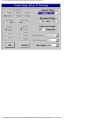
for 1200 or 9600. On the AGWPE Properties for Port 1 window, push
the Options button to call up a Sound Card Modem/TNC Setup window
with baud choices for the left channel (port 1/radio1) and right channel
(port 2/radio 2). Just select 300 baud for the left channel (see also the
AGWPE setup page).
Processor Tip: George SV2AGW suggests that to
save some processor resources, it's best to operate
300 baud in Single Port mode (see the AGWPE setup
page.)
For example, if you selected dual port, the Sound
Card Tuning Aid window (see below) will show 2
active tuning windows and the program may run
slow. To close/grey out the lower window, change the
AGWPE port properties to Single Port. (Note: If
you've messed around a lot with the AGWPE port
configuration, it is a good idea to delete AGPWE.INI
and all PORTx.INI files from the AGWPE directory and
and start again.)
file:///C|/My%20Documents/SoundCardPacket/moreagwpe.htm (2 of 7) [3/5/2002 11:36:17 PM]
More About AGWPE - Sound Card Packet
HF packet operations, however, are quite different from VHF/UHF
operations as you probably already know:
operations more easily affected by interference and
propagation conditions
operations adversely affected by low signal-to-noise ratios and
spurious noise
the maximum data rate is less -- 300 baud compared to 1200
baud or more on UHF/VHF
the tone shift is 200 Hz rather than the 1000 Hz used on
UHF/VHF
frequency shift keying (FSK) on SSB is used instead of audio
frequency shift keying (AFSK) on FM (UHF/VHF)
digipeating not generally used (3rd party traffic concerns)
tuning is more difficult
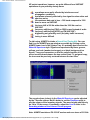
To aid tuning, AGWPE includes a Sound Card Tuning Aid. You can
find it on the AGWPE pop-up window accessible by clicking on the
AGWPE tower icon in the System Tray. It's probably best to select the
Waterfall Spectrum style. Signals are represented by blues, greens,
yellows, and reds (weaker to stronger) on a black background (no
signal). Tune your transceiver so that the colorful portion of the
screen scrolls down between the two vertical lines. To get good copy,
the tone must be precisely centered between the two lines.
The sound volume (colors) in the Waterfall Spectrum can be adjusted
by the TX audio volume. But it's better to use the SineWave style to
see the volume of the incoming signals. The wave heights should only
be 1/4 to 1/3 the screen. If necessary, adjust the Line In slider in the
Recording window of the Volume Control program.
Note: AGWPE emulates a PK-232 HF modem and uses tones of 2110Hz
file:///C|/My%20Documents/SoundCardPacket/moreagwpe.htm (3 of 7) [3/5/2002 11:36:17 PM]
More About AGWPE - Sound Card Packet
and 2310Hz for a center frequency of 2210 Hz and the standard HF
packet tone shift of 200 Hz. If you are accustomed to KAM tones of
1600Hz and 1800Hz, you'll need to adjust your radio tuning by 510 Hz
(+510 Hz for Lower Side Band and -510 Hz for Upper Side Band).
PTT: You should be able to use your VOX key up on an HF rig and that
can negate the need for a separate PTT cable. If you use VOX, set the
AGWPE port to some unused port so you don't conflict or tie up a real
port. Also remember that VOX is subject to other noises that it hears,
such as Windows sounds, program sounds, etc. It is probably best to
turn those off if you run with VOX. Also, depending on your
microphone setup, watch out for room noise, talking, etc.
For an overview of HF packet operations see Tuning HF Digital Signals
de Gloria, KA5ZTX. For that matter, Gloria's site is a great packet
tutorial.
HF Packet - LSB
Band Suggested Frequencies*
(channel centers = RF between the 2 tones)
80
3580-3635, priority at 3620-3635
40
7035-7050, priority at 7040-7050
and 7100-7120 with Americas
30
10.130-10.150, priority at 10.14010.150
20
14.070-14.112, except 14.100
(beacons);
priority at 14.095-14.0995
17
18.100-18.110, priority 18.104-18.110
15
21.070-21.125, priority 21.090-21.125
12
24.920-24.930, priority 24.925-24.930
10
28.070-28.189, priority 28.120-28.189
* AGWPE tones have a center frequency of 2210 Hz,
so for LSB you would set your radio dial + 2210 Hz
higher than the frequencies listed above. (For LSB,
remember that the higher the frequency shift, the
lower the resulting LSB frequency.)
20 Meters is the most active HF packet band.
file:///C|/My%20Documents/SoundCardPacket/moreagwpe.htm (4 of 7) [3/5/2002 11:36:17 PM]
More About AGWPE - Sound Card Packet
Look for APRS beacons at 10.151.5 MHz LSB
(North America) or 14.105.5 MHz LSB (Regions 1
& 2). These are the suppressed-carrier (radio
dial) frequencies only for AGWPE (and PK-232
TNCs) with a +2210 Hz center frequency. Other
users may refer to these APRS dial frequencies
as 10.151 MHz and 14.105 MHz respectively,
however, those dial frequencies are only only
correct for KAM TNC's with a center freq of 1700
Hz or 510 Hz less than AGWPE's tones.
9600 Baud Operations
Because 9600 baud packet is FSK (frequency shift keyed) and not
AFSK (audio frequency shift keyed), and because of the very quick TXto-RX switching times required, most radios will not handle 9600 baud
packet correctly. Among the newer plug-and-play 9600 baud
transceivers, only the Kenwood TM-V7 and D700 and the Yaesu FT817
operate properly at 9600 baud. All others cannot, including the YAESU
8100. The only exceptions are multimode transceivers, such as the
ICOM 275.
Most older transceivers need modifications to work properly at 9600
baud. You cannot feed 9600 AGWPE tones through the microphone
input (TX) on most radios; likewise you can't use the speaker output
(RX). You must connect the TX modulation direct to the VCO and the
RX demodulator direct to the discriminator output. (Visit the TAPR site
for advice on radio modifications: ftp://ftp.tapr.org/general/9600baud/
Note that 9600 packet may require a full-scale S-meter reading for
reliable communications. Poor signal strength may result in frequent
communication errors.
For more on 9600 baud operations, see the 9600 Baud Packet
Handbook by Mike Curtis, WD6WHR.
AGWPE Processor Requirements
It's impossible to give a definite minimum requirement for the
processor needed to run AGWPE. There are many variables that have
an effect on operations including RAM, video card, sound card, sound
card drivers, etc.
George SV2AGW, the program author, wrote once: It depends on what
you are using, but generally the minimum requirements are Pentium
100MHZ and 64MB RAM and Win98SE.
file:///C|/My%20Documents/SoundCardPacket/moreagwpe.htm (5 of 7) [3/5/2002 11:36:17 PM]
More About AGWPE - Sound Card Packet
(Versions up to 2002.10 will run on Win 95. Nevertheless, Win95 has
been a problem for George, and even Microsoft has now stopped
supporting it. So, if you haven't upgraded, you might want to consider
it. Future versions of AGWPE may not be compatible.)
Here's a posting from one user running AGWPE on a 486 66 MHz
computer with 28 MB of RAM:
"For 1200baud AFSK digital signal processing (DSP) algorithms you
do not need a lot of CPU power. If you're into real time video
processing, yes, but in general a 486/66 is plenty for the DSP
algorithms used in packet radio. Thomas Sailer who developed the
algorithms considers a 486/66 as a minimum.
Also, keep in mind that even at a 44KHz sampling rate and at 16 bit
resolution, you only need 88Kb to store 1 second of audio. The
applications that we are talking about do not store huge amount of
data, so a lot of RAM is not necessary for these applications. The only
reason you might want to consider more RAM (32MB+) is to keep
Windows running at a reasonable speed and leave more processing
resources for user space algorithms and to prevent your packet
applications from being swapped out.
The real problem is how Windows handles resources, and how the
drivers are being accessed by the applications. George mentions this
on his web site. At this time I have version 2000.15 running on a small
486/66/28Mb/Win95 with no problem. I can surf the net and start other
applications with no problem. WinAPRS and AGWPE keep humming."
Another user wrote: "I've had barely tolerable results using Win 3.1 /
486-100 / 8 MB. I have to religiously stay AWAY from highly detailed
APRS maps. Though poor for mapping, it's actually a perfectly good
messaging platform."
And paraphrasing Stephen: "I run AGW very nicely on a mere classic
Pentium MMX 166. A non-MMX P200 (in the same machine) won't run
these apps reliably. Ham sound card programs are one of the few realworld applications where MMX actually does make a difference. In
nearly every case, the presence or absence of MMX is the critical
processor "horsepower" threshold that determines whether a sound
card app will run or not. By the way, all Pentiums after the original
Pentium with MMX (i.e. all P-II, P-III, P4) incorporate the MMX
instruction set as a matter of course."
Other AGWPE Features
file:///C|/My%20Documents/SoundCardPacket/moreagwpe.htm (6 of 7) [3/5/2002 11:36:17 PM]
More About AGWPE - Sound Card Packet
The instructions on this web site cover just the sound card features of
AGWPE. To learn more about AGWPE's capabilities, I suggest you
read the info pages at the AGWPE web site and the program's
integrated Help files (Help is on the AGWPE popup menu). Then
explore the program's various menu options. For example, you'll
discover that AGWPE:
will work with multiple TNCs and multiple packet programs
can automatically launch your packet programs right after it
loads
can direct specific packets to specific programs. For example
BBS packets can be directed to your packet terminal program,
while DX cluster packets heard on the same frequency can be
directed to a DX cluster program (The secret? Signing in to the
BBS and Cluster with different SSIDs, e.g. KC2RLM-2 for BBS
and KC2RLM-3 for DX Clusters.)
will automatically adjust TNC timing parameters as it senses
packet traffic on the frequency.
will let you use the internet to tie into the feed from a remote
TNC running under AGWPE.
with a special "TCP/IP Over Radio" driver, you could use
packet radio to connect your station (having no internet
access) to another station (with internet access) and create a
TCP/IP network. You could then use the internet gateway
station to send and receive email, surf the web, etc.
Last Updated: 03/05/2002
file:///C|/My%20Documents/SoundCardPacket/moreagwpe.htm (7 of 7) [3/5/2002 11:36:17 PM]
Download and Install AGWPE - Sound Card Packet
Sound Card Packet
Introduction
AGWPE Overview
More about AGWPE
1. AGWPE Set Up
Download and Install
Basic Setup
2 Radio Setup
2 Card Setup
2. Interface
Getting Started
Kits and Pre-assembled
Receive Audio Cable
Transmit Audio Cable
PTT (TX Control) Cable
2 Radio Modification
3. Windows™ Setup
TCP/IP Settings
Update Windows
Sound Settings
Volume Control
4. Application Setup
WinPack©
UI-View©
WinAPRS©
APRSplus©
AGW Programs
Your Internet Browser
5. Troubleshooting
Problem identification
Basic Configuration
Receiving
Application Setup
Transmitting
Signal
Download and Install AGWPE
1. Download the AGWPE Program
The AGWPE web site is at
http://www.raag.org/sv2agw/index.html
There's a mirror site at http://www.elcom.gr/sv2agw/
You can download the AGWPE program at either:
http://www.raag.org/sv2agw/agwpe.zip
http://www.elcom.gr/sv2agw/agwpe.zip
I also keep a copy of AGWPE on this site, but it may not be
the most recent version.
The AGWPE setup file comes in "zip" format. If you need
an unzip program, visit the WinZip site for the latest copy
of WinZip.
2. Install AGWPE
Extract the zipped files into a new directory/folder. I always
create a new folder for each version of AGWPE that I
download. The program uses the same file names, and I
want to be able to properly identify each program version
and not confuse them.
You do not need to unzip any unneeded alternate language
files.
Note that the main AGWPE program is called AGW Packet
Engine.exe
You may want to create a Windows shortcut to this file on
your desktop.
You may also want to add a link to AGW Packet
Engine.exe on your Windows Start Menu by dragging and
dropping a copy of the AGWPE shortcut icon onto the
Windows Start button on the Task Bar at the bottom of
your screen.
file:///C|/My%20Documents/SoundCardPacket/agwget.htm (1 of 2) [3/5/2002 11:36:17 PM]
Download and Install AGWPE - Sound Card Packet
Do I need to install special drivers for parallel
port PTT control?
Not any more. Earlier versions of AGWPE did
require special parallel drivers, but they are no
longer necessary. For the most recent versions
of AGWPE, e.g. version 2001.38, it is not
necessary to download or use the drivers.zip file
from the AGWPE site despite what the AGWPE
program Help file or the AGWPE web site may
say.
Next
step:
Basic Setup for AGWPE (1 sound card & one 1 radio) or
Setup AGWPE for 2 radios
or
Setup AGWPE for 2 sound cards
Last Updated: 03/05/2002
file:///C|/My%20Documents/SoundCardPacket/agwget.htm (2 of 2) [3/5/2002 11:36:17 PM]
Basic AGWPE Setup - Sound Card Packet
Sound Card Packet
Introduction
AGWPE Overview
More about AGWPE
1. AGWPE Set Up
Download and Install
Basic Setup
2 Radio Setup
2 Card Setup
2. Interface
Getting Started
Kits and Pre-assembled
Receive Audio Cable
Transmit Audio Cable
PTT (TX Control) Cable
2 Radio Modification
3. Windows™ Setup
TCP/IP Settings
Update Windows
Sound Settings
Volume Control
4. Application Setup
WinPack©
UI-View©
WinAPRS©
APRSplus©
AGW Programs
Your Internet Browser
5. Troubleshooting
Problem identification
Basic Configuration
Receiving
Application Setup
Transmitting
Signal
Basic AGWPE Program Setup
(One Radio & One Sound Card)
Before starting AGWPE, always close:
any programs that might be using the serial or parallel port you
plan to use for PTT control
any programs that might be accessing the sound card
When you start the AGW Packet Engine.exe program for the first time,
you will be greeted with a Packet Engine banner all in gold and a
Software License Agreement which you must accept. The banner will
disappear in a few seconds or you can click on it once to speed things
up.
You'll then be surprised to discover that AGWPE does not put an open
Window on your desktop nor will there be a button on the bottom Task
Bar. Instead, all you'll find is a AGWPE tower icon
on your
Windows System Tray at the bottom right of your screen. This icon is
your only access to AGWPE when it is running! To help you find it,
more recent versions of AGWPE have a yellow pop-up 'balloon'
message pointing to the icon when AGWPE starts.
To configure AGWPE for the first time, click on the AGWPE icon
to bring up AGWPE's pop-up menu:
file:///C|/My%20Documents/SoundCardPacket/agwbasic.htm (1 of 5) [3/5/2002 11:36:18 PM]
Basic AGWPE Setup - Sound Card Packet
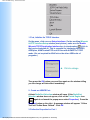
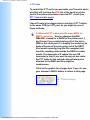
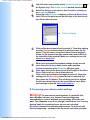
1. First, Initialize the TCP/IP Interface
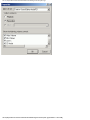
On the menu, click once on Setup Interfaces. On the resulting Winsock
& HTTP Interface Setup window (next picture), make sure the Enable
Winsock TCP/IP Application Interface box is check marked
(click in
the box to checkmark it). This is essential for interfacing WinAPRS,
APRSplus, AGWTerminalTCP and UI-View with AGWPE in TCP/IP
mode. (It's not required for WinPack or the other AGW suite of
programs.)
ç
Click to enlarge
Then press the OK button once and then again on the window telling
you the change will take effect immediately.
2. Create an AGWPE Port:
A blank RadioPort Selection window will open. (If the RadioPort
Selection window does not appear, click on the Packet Engine icon
again to re-launch the popup menu select Properties.) Press the
New Port button on the right. A message window will appear: "A New
TncPort File Has Been Created". Click OK.
3. Define the Properties for Port 1
file:///C|/My%20Documents/SoundCardPacket/agwbasic.htm (2 of 5) [3/5/2002 11:36:18 PM]
Basic AGWPE Setup - Sound Card Packet
The Port Properties window should now appear. Here's a sample of
how it might look after you fill in some of the boxes (see below for
more information):
ç
Click to enlarge
Make the following selections on the TNC Setup tab:
Select Port
enter the port where you will attach your
PTT cable, e.g. COM1 or LPT1.*
Serial Port/ Modem
Baud Rate
ignore -- not used for sound cards
TNC Type
select 'Sound Card'.
TNC Control
COmmands
select SinglePort if you will be using just
one radio
TNC Radio Port
Port Description
enter a description of your choice,
for example, APRS on 144.39
* Notes about serial port selections:
To select a parallel port scroll to the bottom of the port list
If you are setting up a receive-only installation and don't want
to tie up a real port for a PTT line you won't be using, the AGW
software will accept non-existent parallel port assignments, but
not non-existent serial ports.
4. Set The On-Air Baud Rate:
When you select "Sound Card" for your TNC type or if press the
Options button in the middle of the TNC setup window (underneath
TNC subtype), the program will bring up the SoundCard Modem/TNC
Setup window which looks like this:
file:///C|/My%20Documents/SoundCardPacket/agwbasic.htm (3 of 5) [3/5/2002 11:36:18 PM]
Basic AGWPE Setup - Sound Card Packet
ç
Click to enlarge
Since you will be using only one radio/one virtual TNC port, you will
only be concerned with the on-air baud rate for the Left Channel. Set it
for the rate you plan to use, i.e. 300 baud for HF SSB work; or 1200,
2400, 4800, or 9600 for VHF/UHF work. Then press the OK button.
This will return you to the Properties for Port1 window. All other
selections can remain "as is" (use the default selections), including
those in the Tnc Commands tab window. Press the OK button at the
bottom of the Properties for Port1 window. You should get a popup
message telling you to restart the program, so.... click on the Packet
Engine icon
once again and select 'Exit'.
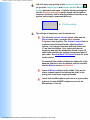
Restart AGWPE. The Packet Engine icon
should once again
appear, but in addition you should now see a TNC icon
it.
next to
Problems?
If you don't see this TNC icon, you probably have a conflict with
another program or device:
Make sure that the COM or LPT port you have select in AGWPE
is not already dedicated to another device (for example, an
internal modem or printer) or has been "captured" by another
program (for example, your Palm Pilot's "Hot Sync Manager").
You'll have to resolve any conflicts by either closing the other
program, disabling the device, or selecting another port for
AGWPE's PTT control.
Make sure that no other program is running and using the the
sound card.
For further help in resolving port or device conflicts, go to the
Troubleshooting: Basic Configuration Problems on this site.
If you want to change a setting in the Radio Port's configuration, click
file:///C|/My%20Documents/SoundCardPacket/agwbasic.htm (4 of 5) [3/5/2002 11:36:18 PM]
Basic AGWPE Setup - Sound Card Packet
on the AGWPE icon to call up the menu, select Properties, and then
click on the radio port you want to change. Then click OK and pick up
at step #3 above.
HINT: Any time you have trouble configuring AGWPE, it is often best to
close AGWPE and just delete any port*.ini and agwpe.ini files in your
AGWPE directory/folder. Then restart and re-configure AGWPE from
the very beginning.
Configure AGWPE for one sound card and 2 radios
Configure AGWPE for 2 Sound Cards
Return to Top of Page
Last Updated: 03/05/2002
file:///C|/My%20Documents/SoundCardPacket/agwbasic.htm (5 of 5) [3/5/2002 11:36:18 PM]
2 Radio AGWPE Setup - Sound Card Packet
Sound Card Packet
Introduction
AGWPE Overview
More about AGWPE
1. AGWPE Set Up
Download and Install
Basic Setup
2 Radio Setup
2 Card Setup
2. Interface
Getting Started
Kits and Pre-assembled
Receive Audio Cable
Transmit Audio Cable
PTT (TX Control) Cable
2 Radio Modification
3. Windows™ Setup
TCP/IP Settings
Update Windows
Sound Settings
Volume Control
4. Application Setup
WinPack©
UI-View©
WinAPRS©
APRSplus©
AGW Programs
Your Internet Browser
5. Troubleshooting
Problem identification
Basic Configuration
Receiving
Application Setup
Transmitting
Signal
Setting Up AGWPE for Two Radios
Beginning with version 2000.76, AGWPE is able to use the stereo
capabilities of the sound card to interface with two radios
simultaneously! One possible use of this would be to listen to the
DX Cluster frequency on one radio while you are operating on a
APRS or other packet communication frequency (including HF) on
the other radio ... still without using any TNCs.
To make the appropriate cables, see the 2 Radios Cable page.
To handle the second radio, you'll need to configure AGWPE as if
it were "dual port" TNC:
Click on the Packet Engine icon
in the System Tray
at the bottom of your screen to bring up AGWPE's pop up
menu.
Click on Properties and then, with Port 1 highlighted, click
on OK.
When the Properties box opens make these changes:
Click on the DualPort choice in the far right column
of the window.
The Port2 field at the bottom of the window should
now be active (turns from gray to white). In this
field, type in a name of your choice for Port 2, e.g.
the name of the radio and/or frequency and/or
application. (You can also edit Port1's name at this
time if you want.) See sample graphic:
file:///C|/My%20Documents/SoundCardPacket/agw2radios.htm (1 of 4) [3/5/2002 11:36:19 PM]
ç
Click to enlarge
2 Radio AGWPE Setup - Sound Card Packet
Set the Baud Rate: Under the TNC Sub Type choice of
KISS Simple, click on the Options button to bring up the
SoundCard Modem/TNC Setup window that lets you
change the "on air" baud rate for each channel. Here's an
example:
ç
Click to enlarge
By default, the "on air" rate is set at 1200 for both channels.
Note About PTT control: In earlier versions of AGWPE which did
not have the two radio option, AGWPE used both the RTS and
DTR pins on the COM or LPT port for PTT control. You could wire
your PTT cable for either.
Current versions of AGWPE don't do this. If you select SinglePort,
only the RTS pin will be used; the DTR pin isn't used. If you select,
DualPort, the RTS pin will be used for the radio on port 1 (the left
channel) and the DTR pin will be used for the radio on port 2 (the
right channel).
How Do You tell your applications which AGWPE port/radio to
use?
In WinPack for example, when you issue the connect command,
put the port number between the connect command and the target
station's callsign, for example:
C 2 KC2RLM
In UI-View, go to the Setup menu and then Station Setup. UI-View
transmits on the ports you specify under Unproto Ports. For
example, if you only enter 1, then UI-View will only transmit your
station beacon through AGWPE port 1. To specify multiple ports,
enter e.g. 1,2 .
UI-View receives by default on all ports. To change that, go to the
file:///C|/My%20Documents/SoundCardPacket/agw2radios.htm (2 of 4) [3/5/2002 11:36:19 PM]
2 Radio AGWPE Setup - Sound Card Packet
Setup menu and then Comms Setup. When you select a host
mode of AGWPE, a Setup button will appear to the right of
AGWPE. Press that button that to bring up the AGWPE Setup
window. Then press the Ports Mask button to bring up the
AGWPE Port Mask Monitor window. Check or uncheck ports to
control which AGWPE ports UI-View will receive on.
ç
Click to enlarge
WinAPRS has a special way of handling it. See the WinAPRS
setup page.
In APRSplus, use the Commands: Unproto Paths menu option (or
Ctrl+Shift+U) to call up a list of UI paths. By default the TCP port
for all path choices is set to 1, ie AGWPE port 1. To use AGWPE
port 2, pick an unused line and change the TPC port to 2; also edit
the path to one of of your choice. Now press the Set button to the
right of the port you want to use. It will then be highlighted in
yellow. Press the OK button.
ç
Click to enlarge
Problems in setting up two ports in AGWPE? If you have any
unusual difficulties in changing from single port to dual port
operation, it may just be easier to:
exit from AGWPE
delete all port*.ini files and theagwpe.ini file
in the AGWPE directory/folder
restart and re-configure AGWPE from the
very beginning-- it doesn't take long.
Possible Problems with Stereo Channels and 2
Ports/Radios
file:///C|/My%20Documents/SoundCardPacket/agw2radios.htm (3 of 4) [3/5/2002 11:36:19 PM]
2 Radio AGWPE Setup - Sound Card Packet
Some users have reported the RX audio from one channel
may somehow "spill over" on to the other channel. The
only reported solution is to reduce the radio's RX volume
on the originating channel/port, so that it is just loud
enough for AGWPE to decode -- watch the green blinking
pixel in the modem icon. Ideally this will stop the spillover.
George SV2AGW says there may be a problem running
AGWPE in 2 port sound card mode if your soundcard is
not full-duplex capable. Most cards are, but if yours is not,
then while one channel transmits, the other channel will
stop receiving.
If you want to check if your soundcard is full-duplex:
1. Run AGWPE (using the soundcard as a TNC, of
course)
2. Run the Windows Sound Recorder program:
Start/Programs/Accessories/Entertainment
3.Press the record button.
If your soundcard works in full-duplex mode it will start
recording. If it does not, you will get a pop-up message
warning you that your soundcard is in use
by another program, i.e. AGWPE.
Last Updated: 03/05/2002
file:///C|/My%20Documents/SoundCardPacket/agw2radios.htm (4 of 4) [3/5/2002 11:36:19 PM]
2 Sound Card AGWPE Setup - Sound Card Packet
Sound Card Packet
Introduction
AGWPE Overview
More about AGWPE
1. AGWPE Set Up
Download and Install
Basic Setup
2 Radio Setup
2 Card Setup
2. Interface
Getting Started
Kits and Pre-assembled
Receive Audio Cable
Transmit Audio Cable
PTT (TX Control) Cable
2 Radio Modification
3. Windows™ Setup
TCP/IP Settings
Update Windows
Sound Settings
Volume Control
4. Application Setup
WinPack©
UI-View©
WinAPRS©
APRSplus©
AGW Programs
Your Internet Browser
5. Troubleshooting
Problem identification
Basic Configuration
Receiving
Application Setup
Transmitting
Signal
Setup AGWPE to Use 2 Sound Cards
AGWPE versions 2000.78 and higher now let you install a second
sound card in your computer and configure it to be used for sound
card packet use only. This lets you use the first sound card for
Windows programs and devices, such as Windows sounds and a CD
player, while your second sound card is dedicated to AGWPE.
Ideally your second sound card will be "plug-and-play" and Windows
will automatically recognize it when you boot up after installing it.
Otherwise you will need to use the Windows Control Panel option,
"Add New Hardware", to tell Windows about the sound card and
install the appropriate drivers. After the second sound card is
installed in Windows, AGWPE should automatically recognize both
cards.
To select the sound card you want to use for sound card packet, call
up AGWPE's main menu, select Properties and then, with Port 1
highlighted, click on OK. The Properties for Port1 box will then open.
Under the TNC Sub Type choice of KISS Simple there is an Options
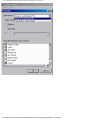
button. Click on the Options button to bring up the SoundCard
Modem/TNC Setup window. At the bottom of this window is a Sound
Card Selection dialogue box where you can select the sound card
you want AGWPE to use. Click on the down arrow to the right of the
box to see your choices.
ç
Click to enlarge
Typically, Windows will use the first sound card listed. If so, then you
would tell AGWPE to use the second sound card. Trial and error may
be the only way to sort this out: temporarily attach speakers to the
LINE OUT jacks on each sound card to test which sound card is
being used by Windows and which is being used by AGWPE.
file:///C|/My%20Documents/SoundCardPacket/agw2cards.htm (1 of 2) [3/5/2002 11:36:20 PM]
2 Sound Card AGWPE Setup - Sound Card Packet
Note that AGWPE will also report other devices that are not sound
cards, so be sure NOT to select one of those. If you do, you will
receive an error message: " Your Sound Card Drivers can not
Support the Wave Format".
Later on when you set the volume settings for the card, be sure to
select this card in the Mixer Device field. See Window Volume Control
Settings page on this web for instructions.
Possible Bug? One user has reported Windows lock-ups when trying
to use 2 sound cards of the same manufacturer or the same drivers.
Return to the top of the page
Last Updated: 03/05/2002
file:///C|/My%20Documents/SoundCardPacket/agw2cards.htm (2 of 2) [3/5/2002 11:36:20 PM]
Interface: Radio to Computer - Sound Card Packet
Sound Card Packet
Introduction
AGWPE Overview
More about AGWPE
1. AGWPE Set Up
Download and Install
Basic Setup
2 Radio Setup
2 Card Setup
2. Interface
Getting Started
Kits and Pre-assembled
Receive Audio Cable
Transmit Audio Cable
PTT (TX Control) Cable
2 Radio Modification
3. Windows™ Setup
TCP/IP Settings
Update Windows
Sound Settings
Volume Control
4. Application Setup
WinPack©
UI-View©
WinAPRS©
APRSplus©
AGW Programs
Your Internet Browser
5. Troubleshooting
Problem identification
Basic Configuration
Receiving
Application Setup
Transmitting
Signal
Interface: Computer-to-Radio Cables
Getting Started
To connect your radio to the sound card, you'll need an interface
consisting of three (3) cables, one each to handle the RX, TX, and PTT
functions. If you want to use your sound card with 2 radios, you'll
need a more complicated interface. See cable2radio.htm
The basic AGWPE radio-to-computer interface is the same as one as
would be used for other sound card digital programs such as PSK31
or Slow Scan TV. So, if you already have such an interface, you
probably can just use that for AGWPE.
You can either build your own interface or you can also purchase kits
and pre-assembled interfaces.
If you build your own:
Make sure you build the interface long enough to reach from
your radio to your computer sound card jacks, especially for
fixed position radios and computers!
Be sure to use cables with a shield in them to help prevent
stray RF (radio frequencies) from entering the cables.
Try to use isolation transformers in the Receive (RX) and
Transmit (TX) Audio cables; and an opto-coupler/phototransistor in the PTT cable to electrically separate the radio
and computer.
At least two of the cables will need small circuits. You'll find
other variations at WM2U's PSK31 site. Circuit components
should be readily available at local electronics store or
online. For example, you'll find some very attractive prices for
components at Buck's online store.
Going beyond my simple circuits, you'll find instructions for homebrewing the "Cadillac of sound card interfaces" in the March 2002
QST, p 31. Bob Lewis describes how to build an interface for ICOM
HF rigs with many deluxe features.
file:///C|/My%20Documents/SoundCardPacket/cablestart.htm (1 of 2) [3/5/2002 11:36:20 PM]
Interface: Radio to Computer - Sound Card Packet
Special Tip: If you want the flexibility of easily
switching your interface between different radios,
you might be interested in this cable construction
trick.
Kits and Pre-Assembled Interfaces
RX (Receive) Audio Cable
TX (Transmit) Audio Cable
PTT (Push to Talk/Transmit) Cable
Cables to Interface with Two Radios
Last Updated: 03/05/2002
file:///C|/My%20Documents/SoundCardPacket/cablestart.htm (2 of 2) [3/5/2002 11:36:20 PM]
Preassembled Interfaces and Kits - Sound Card Packet
Sound Card Packet
Introduction
AGWPE Overview
More about AGWPE
1. AGWPE Set Up
Download and Install
Basic Setup
2 Radio Setup
2 Card Setup
2. Interface
Getting Started
Kits and Pre-assembled
Receive Audio Cable
Transmit Audio Cable
PTT (TX Control) Cable
2 Radio Modification
3. Windows™ Setup
TCP/IP Settings
Update Windows
Sound Settings
Volume Control
4. Application Setup
WinPack©
UI-View©
WinAPRS©
APRSplus©
AGW Programs
Your Internet Browser
5. Troubleshooting
Problem identification
Basic Configuration
Receiving
Application Setup
Transmitting
Signal
Kits and Pre-assembled Interfaces
If you don't want to build your own computer-to-radio interface, you
can purchase a pre-assembled interfaces .. or buy a kit with all the
necessary parts:
Interface Kits
Bux CommCo™ (Buck Rogers, K4ABT) sells the RASCAL
kit, which has all the parts and cables you'll need to make a
well-designed external interface to your radio (various
versions for various radios). The price was US$27 the last
time I checked and includes shipping to US addresses (extra
for non-US). The kits use isolation components on each
line...a very nifty extra. It would be difficult to purchase all the
components on your own for such a price!
Pre-assembled Interfaces
Bux CommCo also sells completely assembled RASCAL
interfaces for US$49.
Tigertronics sells the SignaLink™. This pre-assembled
interface features an auto-PTT circuit, so you don't need to
use a COM or LPT port for a PTT activation signal, a feature
that might be of particular value to anyone who needs those
ports for other devices! It does require some external power
to operate [ 6.75 - 15 VDC @ 10 ma (max)], but you may be
able to get this from the mike connection on some radios;
otherwise from another DC power source, such as a cigarette
lighter jack.
file:///C|/My%20Documents/SoundCardPacket/cablekit.htm (1 of 2) [3/5/2002 11:36:21 PM]
Preassembled Interfaces and Kits - Sound Card Packet
West Mountain Radio sells both the RigBlaster and
RigBlaster Nomic pre-assembled interfaces. The RigBlaster
lets you keep both your microphone and sound card
connections attached to the radio's microphone jack. The
Nomic (No Mike) doesn't have that feature, but it is smaller in
size, less expensive, and doesn't require a power connection.
See West Mountain Radio's web page for additional
information and current pricing.
MFJ also sells a nifty pre-assembled interface in two
models: the 1275 (round connector) and 1275M (modular
connector).
Please contact me if you know of other sources for kits or preassembled interfaces.
Return to top of page
Last Updated: 03/05/2002
file:///C|/My%20Documents/SoundCardPacket/cablekit.htm (2 of 2) [3/5/2002 11:36:21 PM]
Receive Audio Cable - Sound Card Packet
Sound Card Packet
Introduction
AGWPE
Overview
More about
AGWPE
1. AGWPE Set
Up
Download and
Install
Basic Setup
2 Radio Setup
2 Card Setup
2. Interface
Getting Started
Kits and Preassembled
Receive Audio
Cable
Transmit Audio
Cable
PTT (TX
Control) Cable
2 Radio
Modification
3. Windows™
Setup
TCP/IP
Settings
Update
Windows
Sound
Settings
Volume
Control
4. Application
Setup
WinPack©
UI-View©
WinAPRS©
APRSplus©
Receive (RX) Audio Cable
Radio RX Audio to Sound Card "Line In" or Microphone Jack
For Receive (RX) audio from the radio, normally you will want to make a cable to plug
into the sound card's LINE IN jack. It can handle a radio's typical RX audio voltage. If
you need to use the sound card's more sensitive MIC jack, see below for a schematic
that adds in a voltage divider circuit.
In this cable, I recommend the use of an in-line transformer to electrically separate the
radio and computer grounds for two reasons:
to eliminate any potential hum on the signal
to reduce the risk of any damage to the devices from any difference in voltage
potential that might occur in the future
I also recommend the use of shields on the cables to reduce the risk of any RFI (Radio
Frequency Interference) getting on the RX signal.
Here's the schematic:
To build your RX cable:
file:///C|/My%20Documents/SoundCardPacket/cablerx.htm (1 of 4) [3/5/2002 11:36:22 PM]
Receive Audio Cable - Sound Card Packet
AGW
Programs
Your Internet
Browser
5.
Troubleshooting
Problem
identification
Basic
Configuration
Receiving
Application
Setup
Transmitting
Signal
Use a cable with a single insulated wire and a braided shield. Small coaxial
cable like RG-174U should work well; even RG-58U would work. The shield can
act as ground line if you are using a transformer. If you aren't using a
transformer, attach the shield at the radio ground only, and not at the
computer/sound card ground.
Sound card connector: You will need a plug that will fit the sound card LINE
IN/Microphone jack, probably a 1/8" (3.5mm) stereo 3 conductor male miniplug (e.g. Radio Shack part #274-284). Do not use a mono 2 conductor plug.
Radio connector:
If you need your radio's "pinout" information, you'll probably find it at
Buck's packet site. Remember that in addition to the RX line, you will
also need to attach the TX and PTT lines to the radio, so all three inputs
could be sharing the same plug.
Mobiles or Base Radios: You can use either the microphone connection
or preferably the radio's special "data" plug jack, if it has one. Or you
can use the speaker jacks.
For Receive (RX) audio it's best to use the pin on the radio's data jack,
since it provides a constant audio output level and -- usually -- no
squelch (AGWPE needs to hear an un-squelched signal) . If you use the
radio's microphone or speaker jack instead, remember the audio output
level will be affected by both the radio's "volume" and "squelch"
settings and not having these set correctly is often a source of
problems for AGWPE.
Handhelds: Most HTs have a 'Speaker' jack that requires a 1/8" (3.5mm)
mono (2 conductor) mini-plug. If your radio's user manual says to use a
stereo plug instead of a mono plug, be sure you do.
Check either Buck's packet site or Gloria's KA5ZTX site for pinouts and
any necessary resistor and capacitor required for the PTT and TX lines
into your HT.
Transformer: The type of transformer is determined by the source of the RX
audio. If you take it from the radio's microphone or data jack, you'll use a 600
to 600 Ohm (1:1) transformer. If you take it from the radio's speaker jack (8
Ohm impedance), you'll need a 1000:8 transformer.
Isolation or audio transformers can be obtained from most electronics parts
stores, e.g. Radio Shack #273-1374 for a 1:1 or #273-1380 for a 1000:8. (Expert
hint: for 1:1 transformers, Peter PE1MHO/G7ECN says another source is old
internal modems that a computer store might be glad to give you.)
Be sure you use the proper lead wires on the audio transformer as identified by
any accompanying schematic for the transformer or by using an Ohm meter to
determine the leads for the same coil (windings) of the transformer. Note that if
the transformer has 6 leads, two will be center tap wires that won't be used.
(Don't cut them until you know you have the 4 other leads correctly wired.)
file:///C|/My%20Documents/SoundCardPacket/cablerx.htm (2 of 4) [3/5/2002 11:36:22 PM]
Receive Audio Cable - Sound Card Packet
One lead from the primary coil of the transformer will connect to the center
conductor (tip) of the sound card plug. The other lead from the primary coil will
connect to the sleeve (outer conductor) of the sound card plug. In this circuit, it
doesn't matter which lead connects to the tip and which connects to the sleeve,
so long as they are from the same coil. (If you are using a 1000:8 transformer, it
is important to connect the 1000 Ohm primary coil of the transformer to the
sound card and not the radio.)
On the secondary coil of the transformer, one lead will attach to the RX pin of
the radio. The other lead will attach to radio ground. Again, it doesn't matter
which of the connects to the radio RX and which to radio ground, so long as
they are from the same coil. (Again, if you are using a 1000:8 transformer, it is
important to connect the 8 Ohm secondary coil of the transformer to the radio
and not the sound card.)
The middle conductor (ring) of the sound card plug should be left unwired,
unless you are building a RX cable for a second radio.
When you're done, tape a "Line In" label on the sound card end of the RX audio
cable so that you don't confuse the RX and TX cables.
Circuits without an isolation transformer:
You will find other schematics (at various web sites and even in AGWPE Help) that do
not use isolation transformers; in fact I once had such a schematic on this site. The
danger with any circuit directly connecting the computer and radio is that the devices
could develop different ground potentials which could lead to damage to the devices.
This risk is inherent for both a dual wire connection (RX-to-RX and Ground-to-Ground)
or a single wire connection (RX-to-RX, no common ground wire). Either method
provides a route for current that could develop because of different potentials. For this
same reason, never connect the shield of a wire to both both devices; ground it only to
one device.
If you're curious, there's an interesting discussion of proper connections of shields
and grounding at:
http://www.epanorama.net/documents/groundloop/cable_shielding.html
RX Audio in through the "Microphone" jack on your sound card
If you want or need to use the sound card's Microphone jack instead of the LINE IN
jack, then you will probably need to add an attenuation circuit on the RX audio line so
that you do not overdrive the sound card. The exact attenuation will depend on the
maximum output voltage of your radio RX line and the maximum input voltage on the
MIC jack of your sound card. (The Sound Blaster card I have has a maximum of 200
mVpp on the Microphone jack, where the Line In jack has a maximum of 2 Vp-p.)
file:///C|/My%20Documents/SoundCardPacket/cablerx.htm (3 of 4) [3/5/2002 11:36:22 PM]
Receive Audio Cable - Sound Card Packet
Here's a schematic for a 10:1 attenuation circuit that should work fairly well in many
setups. The 1:1 audio transformer provides an electrical separation of the computer
from the radio.
When you're done, tape a "Microphone" label on the sound card end of this RX audio
cable so you don't confuse it with the "Line in" or "Line out" cables.
Also note this hint from George SV2AGW: If you use the MIC input, do not use the
BOOST function if your sound card offers it. You can look for this in the Volume
Control program (double click on the
icon); look for an Advanced button under the
Microphone volume slider.
Back to the top of the page
Last Updated:
03/05/2002
file:///C|/My%20Documents/SoundCardPacket/cablerx.htm (4 of 4) [3/5/2002 11:36:22 PM]
Transmit Audio Cable - Sound Card Packet
Sound Card Packet
Introduction
AGWPE Overview
More about AGWPE
1. AGWPE Set Up
Download and Install
Basic Setup
2 Radio Setup
2 Card Setup
2. Interface
Getting Started
Kits and Pre-assembled
Receive Audio Cable
Transmit Audio Cable
PTT (TX Control) Cable
2 Radio Modification
3. Windows™ Setup
TCP/IP Settings
Update Windows
Sound Settings
Volume Control
4. Application Setup
WinPack©
UI-View©
WinAPRS©
APRSplus©
AGW Programs
Your Internet Browser
5. Troubleshooting
Problem identification
Basic Configuration
Receiving
Application Setup
Transmitting
Signal
Transmit (TX) Audio Cable
Sound Card "Line Out" to Radio TX Audio
The TX audio cable is a little more complicated. Normally, this cable must have a circuit to
attenuate the voltage leaving the sound card, otherwise the radio's transmit circuit will be
overdriven. The exact attenuation will depend on both your radio and sound card. An
approximation is a 100:1 attenuation (40 dB) which will reduce the sound card output level
(max. 2 Volt p-p) down to the level your radio normally would expect for microphone (often
a max. of 20 milliVolt p-p ). For example, a 50:1 attenuation might have worked better for me,
since I use my my radio's data jack which has a maximum input voltage of 40 mV p-p.
Don't Overdrive Your Radio! If a sound card (or a TNC) overdrives a
radio's input circuit (i.e. is too loud), the radio will begin to distort the
true packet tones as it tries to limit the signal to a maximum deviation
of approx. 5 kHz. The attenuation circuit described on this page
attempts to prevent such overdriving and distortion. Interestingly, a
packet station that is properly adjusted with 3.75 kHz of deviation (+/.25) should sound softer than channel noise!
Here's a schematic for the attenuation circuit:
The 1:1 audio transformer can be obtained from either parts stores (e.g. Radio Shack #2731374) or Peter PE1MHO/G7ECN says another source is old internal modems that a
computer store might be glad to give you.
The value of capacitor C1, if used, is often specified in the radio's user manual in the
section on MIC/Speaker accessory plug wiring. [The value will depend on the input type of
the radio... resistive, capacitive, or direct coupling. Resistive will require a higher value cap
(4 to 10 uF), while capacitive a bit less. Direct I/O are best coupled at 1 uF, as RF might
become a problem if they go too high in capacitance.]
Option #1: Instead of the two resistors, you could use a 4K7 (4.7K) Ohm variable resistor
(potentiometer/pot). The pot would actually give you more control over the attenuation,
although a pot is bulkier and perhaps not as accurate. (Perhaps the best -- but not easiest -file:///C|/My%20Documents/SoundCardPacket/cabletx.htm (1 of 3) [3/5/2002 11:36:23 PM]
Transmit Audio Cable - Sound Card Packet
solution is to temporarily wire in a pot, test for the correct voltage reduction, and then wire
in two fixed resistors that produce the correct ratio reduction.)
Option #2: Or here's a schematic of a circuit that combines a pot with a fixed resistor to
give the pot a less delicate range of settings and make is easier to adjust:
To build your TX cable:
Sound card connector: You will need a plug that will fit the sound card LINE OUT
jack, probably a 1/8" (3.5mm) stereo 3 conductor male mini-plug (e.g. Radio Shack
part #274-284 -- pkg. of 2). Do not use a mono plug 2 conductor plug.
Radio connector:
If you need your radio's "pinout" information, you'll probably find it at Buck's
packet site or Gloria's KA5ZTX site.
Mobiles or Base Radios: You can use either the microphone connection or
preferably the radio's special "data" jack, if it has one. You'll be using the
same connector as the one used for your PTT and RX line, unless you're
using the speaker jack for RX audio).
Handhelds: TX audio will go to the radio Microphone jack, which usually
require a 3/32" (2.5mm) stereo (3 conductor) or mono (2 conductor) sub-mini
plug. If your radio's user manual says to use a stereo plug instead of a mono
plug, be sure you do. You'll also be feeding your PTT line into this plug.
Check your radio's instruction manual or either of the web sites mentioned
above for pinout information and any necessary resistor and capacitor
required for the PTT and TX lines into your HT.
Use a cable with a single insulated wire and a braided shield. Small coaxial cable
like RG-174U should work well; even RG-58U would work.
Be sure you use the proper lead wires on the audio transformer as identified by any
accompanying schematic for the transformer or by using an Ohm meter to
determine the leads for the same coil (windings) of the transformer. Note that if the
transformer has 6 leads, two will be center tap wires that won't be used. (Don't cut
them until you know you have the 4 other leads correctly wired.)
One lead from the primary coil of the transformer will connect to the center
conductor (tip) of the sound card LINE OUT plug by way of the pot/voltage
divider circuit. The other lead from the primary coil will connect to the sleeve
(outer conductor) of the sound card LINE OUT plug. In this circuit, it doesn't
matter which transformer lead connects to the sound card LINE OUT and
which connects to sound card ground, so long as they are from the same
file:///C|/My%20Documents/SoundCardPacket/cabletx.htm (2 of 3) [3/5/2002 11:36:23 PM]
Transmit Audio Cable - Sound Card Packet
coil/winding of the transformer.
On the secondary coil of the transformer, one lead will attach to the TX pin of
the radio. The other lead will attach to radio ground. Again, it doesn't matter
which of the connects to the radio TX and which to radio ground, so long as
they are from the same coil/winding of the transformer.
The middle conductor (ring) of the sound card plug should be left unwired, unless
you are building a TX cable for a second radio
When you're done, tape a "Line Out " label on the sound card end of the TX audio
cable so that you don't confuse the RX and TX cables.
Circuits without an isolation transformer:
You will find other schematics (at various web sites and even in AGWPE Help) that do not
use isolation transformers; in fact I once had such a schematic on this site. The danger with
any circuit directly connecting the computer and radio is that the devices could develop
different ground potentials which could lead to damage to the devices. This risk is inherent
for both a dual wire connection (RX-to-RX and Ground-to-Ground) or a single wire
connection (RX-to-RX, no common ground wire). Either method provides a route for current
that could develop because of different potentials. For this same reason, never connect the
shield of a wire to both both devices; ground it only to one device.
If you're curious, there's an interesting discussion of proper connections of shields and
grounding at: http://www.epanorama.net/documents/groundloop/cable_shielding.html
Handheld Radios: Did you know?
Most handheld radios use the microphone jack to feed both the
TX audio signal (AC) and the PTT signal (DC) into the radio.
To make sure the TX audio signal goes into the radio and not
back out the PTT line, a resistor is often put in the PTT line (AC
will follow the path of least resistance).
And to make sure DC power doesn't go back up the TX audio line
to ground, a capacitor is often put in the TX audio line (capacitors
block the DC but allow AC to pass). If your handheld radio goes
into constant PTT when the plug is put in its MIC jack, the lack of
the capacitor is often the answer. (Note that the schematic above
includes such a capacitor for just that reason. It's a good
precaution to take to block any DC on the TX line.)
These components still need to be used in AGWPE cables for
handheld radios.
Last Updated: 03/05/2002
Back to the top of the page
file:///C|/My%20Documents/SoundCardPacket/cabletx.htm (3 of 3) [3/5/2002 11:36:23 PM]
PTT Cable - Sound Card Packet
Sound Card Packet
Introduction
AGWPE Overview
More about AGWPE
1. AGWPE Set Up
Download and Install
Basic Setup
2 Radio Setup
2 Card Setup
2. Interface
Getting Started
Kits and Preassembled
Receive Audio Cable
Transmit Audio
Cable
PTT (TX Control)
Cable
2 Radio Modification
3. Windows™ Setup
TCP/IP Settings
Update Windows
Sound Settings
Volume Control
4. Application Setup
WinPack©
UI-View©
WinAPRS©
APRSplus©
AGW Programs
Your Internet
Browser
5. Troubleshooting
Problem identification
Basic Configuration
Receiving
Application Setup
Transmitting
Signal
PTT (Push to Talk/Transmit) Cable
AGWPE will generate the Transmit Audio, but you also need a way to open the
radio's PTT circuit so that the audio can be transmitted. AGWPE and other
sound card programs such as PSK31 provide for this by sending a signal to
the RTS pin of the serial (COM) port or parallel (LPT) port on your computer.
This gives you several options:
1. build a cable with an isolated 'gate' circuit that opens the radio's PTT circuit
when it receives a signal from the RTS pin. You can use this cable on either
your serial or parallel port.
2. use the cable above with a serial-to-USB port adapter to use your
computer's USB port instead of the serial or parallel port.
3. use the voice activated (VOX) PTT circuits if your radio has one. If it works,
you won't need a separate AGWPE-activated PTT cable. (Although you need to
guard against room/computer noises if the VOX also opens the microphone.)
4. build a TX audio-activated circuit to achieve the result as #3.
A. Building A Cable With An Isolated Gate Circuit
Here's a 'gate' circuit for a single port (one Radio) AGWPE setup which uses a
common phototransistor/opto-coupler as the gate:
file:///C|/My%20Documents/SoundCardPacket/cableptt.htm (1 of 4) [3/5/2002 11:36:23 PM]
PTT Cable - Sound Card Packet
U.S. outlets for parts include Bux Commco, Radio Shack, Digikey, and
Newark Electronics.
Use a cable with a single insulated wire and a braided shield. Attach
the shield on each side of the opto-coupler to either the radio or
computer ground, but do not connect the grounds together.
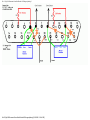
If you have a DB9 Serial port (COM), use RTS (Request To Send) pin # 7
for PTT control on a one radio cable.
Do not use the #4 DTR (Data Terminal Ready) pin for single port PTT
control despite what the AGWPE Help file or AGWPE web site may say.
The DTR pin is used by AGWPE only if you interface a second radio
and use AGWPE's Dual Port feature to control PTT on a radio attached
to AGWPE port #2. DTR will not be triggered if AGWPE is set to use
only a single port/radio.
If your serial port uses a DB25 COM connection (rarer), use RTS pin 4
for PTT control. Note this is the pin for a DB25 serial (COM) port not a
DB25 parallel (LTP) port.
If you want to use the parallel port (DB25 LTP) for PTT control instead
of the serial port, use LTP pins 2 or 3 for the PTT line and any pin 18
thru 25 for the GROUND.
Check either Buck's packet site or Gloria's KA5ZTX site for radio pin
outs and the location of the PTT pin.
file:///C|/My%20Documents/SoundCardPacket/cableptt.htm (2 of 4) [3/5/2002 11:36:23 PM]
PTT Cable - Sound Card Packet
Note on handheld radios: Most handheld radios use the microphone
jack to feed both the TX audio signal (AC) and the PTT signal (DC) into
the radio. To make sure the TX audio signal goes into the radio and not
back out the PTT line, you will need to include a resistor in the PTT
line; AC will follow the path of least resistance and stay off the PTT
line. See your handheld's user manual or consult Buck's packet site
for resistor values and circuit information.
A Special Trick: To make it easy to use either the serial port or printer
port, Bill, WB6JAR, came up with this clever design: run a short pigtail
cable from the cable's serial DB9 connector to a parallel DB25
connector.
Connect the serial's pin 7 (RTS) to the parallel's pin 2 (or 3)
Connect the serial's pin 5 (GND) to the parallel's pin 18 (or 1925)
Only connect one DB connector to the computer at a time.
B. Serial-to-USB Adapters
It's becoming easier to find a fairly inexpensive serial-to-USB adapter with the
increased use of PDA (Personal Data Assistants, e.g. Palm Pilots™ devices)
and USBs on computers. In fact some computers now come with USB ports
but no serial port. If this is your case or if you prefer to make use of the USB
port to leave your serial and parallel ports free for non-AGWPE purposes, a
serial-to-USB adapter may work for you.
To use a serial-to-USB adapter:
first install the adapter driver
then go to the Windows Device Manager (Start: Settings; Control Panel:
System) and click on the + next to Ports to expand the list and see
which COM port the adapter is using
change your AGWPE Port setting to use the adapter's COM port
plug your serial port PTT cable into the USB adaptor
I had mixed results with two such adapters. The first adapter I bought, a Belkin
for about US$30, would not work on either my desktop or laptop. I suspect that
Belkin was not at fault; it was more likely a problem with my computer
hardware or my version of Windows or the driver for WinXP.
I then bought an IOGear adapter (GUC232A) (apparently made by ATEN
International CO.,LTD.) for about US$30. It works fine on my desktop (it uses
COM5) ... but it will not work on my laptop.
Note: Some users have reported problem with USB adapters receiving
changing COM port assignments on each computer boot-up.
file:///C|/My%20Documents/SoundCardPacket/cableptt.htm (3 of 4) [3/5/2002 11:36:23 PM]
PTT Cable - Sound Card Packet
So the point is that it's possible such an adapter may work on your computer,
but you may have to experiment to find one.
Here's another possible USB choice: http://pfranc.com/usb/usb.shtml
C. TX Audio-activated Circuit
It's also possible to open the PTT without a COM, LPT or USB port connection
by using a special circuit that opens the PTT when it "hears" tones on the TX
audio line.
Stephen Smith's, WA8LMF, Tone Keyer web page describes how to make such
a device. If you need your COM or LPT ports for other devices, you should
look into this creative solution.
Another option to avoid using a COM or LPT port is the Tigertronics SignaLink
pre-assembled unit which also uses a TX audio tone-activated PTT circuit.
Return to top of page
Last Updated:
03/05/2002
file:///C|/My%20Documents/SoundCardPacket/cableptt.htm (4 of 4) [3/5/2002 11:36:23 PM]
Cables for a Two Radios - Sound Card Packet
Sound Card Packet
Introduction
AGWPE Overview
More about AGWPE
1. AGWPE Set Up
Download and Install
Basic Setup
2 Radio Setup
2 Card Setup
2. Interface
Getting Started
Kits and Pre-assembled
Receive Audio Cable
Transmit Audio Cable
PTT (TX Control) Cable
2 Radio Modification
3. Windows™ Setup
TCP/IP Settings
Update Windows
Sound Settings
Volume Control
4. Application Setup
WinPack©
UI-View©
WinAPRS©
APRSplus©
AGW Programs
Your Internet Browser
5. Troubleshooting
Problem identification
Basic Configuration
Receiving
Application Setup
Transmitting
Signal
Interfacing to 2 Radios with 1 Soundcard
Starting with version 2000.76, AGWPE can use the sound card to
interface with TWO different radios at the same time -- no TNCs
required. It does this by using the left and right stereo channels of the
sound card, in effect making the sound card a "dual port" TNC. (see
AGWPE: 2 Radio Setup on this site.)
This means you can have 2 different packet programs running, each
one sending and receiving data with a different radio on a different
frequency. If you use WinAPRS, UI-View, or APRSplus, you could
have one radio tuned to the local APRS frequency and the other to
the local DX cluster frequency or to an HF APRS frequency.
To run a second radio with the sound card, you'll need to make use of
the ring on the stereo sound card jacks; and the DTR pin on the
serial/parallel port for PTT control.
Here's the pin and plug assignments for "dual port" sound card use:
AGWPE Card
Stereo PTT
Port
Channel Plug
Pin
1
2
Left
Right
Tip
Ring
RTS
DTR
DB9 serial
pin # GND
7
4
5
5
DB25
serial
pin #
GND
DB25
Parallel*
pin # GND
4
2
7 or
3
18-25
(any)
20
8
7 or
9
18-25
(any)
NOTE 1: Do not use the computer ground pin unless:
You are wiring the shield to the computer ground
instead of the radio ground (don't wire to both!); or
file:///C|/My%20Documents/SoundCardPacket/cable2radio.htm (1 of 5) [3/5/2002 11:36:24 PM]
Cables for a Two Radios - Sound Card Packet
You are using an isolation transformer and need to
wire one side to computer ground.
NOTE 2: If you are running Windows 2000/NT, as of version
2001.38 you can not use the parallel (printer) port for 2
radio packet. You must use the serial port. The parallel port
option will work only with Windows 95 and 98 (and perhaps
Windows ME and XP, but I haven't test it.)
1. RX and TX Audio Cables
The RX Audio Cable and TX Audio Cable pages of this site
describe how to make cables for a radio which would use
the left channel of the sound card and Port 1 in AGWPE.
Such cables uses the tip of the stereo TX and RX plugs and
the RTS pin on the serial/parallel port plug for PTT control.
If you already have a set of cables, they are probably wired
like this.
If you want to use a second radio with the sound card, you
would attach a second audio cables to the ring of the stereo
plugs (the right channel of the card or port 2 in AGWPE).
Here are two different approaches for the audio cables:
Cheaper but harder -- wire it yourself: Using the cable
schematics on the RX Audio Cable and TX Audio
Cable pages, add a second cable (single wire
shielded) to each sound card plug. The single
insulated wire will run from the unused ring (middle
conductor) of the sound card plug to the proper pins
(RX or TX) on radio #2. The shielding should attach to
the ground on the radio but NOT attach to the ground
on the computer.
You'll need to make this alteration for both the RX
and TX Audio plugs. You'll also need to add a
separate attenuation circuit (see TX Audio Cable) for
the second TX audio cable.
file:///C|/My%20Documents/SoundCardPacket/cable2radio.htm (2 of 5) [3/5/2002 11:36:24 PM]
Cables for a Two Radios - Sound Card Packet
Easier but a little more expensive -- buy two "Y" adapters
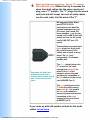
(Bill's, WB2JAR, idea): Rather than try to squeeze the
wires from both radios into the same sound card
plug, use a "Y" adapter. The "Y" plugs into the sound
card jack and will accept two sets of audio cables,
one for each radio, into the arms of the 'Y'.
Bill suggests Radio Shack
part #274-375 ($3.59
each) which even does the
channel separation for you!
Of course, you'll need 2 of
these adapters -- one for the
sound card's LINE IN jack (RX
audio) and one for the sound
card's LINE OUT jack (TX
audio).
These adapters accept simple
mono plugs into their jacks.
No need for stereo/3 line
cables and no need to worry
about "tip" or "ring"
assignments. The adapter
handles that.
Separates left and rightchannel signals. Has a
3.5mm stereo phone plug &
two 3.5 mm mono phone
jacks.
The silver plated jack on the
'Y' is used for the cable
coming from radio #1. It's
wired to the tip of the
adapter's stereo plug and
provides the connection to
the left channel of the sound
card (AGWPE Port 1).
The gold plated jack on the
'Y' is for the cable coming
from radio #2. It's wired to
the ring of the adapter's
stereo plug and provides the
connection to the right
channel of the sound card
(AGWPE Port 2).
If you come up with still another method for the audio
cables, let me know.
file:///C|/My%20Documents/SoundCardPacket/cable2radio.htm (3 of 5) [3/5/2002 11:36:24 PM]
Cables for a Two Radios - Sound Card Packet
2. PTT Cable
To control the PTT on the second radio, you'll need to add a
wire that will run from the DTR pin of the serial or printer
port to the radio and includes a second PTT circuit (see
PTT Control cable page).
I haven't heard of an elegant way to interface 2 PTT cables
to the same COM (or LPT) port, so you might try one of
these methods:
A. Wire both PTT cables into the same DB25 (or
DB9?) connector. Here's a diagram that Bill,
WB6JAR, created for a DB25 for the printer port. (I
don't know if you could shoehorn all of this into a
DB9 for the serial port.) To simplify the soldering, he
broke off some of the pins going out of the DB25
(that would normally plug into the computer) and
used the resulting stubs inside the DB25 as solder
points. The downside of 2 cables into one DB
connector is that, if you want to use just one radio,
the PTT cable for the second radio will always be
attached to the DB25 and this might be
cumbersome.
Click on the graphic for a larger view. If you do, use
your browser's BACK button to return to this page.
ç
file:///C|/My%20Documents/SoundCardPacket/cable2radio.htm (4 of 5) [3/5/2002 11:36:24 PM]
Click to enlarge
Cables for a Two Radios - Sound Card Packet
B. Make a two cable adapter from DB9 plugs. This
"Y" arrangement allows you to split the RTS and DTR
signals to different DB9 male plugs. You can then
plug standard PTT control cables with DB9 female
jacks into the DB9 males plugs.
A trick: solder the DTR wire to the RTS pin in the
DB9 male for radio #2. That way, you can use either
radio's PTT control cable on either male plug. Both
male plugs will be sending the PTT signal on RTS pin
#7, even though radio #2 is really getting its signal
from the DTR pin on the computer.
This "Y" arrangement also lets you easily remove the
second PTT cable if you're not using it.
ç
Click to enlarge
3. Finally, don't forget to change AGWPE to a "dual port"/2
radio setup.
Return to the top of the page
Last Updated: 03/05/2002
file:///C|/My%20Documents/SoundCardPacket/cable2radio.htm (5 of 5) [3/5/2002 11:36:24 PM]
Windows TCP/IP - Sound Card Packet
Sound Card Packet
Introduction
AGWPE Overview
More about AGWPE
1. AGWPE Set Up
Download and Install
Basic Setup
2 Radio Setup
2 Card Setup
2. Interface
Getting Started
Kits and Pre-assembled
Receive Audio Cable
Transmit Audio Cable
PTT (TX Control) Cable
2 Radio Modification
3. Windows™ Setup
TCP/IP Settings
Update Windows
Sound Settings
Volume Control
4. Application Setup
WinPack©
UI-View©
WinAPRS©
APRSplus©
AGW Programs
Your Internet Browser
5. Troubleshooting
Problem identification
Basic Configuration
Receiving
Application Setup
Transmitting
Signal
Windows: Enabling the TCP/IP Protocol
AGWPE use the Window's Winsock TCP/IP Application Interface to
communicate with many packet application programs, including
WinAPRS, APRSplus and UI-View. For this interface to work, TCP/IP
must be enabled in both Windows and AGWPE:
1. Enabling TCP/IP in Windows : To quickly check if TCP/IP is
enabled in Windows, go to the Control Panel (press the Start
button, then Settings, then Control Panel). Then select
Network and look in the list of installed components (use the
scroll bar if you can't see the full list). You should see TCP/IP
or TCP/IP > Dialup Adapter. In more recent versions of
Windows, you may have to right click on a component and
then select Properties
If it's not there, first make sure that you have Dialup Adapter
on that same components list. If it's not, you can install it as
follows: from the Control Panel, select Add/Remove
Programs. Then click on the Windows Setup tab and then
select (one click) Communications. Now press the Details
button and then click on/check mark Dial Up Networking.
Press the OK button twice. (You then may be prompted for
your original Windows installation disks for the required
files.)
Now, with the Dialup Adapter installed, install the TCP/IP
protocol. Select Control Panel again, then Network. Now
select Add, then double click on Protocol, then Microsoft, then
TCP/IP, then OK.
2. Enabling TCP/IP in AGWPE: This was previously
covered on the AGWPE: Basic Setup page. But to
repeat ... check that AGWPE's Enable Winsock TCP/IP
Application Interface is set to active: Open the AGWPE
menu, click on Setup Interfaces, and then on Winsock
Interface tab, make sure there is a check mark in the
box next to Enable Winsock TCP/IP Application
Interface. [Other programs, such as WinPack, can use
the Window's DDE Interface instead to communicate
file:///C|/My%20Documents/SoundCardPacket/wintcp.htm (1 of 2) [3/5/2002 11:36:25 PM]
Windows TCP/IP - Sound Card Packet
with AGWPE. DDE requires no special AGWPE
settings.]
Testing the TCP/IP Setup in Windows
Thanks to Roger Barker, G4IDE, for the following: If you have any
doubts that the TCP/IP interface is working properly, here's a very
simple way to check it:
1. Start AGWPE. Click on the Packet Engine icon on the system
tray. On the menu, click on Setup Interfaces. Make sure Enable
Winsock TCP/IP Application Interface is checked. Click OK to
close the menu
2. Click again on the AGWPE icon and then click on About. The
last two lines should say "SocksAPIServer Active" and
"SocksAPIConnections 0".
3. Run the Win95 Telnet program, TELNET.EXE. Quite a lot of
people don't realize it exists; it's in the main Windows folder.
4. From the menu, select Connect, Remote System; then Host
Name: 127.0.0.1, Port: 8000 (type 8000 over the menu choices);
Term Type: VT100
5. If the program title bar changes from Telnet - [None] to Telnet 127.0.0.1, then everything is fine. TCP/IP is working in Windows.
Go to #6.
If instead you get a message "Could not open a connection to
127.0.0.1", then there's something wrong with your Windows
TCP/IP set-up. Review the steps at the top of this page.
6. Click the Packet Engine icon again, and select About. It should
now say "SocksAPIConnections 1". TCP/IP is working in AGWPE.
7. Go back to In Telnet. Select Connect, then Disconnect, and
close the program. Another check on SocksAPIConnections in
AGWPE should show 0."
Return to top of page
Last Updated: 03/05/2002
file:///C|/My%20Documents/SoundCardPacket/wintcp.htm (2 of 2) [3/5/2002 11:36:25 PM]
Update Windows - Sound Card Packet
Sound Card Packet
Introduction
AGWPE Overview
More about AGWPE
1. AGWPE Set Up
Download and Install
Basic Setup
2 Radio Setup
2 Card Setup
2. Interface
Getting Started
Kits and Pre-assembled
Receive Audio Cable
Transmit Audio Cable
PTT (TX Control) Cable
2 Radio Modification
3. Windows™ Setup
TCP/IP Settings
Update Windows
Sound Settings
Volume Control
4. Application Setup
WinPack©
UI-View©
WinAPRS©
APRSplus©
AGW Programs
Your Internet Browser
5. Troubleshooting
Problem identification
Basic Configuration
Receiving
Application Setup
Transmitting
Signal
Update Windows
A. Windows 95, 98 and 2000 Users
Make sure you have the most recent version of the Window's
"Common Controls". If you've installed Internet Explorer (IE)
version 5.0 or later, the controls should have been installed. If
you haven't upgraded to IE 5.0 or later -- or want to check that
the controls are installed -- visit Microsoft's 50comupd.exe
site.
Make sure you have the most recent drivers for your sound
card. You will need to visit the sound card manufacturer's web
site to verify this.
B. Windows 95 Users only
You must have the Winsock 2 update installed, otherwise the
TCP/IP interface will not work correctly with AGWPE. First
make sure you have the TCP/IP Protocol installed in Windows,
then apply the update.
Return to top of page
Last Updated: 03/05/2002
file:///C|/My%20Documents/SoundCardPacket/winupdate.htm [3/5/2002 11:36:25 PM]
Windows Sound Settings - Sound Card Packet
Sound Card Packet
Introduction
AGWPE Overview
More about AGWPE
1. AGWPE Set Up
Download and Install
Basic Setup
2 Radio Setup
2 Card Setup
2. Interface
Getting Started
Kits and Pre-assembled
Receive Audio Cable
Transmit Audio Cable
PTT (TX Control) Cable
2 Radio Modification
3. Windows™ Setup
TCP/IP Settings
Update Windows
Sound Settings
Volume Control
4. Application Setup
WinPack©
UI-View©
WinAPRS©
APRSplus©
AGW Programs
Your Internet Browser
5. Troubleshooting
Problem identification
Basic Configuration
Receiving
Application Setup
Transmitting
Signal
Windows: System-wide Sound and Multimedia
Settings
To get AGWPE to work, Window sound and multimedia settings must
be configured correctly. (There is a separate page on this site for
settings for the Window Volume Control program.)
A. Volume Control Icon
It's helpful to have this icon in the System Tray (bottom far right of
your screen). It lets you quickly access the volume and audio source
settings of the sound card when adjusting AGWPE.
In Windows 98 it's , Start: Settings: Control Panel: Multimedia:
Audio tab and check
Show volume control on the taskbar.
In Windows ME it's: Start: Settings: Control Panel: Sounds
and Multimedia: Sounds tab; Sound Volume box and check
Show volume control on the taskbar.
In XP, it's Start: Control Panel: Sounds and Audio Devices:
Volume tab and check
Place volume icon in the taskbar.
I'm not sure how it's done in Windows 95, but it's probably
very similar to Win 98.
B. No Sounds
On some computers you may have conflicts between a program and
Windows itself over the use of the sound card. (A typical crash
message is "an application caused an invalid page fault in module
WINMM.DLL"). To avoid this, try turning off Windows' sounds.
In Windows 98 it's: Start: Settings: Control Panel: Sounds:
Schemes field = No Sounds
In Windows ME it's: Start: Settings: Control Panel: Sounds:
Sound Events: Scheme = No Sounds.
In XP, it's Start: Control Panel: Sounds and Audio Devices:
Sounds tab: Sound Scheme field = No Sounds.
file:///C|/My%20Documents/SoundCardPacket/winsound.htm (1 of 3) [3/5/2002 11:36:26 PM]
Windows Sound Settings - Sound Card Packet
I'm not sure how it's done in Windows 95, but it's probably
very similar to Win 98.
C. Other Multimedia Properties
Windows 95: There is little else to set in the Multimedia
Properties window. I'm not sure if the Recording Preferred
quality setting makes a difference. You can try CD Quality.
Click on the Apply button (if not gray-ed out) and then the OK
button to close the window.
Windows 98: With the Audio tab showing:
Click first on the Playback Advanced Properties
button. On the resulting Speaker tab, select Desktop
Stereo Speakers (or lap top mono, maybe). According
to George SV2AGW, anything else will distort the TX
sound.
Then click on the Performance tab. According to
George, Hardware Acceleration should be set at least
one stop above None, but try Best at first to see if your
computer can handle it. Sample Rate Conversion
Quality must be set to Best. Then click OK to close the
Playback Advanced Properties.
Back on the Audio tab, click on the Sound Recording
Advanced Properties button. On the Performance tab,
once again set the Sample Rate Conversion Quality to
Best. Then click OK to close the Sound Recording
Advanced Properties.
ç
Click to enlarge
Back on the Multimedia Properties window, click on
the Apply button (if not gray-ed out) and then the OK
button.
file:///C|/My%20Documents/SoundCardPacket/winsound.htm (2 of 3) [3/5/2002 11:36:26 PM]
Windows Sound Settings - Sound Card Packet
Windows ME and XP: The Sounds and Multimedia Properties
windows are combined (XP calls it Sound and Audio Devices)
On the Audio tab, click on the Advanced button for
(Sound) Playback.
On the resulting Speaker tab, select Desktop
Stereo Speakers, even if this is a lap top.
According to George SV2AGW, anything else
will distort the TX sound.
Then click on the Performance tab.
Hardware Acceleration should be set at
least one stop above None, according to
George, but try Best at first to see if
your computer can handle it.
Sample Rate Conversion Quality must
be set to Best. Then click OK to close
the Playback Advanced Properties.
Click OK to save the settings and leave the Sounds
settings.
Return to top of page
Last Updated: 03/05/2002
file:///C|/My%20Documents/SoundCardPacket/winsound.htm (3 of 3) [3/5/2002 11:36:26 PM]
Windows Volume Control Settings - Sound Card Packet
Sound Card Packet
Introduction
AGWPE Overview
More about AGWPE
1. AGWPE Set Up
Download and Install
Basic Setup
2 Radio Setup
2 Card Setup
2. Interface
Getting Started
Kits and Pre-assembled
Receive Audio Cable
Transmit Audio Cable
PTT (TX Control) Cable
2 Radio Modification
3. Windows™ Setup
TCP/IP Settings
Update Windows
Sound Settings
Volume Control
4. Application Setup
WinPack©
UI-View©
WinAPRS©
APRSplus©
AGW Programs
Your Internet Browser
5. Troubleshooting
Problem identification
Basic Configuration
Receiving
Application Setup
Transmitting
Signal
Windows Volume Control Program Settings
The Volume Control program controls both the audio volume and
sources of the sound card, both in and out. An incorrect setting can
prevent audio from getting into or out of the sound card, so you need
to get it right!
Sections of this page will help you configure:
playback (outgoing packet tones)
recording (incoming packet tones)
Some other things on this page:
two sound cards
preserving your volume control settings
setting the "correct" RX volume
setting the "correct" TX volume
If you followed the directions on the sound settings page, you
show the volume control on the task bar. You
checked the box to
should see the volume control icon
on the task bar (actually the
system tray) on the lower right of your screen.
A. Configuring Volume Control for Audio Out (Radio TX
audio)
This sets the source and volume level of your outgoing packet tones.
It's important that these tones not be too loud or too soft.
file:///C|/My%20Documents/SoundCardPacket/winvol.htm (1 of 8) [3/5/2002 11:36:27 PM]
Windows Volume Control Settings - Sound Card Packet
Left click twice very quickly on the Volume Control icon
(or go to the Control Panel and Sounds: Audio). The Volume
Control window should open . It initially displays settings for
just the Playback or outgoing audio (sound card-to-radio or
computer speakers). Here's what the window looks like in my
system; yours may be somewhat different:
ç
Click to enlarge
The settings of importance on this window are:
The left most Volume Control volume slider and the
Wave volume slider (consider Wave to mean
Programs) work together. The Volume Control slider is
a master control that will further adjust the Wave
volume. I've had good success with both sliders set
1/3 up from the bottom. Your setting will depend
largely on how well the attenuation circuit in your TX
audio cable matches the optimal microphone input of
your radio. See How Much TX Volume? below for some
further advice.
It's essential that neither of these two sliders be at the
absolute bottom or near the bottom, and it's essential
that the Mute boxes are not checked.
Leave all Balance sliders in the middle. They are for
stereo channel control and setting the slider to the
wrong side could mute outgoing sounds.
I mute both the Microphone and Line In as a preventive
measure (so only AGWPE outputs sound, not the
Microphone or Line In).
file:///C|/My%20Documents/SoundCardPacket/winvol.htm (2 of 8) [3/5/2002 11:36:27 PM]
Windows Volume Control Settings - Sound Card Packet
How Much TX Volume?
The best way to check your transmit volume would be with
a deviation meter, something you may not have. But Jim
K6CCC offered this alternate suggestion:
My standard advice for people who do not have access to
some sort of deviation meter is to set your path to digipeat
through a single local digipeater (e.g. TEST VIA WIDE ),
then go into converse mode (UI mode) and transmit a
single carriage return. Watch to see if your single packet
gets digipeated by that one local digipeater. If it doesn't get
through at first, try several more times because it may not
have gotten through because of a collision. If it doesn't get
through after a few tests, turn up the volume until that point
where it just gets through reliably.
Conversely, if the packet does get digipeated, turn down
the transmit audio level a little and try again. Keep doing
this (turning down the volume) until your packet DOES NOT
get digipeated reliably. Then turn it back up JUST A LITTLE
BIT and verify you can get the packet reliably digipeated.
It's FAR better to have your volume too low than too high!
(If you have access to a deviation meter, the packet should
be right around 3 KHz of deviation.)
B. Configuring Volume Control for Audio In (Radio RX
Audio)
This sets the source and volume level of your incoming packet tones.
It is very important that these tones are not too loud or too soft.
NOTE: These settings are found in a different Volume Control subwindow, the Recording Control window. This is very important. Many
people do not realize this recording window exists. Failure to get the
recording settings correct results in problems receiving packets.
From the Volume Control window shown above, select the
Options menu choice, then Properties.
file:///C|/My%20Documents/SoundCardPacket/winvol.htm (3 of 8) [3/5/2002 11:36:27 PM]
Windows Volume Control Settings - Sound Card Packet
Click on the Recording radio button to bring up the list of
volume controls. Make sure that there's a check mark
next to the jack where you plugged in your radio RX audio
cable -- either Line In (preferably) or Microphone. Here's what
this window looks like on my system.
ç
Click to enlarge
When you're done, click on the OK button.
You should now see the Recording Control window.
Click the Select box for the jack where you will plug in your
radio RX audio cable, either the Line In (preferably) or
Microphone.
Set the volume slider about 1/3 up (soft). This should work for
you, but note that AGWPE can probably handle any setting
other than "off/quiet". See How Much RX Volume? below for
some further advice.
Leave the balance slider in the middle.
Since I use the Line In jack for Radio RX audio in, here's what my
settings look like. Notice the Select check mark
under Line In:
ç
Click to enlarge
After you've made your choices, click the 'X' in the top right
corner of the window to close the window and the Volume
Control program. Your settings will be saved automatically.
file:///C|/My%20Documents/SoundCardPacket/winvol.htm (4 of 8) [3/5/2002 11:36:27 PM]
Windows Volume Control Settings - Sound Card Packet
If you opt to use the Microphone instead of the Line In for RX
in, be sure that you do not use the Microphone Boost option if
it is offered by your system. I found this option on my laptop
(running Win 98) by clicking on the Advanced Properties
button found under the Microphone slider in the Recording
Control window.
ç
Click to enlarge
How Much RX Volume?
AGWPE is pretty tolerant of RX volume levels, but it
is possible for the volume to be too loud or too soft.
To get it right, call up the AGWPE pop-up menu
(click on the AGWPE tower icon) and select
SoundCard Tunning Aid. In the Tuning window,
select an Oscilloscope Style of Sine Wave. A good
recording volume will produce a sine wave that fills
1/4 to 1/3 of ths scope screen:
ç
Click to enlarge
If you're interested in seeing the results of different
volume settings, see the Recording Control
Experiment page.
C. Configuring the Volume Control program for 2 Sound
Cards
If you have two sound cards installed, you will need to set the
playback and record settings for the second card (the one used by
AGWPE). Here's how to do it:
file:///C|/My%20Documents/SoundCardPacket/winvol.htm (5 of 8) [3/5/2002 11:36:27 PM]
Windows Volume Control Settings - Sound Card Packet
Left click twice very quickly on the Volume Control icon
in
the System Tray. The Volume Control window should open.
Select the Options menu choice, then Properties to bring up
the Properties Window.
At the top of the Properties window, you'll see a Mixer Device
field. Click on the down arrow ▼to the right of the field to call
up a list of mixer devices.
ç
Click to enlarge
Click on the second sound card to select it. Then after making
sure the Playback button below it is selected, press the OK
button. This will return you to the Volume Control playback
sliders for the second card (the sound card's name will be in
the lower left of the window). Make your settings as you did
above in A. Audio Out.
When your done with the playback settings for the second
card, select the Options menu choice again and then
Properties to bring up the Properties Window again.
Once again click on the down arrow ▼to the right of the Mixer
Device field to call up a list of mixer devices.
Click on the second sound card again to select it. Then after
making sure the Recording button below it is selected this
time, press the OK button. This will bring you to the Volume
Control recording sliders for the second sound card . Make
your settings as you did above in B. Audio In.
D. Preserving your volume control settings
Warning! For some sound cards/systems, it's possible that,
when Windows reboots, your Volume Control settings may
automatically be reset to a default and something other than you
want. This happened to me. Even though I would chose Line In as my
desired 'audio in' recording source, as soon as I rebooted,
Microphone became the recording audio source! I'm not sure why
this was happening -- perhaps it was the sound card mixer program.
file:///C|/My%20Documents/SoundCardPacket/winvol.htm (6 of 8) [3/5/2002 11:36:27 PM]
Windows Volume Control Settings - Sound Card Packet
Or your settings may be changed by another program that uses the
sound card and you want an easy way to return them to the settings
you use for AGWPE
You have two main options:
1. Each time you run AGWPE after a Windows boot/reboot, reconfigure the Volume Control Recording Control properties (all the
steps in 'B' above) and re-select Line In.
2. Use a utility program that, on startup, automatically sets the
Volume Control settings the way you want them. I used a small (260
kb) freeware utility called QuickMix to do this. You can download the
program from the Quick Mix web site.
Using QuickMix
1. Install QuickMix by running the QuickMixIn.exe
program that you downloaded.
2. Set the Windows Volume Controls the way you
want.
3. Run the QuickMix program and 'save' the
Volume Control settings to a AGWPE.QMX file in
the directory of your choice.
4. Then you can run QuickMix (or just click on
the .QMX file) to restore your AGWPE settings.
If you want to have this .QMX file automatically
load at boot-up, put a shortcut to this .QMX file in
your Windows startup folder. For me, that would
be:
C:\WINDOWS\Start Menu\Programs\StartUp
In Windows Explorer, go to this directory and,
from the Menu bar, select File, then New, then
Shortcut, and then Browse to the AGWPE.QMX
file you want. (Make sure you set the Browse
directory window to show All Files, not
Programs.)
5. Now whenever you start Windows, it will
file:///C|/My%20Documents/SoundCardPacket/winvol.htm (7 of 8) [3/5/2002 11:36:27 PM]
Windows Volume Control Settings - Sound Card Packet
automatically read the AGWPE.QMX file, load and
run QuickMix, reset the Volume Controls, and
then close QuickMix.
Last Updated: 03/05/2002
Return to top of page
file:///C|/My%20Documents/SoundCardPacket/winvol.htm (8 of 8) [3/5/2002 11:36:27 PM]
WinPack & AGWPE - Sound Card Packet
Sound Card Packet
Introduction
AGWPE Overview
More about AGWPE
1. AGWPE Set Up
Download and Install
Basic Setup
2 Radio Setup
2 Card Setup
2. Interface
Getting Started
Kits and Pre-assembled
Receive Audio Cable
Transmit Audio Cable
PTT (TX Control) Cable
2 Radio Modification
3. Windows™ Setup
TCP/IP Settings
Update Windows
Sound Settings
Volume Control
4. Application Setup
WinPack©
UI-View©
WinAPRS©
APRSplus©
AGW Programs
Your Internet Browser
5. Troubleshooting
Problem identification
Basic Configuration
Receiving
Application Setup
Transmitting
Signal
Configuring WinPack to Work with AGWPE
WinPack, written by Roger Barker,G4IDE, is a great Windows-based
packet terminal program. You can download it at
http//www.peaksys.co.uk (or do a web search for other download
sites). WinPack is shareware. The registration fee is £10 (about $15
US) and well worth it if you decide to continuing using WinPack. (See
the Help menu for Registration info.)
After WinPack is installed, review the Help file to learn how to use
WinPack.
For specific help about WinPack and AGWPE, read the Winpagw.txt
file located in the main WinPack directory. You'll also find more
information in program Help. (Select the Help Contents option from
the Help menu and then, in the right index under Fundamentals, click
on the third item down, Host Mode Support. On the resulting page,
you should also look in the right index for additional topics about
AGWPE and host modes in general. )
To configure WinPack to work with AGWPE:
Start AGWPE before starting WinPack.
On the WinPack menu, select Options; then Comms Setup.
In the resulting Comms Setup window, there is a field for Host
Mode in the lower right corner. Click on the options arrow
and select AGW (see picture below). When done, click on the
OK button.
←Click to enlarge
If you will be using AGWPE as your only packet input source, then
you don' t need to worry about setting the normal TNC parameters
such as baud rate, parity, etc. AGWPE handles all that! In fact the
TNC parameters on this screen will 'gray out' (become inaccessible)
since there is no need for them when you use AGWPE host mode.
file:///C|/My%20Documents/SoundCardPacket/appwinpack.htm (1 of 2) [3/5/2002 11:36:28 PM]
WinPack & AGWPE - Sound Card Packet
AGWPE should be running before you start WinPack in AGW mode or
try to toggle to AGW host mode. If you start AGWPE after WinPack,
WinPack won't recognize AGWPE -- unless you toggle WinPack's
host mode to NONE and then back to AGW. (Or you can close
WinPack, start AGWPE, and restart WinPack.)
Disable Sounds in WinPack
It's possible that the speech and sound options in WinPack could
create a conflict with AGWPE's use of the sound card, so you should
disable all the sound/speech options in WinPack (unless you're using
two sound cards in the PC).
Using WinPack with 2 AGWPE ports/2 radios
When you issue the connect command, put the AGWPE port number
between the connect command "C" and the target station's callsign,
for example:
C 2 KC2RLM
Return to top of page
Last Updated: 03/05/2002
file:///C|/My%20Documents/SoundCardPacket/appwinpack.htm (2 of 2) [3/5/2002 11:36:28 PM]
UI-View and AGWPE - Sound Card Packet
Sound Card Packet
Introduction
AGWPE Overview
More about AGWPE
1. AGWPE Set Up
Download and Install
Basic Setup
2 Radio Setup
2 Card Setup
2. Interface
Getting Started
Kits and Pre-assembled
Receive Audio Cable
Transmit Audio Cable
PTT (TX Control) Cable
2 Radio Modification
3. Windows™ Setup
TCP/IP Settings
Update Windows
Sound Settings
Volume Control
4. Application Setup
WinPack©
UI-View©
WinAPRS©
APRSplus©
AGW Programs
Your Internet Browser
5. Troubleshooting
Problem identification
Basic Configuration
Receiving
Application Setup
Transmitting
Signal
Configuring UI-View with AGWPE
UI-View and UI-View 32 were also written by Roger Barker,G4IDE.
Both are packet-based position plotting programs similar to other
APRS software, but they also support TNC in KISS mode and BPQ
host mode (besides AGWPE host mode). You can download both at
http://www.uiview.com
UI-View is registration ware. The registration fee is £10 (about $15 US)
and well worth it if you decide to continuing using UI-View.
Registration also gives you the right to upgrade to UI-View32, the 32bit version which has some additional features. See the Help menu in
UI-View for Registration info.
Basic Setup
Here's how to configure UI-View to work with AGWPE -- it's really not
hard. Roger's done a great job in explaining it all in the UI-View Help.
With AGWPE running, start UI-View. On the top menu bar,
select Setup, then Comms Setup. The resulting window
should look like the graphic below. Set the Host Mode for
AGW. (UI-View has context sensitive Help, so press F1 to call
up help for this window.)
ç Click to enlarge
With UI-View 32, you are done. Press OK and you
should see a pop-up window with AGWPE ports info.
But for UI-View, press the Setup button next to AGW for
one further selection.
file:///C|/My%20Documents/SoundCardPacket/appuiview.htm (1 of 4) [3/5/2002 11:36:29 PM]
UI-View and AGWPE - Sound Card Packet
On the resulting AGWPE Setup window, for mode, you can
select either DDE or TCP/IP. Press F1 again to call up a very
informative Help dialogue about AGWPE.
ç Click to enlarge
UI-View will work in DDE mode just fine with AGWPE. The only
advantage of using TCP/IP mode is if you want to connect UIView to AGWPE running on another PC accessible via a
network or the internet.
For TCP/IP to work with UI-View, you must running AGWPE
version 2000.15 or later and you must have the Windows
Winsock 2 update. Also make sure you have AGWPE's
Winsock TCP/IP interface working: On the AGWPE menu, click
once on Setup Interfaces. On the resulting WinSock Interface
tab, make sure the Enable Winsock TCP/IP Application
. Click in the box to
Interface box is check marked
check/uncheck it.
After you have made your selection, press the OK
button on both the AGWPE Setup and Comms Setup
windows and UI-View should be working with AGWPE
and receiving packets.
Disable Sounds
If you don't have two sound cards: It's possible that the speech and
sound options in UI-View could create a conflict with AGWPE's use of
the sound card, so you should disable all the sound/speech options
in UI-View. With recent versions of UI-View, there's a Sound Enabled
option on the Options menu that allows you to turn off all UI-View
sounds in one go. If you're using a version without that option, then
you should update to a newer version!
Running UI-View in AGWPE 2 port/2 radio mode
UI-View receives by default on all ports. To change that, go to the
Setup menu and then Comms Setup. When you select a host mode of
AGWPE, a Setup button will appear to the right of AGWPE. Press that
button that to bring up the AGWPE Setup window. Then press the
Ports Mask button to bring up the AGWPE Port Mask Monitor
window. Check or uncheck ports to control which AGWPE ports UIView will receive on.
file:///C|/My%20Documents/SoundCardPacket/appuiview.htm (2 of 4) [3/5/2002 11:36:29 PM]
UI-View and AGWPE - Sound Card Packet
ç
Click to enlarge
To control which ports transmit, from the menu go to the Setup:
Stations Setup window and the Unproto port field. For example to
transmit only on the AGWPE port 1 radio (even if you have other
ports/radios) enter 1 To specify multiple ports, use a comma to list
the ports, e.g. 1,2 If you use multiple port transmitting, use the
"beacon pause" so the radios don't transmit at the same time: from
the Setup menu then select Miscellaneous.
UI-View32 vs. UI-View
Other than for the fact that it is a true 32 bit app, the
main advantages of UI-View 32 over UI-View are:
1. The map refresh is faster than on the 16 bit
version. On a K6-2/450, it will redraw at a rate of
around 1,000 station icons a second.
2. It is an ActiveX server and provides a rich
interface for external applications. Roger realized
with his WinPack program that providing an open
interface to encourage other software authors to
write add-ons was a good idea in a ham radio
application. UI-View32 takes the idea to a new level.
If you have a look at these two sites, you can see
some of the excellent add-ons that have been written
for UI-View:
http://welcome.to/uiview
http://www.qsl.net/g7jgq/uitool.htm
The downside of UI-View32 compared to the 16 bit
version is that:
you have to register it, and
file:///C|/My%20Documents/SoundCardPacket/appuiview.htm (3 of 4) [3/5/2002 11:36:29 PM]
UI-View and AGWPE - Sound Card Packet
it needs a more powerful PC; a P120 with
32Mb is probably the minimum.
An unregistered copy of UI-View also has these
further limitations:
You cannot input an APRServe (APRS
packets via internet) validation number. If
you log on to APRServe, it will always send
the default validation number of "-1". This
doesn't stop you using APRServe, it just
means that no IGATEs will gate your traffic
from the internet to radio.
You cannot use UI-View as an IGATE.
If you upgrade to UI-View32: DON'T install UI-View32
on top of UI-View(16), or you'll finish up with a big
mess. They are separate program and by default
they install into separate directories. There is
absolutely no problem with having them both
installed on the same PC. You can put your
registration in them both, and, if you use AGWPE,
you can even run them both at the same time.
Of course, if you want to uninstall UI-View(16), you
can, and it won't delete your maps, which you can
move or copy into the UI-View32 program folder.
(NOTE - make sure you uninstall, not manually
delete.)
Return to top of page
Last Updated: 03/05/2002
file:///C|/My%20Documents/SoundCardPacket/appuiview.htm (4 of 4) [3/5/2002 11:36:29 PM]
WinAPRS and AGWPE - Sound Card Packet
Sound Card Packet
Introduction
AGWPE Overview
More about AGWPE
1. AGWPE Set Up
Download and Install
Basic Setup
2 Radio Setup
2 Card Setup
2. Interface
Getting Started
Kits and Pre-assembled
Receive Audio Cable
Transmit Audio Cable
PTT (TX Control) Cable
2 Radio Modification
3. Windows™ Setup
TCP/IP Settings
Update Windows
Sound Settings
Volume Control
4. Application Setup
WinPack©
UI-View©
WinAPRS©
APRSplus©
AGW Programs
Your Internet Browser
5. Troubleshooting
Problem identification
Basic Configuration
Receiving
Application Setup
Transmitting
Signal
Configuring WinAPRS to Work with AGWPE
Only WinAPRS versions 2.4.0 and above are able to use AGWPE.
New WinAPRS Users:
You can download the most recent version of the
WinAPRS program (written by the Sproul Brothers,
Mark, KB2ICI and Keith, W2UZ) at
http://aprs.rutgers.edu
Installation and operating instructions are explained
at the web site and come with the
download. WinAPRS is shareware. You can run it
without registering but with some limitations, most
significantly the ability to save all your program
settings (callsign, TNC, etc). Registration is $60 and
well worth it if you continue to use WinAPRS.
Experienced WinAPRS Users:
If you've been running WinAPRS (2.4.0 or higher)
with a TNC and have WinAPRS set to automatically
open the TNC port on startup, don't start AGWPE
before starting WinAPRS.
WinAPRS will crash if it finds AGWPE using the
COM port where WinAPRS expects to find a TNC
attached! You can't correct this problem until
AGWPE is shut down and WinAPRS is allowed to
open normally.
When it does open, deselect any Automatic Input
devices that are on the port which AGWPE will be
using for PTT control:
file:///C|/My%20Documents/SoundCardPacket/appwinaprs.htm (1 of 6) [3/5/2002 11:36:30 PM]
WinAPRS and AGWPE - Sound Card Packet
Using the WinAPRS menus, click on
Settings, then WinAPRS.
When the WinAPRS Settings window opens,
under the far right Automatic Input section,
uncheck any device that was using the port
where you have now told AGWPE to find the
PTT cable.
For example, if you had a VHF TNC on COM1 set for
Automatic Input, but now have the AGWPE PTT
cable on COM1, you need to deselect the VHF TNC
(you can deselect a check-marked box by clicking
on it). After it's deselected, click on the OK button to
save the settings.
A. Configuring APRS for one AGWPE port / one Radio
Start AGWPE.
Start WinAPRS. First click on Settings in the menu bar, then
on Ports List.
On the resulting Ports Definition List window, you should see
a choice for AGWPE on LOCAL. Click once to highlight that
choice, then click on the Open button. If WinAPRS finds
AGWPE, the Status field will indicate ACTIVE and the
Comment field will show the AGWPE version, for example,
AGWPE V2001.38
ç
Click to enlarge
It's most important that you see the AGWPE version
notice in the Comment field. If you don't, then WinAPRS
wasn't able to connect with AGWPE, even if the Status
field says 'ACTIVE'. This means that AGWPE isn't
running or it isn't set right (for example, be sure the
WinSock Interface option is checked
on the AGWPE
menu).
file:///C|/My%20Documents/SoundCardPacket/appwinaprs.htm (2 of 6) [3/5/2002 11:36:30 PM]
WinAPRS and AGWPE - Sound Card Packet
If you have everything set right, then you should start to see
packets at the bottom of the active WinAPRS window. If you
don't see packets and your radio's "S" meter indicates it's
receiving packets and the AGWPE modem icon's green pixel
flashes
, then something else is wrong and you'll need
to go to troubleshooting.
Note that, when using AGWPE, you can't change your packet
PATH using the normal WinAPRS menus (Settings: TNC or
Settings: Positions Report Rate). Instead you must edit the
AGWPE_Local.Prt file in your WinAPRS\Ports directory. The
second to last line of this file will have a line that looks like
this:
PATH WIDE,WIDE
You can change the PATH value to any path you'd like. Note
that the space after PATH is not created by the <space> key
but by the <TAB> key. Also note that any PATH changes will
not become effective until you save to your .prt file and then
restart WinAPRS.
B. Configuring WinAPRS for two AGWPE ports / two Radios
WinAPRS is able to interface with two different AGWPE ports, and
thus two different radios. For example, your could have one radio on
the regular APRS frequency and another radio on the DX Packet
Cluster frequency. (WinAPRS can then post both types of info, APRS
packets and DX spots, to the WinAPRS maps!) Or you could have an
HF radio to receive long distance APRS packets.
AGWPE has always been able to do this using TNCs, but now it can
handle 2 ports/two radios using just the sound card; plus it can now
handle 300 baud HF packet with the sound card.
Here's how to setup AGWPE and WinAPRS to use two sound card
ports:
First, you'll need to built cables suitable for two ports/two
radios
Next, setup AGWPE for two ports/two radios
file:///C|/My%20Documents/SoundCardPacket/appwinaprs.htm (3 of 6) [3/5/2002 11:36:30 PM]
WinAPRS and AGWPE - Sound Card Packet
Now you need to create an additional .prt file in the Ports subdirectory of your WinAPRS directory. The new file will be very
similar in content to the existing AGWPE_Local.prt file that is
already in the Ports folder.
Make a copy of the current AGWPE_Local.prt file using a
different name. Edit the file as below using a simple text editor
such as Windows' Notepad.
The new .prt file will be identical to the
AGWPE_Local.prt file except for the following:
NAME line - the descriptive name you pick; your
choice
AGWTNC line - AGWTNC # = AGWPE port #
minus 1,
e.g. to use AGWPE Port 1, enter
AGWTNC 0.
Also, please note that the "space" between the FIELD
name (1st column) and the FIELD data (everything after
the FIELD name) is created by the TAB key, not the
space bars. For example, the second line in the file
below would be typed:
NAME<TAB>DXClusters<space>on<space>145.03".
Here's what the second .prt file might look like:
// Created by WinAPRS on 2/2/2
NAME DXClusters on 145.03 <-- a new name for each
port
TYPE TCP
PARSER AGWPE
HOST 127.0.0.1:8000
BAND VHF
PATH WIDE,WIDE <-- change UI path for this radio if
you like
AGWTNC 1
<-- port # minus one; this is AGWPE
port 2
Hint: You can also edit the NAME line of the original
AGWPE-Local.prt file. You can change the name from
"AGWPE on Local" to something like "APRS on 144.39"
to help you better understand what each AGWPE port
and radio is doing.
Save the new .prt file.
file:///C|/My%20Documents/SoundCardPacket/appwinaprs.htm (4 of 6) [3/5/2002 11:36:30 PM]
WinAPRS and AGWPE - Sound Card Packet
Re-start WinAPRS
Click on Settings
Click on Ports List. You should now see an additional AGWPE
port.
Select and then Open the two (2) AGWPE ports one at a time:
>PORT #1 (AGWPE ON LOCAL)
>PORT #2 (DXClusters on 145.03)
WinAPRS should now be receiving packet data from both
ports/radios/frequencies.
WinAPRS Hint: To better see DX cluster or HF packets, have
WinAPRS display both a local map (state, region, US) and a world
map :
First, from the Maps menu, open both maps
Then, click on the Windows menu option, then on Tile.
Warning: There is a bug in WinAPRS related to transmitting and
AGWPE ports. As of version 2.4.7, WinAPRS will transmit APRS
beacons on both AGWPE ports/radios. Listeners on the Packet
Cluster frequency might not appreciate this. If you intend to run
WinAPRS on a DX Cluster frequencies, you might want to disable
transmitting to the Packet Cluster frequency by unplugging the PTT
cable to the DX Cluster radio.
C.Troubleshooting Problems
WinAPRS: I open AGWPE first, but then when I start
WinAPRS, it causes a system crash.
WinAPRS is probably configured to automatically open a TNC
on startup. It crashes when it finds AGWPE using the COM
port and not the TNC it expects to find! You can't correct this
problem until you exit AGWPE and let WinAPRS open without
AGWPE running. Then, in WinAPRS, deselect any Automatic
Input devices that are on the port which AGWPE will be using
for PTT control:
Using the WinAPRS menus, click on Settings, then
WinAPRS.
When the WinAPRS Settings window opens, under the
far right Automatic Input section, uncheck any device
that was using the port where you have have the
AGWPE's PTT cable attached. For example, if you once
had a TNC on COM1, but now have the AGWPE PTT
cable on COM1, you need to deselect the VHF TNC
(you can deselect a check-marked box by clicking on
it).
file:///C|/My%20Documents/SoundCardPacket/appwinaprs.htm (5 of 6) [3/5/2002 11:36:30 PM]
WinAPRS and AGWPE - Sound Card Packet
After it's deselected, click on the OK button to save the
settings.
Then close WinAPRS, start AGWPE, and restart
WinAPRS.
Return to top of page
Last Updated: 03/05/2002
file:///C|/My%20Documents/SoundCardPacket/appwinaprs.htm (6 of 6) [3/5/2002 11:36:30 PM]
APRSplus & AGWPE - Sound Card Packet
Sound Card Packet
Introduction
AGWPE Overview
More about AGWPE
1. AGWPE Set Up
Download and Install
Basic Setup
2 Radio Setup
2 Card Setup
2. Interface
Getting Started
Kits and Pre-assembled
Receive Audio Cable
Transmit Audio Cable
PTT (TX Control) Cable
2 Radio Modification
3. Windows™ Setup
TCP/IP Settings
Update Windows
Sound Settings
Volume Control
4. Application Setup
WinPack©
UI-View©
WinAPRS©
APRSplus©
AGW Programs
Your Internet Browser
5. Troubleshooting
Problem identification
Basic Configuration
Receiving
Application Setup
Transmitting
Signal
APRSplus and KipSSPE with AGWPE
APRSplus is another Windows-based program for receiving and
plotting APRS position packets. It was written by Brent Hildebrand,
KH2Z, and works in combination with Delorme's Street Atlas program
(or Map 'N Go). APRSplus handles the APRS packet management
and generates icons that are placed on the Street Atlas maps.
To make APRSplus work with AGWPE you also need Brent's free
program, KipSSPE, which will link the two programs using their
respective TCP/IP interfaces. Note that KipSSPE only works with a
registered version of APRSplus ! So, you'll need to send Brent $60
US to get a registration code (info in APRSplus files) if you want to
use APRSplus with AGWPE.
Stephen Smith, WA8LMF, gets all the credit for working out all the
instructions for running APRSplus with AGWPE below.
Quick Links for this page:
* Download and install APRSplus and KipSSPE
* Configure KipSSPE
* Configure APRSplus
* Getting it All to Work
* Settings for 2 Radios
* Automating the Startup Process
* Troubleshooting APRSplus-specific problems
Setting Up APRSplus and KIPSSPE to work with AGWPE
No changes are needed in your cables, windows setup, and AGWPE
program settings. They are the same as for other applications.
1. Install and configure Delorme Street Atlas and verify that it works
normally.
file:///C|/My%20Documents/SoundCardPacket/appaprsplus.htm (1 of 8) [3/5/2002 11:36:31 PM]
APRSplus & AGWPE - Sound Card Packet
2. Download and install APRSplus and KipSSPE:
APRSplus files can be found at the TAPR site:
ftp://www.tapr.org/aprssig/winstuff/aprsplus/
The main APRSplus installation file usually has a name like
APRSPLUS2xx.zip.
APRSplus documentation
From the same TAPR directory also download KipSSPE (don't
confuse it with the similarly named KipSS.zip.) KipSSPE is a
middleware program that connects the TCP/IP interface of the
AGW Packet Engine to the TCP/IP interface of APRSplus. In
effect, KipSSPE makes APRSplus "think" it is receiving data
from from a TNC instead of a TCP/IP source or LAN.
(APRSplus can do this in addition to connections from a
"real" hardware TNC and/or Internet connections. Part of
APRSplus' confusing complexity is it's incredible versatility!)
Unzip both zip files into the same directory on your
computer. After you do that, run the Setup.exe program
in the directory to initialize and install APRSplus.
3. Configure KipSSPE
For future convenience, first create a Windows shortcut to
KipSSPE.exe on your desktop.
Start AGWPE.
Now start KipSSPE. A dialogue window will open that looks
similar to this:
ç Click to enlarge
file:///C|/My%20Documents/SoundCardPacket/appaprsplus.htm (2 of 8) [3/5/2002 11:36:31 PM]
APRSplus & AGWPE - Sound Card Packet
Don't worry about the values in most of the fields. Just make
the following changes:
At the bottom of the window, for the IP Address
choose 127.0.0.1.
(If you have a network address, you could perhaps
also use that. Just make sure the address you enter in
this field is same the address you enter in APRSplus
(below).)
Insert your callsign into the Callsign box in the lower
right corner.
Check the box for Auto-Start to open the TCP/IP
connection to AGWPE automatically whenever
KipSSPE starts.
Now click on the Open TCP/IP button below the IP
Address box.
Then, at the top of the window, click on the Open
button to the left of Settings>.
After you press the buttons, they should say Close
TCP/IP and PE Close, respectively, as in the picture
above.
Is it working? At this point, you should be able to see packet data
appearing in KipSSPE's Received Data window whenever you hear
packets bursts from the radio's speaker or see the radio's BUSY
indicator/"S" meter light up or see the little green pixel in the AGWPE
modem icon
in the System Tray.
Likewise, you can test transmitting by pressing one of the Transmit
buttons and checking to see if your radio transmits. The info in the
Demo> field should be duplicated in the Transmitted Data field and
your radio should transmit.
KipSSPE Program Notes: As you'll learn, the labels on the KipSSPE
button tops do not indicate current status, but instead show what the
setting will change to when clicked, so PE Close on the button means
it is currently in the PE Open state and clicking on the button will
close it.
Also note that some of the Windows controls for KipSSPE program
do not follow convention. For example, clicking the
button in the
upper right corner of the window does not shut down the program. It
only minimizes it into the system tray where the KipSSPE icon
("KISS" in Morse code)
will appear. This is how you will probably
want to run the program -- with the dialogue window closed and only
the program icon showing in the system tray. To recall the KipSSPE
dialogue window, just click on the system tray icon
.
To truly shut down the program, use the menu bar and select Exit.
When you exit, all your settings will be saved, although if you did not
file:///C|/My%20Documents/SoundCardPacket/appaprsplus.htm (3 of 8) [3/5/2002 11:36:31 PM]
APRSplus & AGWPE - Sound Card Packet
check the "auto start" checkbox, the next time you start KipSSPE you
will have to press both buttons.
4. Configure APRSplus
Remember: You must obtain a registration number for APRSplus
from Brent, KH2Z, before you can run APRSplus with KipSSPE and
AGWPE.
There are multitudes of setting screens and options in APRSplus, so I
can't tell you how to configure APRSplus entirely on this page (see
instead the unofficial APRSplus documentation web site). But here
are the key settings for working with KipSSPE and AGWPE:.
A. From the menu bar at the top of the main APRSplus screen, click
on Setup . Make sure that the following settings are entered:
B. On the Main Parameters tab, insert a callsign, your registration
number (include the dashes between numbers), and your latitude and
longitude.
C. On the Program tab, check mark the version of Street Atlas you are
using. If you don't, APRSplus won't be able to start Street Atlas
automatically.
On the Internet tab, the items in the bottom Interlink section
should look like the following:
ç Click to enlarge
(If your PC has an IP address assigned to it by
networking software or a cable modem or DSL, if may
have a different IP address to the right of the Link-1 and
UDP-Open buttons. If so, that's OK; leave them as they
are.)
file:///C|/My%20Documents/SoundCardPacket/appaprsplus.htm (4 of 8) [3/5/2002 11:36:31 PM]
APRSplus & AGWPE - Sound Card Packet
Check the x Open KiSS on startup if you want APRSplus to
automatically open a connection to KipSSPE when it starts.
(Alternatively, you can leave it o unchecked and start the
connection manually in APRSplus by using the Commands
menu option and selecting KipSS Connect.)
In the field to the right of the KipSS-Open (Close) button, enter
127.0.0.1:7301 (or the IP address you may have entered in the
KipSSPE field for IP Address).
Leave "as is" the values to the right of the Link-1,- 2,-3 and
UDP-Open (Close) buttons. They are not important for
KipSSPE connections.
Save your setting by using the File: Save (or Save As) option
in this window to save your Setup.reg file in APRSplus' Data
folder.
Now click on the KipSS button until it says KipSS-Close. This
will open the link to KipSSPE.
Program Notes: As with KipSSPE, the labels on the button tops are
not "current status" indicators. Instead, the button shows what the
setting will change to when the button is clicked; so when it says
KipSS-Close on the button, it is currently in the KipSS-Open state and
will close if you click on it.
5. Getting it All to Work
To make it all work, first start the AGW Packet Engine, then KipSSPE,
and then APRSplus. After the three programs have started, you
should see 4 icons in the system tray at the bottom of your screen:
The icon with two towers and the icon of a TNC are created by AGW.
The icon showing a stack of dits and dahs (Morse code for KISS) is
created by KipSSPE. The inverted triangle is created by APRSplus.
Now, in APRSplus, choose Commands and then select Start Street
Atlas to start Street Atlas. (You can also right click on the APRSplus
system tray icon to call up the Commands menu.)
If you did not select the "auto start KipSS" function, use the
Commands menu (Alt+C) to select KipSS Connect.
file:///C|/My%20Documents/SoundCardPacket/appaprsplus.htm (5 of 8) [3/5/2002 11:36:31 PM]
APRSplus & AGWPE - Sound Card Packet
If your radio is on, the cables are attached, and the Volume Control
settings are correct, you should start to see station icons in the
APRSplus Positions window and then eventually in Street Atlas
(depends on what timing interval you chose for writing the APRSplus
overlay file to Street Atlas; see the Maps tab and the second field to
the right of the 1- All Reports field).
6. Settings for 2 Radios
Use the Commands: Unproto Paths menu option (or Ctrl + Shift + U)
to call up a list of UI paths. By default the TCP port for all path
choices is set to 1, i.e. AGWPE port 1/radio 1. To use AGWPE port
2/radio 2, pick an unused line and change the TCP port to 2; you can
also edit the path to one of of your choice.
Now press the Set button to the right of the path and port you want to
use. That line will then be highlighted in yellow to indicate it is the
active path/port. Press the OK button.
ç
Click to enlarge
7. Automate the Entire Startup Process via AGWPE
Want to get the AGWPE program to automatically start KipSSPE and
then APRSplus when AGWPE finishes loading? Here's how:
Locate the file AGWPE.INI in the AGWPE program directory.
Open the file in the Windows Notepad or any other ASCII editor and
add the following paragraph to the bottom of the file:
[RUNPRG]
RUN0=C:\APRSplus\KipssPE.EXE
CMD0=0
RUN1=C:\APRSplus\APRSPLUS.EXE
CMD1=0
file:///C|/My%20Documents/SoundCardPacket/appaprsplus.htm (6 of 8) [3/5/2002 11:36:31 PM]
APRSplus & AGWPE - Sound Card Packet
Note: Be sure to edit the file paths in the paragraph to match the drive and
directory where you have installed the KiPSSPE and APRSplus programs.
Then save the file and close the editor. This automated process will
begin the next time you start AGWPE.
8. Troubleshooting APRSplus specific problems:
To see if AGWPE and KipSSPE are working together, start
AGWPE and then KipSSPE (without starting APRSplus).
Assuming that AGWPE is working correctly and receiving
packets, you should see packet data appearing in KipSSPE's
Received Data window whenever you hear packets bursts
from the radio's speaker or see the radio's BUSY indicator or
"S" meter light up or see the little green pixel light up in the
AGWPE icon
in the System Tray.
To see if APRSplus and KipSSPE are working together,
transmit your status or position from APRSplus. Use the
APRSplus Send menu option or Ctrl-P or Ctrl-S. Your position
or status packet should then appear in the Transmitted Data
field in KipSSPE. (If they don't, go to the "transmit"
troubleshooting hint below.)
To see if APRSplus and Street Atlas are working together,
temporarily use either an internet connection or TNC instead
of AGWPE to receive packets and display them in Street Atlas.
(If you can't do that, at the very least your own icon and
position should display in Street Atlas.)
Note that Windows Systems Resources are an issue for
Win95/98/ME users running APRSplus. If your system
resources get too low (below 25%?), you may encounter
unexpected errors in APRSplus and your Setup values may
become corrupted. You can check your current System
Resource level by going to the Window's Control Panel and
selecting System and then the Performance tab.
file:///C|/My%20Documents/SoundCardPacket/appaprsplus.htm (7 of 8) [3/5/2002 11:36:31 PM]
APRSplus & AGWPE - Sound Card Packet
Problem: I can't Transmit from APRSplus. I tell APRSplus to
send a packet and I can see that the packet made it to the
"Transmitted Data" field in KipSSPE, but the radio doesn't key
up even though KipSSPE is sending and receiving data from
AGWPE and AGWPE will successfully transmit data from
other programs.
Solution: The port settings for the Unproto Paths in APRSplus
is wrong. It may be set to 0 or it may be set to an AGWPE port
that is attached to a different radio. Pick a different UI path or
change the path's port number:
In APRSplus, use the Commands: Unproto Paths menu option
(or Ctrl+Shift+U) to call up a list of UI paths. Press the Set
button to the right of a suitable path which uses the AGWPE
port and radio that you want to use; or edit an existing entry
to create a path of your choice and the AGWPE port of your
choice and then press the Set button.
Return to top of page
Last Updated: 03/05/2002
file:///C|/My%20Documents/SoundCardPacket/appaprsplus.htm (8 of 8) [3/5/2002 11:36:31 PM]
AGWPE and AGW Packet Programs - Sound Card Packet
Sound Card Packet
Introduction
AGWPE Overview
More about AGWPE
1. AGWPE Set Up
Download and Install
Basic Setup
2 Radio Setup
2 Card Setup
2. Interface
Getting Started
Kits and Pre-assembled
Receive Audio Cable
Transmit Audio Cable
PTT (TX Control) Cable
2 Radio Modification
3. Windows™ Setup
TCP/IP Settings
Update Windows
Sound Settings
Volume Control
4. Application Setup
WinPack©
UI-View©
WinAPRS©
APRSplus©
AGW Programs
Your Internet Browser
5. Troubleshooting
Problem identification
Basic Configuration
Receiving
Application Setup
Transmitting
Signal
Configuring AGW's Suite of Companion
Programs
George, SV2AGW, the AGWPE author, has written several packet
control programs that will work with AGWPE. You can download
them from http://www.raag.org/sv2agw or
http://www.elcom.gr/sv2agw/
These programs are perfect for testing or troubleshooting AGWPE,
since they are practically guaranteed to work with AGWPE. Other
than entering your personal info (e.g. callsign, etc), you don't need to
make any special setting to interface with AGWPE. They should work
'as is'.
AGW MONITOR - a program that simply displays incoming
packets; it doesn't transmit. (link to download it). Note:
Sometimes AGW Monitor freezes on startup. Use the Alt-CtrlDel key combo once to call up the Close Program window to
close it. Then try to start it again. It usually starts on the
second try.
Hint 1: Even though this program doesn't transmit it helps to
enter your call sign. If you do, any packets with your call sign
will be displayed in red! That includes packets from any of
your stations with a different SSID, any digipeated packets,
etc.
Hint 2: Increase the font size at the Tool Bar or Fonts menu.
AGW TERMINAL- is a terminal program you can use to receive
and send packets. It lets you "connect" to other stations,
including a bulletin board (BBS). This is a good program for
troubleshooting and testing AGWPE problems since it both
receives and transmits (link to download it).
Note: There is a version of AGWTerm which needs the TCP/IP
Interface to AGWPE. This program is called AGWTermTCP.
file:///C|/My%20Documents/SoundCardPacket/appagw.htm (1 of 2) [3/5/2002 11:36:32 PM]
AGWPE and AGW Packet Programs - Sound Card Packet
AGW CLUSTERS - a program that collects and organizes
incoming DX spots from a DX Packet Cluster frequency. (link
to download it)
Problems:
AGWTerm Closes Unexpectedly
I had just made a connection with another station when
AGWTerm suddenly closed and I got this error message:
AGWTERM caused an invalid page fault in module
WINMM.DLL
You probably have a Windows sound scheme in effect. When
you connected to the other station, Windows played the
DING.WAV file. To prevent this from happening, set the
Windows' Sound scheme to No Sounds. See the Window
Sound Settings page on this site for further advice.
I am trying to run AGWTerm and I keep getting a "GDI File
Read Failure". It also happens when I try to run AGWBBS and
AGWFWD.
All of these programs need a corresponding *.SYS file in the
directory. For example, to run AGWTerm.exe, you must have
the AGWTRM.sys file (not AGWTerm.sys) in the same
directory. For AGWBBS and AGWFWD you need the
agwbbs.sys file. The *.sys file is included with the main
program file in the program's *.zip file. If necessary, you can
re-download the zip file at
http://www.elcom.gr/sv2agw/inst.htm .
I've got AGWPE running and I can view the received packets
using agwmon and AGWTERM, but I can't get AGWTERM to
connect to anything. It acts like it's going to connect but the
radio never transmits a packet. However, it *does* transmit a
packet when I hit the "Ask QRA" button in the toolbar of
AGWTERM.
There was a problem in some versions of AGWPE, e.g.
2001.38. Upgrade to the latest version of AGWPE to fix the
problem.
Last Updated: 03/05/2002
Return to top of page
file:///C|/My%20Documents/SoundCardPacket/appagw.htm (2 of 2) [3/5/2002 11:36:32 PM]
AGWPE & Your Browser - Sound Card Packet
Sound Card Packet
Introduction
AGWPE Overview
More about AGWPE
1. AGWPE Set Up
Download and Install
Basic Setup
2 Radio Setup
2 Card Setup
2. Interface
Getting Started
Kits and Pre-assembled
Receive Audio Cable
Transmit Audio Cable
PTT (TX Control) Cable
2 Radio Modification
3. Windows™ Setup
TCP/IP Settings
Update Windows
Sound Settings
Volume Control
4. Application Setup
WinPack©
UI-View©
WinAPRS©
APRSplus©
AGW Programs
Your Internet Browser
5. Troubleshooting
Problem identification
Basic Configuration
Receiving
Application Setup
Transmitting
Signal
AGWPE and Your Web Browser
George SV2AGW has started to develop a web browser interface for
AGWPE which lets you see received packets from AGWPE in your
internet browser, e.g. Internet Explorer, Opera, or Netscape.
It can be useful for debugging AGWPE settings, Windows settings,
and your hardware setups before you start interfacing other
programs, such as AGWTerminal or WinPack, with AGWPE.
Here's how you do it:
First, make sure that you have an http folder (with files) in
your main AGWPE folder. This should have been created
when you installed AGWPE.
Second, start AGWPE; then call up the AGWPE menu and
select Setup Interfaces. This brings up the Winsock and HTTP
Interface Setup window.
Make sure the Enable Winsock TCP/IP Application
Interface is checked.
Then click on the HTTP Interface tab (see picture
below).
Checkmark
Enable the HTTP Interface.
Note the port number. If you don't have any other
software running in your computer acting as a web
server, leave it at 8000. If other web server apps ARE
running, enter a different port number; port 80 is
normally the default TCP port for web browsers.
Optional: Under Password, either leave the LOGIN and
PASSWORD name defaults or enter new words of your
choice.
Press the OK button to save the changes.
file:///C|/My%20Documents/SoundCardPacket/appbrowser.htm (1 of 3) [3/5/2002 11:36:32 PM]
AGWPE & Your Browser - Sound Card Packet
ç Click to enlarge
Call up the AGWPE pop-up window again and this time select
Launch IBrowser; or with AGWPE running, launch your
Internet browser and, into the browser's address bar, enter
http://127.0.0.1:8000 or http://localhost:8000).
Possible Problem: 127.0.0.1 is an IP address that refers to
your own machine. But if you are on a network/connected to a
router and your computer has been assigned a different IP
address, you may need to enter that address, e.g.
192.168.0.xxx via the address window in your brower.
If everything is working correctly, you should now get a green
textured "AGWPE web page" with login slots.
ç Click to enlarge
If you kept the defaults on the HTTP Interface page, just
enter LOGIN in the left window and PASSWORD into
the right one; otherwise enter the words you selected
for Passwords.
Your browser will then display a AGW Packet Engine Main
Menu page.
ç Click to enlarge
If you click on the MONITOR option, you should soon
see incoming lines of packet data scrolling across your
browser!
You can also call up a MHEARD LIST and even edit you
AGWPE ports...
file:///C|/My%20Documents/SoundCardPacket/appbrowser.htm (2 of 3) [3/5/2002 11:36:32 PM]
AGWPE & Your Browser - Sound Card Packet
but not all the menu choices are working (as of version
2001.38).
Return to top of page
Last Updated: 03/05/2002
file:///C|/My%20Documents/SoundCardPacket/appbrowser.htm (3 of 3) [3/5/2002 11:36:32 PM]
Troubleshooting: Start - Sound Card Packet
Sound Card Packet
Introduction
AGWPE Overview
More about AGWPE
1. AGWPE Set Up
Download and Install
Basic Setup
2 Radio Setup
2 Card Setup
2. Interface
Getting Started
Kits and Pre-assembled
Receive Audio Cable
Transmit Audio Cable
PTT (TX Control) Cable
2 Radio Modification
3. Windows™ Setup
TCP/IP Settings
Update Windows
Sound Settings
Volume Control
4. Application Setup
WinPack©
UI-View©
WinAPRS©
APRSplus©
AGW Programs
Your Internet Browser
5. Troubleshooting
Problem identification
Basic Configuration
Receiving
Application Setup
Transmitting
Signal
Troubleshooting: Trying to Identify the
Problem
Unfortunately, there are several places where something can go
wrong in setting up sound card packet. I find the easiest way to
resolve problems is to start by trying to load AGWPE.
If AGWPE loads successfully, you will see the AGWPE tower icon
at the bottom right of your screen in the Windows System Tray.
next to it,
You may or may not see the AGWPE modem icon
depending on whether or not you have a AGWPE port configuration
problem. If AGWPE won't load, or you don't see the modem icon, or
you receive error messages from either AGWPE or Windows, then
you need to solve a basic configuration problem.
If AGWPE loads and seems to be working correctly, you should see
every time it
the AGWPE modem icon's green light flash
receives and successfully decodes a packet from an active packet
frequency. If you don't see the green flash, then you need to solve a
receive problem.
If the the green light blinks but you din't receive the packet in your
application program (e.g. an APRS or packet terminal program) or
you didn't see AGWPE modem icon's red light blink
when your
application program tells AGWPE to transmit, then you need to solve
an application configuration problem.
If AGWPE's modem icon's red light does blink but the radio does not
transmit, then you need to solve a transmit problem.
If receive and transmit seem to be working correctly but you still have
trouble communicating with other stations, then you may need to
solve a signal problem
Return to top of page
Last Updated: 03/05/2002
file:///C|/My%20Documents/SoundCardPacket/probstart.htm [3/5/2002 11:36:33 PM]
Basic Configuration Problems - Sound Card Packet
Sound Card Packet
Introduction
AGWPE Overview
More about AGWPE
1. AGWPE Set Up
Download and Install
Basic Setup
2 Radio Setup
2 Card Setup
2. Interface
Getting Started
Kits and Pre-assembled
Receive Audio Cable
Transmit Audio Cable
PTT (TX Control) Cable
2 Radio Modification
3. Windows™ Setup
TCP/IP Settings
Update Windows
Sound Settings
Volume Control
4. Application Setup
WinPack©
UI-View©
WinAPRS©
APRSplus©
AGW Programs
Your Internet Browser
5. Troubleshooting
Problem identification
Basic Configuration
Receiving
Application Setup
Transmitting
Signal
Troubleshooting: Basic Configuration
Problems
If AGWPE won't load, or you don't see the AGWPE modem icon
,
or you receive error messages from either AGWPE or Windows, this
page may have an answer for you.
Minimum computer requirements:
Remember that AGWPE's sound card features will only work
with Windows 95 and later (and perhaps Windows NT 4.0 -unconfirmed). It won't work with DOS or Windows 3.1
Minimum computer processor requirements are discussed on
the More About AGWPE page.
If you encounter intermittent, unusual problems -- such as
AGWPE stopping unexpectedly during a packet exchange -- it
may mean your computer isn't keeping up with the fast TX
and RX switching that takes place in a packet connection. You
may have some success in correcting this problem if you stop
running other programs, including those that run "silently" in
background, such as anti-virus programs or other programs
that load on startup and may not even put an icon on your
task bar or system tray. See the box below "What's running?"
for additional advice about identifying and closing other
programs.
George has some other tricks you can try to to speed up your
computer:
Win98 is "lighter" than Win95. This means that Win98
will run faster in your older computer. No need for
extra memory. What is heavier and needs extra
memory is Microsoft Office and many newer
applications.
Turn off the Active desktop in Windows.
file:///C|/My%20Documents/SoundCardPacket/probcfg.htm (1 of 8) [3/5/2002 11:36:34 PM]
Basic Configuration Problems - Sound Card Packet
Make a permanent swap file after optimizing your disk
with "Defrag".
Check your autoexec.bat and config.sys file and
remove TSR programs and device drivers if possible,
such as CD-ROM support. Windows should be able to
provide support for most devices, so DOS-loaded
drivers aren't needed.
Note that Installing a newer version of Internet
Explorer doesn't affect your computer performance,
however, newer versions may need more RAM. The
primary problem is the loading time of Internet
Explorer.
Potential Bug: George says he hasn't been able to resolve
problems with K6 processors, so you may not be able to run
AGWPE with one.
You should also have the most up-to-date driver for your
sound card, especially if your card is a few years old. In
addition, George SV2AGW says that some sound cards,
especially Yamaha and Aztec, may be incompatible with
AGWPE, but this may depend on your version of Windows,
your sound card drivers, and the version of AGWPE.
AGWPE Won't Load
You will know that AGWPE has successfully loaded when you see the
AGWPE tower icon
at the bottom right of your screen in the
Windows System Tray.
If AGWPE won't load and you don't get an error message, try
re-booting and then restarting AGWPE to make sure it's not
just a temporary Windows glitch.
If AGWPE won't load and you do get an error message, first
try re-configuring AGWPE from the beginning: go to the
AGWPE folder/directory and delete all files ending in .ini; then
restart and reconfigure AGWPE.
file:///C|/My%20Documents/SoundCardPacket/probcfg.htm (2 of 8) [3/5/2002 11:36:34 PM]
Basic Configuration Problems - Sound Card Packet
The AGWPE banner comes up, but then I get the error
message below and the program then closes. What's wrong?
AGWPE tried to open a sound device that is not a sound card.
This problem was fixed in version 2002.10, so download the
most recent version of AGWPE.
When I try to start AGWPE, I get an error message that says
"can not find WS2_32.dll"
Sounds like you're running Windows 95. You need the
Winsock 2 Update from Microsoft. See the Windows update
page on this site for the full solution.
When I start AGWPE I get a that says AGWTCPIP.SYS not
found. Where do I find this file and which directory do I have
to put it in?
You don't need the file. You get the message because you've
enabled the TCP/IP Over Radio feature in AGWPE, which isn't
needed for sound card packet. To disable this feature and
stop the message, bring up the AGWPE menu and select
TCPIP Over Radio SetUp. At the top of the resulting window,
select Thanks NO TCPIP. (You can learn more about the
TCP/IP Over Radio feature at the AGWPE web site).
I get an error message that says "Hook IRQ Failed".
This means the physical port (COMx, LPTx) that you want to
use for PTT in AGWPE is already in use by another program
or device, so AGWPE can't access it. You'll need to shut down
the conflicting program or device to use this port in AGWPE.
See Port Conflicts below.
[Note: George SV2AGW was planning to improve the program
so that, if a COM or LPT port was invalid or in use, the sound
card modem would still work and AGWPE would simply not
try to access the faulty port for PTT control.]
file:///C|/My%20Documents/SoundCardPacket/probcfg.htm (3 of 8) [3/5/2002 11:36:34 PM]
Basic Configuration Problems - Sound Card Packet
No TNC Icon
The very first time you install AGWPE, the TNC icon
won' t appear but that's normal. You need to configure at least
one AGWPE port for the icon to appear. See Creating an
AGWPE Port on the Basic AGWPE Program Setup page for
information about configuring an AGWPE port.
Possible Port Conflict: If you have configured the AGWPE port
and then closed and restarted AGWPE to allow the settings to
still doesn't appear:
take effect, but the TNC icon
Double check the properties for each AGWPE port to
make sure they agree with the Port Settings
information on the Basic AGWPE Program Setup page
on this site.
See Port Conflicts below, about possible conflicts with
other devices or programs using the AGWPE port .
Possible Sound Card Conflict: If another program or device is
already using the sound card, AGWPE will normally tell you.
AGWPE may still open and you'll see the AGWPE program
icon
in the System Tray, but the TNC icon
probably won' t appear and AGWPE won't work.
First try to identify possible conflicts with other devices and
the Sound Card. Go to the Window's Start menu and then
Settings: Control Panel: System. On the "Device Manager tab,
select "View devices by Type". Then click on the plus sign
[+] in front of Sound to reveal all sound devices. Then select
your Sound Card. Press the Properties button, then select the
Resources tab to reveal information about the Interrupt and
I/O range.
Confirm that there are "No conflicts" in the box below this
information. If Windows says there is a conflict, you'll need to
resolve it somehow (reassign or disable the conflicting
device.)
Then try to identify possible conflicts with other programs,
see "What's Running?" (below).
HINT: Any time you have trouble with AGWPE, it may be best to close
AGWPE and delete any port*.ini and the agwpe.ini files in your
AGWPE directory/folder. Then restart and re-configure AGWPE from
the very beginning. It doesn't take long.
file:///C|/My%20Documents/SoundCardPacket/probcfg.htm (4 of 8) [3/5/2002 11:36:34 PM]
Basic Configuration Problems - Sound Card Packet
Strange AGWPE Behaviors
I'm running Windows 95 and when I start AGWPE, the AGWPE
tower icon appears in the Task Bar *not* the System Tray. If I
right click on the icon, I get the usual AGWPE menu, but
"Setup Interfaces" does nothing; the popup menu just closes.
I can't seem to make AGWPE do anything.
or
I fill in the new port information, close the program and restart
it, but the port shows "IDLE" and I can't open the Properties
window for that port by clicking on OK.
You need to update the Windows "common controls" file,
COMCTL32.DLL file. See the Windows update page on this
site for the full solution.
AGWPE closed and the Packet Engine icon
disappeared, but the TNC icon
Tray!
remained on the System
a. This may happen if AGWPE is closed down after a problem
interfacing with a packet application program. You'll be able
to re-open and run AGWPE despite the extra icon, but two
TNC icon
will be present. I know of no way to delete
the original TNC icon other than to reboot.
b. If AGWPE fails to start (you may get a "Fatal Exception
Error" message) but leaves the TNC icon, go to the AGWPE
folder/directory and delete all files ending in .ini; then restart
and reconfigure AGWPE.
I can run AGWPE and my packet program on my laptop for
about 30 minutes and then it just crashes. How do I stop this?
Turn off the laptop's energy saving mode.
What's Running?
Want to know what programs are currently running on your
computer? Here's three steps that taken in combination may give you
the answer.
a. Review the program icons on the bottom row of your screen
(Task Bar and System Tray). Positioning the cursor over the
icon will reveal the program's name.
file:///C|/My%20Documents/SoundCardPacket/probcfg.htm (5 of 8) [3/5/2002 11:36:34 PM]
Basic Configuration Problems - Sound Card Packet
b. You probably have programs running that don't have an
icon on the Task Bar/System Tray. Enter the Ctrl-Alt-Del key
combination once. This will bring up the Close Program
window which lists most programs currently running, even
those not on the Task Bar or System Tray. Unfortunately,
some of the names may be cryptic, although you might be
able to make an educated guess.
If you're brave, you can try closing some of the programs (or
see the technique in c. for a better way to identify them). Be
aware that you might close an important program
unintentionally with this method and/or cause an unexpected
reboot. So first save data in any other programs you have
been working with before you try to close any program in this
manner.
To close a program, click on its name and then press the End
Task button. When you're done closing programs, click on the
Cancel button to leave the Close Program window without
rebooting.
c. To help identify exactly what's running, especially those
programs that "auto start" when Windows starts, run the
msconfig program. From the Start button, select Run, then
type in and enter msconfig. This will start the Windows
System Configuration Utility. This utility will show you all the
file that Windows loads on startup.
Click on the Win.ini and then the Startup tab. The lists
there may help you figure out the cryptic names in the
Close Program box (above).
You can also experiment by un-checking items on
these tabs and then pressing the Apply button.
Windows will ask you if it's OK to reboot. When you do,
you'll start up in Selective Startup mode. You can then
try to load AGWPE to see if you have correctly
identified and stopped the loading of the program
causing the conflict.
After you are done experimenting, you can leave
Selective Startup mode by selecting Normal Startup (on
the General tab), then the Apply button, and then
rebooting
To stop a program from automatically starting on Windows startup:
file:///C|/My%20Documents/SoundCardPacket/probcfg.htm (6 of 8) [3/5/2002 11:36:34 PM]
Basic Configuration Problems - Sound Card Packet
Look in the Windows\Start Menu\Programs\Start Up folder for
any programs that start from the Startup folder. Delete any
icons in this folder for programs that you no longer want to
load when Windows loads.
Start the offending program and see if there is an option on its
menu for deselecting auto loading or "start when Windows
starts".
Other programs may auto start because of an entry in the
Windows Registry placed there during the program's
installation. You may be able to fix this by first uninstalling the
program and then re-installing it and saying "no" to auto load
or auto starting.
Other programs may be even harder to stop from auto
starting. You would need to edit either the Windows Win.ini
file (text file editor) or Windows Registry (with the RegEdit
program). But these are near-"brain surgery" actions and not
for beginners, since you could really damage your Windows
configuration.
Port Conflicts
It may be even harder to identify port conflicts, since AGWPE may
start and run despite the conflict, i.e. no error message. Conflicts may
arise either from a device, such as a printer, or from a program that
uses the same port.
To see if some device is causing the problem, first go to the Start
menu and then Settings: Control Panel: System. On the "Device
Manager tab, select "View devices by Connection" and double click
on "Computer". This should tell you which devices are using each
IRQ. Look for a conflict with your chosen AGWPE PTT physical port
(COMx, LPTx) and some other device.
If there is a device conflict, you'll need to either reset the port used by
the conflicting device (could be hard) or tell AGWPE to use a different
PTT port (might be easer). To change the port AGWPE uses, move the
PTT cable to a different physical COM or LPT port. Then make the
corresponding change in the Port Properties in AGWPE.
If only one device is assigned to each COMx and LPTx port "serial
port IRQ", then there is no conflicting device, so there is probably a
conflicting program which is using the port. See "What's Running?"
(above) for additional advice in identifying such programs. Either:
reconfigure the conflicting program to use another port
just close the offending program before working with AGWPE
change the PTT port in AGWPE (see paragraph above).
file:///C|/My%20Documents/SoundCardPacket/probcfg.htm (7 of 8) [3/5/2002 11:36:34 PM]
Basic Configuration Problems - Sound Card Packet
Port Diagnosing Hint
Want to see if a port conflict is causing a problem for AGWPE?
Temporarily force AGWPE to a port where there CAN'T be a conflict
with another program. Here's how:
Reset the Serial Port in AGWPE's properties window to a non-existent
parallel port, perhaps LPT 3 (scroll down past all the COM options to
the LPT options). Only use this port temporarily, since AGWPE will no
longer be able to transmit.
If AGWPE now receives packets and your other program now works,
then you know you did indeed have a port conflict. Fix the conflict
(see paragraphs above), and then change the AGWPE PTT port
settings back to a real port, i.e. not the non-existent one.
Return to top of page
Last Updated: 03/05/2002
file:///C|/My%20Documents/SoundCardPacket/probcfg.htm (8 of 8) [3/5/2002 11:36:34 PM]
Receive Problems - Sound Card Packet
Sound Card Packet
Introduction
AGWPE Overview
More about AGWPE
1. AGWPE Set Up
Download and Install
Basic Setup
2 Radio Setup
2 Card Setup
2. Interface
Getting Started
Kits and Pre-assembled
Receive Audio Cable
Transmit Audio Cable
PTT (TX Control) Cable
2 Radio Modification
3. Windows™ Setup
TCP/IP Settings
Update Windows
Sound Settings
Volume Control
4. Application Setup
WinPack©
UI-View©
WinAPRS©
APRSplus©
AGW Programs
Your Internet Browser
5. Troubleshooting
Problem identification
Basic Configuration
Receiving
Application Setup
Transmitting
Signal
Troubleshooting: Receive Problems
If you can't get AGWPE to communicate with the radio, it's probably
easiest to troubleshoot "Receiving" first. After that you can fix
transmitting.
This page may help you if you've started AGWPE successfully, but
you can't see the green pixel blink on the AGWPE modem icon
indicating AGWPE has received and successfully decoded a packet.
If you think of packets as traveling down a pipeline from your radio to
AGWPE, then your first checkpoint should be the flow in the middle
of the pipeline. Knowing what's happening there may let you
eliminate one side of the pipeline as a problem. In this case the sound
card would be the middle -- so let's test the sound card.
A first test: Use the Windows Sound Recorder -- to see if packets are
getting from the radio to the sound card:
To see if audio signals are reaching the sound card, set your
radio to an active packet or voice frequency, and start the
Windows Sound Recorder program: from the Start button,
select Programs, then Accessories, then Entertainment, then
Sound Recorder.
Optional: To help you hear what the sound card is doing, keep
the LINE IN cable plugged into the sound card but disconnect
your LINE OUT TX cable from the sound card and plug your
computer speaker cable back in. If the speakers are amplified,
make sure they are ON and that the volume isn't turned down
too far. Using the speakers will help you hear when packets
reach the sound card. But this step is optional -- the next step
will give you visual confirmations.
Press the Record button on the Sound Recorder, the one at
the bottom furthest to the right with a l red circle on it. Watch
the S bars on your radio (and listen to your radio speaker if
you can). When the S bars indicate a signal is being received,
the Sound Recorder should display green wave patterns in its
"oscilloscope", as seen in the picture below.
file:///C|/My%20Documents/SoundCardPacket/probrx.htm (1 of 7) [3/5/2002 11:36:35 PM]
Receive Problems - Sound Card Packet
If you do see the wave patterns, then the problem is probably
a conflict or configuration setting in AGWPE -- the next stop
up the pipeline:
If you have 2 sound cards, make sure to select the
correct sound card in AGWPE
You may have a conflict with another program or
device trying to access the sound card. Revisit the
Basic Configuration Troubleshooting page and in
particular the sections on sound card conflicts and the
What's Running? help box.
You may also have a hum (from ground loops) or RF
interference on the RX audio.
You can eliminate ground loops by using an
isolation transformer (see RX Cable page) and
by making sure the RX cable's shield is not
grounded at both the radio and sound card -pick only one end to ground.
Shielded RX cable should eliminate most RF
interference (although having one end of the
shield may create an opening for some RF; see
the ePanorama site for a discussion of this and
a possible solution). You can also try toroids
placed on the RX line.
file:///C|/My%20Documents/SoundCardPacket/probrx.htm (2 of 7) [3/5/2002 11:36:35 PM]
Receive Problems - Sound Card Packet
If you don't see the wave patterns, work back along the
"pipeline" according to the steps below. Keep the Sound
Recorder program open and ready to test (by recording) as
you make changes.
1. Check the Volume control settings
2. Check the Radio
3. Check the RX audio cable
4. Check the Sound Card
1. Check the Volume Control Settings
The following is condensed from Window Volume Control page:
Double click on the Volume Control icon
in the system
tray at the bottom of your screen (near the time of day).
Select the Options menu choice, then Properties, then click on
the Recording radio button. (Option if you happen to have
more than one sound card: in the Mixer Device field, be sure
to select the sound card AGWPE is using.) Click on OK to go
to the Recording Control window.
Click the Select box for the jack (source) where you plugged
in your RX audio cable, either Line In or Microphone. Also:
Make sure the volume slider (vertical) for the selected
source is not at the bottom (about 1/3 up is fine).
Make sure the balance slider (horizontal) for the
selected source is in the middle.
Use the Sound Recorder program (as above) to check for
signals.
If there are still no signals, try selecting the other input source
-- Microphone or Line In. (You may have the plug in the wrong
jack .... sometimes it's hard to see behind those computers!) If
this was the problem, be sure to switch to move the plug back
to the correct jack and test again.
file:///C|/My%20Documents/SoundCardPacket/probrx.htm (3 of 7) [3/5/2002 11:36:35 PM]
Receive Problems - Sound Card Packet
AGWPE is pretty tolerant of RX volume levels, but it is
possible for the volume to be too loud or too soft (rare).
Too soft: If the Sound Recorder's sine pattern is nearly
flat, try increasing the volume until you see more
peaks and valleys. If this doesn't help, try turning up
the volume at the radio.
Too loud: If the sine pattern has very thick and tall
waves, try lowering the volume. If this doesn't help, try
turning down the volume at the radio.
In more recent versions of AGWPE, you can also use
AGWPE's Sound Card Tuning Aid to check the volume level:
call up the AGWPE pop-up menu (click on the AGWPE tower
icon) and select SoundCard Tunning Aid. In the Tuning
window, select an Oscilloscope Style of Sine Wave. A good
recording volume will produce a sine wave that fills 1/4 to 1/3
of ths scope screen:
ç
Click to enlarge
If you're interested in seeing the results of different volume
settings, see the Recording Control Experiment page.
2. Check the Radio
If you still don't get any sound signals, check that your radio is
indeed sending out sounds.
file:///C|/My%20Documents/SoundCardPacket/probrx.htm (4 of 7) [3/5/2002 11:36:35 PM]
Receive Problems - Sound Card Packet
Do the radios 'S' bars or the 'Busy" indicator light up
periodically or can you hear packets through the radio's
speaker or an external speaker? If not:
is the squelch set? Note that AGWPE wants to hear a
completely open squelch, i.e. no sqelch.
is tone squelch (CTCSS and DTSS) turned off?
if dual VFOs, is the correct VFO/band selected?
is the antenna connected? (Don't laugh. It's happened
to me... many times... after I unplug it for a lightning
storm.)
is the radio tuned to the right frequency?
even though this shouldn't affect receive problems,
you might as well check that the radio is set for
simplex and not duplex operation -- to prevent transmit
problems
can you hear packets using a different radio with the
same antenna? with a different antenna?
can you hear packets by using a different antenna? or
by moving the antenna to another location?
Is the radio volume control set OK, i.e. not too low? (A
problem only if your RX cable connects to the radio's external
speaker or maybe your microphone jack, not a data jack). In
any event, for testing, turned up the radio volume to the
radio's speakers so you can hear and confirm packet receipt.
Is the external speaker jack known to work with speakers? If
not, use an Ohm meter to test it ( or the RX audio pin at the
microphone jack if you are using that instead).
3. Check the Receive Audio Cable
Assuming the radio is outputting packets, next check the RX audio
cable.
Is the correct cable plugged in securely to both the radio and
sound card jacks?
Are you using a stereo jack at the sound card plug? You
probably should. A mono plug might cause a problem.
Are you using two sound cards? Make sure you're plugged
into the right one!
file:///C|/My%20Documents/SoundCardPacket/probrx.htm (5 of 7) [3/5/2002 11:36:35 PM]
Receive Problems - Sound Card Packet
Test the RX cable:
Use a multi-meter to test for continuity and then short
circuits.
Or keep the cable plugged into the radio but unplug it
from the computer and instead plug it into an external
speaker known to work OK. (If necessary, use clip
leads or an in-line coupler if the speaker also has a
plug instead of a jack.)
Try another cable, perhaps a store-bought cable, to
see if it can transfer signals to the sound card or
external speaker.
Check your solder connections if you find a problem.
4. Check the Sound Card LINE IN Jack
Do you know that the sound card LINE IN jack works with
other sound input devices? If not hook up another device and
see if the Sound Recorder detects audio signals from it.
5. Trouble Shooting
When I am tuned to the APRS frequency, I receive all packets
perfectly, and the tiny green pixel on the modem icon on the
task tray lights up for each received packet. Everything is
working fine there. Then when I switch frequency to the local
packet network, the radio shows packets are being received,
but the little green light ignores them all. The signals are S9,
and when I listen to the audio it is the characteristic packet
sound. So I am stumped as to why the driver detects APRS
packets with no problem, but cannot detect BBS style
packets.
It's not the style of packets; it's the volume. The BBS packets
were too loud -- maybe the BBS's TNC was outputting high
audio volumes. If you input very loud RX audio tones, it may
be possible to overdrive the sound card. Use the Windows
Sound Recorder (above) or the AGWPE Tuning Aid (also
above) to check the shape of the waves. Tall waves that fill the
oscilloscope screen are a sign that signal is too loud and you
should turn down the RX volume, either at the receiver or in
the Volume Control Recording window.
file:///C|/My%20Documents/SoundCardPacket/probrx.htm (6 of 7) [3/5/2002 11:36:35 PM]
Receive Problems - Sound Card Packet
AGWPE isn't decoding packets; the green pixel in the
AGWPE modem icon on the system tray doesn't flash.
What's strange is that the AGWPE tuning aid (Sine Wave
screen) and the Windows Sound Recorder both show
signals with good deflection.
I'm interfacing two radios to AGWPE using the sound card.
Normally everything is working fine -- packets from each radio
are going to the correct AGWPE ports and correct application
programs. But sometimes I'm getting packets from both
radios into a channel and that's messing up my
communications !
This can happen and we're not sure why. It could be a sound
card problem or it could be an AGWPE problem. The workaround is to try to use the least amount of RX audio volume
on your radio. Slowly lower it until AGWPE has trouble
decoding packets -- watch the green blinking pixel in the
modem icon -- and then raise it just slightly.
Return to top of page
Last Updated: 03/05/2002
file:///C|/My%20Documents/SoundCardPacket/probrx.htm (7 of 7) [3/5/2002 11:36:35 PM]
Application Setup Problems - Sound Card Packet
Sound Card Packet
Introduction
AGWPE Overview
More about AGWPE
1. AGWPE Set Up
Download and Install
Basic Setup
2 Radio Setup
2 Card Setup
2. Interface
Getting Started
Kits and Pre-assembled
Receive Audio Cable
Transmit Audio Cable
PTT (TX Control) Cable
2 Radio Modification
3. Windows™ Setup
TCP/IP Settings
Update Windows
Sound Settings
Volume Control
4. Application Setup
WinPack©
UI-View©
WinAPRS©
APRSplus©
AGW Programs
Your Internet Browser
5. Troubleshooting
Problem identification
Basic Configuration
Receiving
Application Setup
Transmitting
Signal
Troubleshooting: Application Setups
If you're having trouble getting a particular application to work with
AGWPE, first make sure AGWPE works with some other packet
program. Two that are pretty much guaranteed to work with AGWPE
are the AGW Monitor Program or the AGW Terminal Program. If they
don't work with AGWPE, then you have a problem not related to the
application. If they do work, then you know it's a problem with the
TCP/IP Interface with Windows or an incorrect setting in your
application setup.
I see the little green pixel flashing on the TNC icon
so
it appears AGWPE is receiving packets, but the packets don't
seem to be getting from AGWPE to my packet program -- my
program isn't showing any packet activity.
Some programs depend on AGWPE's TCP/IP interface,
including WinAPRS, APRSplus, UI-View (depending on
how it's configured) , UI-View32. WinPack, UI-View
using the DDE interface, and the AGW companion
programs, other than AGWTermTCP, use the DDE
interface instead.
Information about settings up AGWPE's TCP/IP
Interface correctly is on the Basic AGWPE Setup page.
Information about implementing TCP/IP protocol
correctly is on the Windows: Enabling the TCP/IP
Protocol page.
Double check all settings in you packet application
program, especially as they relate to interfacing with
AGWPE. Re-read the application's page on this site;
look for a link to it on the menu to the left. Many of
these pages also have program-specific
troubleshooting hints near the bottom of the page.
file:///C|/My%20Documents/SoundCardPacket/probapp.htm (1 of 2) [3/5/2002 11:36:36 PM]
Application Setup Problems - Sound Card Packet
My packet program is trying to send a packet to AGWPE, but I
don't see the the red pixel blink in the AGWPE modem icon
.
See the solution immediately above dealing with the
TCP/IP interface and the application programs
interface with AGWPE
Or the application may be trying to send the packet to
a port -- say port #2 -- for which AGWPE is not
configured. See your application's set up page -- use
the menu to the left -- and look for the section on two
radios/ two AGWPE ports.
I seem to have the AGWPE program working fine. My problem
is when I run certain packet programs, such as RXClust or
AGWTerm, a box opens saying:
Object Windows Exception
Failure in common control DLL
OK to resume? YES / NO
Solution: Be sure you have the latest COMCTL32.DLL
Windows file by downloading and applying a patch
from Microsoft called 50comupd.exe. (If necessary,
then try reinstalling the RICHED32.dll file from your
Windows installation disks, says Bob March, VA7BM.)
My packet program suddenly closed and I got this error
message:
(The Application) caused an invalid page fault in module
WINMM.DLL
You probably have a Windows sound scheme in effect
and there was a conflict over use of the sound card. To
prevent this from happening, set the Windows' Sound
scheme to No Sounds. See the Window Sound Settings
page on this site for further advice.
Return to top of page
Last Updated: 03/05/2002
file:///C|/My%20Documents/SoundCardPacket/probapp.htm (2 of 2) [3/5/2002 11:36:36 PM]
Transmit Problems - Sound Card Packet
Sound Card Packet
Introduction
AGWPE Overview
More about AGWPE
1. AGWPE Set Up
Download and Install
Basic Setup
2 Radio Setup
2 Card Setup
2. Interface
Getting Started
Kits and Pre-assembled
Receive Audio Cable
Transmit Audio Cable
PTT (TX Control) Cable
2 Radio Modification
3. Windows™ Setup
TCP/IP Settings
Update Windows
Sound Settings
Volume Control
4. Application Setup
WinPack©
UI-View©
WinAPRS©
APRSplus©
AGW Programs
Your Internet Browser
5. Troubleshooting
Problem identification
Basic Configuration
Receiving
Application Setup
Transmitting
Signal
Troubleshooting: Transmit Problems
Ideally you've been able to receive packets in your packet
applications. Receiving is a pretty good indication that all the
programs are working together and that narrows the focus of our
trouble shooting.
Check the simple things first:
Make sure the application program is sending a packet and
that AGWPE is sending it to the Sound Card. You should see
the red pixel in the AGWPE modem icon blink once
it forwards the application packet to the sound card.
after
If you don't see the blink, go to the Troubleshooting
Application Setups page for suggestions about AGWPEapplication interface problems. Also make sure the
application is sending the packet to the correct AGWPE port.
Are the TX Audio cables connected tightly to the proper jacks
on the sound card?
Is the PTT cable tightly connect at the radio and at the correct
PTT port on the computer?
Some common problems and solutions:
file:///C|/My%20Documents/SoundCardPacket/probtx.htm (1 of 9) [3/5/2002 11:36:37 PM]
Transmit Problems - Sound Card Packet
1. I tell the packet program to CONNECT or send a packet, but
the radio doesn't indicate it is transmitting ( no "on air"
indicator or "S" bars ).
Make sure AGWPE is forwarding the packet to the
sound card. you wait a few seconds for AGWPE to try
to send the packet. AGWPE may be using "slotting"
techniques to delay your packet transmission a few
seconds, so the packet may not be sent out
immediately.
The radio's squelch must be fully open at all times.
AGWPE needs to hear the frequency all the time!
Make sure the packet program isn't in COMMAND
mode (unless you are trying to CONNECT or
DISCONNECT). If it is, you may not really be sending
anything to be transmitted. Go to CONVERSE mode (K)
or try a CONNECT command.
Make sure the PTT cable is tightly connected at the
radio and at the COM or LPT port that you have told
AGWPE you want to use for PTT functions.
It may be that the physical COM or LPT port where
your PTT cable is connected isn't really the port you
think it is: you think it's COM1, but your mouse or
internal modem is on COM1, so your cable is really
plugged into COM2 . Try changing the PTT port
designation in AGWPE.
Check for a PTT pin assignment problem: When
AGWPE is set for Single Port in Port Properties
window, AGWPE sends the PTT signal only to the RTS
pin. It does send it to the DTR pin, too. (Earlier
versions of AGWPE did fire both pins.)
If AGWPE is set for Dual Port then the port 1 radio (left
channel of sound card) will use RTS and port 2 (right
channel of the sound card) will use DTR. See the TX
Cable page on this site.
You may have another problem with the wiring and/or
circuit in your PTT cable. Double check wiring,
components, and circuit routing. See the TX Cable
page on this site.
file:///C|/My%20Documents/SoundCardPacket/probtx.htm (2 of 9) [3/5/2002 11:36:37 PM]
Transmit Problems - Sound Card Packet
Rare: Occasionally there's a problem with the physical
port. Can you test another device on it? Or try moving
the PTT cable to another physical port (if one exists)
and change the Port setting in AGWPE appropriately?
Many new transceivers, e.g. Yaesu 8100, won't
transmit if the TX audio level is too high. Use the
Windows Volume Control program or the Volume
Control icon to lower the Volume Control (and/or
Wave) playback volume.
2. My radio gets stuck in transmit mode!
This can happen for different reasons, including closing
AGWPE before first closing your Packet application. Possible
solutions are:
Close the packet application and AGWPE, if it's not
already. Restart AGWPE, then the application.
Symptoms should stop when AGWPE re-seizes the
PTT port. Or try rebooting.
You may have a short circuit in the PTT cable. Double
check the wiring, components, and circuit routing.
Make sure the PTT line isn't touching the shield or
ground and that you have wired the PTT line to the
correct pin on the transistor, MOSFET, or optocoupler. See the PTT Cable page on this site.
Hand Held Radios:
Remember that, in addition to the AGWPE PTT
circuit components, you will still need any inline PTT components recommended by the
manufacturer. Many handhelds need a
capacitor on the TX audio line between the
radio and the cable's PTT gate circuit (in
addition to a resistor on the PTT line ).
If the manufacturer says to use a stereo plug
for the radio's MIC jack, don't use a mono plug!
It could create a short circuit.
Windows ME (and ME only): You may find that on bootup, Windows ME may send the a PTT line connected to
a serial port (COM) in to constant transmit. You can
learn more about a fix for this at a Siliconpixels web
page.
file:///C|/My%20Documents/SoundCardPacket/probtx.htm (3 of 9) [3/5/2002 11:36:37 PM]
Transmit Problems - Sound Card Packet
3. When I send a packet I can see on my radio that the PTT
has been opened and the radio is transmitting, but I can't
connect with another station. It's as if no one is hearing my
packets.
Maybe they aren't hearing you.
First if you can -- get a second radio ( such as a hand held) or
a friend with a second radio. (See Check Your TX Audio below
if you can't). Move both radios to an unused frequency and
use the second radio to listen to the packets your first radio is
transmitting. (And it's always wise to first check that the
second radio is working OK and that it can hear other
stations' packets, e.g. the radio isn't set for tone squelch.)
Confirm on the second radio that your first radio is
transmitting 1.) a carrier and 2.) packet tones.
If you don't hear any thing on the second radio, even a carrier,
check the first radio as outlined on the Troubleshooting
Receive Problems page.
If you hear a carrier but no outgoing packet tones:
Make sure the TX Audio LINE OUT cable is plugged in
tightly at both the radio and sound card. (This
happened to me when I temporarily hooked up the
computer speakers for a test and forgot to change
back for AGWPE.)
Re-check the Windows Volume control settings for
playback (TX audio). Make sure the master "Volume
Control" setting and the "Wave" setting are not muted
in the Playback window. Also try moving the volume
sliders up higher, even all the way to the top.
(Remember that if you have more than one sound card,
you need to pick the correct Mixer Device (sound card)
before adjusting the Playback settings, i.e. adjust the
sound card AGWPE is using!)
file:///C|/My%20Documents/SoundCardPacket/probtx.htm (4 of 9) [3/5/2002 11:36:37 PM]
Transmit Problems - Sound Card Packet
Re-check the wire soldering in the TX cable for short
or open circuits. See the TX Cable page on this site.
If you hear tones but they are very faint even though
you have the Volume Control playback volume set to
its highest:
You may need to change the resistors in the
attenuation circuit in your TX Audio cable. Either
change the higher resistance (serial) resistor to a
lower value or the lower resistance (parallel) to a
higher value; or use use a variable resistor
(potentiometer) in combination with one resistor (see
TX Audio cable page for a schematic).
If it appears your are sending out normal packets but
you still can't communicate with another station, it's
possible that there is some other problem along the
outgoing and incoming signal path which is affecting
communications. Visit the Troubleshooting Signal
Problems page for advice.
Check Your TX Audio
Here are two ways to check that your TX audio is
getting to the sound card.
1. Use the Windows Sound Recorder to at least
verify that TX audio tones are reaching the
sound card.
First temporarily turn off the radio or
disconnect the RX audio cable from the radio
so you don't get RX audio into the Sound
Recorder program.
In the Windows Volume Control playback
settings, make sure that Wave input is not
muted, but make sure all other inputs (Line In,
Microphone, CD) are muted at least for this
test. (If you have two sound cards, make sure
you are adjusting the settings for the right
Mixer Device, i.e. sound card!)
file:///C|/My%20Documents/SoundCardPacket/probtx.htm (5 of 9) [3/5/2002 11:36:37 PM]
Transmit Problems - Sound Card Packet
Back in the Sound Recorder program, press
the Record button on the Sound Recorder, the
one at the bottom furthest to the right with a l
red circle on it.
Then use AGWPE to send a packet. The Sound
Recorder should display green wave patterns
in its "oscilloscope", as seen in the picture
below.
If you do see the wave patterns, then you at
least know AGWPE is successful in sending TX
audio to the sound card. What you don't know
is if the audio is making it to the radio.
If you don't see the wave patterns, then:
Make sure the application program is
sending a packet and that AGWPE is
sending it to the Sound Card. You
should see the red pixel in the AGWPE
after it
modem icon blink once
forwards the application's packet to the
sound card.
If you don't see the blink, go to the
Troubleshooting Application Setups
page for suggestions about AGWPEapplication interface problems.
file:///C|/My%20Documents/SoundCardPacket/probtx.htm (6 of 9) [3/5/2002 11:36:37 PM]
Transmit Problems - Sound Card Packet
Double check that you made the correct
settings in the Volume Control program
as described above. Note: If you are
using two sound cards, make sure you
set the Mixer Device setting in the
Volume Control program to use the
AGWPE sound card before adjusting
any other settings.
When you're done with this test, remember to
reset your Volume Control program settings
and your RX cable or radio.
2. Temporarily unplug your LINE OUT and PTT
cables from the computer. Plug the computer's
speaker cable back into the LINE OUT jack of
the sound card. Use AGWPE to send a packet
and you'll be able to hear what your packet
tones sound like on the speakers. If you can
hear tones, then you know the TX audio is
getting through both AGWPE and the Sound
Card. Any problems are due to the cable or the
radio.
4. My application indicates it's sending a packet, but the radio
doesn't transmit for a few seconds. What's wrong?
Nothing. AGWPE's automatic timing features are in
effect. AGWPE has been monitoring the frequency and
is using "slotting" protocols to try to send your packet
when the frequency is not likely to be busy. So, AGWPE
is holding the packet for a few seconds before
transmitting it.
If this really bothers you, you can override this feature
or set the timing parameters yourself. Call up AGWPE's
menu and select Properties and then select the AGWPE
port you are using. Select the Tnc Commands tab and
then select "Let me Control Parameters. But AGWPE
usually does a pretty good job of timing on its own.
file:///C|/My%20Documents/SoundCardPacket/probtx.htm (7 of 9) [3/5/2002 11:36:37 PM]
Transmit Problems - Sound Card Packet
5. I can send and receive a few packets, but pretty soon
transmitting stops, especially if I try to send packets too
rapidly. This clears up if I close and restart AGWPE and the
packet application, but it just happens again.
It's likely your computer isn't keeping up with the quick
switching that is taking place between the sound card and
AGWPE. The computer may have missed a "hand shaking"
data segment from AGWPE, so it's waiting for a signal from
AGWPE that will never come again. This may mean you need
a faster processor (or perhaps a sound card driver upgrade)
to run AGWPE, although you can try to cut the processor load
by shutting down other programs and background tasks.
(George, SV2AGW, talks about this problem on his web site.)
Visit this site's software troubleshooting page to learn how to
find out which programs are running on your computer. You
may be surprised how many are running, some without any
visible icon on the task bar or system tray!
6. I'm trying to transmit on 300 baud with AGWPE version
2001.38 running on Windows 95, but I can't!
There's a bug in 2001.38 that seems to be the problem.
7. Listening to my transmitted packets on my computer
speakers, I hear other noises mixed in with my packet.
Your sound card is getting input from sources other than
AGWPE, such as you CD player or another application:
Go to the Volume Control program and mute other
input sources for playback, e.g. CD or microphone.
Turn off any sound schemes for Windows.
Turn off any sound generated by you applications
(varies by program; see the program's Help file for
possible advice).
file:///C|/My%20Documents/SoundCardPacket/probtx.htm (8 of 9) [3/5/2002 11:36:37 PM]
Transmit Problems - Sound Card Packet
8. I am unable to get the parallel port PTT working under
Windows 2000 (also NT and XP?).
It does actually work, but it needs administrator privileges to
work. Plus there's a bug in the handling of the LPT name and
address. You can't just use the printer port name, i.e. LPTx.
Check your BIOS to see the printer port address of the printer
port you want to use, e.g. LPTN1=0x378; LPTN2=0x278;
LPTN3=0x3BC. If your printer port address is 0x3bc, select
LPT3: in AGWPE regardless of what Windows says the port
name is.
9. I run AGWPE on Win 2000 and, as soon as AGWPE loads, it
causes the RTS line to go to +12v and key the transmitter. It
stays that way until AGWPE unloads. How can I stop this?
Kirk KC2ELO came up with this solution: "Run the RTS line
and ground to a coil on a 12v relay. The relay did nothing. I
checked the points on the relay with the multi-meter and
noticed that the voltage was now -5v on the RTS line in RX
mode with the RTS line under load from the coil. I checked the
voltage when AGWPE went into TX mode and found that the
voltage changed under load from the coil from -5v to +5v. I
added a diode to block the -5v by placing it on the RTS line
with the cathode pointed towards the relay. I then switched
the 12v relay for a 5v relay and now have a working PTT
circuit.
I would imagine someone could come up with a circuit using a
transistor to activate the PTT line with a 250ohm resistor (coil
resistance on relay) and a diode to block the -5v. This would
probably be able to fit into a DB9 connector. I wasn't trying to
come up with something small enough to fit inside a
connector I just want something that works and that's what I
have now. Another benefit to using a relay is it gives you an
isolated PTT circuit.
To sum it up this is exactly how I have mine hooked up:
Pin 7 on DB9 (RTS line) is connected to a 1N914 diode
(cathode facing away from pin 7)
The diode is then connected to one side of 5vdc reed
relay (RS Cat#:275-232)
Other side of reed relay is connected to pin 5(GND) on
DB9.
One relay contact is connected to radio ground.
Other relay contact is connected to radio PTT line."
Last Updated: 03/05/2002
Return to top of page
file:///C|/My%20Documents/SoundCardPacket/probtx.htm (9 of 9) [3/5/2002 11:36:37 PM]
Signal Problems - Sound Card Packet
Sound Card Packet
Introduction
AGWPE Overview
More about AGWPE
1. AGWPE Set Up
Download and Install
Basic Setup
2 Radio Setup
2 Card Setup
2. Interface
Getting Started
Kits and Pre-assembled
Receive Audio Cable
Transmit Audio Cable
PTT (TX Control) Cable
2 Radio Modification
3. Windows™ Setup
TCP/IP Settings
Update Windows
Sound Settings
Volume Control
4. Application Setup
WinPack©
UI-View©
WinAPRS©
APRSplus©
AGW Programs
Your Internet Browser
5. Troubleshooting
Problem identification
Basic Configuration
Receiving
Application Setup
Transmitting
Signal
Troubleshooting: Signal Problems
Despite all that you've done to get AGWPE and the sound card
transmitting and receiving correctly, you could still have problems
communicating with other stations because of signal problems,
including poor signal paths, interference, and "slow" radios and
computers.
Many of these problems are not related to AGWPE or sound card
packet use. They'd be a problem even if you were using a TNC. This
page will discuss some of the few things you can do to change your
computer, your applications, AGWPE, or the sound card to improve
signal problems. It will also give you some basic suggestions for
other things you might investigate relating to radio and antenna
changes, either at your station or the target station.
Poor Incoming Packets
Some reasons for poor incoming packets (from the other station):
The sending station sent the packet without sufficient TX
delay and its radio didn't have sufficient time to power up and
switch from receive to transmit. As a result, the beginning of
the packet was lost.
Solution: Increase TX delay in the sending station's TNC or
sound card.
The sending station's TNC was over-driving the radio (sending
packet tones that were too loud) and the radio had to "clip"
(reduce the deviation) the signal, resulting in poor packet
tones.
Solution: Reduce the sending station's TNC drive level.
(It won't help to reduce the volume at your end; the
packet is already damaged.)
Note 1: For a really thorough discussion of setting the
proper audio drive level, visit John Ackerman N8UR's
site.
file:///C|/My%20Documents/SoundCardPacket/probsignal.htm (1 of 4) [3/5/2002 11:36:38 PM]
Signal Problems - Sound Card Packet
Note2: It's not likely that the sending station is sending
good packets that are just "too loud" for the sound
card or AGWPE to decode. My experiments indicate
AGWPE can decode even the loudest packets, so there
doesn't seem to be much value in lowering the Volume
Control's recording volume or the radio's volume
setting (if the radio controls RX audio volume to the
sound card).
If you are operating a hand held, your battery saver option
may have had your receiver off for a split second at the
beginning of an incoming packet.
Solution: Turn off your handheld's "battery saver" when
running packet.
The other station's packets are too faint.
Solutions:
Increase your Volume Control recording setting for
LINE IN (or Microphone, if you are using that); or
increase your radio's volume control if the radio
controls RX audio volume to the sound card.
Have the other station increase power.
Have the other station try a different antenna or a
different antenna location.
Consider an antenna feed-line problem if there iss any
other evidence of weakened signals, e.g. low audio
and static on your signal compared to the signal of
someone else nearby and moving the antenna doesn't
help.
Poor radio signal path: you are experiencing multi-path
refraction/ reflection problems (signal waves arriving out of
phase) or a Fresnel null (part of the signal wave is blocked)
because of the antenna's poor position.
Solution: Try moving the antenna.
Poor Outgoing Packets
Some reasons for poor outgoing packets (from your station):
file:///C|/My%20Documents/SoundCardPacket/probsignal.htm (2 of 4) [3/5/2002 11:36:38 PM]
Signal Problems - Sound Card Packet
Your radio is not switching to transmit mode fast enough and
AGWPE sent the beginning of the packet before the radio was
ready; or the receiving station's radio isn't getting enough
time to switch from transmit to receive.
Solution: Increase TX delay in AGWPE: from the AGWPE popup menu, select Properties, then select Port 1, and then press
OK. On the resulting Properties window, click on the TNC
Commands tab (behind the default TNC Setup tab. Select "Let
me control parameters". Increase the value of the RespTime
until the problem goes away.
Your sound card is over-driving the radio and the radio had to
"clip" (reduce the deviation) the signal, resulting in poor
packet tones.
Solutions:
Reduce the sound cards playback volume by moving
the Wave slider or Master slider down.
You may need to increase attenuation in your TX
Audio cable by changing the resistors. Either change
the high resistance (serial) resistor to a higher value or
change the lower resistance (parallel) resistor to a still
lower value; or (better still) use a variable resistor
(potentiometer) instead of the divider circuit. A
variable resistor will let you adjust the attenuation and
resulting volume a bit easier.
Your packet tones are too weak and aren't being decoded by
the other station.
Solution:
The opposite of the overdriving problem above:
Increase playback volume or decrease attenuation in
the TX Audio cable.
Increase power out.
Try a different antenna or a different antenna location.
Consider an antenna feed-line problem if there's any
other evidence of weakened signals, e.g. low audio
and static on your signal compared to the signal of
someone else nearby and moving the antenna doesn't
help.
Other Problems and Solutions
file:///C|/My%20Documents/SoundCardPacket/probsignal.htm (3 of 4) [3/5/2002 11:36:38 PM]
Signal Problems - Sound Card Packet
If you are operating at 9600 baud on the air, note that you
need to have a particularly good signal for everything to work
correctly. Higher frequencies are more susceptible to signal
problems.
Make sure neither station (you or your target) is using tone
squelch inadvertently.
Question: I have AGWPE working OK and was downloading
data from a BBS. After receiving a burst of data, usually
AGWPE responds, for example, with "RR R3", "RR R4", "RR
R5", all in ONE burst. But with this BBS, AGWPE frequently
responds with a short break between "RR R3" and "RR R4".
During the break, AGWPE releases the PTT and that results in
the BBS sending more data. This new data causes a collision
with AGWPE's transmission of "RR R4", and the whole packet
exchange slows down dramatically. Why does AGWPE insert
that break?
Solution: This problem usually results when the sender
-- the BBS in this case -- isn't using the AX.25 ver. 2
protocol and has a PACLEN of less than 255
characters. This creates a timing problem in the
acknowledgement of packets.
The fact that you are seeing multiple "RR"s indicates
you are not letting AGWPE control the timing (AGWPE
would only send one "RR") and are setting the timing
parameters yourself.
To fix the problem, go to the timing parameters window
-- from the AGWPE menu, select Properties, then select
the Port, and then press OK. On the resulting
Properties window, click on the TNC Commands tab
behind the TNC Setup tab. (You should find "Let me
control parameters" selected.) Increase the value of the
RespTime until the problem goes away. Or select let the
AGWPE "program adjust parameters".
Return to top of page
Last Updated: 03/05/2002
file:///C|/My%20Documents/SoundCardPacket/probsignal.htm (4 of 4) [3/5/2002 11:36:38 PM]
Recording Control Experiment - Sound Card Packet
Sound Card Packet
Introduction
AGWPE Overview
More about AGWPE
1. AGWPE Set Up
Download and Install
Basic Setup
2 Radio Setup
2 Card Setup
2. Interface
Getting Started
Kits and Pre-assembled
Receive Audio Cable
Transmit Audio Cable
PTT (TX Control) Cable
2 Radio Modification
3. Windows™ Setup
TCP/IP Settings
Update Windows
Sound Settings
Volume Control
4. Application Setup
WinPack©
UI-View©
WinAPRS©
APRSplus©
AGW Programs
Your Internet Browser
5. Troubleshooting
Problem identification
Basic Configuration
Receiving
Application Setup
Transmitting
Signal
Recording Control Experiment
I was curious to know which settings were best for the LINE IN
Recording Volume in the Windows Volume Control program. I
thought that you might need to get it perfect for AGWPE.
Surprisingly, I found that -- at least for my radio and sound card -- it
doesn't matter much to AGWPE -- it can decode just about anything!
I did not test the MICROPHONE Recording Volume, only LINE IN.
Settings for the microphone might be more sensitive. Likewise, I did
not test Playback settings.
Below are screen captures showing the volume slider and the
resulting display on the oscilloscope in the Windows Sound Recorder
program (Start: Programs: Accessories: Entertainment: Sound
Recorder). I used a standard un-attenuated receive cable.
In almost every case except the 3rd -- which is OFF -- AGWPE
decoded the packet successfully! If anything, it may have missed
some very soft packets on the low setting. It didn't seem to mind the
high setting.
1. Volume Setting: Very Low -- signal present
ç Click to Enlarge
2. Volume Setting: Very Low -- no signal present but open squelch
(white noise)
file:///C|/My%20Documents/SoundCardPacket/winvolexp.htm (1 of 3) [3/5/2002 11:36:39 PM]
Recording Control Experiment - Sound Card Packet
ç Click to Enlarge
The picture above shows the scope when the volume setting is low
but "ON".
The picture below shows the scope when the volume setting is too
low and "OFF".
3. Volume Setting: Off (actually is was too low -- it wasn't at the
bottom; watch out)
ç Click to Enlarge
é If you see a flat line while recording, the volume is
OFF!!
4. Volume Setting: Middle
ç Click to Enlarge
file:///C|/My%20Documents/SoundCardPacket/winvolexp.htm (2 of 3) [3/5/2002 11:36:39 PM]
Recording Control Experiment - Sound Card Packet
5. Volume Setting: Highest
ç Click to Enlarge
Final Conclusions:
Make sure the slider is not OFF by going too low!
AGWPE will accept a wide range of volume..
However, if you input very loud RX audio -- perhaps by turning up
your receiver's volume control -- it may be possible to overdrive the
sound card. Use the Windows Sound Recorder to check the shape of
the waves. Very thick oscilloscope waves are a sign that signal is too
loud and you need to turn down the RX volume either at the receiver
or in the Volume Control Recording window.
I'd be interested to hear from you if you try this experiment for your
station.
Last Updated: 03/05/2002
Return to top of page
file:///C|/My%20Documents/SoundCardPacket/winvolexp.htm (3 of 3) [3/5/2002 11:36:39 PM]
file:///C|/My%20Documents/SoundCardPacket/AGWImages/scopesoft.gif
file:///C|/My%20Documents/SoundCardPacket/AGWImages/scopesoft.gif [3/5/2002 11:36:39 PM]
file:///C|/My%20Documents/SoundCardPacket/AGWImages/scopestatic.gif
file:///C|/My%20Documents/SoundCardPacket/AGWImages/scopestatic.gif [3/5/2002 11:36:39 PM]
file:///C|/My%20Documents/SoundCardPacket/AGWImages/scopeclosed.gif
file:///C|/My%20Documents/SoundCardPacket/AGWImages/scopeclosed.gif [3/5/2002 11:36:40 PM]
file:///C|/My%20Documents/SoundCardPacket/AGWImages/scopemid.gif
file:///C|/My%20Documents/SoundCardPacket/AGWImages/scopemid.gif [3/5/2002 11:36:40 PM]
file:///C|/My%20Documents/SoundCardPacket/AGWImages/scopeloud.gif
file:///C|/My%20Documents/SoundCardPacket/AGWImages/scopeloud.gif [3/5/2002 11:36:40 PM]
file:///C|/My%20Documents/SoundCardPacket/AGWImages/sinewave.gif
file:///C|/My%20Documents/SoundCardPacket/AGWImages/sinewave.gif [3/5/2002 11:36:40 PM]
file:///C|/My%20Documents/SoundCardPacket/AGWImages/httpinterface.gif
file:///C|/My%20Documents/SoundCardPacket/AGWImages/httpinterface.gif [3/5/2002 11:36:41 PM]
file:///C|/My%20Documents/SoundCardPacket/AGWImages/browserlogin.gif
file:///C|/My%20Documents/SoundCardPacket/AGWImages/browserlogin.gif [3/5/2002 11:36:41 PM]
file:///C|/My%20Documents/SoundCardPacket/AGWImages/browsermenu.gif
file:///C|/My%20Documents/SoundCardPacket/AGWImages/browsermenu.gif [3/5/2002 11:36:41 PM]
file:///C|/My%20Documents/SoundCardPacket/AGWImages/APRSpluskipset.gif
file:///C|/My%20Documents/SoundCardPacket/AGWImages/APRSpluskipset.gif [3/5/2002 11:36:42 PM]
file:///C|/My%20Documents/SoundCardPacket/AGWImages/APRSplussettings.gif
file:///C|/My%20Documents/SoundCardPacket/AGWImages/APRSplussettings.gif [3/5/2002 11:36:42 PM]
file:///C|/My%20Documents/SoundCardPacket/AGWImages/2portaprsplus.gif
file:///C|/My%20Documents/SoundCardPacket/AGWImages/2portaprsplus.gif [3/5/2002 11:36:42 PM]
file:///C|/My%20Documents/SoundCardPacket/AGWImages/winaprsports.gif
file:///C|/My%20Documents/SoundCardPacket/AGWImages/winaprsports.gif [3/5/2002 11:36:42 PM]
file:///C|/My%20Documents/SoundCardPacket/AGWImages/UI_CommSetup.gif
file:///C|/My%20Documents/SoundCardPacket/AGWImages/UI_CommSetup.gif [3/5/2002 11:36:43 PM]
file:///C|/My%20Documents/SoundCardPacket/AGWImages/UI_AGWPESetup.gif
file:///C|/My%20Documents/SoundCardPacket/AGWImages/UI_AGWPESetup.gif [3/5/2002 11:36:43 PM]
file:///C|/My%20Documents/SoundCardPacket/AGWImages/uiportmask.gif
file:///C|/My%20Documents/SoundCardPacket/AGWImages/uiportmask.gif [3/5/2002 11:36:43 PM]
file:///C|/My%20Documents/SoundCardPacket/AGWImages/winpackset.gif
file:///C|/My%20Documents/SoundCardPacket/AGWImages/winpackset.gif [3/5/2002 11:36:44 PM]
file:///C|/My%20Documents/SoundCardPacket/AGWImages/VolCtrl.gif
file:///C|/My%20Documents/SoundCardPacket/AGWImages/VolCtrl.gif [3/5/2002 11:36:44 PM]
file:///C|/My%20Documents/SoundCardPacket/AGWImages/VolCtrPropWin.gif
file:///C|/My%20Documents/SoundCardPacket/AGWImages/VolCtrPropWin.gif [3/5/2002 11:36:44 PM]
file:///C|/My%20Documents/SoundCardPacket/AGWImages/recordset.gif
file:///C|/My%20Documents/SoundCardPacket/AGWImages/recordset.gif [3/5/2002 11:36:44 PM]
file:///C|/My%20Documents/SoundCardPacket/AGWImages/boost98.gif
file:///C|/My%20Documents/SoundCardPacket/AGWImages/boost98.gif [3/5/2002 11:36:45 PM]
file:///C|/My%20Documents/SoundCardPacket/AGWImages/2volctrlplay.gif
file:///C|/My%20Documents/SoundCardPacket/AGWImages/2volctrlplay.gif [3/5/2002 11:36:45 PM]
file:///C|/My%20Documents/SoundCardPacket/AGWImages/Perf98.gif
file:///C|/My%20Documents/SoundCardPacket/AGWImages/Perf98.gif [3/5/2002 11:36:45 PM]
file:///C|/My%20Documents/SoundCardPacket/AGWImages/lptdual.gif
file:///C|/My%20Documents/SoundCardPacket/AGWImages/lptdual.gif [3/5/2002 11:36:46 PM]
file:///C|/My%20Documents/SoundCardPacket/AGWImages/2radiopigtail.GIF
file:///C|/My%20Documents/SoundCardPacket/AGWImages/2radiopigtail.GIF [3/5/2002 11:36:46 PM]
Cable Trick - Sound Card Packet
Sound Card Packet
Introduction
AGWPE Overview
More about AGWPE
1. AGWPE Set Up
Download and Install
Basic Setup
2 Radio Setup
2 Card Setup
2. Interface
Getting Started
Kits and Pre-assembled
Receive Audio Cable
Transmit Audio Cable
PTT (TX Control) Cable
2 Radio Modification
3. Windows™ Setup
TCP/IP Settings
Update Windows
Sound Settings
Volume Control
4. Application Setup
WinPack©
UI-View©
WinAPRS©
APRSplus©
AGW Programs
Your Internet Browser
5. Troubleshooting
Problem identification
Basic Configuration
Receiving
Application Setup
Transmitting
Signal
A Cable Construction Trick
I have several TNCs and several radios, and sometimes "mix-andmatch" them. The problem is that I didn't want to make a unique cable
for each radio/TNC combination. Instead I made just one cable for
each radio which terminates in a male DB9 connector. And I made
just one cable for each TNC which terminates in a female DB9.
Then, depending on which radio and TNC combination I want to use, I
plug the DB9 connectors together.
The key is to establish a common wiring plan for the DB9 connectors,
something like:
Radios
TX audio pin--> male DB9
PTT pin---------> male DB9
RX audio pin--> male DB9
Ground pin----> male DB9
TNC or Sound Card
pin 1
pin 2
pin 3
pin 5
1 pin
2 pin
3 pin
5 pin
DB9 female <--- TX audio pin
DB9 female <--- PTT pin
DB9 female <--- RX audio pin
DB9 female <--- Ground pin
For my packet sound card cables, I just adopted the TNC (DB9
female) scheme. I can now plug my sound card cables into any of my
radio cables and run sound card packet on my mobile, base VHF,
base HF or portable rigs! I don't need to build a separate sound card
interface for each radio...just a separate radio connector.
file:///C|/My%20Documents/SoundCardPacket/cabletrick.htm (1 of 2) [3/5/2002 11:36:47 PM]
file:///C|/My%20Documents/SoundCardPacket/AGWImages/2cards.gif
file:///C|/My%20Documents/SoundCardPacket/AGWImages/2cards.gif [3/5/2002 11:36:47 PM]
file:///C|/My%20Documents/SoundCardPacket/AGWImages/SetAGW2.gif
file:///C|/My%20Documents/SoundCardPacket/AGWImages/SetAGW2.gif [3/5/2002 11:36:48 PM]
file:///C|/My%20Documents/SoundCardPacket/AGWImages/2channels.gif
file:///C|/My%20Documents/SoundCardPacket/AGWImages/2channels.gif [3/5/2002 11:36:48 PM]
file:///C|/My%20Documents/SoundCardPacket/AGWImages/WinsockWin.gif
file:///C|/My%20Documents/SoundCardPacket/AGWImages/WinsockWin.gif [3/5/2002 11:36:48 PM]
file:///C|/My%20Documents/SoundCardPacket/AGWImages/PortProperty.gif
file:///C|/My%20Documents/SoundCardPacket/AGWImages/PortProperty.gif [3/5/2002 11:36:49 PM]