1
CHAPTER 7. USER MANUAL
35
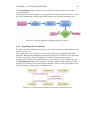
introduction, it is assumed that all applications run within screen sessions due to their
multiplexed and persistent nature.
7.0.2
Monitoring A Host
Once a widget has been deployed, it can be used to monitor the state of one or more
remote hosts.
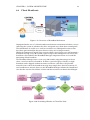
The state of a server is presented to the user by over-writing placeholders within the
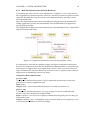
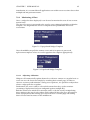
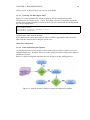
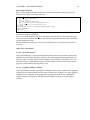
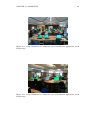
template. The diagram below shows a template before placeholders have been
overwritten:
Figure 7.8: Unpopulated Widget Template
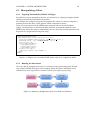
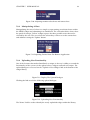
Once the middleware polls the remote server and it’s response is processed,
replacement template values are used to populate the template appropriately:
Figure 7.9: Populated Widget Template
7.0.2.1
Adjusting A Monitor
Widgets will automatically update themselves with new content on a regular basis so
users can view the latest state simply by watching their control page. In order to
conserve resources and maintain a strong user experience, it is possible to adjust how
often a widget polls for an update.
Furthermore, the user is able to select which remote host they wish to monitor
(assuming a deployment has been configured against multiple IPs).
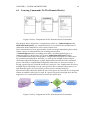
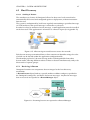
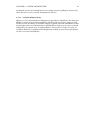
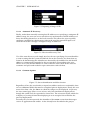
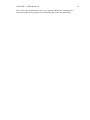
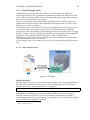
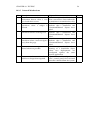
Both the refresh rate and the IP to monitor can be set by the user by manipulating
these options at the top of each widget: Each widget header also gives the option to
delete a deployment thus freeing up a slot on the user’s control page and tearing
down all associated resources in the middleware.