1
Q&A
Q1
How can I use the secondary display transmission function?
When using the secondary display transmission function, it is necessary to connect the computer
and the projector using wireless LAN or wired LAN or by using an RGB cable.
•Connecting with wireless LAN or Wired LAN
The video adapter card installed inside the computer does not have to support multi-displays.
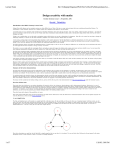
Only by clicking [Display Switchover] → [Secondary] on the launcher menu of the Wireless Manager
ME 5.0 starting live mode can the secondary display transmission be used.
Start/Pause
Stop
Live Mode
Selective Area Transmission
Display Change
Virtual Remocon
Primary
secondary
Pointer
AV Mute
WEB control
Select Access Port
Option
About
End
•Connecting with an RGB cable
The video adapter card installed inside the computer must support multi-displays (2-screen display
function).
Connect the projector to the computer’s RGB connectors using an RGB cable, select [Display Properties]
→ [Settings], right-click on [2] (secondary display), and select [Attached].
28