1
Module 7
Easy Time Control Training Manual
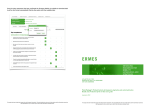
Click Next to continue. From the dropdown list, choose the Company and click Next.
List of shifts
In the Add New Shift page, set the shift parameters:
•
Provide the Shift Name.
•
Specify the date from which the shift is applicable. By default, the current date
will be displayed, which can be changed.
•
Choose the shift timings.
•
Select the Color for the shift indication.
•
Set the Punches Rounding Rules.
•
Mention the Break/Lunch Time that has to be deducted from the shift time.
•
Click Next.
94