1
1
required to run the Logicmaster 90-30 software packages. You should review this list in
chapter 1, “Introduction,” to make sure your system is compatible before attempting to
load the software or start up your computer.
MS-DOS Version
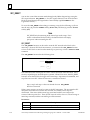
In order to run Logicmaster software, MS-DOS Version 5.0 or later must be installed on
your computer.
Logicmaster software provides foreign keyboard support, depending on the configuration of MS-DOS residing on the host computer. Consult your MS-DOS user’s manual for
configuration information for your country.
Installing the Software
Chapter 2, “Operation,” in both the Logicmaster 90-70 Programming Software User’s
Manual, GFK-0263 and the Logicmaster 90-30 Programming Software User’s Manual,
GFK-0466, describes how to install and start up the Logicmaster programming software.
Before you can begin using the features and functions described in this manual, you
must first install the software. If you have not yet installed the Logicmaster software,
follow the installation procedure described in chapter 2 of GFK-0263 or GFK-0466,
depending on which version of Logicmaster you are using.
If the SFC option has already been installed on your computer, then once you install
Logicmaster, SFC is available with no additional installation. If the SFC option has not
been installed previously, then you will need to install the SFC Option diskette after
installing Logicmaster.
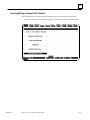
Help Screens
Logicmaster software includes detailed Help screens. These Help screens are loaded
onto the hard disk of your programmer during the software installation procedure and
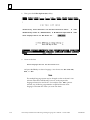
are readily accessible. Press ALT-H to access the help screens.
Key Functions
Appendix E, “Key Functions,” in both the Logicmaster 90-70 Programming Software User’s
Manual, GFK-0263, and the Logicmaster 90-30 Programming Software User’s Manual,
GFK-0466, lists the keyboard functions that are active in the Logicmaster software
environment. Appendix E also contains a perforated card which can be removed from
this manual.
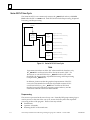
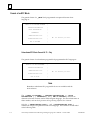
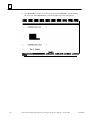
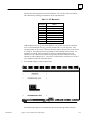
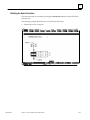
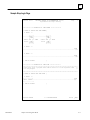
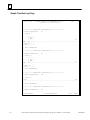
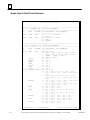
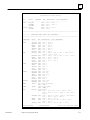
Softkey Directory
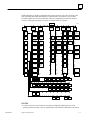
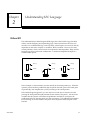
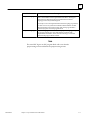
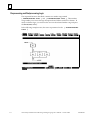
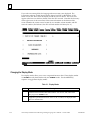
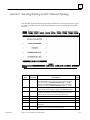
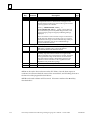
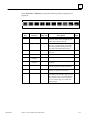
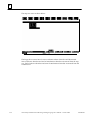
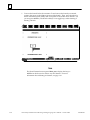
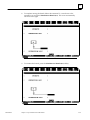
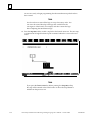
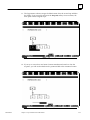
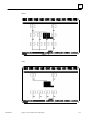
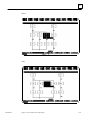
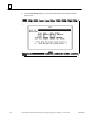
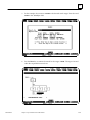
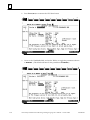
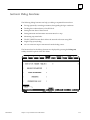
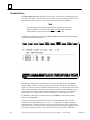
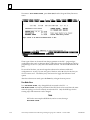
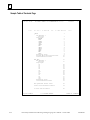
The display on the facing page shows the keys available to you in SFC programming.
Notice that the Logicmaster softkeys (keystrokes-to-functions) are the same except for
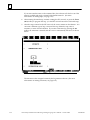
those accessed through the Program Display and Edit softkey. When going from the
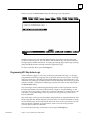
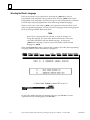
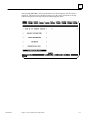
first F1 (the Program Display and Edit softkey) to the SFC keys, you may be prompted
to choose SFC or RLD programming if you are adding a new subroutine, or if you just
created a new folder. (Of course, you will need to create a new folder if you are starting
a new program.)
1-2
Series 90 Sequential Function Chart Programming LanguageUser’s Manual – October 1994
GFK-0854A