1
Autopilot Controls
Version 1.0
User Manual
Copyright © 2009 Ruscool Electronics Limited
Table of Contents
Autopilot Controls Program
Prerequisites
Installing the FTDI Driver
Autopilot Controls Program
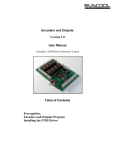
Your Autopilot Controls PCB needs to be connected and turned on, then you can run the
Autopilot Controls program.
The Autopilot Controls program can be running before starting Flight Simulator as it will wait
for a connection to the Flight Simulator software before the program continues.
The Autopilot Controls program starts minimised on the taskbar, because while you are flying
your simulator, it is not normally necessary to see this information. You can bring it back to full
size if you want to view the information for any reason. Make sure that when you have finished
viewing the data that the program is minimised again, not closed, so that the program remains
running.
The following FSUIPC offsets are used in the Autopilot Controls program:
AP Course
AP Airspeed
AP Heading
AP Altitude
AP Vertical Speed
Autopilot Engage Switch
Autothrottle Switch
0C4E
07E2
07CC
07D4
07F2
07BC
0810
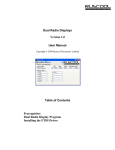
As you turn the encoders, or use the switches, the appropriate controls in Flight Simulator will be
changed and the application screen shown below will also be updated. If you change the
controls manually in Flight Simulator, the changes will also be reflected in the application.
We have made this screen have a similar sort of layout to a Boeing airliner Autopilot panel, but
because it will be hidden away (minimised) most of the time, it is really just used as an indicator
to show you that everything is working when you first set it up.
[Boeing call their complete autopilot system a Mode Control Panel (MCP)]
It can be used for any type of aircraft that has an operational autopilot. Some smaller aircraft
autopilot systems are not fully implemented of course, so only some functions will work.
A switch connected to the Button 1 terminals will be the Autopilot ON/OFF switch, and a switch
connected to the Button 2 terminals will be the Autothrottle ON/OFF switch. (These are not
push-button switches)
Rotating the encoders slowly will give fine control of the settings, and rotating them medium
speed will alter the settings in larger increments (ie. to alter the Altitude from 1000 to 25000).
Slowing down the rotation, or pausing momentarily, will revert to fine control again when you are
close to the setting you require.
It is not recommended to spin the encoder rapidly, as encoder pulses will be missed and the
setting will only change slowly.
Prerequisites
•
•
•
A registered version of FSUIPC must be installed within the Flight Simulator software.
The FTDI driver must be installed to ensure the program can communicate with the
hardware. The FTDI driver files can be found in the application directory.
Ensure the board is connected to a power supply as well as the computer via a USB cable
and, of course, turned on.
Installing the FTDI Driver
(Only required the first time the hardware is used on this PC)
Once the Autopilot Controls software has been installed, plug a USB cable between the
Autopilot Controls PCB and the computer, then power up the board.
The Found New Hardware Wizard will automatically start.
• Connect to Windows Update . . . , select ‘No, not this time’, then click Next
• Select ‘Install from list or specific location’, then click Next
• Click on the Browse button. Select the install application directory, FTDI drivers and click
Finish
A second Found New Hardware Wizard will then start.
• Connect to Windows Update . . . , select ‘No, not this time’, then click Next
• Select ‘Install from list or specific location’, then click Next
• Accept the default location and click Finish
You should then see a message stating "Your new hardware is setup and ready to use"
The Autopilot Controls program can now be run. If you receive an error, you will need to
power down the Autopilot Controls PCB for about ten seconds before turning the power back
on and restarting the Autopilot Controls program.