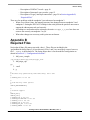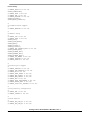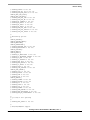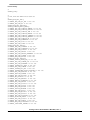
1
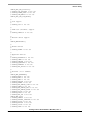
genromfs
19.2
Mounting the ramdisk Image
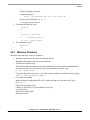
1. Create a directory called ramdisk in the /mnt directory.
2. Mount the imagef ile with the following command:
mount -o loop ramdisk.img /mnt/ramdisk
3. View the contents of the image with the ls command.
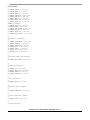
4. Create a new directory called myRomFS anywhere (not on the mounted ramdisk) and make the
normal /bin, /dev, etc... directories underneath
5. Using the sample ramdisk.img as a starting point, add and remove files depending on what the
romfs will need. The goal is to keep this as small as possible, as each file adds to the already long
download time. Test programs such as Freescale’s benchmarks should also be included.
6. Copy all the directories from the downloaded ramdisk to this new one with the following
commands. Note the -a is necessary for the dev directory and includes recursive activity.
cp -a /mnt/ramdisk myRomFS
On startup, Linux looks for a startup script called linuxrc in the root directory. The linuxrc file in root of
this ramdisk is symlinked to a file called /bin/run. Instead of this, your linuxrc should symlink to the file
/bin/ash, which will bring up a simple command shell.
7. Test it to determine the necessary files to run the benchmarks using the command chroot exist.
The command should look like this:
chroot myRomFS ash (note: there may be a dash before the ash).
This makes every subsequent command treat the new directory as the root. Now run the tests to see
whether they run correctly or not.
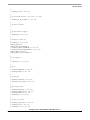
8. Once the myRomFS directory has been filled with the necessary files, create the ramdisk.img
using genromfs.
genromfs -d myRomFS -f ramdisk.image
9. Compress this file using the command line:
gzip ramdisk.image
This should create the file ramdisk.image.gz.
10. Place this file into the /arch/ppc/boot directory. It must be named ramdisk.image.gz.
11. Make the new binary with the command
make zimage.initrd
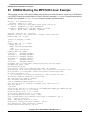
This creates a file called zvmlinux.initrd which is the kernel and the ramdisk. This can now be converted
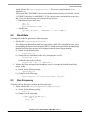
to an srec and downloaded to the MPC7450 pmc with DINK32's dl -k command (see Section 20,
“Downloading the Executable”) It should bring up a command prompt.
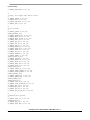
12. Change the Linux prompt
boot=/dev/hdb1,
to the following:
(or whatever the ramdisk size may be; default is 4096)
13. The ramdisk size can also be modified by changing rd_size = 4096 in the source code in
drivers/block/rd.c to what ever size is desired.
boot=/dev/ram ramdisk=8192
Porting Linux to the PowerPC™ MPC7451, Rev. 2
18
Freescale Semiconductor