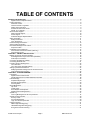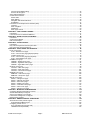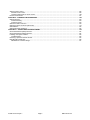
1
Forensic Image Watermarking ........................................................................................................................................ 42
Secure Link Encryption ................................................................................................................................................... 43
Server Status Web Page .................................................................................................................................................... 44
Control Panel Overview ...................................................................................................................................................... 45
Status LED’s ................................................................................................................................................................... 45
Menu Display .................................................................................................................................................................. 46
Navigation and Selection Buttons ................................................................................................................................... 46
Soft Buttons .................................................................................................................................................................... 47
Introduction to the Graphical User Interface (GUI).............................................................................................................. 48
Overview......................................................................................................................................................................... 48
Menu navigation.............................................................................................................................................................. 49
Dashboard ...................................................................................................................................................................... 50
Menu page controls ........................................................................................................................................................ 52
CHAPTER 3 – USB CONTENT LOADING ............................................................................................................................ 57
Introduction ......................................................................................................................................................................... 57
Load Content from an External USB Drive ......................................................................................................................... 57
CHAPTER 4 –SHOW PLAYLIST AUTHORING .................................................................................................................... 60
Introduction ......................................................................................................................................................................... 60
Create a Show Playlist........................................................................................................................................................ 62
Edit a Show Playlist ............................................................................................................................................................ 64
CHAPTER 5 – SHOW CONTROL.......................................................................................................................................... 65
Introduction ......................................................................................................................................................................... 65
Play a Show Playlist from the front panel GUI .................................................................................................................... 66
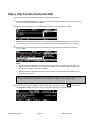
Play a Clip from the front panel GUI ................................................................................................................................... 67
CHAPTER 6 - FRONT PANEL GUI INTERFACE .................................................................................................................. 68
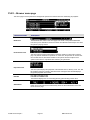
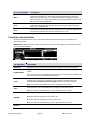
PLAY menu group............................................................................................................................................................... 69
PLAY – Browser menu page........................................................................................................................................... 70
PLAY – Control menu page (playlist playback)............................................................................................................... 74
Timeline Event Icons....................................................................................................................................................... 76
PLAY – Control menu page (clip playback) .................................................................................................................... 79
PLAY – Show Builder menu page................................................................................................................................... 82
CINEMA menu group.......................................................................................................................................................... 91
CINEMA – Settings menu page ...................................................................................................................................... 92
CINEMA – Ingest DCP menu page................................................................................................................................. 94
CINEMA – Ingest Status menu page .............................................................................................................................. 96
OUTPUT menu group ......................................................................................................................................................... 98
OUTPUT – Video menu page ......................................................................................................................................... 99
OUTPUT – Audio menu page ....................................................................................................................................... 101
OUTPUT – Timecode menu page................................................................................................................................. 104
REMOTE menu group ...................................................................................................................................................... 105
REMOTE – Control menu page .................................................................................................................................... 106
REMOTE – Setup menu page ...................................................................................................................................... 107
SETUP menu group.......................................................................................................................................................... 108
SETUP – Config menu page......................................................................................................................................... 109
SETUP – Network menu page ...................................................................................................................................... 110
SETUP – Serial menu page.......................................................................................................................................... 112
SETUP – Display menu page ....................................................................................................................................... 113
SETUP – Information menu page ................................................................................................................................. 114
SETUP – GPI In menu page......................................................................................................................................... 115
SETUP – GPI Out menu page ...................................................................................................................................... 116
CHAPTER 7 - MODIFYING CONFIGURATION ................................................................................................................... 118
Configuring QuVIS Cinema Player overview .................................................................................................................... 119
Set the Default Startup Config File ................................................................................................................................... 119
Save current settings to a config file ................................................................................................................................. 120
Load custom settings from a config file............................................................................................................................. 120
Restore factory settings .................................................................................................................................................... 121
CHAPTER 8 - REMOTE CONTROL OPERATIONS ............................................................................................................ 122
About remote control protocol support .............................................................................................................................. 123
Supported QuVIS Media Types .................................................................................................................................... 123
Configuring remote control................................................................................................................................................ 124
Sony and Odetics protocol (RS-422) ............................................................................................................................ 124
LDV8000 Protocol (RS232 B) ....................................................................................................................................... 125
QuVIS Cinema Player™
Page 4
QSR Version 3.3