1
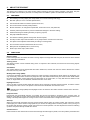
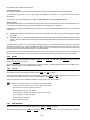
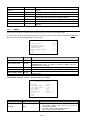
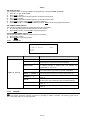
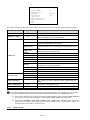
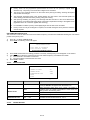
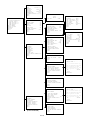
DISPLAY SETUP
PRESET LABEL
ZONE LABEL
ZOOM
P/T DEG
DOME LABEL
<LABEL POSITION>
TEMPERATURE
BACK
EXIT
Screen 4: Display Menu
ON
ON
ON
ON
ON
OFF
Option
Value
Explanation
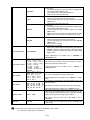
PRESET LABEL
ON/OFF
Show or hide presetting labels (max. 64).
ZONE LABEL
ON/OFF
Show or hide zone labels.
ZOOM
ON/OFF
Show or hide zoom labels.
P/T DEG
ON/OFF
Show or hide camera pan/tilt degrees. The coordinates refer to the
monitor centre.
DOME LABEL
ON/OFF
Show or hide dome labels.
LABEL POSITION
TEMPERATURE
Label positioning submenu (refer to Section 4.5.2.1)
ON/FF
Show or high the camera temperature.
Table 3
4.5.2.1.
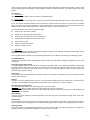
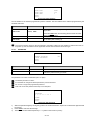
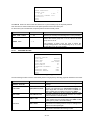
LABEL POSITION
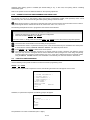
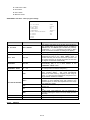
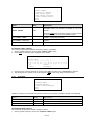
The labels may be positioned where required on the screen.
ZONE
DOME
PRESET
SAVE
RESET
P/T DEG
ZOOM
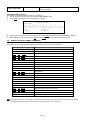
Screen 5: Label Position
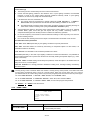
To establish a position:
1) Point the cursor to the label to be moved by moving the joystick vertically.
2) Press OPEN
3) Symbol “■” will appear.
4) Position the entire label in the chosen position using the joystick.
5) Press OPEN.
6) Repeat this operation for each label.
7) Point the cursor “►” to SAVE and press OPEN.
4.5.3.
MAIN PROGRAMMING MENU (DOME SETTINGS 1)
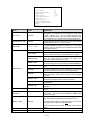
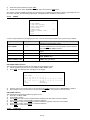
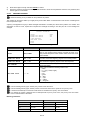
In the first level menu, select <DOME SETTINGS 1> and the corresponding submenus to access the main menus.
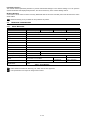
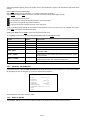
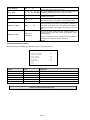
DOME SETTINGS1
<CAMERA>
<MOTION>
<POWER UP>
<PRESETS>
<PATTERNS>
<ZONES>
<CLEAR SET>
TOTAL PRESETS NUMBER
256
BACK
EXIT
Screen 6: Dome Settings 1
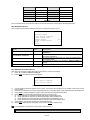
Option
CAMERA
Value
Explanation
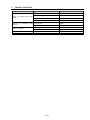
Camera parameter programming submenu (refer to Section
17 / 43