1
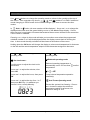
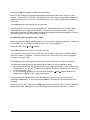
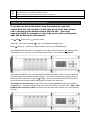
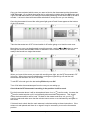
By pressing OK the program number will start to blink. Now you can change the programmed schedule selected for that zone using the + and – buttons. This will be a P1 to P9 to indicate which one of the 9 pre-programmed schedules is selected or may be a U1 to U12 to indicate which one of the user programmed schedules is to be used. Press OK again and the change will be confirmed. Note: More than one zone can be assigned to one thermostat and all the zones for each thermostat have to use the same schedule. Therefore if for example zones 1 & 2 are assigned to the same RF thermostat, changing the programmed schedule applying to zone 1 will automatically change the schedule for zone 2. Programming User programs (U1 … U12) User programmed heating schedules can be set up and then applied to any zone. Each day of the week can have different schedules within each User programme. Set mode to P, using and buttons. Press OK and the zone number on left should flash. Then press the + key which will increase the zone number at each push until after the last zone the number U1 appears. Continue pushing the + key until you get to the U program you want to set up or edit. Press OK again and the program number stops flashing and you can edit the schedule. The time starts flashing on the right hand side and then this can be altered by either 1. Moving across the indicators at the bottom of the screen, pressing – to set the economy temperature or + to set the comfort temperature. Each time you press - or + the time moves across by 1 hour. 2. Or, move forward and back on the time scale using the and buttons and set the temperature using the + and – buttons as before. Once you have set the schedule for the first day you can move on to the next day by pressing the OK button. If you keep pressing OK this will copy the schedule across to the next day. When you are on day 7 and press the OK button the screen will go back to the first screen of programme mode, showing zone 1 and the programmed schedule that zone 1 is set to. Watts multi-zone controller installation manual Page 4 of 10 Sept 2010