1
CM-140 GE / CB-140 GE
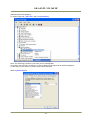
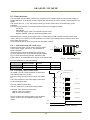
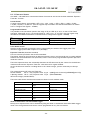
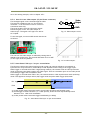
(6)Expand [Network adapters].
(7) Select target NIC, right-click, and click [Properties].
Note: The following procedure is the case you use Intel(R)1000.
Accordingly the procedure is different if you use different NIC appeared on Network Adaptors.
In that case, set the item of a similar content described here..
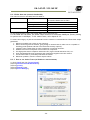
(8)Click [Advanced] tab.
- 21 -