1
Troubleshoot Installation
4
At AB SCIEX, we are committed to providing the highest level of support for Analyst software
users. To obtain answers to questions about any of our products, report problems, or suggest
improvements, visit the Web site at http://www.absciex.com.
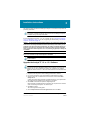
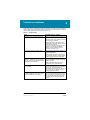
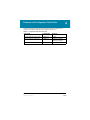
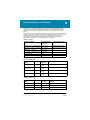
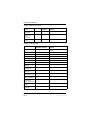
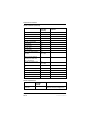
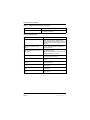
Table 4-1 Troubleshooting
Issue
Possible cause or solution
The installation stops part way through the
process.
Remove the partially installed software using
Windows Add/Remove Programs.
Leave the system off for at least 15 seconds
after removing the software.
Start the installation by navigating to the
\Install folder on the DVD, and then doubleclicking the Setup.exe file.
If you cannot remove the partially installed
software or you still cannot install the
software, contact AB SCIEX technical
support at www.absciex.com.
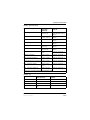
The installation seems to be taking a long
time to install.
There might be a large amount of data in the
<drive>:\Analyst Data\Projects\API
Instrument\Data folder.
Before installing the software, backup and
then delete the contents in <drive>:\Analyst
Data\Projects\API Instrument\Data folder.
After I install the software and start the
application, I experience a failure where the
event log reports that the software is unable
to open the security database.
Remove the installed software using
Windows Add/Remove Programs, and then
install the software.
Contact AB SCIEX technical support at
www.absciex.com to report the error.
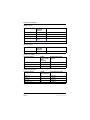
After installing, I cannot log on to the Analyst
TF 1.6 software.
Your user name might not have been
successfully added to the security database.
Log on to the computer as the local
administrator, and then add your user name
to the Analyst TF 1.6 software using the
Security Configuration dialog.
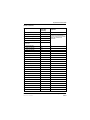
I see the error message “Failed to load the
parameter settings file” when I try to start a
profile in the Analyst TF 1.6 software.
If you restored any files or folders from a
DVD, or copied over files shipped with your
instrument, these files might be set as read
only. To use these files, remove the readonly setting from the files using Windows
Explorer.
Software Installation Guide
Part Number: 5020639 A
Analyst® TF 1.6 Software
17 of 34