1
Juli Caujapé-Castells and Mario Baccarani-Rosas
A degraded version of the corresponding locus colour will appear in
the selected cell. If you press “ALT+C” again, then an even fainter
version of the locus colour will appear. If you press “ALT+C” a third
time, then the first degradation of the allele colour will appear, and
so on.
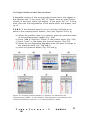
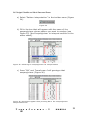
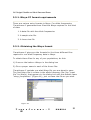
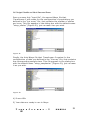
1.2.8.2. If the phantom band is not in a position defined as an
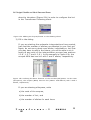
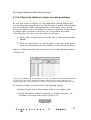
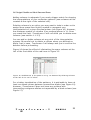
allele in the enzyme/primer header, then (see Figures 22a to g)
a) Select the position where you want to place the phantom band
in the enzyme/primer header (Fig. 22a)
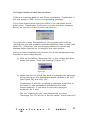
b) Press “Add a” and then “Allele” in the toolbar menu (Fig. 22b)
c) Press “none” in the dialog box that will appear (Fig 22c)
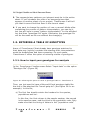
d) Select the corresponding degraded tone you want to assign to
the phantom band (Fig. 22d and e)
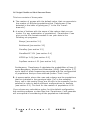
e) Draw the phantom bands (Fig. 22f and g)
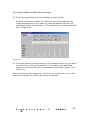
Fig ur e 22. Dr aw ing phan t om b and s in a p osi t ion n ot def in ed at th e
en zy me /pr ime r h ead er . I n t h e ex ampl e, al thou gh S K D is an all ozyme wit h
u n cert ai n qu at er n ary st r uctu r e, it i s r ep r es en t ed as a di me r.
T r
n s f o r m e r - 2
MANUAL
29