1
Juli Caujapé-Castells and Mario Baccarani-Rosas
1.2.4. Place the alleles in their correct positions
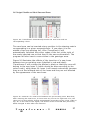
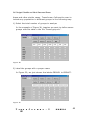
As you can notice in Figure 13, the separation among alleles and
loci is assigned automatically by Transformer-2 , and it will probably
not correspond to their real separation on the gels. Thus, a first
thing you want to do is to adapt the relative positions of the alleles
to reflect their positions in the gel. Do it one allele at a time
(starting with the one at the far right) as follows:
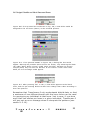
a) Select the corresponding coloured cell in the enzyme/primer
header
b) Click on «move left» or «move right» in the bar chart menu
until you have placed all the alleles in the desired positions
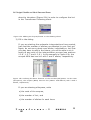
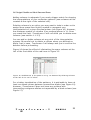
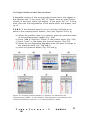
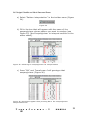
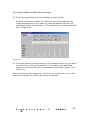
Figure 14 illustrates the end of this process for the default pattern
in Figure 13.
Fig ur e 14. M od i f i c at i on of t h e p at t er n i n Fig . 13 ob t ai ne d b y m oving th e al l el es
t o th e r ig ht . T h e al lele m ovem en t b eg an with th e b l ack all el e lab e ll ed “E”,
foll owed with the one lab el led “D”, and so on until the red allel e lab ell ed “ A”
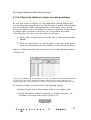
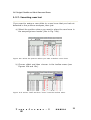
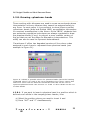
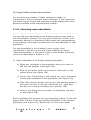
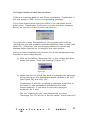
To insert or delete columns within the drawing matrix,
a) place the pointer at the chosen place in the matrix and
b) press the button «Insert column» or “delete columns” (as
needed) in the bar chart menu (Figure 15).
F ig ur e 15
T r
n s f o r m e r - 2
MANUAL
21