1
Agenda Item 6
Attachment 3
9 of 15
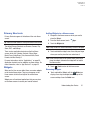
To view the screen shots:
1. From a Home screen, touch
➔
My Files.
Application Bar
Apps
2. Touch sdcard ➔ Pictures ➔ Screenshots.
3. Touch a screen capture file to display it.
Note: This softkey can be modified to launch other
applications. For more information, refer to “Quick
Launch” on page 183.
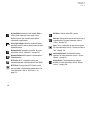
Other Buttons
Google Search
Touch
Google to search the web or your device.
Context-Sensitive Menus
Context-sensitive menus offer options for features or
screens. To access context-sensitive menus:
• Touch
Menu to display a list of options.
• Touch an option in the list.
The Application Bar is the area along the top of various
application screens. It usually contains the Search and Menu
icons, as well as other icons that are used to display options
and settings.
Screen Navigation
Touch
Touch items to select or launch them. For example:
• Touch the on-screen keyboard to enter characters or text.
• Touch a menu item to select it.
• Touch an application’s icon to launch the application.
Touch and Hold
Activate on-screen items. For example:
• Touch and hold a widget on the home screen to move it.
• Touch and hold on a field to display a pop-up menu of options.
Swipe, Flick, or Slide
Swipe, flick, or slide your finger vertically or horizontally
across the screen. For example:
• Unlocking the screen.
• Scrolling the Home screens or a menu.
Understanding Your Device
25