1
Managing Alarms
9.2
View Alarms
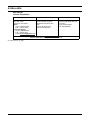
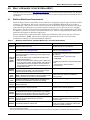
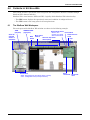
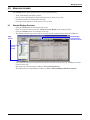
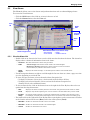
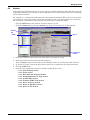
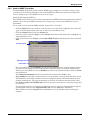
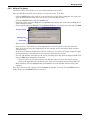
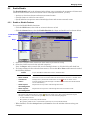
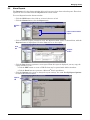
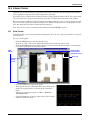
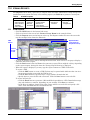
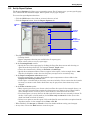
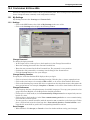
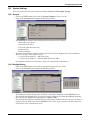
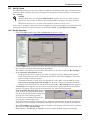
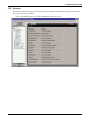
The View tab allows you to view alarms and perform functions such as acknowledging alarms.
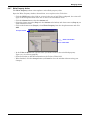
To access the View functions:
• Click the GEO button, then click on an item in the tree at left.
• Click the Alarms button, then the View tab.
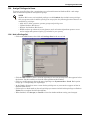
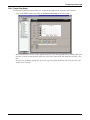
View
tab
Status
table
Navigation
buttons
Alarm
list
Alarm Categories list
View By
9.2.1
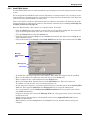
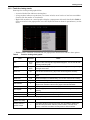
Alarm Action buttons (see Section 9.2.2)
• Acknowledge
• Delete
• Force Normal
• Additional Actions
View the Alarm List
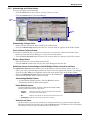
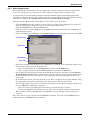
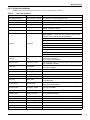
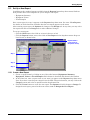
• Double-click on an alarm in the list to reveal or hide more details about the alarm. The alarm list
displays three columns of information about each alarm:
• Occurred
The date and time the alarm was generated.
• ToDo
• Acknowledge indicates the alarm needs to be acknowledged.
• Waiting for Normal indicates the alarm requires a return-to-normal.
• A check mark (✔) indicates the alarm is closed.
• Alarm
Report
Displays the alarm message—a text description of what occurred and where.
• Use the navigation buttons at right to scroll through the list one alarm at a time, a page at a time
or to the beginning or end of the list.
• To view all types of alarms or choose from the Alarm Categories list:
• To display all alarms, click to place a check mark (✔) in the Select All box.
• To display only selected alarms, click on an item in the Alarm Categories list.
(Control-click to select additional items.)
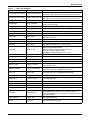
• To sort or filter the list, click on the down arrow to the right of the View By box, then select an
option from the drop-down menu:
• Date
Displays all alarms sorted by the time each alarm was generated, from newest to oldest.
• To Do
Displays only alarms requiring one or more actions to be done before they can be closed.
• Incident
Group
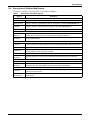
Groups all alarms related to a particular incident with a bracket to the left of the icons—
for example, an alarm and its subsequent return-to-normal event form an incident group.
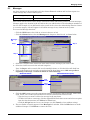
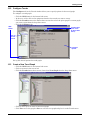
• The status table to the right of the View By box offers a quick glance at the current state of alarms
at the location selected in the tree (Here) and in the entire system (Total):
• Need Rtn
Number of alarms that need a return-to-normal
• Need Ack
Number of alarms that need to be acknowledged
• Closed
Number of alarms that are closed
15