1
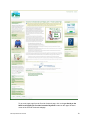
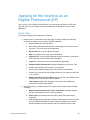
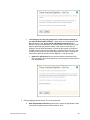
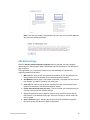
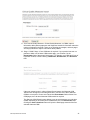
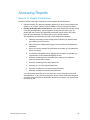
Note: if the user has already completed their first year, they must enter MU data and
will receive the following message.
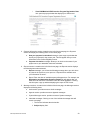
AIU Method Page
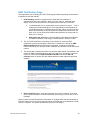
Once the Attest to Adopt, Implement, Upgrade button is selected, two new navigation
options appear in the Navigation Menu: AIU Method and EHR Certification. The AIU Method
page is opened.
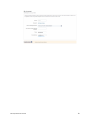
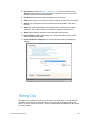
This page allows you to choose the method of your AIU attestation and provide any
supporting details for that choice.
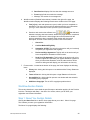
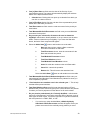
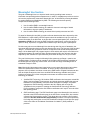
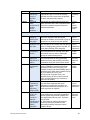
1. More info link: opens a PDF document titled “Attestation of AIU” that explains how
documentation would be attached for the selected attestation method.
2. AIU Method pull-down menu: select Adopt, Implement, or Upgrade from the menu to
best describe your EHR Technology use at this point.
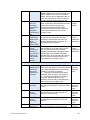
3. more info link: opens a pop-up window explaining the type of documentation that
needs to be attached for the selected attestation method.
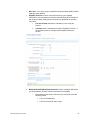
4. Please describe briefly how you meet… text area: allows you to describe how you
meet the criteria for the AIU method selected.
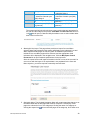
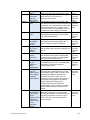
5. Attach Documentation section: Missouri requires a fully executed contract with an
EHR Vendor to be attached to the page. An Invoice, Receipt, or Vendor Letter can
also be added.
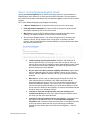
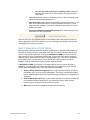
6. Save & Continue button: selecting this will open the EHR Certification page after
SLR ensures that all fields on this page are populated.
SLR Group Administrator User Guide
33