1
User’s Manual—SNAP™ 500 2/1 Printer
Table of Contents
1.0 INTRODUCTION
10
2.0 INSTALLATION
11
2.1 Preparing for the installation
2.1.1 AC Power Line
2.1.2 Location Considerations
2.1.3 PC Requirements
2.1.4 User Safety
11
11
11
12
13
2.2 Receiving
13
2.3 Unpacking
2.3.1 Removing the printer from the carton
2.3.2 Inspection / Inventory Checklist
13
13
15
2.4 Printer Description
2.4.1 Component Descriptions
2.4.2 Printer Configurations
16
16
17
2.5 Setting up the Printer
2.5.1 Attaching the Stacker
2.5.2 Mains Disconnect
2.5.3 Installing the Power Cord
2.5.4 Installing the PC Interface Cable
2.5.5 Installing PCMate Platinum Software
18
18
19
20
20
21
2.6 Printing a Test Label
2.6.1 Loading Supplies
2.6.2 Turning the Printer on
2.6.2 Selecting the Test Format
2.6.3 Printing the Test Labels
21
21
21
21
22
3.0 OPERATION
23
3.1 Loading Supplies
3.1.1 Installing Ink to the Top Ink Supply Station(s)
3.1.2 Installing Ink to the Bottom Ink Supply Station
3.1.3 Loading the Stock
3.1.4 Butt Splice
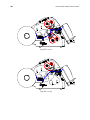
3.1.5 Threading Diagrams
23
23
26
26
28
29
3.2 Sending a Print Job to the Printer
31
3.3 Printing Labels
31