1
TABLE OF CONTENTS
How to Read the Manuals.................................................................................................................................5
Symbols used in the manuals........................................................................................................................5
Model-Specific Information...............................................................................................................................6
Names of Major Features..................................................................................................................................7
1. What You Can Do with This Machine
I Want to Save Paper.........................................................................................................................................9
I Want to Convert Documents to Electronic Formats Easily..........................................................................10
I Want to Register Destinations.......................................................................................................................11
I Want to Operate the Machine More Effectively.........................................................................................12
You Can Make Copies Using Various Functions...........................................................................................13
You Can Print Data Using Various Functions.................................................................................................14
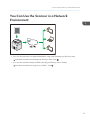
You Can Use the Scanner in a Network Environment...................................................................................15
You Can Prevent Information Leakage (Security Functions).........................................................................16
You Can Monitor and Set the Machine Using a Computer.........................................................................17
2. Getting Started
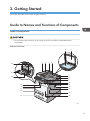
Guide to Names and Functions of Components............................................................................................19
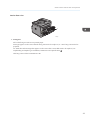
Guide to Components.................................................................................................................................19
Guide to Functions of the Machine's Options................................................................................................24
Guide to Functions of the Machine's External Options ............................................................................24
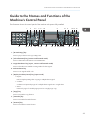
Guide to the Names and Functions of the Machine's Control Panel...........................................................25
Changing the Display Language....................................................................................................................28
Turning On/Off the Power..............................................................................................................................29
Turning On the Main Power........................................................................................................................29
Turning Off the Main Power........................................................................................................................29
Placing Originals..............................................................................................................................................31
Placing Originals on the Exposure Glass...................................................................................................31
Placing Originals in the Auto Document Feeder.......................................................................................31
3. Copy
Basic Procedure................................................................................................................................................33
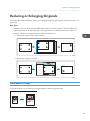
Reducing or Enlarging Originals.....................................................................................................................35
Preset Reduce/Enlarge...............................................................................................................................35
Zoom.............................................................................................................................................................36
Auto Reduce/Enlarge.................................................................................................................................36
1