1
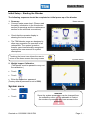
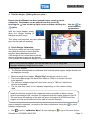
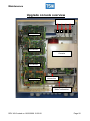
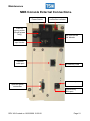
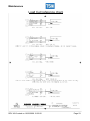
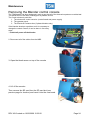
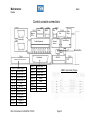
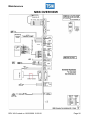
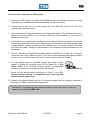
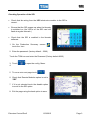
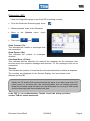
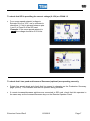
Quick Start Common Start-up Issues Problem The blender is not powering up correctly. Action Check the mains voltage on the blender. Check that the main isolation switch and the NBB power switch are both on. (there is a neon indicator on each switch) Check that 24 volts is present on the NBB electronics module. If the mains voltage is present, but no 24V, a problem exists with the Power Supply Unit. Check that the run LED on the NBB electronics module is flashing. If the run LED is flashing, this means that the microprocessor is running.(can be seen on the side of the console) Weight Measurement is not functioning properly Check the operation of the load cell: Ensure that the weigh hopper is empty. (It should display 0 kg/lb -if not, tare (zero) the hopper following directions on page 2 in this manual. (the Link in Conn 11 must be removed to allow calibration) Check that the hopper is centrally located on its mounts and that nothing is touching the hopper. Now GENTLY place a weight in/on the hopper. The weight should be displayed on the Hopper Calibration page. If the displayed weight is correct: gently pull down on the hopper and release it. The weight reading should return to the correct reading. Repeat this process 2-3 times. Now remove the weight and allow the weigh hopper to go back to zero. If the reading does not go back to zero, there is a problem with the load cell. The AD readings from the load cell are displayed on the hopper calibration page. The maximum reading the load cell can give is 262144. If you have this reading then check the load cell wiring. Fluctuations in weight readings If it is not flashing, and 24V is present, replace NBB electronics module. The tare ad readings are also displayed. When you tare the hopper the actual readings and the tare readings should remain within +/-20 counts of each other. If the ad readings drift more than this then the load cell is not working correctly. (check the items listed below) Check that the hopper does not come in contact with the frame and that it is positioned properly on the bracket. Ensure the hopper is not touching the blender frame or resting on granules. Check that the load cell mounting bolts are securely tightened. (Two bolts mount the load cell to the block, which in turn mounts to the blender top plate). Carefully check that the load cell cannot move from side to side on the mounting block. Check also that the bolts securing the weigh hopper mounting bracket to the load cell are tight. Check the load cell connection in the blender cabinet, to ensure that it is secured properly to the NBB electronics module. Check the wiring of the load cell connector for short-circuits; loose wires or an unconnected shield wire. Check that there are no granules/ pellets/angle hair trapped around the load cell. Blow out the area round the load cell with compressed air. Created on 1/22/2009 5:29:00 PM Page- 7 -