1
TRUVA
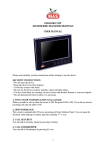
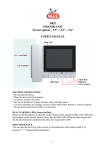
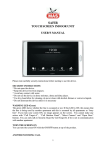
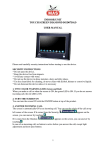
Indoor unit
User’s Manual
Before installing this product, read and follow the warning instructions.
1. SECURITY INSTRUCTIONS
* Do not open the device.
* Keep the device free from impacts.
* Avoid any contact with water.
* Do not use the device in dense moisture, dusty and dirty places.
* Use dry clean fabric for cleaning, do never clean with alcohol, thinner or
corrosive liquids.
* Do not dismount the device unless it is necessary
2. COLOR WARNING LEDS (Green and Red)
When you lift the handset or when outdoor panel is busy, the green LED is ON.
If the Security or the Doorkeeper is busy , the red LED is ON.
In case the outdoor panel image and Security are busy in the same time, green
and red LEDs are ON.
1
3.OPEN DOORLOCK
You can open the doorlock while talking to outdoor panel or by pressing
button without lifting the handset.
CALL SECURITY
You can talk to Security Guard by pressing B button after lifting the handset. If
there is a LCD screen on Security Phone, the Guardman can see the
appartment or block number of incoming calls.
CALL DOORKEEPER
You can talk to Doorkeeper by pressing A button after lifting the handset. If
there is a LCD screen on Doorkeeper Phone, the Doorkeeper can see the
appartment or blcok number of incoming calls.
SCREEN LIGHT, CONTRAST, COLOR AND DOORBELL VOLUME
ADJUSTMENTS
You can adjust light, contrast and color of the screen and doorbell volume with
buttons at back side of the unit.
ANSWER INCOMING CALL
When one of three bells of the unit is ringing :
1. If a call comes from the Doorkeeper or Security Guard, a preset melody is ON
and if the optional Security camera is available, Security Guard’s image is
displayed on the screen (and stays on screen during 60 seconds). You have to
answer this call for your security.
2. If outer panel bell rings, outside image is displayed on the screen (and stays
on screen during 60 seconds). If you want to answer, you only need to lift the
handset, otherwise do not lift the handset and do not press any button.
3. If internal door bell rings, this means you have a visitor in front of your
appartment door. For your security, we recommend you not to open your door
without looking through the peepscope
COMMUNICATION WITH OTHER APPARTMENTS
Communication with other appartments is a standard feature. By pressing A
buton, call the Security and give the number of the block (if any) and
appartment. You will be connected.
CHANGE DOORBELL MELODY
You can assign three melodies to different points (Doorkeeper, Security, internal
and external doorbells) among those that you will choose from 10
different melodies. You will understand where the call comes from.
1. Hang ON and OFF the handset.
2
2. Keep pressing A button until you hear a ring tone. This belongs to one of
available targets (Doorkeeper, Security, internal door and external panel), if this
target is not what you want, repeat steps 1 and 2 until you find desired target.
3. After having found the target, press B button to navigate between melodies
and once you find desired melody, press A to memorize it.
4. Hang ON and OFF the handset to save the selected melody.
OPTIONAL FEATURES
COMMUNICATION BETWEEN APPARTMENTS
If you have AR01 module and a telephone with keypad, the system gives you
the possibility to commuicate between appartments (including Doorkeeper and
Security Guard). You only need to dial the number of the appartment you want
to talk to.
BTS (BUSY TRACKING SYSTEM)
While the Security Guard is busy, he can see the calling appartment on BTS
(BUSY TRACKING SYSTEM) panel and call it back. All incoming and
unanswered calls in the past are recorded with date and hour information.
CHANGE CAMERA IMAGES
By lifting the handset, you can press
to change camera image.
3