1
Features of your vehicle
✽ NOTICE FOR USING THE
iPod® DEVICE
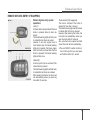
• Some iPod® models might not support the communication protocol
and the files will not be played.
Supported iPod® models:
- iPod® Mini
- iPod® 4th(Photo) ~ 6th(Classic)
generation
- iPod® Nano 1st~4th generation
- iPod® Touch 1st~2nd generation
• The order of search or playback of
songs in the iPod® can be different
from the order searched in the
audio system.
• If the iPod® disabled due to its own
malfunction, reset the iPod®.
(Reset: Refer to iPod® manual)
• An iPod® may not operate normally on low battery.
• Some iPod® devices, such as the
iPhone, can be connected through
the Bluetooth® Wireless Technology
interface. The device must have
Wireless
audio
Bluetooth®
Technology capability (such as for
stereo headphone Bluetooth®
Wireless Technology). The device
can play, but it will not be controlled by the audio system.
4 174
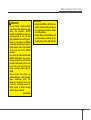
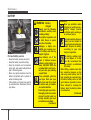
CAUTION IN USING THE
iPod® DEVICE
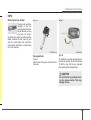
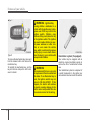
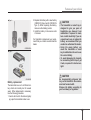
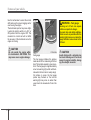
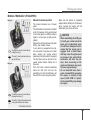
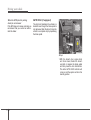
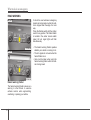
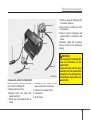
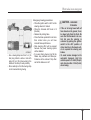
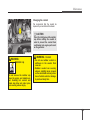
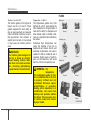
• The Kia iPod® Power Cable is
needed in order to operate iPod®
with the audio buttons on the
audio system. The USB cable provided by Apple may cause malfunction and should not be used
for Kia vehicles.
❋ The Kia iPod® Power Cable may
be purchased through your Kia
Dealership.
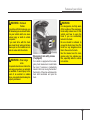
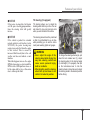
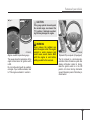
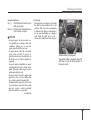
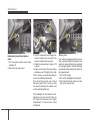
• When connecting iPod® with the
iPod® Power Cable, insert the connector to the multimedia socket
completely. If not inserted completely, communications between
iPod® and audio may be interrupted.
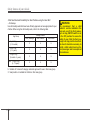
• When adjusting the sound effects of
the iPod® and the audio system, the
sound effects of both devices will
overlap and might reduce or distort
the quality of the sound.
• Deactivate (turn off) the equalizer
function of an iPod® when adjusting the audio system’s volume,
and turn off the equalizer of the
audio system when using the
equalizer of an iPod®.
(Continued)
(Continued)
• When the iPod® cable is connected,
the system can be switched to AUX
mode even without iPod® device
and may cause noise. Disconnect
the iPod® cable when you are not
using the iPod® device.
• When not using iPod® with car
audio, detach the iPod® cable from
iPod®. Otherwise, iPod® may remain
in accessory mode, and may not
work properly.