1
Colbert Object-Oriented Statecharts
Colbert
ObjectOriented
Statecharts
B . . . Colbert Methodology
Colbert Object-Oriented Statecharts (object-oriented renditions
of Harel Statecharts) are used to describe the dynamic
behavior of an object or a class.
The following pages explain how to use DoME’s Colbert
Object-Oriented Statechart (OOS) model editor in the context
of the DoME Project Tool, a DoME-specific extension to
Colbert OOSD methodology.
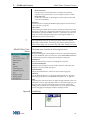
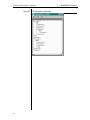
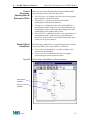
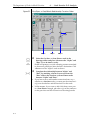
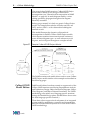
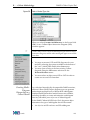
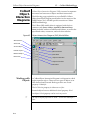
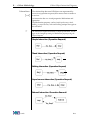
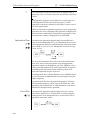
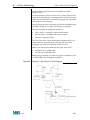
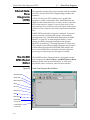
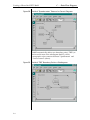
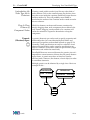
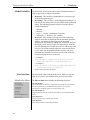
The Colbert OOS model editor is equipped with the four
common tools (SELECT/MOVE, ADD BEND, REMOVE BEND,
NOTE) included with most DoME model editors, as well as the
specialized nodes, connectors, and tools shown below.
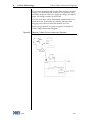
Figure 50
Colbert Object-Oriented Statechart Model Editor
Select/Move
Add bend
Basic State
Note
Remove bend
Operation State
History
Request State
Conditional
Selection
Termination
State
Initial State
Orthogonal
Join
Transition
Working with
States
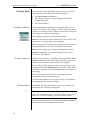
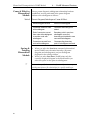
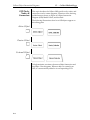
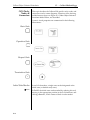
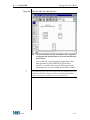
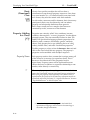
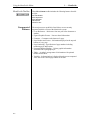
Colbert O-O Statecharts include three types of states: Basic,
Operation, and Request. In DoME O-O Statecharts, the three
state types are actually represented by a single State node type
having the visual property Kind. Kind can be Basic, Operation,
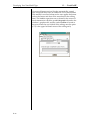
or Request. The kind property can be set using the Object
Inspector.
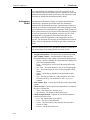
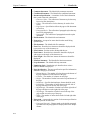
For convenience, three separate tools are provided for creating
states. To create a state, first select the tool icon for the
appropriate state type, then place the mouse pointer at the
appropriate location on the diagram and click<SELECT>.
B-24