1
Data View Generator
User’s Manual
GeneXus Data View Generator Wizard
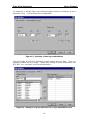
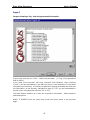
This is a wizard of 5 pages. They are detailed hereunder, as well as the features
that can be obtained from each one of them.
Page 1
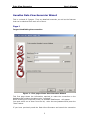
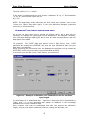
Target: Establishing the connection.
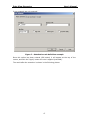
Figure 1 - First page of Data View Generator Wizard
This first page shows the information required to make the connection to the
database that contains the tables to be “imported”.
When selecting the connection mode, all available DataSources will appear.
You must select one of them from the list, enter the user/password and press the
“Next” button.
If you have previously used the Data View Generator and saved the connection
5