1
Q-TECH PROGRAMMER: OPERATION
Keyboard
O
Ve utd
Ve rs ate
Ve rs ion d
Ve rs ion üb ver
Ve rs ión ob er sio
Fö ro ion ob so ho n.
Π rå ud e o so lèt lt. N Do
Ve αλι ldr erd bs let e. ic no
Fo rs ά έ ad e v ole a. Ne ht t u
Za ræ ão κδ ve er ta No pa ver se
U st ld ob οσ rsio sie . N ut s u we .
Za tda ara et v so η. Μ n. . N on iliz til nd
El st ter lá er leta η An iet uti ar. ise en
r. .
W av ara t v ver sio . N ν τ vä ge lizz
er ult ná ers ze n. ã ην nd br a
r
sj v
a er ve jon . N Må o ut χρη ej. uike e.
ni zi rz . S ep ik ili σ
n.
ea ó. ia k o k ze ιμ
kt N . N al už e a . οπ
ua e
ep ikk íva nv
οι
h
ln a o e t. e
είτ
a. sz už b
nd
ε.
N ná ív ruk
es
ie lj ať e
.
s.
uż a! .
yw
ać
.
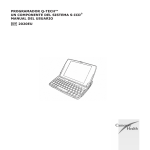
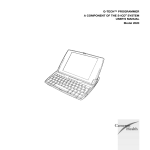
The compact computer keyboard, with 58 full-size keys, is used to enter text and numeric data.
Using the Wand
Use only the Cameron Health Model 4510 wand (the “wand”) to communicate with the SQ-RX
device.
Note: The wand is a non-sterile device. DO NOT STERILIZE. The wand must be
contained in a sterile barrier to be used in the sterile field.
To connect the wand to the programmer, insert the wand cable connector (possessing a
green label) into the communication card connector port (Figure 6) located on the side of the
programmer (also marked with a green label).
Figure 6: Connecting the wand
15