1
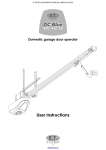
The following are a couple of quick reference reminders of procedures and instructions your service provider/installer discussed with you on completion of your new garage door automation. For any queries not sufficiently answered by the following please make contact with your service provider/installer. Failing which contact us directly for telephonic/internet support. Please consider that by automating your garage door you have created the largest moving electrical appliance in your home. As an appliance it needs to be respected as a danger if not used correctly. Do not operate the door without clear sight of it. Ensure children and pets are kept clear of the automatic door area at all times. (Speak to your service provider about detection equipment for your type of door) Check for any obstructions before operating your door. Have your service provider inspect and service your door mechanics regularly. Even maintenance free doors need to be check regularly for mechanical wear. How to open and close the door. The two most popular ways to do this are either by remote control or by wall mount push button. Simply press and release the designated open/close button on either the wall console or remote control. If the door is: Closed – It will begin opening Opening – It will stop and wait for next trigger to close Open – it will start closing Closing – it will stop and re-open. If the holiday lock-out is active – unit emits three rapid beeps and courtesy light flashes three times rapidly. (See using holiday lock-out mode) How to switch the courtesy light on/off. The courtesy light will come on automatically when the door is triggered to open or close and will switch off automatically three minutes after the last operation of the door. If you would like to switch the light on/off without opening/closing the door simply press and release the button designated to the light control on either your remote or wall mount button console. The light will switch off automatically after three minutes again. Please note that the light control is also used for holiday lock-out activation/de-activation. (See using holiday lock-out mode.) Understanding and using holiday lock-out mode. The holiday lock-out mode is an added feature that allows you to disallow other users from operating the door from time to time. This feature is usually used where domestic workers gain access to the house via the garage. This can also be used if somebody is busy in the door area and they do not want other users to operate the door while they are there. To activate holiday lock-out: 1. Close the door 2. Press and hold the button designated to the light control. 3. When unit emits three rapid beeps as the light flashes three times rapidly, release the button. 4. Any attempts to operate the unit at this point will result in a repeat of the light and buzzer beeping and flashing. The only position the door cannot be lock in is the full open position. If you want to lock the door open, then stop the opening door before it reaches the full open position and follow the above procedure. To deactivate holiday lock-out: 1. Press and hold the button designated to the light control 2. When the unit emits three long beeps as the light flashes three times slowly, release the button. 3. The operator is back to normal mode. 2