1
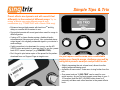
Setup: Setting Music & Mic Mix
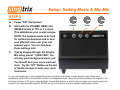
STEP 3
A.
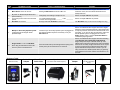
Computer
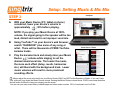
With your Music Device (PC, tablet or phone)
connected, lower your device’s volume to
approximately
↓ 30% before playing.
NOTE: If you play your Music Device at 100%
volume, the signal going to the speaker will be too
loud, distort and result in an improper vocal mix.
B.
C.
Using YouTube™ on your device’s web browser,
search “KARAOKE” plus name of any song or
artist. There will be thousands of FREE YouTube
karaoke tracks.
Smart Phone / Tablet
Play the karaoke track and slowly raise your Music
Device
↑ volume while singing to set the
desired music/vocal mix. The louder the music,
the more each effect (delay, reverb, harmonies
etc.) will blend with the background track. Lower
music volumes will result in more prominent
sounding effects.
Always adjust the music mix level from your Music Device ONLY and NOT at the Speaker or Studio. If you can’t hear
your voice well, turn down the Music Device volume. Raising the Music Device volume above 70-80% can cause distortion
and will make it difficult to hear your singing over the music.
You can use your own music library, karaoke apps and other music sources. 95% of customers use YouTube.