1
Section 5
Communicating with PC and Programmable Controller
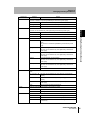
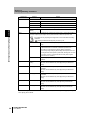
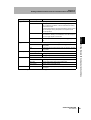
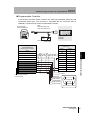
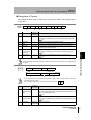
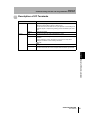
Description of I/O Terminals
Terminal
Input
Output
Description
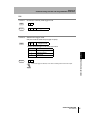
TRIG
Inputs a reading trigger from a photoelectric sensor etc.
Make sure that the TRIG is ON for at least 0.5 ms.
The interval at which the TRIG can be input depends on the reading time.
The BUSY signal is output during reading process to disable input of the
TRIG.
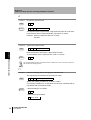
RESET
Resets the controller.
RUN
This signal is ON while V400-F050/250/350 is active.
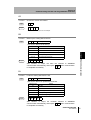
OK/NG
Outputs OK when reading is successful, and outputs “NG” when reading
has failed.
It is also possible to specify whether the signal is to be output when
reading is successful or when reading has failed.
p.49
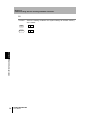
ERROR
This signal is turned ON when an error occurs.
BUSY
This signal is turned ON while the controller is performing reading.
TRIG and commands will not be accepted while the BUSY signal is ON.
Section 5 Discrete I/O Communication
V400-F050/250/350
User’s Manual
75