1
1.0 How to install Instant Intelligence Archiving Outlook Integration
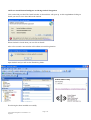
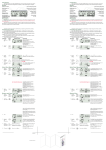
Click on the link provided. The Install window as shown below will open up. At this stage before clicking on
Install you need to close down Microsoft Outlook.
When Outlook is closed down you can click on Install.
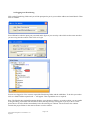
After a few seconds a new window will confirm successful registration.
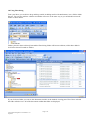
Open Outlook and you will see the IIArchiving folder.
IIArchiving has been installed successfully.
Page 3 of 6
iiArc Outlook Integration User Manual V1.43
Sep 2009