1
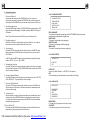
2. Common Operation
4.26 .2 LANGUAGE SETUP
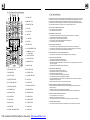
1. To turn on/off the unit
Under power off mode, press the POWER button to turn on the unit.
Under power on mode, long press the POWER button on the front panel or
briefly press the POWER button on the remote controller to turn off the unit.
2. To select function mode
Press the MODE button to select TUNER, DISC(After inserting a disc), USB
(After inserting a USB storage), Card(After inserting a MMC or SD card), or
AUX mode.
Note: This unit has front and rear USB. Only one will work at a time.
3. To adjust sound level
Rotate the VOL knob on the front panel or press or hold the + or - button on
the remote controller to directly adjust the volume level.
4. To mute sound
Press the MUTE button on the remote controller to turn on/off MUTE mode.
Briefly pressing the POWER button on the front panel also can turn on/off
MUTE mode.
In MUTE mode, the MUTE mode can be released by pressing the following
buttons: MUTE, VOL or +/-, SEL, MODE.
5. To display the clock time
Press the CLK button on remote controller to display clock time on the small
monitor of the front panel in DISC/USB/SD-MMC modes, while under RADIO
mode it is always displayed.
6. To select a preset EQ mode
Press the EQ button to select the preset music equalizer curves: FLAT, POP,
CLAS, ROCK,OFF . The sound effect will be c hanged.
7. To turn on/off LOUD mode
Press the LOUD button on the remote controller to turn on/off LOUD mode.
When turning on LOUD mode, it will enhance bass level immediately when
the bass is not enough.
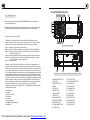
8. To reset the unit
when the display is wrong or the function buttons are not effective or sound
is distorted, press the RELEASE button to detach the front panel from the
unit, then use a needle analogue to press the RESET button to rehabilitate
the distorted program to zero.
9. To turn off the LCD
Press and hold the MODE button the display can be turned off but the unit
keeps working, when press any button it returns on.
PDF created with FinePrint pdfFactory trial version http://www.pdffactory.com
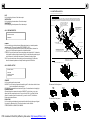
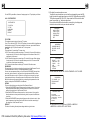
LANGUAGE SETUP
OSD LANGUAGE
AUDIO LANG
SUBTITLE LANG
MENU LANG
OSD LANGUAGE
This item is for selecting the language of the SYSTEM MENU and all operating
prompt interface displayed during playback.
AUDIO LANG
This item is for selecting a audio language.
SUBTITLE LANG
This item is for selecting a subtitle language.
MENU LANG
This item is for selecting a disc menu language.
4.26 .3 AUDIO SETUP
AUDIO SETUP
AUDIO OUT
KEY
AUDIO OUT
there is only ANALOG mode, i.e. SPDIF/OFF, not optional.
KEY
It is for selecting your desired basic music tone(from low to high).
4.26.4 VIDEO SETUP
VIDEO SETUP
BRIGHTNESS
CONTRAST
HUE
SATURATION
SHARPNESS
BRIGHTNESS
It is for adjusting the brightness of the video output.
CONTRAST
It is for adjusting the contrast of the video output.