1
SAMPOS SUPPLIER INTERFACE – USER MANUAL
7.0 Utilities and Installation
CLEAR OLD DATA
After quite a number of months it may be handy to clear some dead wood out of the database. After
several months it would be advisable to delete historical data changes from the database Price
changes, special and promotions from six months ago and more are probably of no real use by now.
Clearing old data will ensure maximum response times.
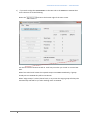
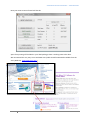
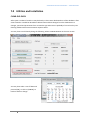
You may clear out old data by doing the following. Select CLEAR OLD DATA on the main screen.
You may then select a cut-off date and
proceed [OK], or click on [CANCEL] to
back out with no change.
23