1
vi
Omnii Hand-Held Computer with Windows CE 6.0 User Guide
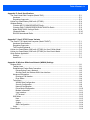
Snap Modules................................................................................................................................4-5
AC Wall Adaptor - Models ST1050 and ST1050-AR .....................................................................4-7
Vehicle Power Outlet Adaptor - Model ST3113..............................................................................4-7
Chargers and Docking Stations: General Information .................................................................... 4-8
Important Charger Safety Instructions............................................................................................4-8
Charging the Battery.......................................................................................................................4-8
Installation — Chargers and Docking Stations...............................................................................4-8
Operator Controls ...........................................................................................................................4-9
Power Consumption Considerations..............................................................................................4-9
Desktop Docking Stations - Models ST4002 and ST4003 .............................................................. 4-9
Charging a Battery Installed in the Omnii.......................................................................................4-11
Indicators ........................................................................................................................................4-11
Operation .......................................................................................................................................4-11
Charging the Omnii Battery................................................................................................. 4-11
Charging the Spare Battery................................................................................................. 4-11
Cleaning the Desktop Docking Station...........................................................................................4-12
Troubleshooting ..............................................................................................................................4-12
Docking station does not seem to power on. ...................................................................... 4-12
The Omnii charge indicator LED stays off........................................................................... 4-12
The Omnii charge indicator LED is red. .............................................................................. 4-12
Spare battery LED is red with a battery installed. ............................................................... 4-12
Spare battery LED does not turn on when a battery is installed. ........................................ 4-12
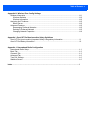
Quad Docking Station – Model No. ST4004 ................................................................................... 4-13
Operator Controls ...........................................................................................................................4-14
Indicators ........................................................................................................................................4-14
Quad Docking Station Operation....................................................................................................4-14
Charging the Omnii Battery................................................................................................. 4-14
Installation ........................................................................................................................... 4-15
Connecting to the Ethernet Network ................................................................................... 4-15
Cleaning the ST4004......................................................................................................................4-16
Troubleshooting ..............................................................................................................................4-16
The Omnii Charge Indicator LED Stays Off ........................................................................ 4-16
Power LED Does Not Light Up ........................................................................................... 4-16
The Omnii Charge LED Flashes Yellow.............................................................................. 4-16
The Omnii Charge Indicator LED is Red............................................................................. 4-16
Powered Adaptor LED Stays Off......................................................................................... 4-16
Vehicle Cradles - Models ST1000 and ST1002 ............................................................................ 4-16
Vehicle Cradle Mounting Recommendations ................................................................................4-17
Insertion and Removal of Omnii.....................................................................................................4-19
Maintaining the Vehicle Cradle.......................................................................................................4-20
ST1002 Powered Cradle Installation..............................................................................................4-20
Wiring Guidelines................................................................................................................ 4-20
Installation in High Voltage Vehicles ................................................................................... 4-21
Wiring Vehicle Power and Communications to the Cradle.................................................. 4-21
Battery Charger (6-Slot) - Model ST3006 ....................................................................................... 4-22
Installation.......................................................................................................................................4-23
Operator Controls ...........................................................................................................................4-24