1
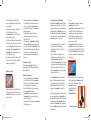
welcome
to our world
From the Antarctic to the Sahara, from
Everest to the Amazon, our products have
been used in some of the most remote and
hostile environments on the planet. They
are relied on by adventure travellers and
explorers alike to deliver power to essential
electronic equipment time after time. By
packing a Powertraveller portable charger,
you can give yourself the power to rise to
your next challenge.
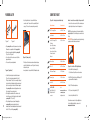
powergorilla features
Index
• Small & compact
Weighing only 700g the powergorilla is light and portable with no need to carry extra batteries.
• Technical terms
4
• Product contents
6
• powergorilla product compatibility
7
• Using powergorilla
8
•
Convenience
Power up whenever, wherever. The powergorilla will give
you an extra 2–6 hours’ power, depending on your
laptop/notebook/netbook specification, and over 20 hours
on various other electronic devices. For example, if you
connect via the USB port you can recharge a standard mobile/cell phone fully up to 20 times.
Set up – charging the powergorilla
Turning On/Off
How to power your laptop/notebook/
netbook/camcorder/radio receiver
Charging 5v digital devices via USB
9
Permanent USB ON
9
Checking the charge levels
10
• Variable voltage
With one-touch button operation the powergorilla is
compatible with many devices and laptops/notebooks/netbooks.
Recharging the powergorilla
10
• Compact & stylish design
Sleek aluminium casing with shock resistant rubber protection strips.
• Compatibility chart
• Compatibility
The powergorilla is compatible with many portable
electronic devices making it a truly universal power solution.
• Safety
The powergorilla’s many safety features include output auto-lock; voltage limitation protection; current limitation
protection; short circuit protection; anti-discharge protection; over charging protection and over heat protection.
2
AW_powergorilla_User_guide_2012.indd 2-3
• Advanced Features
The powergorilla features an enhanced solar charging option and a permanent ‘USB ON’ option.
• powergorilla tips
12
Tip pack 1 and Tip pack 2
13
How do I connect the connection tip to the power cable?
• Specifications
14
• Approval certifications
15
• Product disposal instructions
15
• Troubleshooting
16
• Important general information
18
• Important safety precautions
19
3
05/07/2012 14:29