1
SFM-3/4 User’s Manual (ver 1.1)
11 SOFTWARE CONFIGURATION
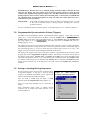
The SFM is controlled by computer and it is delivered with the MPS software that is common to all BioLogic rapid-kinetics instruments. This section briefly describes the configuration the software. Pleas note
that the procedures and examples have been generalized and configuration choices should be made based
upon the equipment purchased and intended experiments. The user may refer to the MPS Software User’s
Manual for more details about the MPS software.
This sections assumes that the user has already installed and started the MPS software on the host
microcomputer. For installation instructions see chapters 2 and 3 of the MPS Software User’s Manual.
11.1 Device Configuration
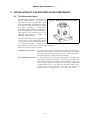
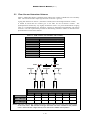
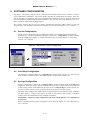
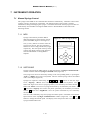
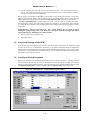
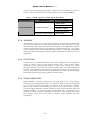
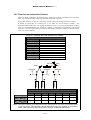
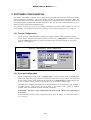
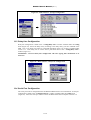
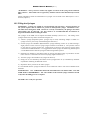
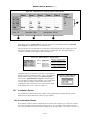
The device to be installed should be configured according to the instrument purchased and mode
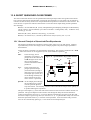
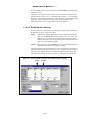
chosen for use. The device appropriate should be chosen in the « Config:Device ».window available
under the Config menu (Figure 53). Further information may be found in chapter 4.1 of the MPS
Software User’s Manual.
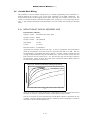
Figure 53 – MPS Software: Device Configuration
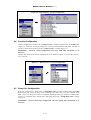
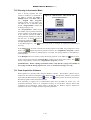
11.2 Syringe Configuration
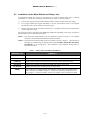
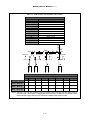
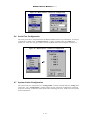
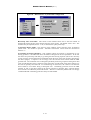
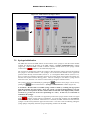
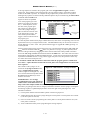
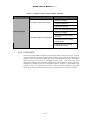
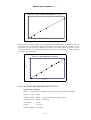
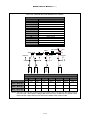
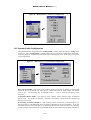
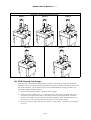
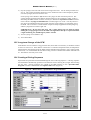
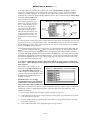
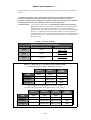
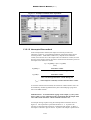
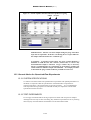
Syringe configuration is made in the « Config:Syringes » window available under the Config menu
(Figure 54). Select the syringe volumes to indicate the nature of the syringes that have been installed
in each syringe position of the SFM using the menu in the « Config:Syringes » window (Figure 54).
Use the « Custom » button to enter syringe specifications if you have a custom syringe.
The SFM comes equipped with standard 20 ml syringes and these are the default syringes installed in
the MPS software. Changes only need to be made in the software when syringes of different
volumes (other than standard) have been installed in the SFM.
!WARNING!: Incorrect syringe configuration will cause volume and flow rate calculations to
be incorrect!
Further information about syringe configuration can be found in chapter 4.2 of the MPS Software
User’s Manual.
11–69