1
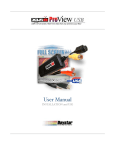
XtraView USB
Supported Devices
About XLR8 XtraView USB
The XtraView USB delivers full-screen real-time video capture to any
USB 2.0 capable Power Macintosh or Intel-based Mac system.
The XtraView USB package includes, the XtraView USB™ video capture
device with built in USB audio support and the XtraView USB™ driver
and capture software for Mac OS X.
Types of video sources supported
Your XtraView USB device supports the widest array of video input
sources possible. XtraView is designed to provide the maximum flexibility
for video capture. The only requirement is that your device is equipped
with video-out and audio-out connections(if you want to record sound.)
XtraView USB receives video from the video out connector on these devices using standard video extension cables:
! Via the standard “RCA” composite video (yellow) connectors
! Via the professional “S-Video” connectors (black) on higher grade video
equipment
It receives audio (sound) from the Audio Out connector on these devices
using standard audio extension cables. The extension cable plugs into
XtraView USB"s red and white audio connectors:
! Mono sound via the standard “RCA” composite video left (white) connector
! Stereo sound via the standard “RCA” composite video left (white), right
(red) connectors
Video from tuners
! DSS™, Dish™ Direct TV and other satellite tuners
! Cable tuner boxes and direct-from-the-TV"s video-out port
Video from cameras and camcorders
! Standard and digital video camcorders with video-out support
! Digital (DV) cameras which have A/V support via RCA composite or S-
Video
Video from tapes and disks
! VCRs, all varieties of camcorders, LaserDisc players and DVD
XLR8 XtraView USB - User Manual Page 1 of 42