1
xNAV User Manual
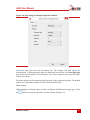
the Start believing measurements after_ option and enter the number of GNSS
measurements to reject before the system starts believing it again.
The xNAV GNSS receivers update both position and velocity at a rate of 5 Hz. Therefore
to ignore updates for 60 s for example, the number to enter to start believing
measurements again would be 300.
The gx/ix processing algorithm makes its own decisions about when to trust, and how to
recover from GNSS errors, so Use firmware defaults should be selected when using
gx/ix mode.
Altitude
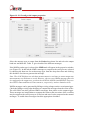
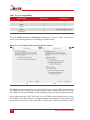
The altitude output by the xNAV can be compared to the WGS 84 (ITRF05) ellipsoid or
to the EGM96 geoid. By default the ellipsoidal model is used. To change to a geoidal
altitude simply select it from the drop-down list. Alternatively, a constant offset to the
WGS 84 ellipsoid can be applied by typing in a value into the cell
1PPS
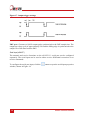
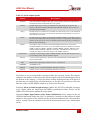
A one-pulse-per-second signal from the primary GNSS receiver is output when a valid
GNSS solution is found. The output is a low-voltage CMOS output where 0.8 V or less
represents low and 2.4 V or more represent high. No more than 10 mA should be sourced
from the output. The GNSS time crossing boundary can be configured to coincide with
the rising or falling edge of the signal.
Output lock
The output of the xNAV will continue to change even when the vehicle is stationary. For
some systems this leads to ambiguous results. The position and orientation can be
“locked” by the xNAV automatically when the vehicle becomes stationary.
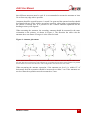
While the outputs are locked, the Kalman filter continues to run and accumulate errors.
When the vehicle moves, the Kalman filter will quickly return to the new solution. The
drift rate can be controlled using the Output smoothing option.
Advanced
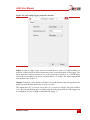
Clicking the
button opens the Advanced settings window. This can be used to set
special commands for the xNAV. This should only be done with special instructions from
OxTS.
Committing the configuration
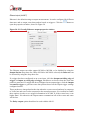
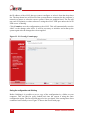
NAVconfig is an off-line configuration tool, so configurations must be explicitly
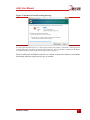
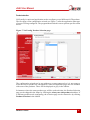
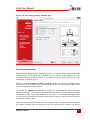
uploaded to the xNAV via Ethernet when finished. On the Commit page (Figure 22) enter
Revision: 150106
41