1
APPLICATION:____________________________________________
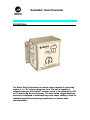
The Dual Inclinometer measures inclination in two axis using liquid filled
capacitive sensors and outputs the data in response to a poll message from a
DeviceNet* scanner. The nature of the sensors provides a certain vibration
dampening effect that is desirable in certain applications.
The Dual Inclinometer is calibrated to absolute “zero” (level) at the factory by
establishing an internal offset in software. In other words, the angle sensors
inside the unit are not physically leveled with respect to the enclosure, but the
unit’s software will compensate and give the proper “zero” degree reading when
the unit is level. A side effect of this calibration method is that the angular
measurement range specification of the sensors will be asymmetrical by their
particular amount of offset from “zero”. A similar process can be used after the
Dual Inclinometer is mounted to equipment to determine an offset that the
equipment logic can use to determine level.
CONFIGURATION:__________________________________________
The Dual Clinometer is configured via DeviceNet* using a configuration device
such a handheld Allen Bradley DeviceView or a PC running RS Linx and RS
Networx. DeviceNet devices use Electronic Data Sheets (EDS) to provide the
information needed to configure the device and setup a scanner and PLC for
communication with the device. An EDS file for the Clinometer is available on
the Matric web site. A device profile document is also available which provides
additional information on the objects supported by the Clinometer.
The Dual DeviceNet Clinometer is shipped with a MACID set to 63 (decimal). It
is typical for new DeviceNet devices to have a MACID of 63, therefore, the
MACID should be set to a different network address after the Clinometer is
added to a network. To avoid conflicting addresses and confusing device
identities, make sure network address 63 is available before adding the
Clinometer to a network.
When the Clinometer is first added to a network, the indicators will show Module
solid green (indicating that the device is functioning), Network blinking green
(indicating that the device is not connected to any device in the network), and IO
blinking green (indicating that the device has data available, but is not being
asked to produce data). RS Linx will discover the Clinometer and add it to the
network as node address 63, DUALINCL.
The PLC and scanner can request sensor data from the Clinometer using an