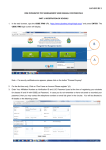
1
CBSE/Dir(Arti)/SA-I/2014 Circular No.: Acad.-27/2014 Dated: 26.08.2014 All the Heads of Independent Schools affiliated to CBSE Subject: Conduct of Summative Assessment-I for Classes IX and X (Academic Session 2014-2015). Dear Principal, This is in continuation to our Circular No.Acad-02/2014 dated 05.02.2014 regarding “Conduct of Class IX and X Examination under Summative Assessment-II held in March, 2014”. 1. The School Based Assessment has been operational in all CBSE affiliated schools for classes IX and X. As per the scheme, four Formative Assessments and two Summative Assessments are conducted in an academic year. The First Summative Assessment (SA–I) for this academic session for classes IX and X will be conducted in the second fortnight of September 2014. 2. The following may please be noted for Summative Assessment I for class IX and X: a) The Syllabus and the design of the Examination Question Paper for different subjects of classes IX and X Summative Assessment will be the same as communicated earlier through different circulars circulated by the Board. b) As in practice, the Summative Assessment–I will be in the form of a pen-paper test conducted by the schools themselves. c) In order to ensure standards, the Board will support schools to generate online question papers in the following major subjects: English Communicative (Code No. 101) English Language & Literature (Code No. 184) Hindi Course A (Code No. 002) Hindi Course B (Code No. 085) Mathematics (Code No. 041) Science (Code No. 086) Social Science (Code No. 087) Communicative Sanskrit (Code No. 122) d) Evaluation of answer scripts will be done by the school teachers themselves on the basis of the Marking Scheme generated online as per the schedule given. The schools may use the Sahodaya School Cluster for spot evaluation so that teachers from other schools are also involved. e) There will be random verification of the assessment procedures carried out by schools through the Board officials/nominees appointed by the Board. With respect to other subjects/languages, the schools will administer their own question paper. 3. Each school will be provided with two sets of unique question papers generated through online software. 4. The school may either: a. pick up one question paper for each subject downloaded by the school from ITMS. b. mix and match the two question papers downloaded by the school from ITMS. c. Prepare their own question papers as per design available on CBSE’s website (http://www.cbseacademic.in). However, in case the school prepares its own question papers, the question papers and marking scheme so prepared should be emailed to the Board (email id: [email protected] with cc to [email protected]) for verification within a week of conduct of the respective paper. 5. To distribute the question papers and marking scheme to schools, the Board has been using web-based technology and has built a solution called “CBSE Integrated Test Management System (CBSE-ITMS)” The CBSE ITMS is an application that automates online generation and distribution of Question Paper and Marking Scheme. This innovative solution allows the CBSE affiliated schools to access question papers and download them in a transparent, secure and user-friendly manner. The principals of newly affiliated schools are requested to read Annexure I and register themselves in the system. The Principals who have already registered themselves previously need not register again. The previously allotted login and password will work. 6. Every School, Sahodaya Cluster or City may design its own date sheet for classes IX and X School Based Examination accordingly. 7. Schedule for Supply of Question Papers and Marking Scheme by the Board and Conduct of SA-I by the schools: Supply of Online Question Papers From 10th September, 2014 Conduct of Examination 16th September onwards Supply of Online Marking Scheme 16th September, 2014 In order to avoid congestion on the server it is suggested that the following schedule may be followed for downloading the assessment material: S.No. 1. 2. 3. 4. 5. 6. 7. Schools in Region Ajmer Allahabad and Dehradun Chennai Delhi Guwahati and Patna Bhubaneswar and Trivandrum Panchkula Time for download 7.30 a.m. to 8.30 a.m. 8.30 a.m. to 9.30 a.m. 9.30 a.m. to 10.30 a.m. 10.30 a.m. to 11.30 a.m. 11.30 a.m. to 12.30 a.m. 12.30 p.m. to 1.30 p.m. 1.30 p.m. to 2.30 p.m. The principals are requested to follow the steps in Annexure II to download the question papers and marking scheme. 8. The schools need to take the printouts of the desired question paper (refer para 4 above) and, thereafter, the required number of prints/copies may be made at the school level. These question papers must be kept carefully maintaining secrecy. 9. It may be noted again that the question papers for Classes IX and X have been designed by the Board and are being sent online to schools with the purpose of maintaining uniformity and standardization. Depending upon the feedback and suggestions from the stakeholders, the Board may review this policy in future, if need be. 10. Kindly note that answer scripts of Summative Assessment I for class IX and Summative Assessment I for class X should not be sent to the Board under any circumstances. However these must be preserved and kept in the safe custody at the school as per details given in CBSE circular dated 28/06/2012 and also in Annexure III 11. This time the question papers will be downloaded as M.S. Word file from the system. This has been done to enable the schools to change the question paper, if required. It is imperative that no school uses defective questions. If any discrepancy is found kindly communicate it to contact details given below: Mr. Navin Maini, Research Officer (Technology), phone no. 011-23211575, E-mail: [email protected] Mr. Karnail Singh, Assistant Secretary, phone no. 011-23324399, E-mail: [email protected] Mr. Sachin Thakur, Assistant Secretary, phone no. 011-23324398, E-mail: [email protected] For Technical & Administrative Support: 022-33066700 and 011-23231327 Email support: [email protected] and [email protected] Please contact between 9.30 a.m. to 1:00 p.m. and 2:00 p.m. to 5:30 p.m. on all working days 12. It is requested that all schools should login to the system immediately after reading this circular to ensure that they have/remember the password to the system. All schools are requested to update their details in the system, especially principal’s name and contact numbers. This may be brought to the notice of all teachers, students and parents of classes IX and X. In case you are not able to get a response on the email ids / phone numbers mentioned above, please contact the office of Director (ART&I) at 011-23212603 and email at [email protected]. Yours sincerely, Sd/(Dr Sadhana Parashar) Director (ART&I) Encl : Annexure I, Annexure II and Annexure III Copy to the respective Heads of Directorates, Organizations, and Institutions as indicated below with a request to disseminate the information to all the schools under their jurisdiction: 1. The Commissioner, Kendriya Vidyalaya Sangathan, 18-Institutional Area, Shaheed Jeet Singh Marg, New Delhi-16. 2. The Commissioner, Navodaya Vidayalaya Samiti, B-15, Sector 62, Institutional Area, Noida-201 309. 3. The Director of Education, Directorate of Education, Govt. of NCT of Delhi, Old Secretariat, Delhi- 54. 4. The Director of Public Instructions (Schools), Union Territory Secretariat, Sector-9, Chandigarh- 160017. 5. The Director of Education, Govt. of Sikkim, Gangtok, Sikkim- 737101. 6. The Director of School Education, Govt. of Arunachal Pradesh, Itanagar-791111 7. The Director of Education, Govt. of A&N Islands, Port Blair- 744101. 8. The Director of Education, S.I.E., CBSE Cell, VIP Road, Junglee Ghat, P.O. 744103, A&N Islands. 9. The Secretary, Central Tibetan School Administration, ESS ESS Plaza, Community Centre, Sector 3, Rohini, Delhi- 85 10. All the Regional Officers of CBSE with the request to send this circular to all the Heads of the affiliated schools of the Board in their respective regions. 11. Associated Professor & Addl. Directors / Assistant Professor & Joint Directors /Assistant Professor & Deputy Directors / Deputy Director (Examination & Reforms) 12. The Associate Professor & Programme Officer (Vocational) / Assistant Professor & Assistant Programme Officer (Vocational), CBSE, Preet Vihar, Delhi 13. The Research Officer (Tech.) with the request to put this circular on the CBSE Academic website and ensure that all copies are received from Sl. No. 1-21. 14. Assistant Librarian, CBSE. 15. PS to Chairman, CBSE 16. PS to Secretary, CBSE 17. PA to Professor & Director (Academics, Research, Training & Innovation) 18. PS to Director (Spl. &Exams) 19 SO to CE, CBSE 20. PRO, CBSE ANNEXURE-I CBSE INTEGRATED TEST MANAGEMENT USER MANUAL FOR PRINCIPALS PART 1: REGISTRATION OF SCHOOLS 1. In the web browser, type the CBSE ITMS URL “www.cbseitms.in/Login/Login.aspx” and press ENTER. The CBSE ITMS login screen will be displayed. B A 2. If you are the first time user, click on “Don’t have an Account Please register” (A). 3. Enter Your Affiliation Number as verification ID and verification Password (sent to you on your registered email instantly) as Password. In case you do not remember or have not saved or recorded your password, then you may contact the following telephone numbers or email idso o 4. For Technical & Administrative Support: 022-33066700 and 011-23231327 Email support: [email protected] and [email protected] Once you have logged in, you will be directed to the following screen to fill certain details. 5. Fill all the details and submit. Please be sure that you have put in your correct email-id. Your User Name and Password will be e-mailed to you on this email-id. 6. After submitting the details go back to home page and click on School Login button (B). 7. Login with the User Name and Password e-mailed to you. You will be asked to change the password at your first login. 8. Enter new Password and confirm password. 9. Answer the challenge response question to recover password later, in case you forget it. Keep the password confidential and safe for later use. 10. Click ‘Update Information’. You will then be directed back to Home Page. 11. Logout of the system. ANNEXURE-II CBSE INTEGRATED TEST MANAGEMENT USER MANUAL FOR PRINCIPALS PART 2: GENERATION OF QUESTION PAPERS AND MARKING SCHEMES C D 1. Login to the system with user name and password created by you, as per the instructions provided in Annexure 1. 2. Click on the Exam Management tab (C). 3. Click Download QP & MS (D). 4. Please note that in order to make the Mathematics and Hindi font visible in MS Word you should have the following fonts installed on your computer a. Chanakya b. Universal Maths c. Krutidev d. Mangal e. Chanakya Walkman 901 and 905 f. Arial Unicode 5. Choose the Academic Year, Summative Assessment, Class and Subject. 6. If the Question Paper is available a button can be seen on screen to download QP in Word Format. 7. After downloading the papers, in case school wants to administer the test for the subjects Social Science, Mathematics or Science, only in English medium, or, only in Hindi medium, the text of the other language can be deleted, before printing, thus saving paper and being environment friendly. 8. Marking scheme will be available on the same day. To generate it repeat the instructions above 1-3. 9. You can download the Question Paper or Marking Scheme by clicking on the appropriate button. 10. Logout of the system. ANNEXURE-III FREQUENTLY ASKED QUESTIONS Q. What is my User Name? Your User Name is your School Affiliation Number. Q. I am facing problem in logging in to the system. What should I do? If you have registered earlier in ITMS System, you can download the QP by logging into ITMS System. If you have forgotten the password, you can try on the ‘forgot password’ link to get your updated password. Please try this feature only once and wait for about 30 minutes. In case of no email received within 30 minutes, please send us a mail on [email protected] along with scanned copy of affiliation document. Your updated password will be delivered on your registered mail. If you have not registered earlier and are a first time user: You have to register in the system first by using Verification Password sent by us on your email-id registered with affiliation department. To find your email id registered with CBSE affiliation department please click on http://164.100.50.30/SchoolDir/userview.aspx Q. I have forgotten the password of my email Id/the Principal has changed and the current Id registered in the system is of the earlier principal? If you registered last year and forgot your password and are not able to access your registered email id or if you want to change the registered email-id in ITMS system, 1. Please send us the scanned copy of your school affiliation letter 2. Scanned copy of request letter to update your email id and password duly signed and stamped by School Principal to [email protected] Q. I have a problem while downloading the papers? Please wait after selecting an item from the dropdown list on the QP and MS downloading page. If the server is slow, there is a possibility that papers for different subjects may either get mixed or interchanged. So, it is advisable to wait after selecting an item from the dropdown list of QP and MS till it gets properly and completely downloaded. Q. On downloading word files I am not able to see Hindi/Sanskrit papers or I am not able to see the Hindi text in Mathematics/Science/Social Science papers. It is advised to install fonts mentioned below before downloading or opening of Papers and Marking Scheme for Mathematics and Hindi, in MS Word. Fonts are: 1. Chanakya 2. Universal Maths 3. Krutidev 4. Mangal 5. Chanakya Walkman 901 and 905 6. Arial Unicode Note: As the server is being accessed by thousands of people at the same time, the server may become slow, if you feel the system is not responding please try after some time. Q. For how long will the Marking Scheme and Question Papers be available? The QP & MS will be available for one month; you can download during evening hours after 4 PM for quick access. Q. If some internal table over shoots the outer table in MS word, what do I do? In MS Word Question Paper if, some internal table over shoots from the outer table please correct internal table by dragging/resizing before printing the question paper. Q. What should be done if junk characters are coming in Hindi question paper and Hindi portion of bilingual question papers? If junk characters are coming in Hindi question paper and Hindi portion of bilingual question papers select the incorrect text and set the desired font by selecting it from the fonts menu. In case of subjects where the question papers are bilingual and your students wish to take the exam in any one of the medium please delete the language not required and save on printing and photocopying costs. E.g. In case all your students will take the Maths exam in English, please delete the Hindi portion. Q. What is the period of time of which the school needs to preserve answer scripts of SA? REDUCTION IN THE PERIOD OF RETENTION OF THE ASSESSMENTS OF CLASSES IX AND X AT SCHOOL LEVEL Vide Circular No. 8/2012 of 19.1.2012 against Sl. No.10 schools have been instructed to preserve and keep the answer books of classes IX and X in the safe custody at the school for at least a period of three years (in case of class IX) and two years (in case of class X) along with question papers and marking schemes for any verification by the Board subsequently. It has, time and again been brought to the notice that with increasing volume it is becoming difficult to preserve the record. The Board has, therefore, reduced the retention period of the assessments of classes IX and X to be preserved at the school level w.e.f. 2013 examination and the same is as under : i) Answer books of candidates (both for main and Improvement of Performance examination) shall be preserved by the School upto 02 months after declaration of result in respect of such candidates who have not applied for verification of grades or sought photocopy of the answer book. ii) Schools shall preserve the answer books in cases where mistake has been detected on account of verification of grades and those cases seeking photocopy of answer book(s) as under – Mistake detected on account of Verification of grades - 01 year from the date of declaration of result In case of providing photocopy of answer book(s) – 01 year if no RTI case received and 03 years if RTI case received iii) Schools shall preserve the answer books of sub-judice cases for 01 year after the final judgement iv) Schools shall weed out the evidence of assessments of classes IX & X along with the answer books of class X of the relevant examination viz. for 2014 Class X examination the evidence of assessments of class IX session 2012-2013 and Class X session 2013-2014 be weeded out 02 months after declaration of result of class X. However, errors, RTI and sub-judice cases will be dealt as per paras (ii) & (iii) above v) Schools shall weed out the hard copies of the marks data for classes IX and X along with the answer books of the Class X examination of the relevant year viz. for 2014 Class X examination the evidence of assessments of class IX session 2012-2013 and Class X session 2013-2014 be weeded out 02 months after declaration of result of class X.