1
6. Measuring Voltage
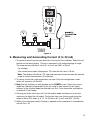
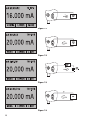
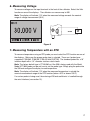
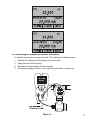
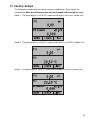
To measure voltage use the input terminals in the front of the calibrator. Select the Volts
function on one of the displays. The calibrator can measure up to 30V.
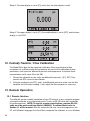
Note: The display will indicate “OL” when the measured voltage exceeds the nominal
range of voltage measurement (30 V).
Figure 8
7. Measuring Temperature with an RTD
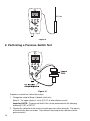
To measure temperature using an RTD probe you must select the RTD function on one of
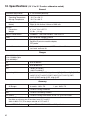
the displays. Make sure the proper probe type is selected. There are 4 probe types
supported, P100-385, P100-392, P100-JIS and CUSTOM. The standard probe has a 10”
insertion depth with a 1/4” diameter stainless steel sheath.
Note: The factory default type is PT100-385 so if the 330 is being used with the Martel
Model LPT100A probe you do not have to set the probe type. Simply plug the probe into
the 330 and configure the display to read temperature.
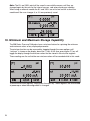
Note: The display will indicate “OL” when the measured temperature is outside the
nominal measurement range of the RTD function (below -40°C or above 150°C).
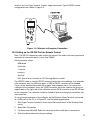
If a custom probe is being used, the entering of R0 and coefficients is handled through
the serial interface (see section 13).
17