1
Littelfuse Selco A/S
1
Introduction ......................................................................................................................................................3
2
System Overview ..............................................................................................................................................3
2.1
Basic ..........................................................................................................................................................4
2.2
Advanced ..................................................................................................................................................4
2.3
Professional ..............................................................................................................................................4
3
Getting started - EngineEye Configuration and Engine settings ......................................................................5
4
Getting started .................................................................................................................................................6
5
Inserting the USB cable.....................................................................................................................................6
6
Configuring the EngineEye ...............................................................................................................................6
6.1
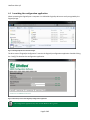
Launching the configuration application ..................................................................................................7
6.2
Navigating and editing ..............................................................................................................................8
6.3
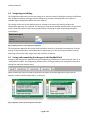
Saving and committing the changes to the Handheld Unit ......................................................................8
6.4
General settings ........................................................................................................................................9
6.4.1
Preferences .......................................................................................................................................9
6.4.2
Prompt for working condition ..........................................................................................................9
6.4.3
Ship identification .............................................................................................................................9
6.5
Engine settings....................................................................................................................................... 10
6.5.1
Engine description ......................................................................................................................... 10
6.5.2
Measurement options ................................................................................................................... 10
6.5.3
Working conditions (ISO correction data) ..................................................................................... 11
6.5.4
Operator notifications ................................................................................................................... 11
6.5.5
Mechanical engine parameters ..................................................................................................... 12
7
Using EngineEye – User interface and Functionality ..................................................................................... 13
8
User interface ................................................................................................................................................ 14
8.1
9
The sensor bar ....................................................................................................................................... 14
Measurements............................................................................................................................................... 15
9.1
Pressure and crank angle for MIP.......................................................................................................... 15
9.1.1
Prompting for ISO correction data ................................................................................................ 15
9.2
Cylinder balancing ................................................................................................................................. 18
9.3
Misfiring analysis ................................................................................................................................... 19
Page 1 of 27