1
ARC412 Series
Si10-416A
1.5 POWERFUL OPERATION
You can obtain a quick cooling or heating effect by entering the
“POWERFUL OPERATION” mode in any of the operation modes
during operation.
You can increase the cooling air speed and improve the cooling
sensation by entering the POWERFUL OPERATION mode during
operation.
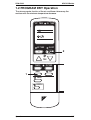
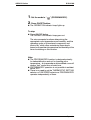
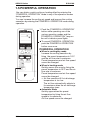
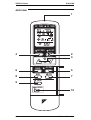
1. Push the “POWERFUL OPERATION”
button while operating one of the
various operation modes and the
“POWERFUL OPERATION” lamp on
the unit’s indicator panel lights.
1To cancel POWERFUL OPERATION,
push the POWERFUL OPERATION
button once more.
POWERFUL OPERATION
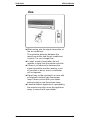
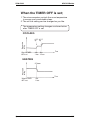
1When in cooling/dry mode
Increase the cooling sensation by
fixing the preset temperature to 18˚C
and the air flow rate to maximum.
Preset temperature and air flow speed
cannot be changed.
1When in heating mode
Quickly warms the room by fixing the
preset temperature to 28˚C and the air
flow rate to maximum.
Preset temperature and air flow speed
cannot be changed.
→ Air flow remains still if air discharge
temperature is too low.
The air flow automatically adjusts to
its maximum when the air discharge
temperature rises.
1Automatic Mode
Quickly approaches the preset
temperature by fixing the air flow
speed to its maximum.
Air flow speed cannot be changed.
196
Operation