1
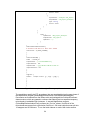
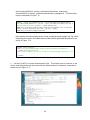
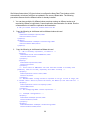
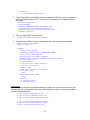
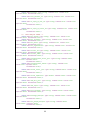
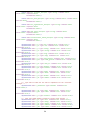
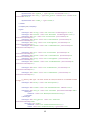
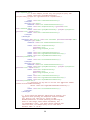
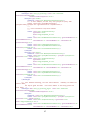
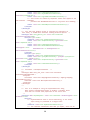
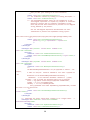
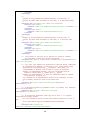
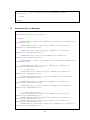
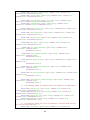
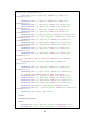
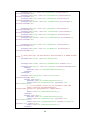
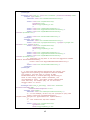
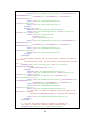
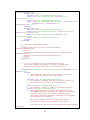
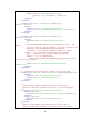
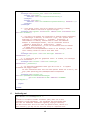
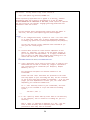
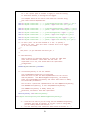
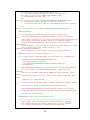
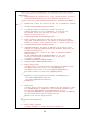
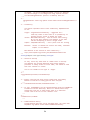
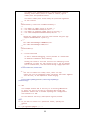
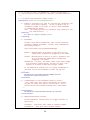
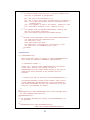
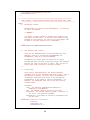
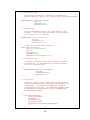
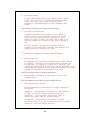
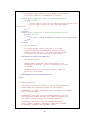
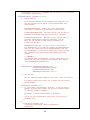
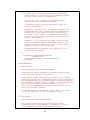
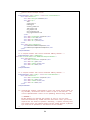
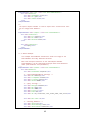
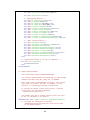
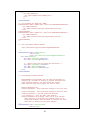
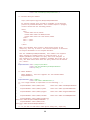
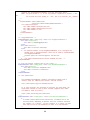
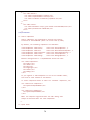
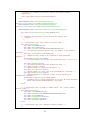
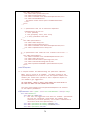
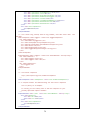
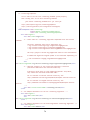
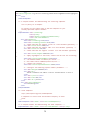
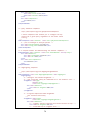
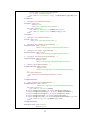
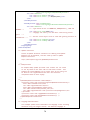
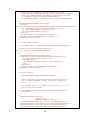
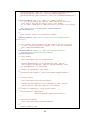
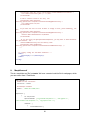
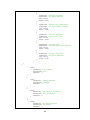
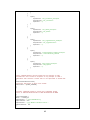
</property> <!-‐-‐ end zookeeper configurations -‐-‐> 4. Once the contents of the HBase Indexer configuration XML file is ready, register this with Lily HBase Indexer service. This is done by uploading the configuration xml to zookeeper hbase-‐indexer add-‐indexer \ -‐-‐name testIndexer \ -‐-‐indexer-‐conf $HOME/morphline-‐hbase-‐mapper.xml \ -‐-‐connection-‐param solr.zk=localhost:2181/solr \ -‐-‐connection-‐param solr.collection=hbase-‐collection1 \ -‐-‐zookeeper localhost:1 5. Start Lily based NRT Indexer service $ sudo service hbase-‐solr-‐indexer restart 6. Verify that the indexer is running successfully by using the following command. $ hbase-‐indexer list-‐indexers Number of indexes: 1 myIndexer + Lifecycle state: ACTIVE + Incremental indexing state: SUBSCRIBE_AND_CONSUME + Batch indexing state: INACTIVE + SEP subscription ID: Indexer_myIndexer + SEP subscription timestamp: 2013-‐06-‐12T11:23:35.635-‐07:00 + Connection type: solr + Connection params: + solr.collection = hbase-‐collection1 + solr.zk = localhost/solr + Indexer config: 110 bytes, use -‐dump to see content + Batch index config: (none) + Default batch index config: (none) + Processes + 1 running processes + 0 failed processes Troubleshoot: If you encounter errors like “org.apache.zookeeper.ClientCnxn - Session 0x0 for server null, unexpected error, closing socket connection and attempting reconnect”, then restart HBase using the commands below. $ sudo /etc/init.d/hbase-‐master stop $ sudo /etc/init.d/zookeeper-‐server stop $ sudo /etc/init.d/hbase-‐regionserver stop $ sudo /etc/init.d/hbase-‐regionserver start $ sudo /etc/init.d/zookeeper-‐server start $ sudo /etc/init.d/hbase-‐master start 27