1
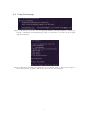
– Ask the user what to do.
• Generation of random values at new folder (during program)
If, while running the program, the user wishes to start a new run, should Paramotopy:
– Keep the random values currently in use, or
– Make a new set of random values.
• Set temp file location / use ramdisk for temp files
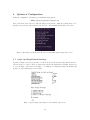
Bertini uses hard disk IO to communicate with itself and other processes. This can overwhelm
the hard disk, uses read/write cycles reducing the lifetime of a hard drive, and injures performance. Using a location in memory as a hard disk, otherwise known as a ramdisk, will
grant you enormous performance gains. Two locations are scanned for existence by default:
/dev/shm and /tmp. If either are found, the user is prompted for confirmation. The user
may also choose a custom location. However, at present time the name of the temporary file
location root directory must be the same across all computers used. Note: Paramotopy does
not guarantee that the chosen location is usable in the desired fashion; the user must ensure
that the temporary location is read/writable.
• Max Data File Size
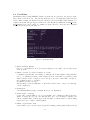
The text files produced by Paramotopy grow in time, of course. To ensure that you don’t
produce unwieldly files, change the maximum file size for data files. The default is 64MB. This
maximum is not a hard maximum, in the sense that a new file is started only after the max is
achieved.
• Deletion of tmp files
Step2 involves creation of many temporary files. Each worker creates a folder in which to
initialize Bertini, named init*, where * is the id number assigned by MPI. Then, each worker
creates another folder named work* with the same naming scheme, in which it produces the
data. All Bertini data is created in this folder. Switching this settings will toggle whether
these folders ought to be deleted at the end of a successful run.
• Generation of mc mesh file for non-user-def runs
User can choose whether step2 ought to create a text file containing all the parameter values
for all points, during a computer-generated mesh run. This file is usable in a user-defined run.
However, this file can be very large, and eats hard drive write throughput, so we have provided
the option to not create this file.
4.8
Meta Settings
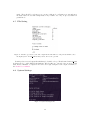
Figure 14: Meta Settings menu.
• Load a set of settings
Scans $(HOME)/.paramotopy for .xml files for settings, and offers you a choice to load.
16