1
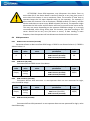
ATTENTION!
If FM1202 is in Deep Sleep mode and SMS event occurs with LOW priority
(which does not wake up FM1202), then the device does not send the message.
It is saved in device memory until it wakes up from Deep Sleep mode and GSM
modem starts working normally. After it wakes up, all the messages that are
saved in memory will be sent, but keep in mind that only 10 messages can be
saved in memory – all other messages will not be saved, until there is room in
device memory.
5.14.4.1 SMS events configuration
Scenarios
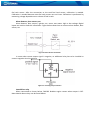
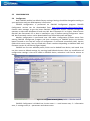
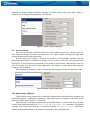
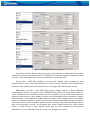
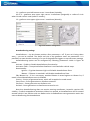
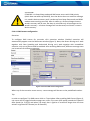
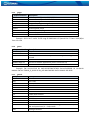
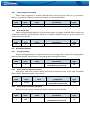
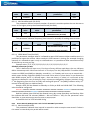
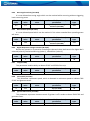
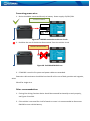
To configure SMS events for scenarios click scenarios window. Enabled scenarios will
automatically appear near the SMS event window (figure 3). Note, that Green Driving can’t work
together with Over Speeding and Authorized Driving can’t work together with Immobilizer
scenario– only one of them could be enabled. After enabling SMS events, different message texts
can be written for different scenarios.
Figure 3 Scenarios SMS event configuration
When any of the scenarios events occurs, a text message will be sent to the predefined number.
Trip
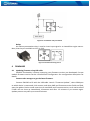
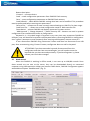
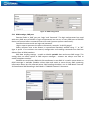
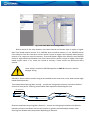
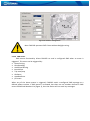
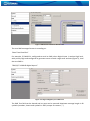
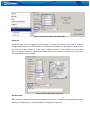
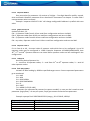
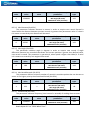
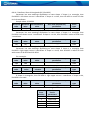
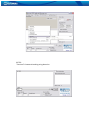
In order to configure Trip SMS events click on Trip window. After enabling SMS Events (figure 4),
trip event will be triggered and message sent, when Trip starts (GPS speed exceeds the speed in
Start Speed (ex. 5 km/h) and when Trip stops, that is ignition is turned off longer then the time
written in Ignition Off Timeout (ex. 60 seconds).