1
Control Module
Information
224
B.23
Sonny DVP-CX777ES:
SonyDVP777CM
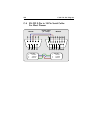
• Physical Connections
– This device requires an open RS-232 port.
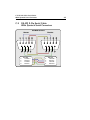
– This device requires a null-modem cable. See Section C.2 on page 234
for pin-out diagram.
– The device has a 9-pin male connector.
• Control Module Implementation
– This control module executes events from an internal schedule, executing each command on the device in real-time.
– This control module uses multiple control module sets in each location
to identify individual devices. Therefore, for every device in the location,
a new control module set (CMS) will be created, which references this
control module but uses a different name and address to identify the
specific device to be controlled. In turn, the devices within “Location
Settings: I/O: Devices” will use the CMS that addresses the intended
device.
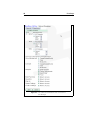
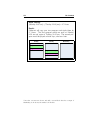
• Settings used within “System Settings: Control Modules”:
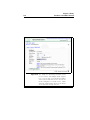
CMS Name User defined.
Host Address Default “localhost”.
If the control module is located on a remote server, enter the IP address
or DNS name of that server here.
Host Port 56720
CM URI SonyDVP777CM
Authentication SonyDVP777CM56720
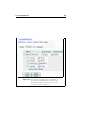
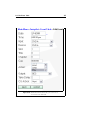
• Settings used within “Location Settings: I/O: Control Module Sets”:
CMS Name User defined.
Control Module Linked to the entry in “System Settings: Control Modules”
Port/Setting Enter the COM-Port number to which this device is attached.
Example: “1” or “7”
Authentication Leave this field blank.