1
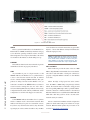
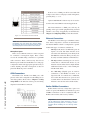
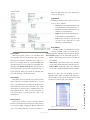
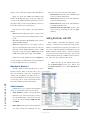
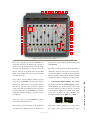
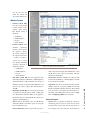
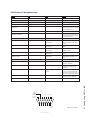
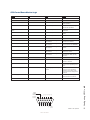
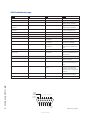
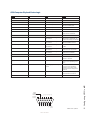
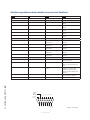
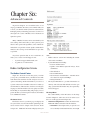
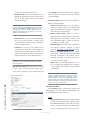
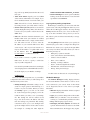
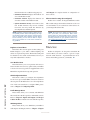
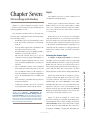
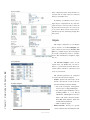
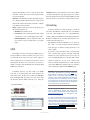
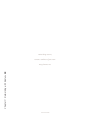
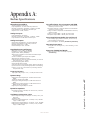
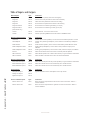
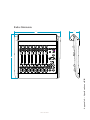
Figure 1-1: Radius Core - Front Panel
CHECK
This is a general health indicator for the Radius Core.
If this indicator is RED, immediately check the web pages for abnormal operating conditions such as excessive
CPU temperature. Do not ignore this indicator. Note that
it is normal for this indicator to flash during boot-up.
1: Setup and Connections • 4
LIVEWIRE
This indicates that Livewire network traffic is present
and multicast streams are properly advertised.
SYNC
If your Radius is part of a larger network, a solid
GREEN indicates the Radius Core is synchronized as
a slave to the Livewire network and that its internal
clock is locked. Flashing GREEN indicates that sync
packets are being received, but that Radius is not yet
locked. It is normal for the SYNC indicator to flash for
several seconds at startup. If it does not “lock” with a
solid, non-flashing LED, this may indicate an incorrectly
configured network switch. Check your Ethernet switch
configuration or call Axia 24/7 Support for assistance.
MASTER
Solid GREEN indicates the Radius Core is synchronized as a Master clock to the Livewire network. This
indicator will always be green for a standalone console.
If you have any other Livewire devices, they should be
reporting Sync or Slave. There should be only one Mas-
ter clock device in a Livewire network at any given time.
Figure 1-1 shows both Master and Sync illuminated for
illustration purposes only.
Note: The MASTER and SYNC indicators are not
normally ON at the same time since the Radius
Core will be either a Master or Slave. This principle applies to all Axia Livewire devices. Any
Livewire network will have only a single Master.
NET 1 and NET 2
These indicators provide the status of the two 1000
Mbsec (Gigabit) NICs in the Radius Core. Note that the
unit can be used with either or both ports connected to
properly configured Ethernet switches or other Radius
Core units.
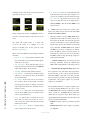
When the Gig1 or Gig2 ports have active connections, the NET1 or NET2 lamps (respectively) will illuminate. If a network cable is connected to a Gig port and
the corresponding NET lamp is unlit, a problem with the
network connection is indicated. When a disconnected
Ethernet link has been re-established, the NET LED will
blink with a 50% duty cycle for about 5 seconds as the
network activity is resumed.
Please consult Axia’s Ethernet switch configuration
guides for details when using Core switches in a larger
network. Ethernet Switch guides may be found on our
web site at AxiaAudio.com/manuals/.
©2011 Axia Audio